brake light TOYOTA PRIUS PLUS 2019 User Guide
[x] Cancel search | Manufacturer: TOYOTA, Model Year: 2019, Model line: PRIUS PLUS, Model: TOYOTA PRIUS PLUS 2019Pages: 568, PDF Size: 73.58 MB
Page 218 of 568
2184-1. Before driving
PRIUS +_OM_OM47D30E_(EE)
WARNING
Observe the following precautions.
Failure to do so may result in death or serious injury.
■ When the vehicle is parked
● Do not leave glasses, cigarette lighters, spray cans, or soft drink cans in
the vehicle when it is in the sun.
Doing so may result in the following:
• Gas may leak from a cigarette lighter or spray can, and may lead to a
fire.
• The temperature inside the vehicle may cause the plastic lenses and
plastic material of glasses to deform or crack.
• Soft drink cans may fracture, causing the contents to spray over the
interior of the vehicle, and may also cause a short circuit in the vehicle’s
electrical components.
● Do not leave cigarette lighters in the vehicle. If a cigarette lighter is in a
place such as the glove box or on the floor, it may be lit accidentally when
luggage is loaded or the seat is adjusted, causing a fire.
● Do not attach adhesive discs to the windshield or windows. Do not place
containers such as air fresheners on the instrument panel or dashboard.
Adhesive discs or containers may act as lenses, causing a fire in the vehi-
cle.
● Do not leave a door or window open if the curved glass is coated with a
metallized film such as a silver-colored one. Reflected sunlight may cause
the glass to act as a lens, causing a fire.
● Always apply the parking brake, shift the shift position to P, stop the hybrid
system and lock the vehicle.
Do not leave the vehicle unattended while the “READY” indicator is illumi-
nated.
If the vehicle is parked with the shift position in P but the parking brake is
not set, the vehicle may start to move, possibly leading to an accident.
● Do not touch the exhaust pipe while the “READY” indicator is illuminated
or immediately after turning the hybrid system off.
Doing so may cause burns.
Page 224 of 568
2244-2. Driving procedures
PRIUS +_OM_OM47D30E_(EE)
Power (ignition) switch
Check that the parking brake is set.
Firmly depress the brake pedal.
Vehicles without multi-information display
The smart entry & start system indicator light (green) will turn on. If the
indicator light does not turn on, the hybrid system cannot be started.
Vehicles with multi-information display
will be displayed on the multi-information display.
If it is not displayed, the hybrid system cannot be started.
When the shift position is N, the hybrid system cannot start. Shift the shift
position to P when starting the hybrid system. (P. 234)
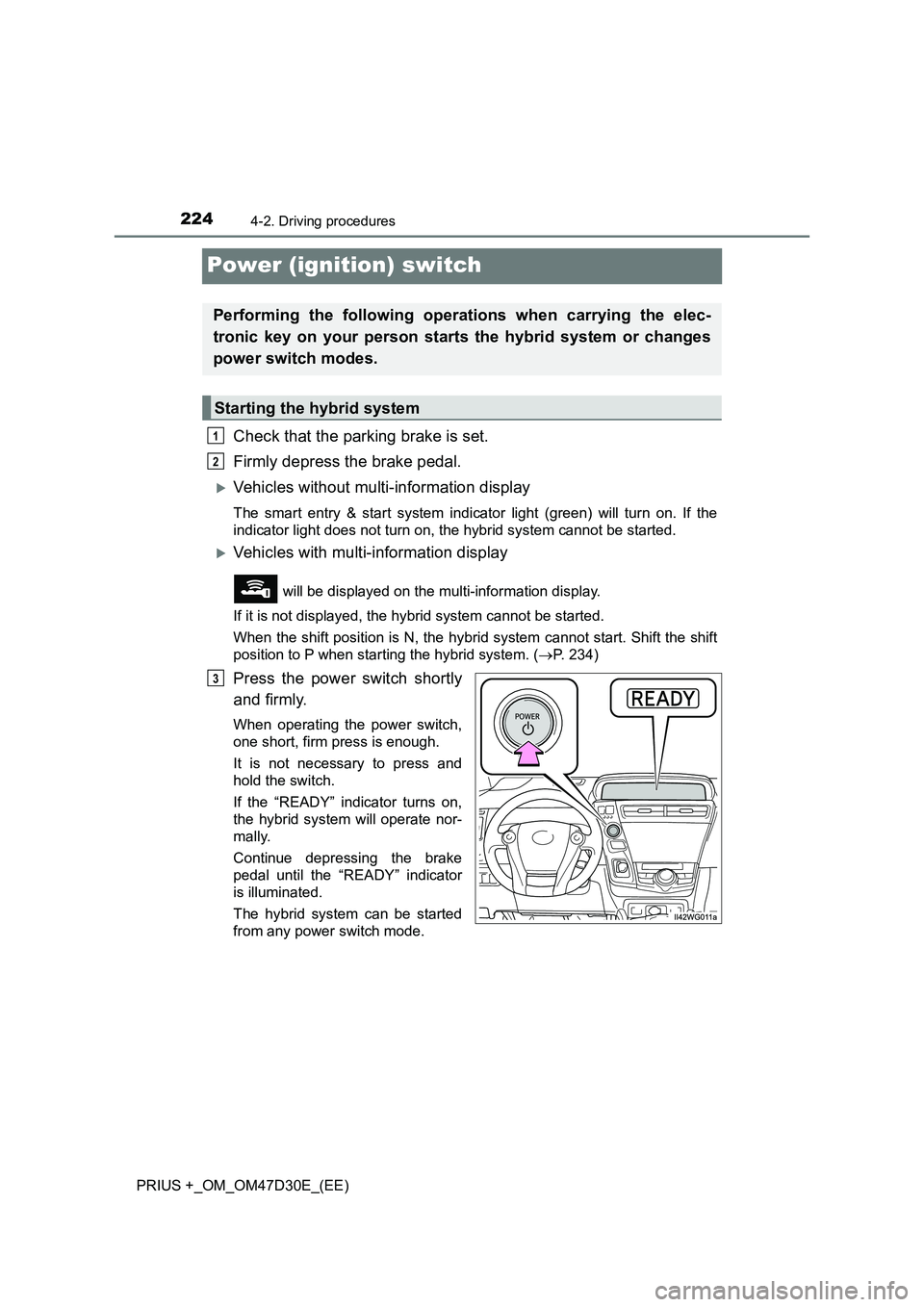
Press the power switch shortly
and firmly.
When operating the power switch,
one short, firm press is enough.
It is not necessary to press and
hold the switch.
If the “READY” indicator turns on,
the hybrid system will operate nor-
mally.
Continue depressing the brake
pedal until the “READY” indicator
is illuminated.
The hybrid system can be started
from any power switch mode.
Performing the following operations when carrying the elec-
tronic key on your person starts the hybrid system or changes
power switch modes.
Starting the hybrid system
1
2
3
Page 226 of 568
2264-2. Driving procedures
PRIUS +_OM_OM47D30E_(EE)
Stop the vehicle completely.
Set the parking brake. (P. 240)
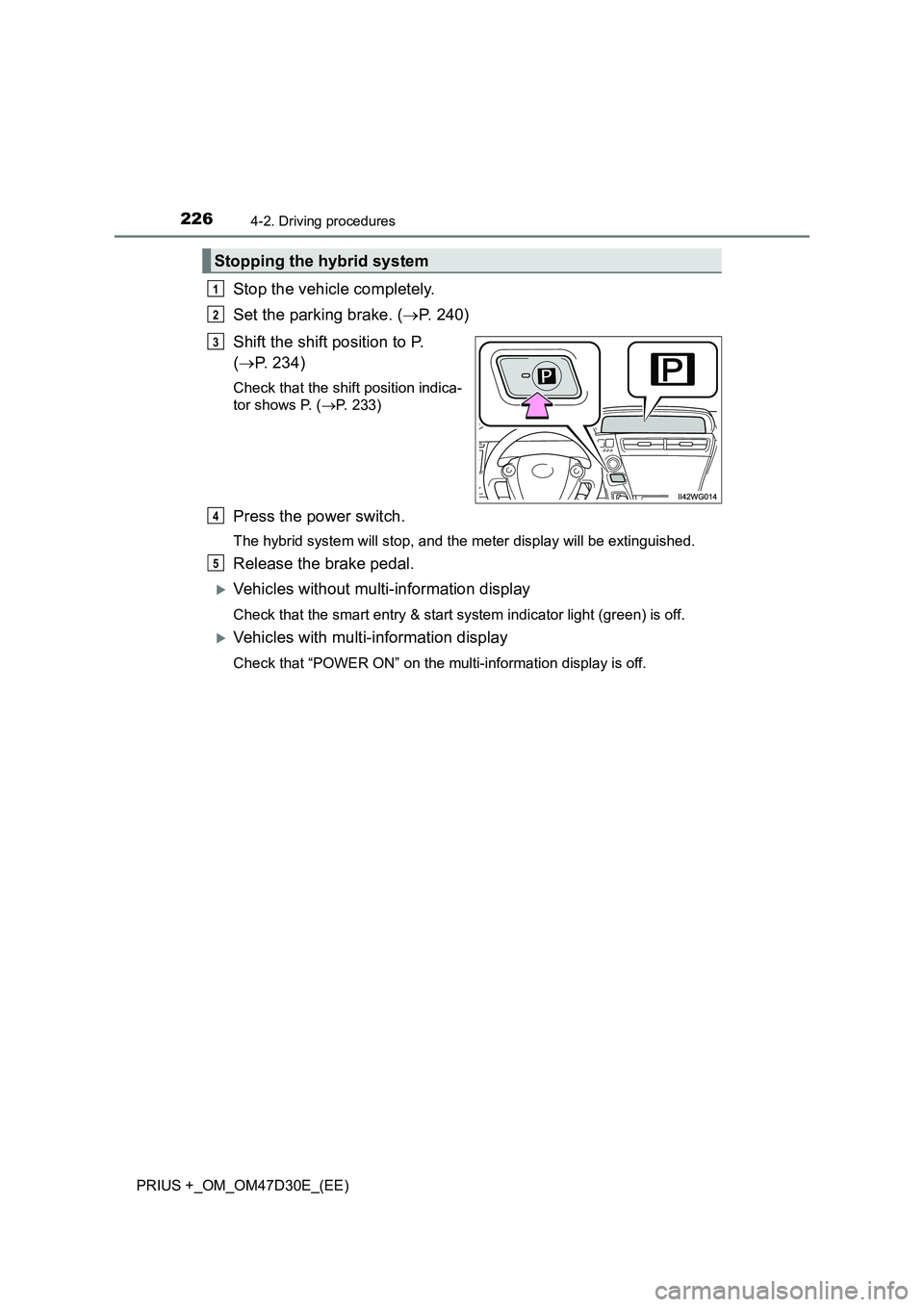
Shift the shift position to P.
(P. 234)
Check that the shift position indica-
tor shows P. (P. 233)
Press the power switch.
The hybrid system will stop, and the meter display will be extinguished.
Release the brake pedal.
Vehicles without multi-information display
Check that the smart entry & start system indicator light (green) is off.
Vehicles with multi-information display
Check that “POWER ON” on the multi-information display is off.
Stopping the hybrid system
1
2
3
4
5
Page 227 of 568
2274-2. Driving procedures
4
Driving
PRIUS +_OM_OM47D30E_(EE)
Modes can be changed by pressing the power switch with the brake
pedal released. (The mode changes each time the switch is pressed.)
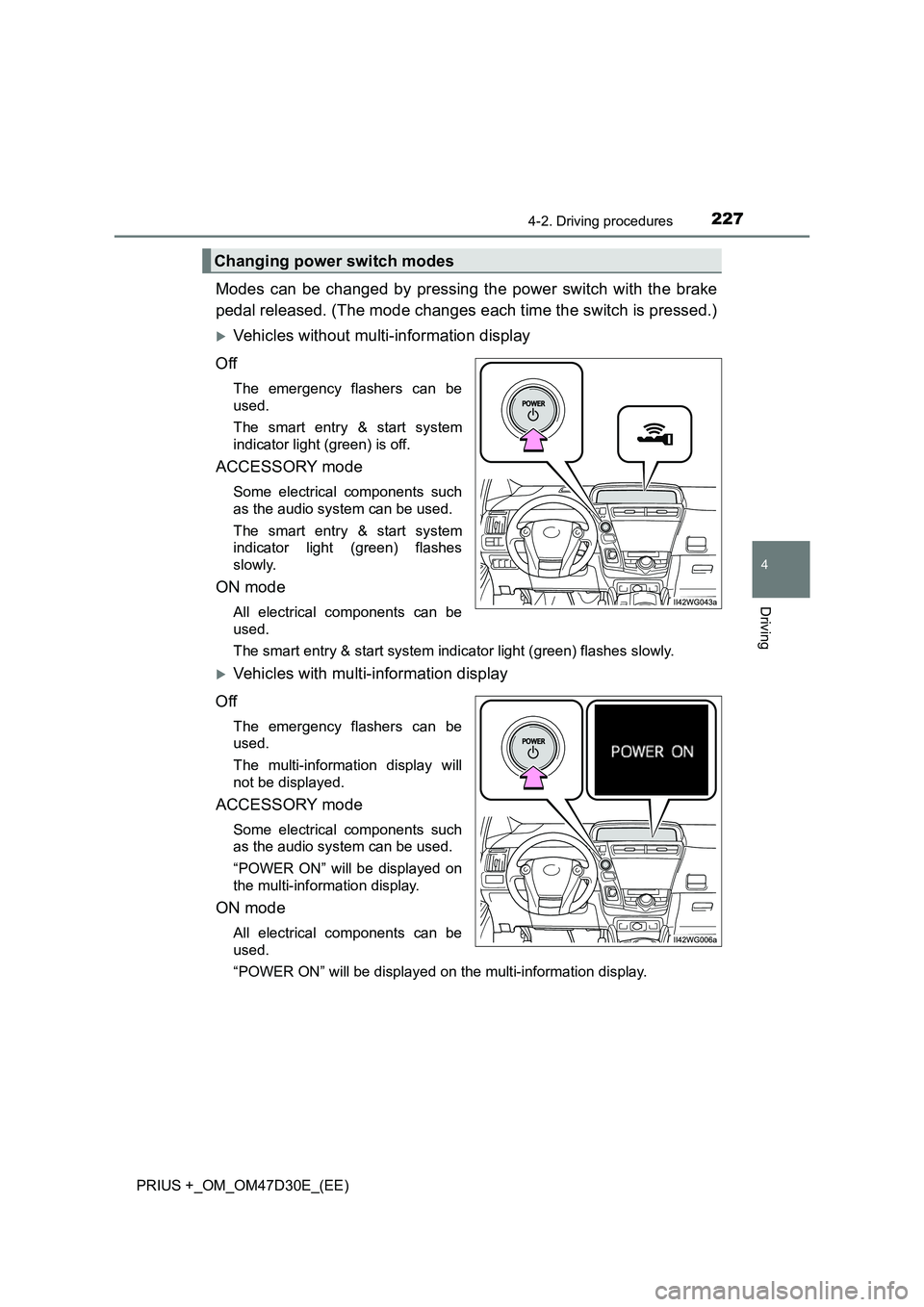
Vehicles without multi-information display
Off
The emergency flashers can be
used.
The smart entry & start system
indicator light (green) is off.
ACCESSORY mode
Some electrical components such
as the audio system can be used.
The smart entry & start system
indicator light (green) flashes
slowly.
ON mode
All electrical components can be
used.
The smart entry & start system indicator light (green) flashes slowly.
Vehicles with multi-information display
Off
The emergency flashers can be
used.
The multi-information display will
not be displayed.
ACCESSORY mode
Some electrical components such
as the audio system can be used.
“POWER ON” will be displayed on
the multi-information display.
ON mode
All electrical components can be
used.
“POWER ON” will be displayed on the multi-information display.
Changing power switch modes
Page 235 of 568
2354-2. Driving procedures
4
Driving
PRIUS +_OM_OM47D30E_(EE)
■For the shift positions
●When the power switch is off, the shift position cannot be changed.
●When the power switch is in ON mode (the hybrid system is not operating),
the shift position can only be changed to N. The shift position will be
changed to N even if the shift lever is shifted to D or R and held in that posi-
tion.
●When the “READY” indicator is on, the shift position can be changed from P
to D, N or R.
●When the “READY” indicator is flashing, the shift position cannot be
changed from P to another position even if the shift lever is operated. Wait
until the “READY” indicator changes from a flashing to a solid light, and then
operate the shift lever again.
●The shift position can only be changed to B directly from D.
In addition, if an attempt is made to change the shift position by moving the
shift lever or by pressing the P position switch in any of the following situa-
tions, the buzzer will sound and the shifting operation will be disabled or the
shift position will automatically change to N. When this happens, select an
appropriate shift position.
●Situations where the shifting operation will be disabled:
• When an attempt is made to change the shift position from P to another
position by moving the shift lever without depressing the brake pedal.
• When an attempt is made to change the shift position from P or N to B by
moving the shift lever.
●Situations where the shift position will automatically change to N:
• When the P position switch is pressed while the vehicle is running.
*1
• When an attempt is made to select the R position by moving the shift
lever when the vehicle is moving forward.
*2
• When an attempt is made to select the D position by moving the shift
lever when the vehicle is moving in reverse.
*3
• When an attempt is made to change the shift position from R to B by
moving the shift lever.
*1: Shift position may be changed to P when driving at extremely low
speeds.
*2: Shift position may be changed to R when driving at low speeds.
*3: Shift position may be changed to D when driving at low speeds.
■Reverse warning buzzer
When shifting into R, a buzzer will sound to inform the driver that the shift
position is in R.
Page 238 of 568
2384-2. Driving procedures
PRIUS +_OM_OM47D30E_(EE)
NOTICE
■Hybrid battery (traction battery) charge
If the shift position is in N, the hybrid battery (traction battery) will not be
charged. To help prevent the battery fr om discharging, avoid leaving the N
position selected for a certain period of time.
■ Situations where shift control system malfunctions are possible
If any of the following situations occurs, shift control system malfunctions
are possible.
Immediately stop the vehicle in a safe place on level ground, apply the park-
ing brake, and then contact any authorized Toyota retailer or Toyota autho-
rized repairer, or any reliable repairer.
● Vehicles without multi-information display:
When the “WHEN PARKING, APPLY PARKING BRAKE SECURELY”
warning message appears on the instrument cluster. ( P. 448)
● Vehicles without multi-information display:
When the parking lock system warning light is illuminated.
● Vehicles with multi-information display:
When the warning message indicating the shift control system appears on
the multi-information display. ( P. 460)
● When the shift position indicator remains off.
■ Notes regarding shift lever and P position switch operation
Avoid repeatedly operating the shift lever and P position switch in quick suc-
cession.
The system protection function may activate and it will not be temporarily
possible to shift the shift position other than P. If this happens, please wait
for approximately 20 seconds before attempting to change the shift position
again.
Page 242 of 568
2424-3. Operating the lights and wipers
PRIUS +_OM_OM47D30E_(EE)
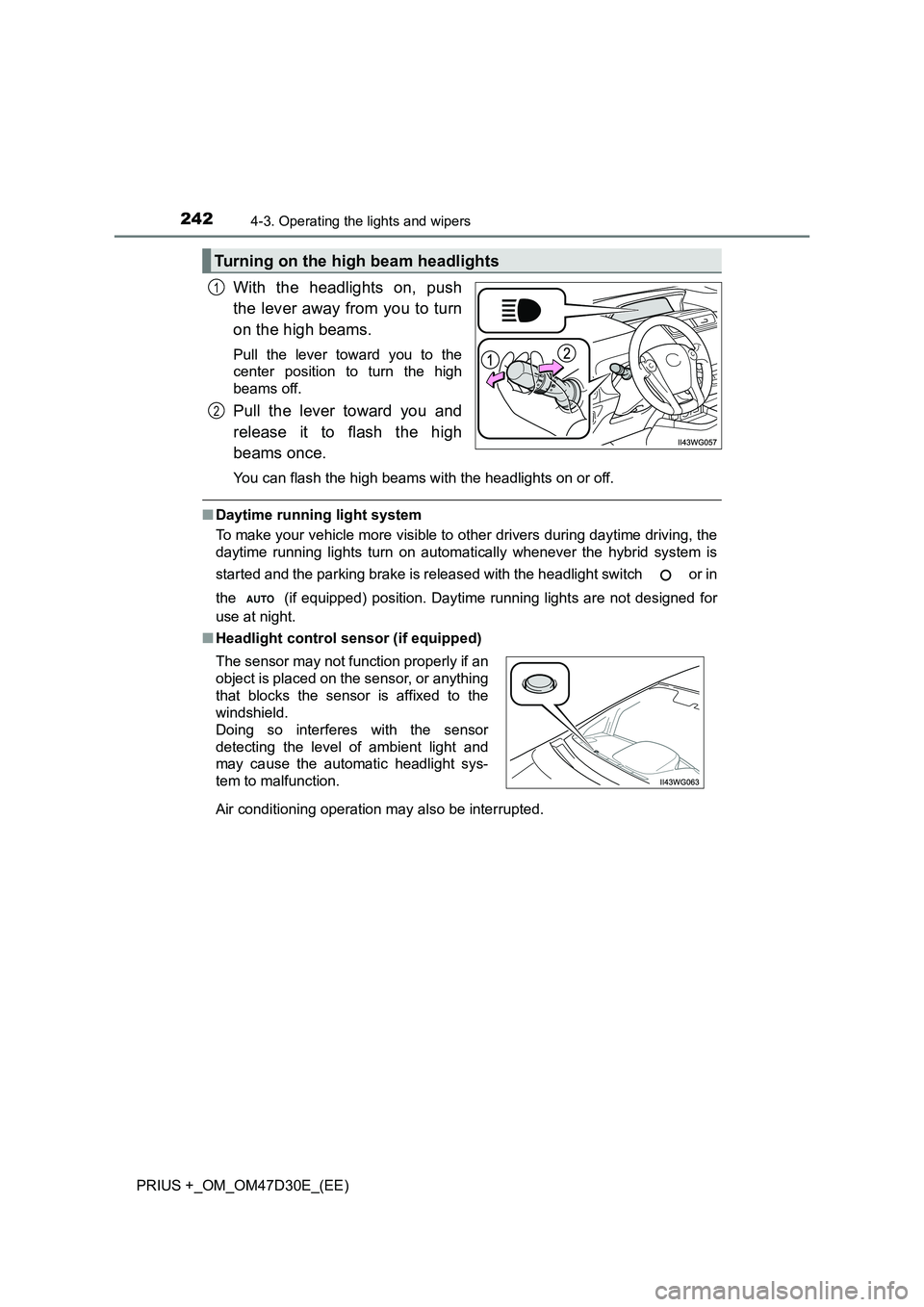
With the headlights on, push
the lever away from you to turn
on the high beams.
Pull the lever toward you to the
center position to turn the high
beams off.
Pull the lever toward you and
release it to flash the high
beams once.
You can flash the high beams wi th the headlights on or off.
■Daytime running light system
To make your vehicle more visible to other drivers during daytime driving, the
daytime running lights turn on automatically whenever the hybrid system is
started and the parking brake is released with the headlight switch or in
the (if equipped) position. Daytime running lights are not designed for
use at night.
■ Headlight control sensor (if equipped)
Air conditioning operation may also be interrupted.
Turning on the high beam headlights
1
2
The sensor may not function properly if an
object is placed on the sensor, or anything
that blocks the sensor is affixed to the
windshield.
Doing so interferes with the sensor
detecting the level of ambient light and
may cause the automatic headlight sys-
tem to malfunction.
Page 281 of 568
2814-5. Using the driving support systems
4
Driving
PRIUS +_OM_OM47D30E_(EE)• When driving in inclement weather such as heavy rain, fog, snow or a
sandstorm
• When the vehicle is hit by water, snow, dust, etc. from a vehicle ahead
• When driving through steam or smoke
• When driving in a place where the surrounding brightness changes sud-
denly, such as at the entrance or exit of a tunnel
• When a very bright light, such as the sun or the headlights of oncoming
traffic, shines directly into the camera sensor
• When the surrounding area is dim, such as at dawn or dusk, or while at
night or in a tunnel
• After the hybrid system has started the vehicle has not been driven for a
certain amount of time
• While making a left/right turn and for a few seconds after making a left/
right turn
• While driving on a curve and for a few seconds after driving on a curve
• If your vehicle is skidding
• If the wheels are misaligned
• If a wiper blade is blocking the camera sensor
• The vehicle is wobbling.
• The vehicle is being driven at extremely high speeds.
• When driving on a hill
• If the radar sensor or camera sensor is misaligned
●In some situations such as the following, sufficient braking force may not be
obtained, preventing the system from performing properly:
• If the braking functions cannot operate to their full extent, such as when
the brake parts are extremely cold, extremely hot, or wet
• If the vehicle is not properly maintained (brakes or tires are excessively
worn, improper tire inflation pressure, etc.)
• When the vehicle is being driven on a gravel road or other slippery sur-
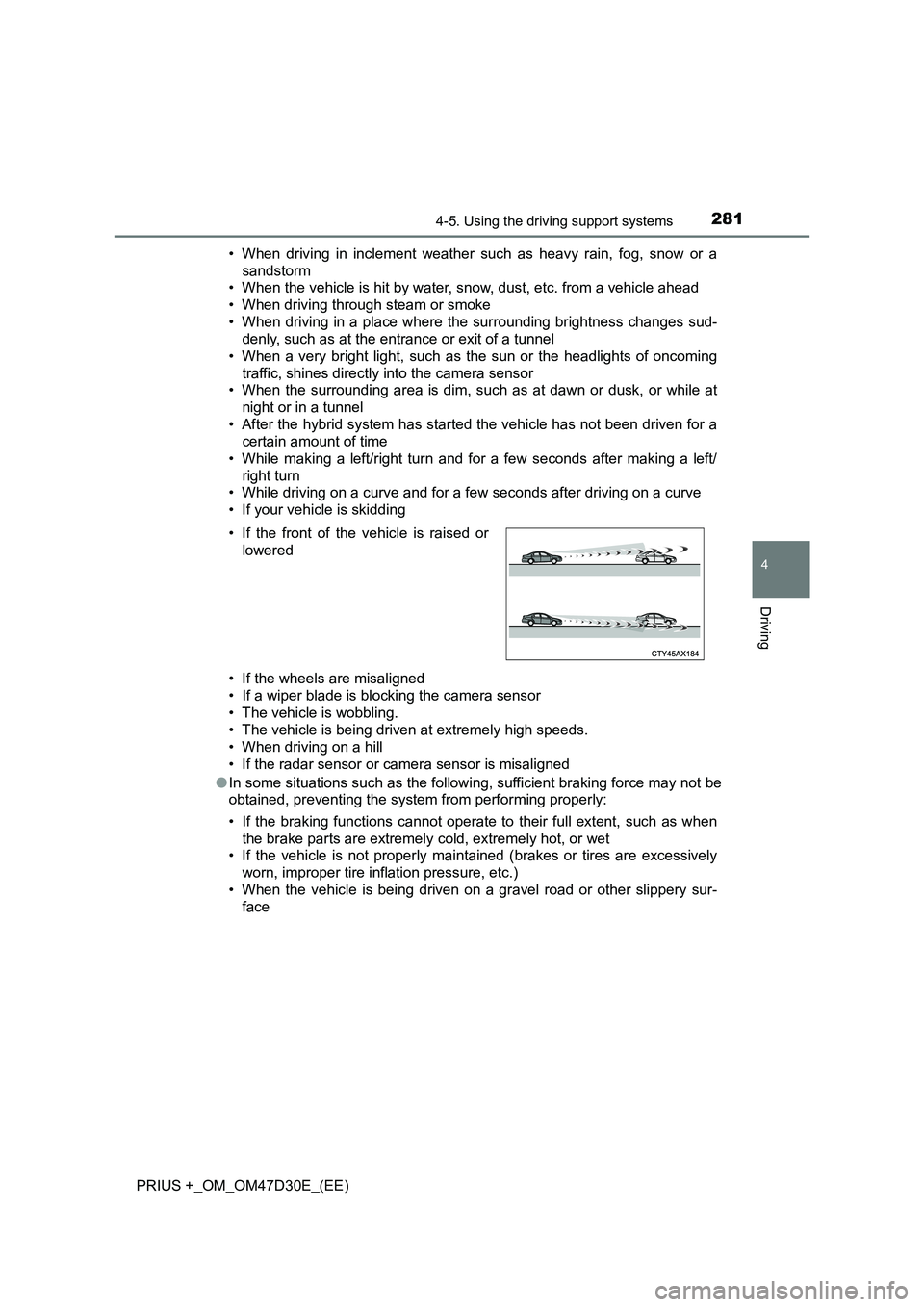
face • If the front of the vehicle is raised or
lowered
Page 303 of 568
3034-5. Using the driving support systems
4
Driving
PRIUS +_OM_OM47D30E_(EE)
Example of constant speed cruising
When there are no vehicles ahead
The vehicle travels at the speed set by the driver. The desired vehicle-to-
vehicle distance can also be set by operating the vehicle-to-vehicle dis-
tance switch.
Example of deceleration cruising and follow-up cruising
When a preceding vehicle driving slower than the set speed
appears
When a vehicle is detected running ahead of you, the system automatically
decelerates your vehicle. When a greater reduction in vehicle speed is
necessary, the system applies the brakes (the stop lights will come on at
this time). The system will respond to changes in the speed of the vehicle
ahead in order to maintain the vehicle-to-vehicle distance set by the driver.
Approach warning warns you when the system cannot decelerate suffi-
ciently to prevent your vehicle from closing in on the vehicle ahead.
Example of acceleration
When there are no longer any preceding vehicles driving slower
than the set speed
The system accelerates until the set speed is reached. The system then
returns to constant speed cruising.
1
2
3
Page 319 of 568
3194-5. Using the driving support systems
4
Driving
PRIUS +_OM_OM47D30E_(EE)
◆VSC + (Vehicle Stability Control +)
Provides cooperative control of the ABS, TRC, VSC and EPS.
Helps to maintain directional stability when swerving on slippery
road surfaces by controlling steering performance.
◆Hill-start assist control
Helps to prevent the vehicle from rolling backward when starting on
an incline or slippery slope
◆Emergency brake signal
When the brakes are applied suddenly, the emergency flashers
automatically flash to alert the vehicle behind.
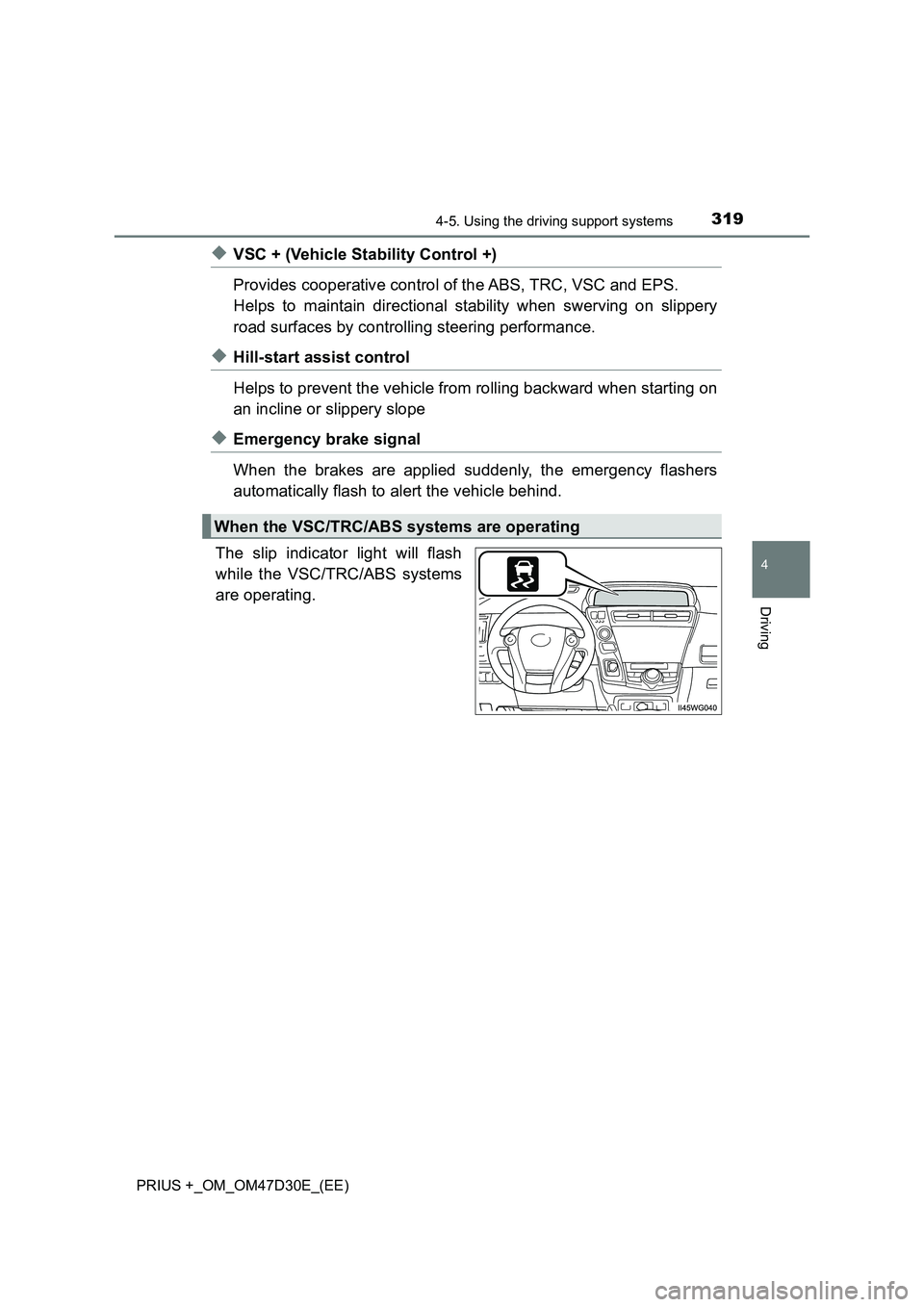
The slip indicator light will flash
while the VSC/TRC/ABS systems
are operating.
When the VSC/TRC/ABS systems are operating