ad blue TOYOTA PRIUS PRIME 2017 2.G Navigation Manual
[x] Cancel search | Manufacturer: TOYOTA, Model Year: 2017, Model line: PRIUS PRIME, Model: TOYOTA PRIUS PRIME 2017 2.GPages: 304, PDF Size: 4.56 MB
Page 55 of 304
55
2. Bluetooth® SETTINGS
PRIUS PRIME_Navi_OM47A96U_(U)
16.07.05 09:52
BASIC FUNCTION
2
1Select “Device Name” .
2Enter the name and select “OK”.
1Select “Connect Audio Player
From”.
2Select the desired connection method.
“Vehicle” : Select to connect the audio
system to the audio player.
“Device” : Select to connect the audio
player to the audio system.
Depending on the audio player, the “Vehi-
cle” or “Device” connection method may
be best. As such, refer to the manual that
comes with the audio player.
To reset the connection method, select
“Default” .
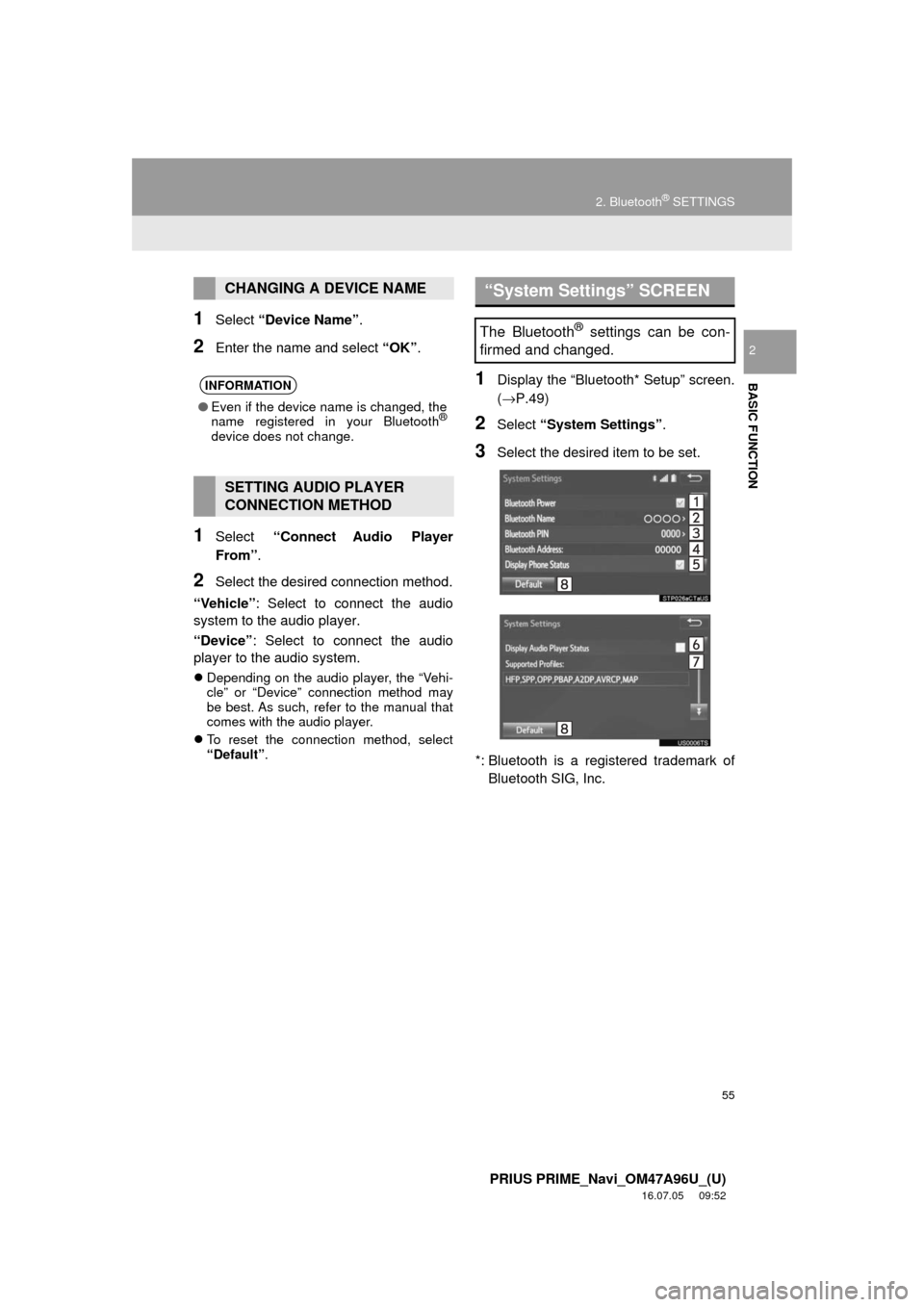
1Display the “Bluetooth* Setup” screen.
(→P.49)
2Select “System Settings” .
3Select the desired item to be set.
*: Bluetooth is a regi stered trademark of
Bluetooth SIG, Inc.
CHANGING A DEVICE NAME
INFORMATION
● Even if the device name is changed, the
name registered in your Bluetooth®
device does not change.
SETTING AUDIO PLAYER
CONNECTION METHOD
“System Settings” SCREEN
The Bluetooth® settings can be con-
firmed and changed.
Page 56 of 304
56
2. Bluetooth® SETTINGS
PRIUS PRIME_Navi_OM47A96U_(U)
16.07.05 09:52
1Select “Bluetooth* Power” .
When “Bluetooth* Power” is on :
The Bluetooth
® device is automatically
connected when the power switch is in AC-
CESSORY or ON mode.
When “Bluetooth* Power” is off :
The Bluetooth
® device is disconnected,
and the system will not connect to it next
time.
1Select “Bluetooth* Name” .
2Enter a name and select “OK”.
1Select “Bluetooth* PIN” .
2Enter a PIN-code and select “OK”.
*: Bluetooth is a registered trademark of Bluetooth SIG, Inc.
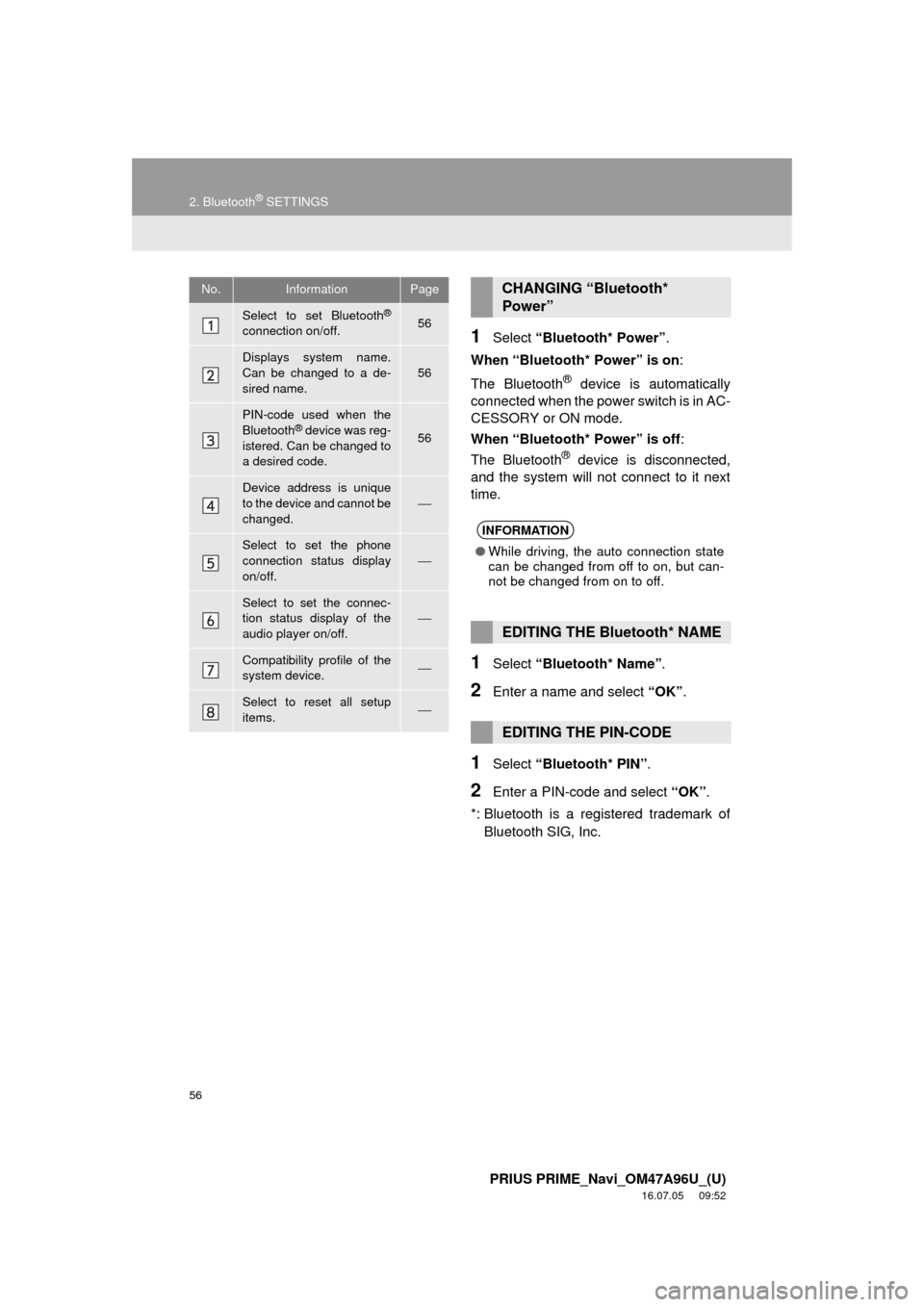
No.InformationPage
Select to set Bluetooth®
connection on/off.56
Displays system name.
Can be changed to a de-
sired name.56
PIN-code used when the
Bluetooth® device was reg-
istered. Can be changed to
a desired code.56
Device address is unique
to the device and cannot be
changed.⎯
Select to set the phone
connection status display
on/off.
⎯
Select to set the connec-
tion status display of the
audio player on/off.
⎯
Compatibility profile of the
system device.⎯
Select to reset all setup
items.⎯
CHANGING “Bluetooth*
Power”
INFORMATION
● While driving, the auto connection state
can be changed from off to on, but can-
not be changed from on to off.
EDITING THE Bluetooth* NAME
EDITING THE PIN-CODE
Page 58 of 304
58
3. OTHER SETTINGS
PRIUS PRIME_Navi_OM47A96U_(U)
16.07.05 09:52
*: If equipped
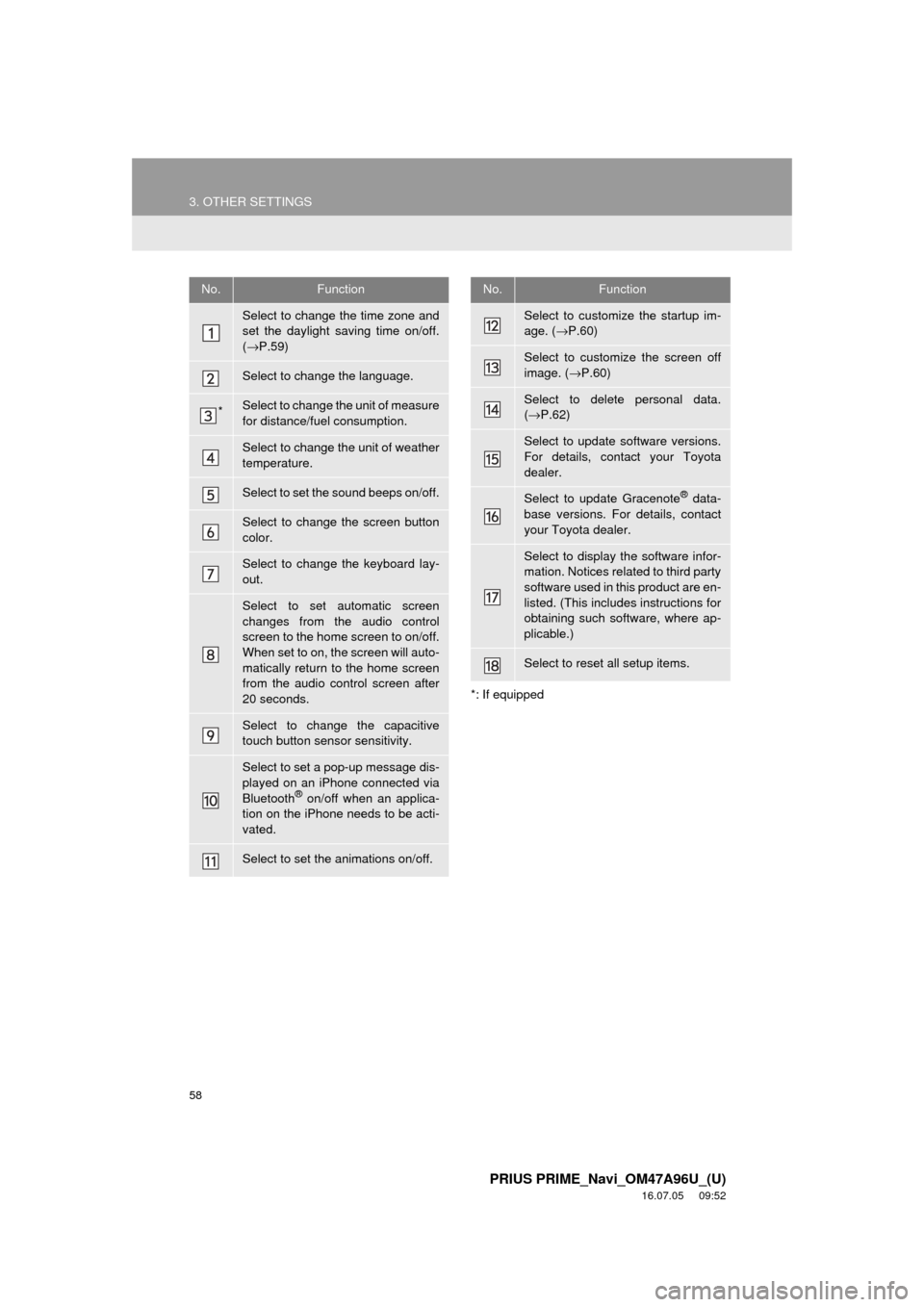
No.Function
Select to change the time zone and
set the daylight saving time on/off.
(→ P.59)
Select to change the language.
*Select to change the unit of measure
for distance/fuel consumption.
Select to change the unit of weather
temperature.
Select to set the sound beeps on/off.
Select to change the screen button
color.
Select to change the keyboard lay-
out.
Select to set automatic screen
changes from the audio control
screen to the home screen to on/off.
When set to on, the screen will auto-
matically return to the home screen
from the audio control screen after
20 seconds.
Select to change the capacitive
touch button sensor sensitivity.
Select to set a pop-up message dis-
played on an iPhone connected via
Bluetooth
® on/off when an applica-
tion on the iPhone needs to be acti-
vated.
Select to set the animations on/off.
Select to customize the startup im-
age. ( →P.60)
Select to customize the screen off
image. ( →P.60)
Select to delete personal data.
(→ P.62)
Select to update software versions.
For details, contact your Toyota
dealer.
Select to update Gracenote® data-
base versions. For details, contact
your Toyota dealer.
Select to display the software infor-
mation. Notices related to third party
software used in this product are en-
listed. (This includes instructions for
obtaining such software, where ap-
plicable.)
Select to reset all setup items.
No.Function
Page 64 of 304
64
3. OTHER SETTINGS
PRIUS PRIME_Navi_OM47A96U_(U)
16.07.05 09:52
3. DRIVER SETTINGS
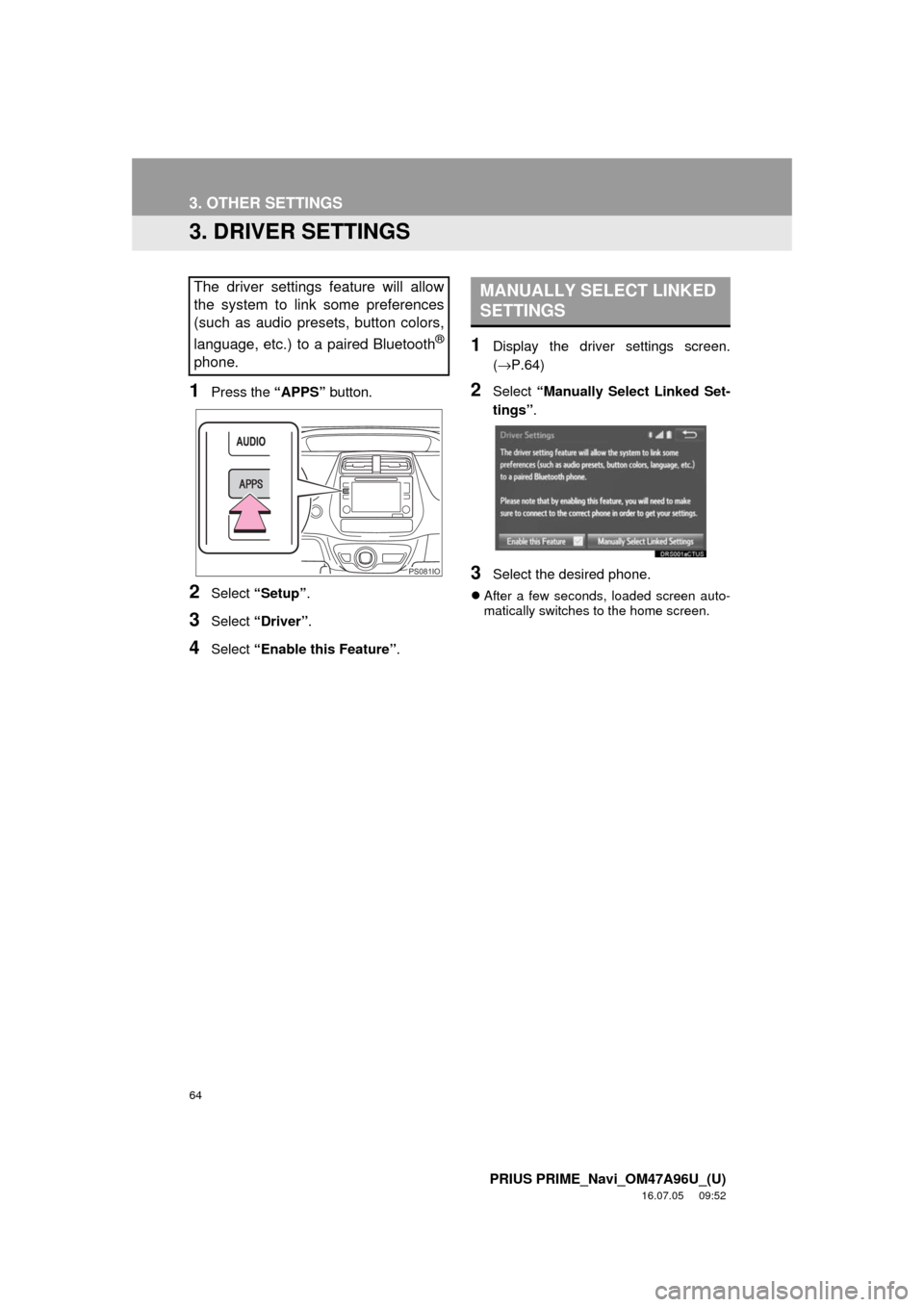
1Press the “APPS” button.
2Select “Setup” .
3Select “Driver” .
4Select “Enable this Feature” .
1Display the driver settings screen.
(→P.64)
2Select “Manually Select Linked Set-
tings” .
3Select the desired phone.
After a few seconds, loaded screen auto-
matically switches to the home screen.
The driver settings feature will allow
the system to link some preferences
(such as audio presets, button colors,
language, etc.) to a paired Bluetooth
®
phone.
PS081IO
MANUALLY SELECT LINKED
SETTINGS
Page 69 of 304
3
69
PRIUS PRIME_Navi_OM47A96U_(U)
16.07.25 09:36
1
2
3
4
5
6
7
8
9
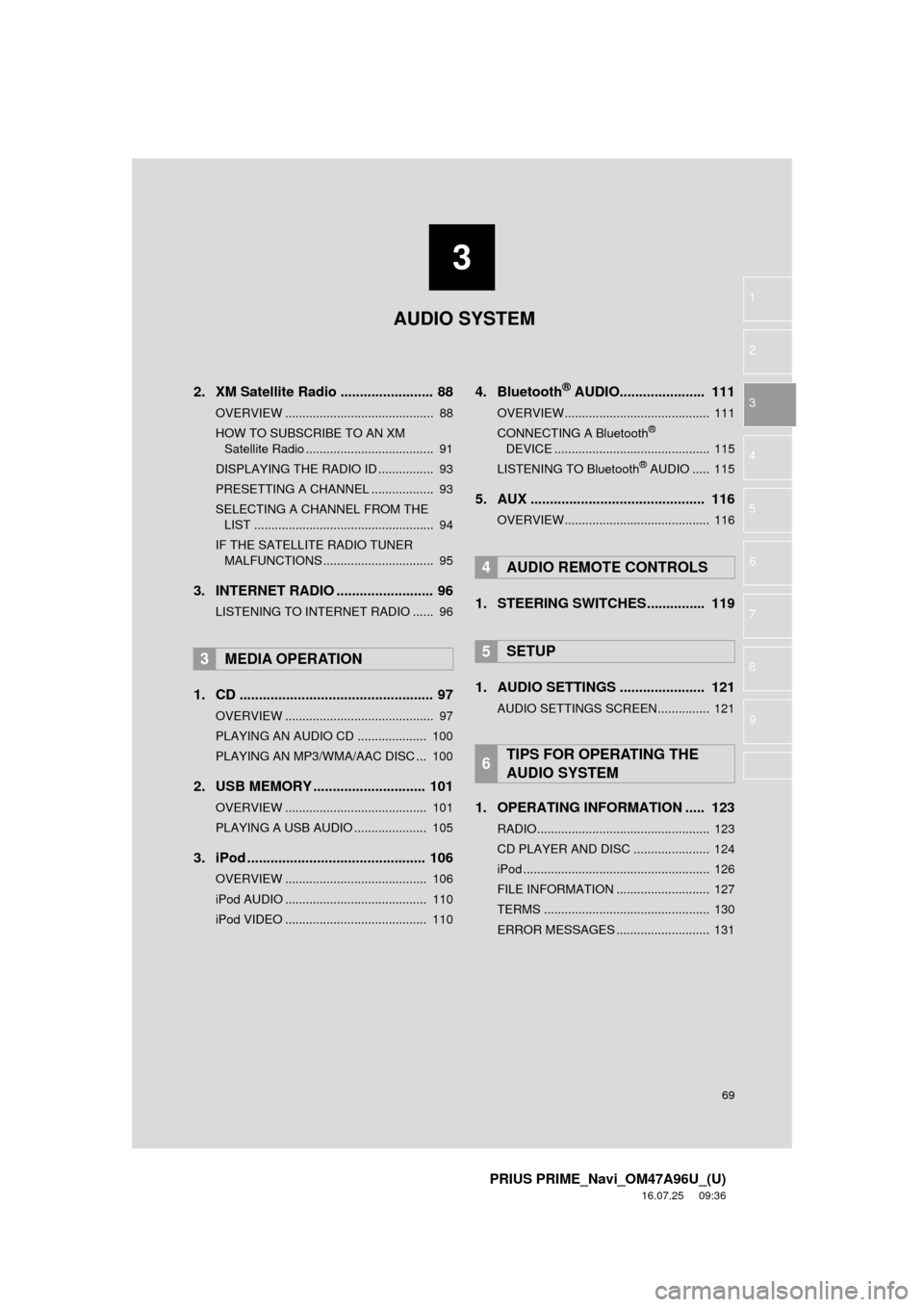
2. XM Satellite Radio ........................ 88
OVERVIEW ........................................... 88
HOW TO SUBSCRIBE TO AN XM Satellite Radio ..................................... 91
DISPLAYING THE RADIO ID ................ 93
PRESETTING A CHANNEL .................. 93
SELECTING A CHANNEL FROM THE LIST .................................................... 94
IF THE SATELLITE RADIO TUNER MALFUNCTIONS ................................ 95
3. INTERNET RADIO ..... .................... 96
LISTENING TO INTERNET RADIO ...... 96
1. CD .................................................. 97
OVERVIEW ........................................... 97
PLAYING AN AUDIO CD .................... 100
PLAYING AN MP3/WMA/AAC DISC ... 100
2. USB MEMORY ............................. 101
OVERVIEW ......................................... 101
PLAYING A USB AUDIO ..................... 105
3. iPod .............................................. 106
OVERVIEW ......................................... 106
iPod AUDIO ......................................... 110
iPod VIDEO ......................................... 110
4. Bluetooth® AUDIO...................... 111
OVERVIEW.......................................... 111
CONNECTING A Bluetooth®
DEVICE ............................................. 115
LISTENING TO Bluetooth
® AUDIO ..... 115
5. AUX ............................................. 116
OVERVIEW.......................................... 116
1. STEERING SWITCHES............... 119
1. AUDIO SETTINGS ...................... 121
AUDIO SETTINGS SCREEN............... 121
1. OPERATING INFORMATION ..... 123
RADIO.................................................. 123
CD PLAYER AND DISC ...................... 124
iPod ...................................................... 126
FILE INFORMATION ........................... 127
TERMS ................................................ 130
ERROR MESSAGES ........................... 131
3MEDIA OPERATION
4AUDIO REMOTE CONTROLS
5SETUP
6TIPS FOR OPERATING THE
AUDIO SYSTEM
AUDIO SYSTEM
Page 70 of 304
70
PRIUS PRIME_Navi_OM47A96U_(U)
16.07.05 09:52
1. BASIC OPERATION
1. QUICK REFERENCE
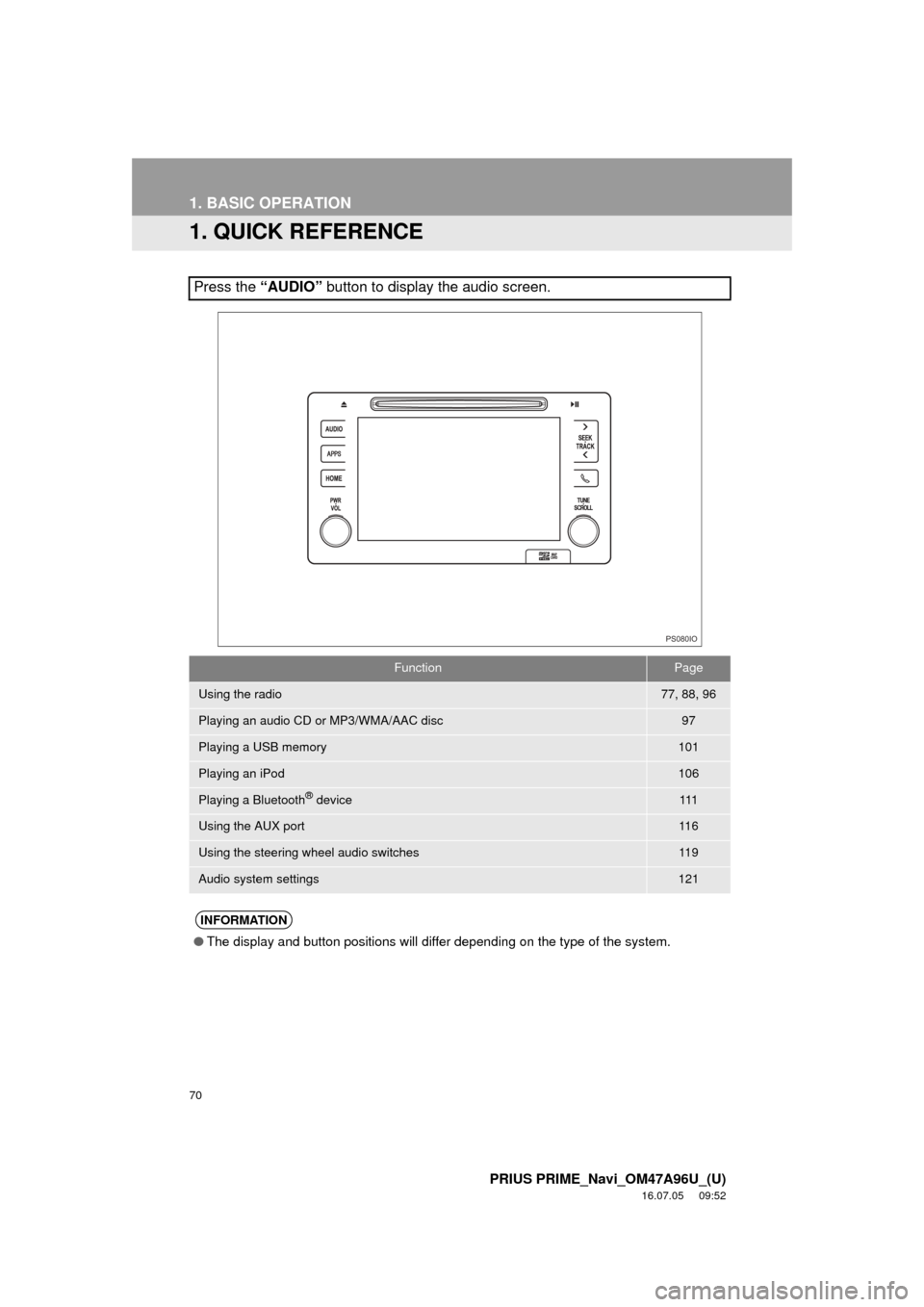
Press the “AUDIO” button to display the audio screen.
FunctionPage
Using the radio77, 88, 96
Playing an audio CD or MP3/WMA/AAC disc97
Playing a USB memory101
Playing an iPod106
Playing a Bluetooth® device111
Using the AUX port11 6
Using the steering wheel audio switches11 9
Audio system settings121
INFORMATION
●The display and button positions will differ depending on the type of the system.
PS080IO
Page 82 of 304
82
2. RADIO OPERATION
PRIUS PRIME_Navi_OM47A96U_(U)
16.07.05 09:52
■REFRESHING THE STATION LIST
1Select “Refresh” on the station list
screen and the following screen will be
displayed.
“Cancel Refresh” : Select to cancel the
refresh.
“Source” : Select to change to another au-
dio source while refreshing.
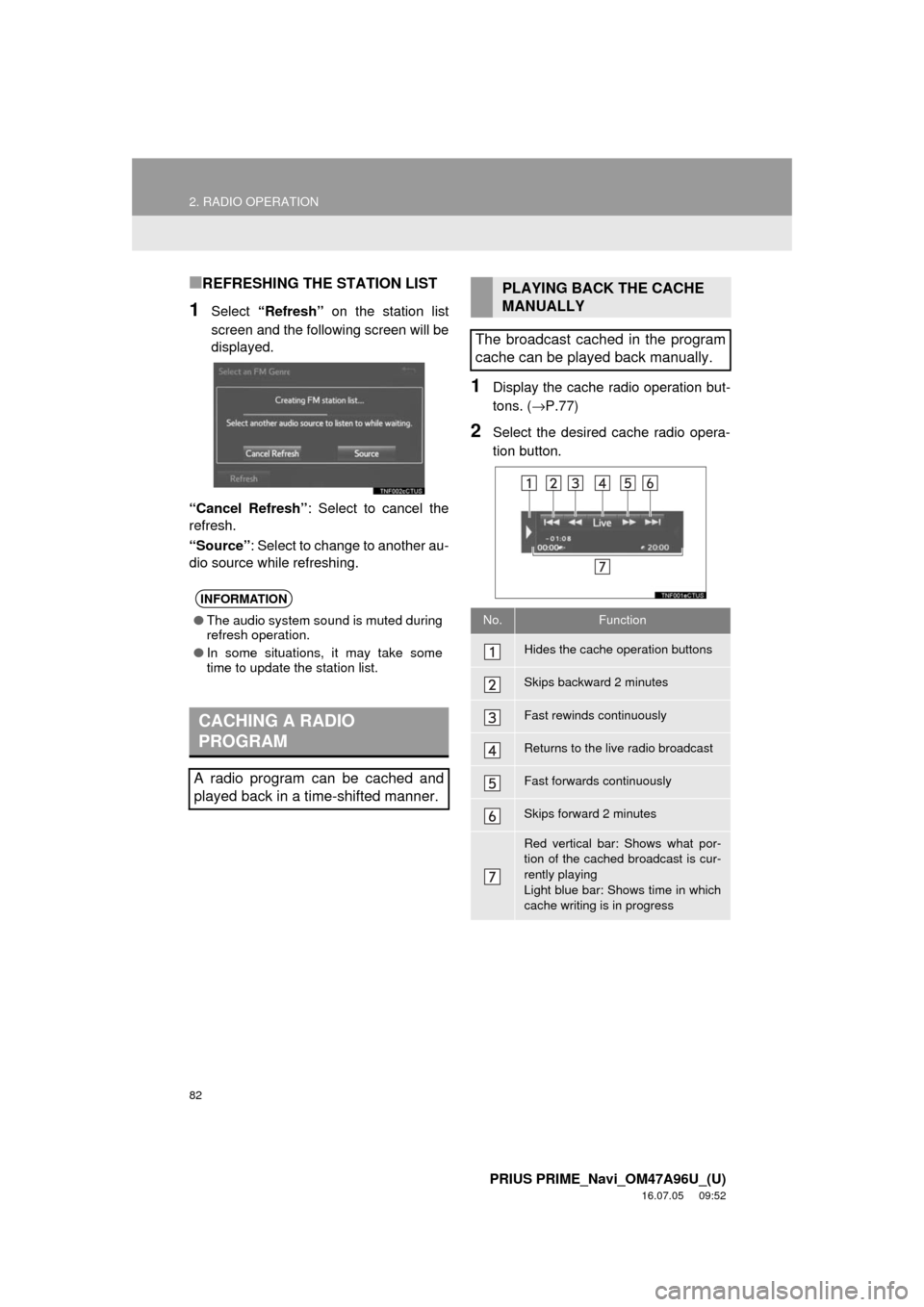
1Display the cache r adio operation but-
tons. ( →P.77)
2Select the desired cache radio opera-
tion button.
INFORMATION
●The audio system sound is muted during
refresh operation.
● In some situations, it may take some
time to update the station list.
CACHING A RADIO
PROGRAM
A radio program can be cached and
played back in a time-shifted manner.
PLAYING BACK THE CACHE
MANUALLY
The broadcast cached in the program
cache can be played back manually.
No.Function
Hides the cache operation buttons
Skips backward 2 minutes
Fast rewinds continuously
Returns to the live radio broadcast
Fast forwards continuously
Skips forward 2 minutes
Red vertical bar: Shows what por-
tion of the cached broadcast is cur-
rently playing
Light blue bar: Shows time in which
cache writing is in progress
Page 84 of 304
84
2. RADIO OPERATION
PRIUS PRIME_Navi_OM47A96U_(U)
16.07.05 09:52
1Select “Station List” .
2FM radio only: Select a desired genre
of station and select a desired station.
The genre list is in the following order:
• Classical
• Country
• EasyLis (Easy Listening)
• Inform (Information)
•Jazz
•News
• Oldies
•Other
• Pop Music
•Religion
•Rock
• R&B (Rhythm and Blues)
• Sports
•Talk
• Traffic (Not available when “HD Radio™”
indicator is off.)
• Alert (Emergency Alert)1Select “Station List” .
2Select the desired traffic program sta-
tion.
SELECTING A DESIRED
GENRETRAFFIC ANNOUNCEMENT
(FM RADIO)
A station that regularly broadcasts traf-
fic information is automatically located.
INFORMATION
●If a traffic program station is found, the
name of the traffic program station will
be displayed for a while.
Page 109 of 304
109
3. MEDIA OPERATION
PRIUS PRIME_Navi_OM47A96U_(U)
16.07.05 09:52
AUDIO SYSTEM
3
INFORMATION
●When an iPod is connected using a genuine iPod cable, the iPod starts charging its bat-
tery.
● Depending on the iPod, the video sound may not be able to be heard.
● Depending on the iPod and the songs in the iPod, iPod cover art may be displayed. This
function can be changed to on/off. ( →P.121) It may take time to display iPod cover art,
and the iPod may not be operated while the cover art display is in process.
● When an iPod is connected and the audio source is changed to iPod mode, the iPod will
resume playing from the same point it was last used.
● Depending on the iPod that is connected to the system, certain functions may not be
available.
● Files/tracks selected by operating a connected iPod may not be recognized or displayed
properly.
● If an iPhone is connected via Bluetooth
® and USB at the same time, system operation
may become unstable.
For known phone compatibility information, refer to http://www.toyota.com/entune/
.
Page 111 of 304
111
3. MEDIA OPERATION
PRIUS PRIME_Navi_OM47A96U_(U)
16.07.05 09:52
AUDIO SYSTEM
3
4. Bluetooth® AUDIO
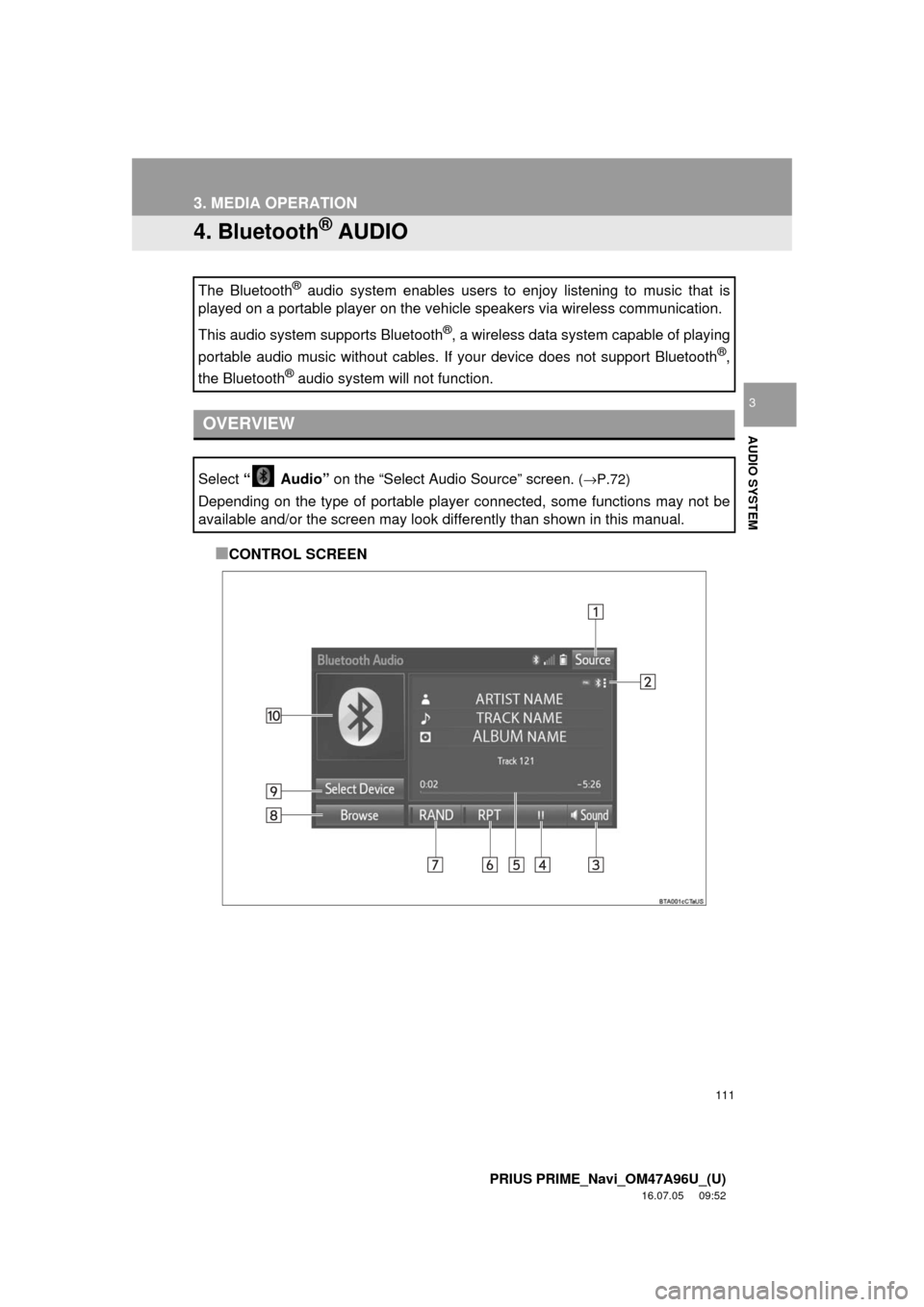
■CONTROL SCREEN
The Bluetooth
® audio system enables users to enjoy listening to music that is
played on a portable player on the vehicle speakers via wireless communi\
cation.
This audio system supports Bluetooth
®, a wireless data system capable of playing
portable audio music without cables. If your device does not support Bluetooth
®,
the Bluetooth
® audio system will not function.
OVERVIEW
Select “ Audio” on the “Select Audio Source” screen. (→P.72)
Depending on the type of portable player connected, some functions may not be
available and/or the screen may look differently than shown in this manual.