lane departure TOYOTA PRIUS PRIME 2017 2.G Owners Manual
[x] Cancel search | Manufacturer: TOYOTA, Model Year: 2017, Model line: PRIUS PRIME, Model: TOYOTA PRIUS PRIME 2017 2.GPages: 784, PDF Size: 14.98 MB
Page 4 of 784

TABLE OF CONTENTS4
PRIUS PRIME_OM_OM47A88U_(U)5-5. Using the driving support
systems
Toyota Safety Sense P ..... 361
PCS (Pre-Collision System) ........................... 369
LDA (Lane Departure Alert with steering
control) ............................ 381
Dynamic radar cruise control with full-speed
range ............................... 391
Driving mode select switch .............................. 406
BSM (Blind Spot Monitor) ........ 408
• The Blind Spot Monitor
function ......................... 412
• The Rear Cross Traffic Alert function ................. 415
Intuitive parking assist ....... 420
Intelligent Clearance Sonar .............................. 430
S-APGS (Simple Advanced Parking
Guidance System) .......... 442
Driving assist systems....... 476
5-6. Driving tips Winter driving tips.............. 482 6-1. Using the air conditioning
system and defogger
Automatic air conditioning system (vehicles with
7-inch display) ................. 488
Automatic air conditioning system (vehicles with
11.6-inch display) ............ 498
Remote Air Conditioning System ............................ 509
Heated steering wheel/ seat heaters..................... 513
6-2. Using the interior lights Interior lights list................. 515• Front interior light .......... 516
• Front personal lights ...... 516
• Rear interior light ........... 517
6-3. Using the storage features List of storage features ...... 518• Glove box ...................... 519
• Console box .................. 519
• Cup holders ................... 520
• Bottle holders/door pockets.................. 521
• Auxiliary boxes .............. 522
Luggage compartment features ........................... 523
6Interior features
Page 21 of 784
21Pictorial index
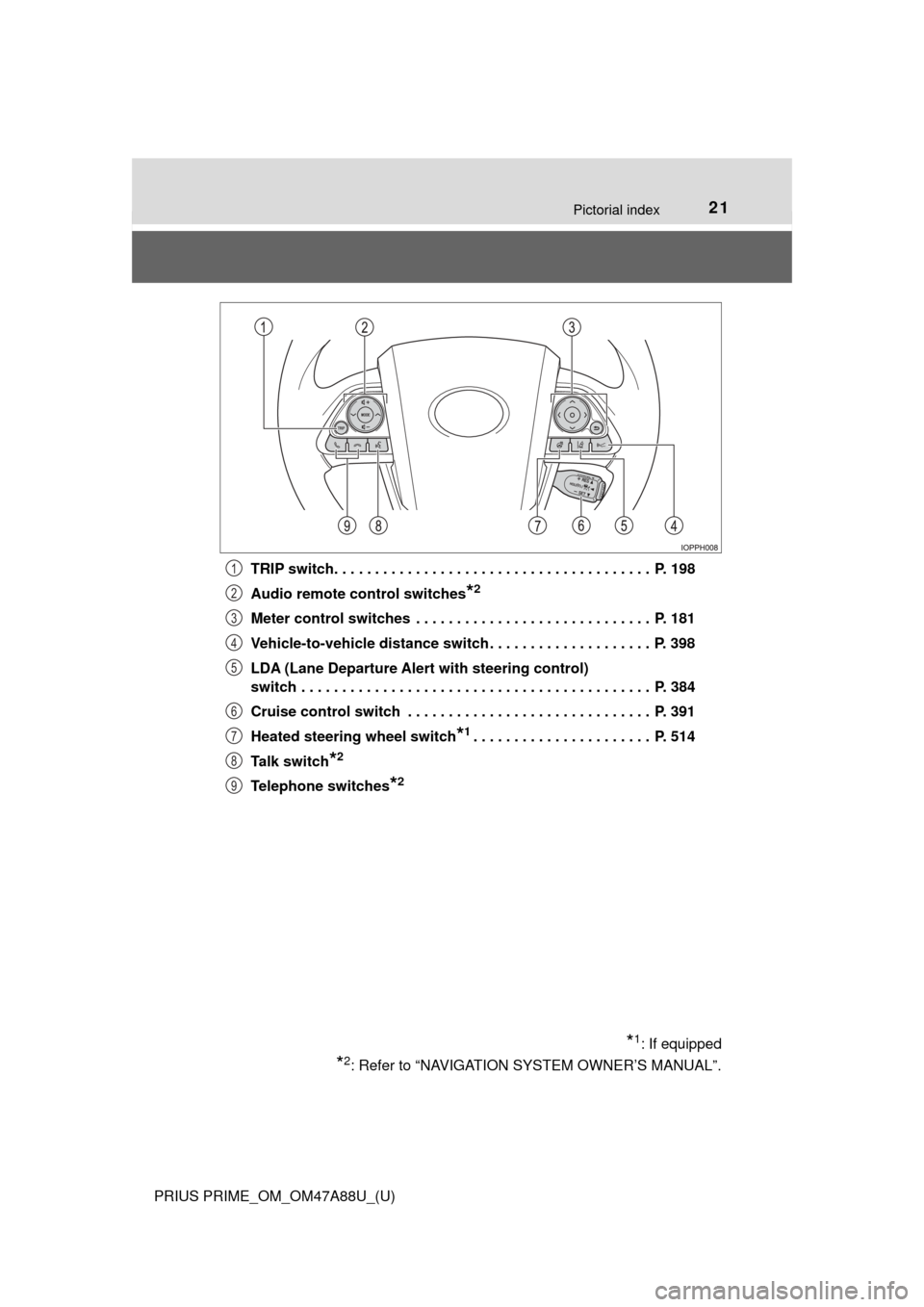
PRIUS PRIME_OM_OM47A88U_(U)TRIP switch. . . . . . . . . . . . . . . . . . . . . . . . . . . . . . . . . . . . . . . P. 198
Audio remote control switches
*2
Meter control switches . . . . . . . . . . . . . . . . . . . . . . . . . . . . . P. 181
Vehicle-to-vehicle distance switch . . . . . . . . . . . . . . . . . . . . P. 398
LDA (Lane Departure Alert
with steering control)
switch . . . . . . . . . . . . . . . . . . . . . . . . . . . . . . . . . . . . . . . . . . . P. 384
Cruise control switch . . . . . . . . . . . . . . . . . . . . . . . . . . . . . . P. 391
Heated steering wheel switch
*1. . . . . . . . . . . . . . . . . . . . . . P. 514
Talk switch
*2
Telephone switches*2
*1: If equipped
*2: Refer to “NAVIGATION SYSTEM OWNER’S MANUAL”.
1
2
3
4
5
6
7
8
9
Page 194 of 784
194
PRIUS PRIME_OM_OM47A88U_(U)
3. Instrument cluster
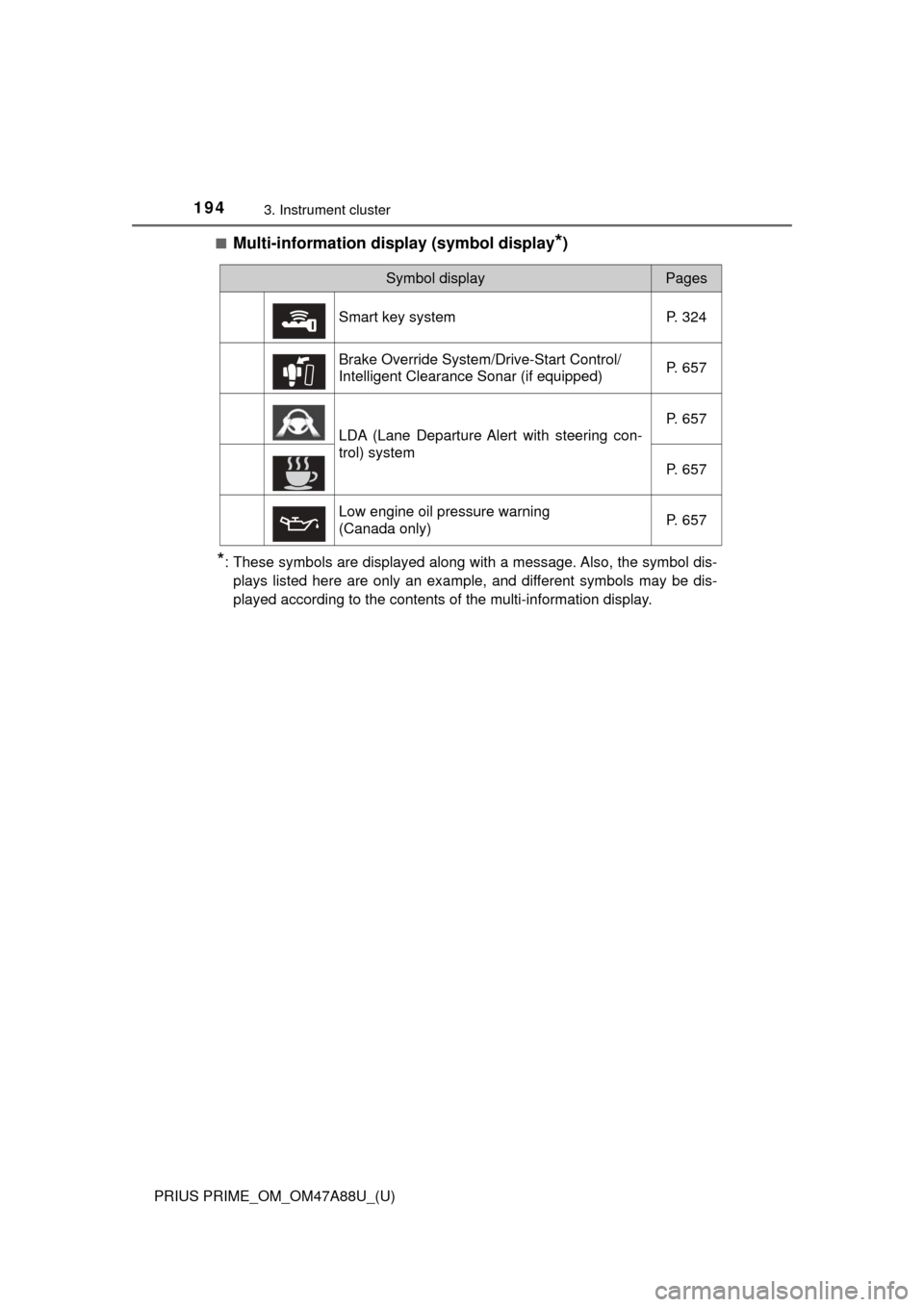
■Multi-information display (symbol display*)
*: These symbols are displayed along with a message. Also, the symbol dis-plays listed here are only an example, and different symbols may be dis-
played according to the contents of the multi-information display.
Symbol displayPages
Smart key system P. 324
Brake Override System/Drive-Start Control/
Intelligent Clearance Sonar (if equipped) P. 657
LDA (Lane Departure Alert with steering con-
trol) systemP. 657
P. 657
Low engine oil pressure warning
(Canada only) P. 657
Page 206 of 784
206
PRIUS PRIME_OM_OM47A88U_(U)
3. Instrument cluster
*: When there is a warning message that can be displayed, the color of changes to amber.
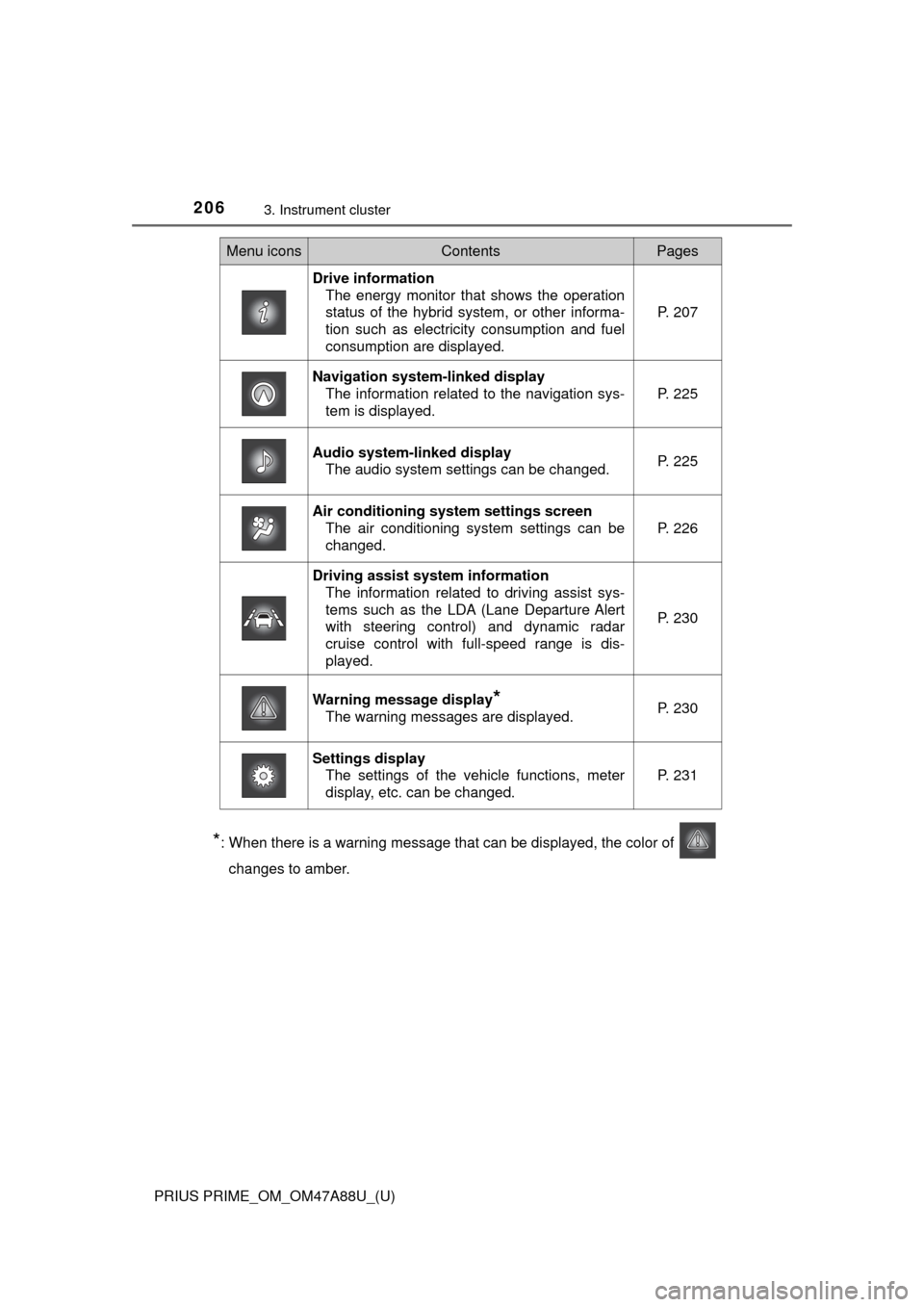
Menu iconsContentsPages
Drive information The energy monitor that shows the operation
status of the hybrid system, or other informa-
tion such as electricity consumption and fuel
consumption are displayed. P. 207
Navigation system-linked display
The information related to the navigation sys-
tem is displayed.
P. 225
Audio system-linked displayThe audio system settings can be changed.P. 225
Air conditioning system settings screenThe air conditioning system settings can be
changed.
P. 226
Driving assist system informationThe information related to driving assist sys-
tems such as the LDA (Lane Departure Alert
with steering control) and dynamic radar
cruise control with full-speed range is dis-
played.
P. 230
Warning message display*
The warning messages are displayed.P. 230
Settings displayThe settings of the vehicle functions, meter
display, etc. can be changed.
P. 231
Page 230 of 784
230
PRIUS PRIME_OM_OM47A88U_(U)
3. Instrument cluster
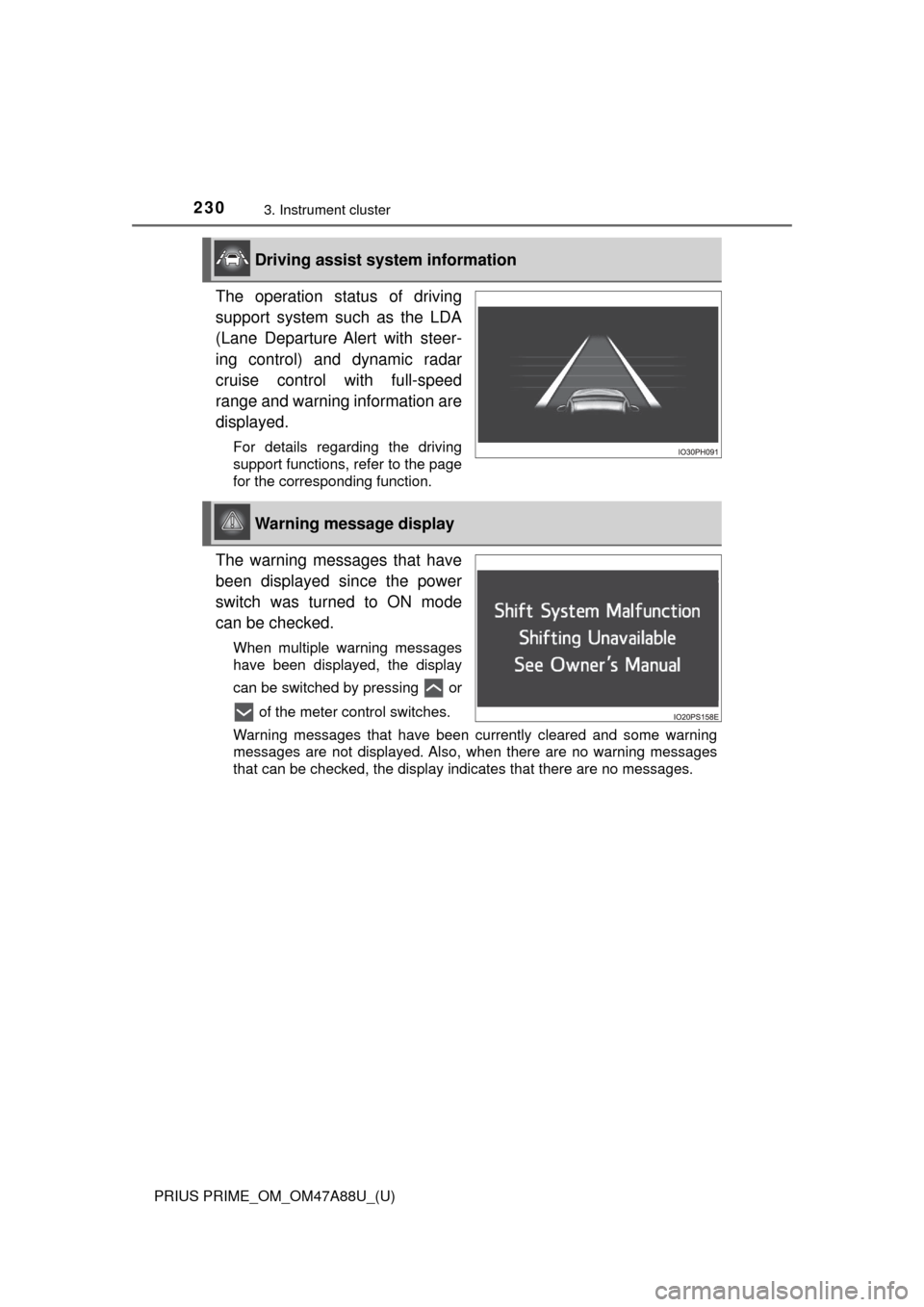
The operation status of driving
support system such as the LDA
(Lane Departure Alert with steer-
ing control) and dynamic radar
cruise control with full-speed
range and warning information are
displayed.
For details regarding the driving
support functions, refer to the page
for the corresponding function.
The warning messages that have
been displayed since the power
switch was turned to ON mode
can be checked.
When multiple warning messages
have been displayed, the display
can be switched by pressing or of the meter control switches.
Warning messages that have been currently cleared and some warning
messages are not displayed. Also, when there are no warning messages
that can be checked, the display indicates that there are no messages.
Driving assist system information
Warning message display
Page 242 of 784
242
PRIUS PRIME_OM_OM47A88U_(U)
3. Instrument cluster
■Insert displays of the driving support systems
Insert displays are linked with the operation of the following sys-
tems and used to show some of the information shown on the multi-
information display on the head-up display.
*: If equipped
■
Master warning light insert display
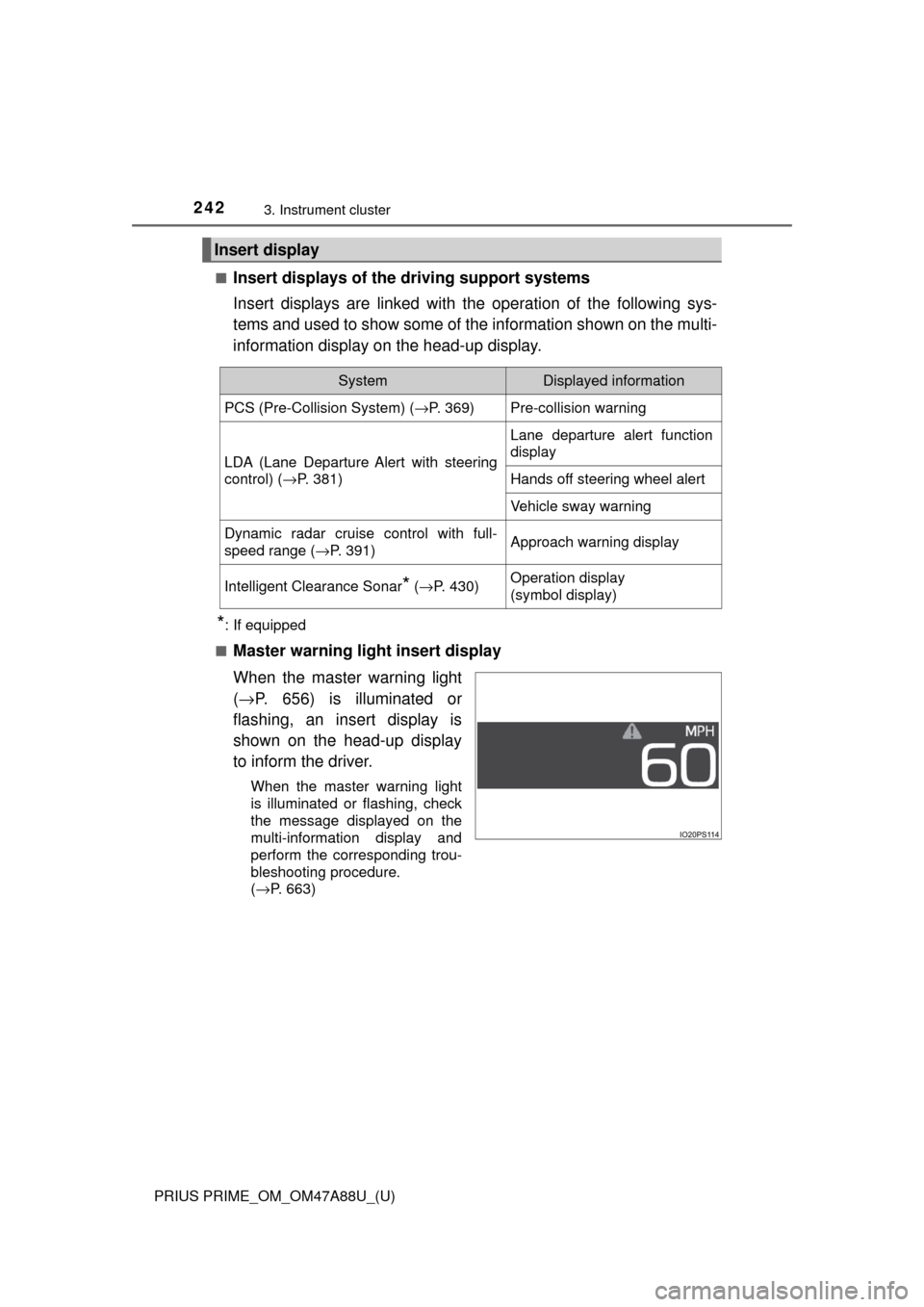
When the master warning light
( → P. 656) is illuminated or
flashing, an insert display is
shown on the head-up display
to inform the driver.
When the master warning light
is illuminated or flashing, check
the message displayed on the
multi-information display and
perform the corresponding trou-
bleshooting procedure.
( →P. 663)
Insert display
SystemDisplayed information
PCS (Pre-Collision System) ( →P. 369)Pre-collision warning
LDA (Lane Departure Alert with steering
control) (→P. 381)
Lane departure alert function
display
Hands off steering wheel alert
Vehicle sway warning
Dynamic radar cruise control with full-
speed range ( →P. 391)Approach warning display
Intelligent Clearance Sonar* (→ P. 430)Operation display
(symbol display)
Page 305 of 784
305
PRIUS PRIME_OM_OM47A88U_(U)
5Driving
5-1. Before drivingDriving the vehicle ............. 306
Cargo and luggage ........... 318
Vehicle load limits ............. 321
Trailer towing..................... 322
Dinghy towing ................... 323
5-2. Driving procedures Power (ignition) switch ...... 324
Hybrid transmission........... 330
Turn signal lever................ 336
Parking brake .................... 337
5-3. Operating the lights and wipers
Headlight switch ................ 338
Automatic High Beam ....... 343
Fog light switch ................. 348
Windshield wipers and washer ............................ 350 5-4. Refueling
Opening the fuel tank cap .................................. 356
5-5. Using the driving support systems
Toyota Safety Sense P ..... 361
PCS (Pre-Collision System)........................... 369
LDA (Lane Departure Alert with steering
control) ............................ 381
Dynamic radar cruise control with full-speed
range............................... 391
Driving mode select switch .............................. 406
BSM (Blind Spot Monitor) ........ 408
• The Blind Spot Monitor
function ......................... 412
• The Rear Cross Traffic
Alert function ................. 415
Intuitive parking assist....... 420
Intelligent Clearance Sonar .............................. 430
S-APGS (Simple Advanced Parking
Guidance System) .......... 442
Driving assist systems ...... 476
5-6. Driving tips Winter driving tips ............. 482
Page 361 of 784
361
PRIUS PRIME_OM_OM47A88U_(U)
5-5. Using the driving support systems
5
Driving
Toyota Safety Sense P
◆PCS (Pre-Collision System)
→P. 3 6 9
◆LDA (Lane Departure Alert with steering control)
→P. 3 8 1
◆Automatic High Beam
→P. 3 4 3
◆Dynamic radar cruise cont rol with full-speed range
→ P. 3 9 1
The Toyota Safety Sense P consists of the following drive assist
systems and contributes to a safe and comfortable driving expe-
rience:
WARNING
■Toyota Safety Sense P
The Toyota Safety Sense P is designed to operate under the assumption
that the driver will drive safely, and is designed to help reduce the impact to
the occupants and the vehicle in the case of a collision or assist the driver in
normal driving conditions.
As there is a limit to the degree of recognition accuracy and control perfor-
mance that this system can provide, do not overly rely on this system. The
driver is always responsible for paying attention to the vehicle’s surround-
ings and driving safely.
Page 381 of 784
381
PRIUS PRIME_OM_OM47A88U_(U)
5-5. Using the driving support systems
5
Driving
LDA (Lane Departure Al ert with steering
control)
When driving on highways and freeways with white (yellow) lines, this
function alerts the driver when th e vehicle might depart from its lane
and provides assistance by operatin g the steering wheel to keep the
vehicle in its lane.
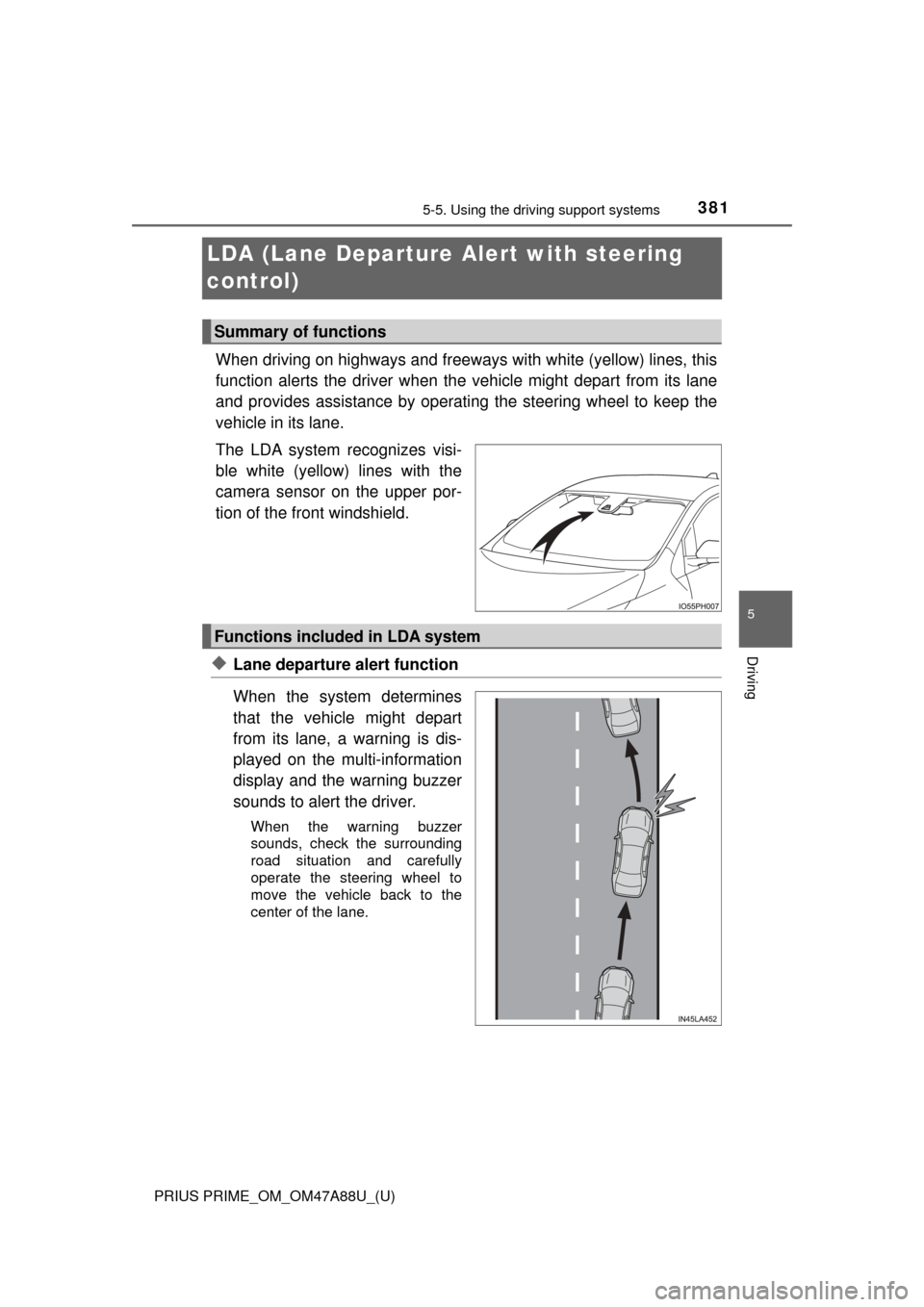
The LDA system recognizes visi-
ble white (yellow) lines with the
camera sensor on the upper por-
tion of the front windshield.
◆Lane departure alert function
When the system determines
that the vehicle might depart
from its lane, a warning is dis-
played on the multi-information
display and the warning buzzer
sounds to alert the driver.
When the warning buzzer
sounds, check the surrounding
road situation and carefully
operate the steering wheel to
move the vehicle back to the
center of the lane.
Summary of functions
Functions included in LDA system
Page 385 of 784
PRIUS PRIME_OM_OM47A88U_(U)
3855-5. Using the driving support systems
5
Driving
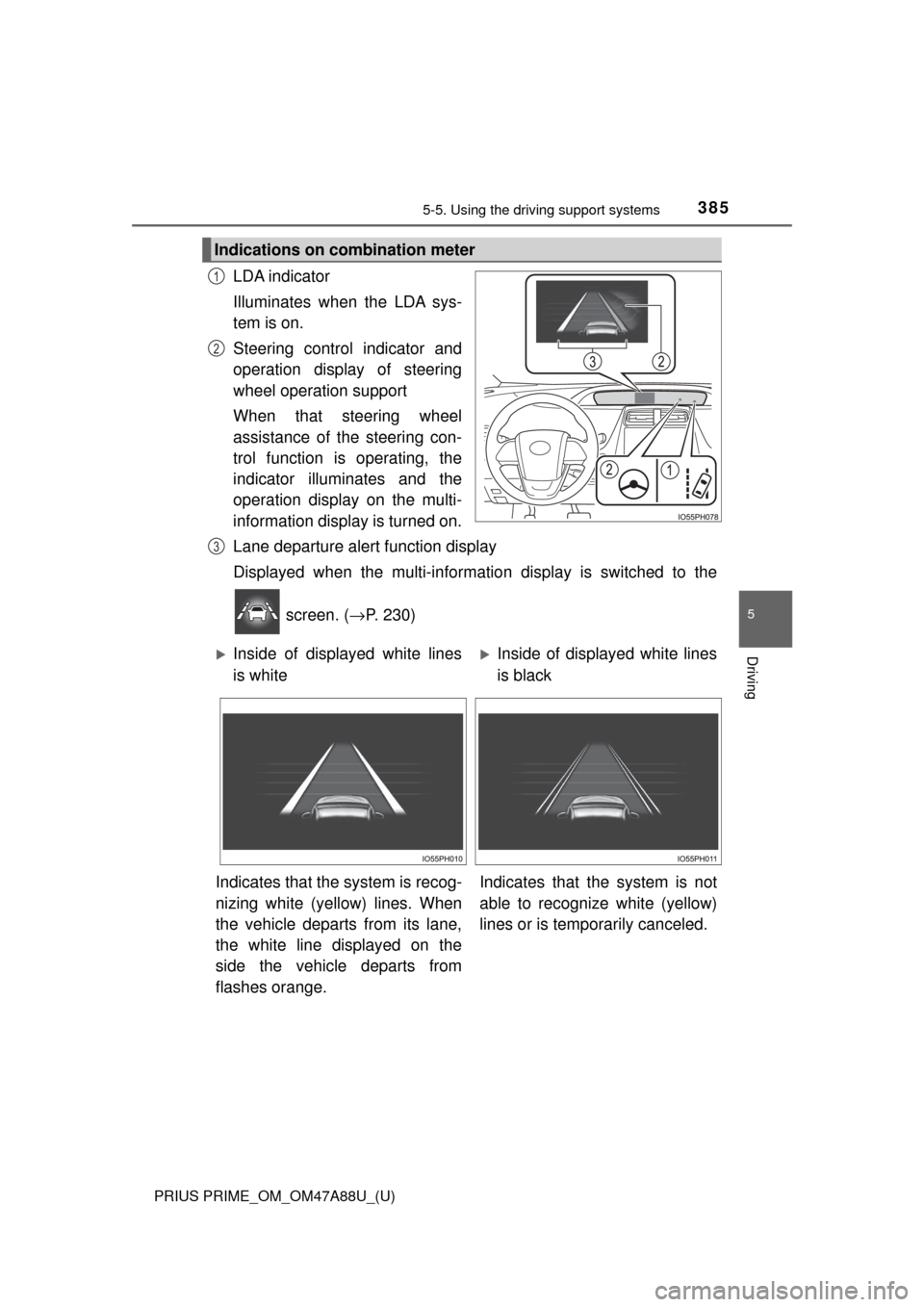
LDA indicator
Illuminates when the LDA sys-
tem is on.
Steering control indicator and
operation display of steering
wheel operation support
When that steering wheel
assistance of the steering con-
trol function is operating, the
indicator illuminates and the
operation display on the multi-
information display is turned on.
Lane departure alert function display
Displayed when the multi-informatio n display is switched to the
screen. ( →P. 230)
Indications on combination meter
1
2
3
Inside of displayed white lines
is whiteInside of displayed white lines
is black
Indicates that the system is recog-
nizing white (yellow) lines. When
the vehicle departs from its lane,
the white line displayed on the
side the vehicle departs from
flashes orange. Indicates that t
he system is not
able to recognize white (yellow)
lines or is temporarily canceled.