multi information display TOYOTA PRIUS PRIME 2017 2.G Manual PDF
[x] Cancel search | Manufacturer: TOYOTA, Model Year: 2017, Model line: PRIUS PRIME, Model: TOYOTA PRIUS PRIME 2017 2.GPages: 784, PDF Size: 14.98 MB
Page 382 of 784
382
PRIUS PRIME_OM_OM47A88U_(U)
5-5. Using the driving support systems
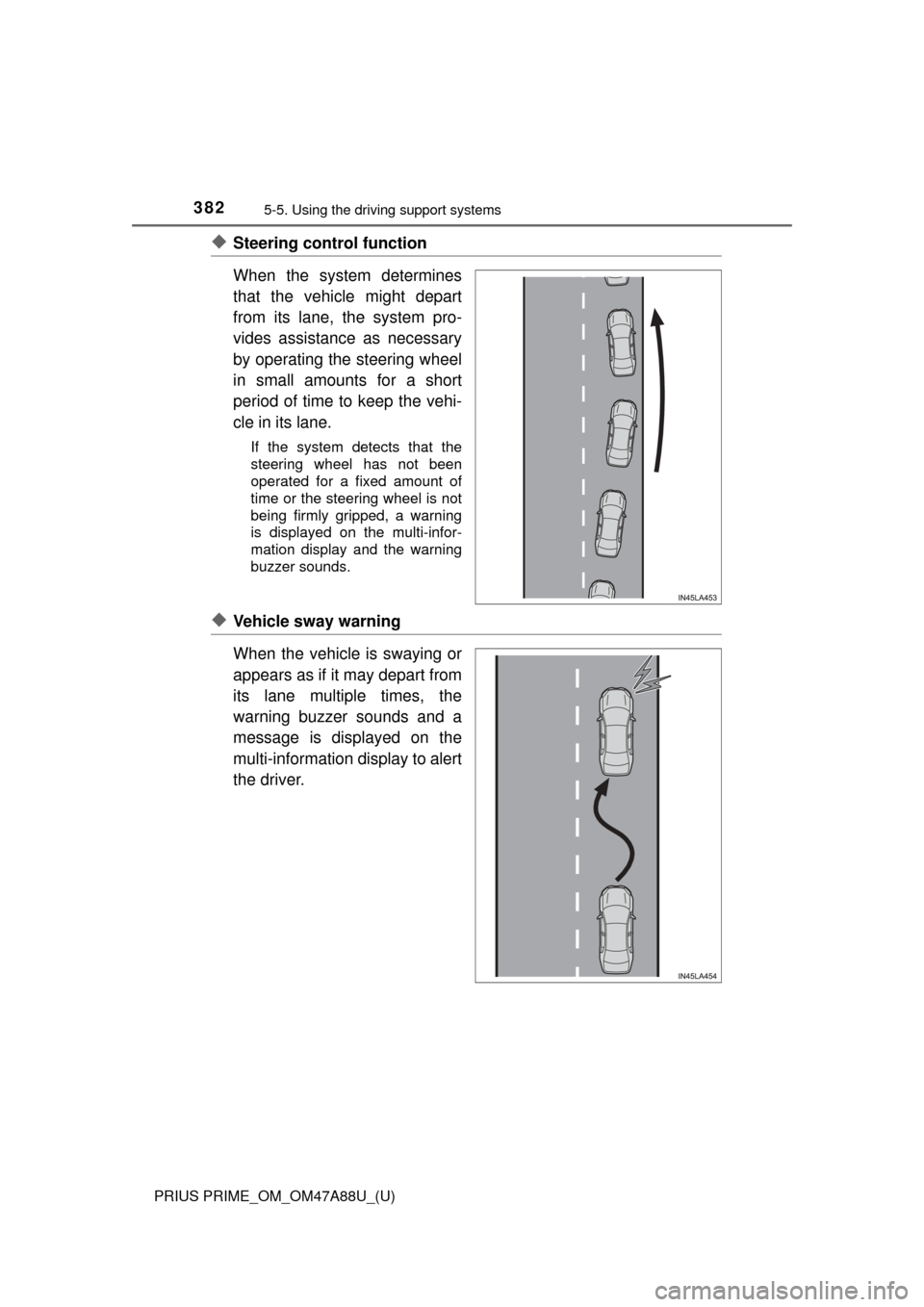
◆Steering control function
When the system determines
that the vehicle might depart
from its lane, the system pro-
vides assistance as necessary
by operating the steering wheel
in small amounts for a short
period of time to keep the vehi-
cle in its lane.
If the system detects that the
steering wheel has not been
operated for a fixed amount of
time or the steering wheel is not
being firmly gripped, a warning
is displayed on the multi-infor-
mation display and the warning
buzzer sounds.
◆Vehicle sway warning
When the vehicle is swaying or
appears as if it may depart from
its lane multiple times, the
warning buzzer sounds and a
message is displayed on the
multi-information display to alert
the driver.
Page 384 of 784
384
PRIUS PRIME_OM_OM47A88U_(U)
5-5. Using the driving support systems
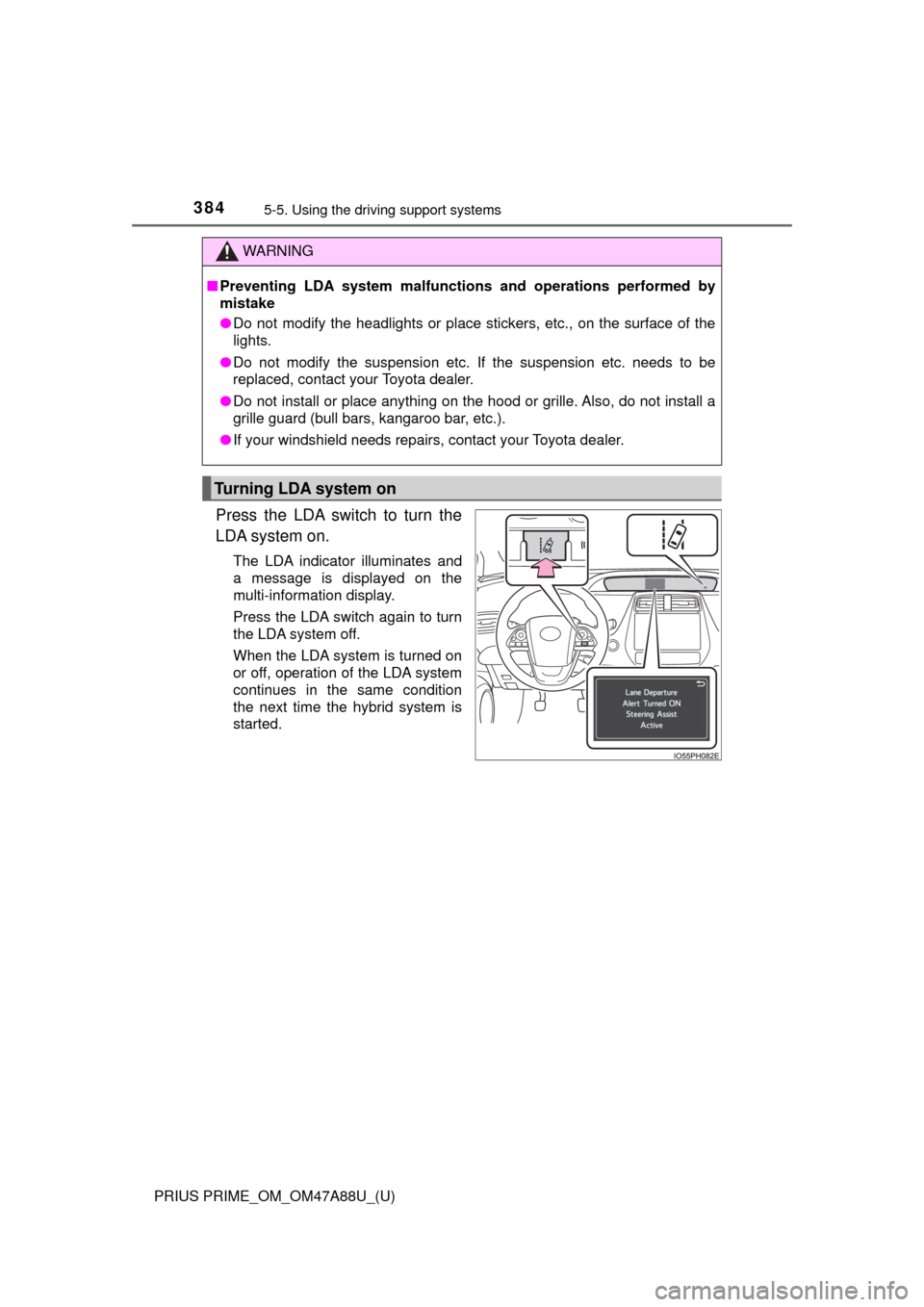
Press the LDA switch to turn the
LDA system on.
The LDA indicator illuminates and
a message is displayed on the
multi-information display.
Press the LDA switch again to turn
the LDA system off.
When the LDA system is turned on
or off, operation of the LDA system
continues in the same condition
the next time the hybrid system is
started.
WARNING
■Preventing LDA system malfunctio ns and operations performed by
mistake
● Do not modify the headlights or place stickers, etc., on the surface of the
lights.
● Do not modify the suspension etc. If the suspension etc. needs to be
replaced, contact your Toyota dealer.
● Do not install or place anything on the hood or grille. Also, do not install a
grille guard (bull bars, kangaroo bar, etc.).
● If your windshield needs repairs, contact your Toyota dealer.
Turning LDA system on
Page 385 of 784
PRIUS PRIME_OM_OM47A88U_(U)
3855-5. Using the driving support systems
5
Driving
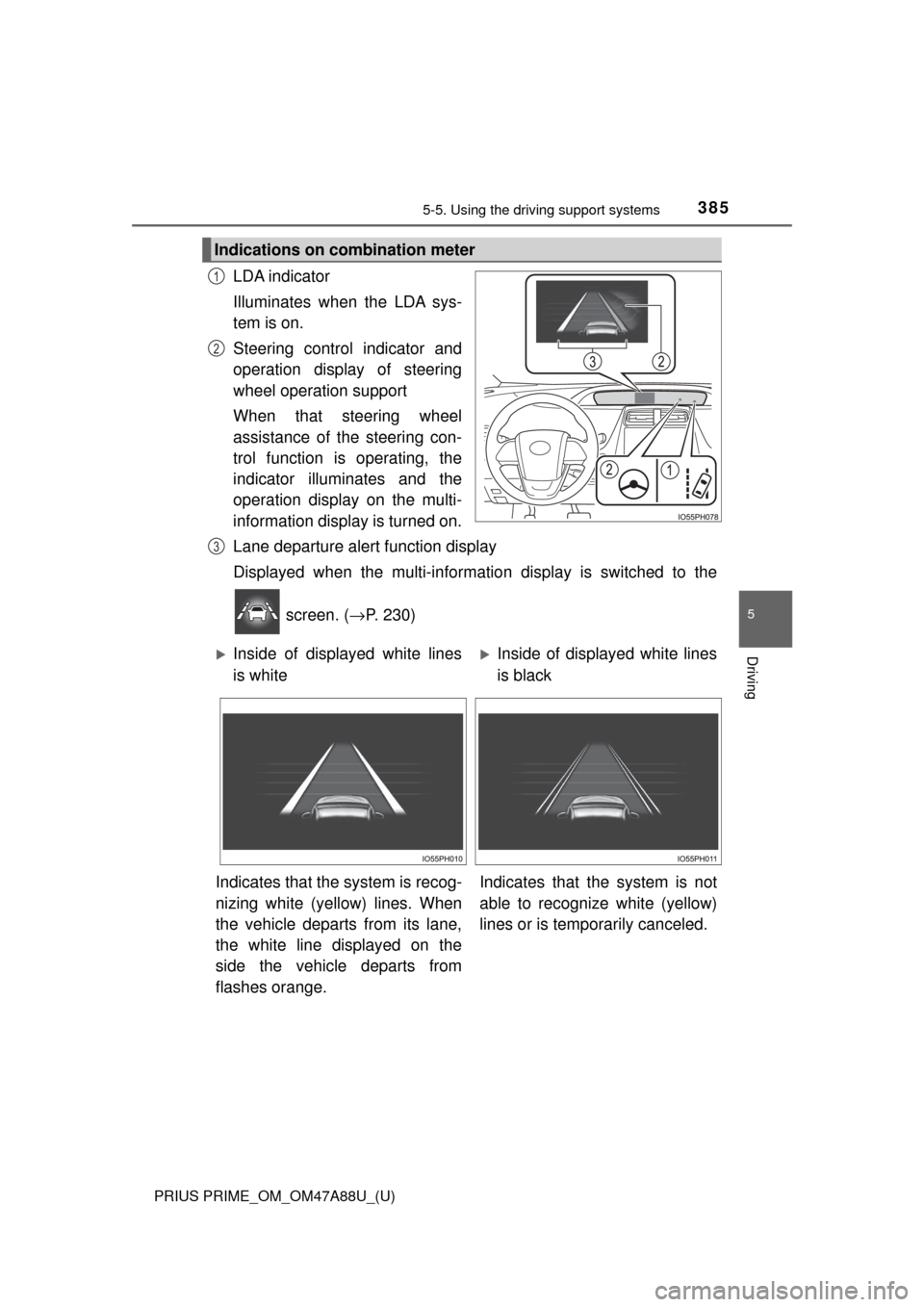
LDA indicator
Illuminates when the LDA sys-
tem is on.
Steering control indicator and
operation display of steering
wheel operation support
When that steering wheel
assistance of the steering con-
trol function is operating, the
indicator illuminates and the
operation display on the multi-
information display is turned on.
Lane departure alert function display
Displayed when the multi-informatio n display is switched to the
screen. ( →P. 230)
Indications on combination meter
1
2
3
Inside of displayed white lines
is whiteInside of displayed white lines
is black
Indicates that the system is recog-
nizing white (yellow) lines. When
the vehicle departs from its lane,
the white line displayed on the
side the vehicle departs from
flashes orange. Indicates that t
he system is not
able to recognize white (yellow)
lines or is temporarily canceled.
Page 386 of 784
386
PRIUS PRIME_OM_OM47A88U_(U)
5-5. Using the driving support systems
■Operation conditions of each function
●Lane departure alert function
This function operates when all of the following conditions are met.
• LDA is turned on.
• Vehicle speed is approximately 32 mph (50 km/h) or more.
• System recognizes white (yellow) lines.
• Width of traffic lane is approximately 9.8 ft. (3 m) or more.
• Turn signal lever is not operated.
• Vehicle is driven on a straight road or around a gentle curve with a radius
of more than approximately 492 ft. (150 m).
• No system malfunctions are detected. ( →P. 389)
● Steering control function
This function operates when all of the following conditions are met in addi-
tion to the operation conditions for the lane departure alert function.
• Setting for “ (LDA Steering Assist Mode)” in the screen of
the multi-information display is set to “On”. ( →P. 231)
• Vehicle is not accelerated or decelerated by a fixed amount or more.
• Steering wheel is not operated with a steering force level suitable for
changing lanes.
• ABS, VSC, TRAC and PCS are not operating.
• TRAC or VSC is not turned off.
● Vehicle sway warning
This function operates when all of the following conditions are met.
• Setting for “ (Lane Sway Warning Status)” in the screen of
the multi-information display is set to “On”. ( →P. 231)
• Vehicle speed is approximately 32 mph (50 km/h) or more.
• Width of traffic lane is approximately 9.8 ft. (3 m) or more.
• No system malfunctions are detected. ( →P. 389)
Page 387 of 784
PRIUS PRIME_OM_OM47A88U_(U)
3875-5. Using the driving support systems
5
Driving
■Temporary cancelation of functions
●When operation conditions are no longer met, a function may be temporarily
canceled. However, when the operation conditions are met again, operation
of the function is automatically restored. ( →P. 386)
● When operation conditions are no longer met while operating the steering
control function, a buzzer may sound to indicate that a function may be tem-
porarily canceled. ( →P. 386)
■ Steering control function
Depending on the vehicle speed, lane departure situation, road conditions,
etc., the driver may not feel the function is operating or the function may not
operate at all.
■ Lane departure alert function
The warning buzzer may be difficult to hear due to external noise, audio play-
back, etc.
■ Hands off steering wheel alert
When the system determines that the driver has removed the hands from the
steering wheel while the steering control function is operating, a warning
message is displayed on the multi-information display and the buzzer
sounds.
■ White (yellow) lines are only on one side of road
The LDA system will not operate for the side on which white (yellow) lines
could not be recognized.
Page 389 of 784
PRIUS PRIME_OM_OM47A88U_(U)
3895-5. Using the driving support systems
5
Driving
■Warning message
If the following warning message is displayed on the multi-information dis-
play, follow the appropriate troubleshooting procedure.
If a different warning message is displayed, follow the instructions displayed
on the screen.
Warning messageDetails/Actions
“Lane Departure Alert
Malfunction
Visit Your Dealer”The system may not be operating
properly.
→ Have the vehicle inspected at your
Toyota dealer.
“Forward Camera
System
Unavailable
Clean Windshield”
Dirt, rain, condensation, ice, snow,
etc. are present on the windshield in
front of the camera sensor.
→ Turn the LDA system off, remove
any dirt, rain, condensation, ice,
snow, etc. from the windshield, and
then turn the LDA system back on.
“Forward Camera
System
Unavailable”
The operation conditions of the cam-
era sensor (temperature, etc.) are not
met.
→ When the operation conditions of
the camera sensor (temperature,
etc.) are met, the LDA system will
become available. Turn the LDA
system off, wait for a little while,
and then turn the LDA system back
on.
“Lane Departure Alert
Unavailable”
The LDA system is temporarily can-
celed due to a malfunction in a sensor
other than the camera sensor.
→Turn the LDA system off and follow
the appropriate troubleshooting
procedures for the warning mes-
sage. Afterward, drive the vehicle
for a short time, and then turn the
LDA system back on.
“Lane Departure Alert
System is Unavailable
Below Approx. 32 MPH.”The LDA system cannot be used as
the vehicle speed is less than approxi-
mately 32 mph (50 km/h).
→ Drive the vehicle at approximately
32 mph (50 km/h) or more.
Page 396 of 784
396
PRIUS PRIME_OM_OM47A88U_(U)
5-5. Using the driving support systems
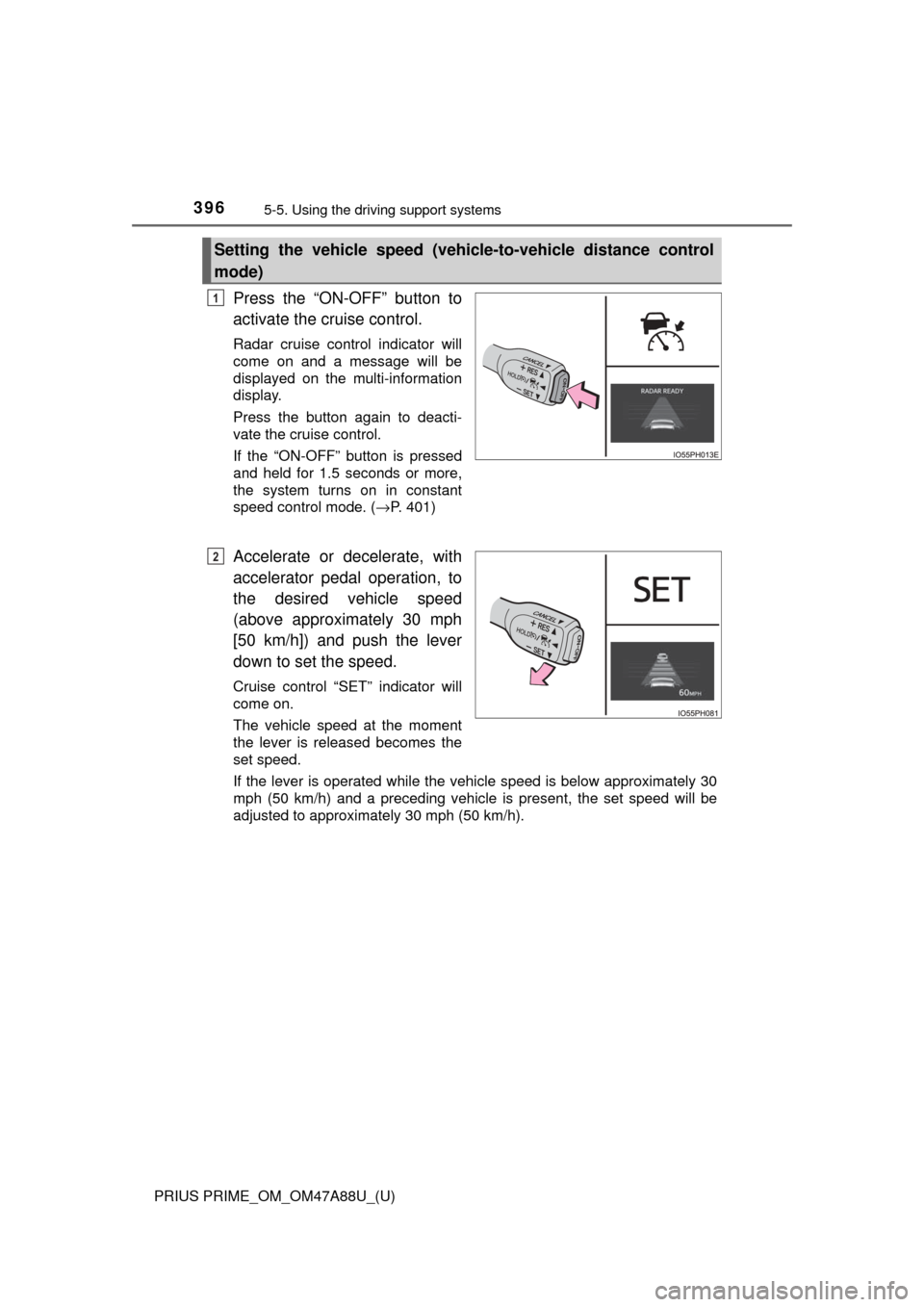
Press the “ON-OFF” button to
activate the cruise control.
Radar cruise control indicator will
come on and a message will be
displayed on the multi-information
display.
Press the button again to deacti-
vate the cruise control.
If the “ON-OFF” button is pressed
and held for 1.5 seconds or more,
the system turns on in constant
speed control mode. ( →P. 401)
Accelerate or decelerate, with
accelerator pedal operation, to
the desired vehicle speed
(above approximately 30 mph
[50 km/h]) and push the lever
down to set the speed.
Cruise control “SET” indicator will
come on.
The vehicle speed at the moment
the lever is released becomes the
set speed.
If the lever is operated while the vehicle speed is below approximately 30
mph (50 km/h) and a preceding vehicle is present, the set speed will be
adjusted to approximately 30 mph (50 km/h).
Setting the vehicle speed (vehicle-to-vehicle distance control
mode)
1
2
Page 403 of 784
PRIUS PRIME_OM_OM47A88U_(U)
4035-5. Using the driving support systems
5
Driving
■Automatic cancelation of co nstant speed control mode
Constant speed control mode is automatically canceled in the following situa-
tions:
● Actual vehicle speed is more than approximately 10 mph (16 km/h) below
the set vehicle speed.
● Actual vehicle speed falls below approximately 25 mph (40 km/h).
● VSC is activated.
● TRAC is activated for a period of time.
● When the VSC or TRAC system is turned off by pressing the VSC OFF
switch.
● Pre-collision braking is activated.
If constant speed control mode is automatically canceled for any other rea-
son, there may be a malfunction in the system. Contact your Toyota dealer.
■ Warning messages and buzzers for dy namic radar cruise control with
full-speed range
Warning messages and buzzers are used to indicate a system malfunction or
to inform the driver of the need for caution while driving. If a warning message
is shown on the multi-information display, read the message and follow the
instructions.
Page 409 of 784
PRIUS PRIME_OM_OM47A88U_(U)
4095-5. Using the driving support systems
5
Driving
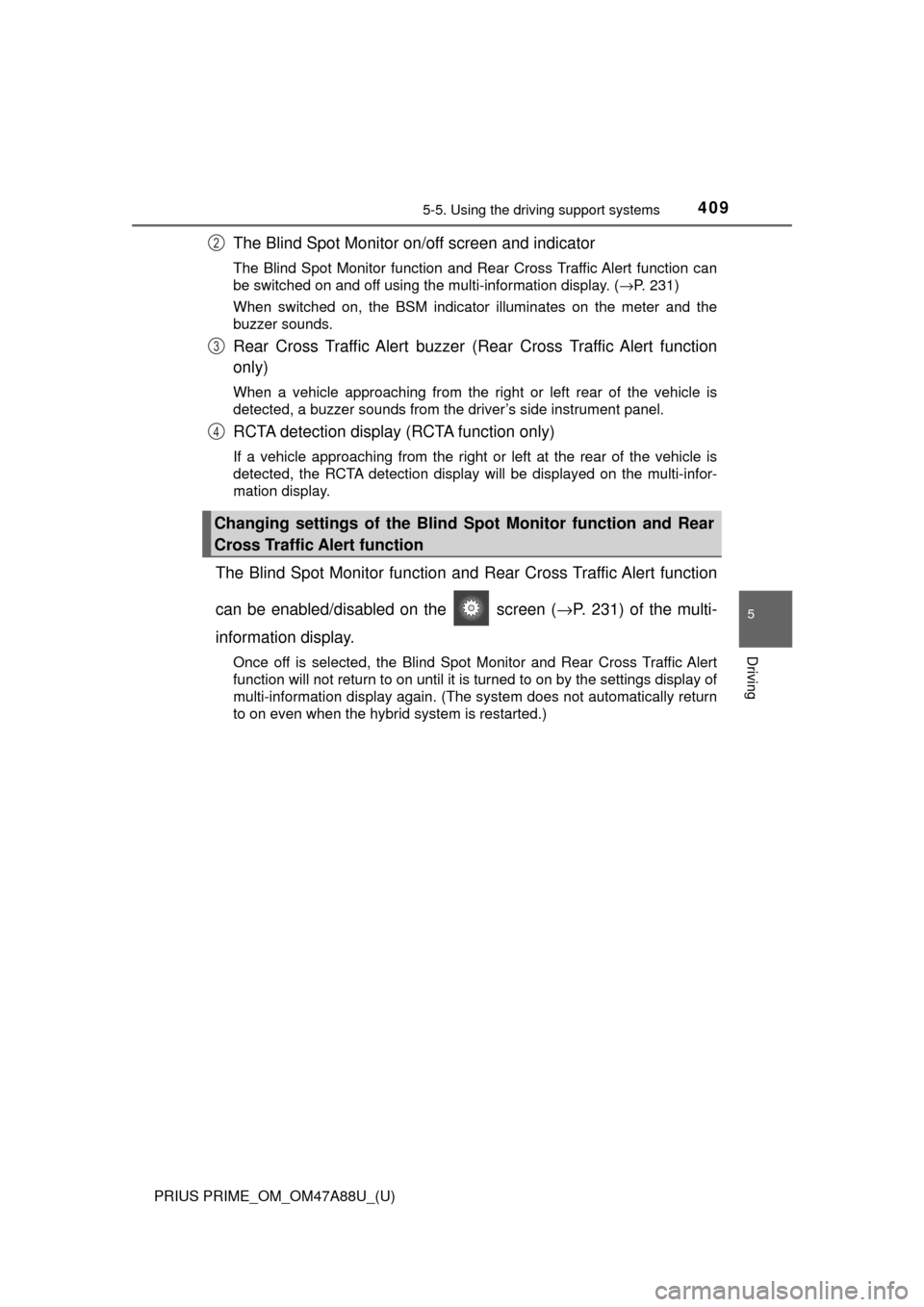
The Blind Spot Monitor on/off screen and indicator
The Blind Spot Monitor function and Rear Cross Traffic Alert function can
be switched on and off using the multi-information display. ( →P. 231)
When switched on, the BSM indicator illuminates on the meter and the
buzzer sounds.
Rear Cross Traffic Alert buzzer (Rear Cross Traffic Alert function
only)
When a vehicle approaching from the right or left rear of the vehicle is
detected, a buzzer sounds from the driver’s side instrument panel.
RCTA detection display (RCTA function only)
If a vehicle approaching from the right or left at the rear of the vehic\
le is
detected, the RCTA detection display will be displayed on the multi-infor-
mation display.
The Blind Spot Monitor function and Rear Cross Traffic Alert function
can be enabled/disabled on the screen ( →P. 231) of the multi-
information display.
Once off is selected, the Blind Spot Monitor and Rear Cross Traffic Alert
function will not return to on until it is turned to on by the settings display of
multi-information display again. (The system does not automatically return
to on even when the hybrid system is restarted.)
Changing settings of the Blind Spot Monitor function and Rear
Cross Traffic Alert function
2
3
4
Page 410 of 784
410
PRIUS PRIME_OM_OM47A88U_(U)
5-5. Using the driving support systems
■The BSM outside rear view mirror indicators visibility
When under strong sunlight, the outside rear view mirror indicator may be dif-
ficult to see.
■ Rear Cross Traffic Alert buzzer hearing
Rear Cross Traffic Alert function may be difficult to hear over loud noises
such as high audio volume.
■ When “Blind Spot Monitor Unavailabl e” is shown on the multi-informa-
tion display
The sensor voltage has become abnormal, water, snow mud, etc., may be
built up in the vicinity of the sensor area of bumper ( →P. 411). Removing the
water, snow, mud, etc., from the vicinity of the sensor area bumper should
return it to normal. Also, the sensor may not function normally when used in
extremely hot or cold weather.
■ When “Blind Spot Monitor System Malfunction Visit Your Dealer” is
shown on the multi- information display
There may be a sensor malfunction or misaligned. Have the vehicle
inspected by your Toyota dealer.
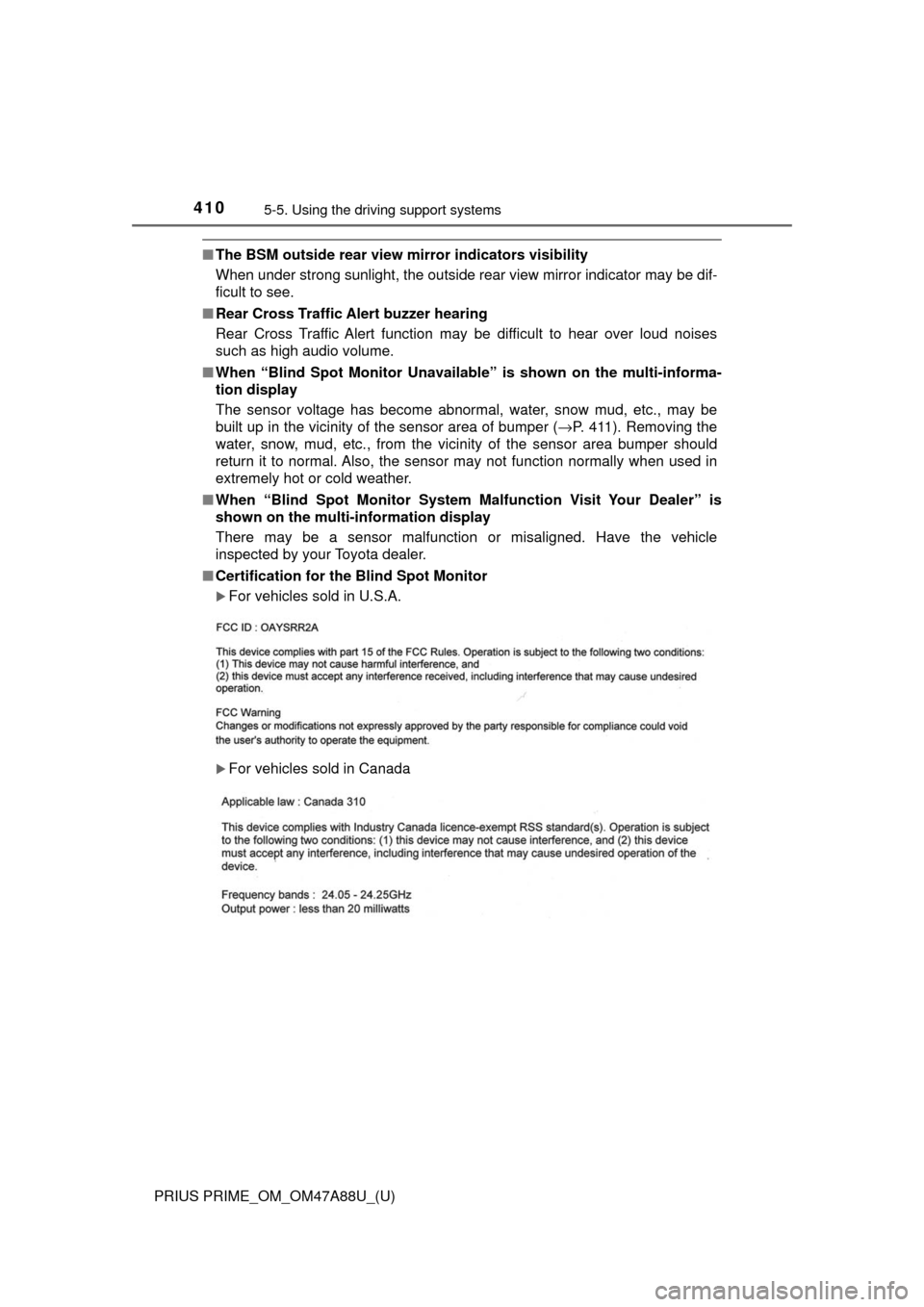
■ Certification for the Blind Spot Monitor
For vehicles sold in U.S.A.
For vehicles sold in Canada