sensor TOYOTA PRIUS PRIME 2017 2.G Manual PDF
[x] Cancel search | Manufacturer: TOYOTA, Model Year: 2017, Model line: PRIUS PRIME, Model: TOYOTA PRIUS PRIME 2017 2.GPages: 784, PDF Size: 14.98 MB
Page 471 of 784
PRIUS PRIME_OM_OM47A88U_(U)
4715-5. Using the driving support systems
5
Driving
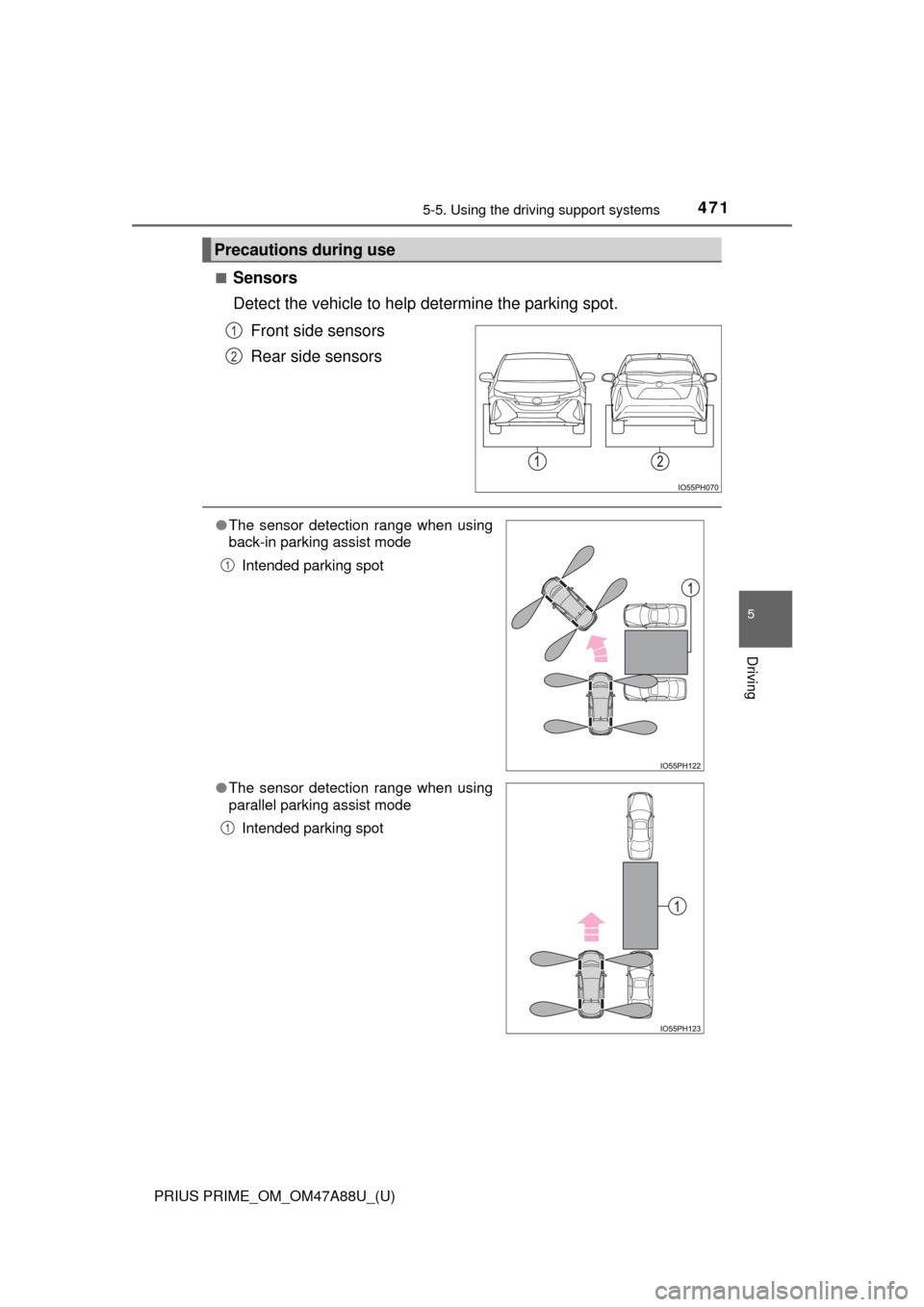
■Sensors
Detect the vehicle to help determine the parking spot.
Front side sensors
Rear side sensors
Precautions during use
1
2
● The sensor detection range when using
back-in parking assist mode
Intended parking spot
● The sensor detection range when using
parallel parking assist mode
Intended parking spot
1
1
Page 474 of 784

474
PRIUS PRIME_OM_OM47A88U_(U)
5-5. Using the driving support systems
WARNING
●Do not use the system in the following situations, as the system may be
unable to correctly assist you in reaching the target parking spot and may
lead to an unexpected accident.
• In an area that is not a parking lot
• A parking lot that is not paved and has no parking space lines, such as
a sand or gravel parking lot
• A parking lot that has a slope or undulations in the road
• A frozen, snow-covered or slippery road
• The asphalt is melting due to hot weather
• There is an obstacle between the vehicle and the target parking spot
• Using tire chains
● Do not use tire other than that provided by the manufacturer. The system
may not operate properly. When replacing tires, contact your Toyota
dealer.
● The system may not be able position the vehicle in the set location in the
following situations.
• The tires are extremely worn or the tire pressure is low
• The vehicle is carrying very heavy load
• The vehicle is tilted due to having luggage, etc. located on one side of
the vehicle
• There are road heaters installed in the parking lot to prevent the road
surface from freezing.
In any other situations when the set position and vehicle position greatly
differ, have the vehicle inspected by your Toyota dealer.
● Make sure to observe the following precautions regarding the exit parallel
parking assist mode.
Exit parallel parking assist mode is a function used when departing from a
parallel parking spot. However, this function may not be usable if obsta-
cles or people are detected in front of the vehicle. Only use this function
when departing from a parallel parking spot. In the event that the steering
control operates, either turn the system off using the S-APGS switch or
operate the steering wheel to stop the control.
● If exit parallel parking assist mode is mistakenly used in the following situ-
ations, the vehicle may make contact with an obstacle.
The departure function is operated in a direction where an obstacle is
present, but the obstacle is not detected by the side sensors (situations
such as when the vehicle is directly beside a pole).
Page 475 of 784

PRIUS PRIME_OM_OM47A88U_(U)
4755-5. Using the driving support systems
5
Driving
WARNING
●Observe the following precautions, as the sensors may stop functioning
properly which may lead to an accident.
• Do not subject the sensor to strong shocks by hitting it, etc. The sen-
sors may not function properly.
• When using a high-pressure washer to wash the vehicle, do not spray
water directly on the sensors. Equipment may not function properly if
subjected to an impact from strong water pressure. If the vehicle
bumper strikes something, equipment may not operate properly due to
a sensor malfunction. Have the vehicle inspected at your Toyota dealer.
● In the following situations, the sensors may not operate normally and may
lead to an accident. Drive carefully.
• Obstacles cannot be detected in the side areas until a scan of the side
areas is completed. ( →P. 425)
• Even after the scan of the side areas is completed, obstacles such as other vehicles, people or animals that approach from the sides cannot
be detected.
• The sensor is frozen (if it thaws, the system returns to normal). A warning message may display at particularly low temperatures due to
the sensor freezing and it may not detect parked vehicles.
• The sensor is blocked by someone’s hand.
• The vehicle is tilted a large amount.
• The temperature is extremely hot or cold.
• The vehicle is driven on undulating r oads, slopes, gravel roads, in areas
with tall grass, etc.
• An ultrasonic wave source is nearby, such as the horn or sensors of another vehicle, a motorcycle engine or the air brake of a large vehicle.
• Heavy rain or a water strikes the vehicle.
• The angle of the sensor may be deviated when assist control starts even if there is a parked vehicle in the target parking spot. Have the
vehicle inspected at your Toyota dealer.
• Do not install any accessories within the sensor detection range.
Page 494 of 784

4946-1. Using the air conditioning system and defogger
PRIUS PRIME_OM_OM47A88U_(U)■
Setting confirmation screen
■ S-FLOW mode operation
●In automatic mode, S-FLOW mode will be turned off if a rear door has been
opened and closed. To activate S-FLOW mode again, press .
■ Changing settings using the multi-information display
The air conditioning system settings can be changed on the screen of
the multi-information display. ( →P. 226)
■ Fogging up of the windows
●The windows will easily fog up when the humidity in the vehicle is high.
Turning on will dehumidify the air from the outlets and defog the
windshield effectively.
● If you turn off, the windows may fog up more easily.
● The windows may fog up if the recirculated air mode is used.
■ Windshield fog detection function
When automatic mode is set, the humidity sensor ( →P. 497) detects fog on
the windshield and controls the air conditioning system to prevent fog. When changing the settings of the air
conditioning system, the setting confirma-
tion screen is shown as a pop-up on the
multi-information display.
Press of the meter control switches to
go back to the previous screen.
● When is pressed, the S-FLOW
mode status is displayed on the multi-
information display.
Page 497 of 784
PRIUS PRIME_OM_OM47A88U_(U)
4976-1. Using the air conditioning system and defogger
6
Interior features
NOTICE
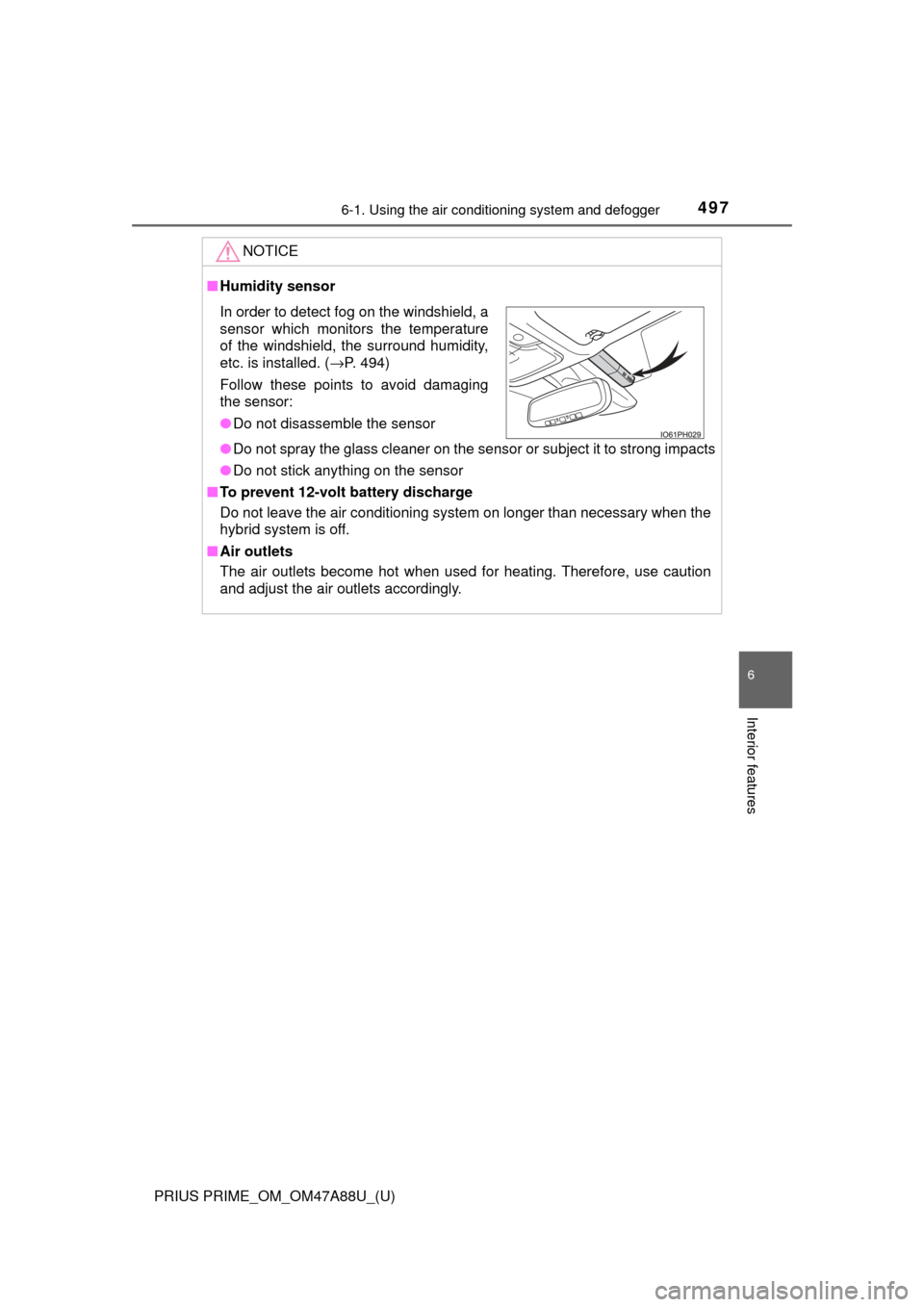
■Humidity sensor
● Do not spray the glass cleaner on the sensor or subject it to strong impacts
● Do not stick anything on the sensor
■ To prevent 12-volt battery discharge
Do not leave the air conditioning system on longer than necessary when the
hybrid system is off.
■ Air outlets
The air outlets become hot when used for heating. Therefore, use caution
and adjust the air outlets accordingly.
In order to detect fog on the windshield, a
sensor which monitors the temperature
of the windshield, the surround humidity,
etc. is installed. ( →P. 494)
Follow these points to avoid damaging
the sensor:
● Do not disassemble the sensor
Page 505 of 784
PRIUS PRIME_OM_OM47A88U_(U)
5056-1. Using the air conditioning system and defogger
6
Interior features
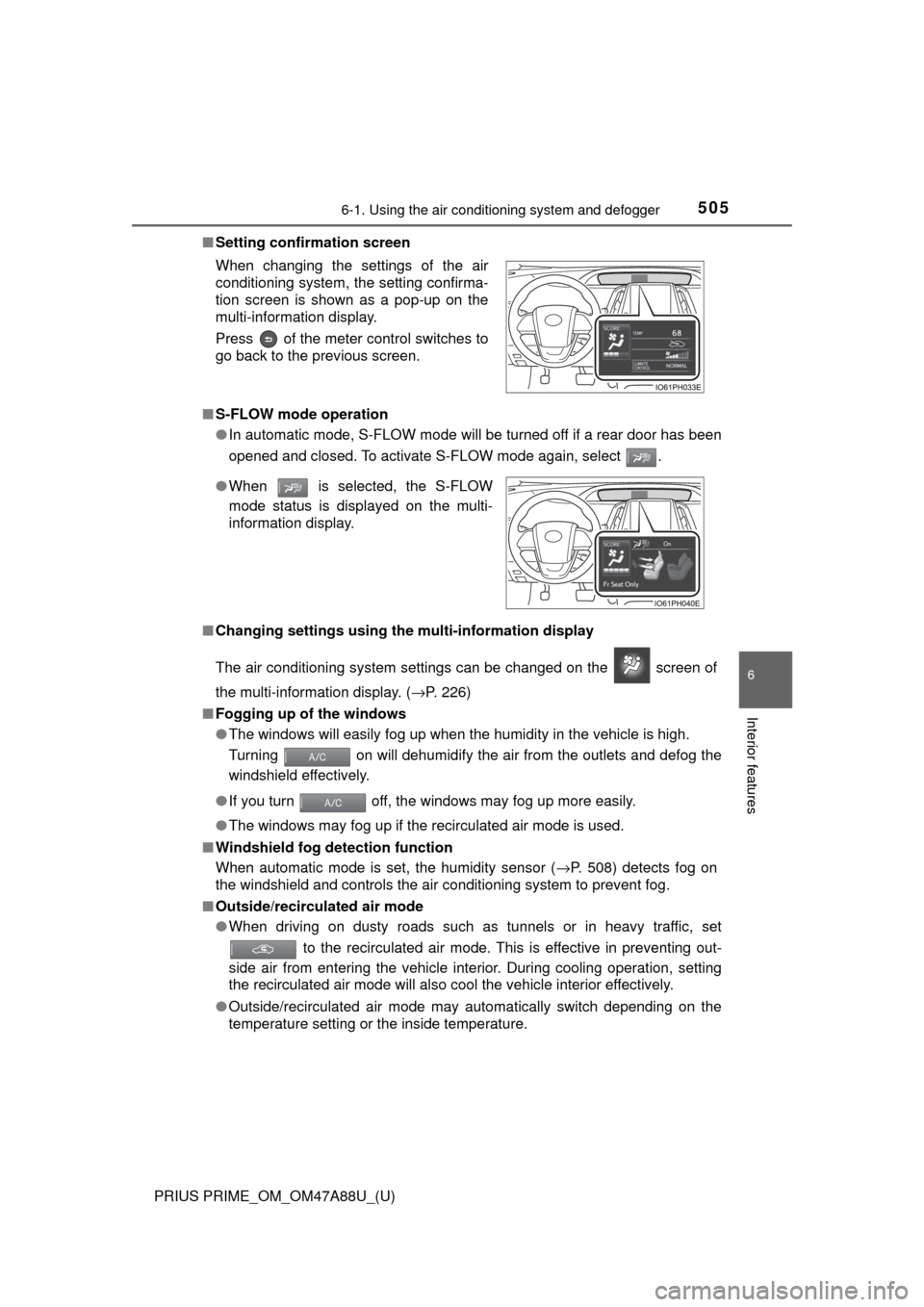
■Setting confirmation screen
■ S-FLOW mode operation
●In automatic mode, S-FLOW mode will be turned off if a rear door has been
opened and closed. To activate S-FLOW mode again, select .
■ Changing settings using the multi-information display
The air conditioning system settings can be changed on the screen of
the multi-information display. ( →P. 226)
■ Fogging up of the windows
●The windows will easily fog up when the humidity in the vehicle is high.
Turning on will dehumidify the air from the outlets and defog the
windshield effectively.
● If you turn off, the windows may fog up more easily.
● The windows may fog up if the recirculated air mode is used.
■ Windshield fog detection function
When automatic mode is set, the humidity sensor ( →P. 508) detects fog on
the windshield and controls the air conditioning system to prevent fog.
■ Outside/recirculated air mode
●When driving on dusty roads such as tunnels or in heavy traffic, set
to the recirculated air mode. This is effective in preventing out-
side air from entering the vehicle interior. During cooling operation, setting
the recirculated air mode will also cool the vehicle interior effectively.
● Outside/recirculated air mode may automatically switch depending on the
temperature setting or the inside temperature.
When changing the settings of the air
conditioning system, the setting confirma-
tion screen is shown as a pop-up on the
multi-information display.
Press of the meter control switches to
go back to the previous screen.
●
When is selected, the S-FLOW
mode status is displayed on the multi-
information display.
Page 508 of 784
5086-1. Using the air conditioning system and defogger
PRIUS PRIME_OM_OM47A88U_(U)
NOTICE
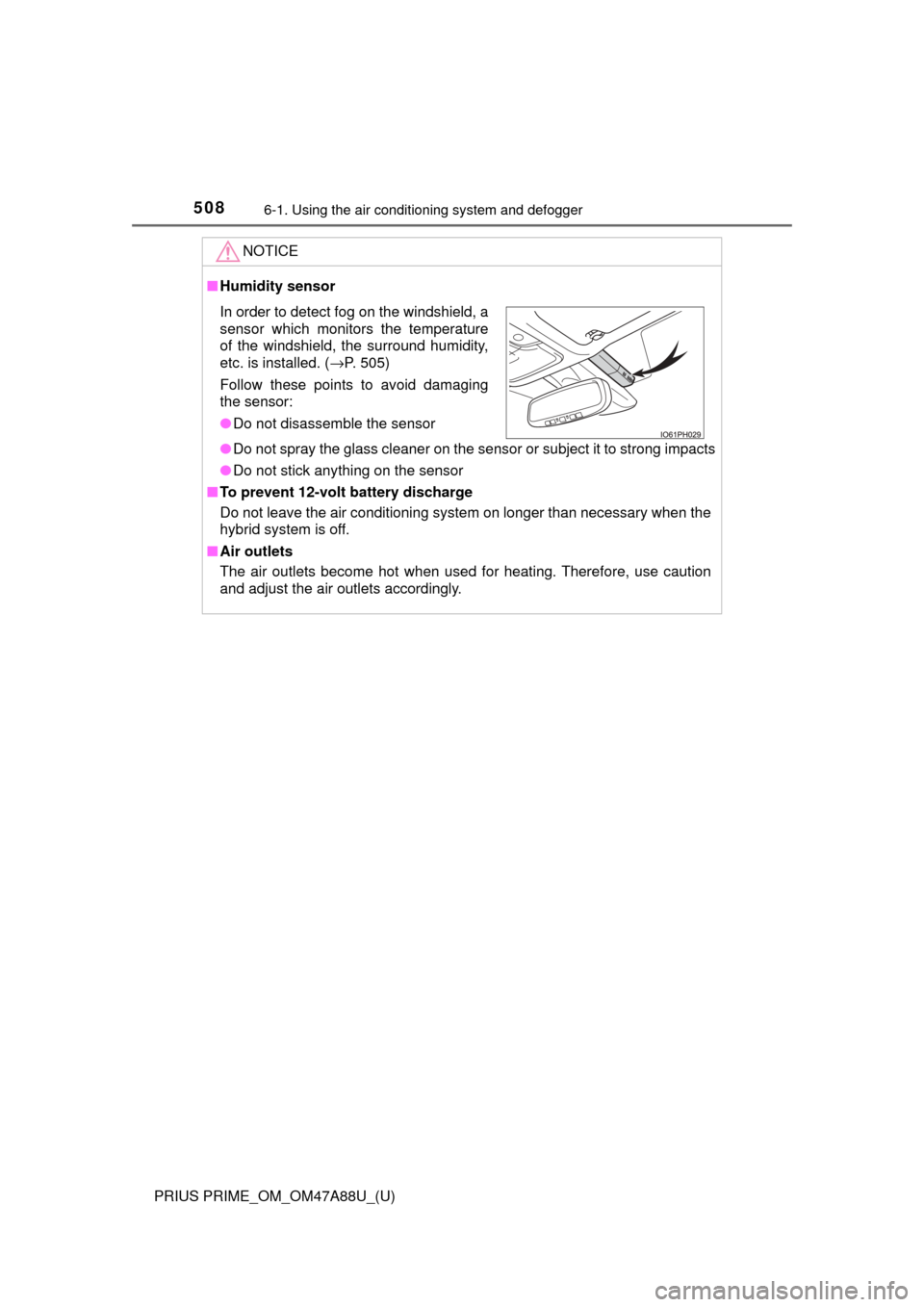
■Humidity sensor
● Do not spray the glass cleaner on the sensor or subject it to strong impacts
● Do not stick anything on the sensor
■ To prevent 12-volt battery discharge
Do not leave the air conditioning system on longer than necessary when the
hybrid system is off.
■ Air outlets
The air outlets become hot when used for heating. Therefore, use caution
and adjust the air outlets accordingly.
In order to detect fog on the windshield, a
sensor which monitors the temperature
of the windshield, the surround humidity,
etc. is installed. ( →P. 505)
Follow these points to avoid damaging
the sensor:
● Do not disassemble the sensor
Page 558 of 784
558
PRIUS PRIME_OM_OM47A88U_(U)
7-1. Maintenance and care
WARNING
■When washing the vehicle
Do not apply water to the inside of the engine compartment. Doing so may
cause the electrical components etc. to catch fire.
■ While charging
Do not wash the vehicle.
Doing so may cause the electrical components to malfunction or catch fire
and also you may get an electric shock that may result in death or serious
injury.
■ When cleaning the windshield (veh icles with rain-sensing windshield
wipers)
● When a wet rag or similar is held close to the raindrop sensor
● If something bumps against the windshield
● If you directly touch the raindrop sensor body or if something bumps into
the raindrop sensor
■ Precautions regarding the exhaust pipe
Exhaust gasses cause the exhaust pipe to become quite hot.
When washing the vehicle, be careful not to touch the pipe until it has
cooled sufficiently, as touching a hot exhaust pipe can cause burns.
■ Precaution regarding the rear bumper with Blind Spot Monitor (if
equipped)
If the paint of the rear bumper is chipped or scratched, the system may mal-
function. If this occurs, consult your Toyota dealer.
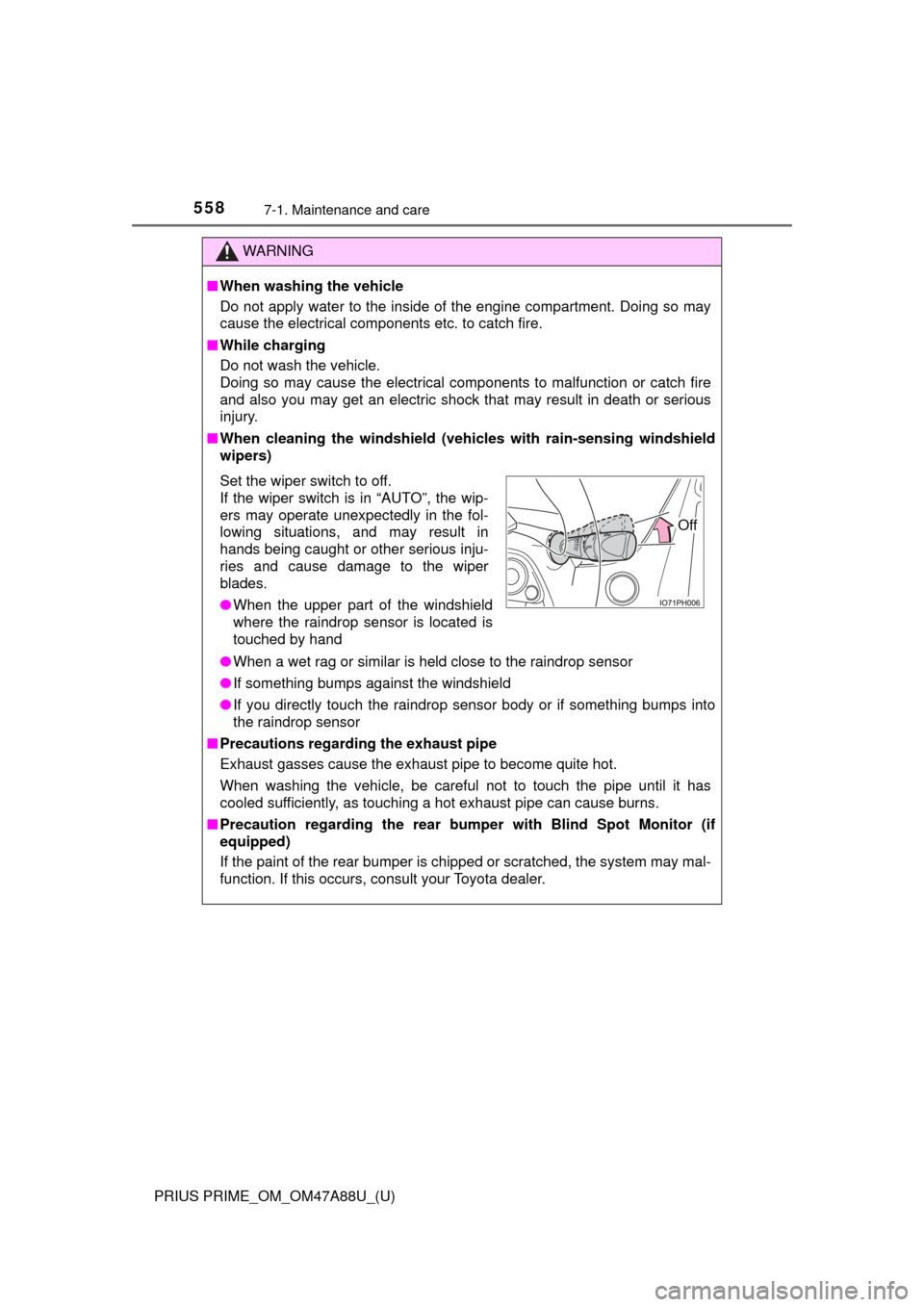
Set the wiper switch to off.
If the wiper switch is in “AUTO”, the wip-
ers may operate unexpectedly in the fol-
lowing situations, and may result in
hands being caught or other serious inju-
ries and cause damage to the wiper
blades.
● When the upper part of the windshield
where the raindrop sensor is located is
touched by hand
Off
Page 654 of 784
6548-2. Steps to take in an emergency
PRIUS PRIME_OM_OM47A88U_(U)
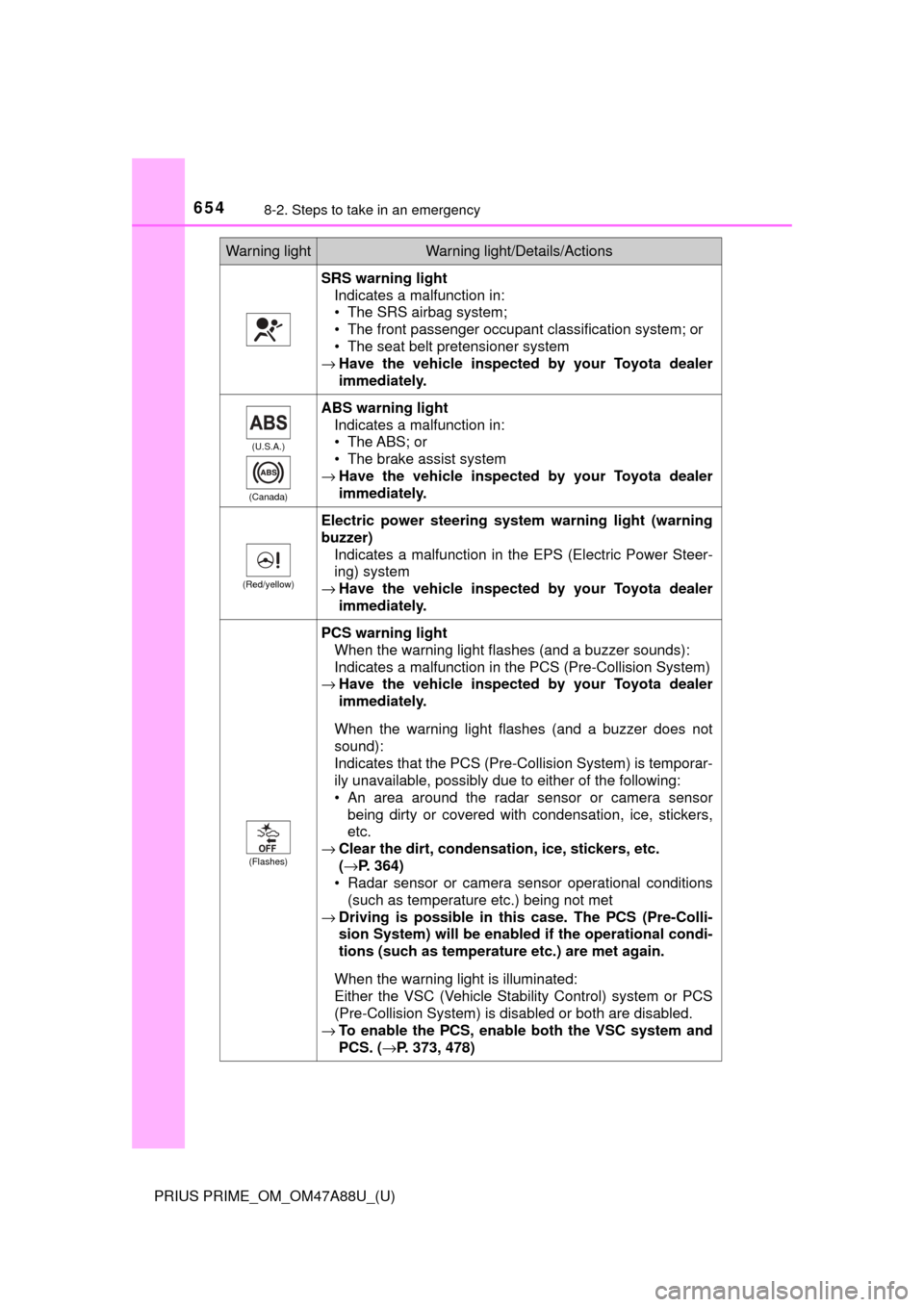
SRS warning lightIndicates a malfunction in:
• The SRS airbag system;
• The front passenger occupant classification system; or
• The seat belt pretensioner system
→ Have the vehicle inspected by your Toyota dealer
immediately.
(U.S.A.)
(Canada)
ABS warning light Indicates a malfunction in:
• The ABS; or
• The brake assist system
→ Have the vehicle inspected by your Toyota dealer
immediately.
(Red/yellow)
Electric power steering system warning light (warning
buzzer)
Indicates a malfunction in the EPS (Electric Power Steer-
ing) system
→ Have the vehicle inspected by your Toyota dealer
immediately.
(Flashes)
PCS warning light
When the warning light flashes (and a buzzer sounds):
Indicates a malfunction in the PCS (Pre-Collision System)
→ Have the vehicle inspected by your Toyota dealer
immediately.
When the warning light flashes (and a buzzer does not
sound):
Indicates that the PCS (Pre-Collision System) is temporar-
ily unavailable, possibly due to either of the following:
• An area around the radar sensor or camera sensor being dirty or covered with condensation, ice, stickers,
etc.
→ Clear the dirt, condensation, ice, stickers, etc.
(→P. 364)
• Radar sensor or camera sensor operational conditions (such as temperature etc.) being not met
→ Driving is possible in th is case. The PCS (Pre-Colli-
sion System) will be enabled if the operational condi-
tions (such as temperature etc.) are met again.
When the warning light is illuminated:
Either the VSC (Vehicle Stability Control) system or PCS
(Pre-Collision System) is disabled or both are disabled.
→ To enable the PCS, enable both the VSC system and
PCS. ( →P. 373, 478)
Warning lightWarning light/Details/Actions
Page 659 of 784

6598-2. Steps to take in an emergency
PRIUS PRIME_OM_OM47A88U_(U)
8
When trouble arises
■SRS warning light
This warning light system monitors the airbag sensor assembly, front impact
sensors, side impact sensors (front), side impact sensors (front door\
), side
impact sensors (rear), driver’s seat belt buckle switch, front passenger occu-
pant classification system (ECU and sens ors), “AIR BAG ON” indicator light,
“AIR BAG OFF” indicator light, front passenger’s seat belt buckle switch, seat
belt pretensioner assemblies, airbags, interconnecting wiring and power
sources. ( →P. 36)
■ Front passenger detection sensor, seat belt reminder and warning
buzzer
● If luggage is placed on the front passenger seat, the front passenger de\
tec-
tion sensor may cause the warning light to flash and the warning buzzer to
sound even if a passenger is not sitting in the seat.
● If a cushion is placed on the seat, the sensor may not detect a passenger,
and the warning light may not operate properly.
■ Electric power steering system warning light (warning buzzer)
When the 12-volt battery charge becomes insufficient or the voltage tempo-
rarily drops, the electric power steer ing system warning light may come on
and the warning buzzer may sound.
■ If the malfunction indicator la mp comes on while driving
First check the following:
● Is the fuel tank empty?
If it is, fill the fuel tank immediately.
● Is the fuel tank cap loose?
If it is, tighten it securely.
The malfunction indicator lamp will go off after several driving trips.
If the malfunction indicator lamp does not go off even after several trips, con-
tact your Toyota dealer as soon as possible.
■
When the tire pressure warning light comes on
Inspect the appearance of the tire to check that the tire is not punctured.
If the tire is punctured: → P. 671
If the tire is not punctured:
Check the tire inflation pressure and adjust to the appropriate level. Initial-
izing the tire pressure warning syst em will not turn off the tire pressure
warning light.
■The tire pressure warning light may come on due to natural causes
The tire pressure warning light may come on due to natural causes such
as natural air leaks and tire inflat ion pressure changes caused by tem-
perature. In this case, adjusting the ti re inflation pressure will turn off the
warning light (afte r a few minutes).
■Conditions that the tire pressure warning system may not function
properly
→ P. 5 9 9