check engine light TOYOTA PRIUS PRIME 2017 2.G Owners Manual
[x] Cancel search | Manufacturer: TOYOTA, Model Year: 2017, Model line: PRIUS PRIME, Model: TOYOTA PRIUS PRIME 2017 2.GPages: 784, PDF Size: 14.98 MB
Page 5 of 784

5
1
9 8
7
6 4 3
2
PRIUS PRIME_OM_OM47A88U_(U)
10
5
6-4. Using the other interior features
Other interior features ....... 530 • Sun visors ..................... 530
• Vanity mirrors................ 530
• Power outlets ................ 531
• Wireless charger ........... 532
• Coat hooks.................... 540
• Assist grips ................... 540
Garage door opener .......... 541
Safety Connect.................. 548 7-1. Maintenance and care
Cleaning and protecting the vehicle exterior .......... 556
Cleaning and protecting the vehicle interior ........... 561
7-2. Maintenance Maintenance requirements ................... 567
General maintenance ........ 570
Emission inspection and maintenance (I/M)
programs ......................... 573
7-3. Do-it-yourself maintenance Do-it-yourself service precautions ...................... 574
Hood .................................. 577
Positioning a floor jack....... 579
Engine compartment ......... 580
Tires................................... 594
Tire inflation pressure ........ 603
Wheels............................... 606
Replacing the tire............... 609
Air conditioning filter .......... 620
Wiper rubber replacement..................... 624
Electronic key battery ........ 627
Checking and replacing fuses ................................ 630
Headlight aim..................... 633
Light bulbs ......................... 635
7Maintenance and care
Page 17 of 784
17Pictorial index
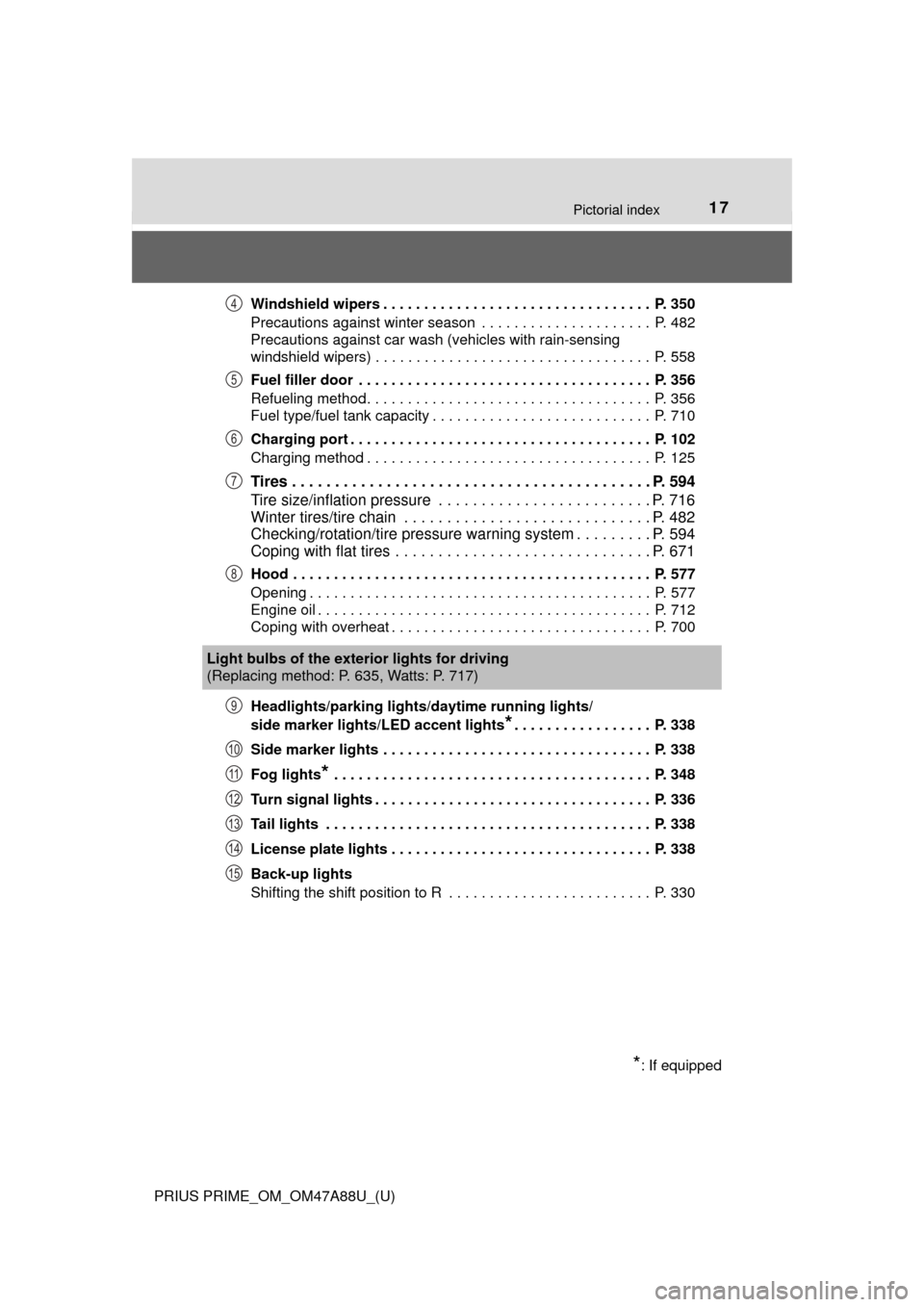
PRIUS PRIME_OM_OM47A88U_(U)Windshield wipers . . . . . . . . . . . . . . . . . . . . . . . . . . . . . . . . . P. 350
Precautions against winter season . . . . . . . . . . . . . . . . . . . . . P. 482
Precautions against car wash (vehicles with rain-sensing
windshield wipers) . . . . . . . . . . . . . . . . . . . . . . . . . . . . . . . . . . P. 558
Fuel filler door . . . . . . . . . . . . . . . . . . . . . . . . . . . . . . . . . . . . P. 356
Refueling method . . . . . . . . . . . . . . . . . . . . . . . . . . . . . . . . . . . P. 356
Fuel type/fuel tank capacity . . . . . . . . . . . . . . . . . . . . . . . . . . . P. 710
Charging port . . . . . . . . . . . . . . . . . . . . . . . . . . . . . . . . . . . . . P. 102
Charging method . . . . . . . . . . . . . . . . . . . . . . . . . . . . . . . . . . . P. 125
Tires . . . . . . . . . . . . . . . . . . . . . . . . . . . . . . . . . . . . . . . . . . P. 594
Tire size/inflation pressure . . . . . . . . . . . . . . . . . . . . . . . . . P. 716
Winter tires/tire chain . . . . . . . . . . . . . . . . . . . . . . . . . . . . . P. 482
Checking/rotation/tire pressure warning system . . . . . . . . . P. 594
Coping with flat tires . . . . . . . . . . . . . . . . . . . . . . . . . . . . . . P. 671
Hood . . . . . . . . . . . . . . . . . . . . . . . . . . . . . . . . . . . . . . . . . . . . P. 577
Opening . . . . . . . . . . . . . . . . . . . . . . . . . . . . . . . . . . . . . . . . . . P. 577
Engine oil . . . . . . . . . . . . . . . . . . . . . . . . . . . . . . . . . . . . . . . . . P. 712
Coping with overheat . . . . . . . . . . . . . . . . . . . . . . . . . . . . . . . . P. 700
Headlights/parking lights/
daytime running lights/
side marker lights/LED accent lights
*. . . . . . . . . . . . . . . . . P. 338
Side marker lights . . . . . . . . . . . . . . . . . . . . . . . . . . . . . . . . . P. 338
Fog lights
* . . . . . . . . . . . . . . . . . . . . . . . . . . . . . . . . . . . . . . . P. 348
Turn signal lights . . . . . . . . . . . . . . . . . . . . . . . . . . . . . . . . . . P. 336
Tail lights . . . . . . . . . . . . . . . . . . . . . . . . . . . . . . . . . . . . . . . . P. 338
License plate lights . . . . . . . . . . . . . . . . . . . . . . . . . . . . . . . . P. 338
Back-up lights
Shifting the shift position to R . . . . . . . . . . . . . . . . . . . . . . . . . P. 330
4
5
6
7
8
Light bulbs of the exter ior lights for driving
(Replacing method: P. 635, Watts: P. 717)
*: If equipped
9
10
11
12
13
14
15
Page 98 of 784

98
PRIUS PRIME_OM_OM47A88U_(U)
2-1. Plug-in hybrid system
◆Accelerator pedal/brake pedal operation
●Drive your vehicle smoothly. Avoid abrupt acceleration and
deceleration. Gradual accelerati on and deceleration will make
more effective use of the electric motor (traction motor) without
having to use gasoline engine power.
● Avoid repeated acceleration. Repeated acceleration consumes
hybrid battery (traction battery) power, resulting in poor fuel con-
sumption. Battery power can be restored by driving with the
accelerator pedal slightly released.
◆When braking
Make sure to operate the brakes gently and a timely manner. A
greater amount of electrical energy can be regenerated when slow-
ing down.
◆Delays
Repeated acceleration and deceleration, as well as long waits at
traffic lights, will lead to high fuel and electricity consumption.
Check traffic reports before leav ing and avoid delays as much as
possible. When driving in a traffi c jam, gently release the brake
pedal to allow the vehicle to move forward slightly while avoiding
overuse of the accelerator pedal. Doing so can help control exces-
sive electricity and fuel consumption.
◆Highway driving
● Control and maintain the vehicl e at a constant speed. Before
stopping at a toll booth or similar, allow plenty of time to release
the accelerator and gently apply the brakes. A greater amount of
electrical energy can be regenerated when slowing down.
● Electricity consumption will increa se significantly when driving at
high speeds in EV mode. If there will be a long distance to the
next external charging point after leaving a freeway, it is recom-
mended to drive in HV mode while on the freeway and change to
EV mode after leaving the freeway.
Page 195 of 784
PRIUS PRIME_OM_OM47A88U_(U)
1953. Instrument cluster
3
Instrument cluster
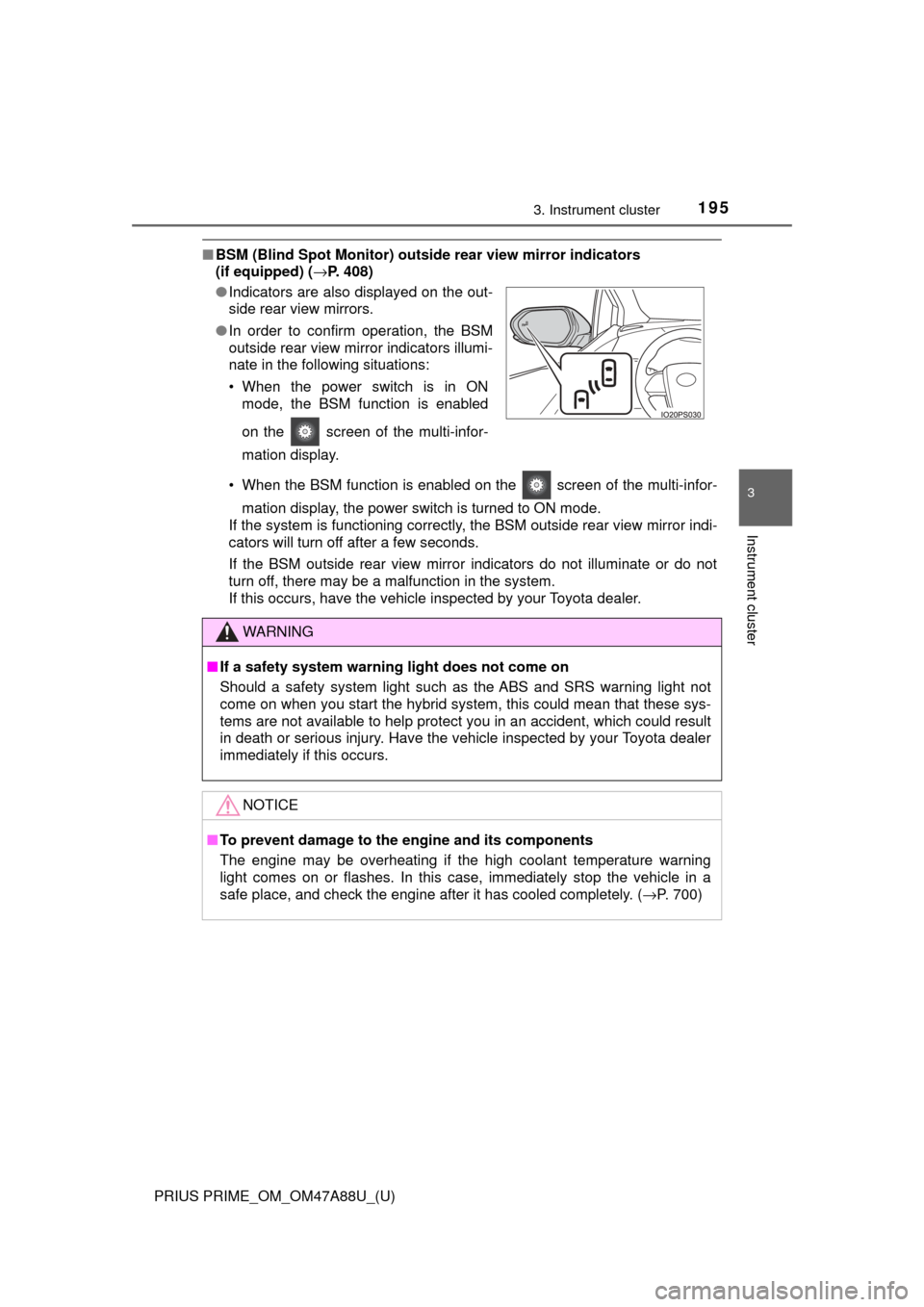
■BSM (Blind Spot Monitor) outsid e rear view mirror indicators
(if equipped) ( →P. 408)
• When the BSM function is enabled on the screen of the multi-infor- mation display, the power switch is turned to ON mode.
If the system is functioning correctly, the BSM outside rear view mirror indi-
cators will turn off after a few seconds.
If the BSM outside rear view mirror indicators do not illuminate or do not
turn off, there may be a malfunction in the system.
If this occurs, have the vehicle inspected by your Toyota dealer.
●
Indicators are also displayed on the out-
side rear view mirrors.
● In order to confirm operation, the BSM
outside rear view mirror indicators illumi-
nate in the following situations:
• When the power switch is in ON
mode, the BSM function is enabled
on the screen of the multi-infor-
mation display.
WARNING
■If a safety system warning light does not come on
Should a safety system light such as the ABS and SRS warning light not
come on when you start the hybrid system, this could mean that these sys-
tems are not available to help protect you in an accident, which could r\
esult
in death or serious injury. Have the vehicle inspected by your Toyota dealer
immediately if this occurs.
NOTICE
■To prevent damage to the engine and its components
The engine may be overheating if the high coolant temperature warning
light comes on or flashes. In this case, immediately stop the vehicle in a
safe place, and check the engine after it has cooled completely. ( →P. 700)
Page 208 of 784
208
PRIUS PRIME_OM_OM47A88U_(U)
3. Instrument cluster
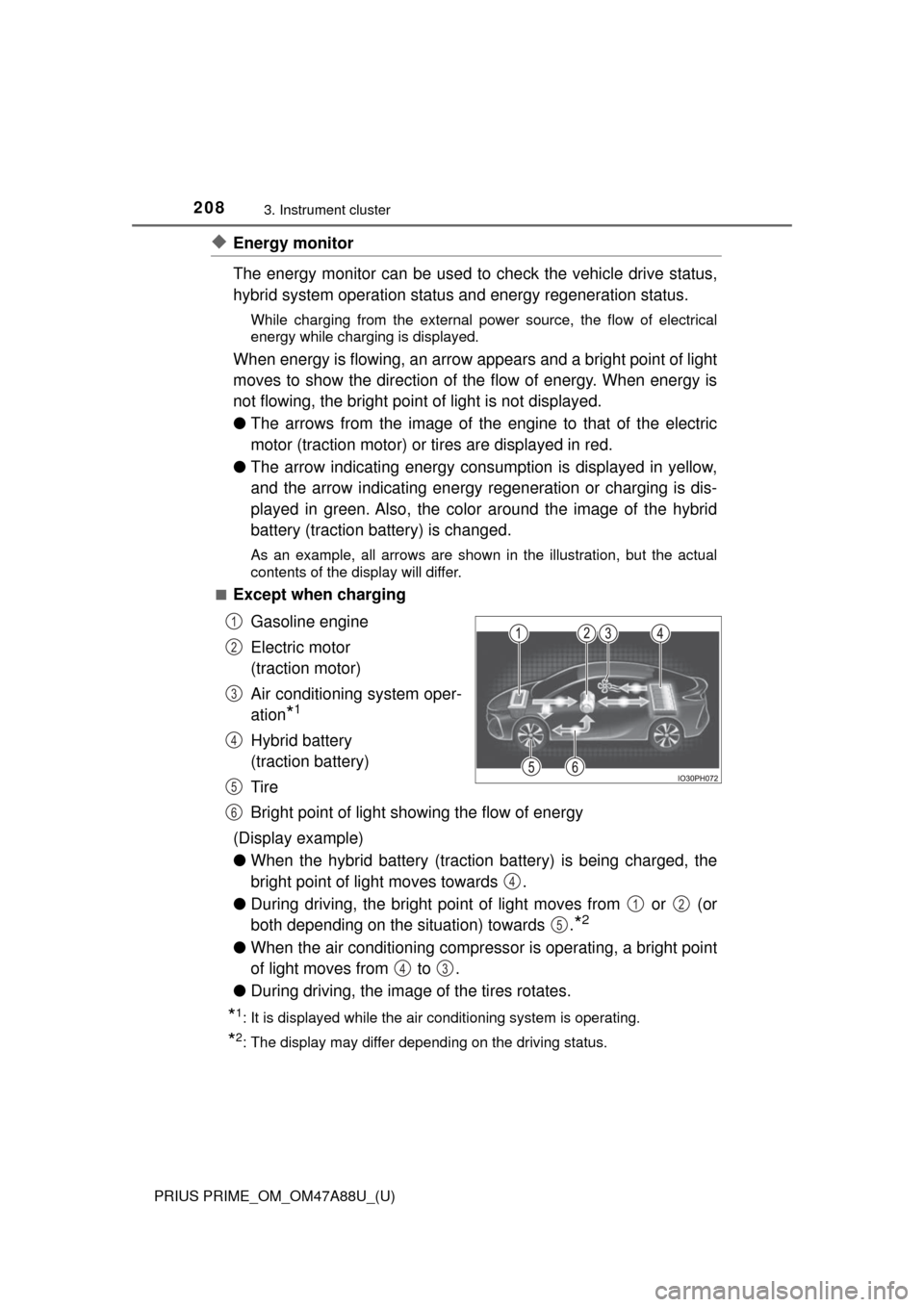
◆Energy monitor
The energy monitor can be used to check the vehicle drive status,
hybrid system operation status and energy regeneration status.
While charging from the external pow er source, the flow of electrical
energy while charging is displayed.
When energy is flowing, an arrow appears and a bright point of light
moves to show the direction of the flow of energy. When energy is
not flowing, the bright point of light is not displayed.
● The arrows from the image of the engine to that of the electric
motor (traction motor) or tires are displayed in red.
● The arrow indicating energy consumption is displayed in yellow,
and the arrow indicating energy regeneration or charging is dis-
played in green. Also, the colo r around the image of the hybrid
battery (traction battery) is changed.
As an example, all arrows are shown in the illustration, but the actual
contents of the display will differ.
■
Except when charging
Gasoline engine
Electric motor
(traction motor)
Air conditioning system oper-
ation
*1
Hybrid battery
(traction battery)
Tire
Bright point of light showing the flow of energy
(Display example)
● When the hybrid battery (traction battery) is being charged, the
bright point of light moves towards .
● During driving, the bright point of light moves from or (or
both depending on the situation) towards .
*2
●When the air conditioning compressor is operating, a bright point
of light moves from to .
● During driving, the image of the tires rotates.
*1: It is displayed while the air conditioning system is operating.
*2: The display may differ depending on the driving status.
1
2
3
4
5
6
4
12
5
43
Page 247 of 784

PRIUS PRIME_OM_OM47A88U_(U)
2473. Instrument cluster
3
Instrument cluster
■Function summary
The energy monitor can be used to check the vehicle drive status,
hybrid system operation status and energy regeneration status.
■Flow of energy and display details
When energy is flowing, an arrow appears and a bright point of light
moves to show the direction of the flow of energy. When energy is
not flowing, the bright point of light are not displayed.
If the “Trip Information” or “Past Record” screen is displayed, select
“Energy”.
How to read the energy monitor
Audio system screen
When the vehicle is powered by
the electric motor (traction
motor)
When the vehicle is powered by
both the gasoline engine and
the electric motor (traction
motor)
When the vehicle is powered by
the gasoline engine
Page 253 of 784
PRIUS PRIME_OM_OM47A88U_(U)
2533. Instrument cluster
3
Instrument cluster
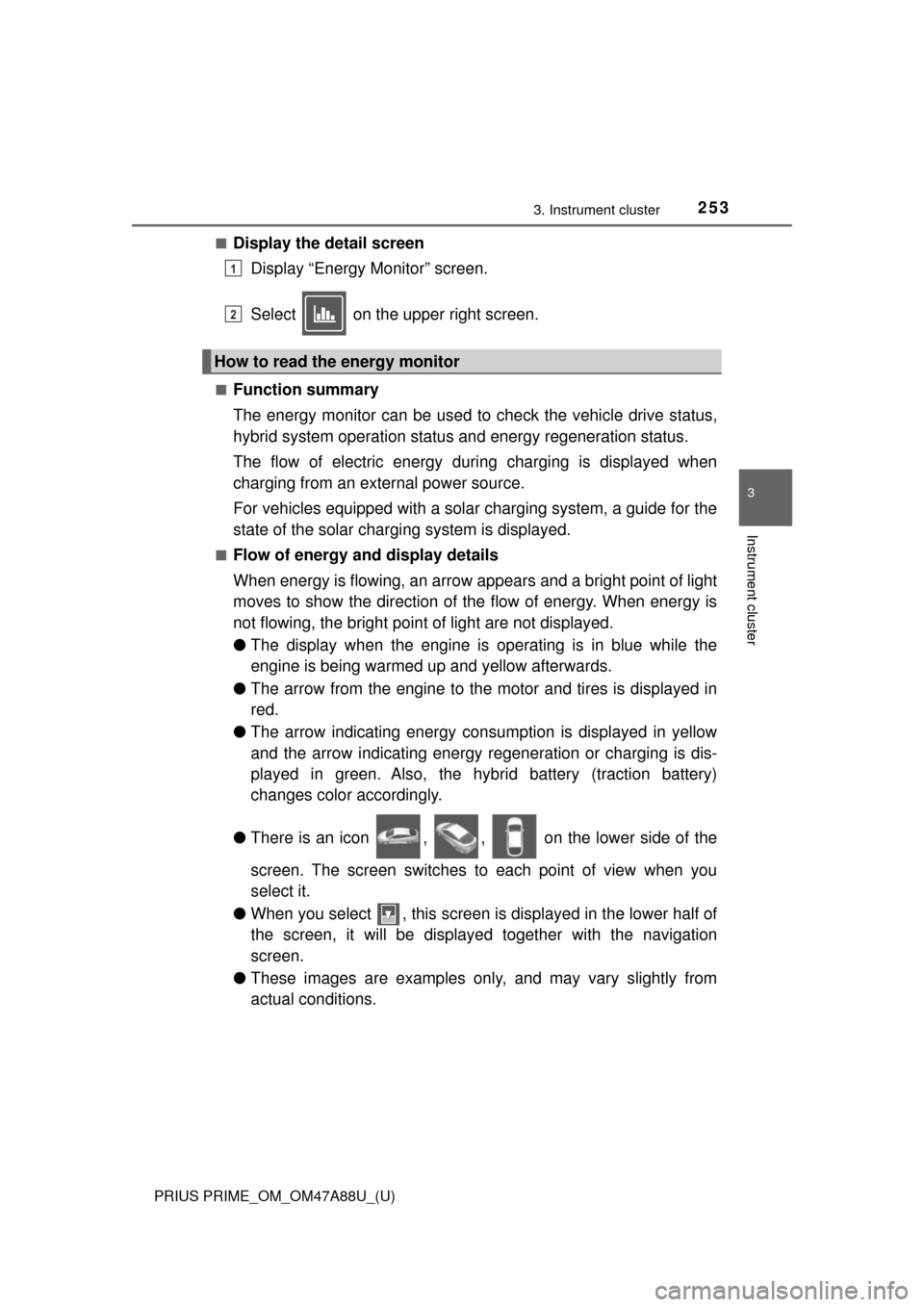
■Display the detail screenDisplay “Energy Monitor” screen.
Select on the upper right screen.
■Function summary
The energy monitor can be used to check the vehicle drive status,
hybrid system operation status and energy regeneration status.
The flow of electric energy during charging is displayed when
charging from an external power source.
For vehicles equipped with a solar charging system, a guide for the
state of the solar charging system is displayed.
■Flow of energy and display details
When energy is flowing, an arrow appears and a bright point of light
moves to show the direction of the flow of energy. When energy is
not flowing, the bright point of light are not displayed.
● The display when the engine is operating is in blue while the
engine is being warmed up and yellow afterwards.
● The arrow from the engine to the motor and tires is displayed in
red.
● The arrow indicating energy consumption is displayed in yellow
and the arrow indicating energy regeneration or charging is dis-
played in green. Also, the hybr id battery (traction battery)
changes color accordingly.
● There is an icon , , on the lower side of the
screen. The screen switches to each point of view when you
select it.
● When you select , this screen is displayed in the lower half of
the screen, it will be displaye d together with the navigation
screen.
● These images are examples only, and may vary slightly from
actual conditions.
How to read the energy monitor
1
2
Page 324 of 784

324
PRIUS PRIME_OM_OM47A88U_(U)
5-2. Driving procedures
Power (ignition) switch
Check that the charging cable is disconnected. (→P. 132)
Check that the parking brake is set.
Firmly depress the brake pedal.
and a message will be dis-
played on the multi-information dis-
play.
When the shift position is N, the
hybrid system cannot start. Shift
the shift position to P when starting
the hybrid system. ( →P. 331)
Press the power switch shortly
and firmly.
When operating the power switch,
one short, firm press is enough. It
is not necessary to press and hold
the switch.
If the “READY” indicator turns on,
the hybrid system will operate nor-
mally.
Continue depressing the brake pedal until the “READY” indicator is illumi-
nated.
The hybrid system can be started from any power switch mode.
Check that the “READY” indicator is illuminated.
If the “READY” indicator changes from a flashing light to a solid light and
the buzzer sounds, the hybrid system is starting normally.
The vehicle will not move when the “READY” indicator is off.
The vehicle can move when the “READY” indicator is on even if the engine
is stopped. (The gasoline engine starts or stops automatically in accor-
dance with the state of the vehicle.)
Performing the following operati ons when carrying the elec-
tronic key on your person starts the hybrid system or changes
power switch modes.
Starting the hybrid system
1
2
3
4
5
Page 331 of 784
PRIUS PRIME_OM_OM47A88U_(U)
3315-2. Driving procedures
5
Driving
*: For good fuel economy and noise reduction, the D position should usuallybe used.
→ P. 4 0 6
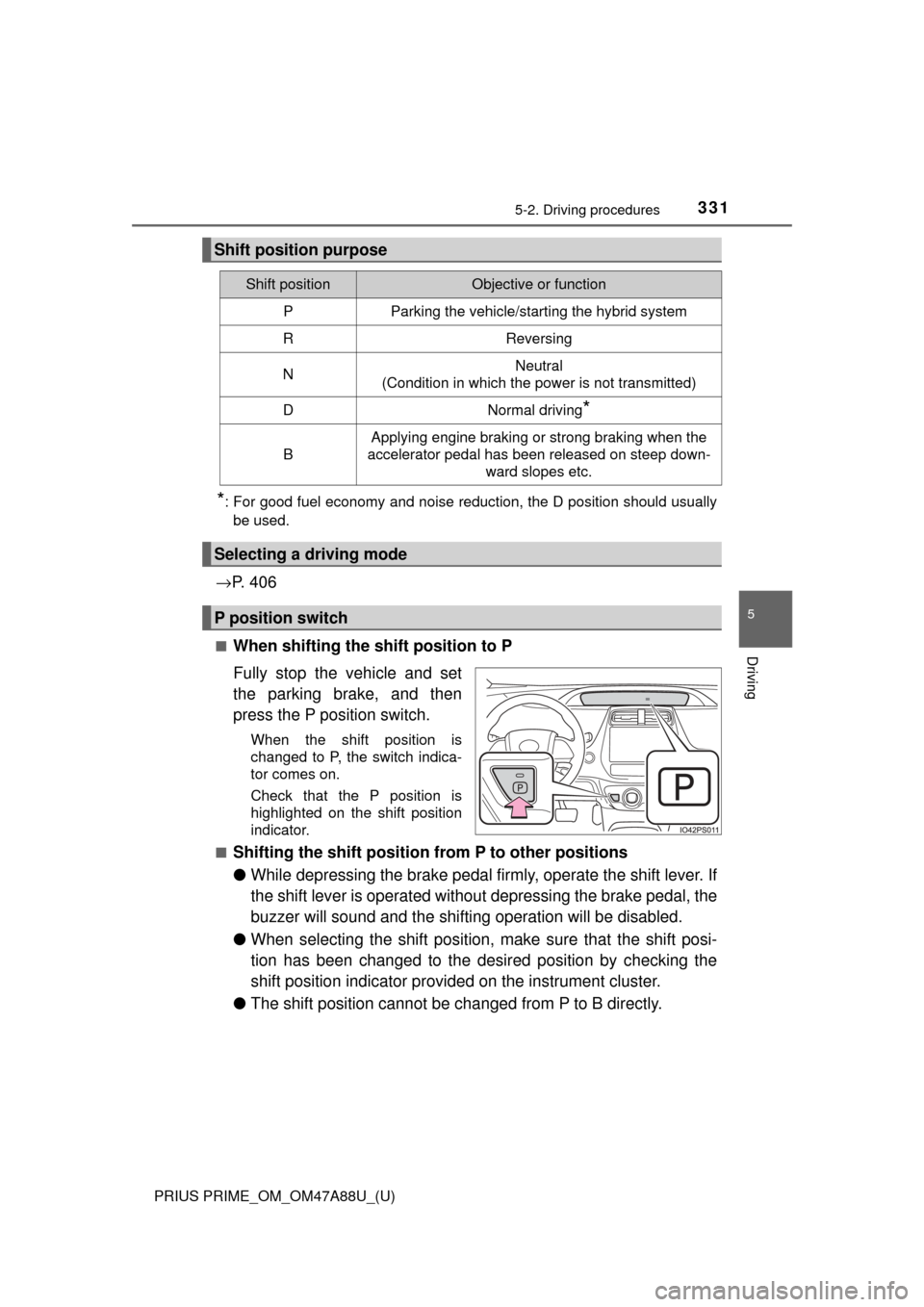
■When shifting the shift position to P
Fully stop the vehicle and set
the parking brake, and then
press the P position switch.
When the shift position is
changed to P, the switch indica-
tor comes on.
Check that the P position is
highlighted on the shift position
indicator.
■
Shifting the shift position from P to other positions
● While depressing the brake pedal firmly, operate the shift lever. If
the shift lever is operated without depressing the brake pedal, the
buzzer will sound and the shifting operation will be disabled.
● When selecting the shift position, make sure that the shift posi-
tion has been changed to the desired position by checking the
shift position indicator provided on the instrument cluster.
● The shift position cannot be changed from P to B directly.
Shift position purpose
Shift positionObjective or function
PParking the vehicle/starting the hybrid system
RReversing
NNeutral
(Condition in which the power is not transmitted)
DNormal driving*
B
Applying engine braking or strong braking when the
accelerator pedal has been released on steep down-
ward slopes etc.
Selecting a driving mode
P position switch
Page 482 of 784
482
PRIUS PRIME_OM_OM47A88U_(U)
5-6. Driving tips
Winter driving tips
●Use fluids that are appropriate to the prevailing outside tempera-
tures. • Engine oil
• Engine/power control unit coolant
• Washer fluid
● Have a service technician inspec t the condition of the 12-volt bat-
tery.
● Have the vehicle fitted with four snow tires or purchase a set of tire
chains for the front tires.
Ensure that all tires are the same size and brand, and that chains match
the size of the tires.
Perform the following accordin g to the driving conditions:
● Do not try to forcibly open a window or move a wiper that is frozen.
Pour warm water over the frozen area to melt the ice. Wipe away
the water immediately to prevent it from freezing.
● To ensure proper operation of the climate control system fan,
remove any snow that has accumulated on the air inlet vents in
front of the windshield.
● Check for and remove any excess ice or snow that may have accu-
mulated on the exterior lights, vehicle’s roof, chassis, around the
tires or on the brakes.
● Remove any snow or mud from the bottom of your shoes before
getting in the vehicle.
Carry out the necessary preparations and inspections before
driving the vehicle in winter. Al ways drive the vehicle in a man-
ner appropriate to the prevailing weather conditions.
Preparation for winter
Before driving the vehicle