park assist TOYOTA PRIUS PRIME 2017 2.G Owners Manual
[x] Cancel search | Manufacturer: TOYOTA, Model Year: 2017, Model line: PRIUS PRIME, Model: TOYOTA PRIUS PRIME 2017 2.GPages: 784, PDF Size: 14.98 MB
Page 4 of 784

TABLE OF CONTENTS4
PRIUS PRIME_OM_OM47A88U_(U)5-5. Using the driving support
systems
Toyota Safety Sense P ..... 361
PCS (Pre-Collision System) ........................... 369
LDA (Lane Departure Alert with steering
control) ............................ 381
Dynamic radar cruise control with full-speed
range ............................... 391
Driving mode select switch .............................. 406
BSM (Blind Spot Monitor) ........ 408
• The Blind Spot Monitor
function ......................... 412
• The Rear Cross Traffic Alert function ................. 415
Intuitive parking assist ....... 420
Intelligent Clearance Sonar .............................. 430
S-APGS (Simple Advanced Parking
Guidance System) .......... 442
Driving assist systems....... 476
5-6. Driving tips Winter driving tips.............. 482 6-1. Using the air conditioning
system and defogger
Automatic air conditioning system (vehicles with
7-inch display) ................. 488
Automatic air conditioning system (vehicles with
11.6-inch display) ............ 498
Remote Air Conditioning System ............................ 509
Heated steering wheel/ seat heaters..................... 513
6-2. Using the interior lights Interior lights list................. 515• Front interior light .......... 516
• Front personal lights ...... 516
• Rear interior light ........... 517
6-3. Using the storage features List of storage features ...... 518• Glove box ...................... 519
• Console box .................. 519
• Cup holders ................... 520
• Bottle holders/door pockets.................. 521
• Auxiliary boxes .............. 522
Luggage compartment features ........................... 523
6Interior features
Page 44 of 784

441-1. For safe use
PRIUS PRIME_OM_OM47A88U_(U)
■If the SRS airbags deploy (inflate)
●Slight abrasions, burns, bruising etc., may be sustained from SRS airbags,
due to the extremely high speed deployment (inflation) by hot gases.
● A loud noise and white powder will be emitted.
● Parts of the airbag module (steering wheel hub, airbag cover and inflat\
or) as
well as the front seats, parts of the front and rear pillars, and roof side rails,
may be hot for several minutes. The airbag itself may also be hot.
● The windshield may crack.
● For Safety Connect subscribers, if the SRS airbags deploy or in the event of
a severe rear-end collision, the system is designed to send an emergency
call to the response center, notifying them of the vehicle’s location (without
needing to push the “SOS” button) and an agent will attempt to speak with
the occupants to ascertain the level of emergency and assistance required.
If the occupants are unable to communicate, the agent automatically treats
the call as an emergency and helps to dispatch the necessary emergency
services. ( →P. 548)
■ SRS airbag deployment conditions (SRS front airbags)
●The SRS front airbags will deploy in the event of an impact that exceeds the
set threshold level (the level of force corresponding to an approximately 12 -
18 mph [20 - 30 km/h] frontal collision with a fixed wall that does not move or
deform).
However, this threshold velocity will be considerably higher in the following
situations:
• If the vehicle strikes an object, such as a parked vehicle or sign pole,
which can move or deform on impact
• If the vehicle is involved in an underride collision, such as a collision in which the front of the vehicle “underrides”, or goes under, the bed of a
truck
● Depending on the type of collision, it is possible that only the seat belt pre-
tensioners will activate.
● The SRS front airbags for the front passenger will not activate if there is no
passenger sitting in the front passenger seat. However, the SRS front air-
bags for the front passenger may deploy if luggage is put in the seat, even if
the seat is unoccupied. ( →P. 50)
● The SRS seat cushion airbag on the front passenger seat will not operate if
the occupant is not wearing a seat belt.
Page 183 of 784
PRIUS PRIME_OM_OM47A88U_(U)
1833. Instrument cluster
3
Instrument cluster
Some information will be displayed automatically according to power
switch operation, vehicle condition, etc.
■When starting the hybrid system
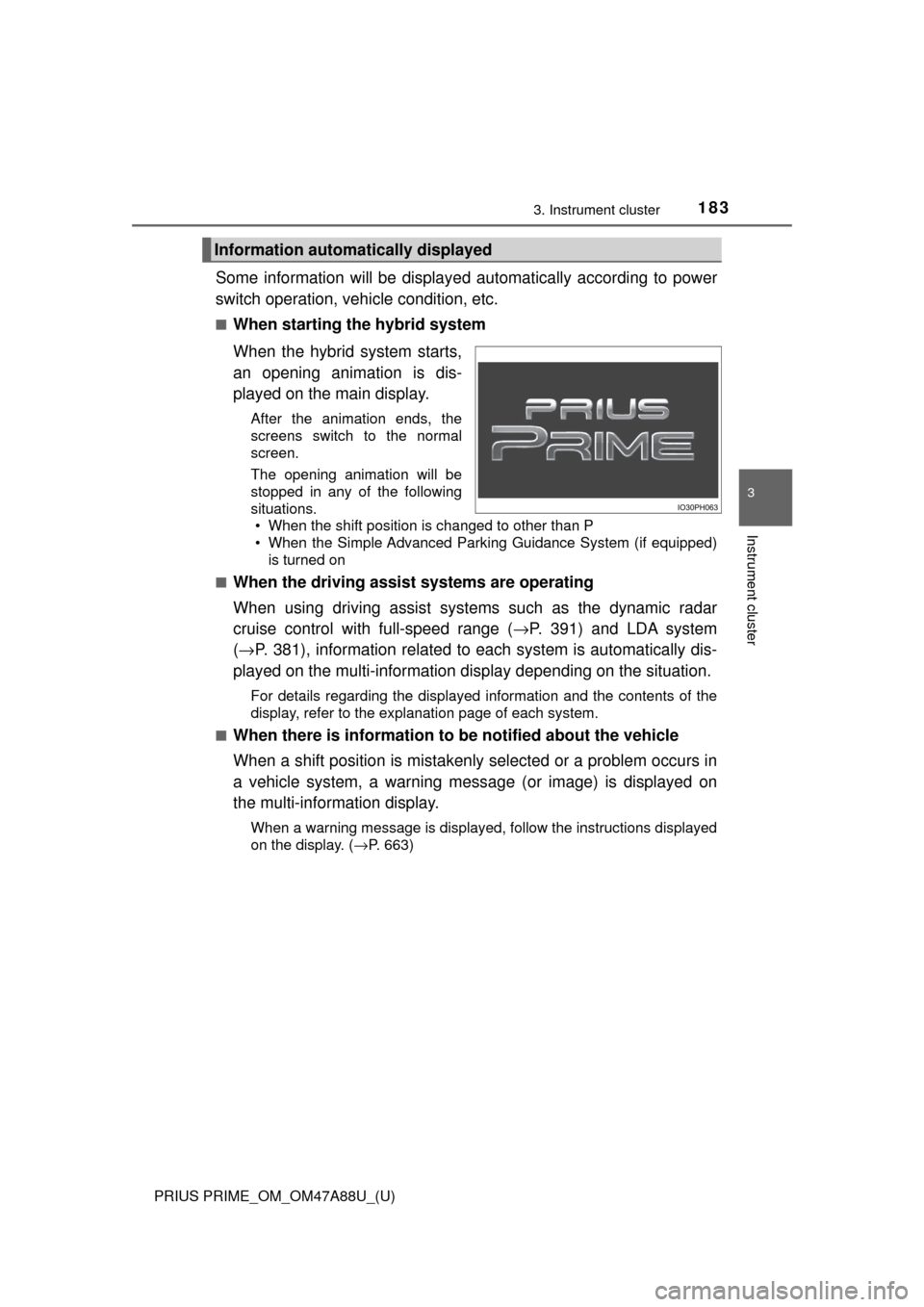
When the hybrid system starts,
an opening animation is dis-
played on the main display.
After the animation ends, the
screens switch to the normal
screen.
The opening animation will be
stopped in any of the following
situations. • When the shift position is changed to other than P
• When the Simple Advanced Parking Guidance System (if equipped)
is turned on
■
When the driving assist systems are operating
When using driving assist systems such as the dynamic radar
cruise control with full-speed range ( →P. 391) and LDA system
( → P. 381), information related to each system is automatically dis-
played on the multi-information display depending on the situation.
For details regarding the displayed information and the contents of the
display, refer to the explanation page of each system.
■
When there is information to be notified about the vehicle
When a shift position is mistakenly selected or a problem occurs in
a vehicle system, a warning mess age (or image) is displayed on
the multi-information display.
When a warning message is displayed, follow the instructions displayed
on the display. ( →P. 663)
Information automatically displayed
Page 192 of 784
192
PRIUS PRIME_OM_OM47A88U_(U)
3. Instrument cluster
*1: These lights turn on when the power switch is turned to ON mode to indi-cate that a system check is being performed. They will turn off after the
hybrid system is on, or after a few seconds. There may be a malfunction in
a system if a light does not come on, or if the lights do not turn off. Have
the vehicle inspected by your Toyota dealer.
*2: The light flashes to indicate that the system is operating.
*3: The light comes on when the system is turned off.
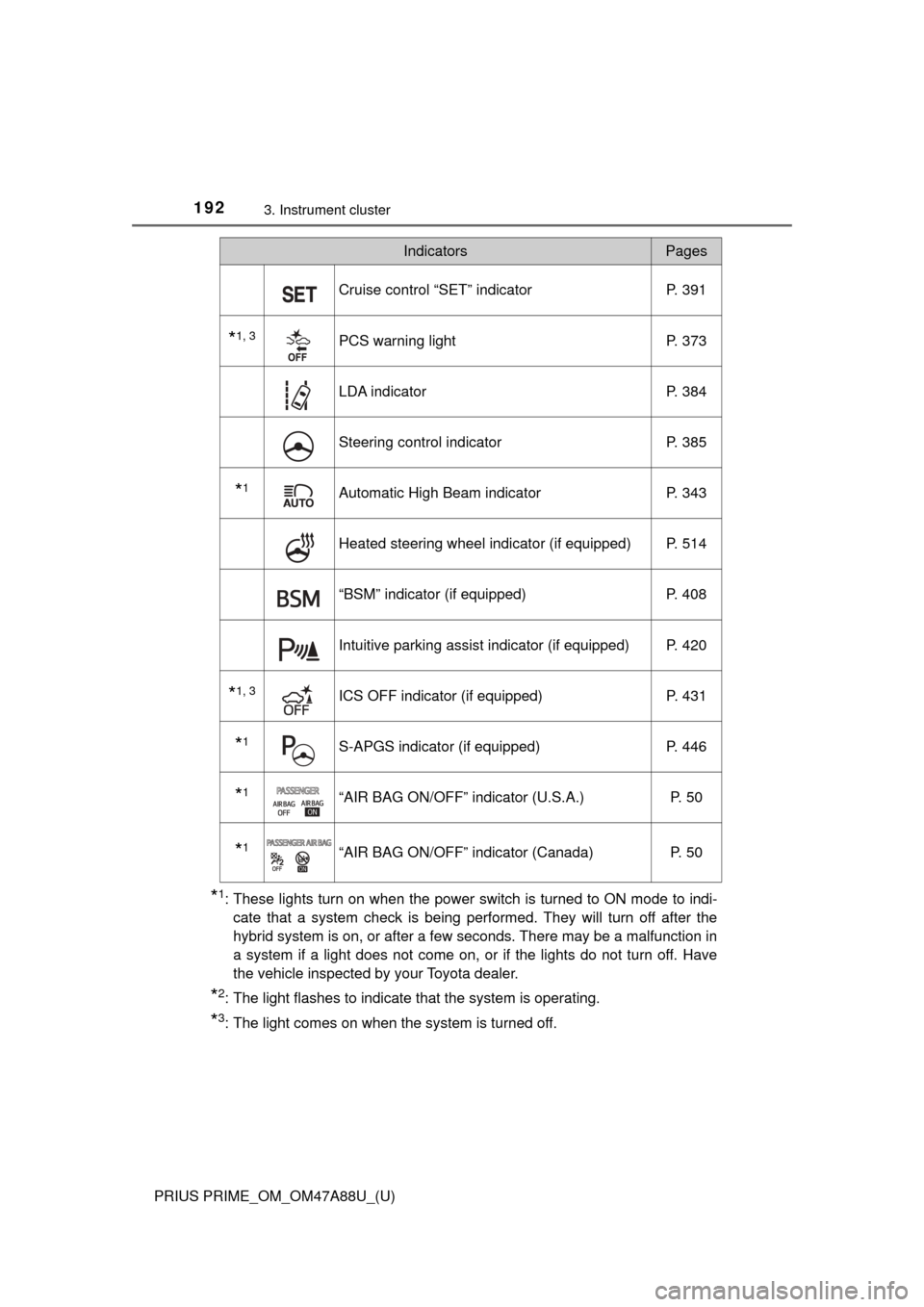
Cruise control “SET” indicator P. 391
*1, 3PCS warning lightP. 373
LDA indicator P. 384
Steering control indicatorP. 385
*1Automatic High Beam indicatorP. 343
Heated steering wheel indicator (if equipped) P. 514
“BSM” indicator (if equipped)P. 408
Intuitive parking assist indicator (if equipped) P. 420
*1, 3ICS OFF indicator (if equipped) P. 431
*1S-APGS indicator (if equipped)P. 446
*1“AIR BAG ON/OFF” indicator (U.S.A.) P. 50
*1“AIR BAG ON/OFF” indicator (Canada)P. 50
IndicatorsPages
Page 232 of 784
232
PRIUS PRIME_OM_OM47A88U_(U)
3. Instrument cluster
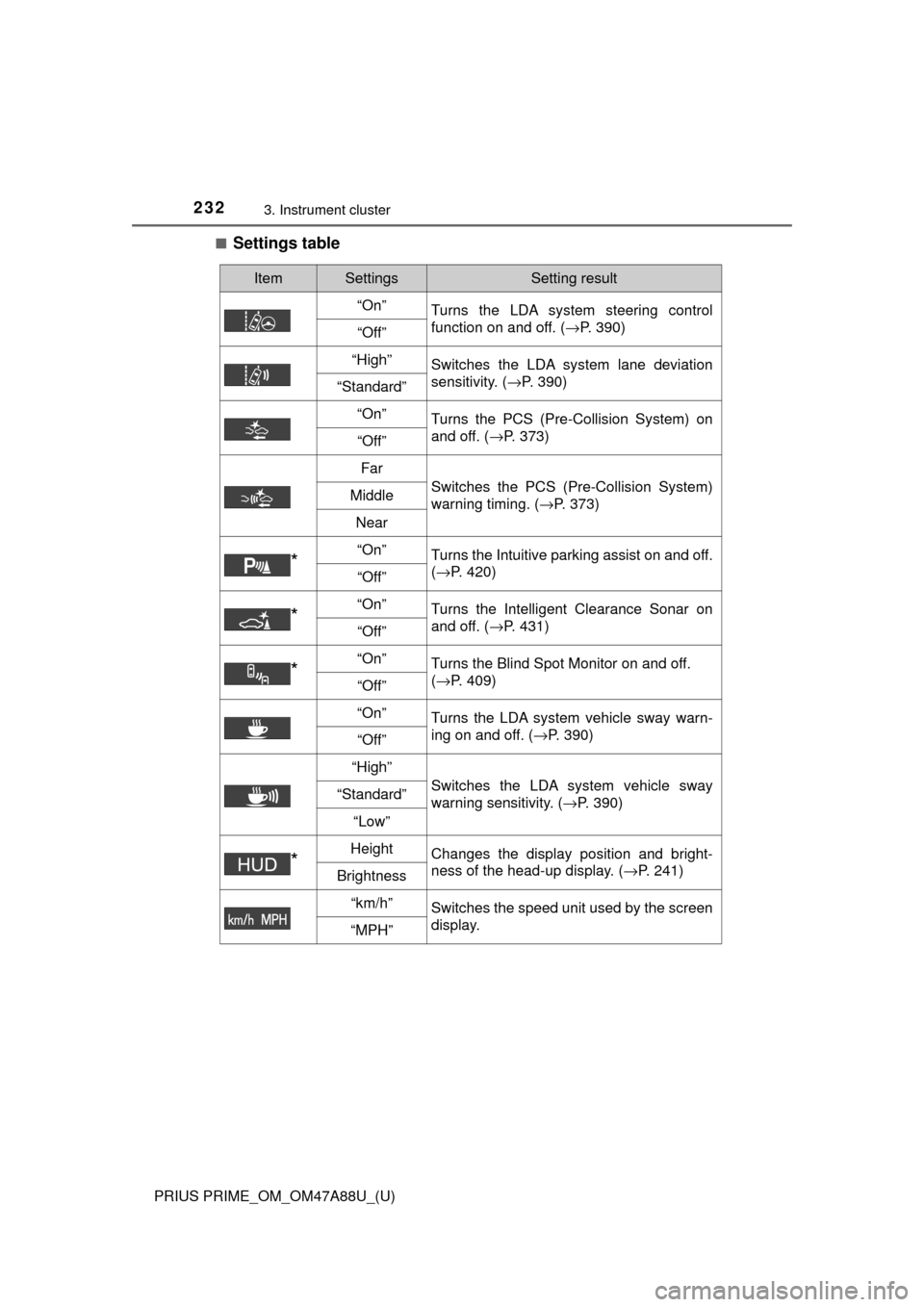
■Settings table
ItemSettingsSetting result
“On” Turns the LDA system steering control
function on and off. ( →P. 390)
“Off”
“High”Switches the LDA system lane deviation
sensitivity. (→P. 390)
“Standard”
“On”
Turns the PCS (Pre-Collision System) on
and off. ( →P. 373)
“Off”
Far
Switches the PCS (Pre-Collision System)
warning timing. ( →P. 373)Middle
Near
*“On”Turns the Intuitive parking assist on and off.
(→P. 420)
“Off”
*“On”Turns the Intelligent Clearance Sonar on
and off. ( →P. 431)
“Off”
*“On”Turns the Blind Spot Monitor on and off.
(→P. 409)
“Off”
“On”
Turns the LDA system vehicle sway warn-
ing on and off. ( →P. 390)
“Off”
“High”
Switches the LDA system vehicle sway
warning sensitivity. ( →P. 390)“Standard”
“Low”
*HeightChanges the display position and bright-
ness of the head-up display. ( →P. 241)
Brightness
“km/h”Switches the speed unit used by the screen
display.
“MPH”
Page 305 of 784

305
PRIUS PRIME_OM_OM47A88U_(U)
5Driving
5-1. Before drivingDriving the vehicle ............. 306
Cargo and luggage ........... 318
Vehicle load limits ............. 321
Trailer towing..................... 322
Dinghy towing ................... 323
5-2. Driving procedures Power (ignition) switch ...... 324
Hybrid transmission........... 330
Turn signal lever................ 336
Parking brake .................... 337
5-3. Operating the lights and wipers
Headlight switch ................ 338
Automatic High Beam ....... 343
Fog light switch ................. 348
Windshield wipers and washer ............................ 350 5-4. Refueling
Opening the fuel tank cap .................................. 356
5-5. Using the driving support systems
Toyota Safety Sense P ..... 361
PCS (Pre-Collision System)........................... 369
LDA (Lane Departure Alert with steering
control) ............................ 381
Dynamic radar cruise control with full-speed
range............................... 391
Driving mode select switch .............................. 406
BSM (Blind Spot Monitor) ........ 408
• The Blind Spot Monitor
function ......................... 412
• The Rear Cross Traffic
Alert function ................. 415
Intuitive parking assist....... 420
Intelligent Clearance Sonar .............................. 430
S-APGS (Simple Advanced Parking
Guidance System) .......... 442
Driving assist systems ...... 476
5-6. Driving tips Winter driving tips ............. 482
Page 307 of 784
PRIUS PRIME_OM_OM47A88U_(U)
3075-1. Before driving
5
Driving
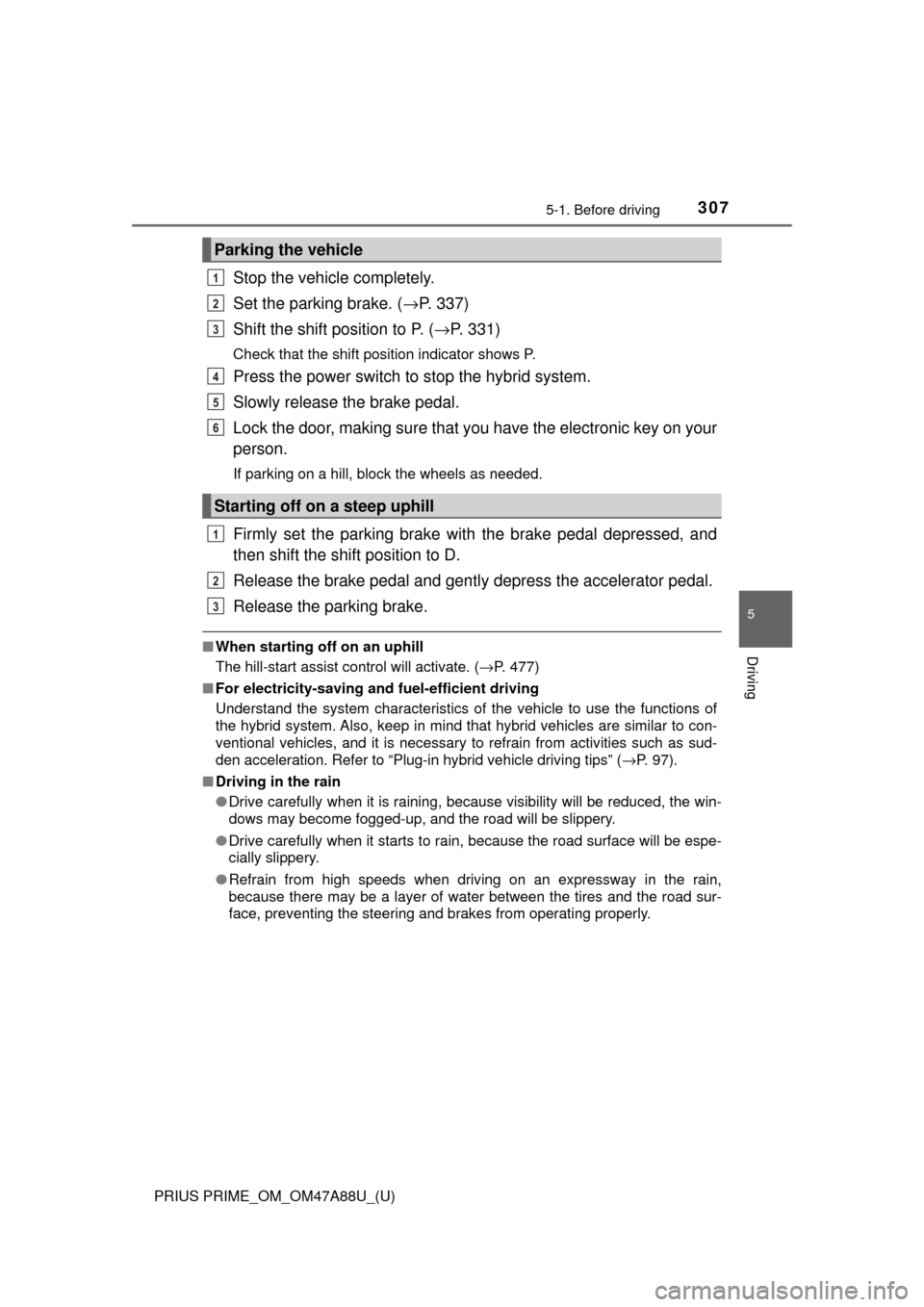
Stop the vehicle completely.
Set the parking brake. (→P. 337)
Shift the shift position to P. ( →P. 331)
Check that the shift position indicator shows P.
Press the power switch to stop the hybrid system.
Slowly release the brake pedal.
Lock the door, making sure that you have the electronic key on your
person.
If parking on a hill, block the wheels as needed.
Firmly set the parking brake with the brake pedal depressed, and
then shift the shift position to D.
Release the brake pedal and gentl y depress the accelerator pedal.
Release the parking brake.
■ When starting off on an uphill
The hill-start assist control will activate. ( →P. 477)
■ For electricity-saving and fuel-efficient driving
Understand the system characteristics of the vehicle to use the functions of
the hybrid system. Also, keep in mind that hybrid vehicles are similar to con-
ventional vehicles, and it is necessary to refrain from activities such as sud-
den acceleration. Refer to “Plug-in hybrid vehicle driving tips” ( →P. 97).
■ Driving in the rain
●Drive carefully when it is raining, because visibility will be reduced, the win-
dows may become fogged-up, and the road will be slippery.
● Drive carefully when it starts to rain, because the road surface will be espe-
cially slippery.
● Refrain from high speeds when driving on an expressway in the rain,
because there may be a layer of water between the tires and the road sur-
face, preventing the steering and brakes from operating properly.
Parking the vehicle
Starting off on a steep uphill
1
2
3
4
5
6
1
2
3
Page 315 of 784

PRIUS PRIME_OM_OM47A88U_(U)
3155-1. Before driving
5
Driving
WARNING
Observe the following precautions.
Failure to do so may result in death or serious injury.
■When taking a nap in the vehicle
Always turn the hybrid system off. Otherwise, if you accidentally move the
shift lever or depress the accelerator pedal, this could cause an accident or
fire due to hybrid system overheating. Additionally, if the vehicle is parked in
a poorly ventilated area, exhaust gases may collect and enter the vehicle,
leading to death or a serious health hazard.
■ When braking
● When the brakes are wet, drive more cautiously.
Braking distance increases when the brakes are wet, and this may cause
one side of the vehicle to brake differently than the other side. Also, the
parking brake may not securely hold the vehicle.
● If the electronically controlled assist function does not operate, do not fol-
low other vehicles closely and avoid downhill or sharp turns that require
braking.
In this case, braking is still possible, but the brake pedal should be
depressed more firmly than usual. Also, the braking distance will increase.
Have your brakes fixed immediately.
● The brake system consists of 2 or more individual hydraulic systems; if
one of the systems fails, the other(s) will still operate. In this case, the
brake pedal should be depressed more firmly than usual and the braking
distance will increase. Have your brakes fixed immediately.
Page 420 of 784
420
PRIUS PRIME_OM_OM47A88U_(U)
5-5. Using the driving support systems
Intuitive parking assist∗
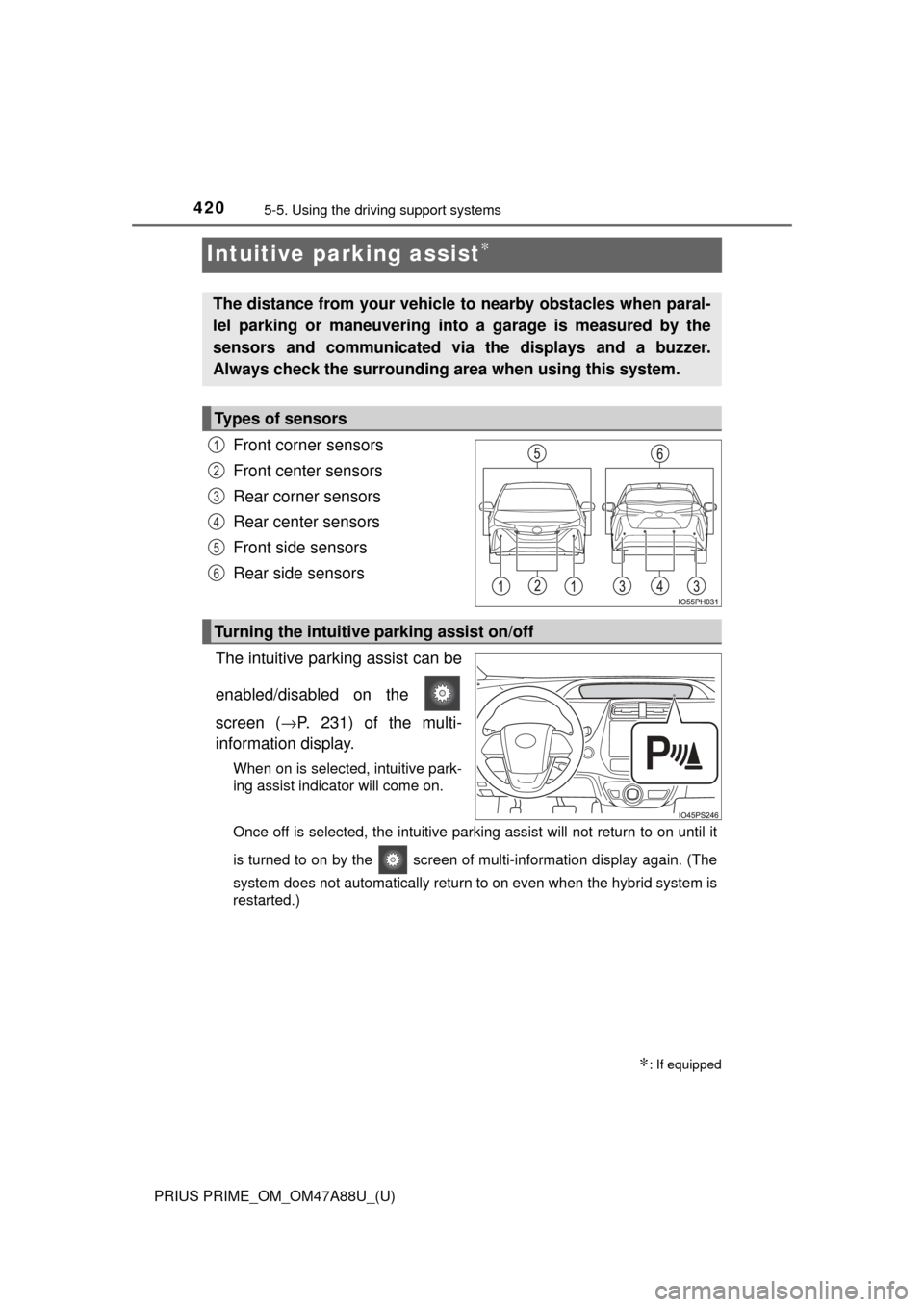
Front corner sensors
Front center sensors
Rear corner sensors
Rear center sensors
Front side sensors
Rear side sensors
The intuitive parking assist can be
enabled/disabled on the
screen ( →P. 231) of the multi-
information display.
When on is selected, intuitive park-
ing assist indicator will come on.
Once off is selected, the intuitive parking assist will not return to on until it
is turned to on by the screen of multi-information display again. (The
system does not automatically return to on even when the hybrid system is
restarted.)
∗: If equipped
The distance from your vehicle to nearby obstacles when paral-
lel parking or maneuvering into a garage is measured by the
sensors and communicated via the displays and a buzzer.
Always check the surrounding area when using this system.
Types of sensors
1
2
3
4
5
6
Turning the intuitive parking assist on/off
Page 424 of 784
424
PRIUS PRIME_OM_OM47A88U_(U)
5-5. Using the driving support systems
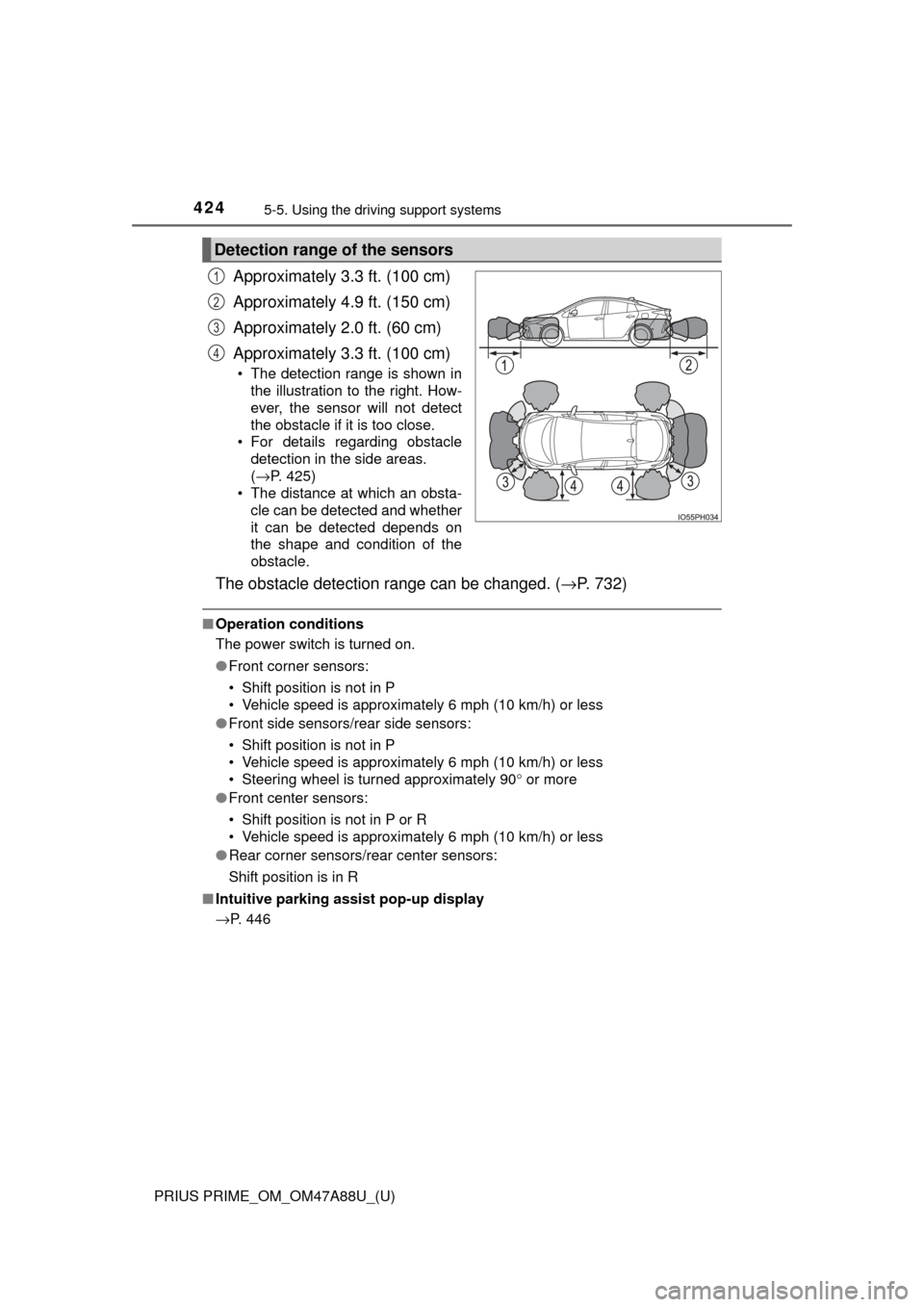
Approximately 3.3 ft. (100 cm)
Approximately 4.9 ft. (150 cm)
Approximately 2.0 ft. (60 cm)
Approximately 3.3 ft. (100 cm)
• The detection range is shown in
the illustration to the right. How-
ever, the sensor will not detect
the obstacle if it is too close.
• For details regarding obstacle detection in the side areas.
(→P. 425)
• The distance at which an obsta- cle can be detected and whether
it can be detected depends on
the shape and condition of the
obstacle.
The obstacle detection range can be changed. ( →P. 732)
■Operation conditions
The power switch is turned on.
●Front corner sensors:
• Shift position is not in P
• Vehicle speed is approximately 6 mph (10 km/h) or less
● Front side sensors/rear side sensors:
• Shift position is not in P
• Vehicle speed is approximately 6 mph (10 km/h) or less
• Steering wheel is turned approximately 90 ° or more
● Front center sensors:
• Shift position is not in P or R
• Vehicle speed is approximately 6 mph (10 km/h) or less
● Rear corner sensors/rear center sensors:
Shift position is in R
■ Intuitive parking assist pop-up display
→P. 446
Detection range of the sensors
1
2
3
4