tires TOYOTA PRIUS PRIME 2020 Owners Manual (in English)
[x] Cancel search | Manufacturer: TOYOTA, Model Year: 2020, Model line: PRIUS PRIME, Model: TOYOTA PRIUS PRIME 2020Pages: 792, PDF Size: 16.56 MB
Page 5 of 792

5
1
9 8
7
6 4 3
2
PRIUS PRIME_OM_OM47C77U_(U)
10
5
6-4. Using the other interior features
Other interior features ....... 540 • Sun visors ..................... 540
• Vanity mirrors................ 540
• Power outlets ................ 541
• USB charging ports....... 542
• Wireless charger ........... 544
• Armrest ......................... 553
• Coat hooks.................... 553
• Assist grips ................... 554
Garage door opener .......... 555 7-1. Maintenance and care
Cleaning and protecting the vehicle exterior .......... 564
Cleaning and protecting the vehicle interior ........... 569
7-2. Maintenance Maintenance requirements ................... 575
General maintenance ........ 578
Emission inspection and maintenance (I/M)
programs ......................... 581
7-3. Do-it-yourself maintenance Do-it-yourself service precautions ...................... 582
Hood .................................. 585
Positioning a floor jack....... 587
Engine compartment ......... 588
Tires................................... 602
Tire inflation pressure ........ 611
Wheels............................... 614
Replacing the tire............... 617
Air conditioning filter .......... 628
Wiper insert replacement..................... 632
Electronic key battery ........ 635
Checking and replacing fuses ................................ 638
Headlight aim..................... 641
Light bulbs ......................... 643
7Maintenance and care
Page 17 of 792
17Pictorial index
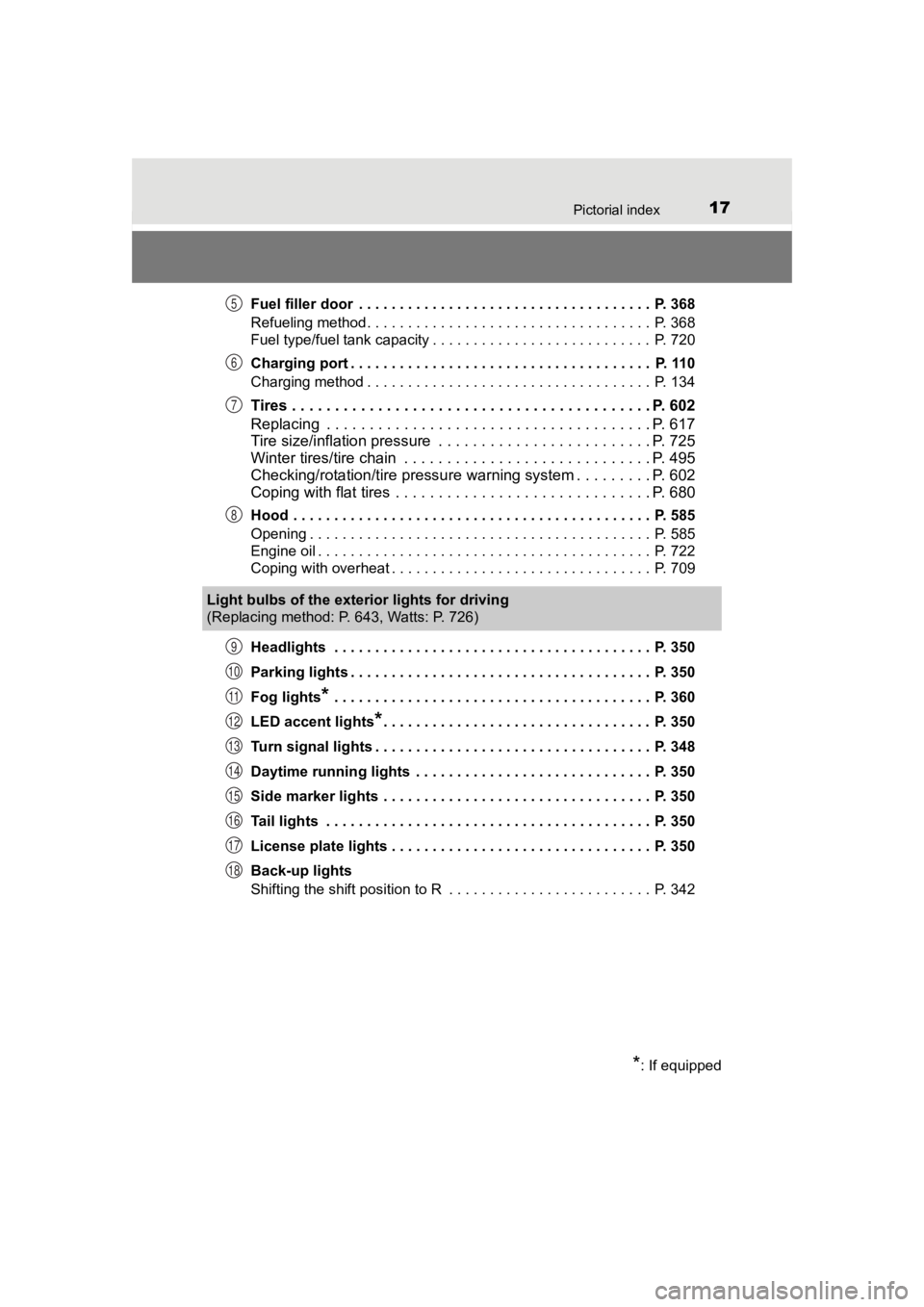
PRIUS PRIME_OM_OM47C77U_(U)Fuel filler door . . . . . . . . . . . . . . . . . . . . . . . . . . . . . . . . . . . . P. 368
Refueling method . . . . . . . . . . . . . . . . . . . . . . . . . . . . . . . . . . . P. 368
Fuel type/fuel tank capacity . . . . . . . . . . . . . . . . . . . . . . . . . . . P. 720
Charging port . . . . . . . . . . . . . . . . . . . . . . . . . . . . . . . . . . . . . P. 110
Charging method . . . . . . . . . . . . . . . . . . . . . . . . . . . . . . . . . . . P. 134
Tires . . . . . . . . . . . . . . . . . . . . . . . . . . . . .
. . . . . . . . . . . . . P. 602
Replacing . . . . . . . . . . . . . . . . . . . . . . . . . . . . . . . . . . . . . . P. 617
Tire size/inflation pressure . . . . . . . . . . . . . . . . . . . . . . . . . P. 725
Winter tires/tire chain . . . . . . . . . . . . . . . . . . . . . . . . . . . . . P. 495
Checking/rotation/tire pressur e warning system . . . . . . . . .P. 602
Coping with flat tires . . . . . . . . . . . . . . . . . . . . . . . . . . . . . . P. 680
Hood . . . . . . . . . . . . . . . . . . . . . . . . . . . . . . . . . . . . . . . . . . . . P. 585
Opening . . . . . . . . . . . . . . . . . . . . . . . . . . . . . . . . . . . . . . . . . . P. 585
Engine oil . . . . . . . . . . . . . . . . . . . . . . . . . . . . . . . . . . . . . . . . . P. 722
Coping with overheat . . . . . . . . . . . . . . . . . . . . . . . . . . . . . . . . P. 709
Headlights . . . . . . . . . . . . . . . . . . . . . . . . . . . . . . . . . . . . . . . P. 350
Parking lights . . . . . . . . . . . . . . . . . . . . . . . . . . . . . . . . . . . . . P. 350
Fog lights
* . . . . . . . . . . . . . . . . . . . . . . . . . . . . . . . . . . . . . . . P. 360
LED accent lights
*. . . . . . . . . . . . . . . . . . . . . . . . . . . . . . . . . P. 350
Turn signal lights . . . . . . . . . . . . . . . . . . . . . . . . . . . . . . . . . . P. 348
Daytime running lights . . . . . . . . . . . . . . . . . . . . . . . . . . . . . P. 350
Side marker lights . . . . . . . . . . . . . . . . . . . . . . . . . . . . . . . . . P. 350
Tail lights . . . . . . . . . . . . . . . . . . . . . . . . . . . . . . . . . . . . . . . . P. 350
License plate lights . . . . . . . . . . . . . . . . . . . . . . . . . . . . . . . . P. 350
Back-up lights
Shifting the shift position to R . . . . . . . . . . . . . . . . . . . . . . . . . P. 342
5
6
7
8
Light bulbs of the exterior lights for driving
(Replacing method: P. 643, Watts: P. 726)
*: If equipped
9
10
11
12
13
14
15
16
17
18
Page 107 of 792

PRIUS PRIME_OM_OM47C77U_(U)
1072-1. Plug-in hybrid system
2
Plug-in hybrid system
◆Air conditioning
●Turn the “A/C” switch (
*1 • *2) off when it is
not needed. Doing so can help reduce excessive electricity and
fuel consumption.
In summer: When the ambient temperature is high, use the recir-
culated air mode. Doing so will help to reduce the burden on th e
air conditioning system and reduc e electricity and fuel consump-
tion as well.
In winter: Avoid excessive and unnecessary use of the heater.
Usage of the heated steering w heel (if equipped) and seat heat-
ers is effective. ( P. 5 2 6 )
● Using the Remote Air Conditioning System ( P. 522) while the
charging cable is connected to the vehicle can reduce electrici ty
consumption immediately after st arting off by operating air condi-
tioning mainly using electricity from an external power source.
● When setting the timer, selecting the start time setting mode a nd
setting “Climate Prep” to “On” c an reduce electricity consumption
immediately after starting off by operating air conditioning be fore
charging is completed. ( P. 157)
*1: Vehicles with 7-inch display
*2: Vehicles with 11.6-inch display
◆Checking tire inflation pressure
Make sure to check the tire inflation pressure frequently. If t here is
improper tire inflation pressur e in the tires, the EV driving range will
become shorter, and fuel consumption when in HV mode will
increase.
Also, as snow tires can cause large amounts of friction, their use on
dry roads can lead t o increased fuel and electricity consumptio n.
◆Luggage
Carrying heavy luggage will lead to poor fuel economy. Avoid carry-
ing unnecessary luggage. Installing a large roof rack will also cause
poor fuel economy.
◆Warming up before driving
Since the gasoline engine starts up and cuts out automatically,
warming up is not necessary.
Page 109 of 792
PRIUS PRIME_OM_OM47C77U_(U)
1092-1. Plug-in hybrid system
2
Plug-in hybrid system
The distance that can be driven in EV mode varies significantly
depending on how the vehicle is driven, road conditions, the we ather,
the outside temperature, usage con ditions of electrical components
and the number o f occupants.
The distance that can be driven in EV mode can be extended if t he fol-
lowing is performed:
● Maintain a safe distance from t he vehicle in front and avoid un nec-
essary acceleration and deceleration
● Accelerate and decelerate the v ehicle as smoothly as possible
● Drive at moderate speeds as much as possible and maintain a con -
stant speed
● Set the air conditioning to a moderate temperature and turn the “A/C”
switch (
*1 • *2) off when it is not needed
● Use tires of the specified size and maintain the specified tire pres-
sure
● Use the EV/HV mode selection switch to drive in HV mode when
driving on a highway
Electricity consumption will in crease substantially when drivin g on a
highway in EV mode.
● Do not add unnecessary w eight to the vehicle
*1: Vehicles with 7-inch display
*2: Vehicles with 11.6-inch display
The following indicate that charging has been carried out prope rly.
● The charging indicator turns off
● The Hybrid battery (traction battery) status indicators illumin ate for
approximately 15 seconds. ( P. 112)
● “Charging Complete” is displayed on the multi-information displ ay
when starting off ( P. 140)
Regardless of the type of power source or whether the charging timer
function is used, charging is c ompleted if the above can be confirmed.
Charging-related messages: P. 185
Tips for extending the EV driving range
Display when charging is completed
Page 221 of 792
PRIUS PRIME_OM_OM47C77U_(U)
2213. Instrument cluster
3
Instrument cluster
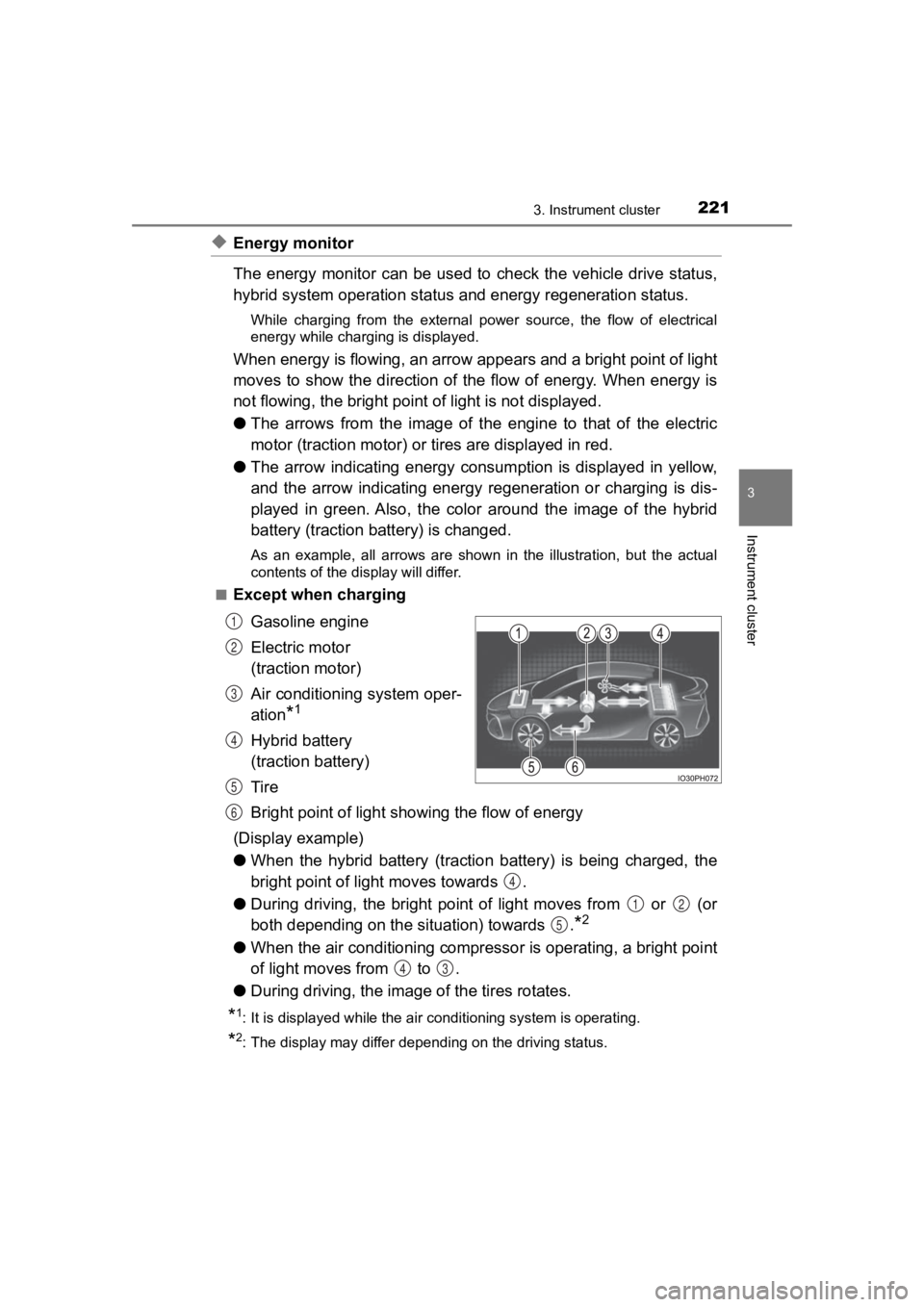
◆Energy monitor
The energy monitor can be used to check the vehicle drive status,
hybrid system operation status and energy regeneration status.
While charging from the external power source, the flow of electrical
energy while charging is displayed.
When energy is flowing, an arrow appears and a bright point of light
moves to show the direction of the flow of energy. When energy is
not flowing, the bright point of light is not displayed.
● The arrows from the image of the engine to that of the electric
motor (traction motor) or ti res are displayed in red.
● The arrow indicating energy consumption is displayed in yellow,
and the arrow indicating energy regeneration or charging is dis -
played in green. Also, the color around the image of the hybrid
battery (traction battery) is changed.
As an example, all arrows are shown in the illustration, but th e actual
contents of the display will differ.
■
Except when charging
Gasoline engine
Electric motor
(traction motor)
Air conditioning system oper-
ation
*1
Hybrid battery
(traction battery)
Tire
Bright point of light showing the flow of energy
(Display example)
● When the hybrid battery (traction battery) is being charged, th e
bright point of li ght moves towards .
● During driving, the bright point of light moves from or (or
both depending on the s ituation) towards .
*2
●When the air conditioning compres sor is operating, a bright point
of light moves from to .
● During driving, the image of the tires rotates.
*1: It is displayed while the air c onditioning system is operating .
*2: The display may differ depending on the driving status.
1
2
3
4
5
6
4
12
5
43
Page 266 of 792
266
PRIUS PRIME_OM_OM47C77U_(U)
3. Instrument cluster
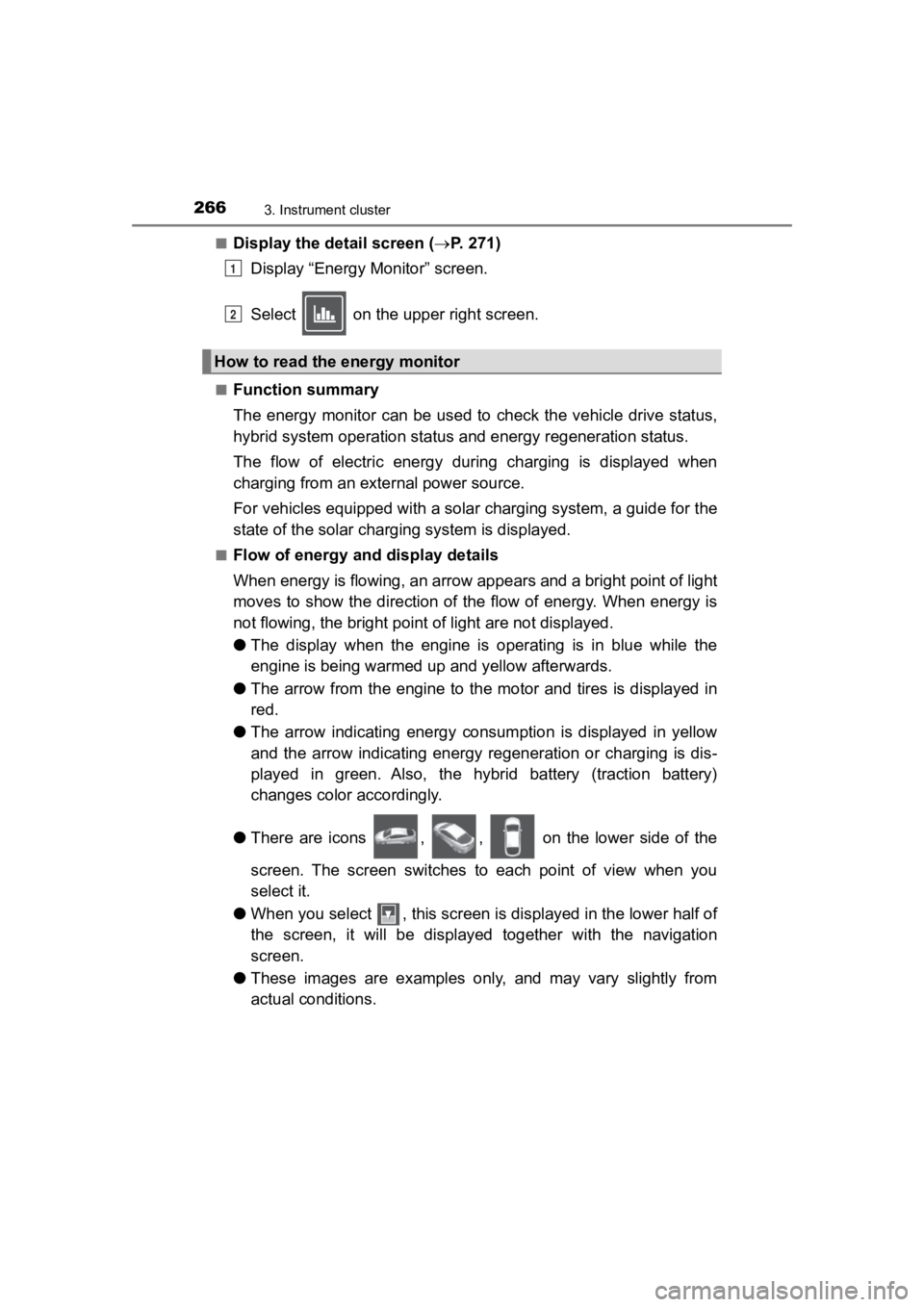
■Display the detail screen (P. 2 7 1 )
Display “Energy Monitor” screen.
Select on the upper right screen.
■Function summary
The energy monitor can be used to check the vehicle drive status,
hybrid system operation status and energy regeneration status.
The flow of electric energy during charging is displayed when
charging from an exte rnal power source.
For vehicles equipped with a solar charging system, a guide for the
state of the solar charging system is displayed.
■Flow of energy and display details
When energy is flowing, an arrow appears and a bright point of light
moves to show the direction of the flow of energy. When energy is
not flowing, the bright poin t of light are not displayed.
● The display when the engine is operating is in blue while the
engine is being warmed up and yellow afterwards.
● The arrow from the engine to the motor and tires is displayed i n
red.
● The arrow indicating energy consumption is displayed in yellow
and the arrow indicating energy regeneration or charging is dis -
played in green. Also, the hybrid battery (traction battery)
changes color accordingly.
● There are icons , , on the lower side of the
screen. The screen switches to each point of view when you
select it.
● When you select , this screen is displayed in the lower half of
the screen, it will be displayed together with the navigation
screen.
● These images are examples only, and may vary slightly from
actual conditions.
How to read the energy monitor
1
2
Page 319 of 792

PRIUS PRIME_OM_OM47C77U_(U)
3195-1. Before driving
5
Driving
Stop the vehicle completely.
Set the parking brake. ( P. 3 4 9 )
Shift the shift position to P. ( P. 343)
Check that the shift position indicator shows P.
Press the power switch to stop the hybrid system.
Slowly release th e brake pedal.
Lock the door, making sure that you have the electronic key on your
person.
If parking on a hill, block the wheels as needed.
Firmly set the parking brake with the brake pedal depressed, an d
then shift the shift position to D.
Release the brake pedal and gen tly depress the accelerator pedal.
Release the parking brake.
■ When starting off on an uphill
The hill-start assist control will activate. ( P. 490)
■ For electricity-saving and fuel-efficient driving
Understand the system characteristics of the vehicle to use the functions of
the hybrid system. Also, keep in mind that hybrid vehicles are similar to con-
ventional vehicles, and it is necessary to refrain from activit ies such as sud-
den acceleration. Refer to “Plug-in hybrid vehicle driving tips ” (P. 105).
■ Driving in the rain
●Drive carefully when it is raining, because visibility will be reduced, the win-
dows may become fogged-up, and the road will be slippery.
● Drive carefully when it starts to rain, because the road surface will be espe-
cially slippery.
● Refrain from high speeds when driving on an expressway in the r ain,
because there may be a layer of water between the tires and the road sur-
face, preventing the steering and brakes from operating properl y.
Parking the vehicle
Starting off on a steep uphill
1
2
3
4
5
6
1
2
3
Page 323 of 792

PRIUS PRIME_OM_OM47C77U_(U)
3235-1. Before driving
5
Driving
WARNING
Observe the following precautions.
Failure to do so may result in death or serious injury.
■When driving the vehicle
● Use engine braking (shift position B instead of shift position D) to maintain
a safe speed when driving down a steep hill.
Using the brakes continuously may cause the brakes to overheat and lose
effectiveness. ( P. 343)
● Do not adjust the positions of the steering wheel, the seat, or the inside or
outside rear view mirrors while driving.
Doing so may result in a loss of vehicle control.
● Always check that all passengers’ arms, head or other parts of their body
are not outside the vehicle.
● Do not drive across river crossings or through other bodies of water.
This may cause electric/electronic components to short circuit, damage
the hybrid system or cause other serious damage to the vehicle.
● Do not drive in excess of the speed limit. Even if the legal sp eed limit per-
mits it, do not drive over 85 mph (140 km/h) unless your vehicl e has high-
speed capability tires. Driving over 85 mph (140 km/h) may resu lt in tire
failure, loss of control and possible injury. Be sure to consult a tire dealer
to determine whether the tires on your vehicle are high-speed capability
tires or not before driving at such speeds.
■ When driving on slippery road surfaces
● Sudden braking, acceleration and steering may cause tire slippa ge and
reduce your ability to control the vehicle.
● Sudden acceleration, engine braking due to shifting, or changes in engine
speed could cause the vehicle to skid, resulting in an accident.
● After driving through a puddle, depress the brake pedal to make sure that
the brakes are functioning properly. Wet brake pads may prevent the
brakes from functioning properly. If the brakes on only one sid e are wet
and not functioning properly, steering control may be affected.
Page 333 of 792
333
PRIUS PRIME_OM_OM47C77U_(U)
5-1. Before driving
5
Driving
Vehicle load limits
◆Total load capacity (vehicle capacity weight): P. 718
Total load capacity means the co mbined weight of occupants, cargo
and luggage.
◆Seating capacity: 5 occupants (Front 2, Rear 3)
Seating capacity means the max imum number of occupants whose
estimated average weight is 150 lb. (68 kg) per person.
◆Towing capacity
Toyota does not recommend towi ng a trailer with your vehicle.
◆Cargo capacity
Cargo capacity may increase or decrease depending on the weight
and the number of occupants.
■Total load capacity and seating capacity
These details are also described on the tire and loading inform ation label.
( P. 611)
Vehicle load limits include total load capacity, seating capaci t y,
towing capacity and cargo capacity.
WARNING
■Overloading the vehicle
Do not overload the vehicle.
It may not only cause damage to the tires, but also degrade steering
and braking ability, res ulting in an accident.
Page 384 of 792

384
PRIUS PRIME_OM_OM47C77U_(U)
5-5. Using the driving support systems
WARNING
■When to disable the pre-collision system
In the following situations, disable the system, as it may not operate prop-
erly, possibly leading to an accident resulting in death or serious injury:
● When the vehicle is being towed
● When your vehicle is towing another vehicle
● When transporting the vehicle via truck, boat, train or similar means of
transportation
● When the vehicle is raised on a lift with the hybrid system on and the tires
are allowed to rotate freely
● When inspecting the vehicle using a drum tester such as a chass is dyna-
mometer or speedometer tester, or when using an on vehicle whee l bal-
ancer
● When a strong impact is applied to the front bumper or front gr ille, due to
an accident or other reasons
● If the vehicle cannot be driven in a stable manner, such as when the vehi-
cle has been in an accident or is malfunctioning
● When the vehicle is driven in a sporty manner or off-road
● When the tires are not properly inflated
● When the tires are very worn
● When tires of a size other than specified are installed
● When tire chains are installed
● When a compact spare tire or an emergency tire puncture repair kit is used
● If equipment (snow plow, etc.) that may obstruct the radar sens or or cam-
era sensor is temporarily installed to the vehicle