steering TOYOTA PRIUS PRIME 2021 (in English) User Guide
[x] Cancel search | Manufacturer: TOYOTA, Model Year: 2021, Model line: PRIUS PRIME, Model: TOYOTA PRIUS PRIME 2021Pages: 808, PDF Size: 74.05 MB
Page 107 of 808
PRIUS PRIME_OM_OM47D71U_(U)
1072-1. Plug-in hybrid system
2
Plug-in hybrid system
◆Air conditioning
●Turn the “A/C” switch (
*1 • *2) off when it is
not needed. Doing so can help reduce excessive electricity and
fuel consumption.
In summer: When the ambient temperature is high, use the recir-
culated air mode. Doing so will help to reduce the burden on the
air conditioning system and reduce electricity and fuel consump-
tion as well.
In winter: Avoid excessive and unnecessary use of the heater.
Usage of the heated steering wheel (if equipped) and seat heat-
ers is effective. (P. 5 3 9 )
●Using the Remote Air Conditioning System (P. 535) while the
charging cable is connected to the vehicle can reduce electricity
consumption immediately after starting off by operating air condi-
tioning mainly using electricity from an external power source.
●When setting the charging schedule, selecting the start time set-
ting mode and setting “Climate Prep” to “On” can reduce electric-
ity consumption immediately after starting off by operating air
conditioning before charging is completed. (P. 157)
*1: Vehicles with 7-inch display
*2: Vehicles with 11.6-inch display
◆Checking tire inflation pressure
Make sure to check the tire inflation pressure frequently. If there is
improper tire inflation pressure in the tires, the EV driving range will
become shorter, and fuel consumption when in HV mode will
increase.
Also, as snow tires can cause large amounts of friction, their use on
dry roads can lead to increased fuel and electricity consumption.
◆Luggage
Carrying heavy luggage will lead to poor fuel economy. Avoid carry-
ing unnecessary luggage. Installing a large roof rack will also cause
poor fuel economy.
◆Warming up before driving
Since the gasoline engine starts up and cuts out automatically,
warming up is not necessary.
Page 193 of 808
PRIUS PRIME_OM_OM47D71U_(U)
1933. Instrument cluster
3
Instrument cluster
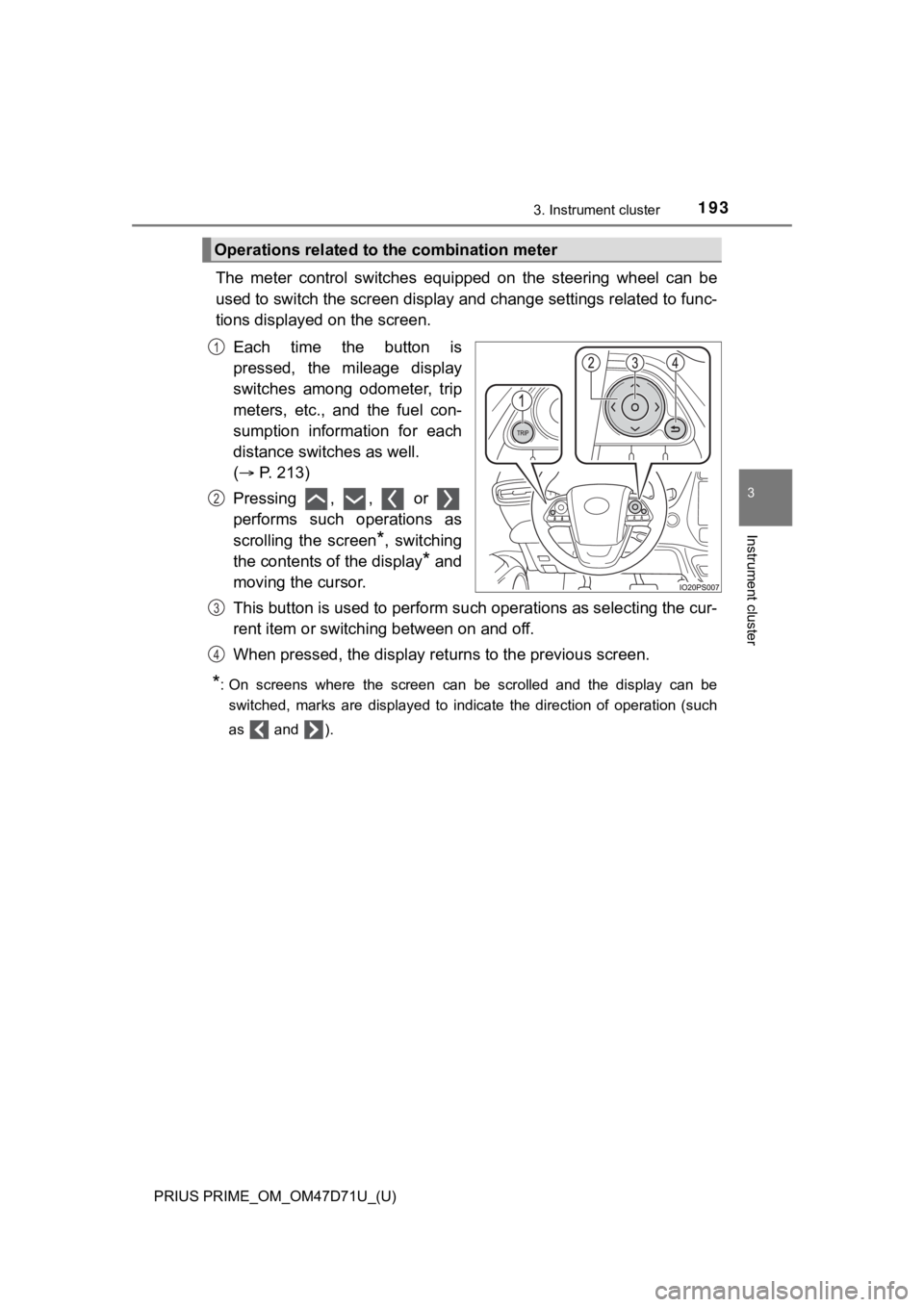
The meter control switches equipped on the steering wheel can be
used to switch the screen display and change settings related to func-
tions displayed on the screen.
Each time the button is
pressed, the mileage display
switches among odometer, trip
meters, etc., and the fuel con-
sumption information for each
distance switches as well.
( P. 213)
Pressing , , or
performs such operations as
scrolling the screen
*, switching
the contents of the display
* and
moving the cursor.
This button is used to perform such operations as selecting the cur-
rent item or switching between on and off.
When pressed, the display returns to the previous screen.
*: On screens where the screen can be scrolled and the display can be
switched, marks are displayed to indicate the direction of operation (such
as and ).
Operations related to the combination meter
1
2
3
4
Page 197 of 808
PRIUS PRIME_OM_OM47D71U_(U)
1973. Instrument cluster
3
Instrument cluster
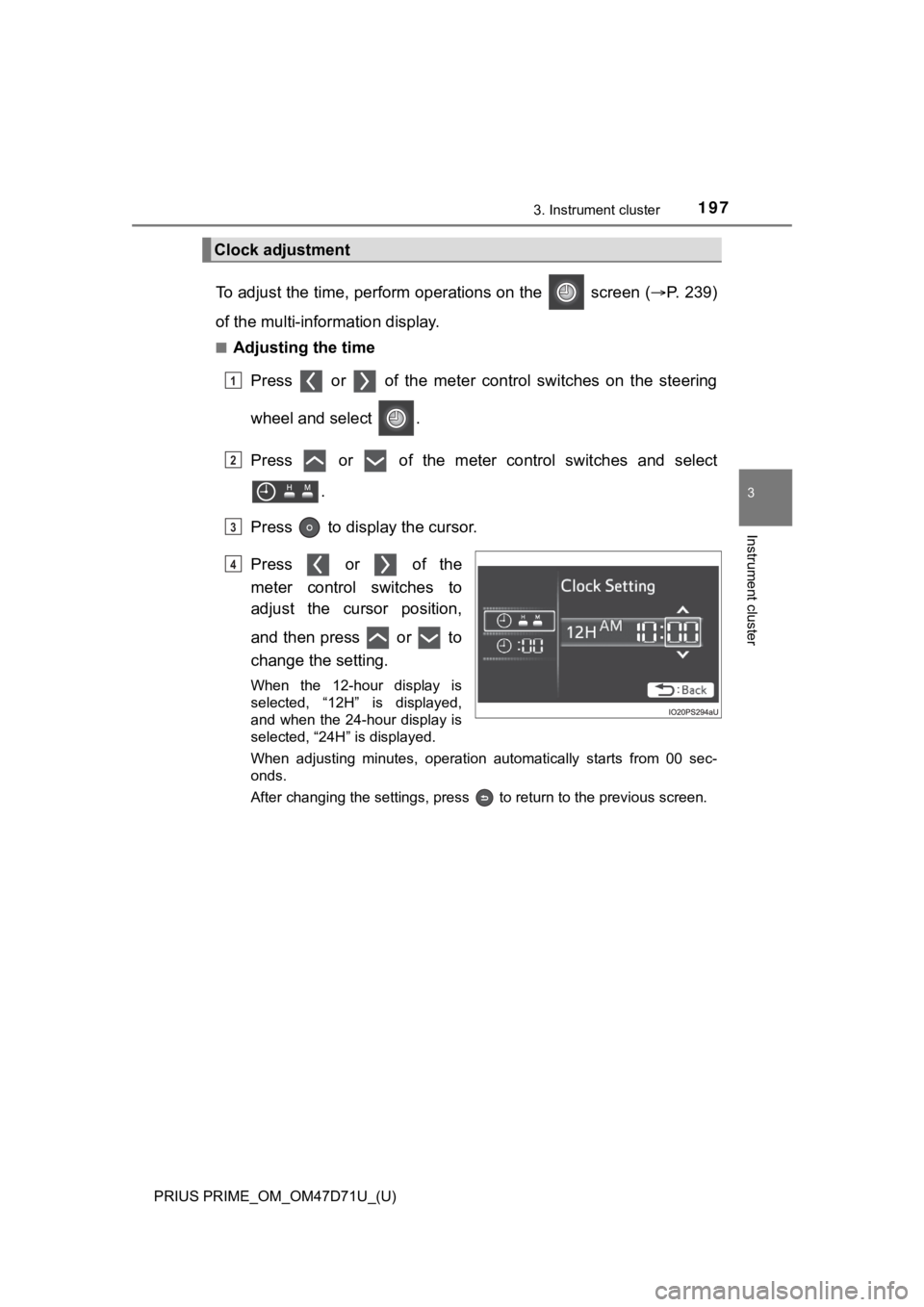
To adjust the time, perform operations on the screen (P. 2 3 9 )
of the multi-information display.
■Adjusting the time
Press or of the meter control switches on the steering
wheel and select .
Press or of the meter control switches and select
.
Press to display the cursor.
Press or of the
meter control switches to
adjust the cursor position,
and then press or to
change the setting.
When the 12-hour display is
selected, “12H” is displayed,
and when the 24-hour display is
selected, “24H” is displayed.
When adjusting minutes, operation automatically starts from 00 sec-
onds.
After changing the settings, press to return to the previous screen.
Clock adjustment
1
2
3
4
Page 198 of 808
198
PRIUS PRIME_OM_OM47D71U_(U)
3. Instrument cluster
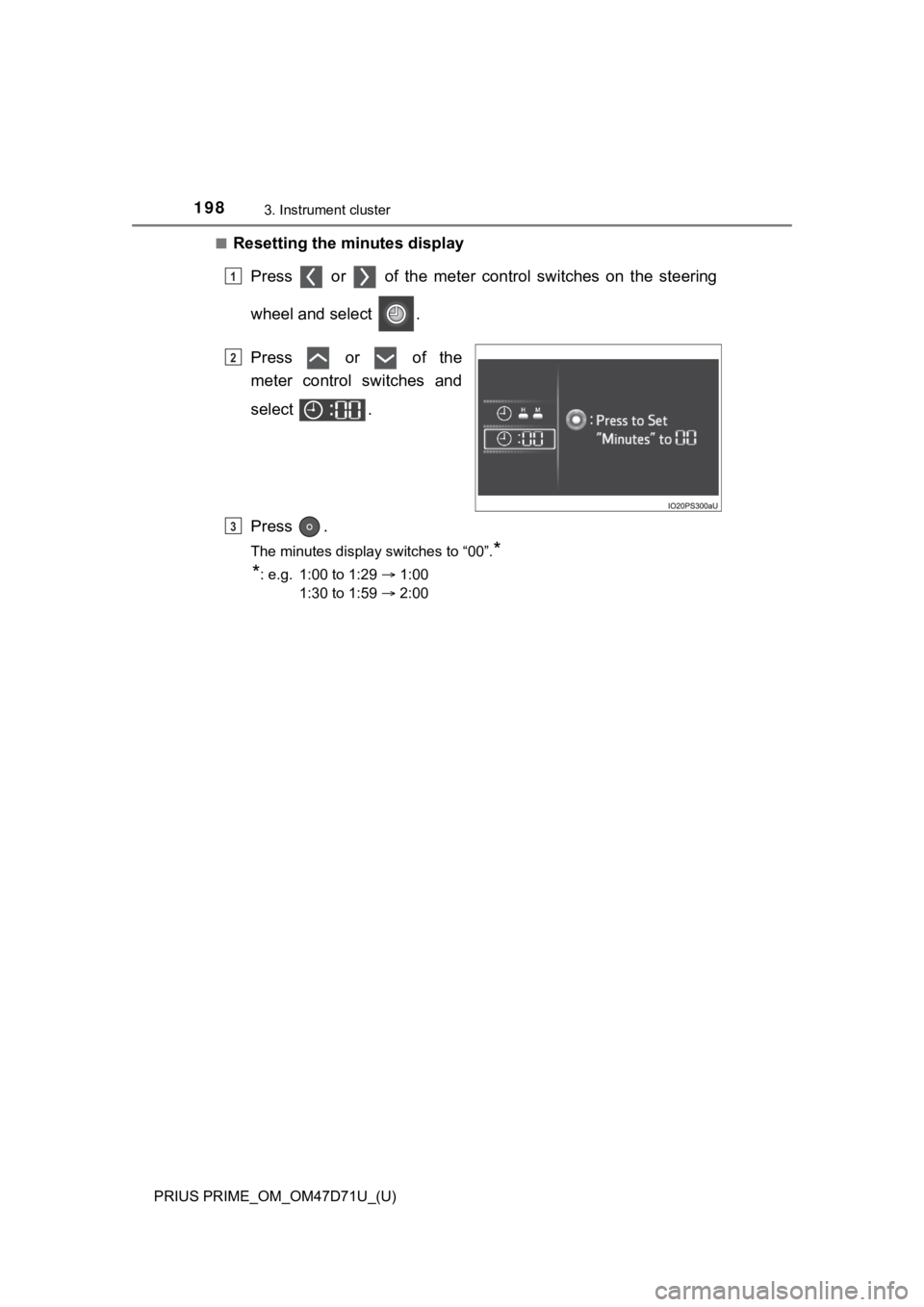
■Resetting the minutes display
Press or of the meter control switches on the steering
wheel and select .
Press or of the
meter control switches and
select .
Press .
The minutes display switches to “00”.*
*
: e.g. 1:00 to 1:29 1:00
1:30 to 1:59 2:00
1
2
3
Page 200 of 808
200
PRIUS PRIME_OM_OM47D71U_(U)
3. Instrument cluster
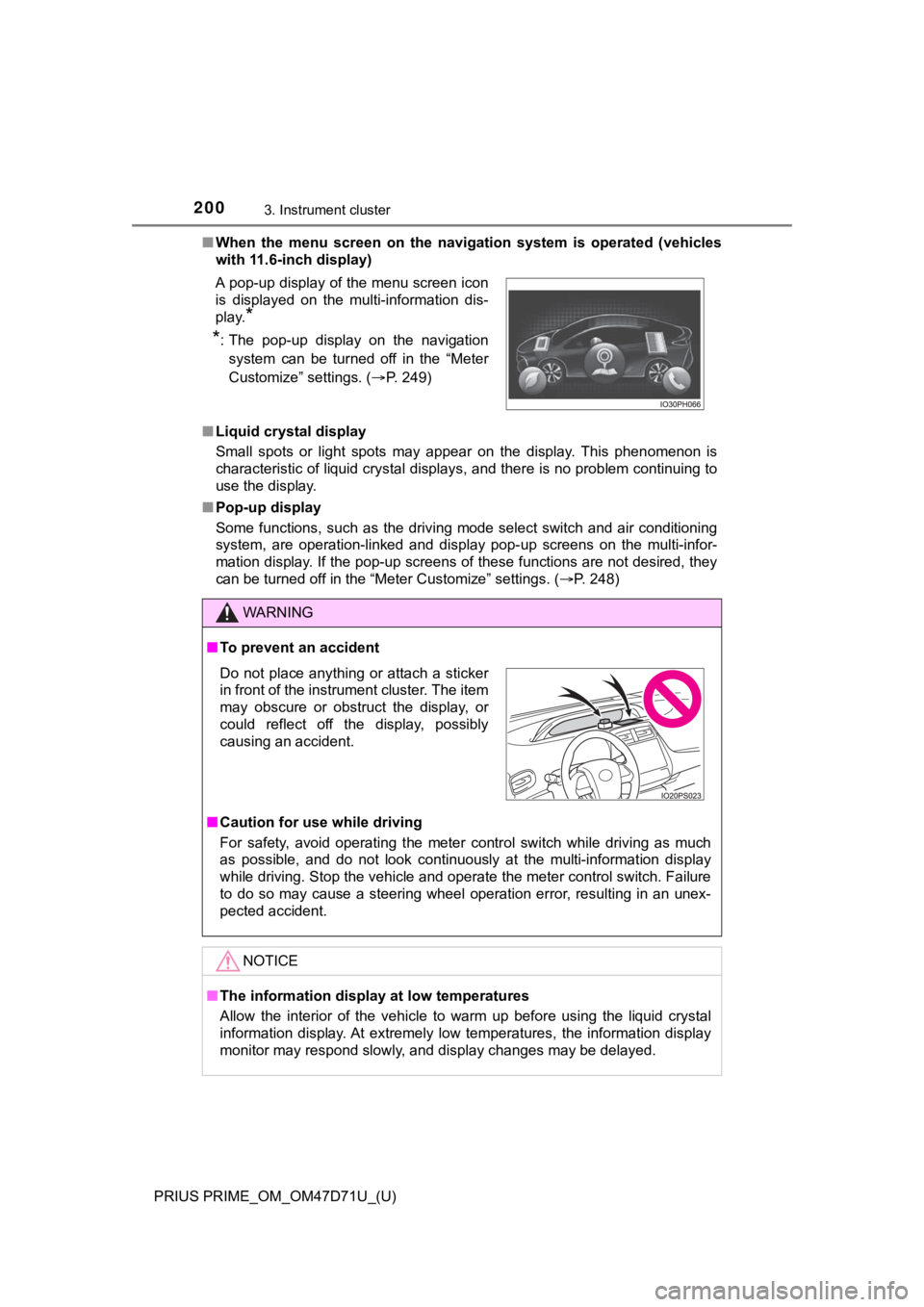
■When the menu screen on the navigation system is operated (vehicles
with 11.6-inch display)
■Liquid crystal display
Small spots or light spots may appear on the display. This phenomenon is
characteristic of liquid crystal displays, and there is no problem continuing to
use the display.
■Pop-up display
Some functions, such as the driving mode select switch and air conditioning
system, are operation-linked and display pop-up screens on the multi-infor-
mation display. If the pop-up screens of these functions are not desired, they
can be turned off in the “Meter Customize” settings. (P. 248) A pop-up display of the menu screen icon
is displayed on the multi-information dis-
play.
*
*
: The pop-up display on the navigation
system can be turned off in the “Meter
Customize” settings. (P. 249)
WARNING
■To prevent an accident
■Caution for use while driving
For safety, avoid operating the meter control switch while driving as much
as possible, and do not look continuously at the multi-information display
while driving. Stop the vehicle and operate the meter control switch. Failure
to do so may cause a steering wheel operation error, resulting in an unex-
pected accident.
NOTICE
■The information display at low temperatures
Allow the interior of the vehicle to warm up before using the liquid crystal
information display. At extremely low temperatures, the information display
monitor may respond slowly, and display changes may be delayed.
Do not place anything or attach a sticker
in front of the instrument cluster. The item
may obscure or obstruct the display, or
could reflect off the display, possibly
causing an accident.
Page 202 of 808
202
PRIUS PRIME_OM_OM47D71U_(U)
3. Instrument cluster
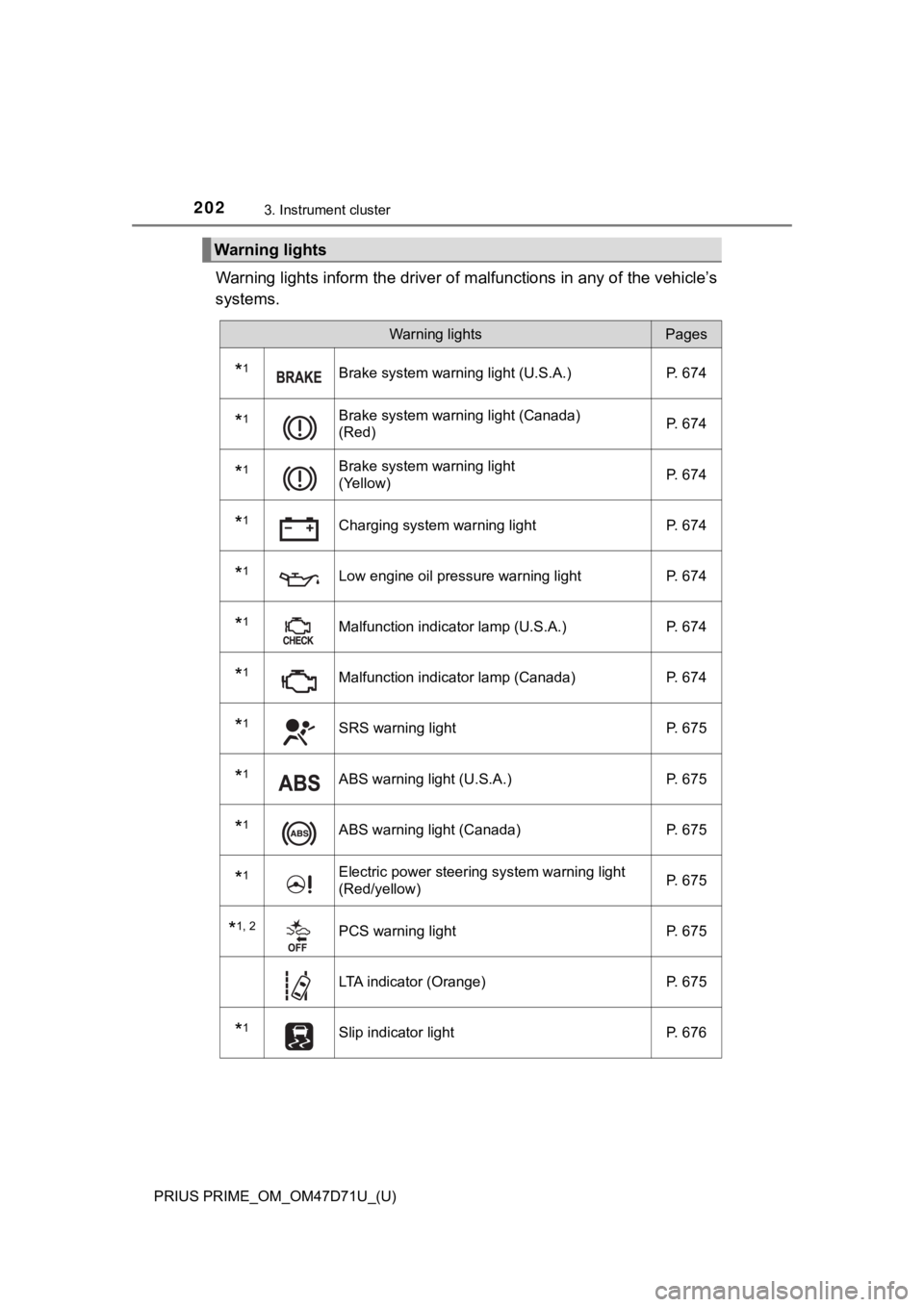
Warning lights inform the driver of malfunctions in any of the vehicle’s
systems.
Warning lights
Warning lightsPages
*1Brake system warning light (U.S.A.) P. 674
*1Brake system warning light (Canada)
(Red)P. 674
*1Brake system warning light
(Yellow)P. 674
*1Charging system warning light P. 674
*1Low engine oil pressure warning light P. 674
*1Malfunction indicator lamp (U.S.A.) P. 674
*1Malfunction indicator lamp (Canada) P. 674
*1SRS warning light P. 675
*1ABS warning light (U.S.A.) P. 675
*1ABS warning light (Canada) P. 675
*1Electric power steering system warning light
(Red/yellow)P. 675
*1, 2PCS warning light P. 675
LTA indicator (Orange) P. 675
*1Slip indicator light P. 676
Page 205 of 808
PRIUS PRIME_OM_OM47D71U_(U)
2053. Instrument cluster
3
Instrument cluster
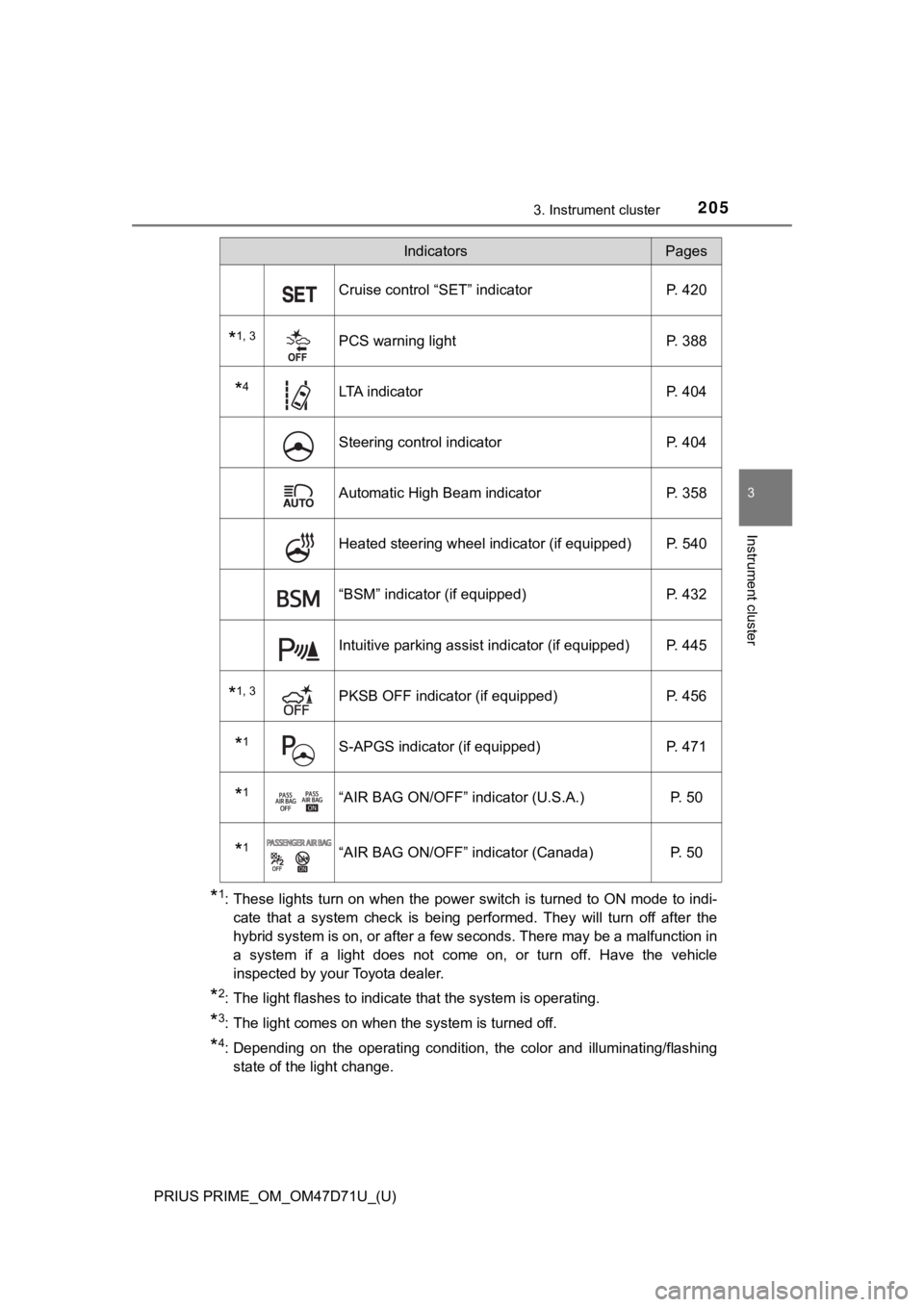
*1: These lights turn on when the power switch is turned to ON mode to indi-
cate that a system check is being performed. They will turn off after the
hybrid system is on, or after a few seconds. There may be a malfunction in
a system if a light does not come on, or turn off. Have the vehicle
inspected by your Toyota dealer.
*2: The light flashes to indicate that the system is operating.
*3: The light comes on when the system is turned off.
*4: Depending on the operating condition, the color and illuminating/flashing
state of the light change.
Cruise control “SET” indicator P. 420
*1, 3PCS warning light P. 388
*4LTA indicator P. 404
Steering control indicator P. 404
Automatic High Beam indicator P. 358
Heated steering wheel indicator (if equipped) P. 540
“BSM” indicator (if equipped) P. 432
Intuitive parking assist indicator (if equipped) P. 445
*1, 3PKSB OFF indicator (if equipped) P. 456
*1S-APGS indicator (if equipped) P. 471
*1“AIR BAG ON/OFF” indicator (U.S.A.) P. 50
*1“AIR BAG ON/OFF” indicator (Canada) P. 50
IndicatorsPages
Page 246 of 808
246
PRIUS PRIME_OM_OM47D71U_(U)
3. Instrument cluster
The operation contents of the driving support systems and settings
related to the combination meter display can be changed.
Driving support systems such as the PCS (Pre-Collision System) and Blind
Spot Monitor (if equipped) is turned on and off by simply pressing .
Make sure not to cancel the systems accidentally.
■
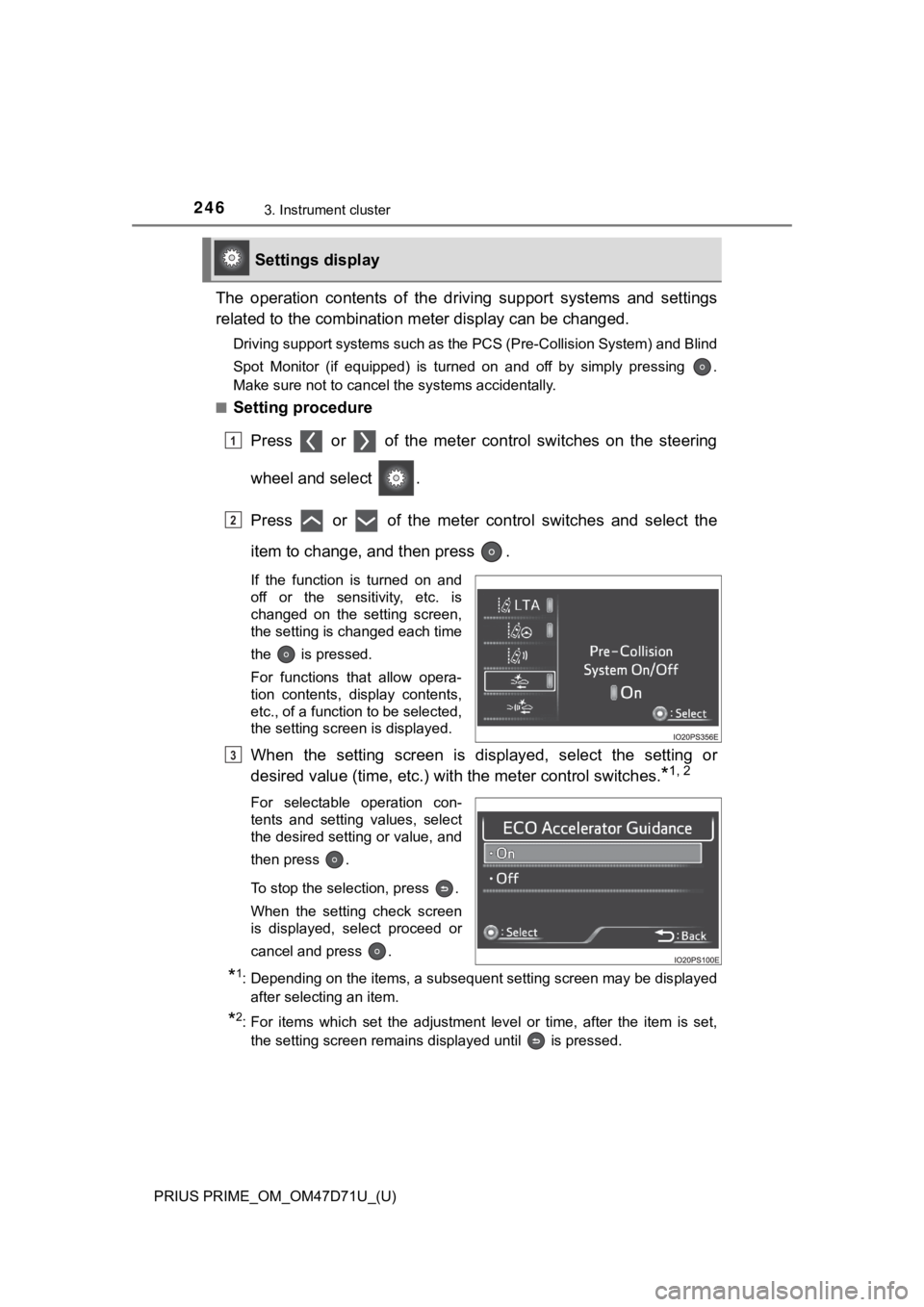
Setting procedure
Press or of the meter control switches on the steering
wheel and select .
Press or of the meter control switches and select the
item to change, and then press .
If the function is turned on and
off or the sensitivity, etc. is
changed on the setting screen,
the setting is changed each time
the is pressed.
For functions that allow opera-
tion contents, display contents,
etc., of a function to be selected,
the setting screen is displayed.
When the setting screen is displayed, select the setting or
desired value (time, etc.) with the meter control switches.
*1, 2
For selectable operation con-
tents and setting values, select
the desired setting or value, and
then press .
To stop the selection, press .
When the setting check screen
is displayed, select proceed or
cancel and press .
*1: Depending on the items, a subsequent setting screen may be displayed
after selecting an item.
*2: For items which set the adjustment level or time, after the item is set,
the setting screen remains displayed until is pressed.
Settings display
1
2
3
Page 257 of 808
PRIUS PRIME_OM_OM47D71U_(U)
2573. Instrument cluster
3
Instrument cluster
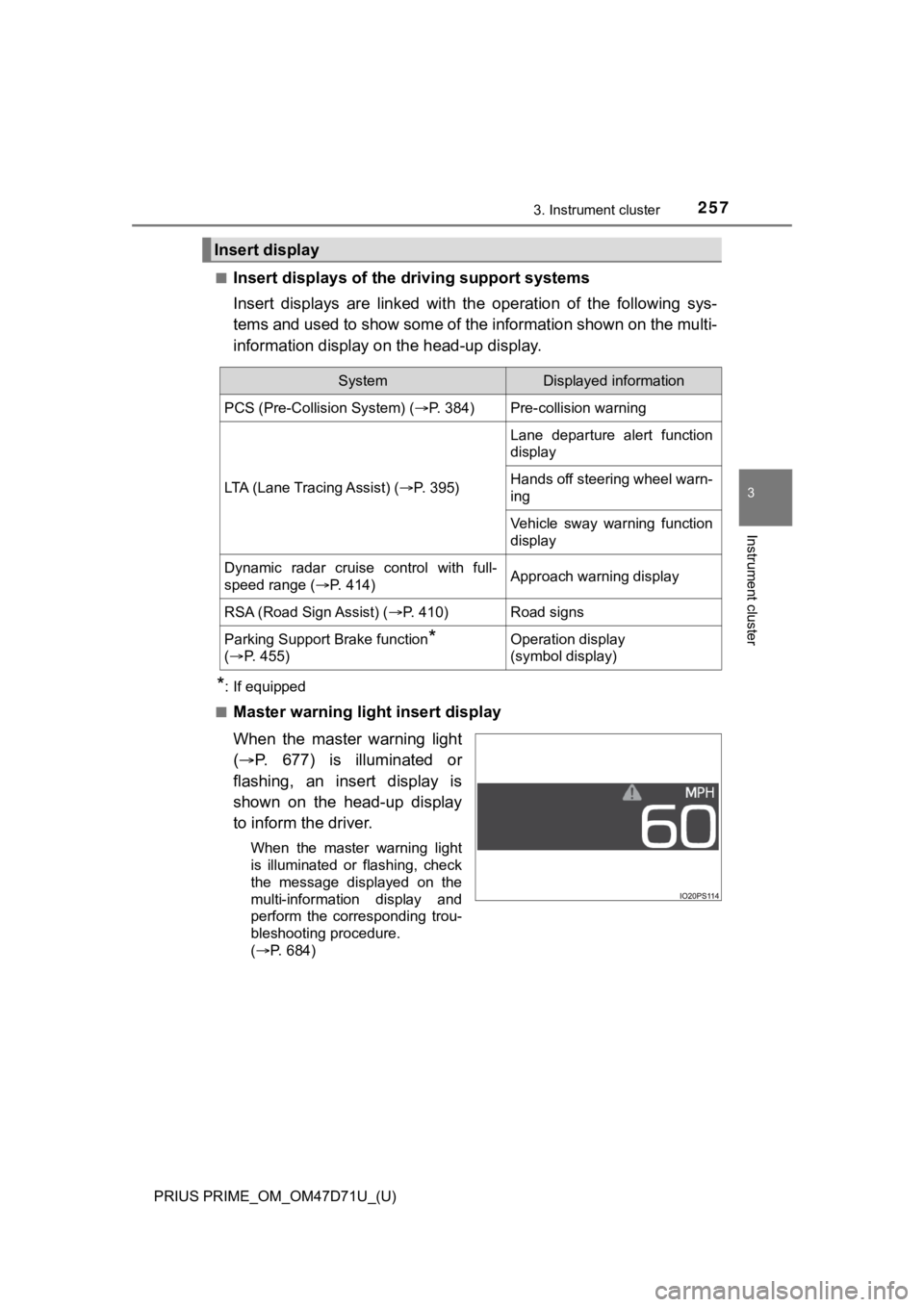
■Insert displays of the driving support systems
Insert displays are linked with the operation of the following sys-
tems and used to show some of the information shown on the multi-
information display on the head-up display.
*: If equipped
■
Master warning light insert display
When the master warning light
(P. 677) is illuminated or
flashing, an insert display is
shown on the head-up display
to inform the driver.
When the master warning light
is illuminated or flashing, check
the message displayed on the
multi-information display and
perform the corresponding trou-
bleshooting procedure.
(P. 684)
Insert display
SystemDisplayed information
PCS (Pre-Collision System) (P. 384)Pre-collision warning
LTA (Lane Tracing Assist) (P. 3 9 5 )
Lane departure alert function
display
Hands off steering wheel warn-
ing
Vehicle sway warning function
display
Dynamic radar cruise control with full-
speed range (P. 414)Approach warning display
RSA (Road Sign Assist) (P. 410)Road signs
Parking Support Brake function*
(P. 4 5 5 )Operation display
(symbol display)
Page 275 of 808
275
PRIUS PRIME_OM_OM47D71U_(U)
4
Operation of
each component
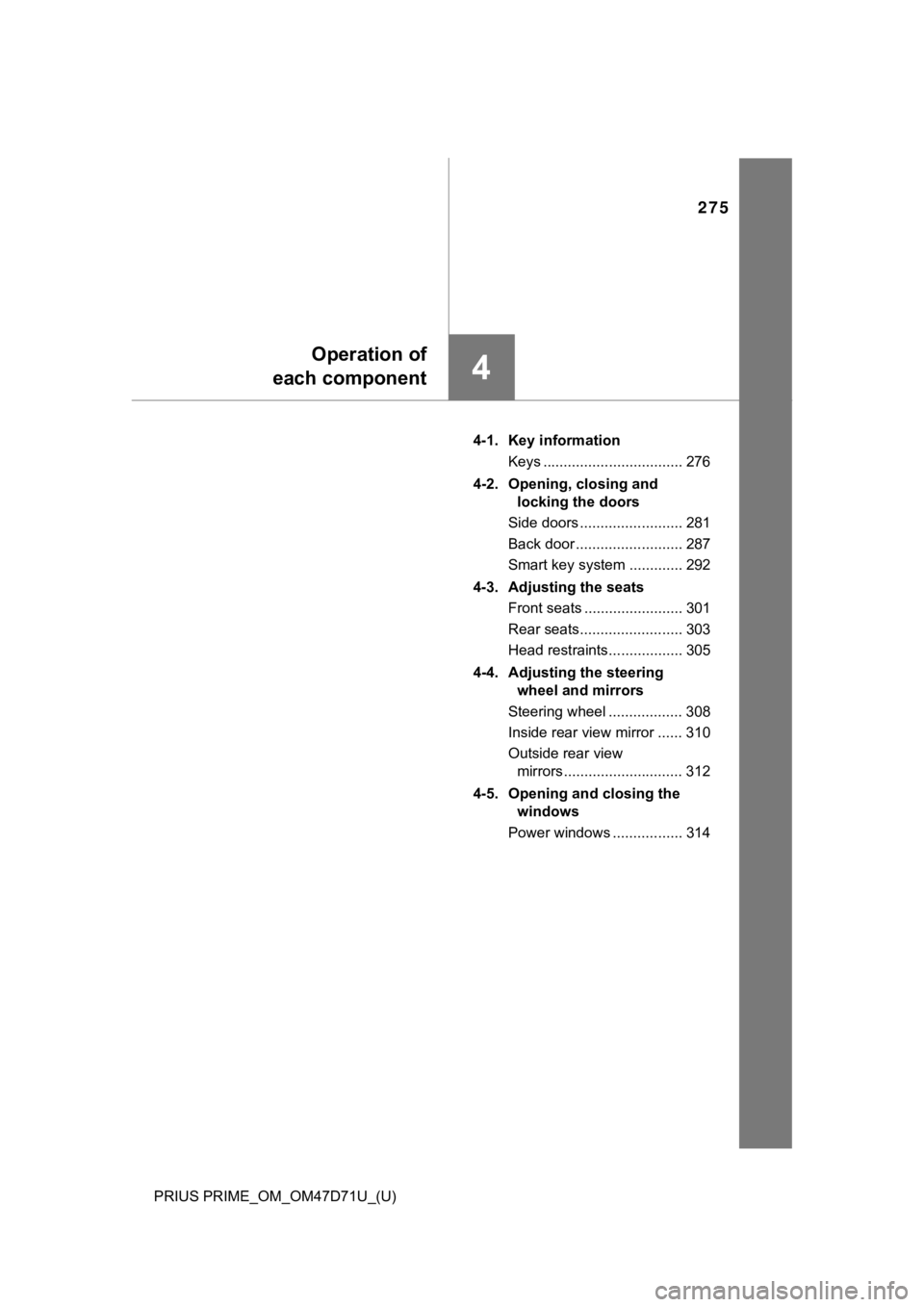
4-1. Key information
Keys .................................. 276
4-2. Opening, closing and
locking the doors
Side doors ......................... 281
Back door .......................... 287
Smart key system ............. 292
4-3. Adjusting the seats
Front seats ........................ 301
Rear seats......................... 303
Head restraints.................. 305
4-4. Adjusting the steering
wheel and mirrors
Steering wheel .................. 308
Inside rear view mirror ...... 310
Outside rear view
mirrors ............................. 312
4-5. Opening and closing the
windows
Power windows ................. 314