display TOYOTA PRIUS PRIME 2022 Owner's Manual
[x] Cancel search | Manufacturer: TOYOTA, Model Year: 2022, Model line: PRIUS PRIME, Model: TOYOTA PRIUS PRIME 2022Pages: 808, PDF Size: 14.72 MB
Page 127 of 808
PRIUS PRIME_OM_OM47E74U_(U)
1272-2. Charging
2
Plug-in hybrid system
■Changing the charging connector lock settings
The method for locking and unlocking the charging connector can
be changed as follows in the “Vehicle Settings” settings on the
multi-information display.
Refer to P. 246 for details on how to change the settings.
*1: Carrying the electronic key and unlocking the doors is not nec essary.
*2: The charging connector can be locked and unlocked by similar o perations
to that of “Manual Lock”.
*3: The charging connector will be unlocked if power supply is int errupted due
to a power outage etc. after the charging connector is automati cally locked.
SettingOperation description
“Manual Lock”
(Default setting)
The charging connector is locked and unlocked by
pressing the charging connector lock switch when
carrying the electronic key or after unlocking the
doors.
“Auto Lock”The charging connector is automatically locked
when the charging connector is connected.
*1, 2
“Auto Lock & Auto Unlock”
The charging connector is automatically locked
when the charging connector is connected and
automatically unlocked when charging is com-
pleted.
*1, 2, 3
Page 133 of 808
PRIUS PRIME_OM_OM47E74U_(U)
1332-2. Charging
2
Plug-in hybrid system
■The charging environment
For safe charging, the following charging equipment and settings are recom-
mended.
●Weatherproof outlet
When charging outdoors, connect the plug to a weatherproof outlet, and
ensure that the plug remains waterproof while the plug is connected.
● Dedicated circuit
• To reduce the risk of fire, connect only to an at least 15A br anch circuit
with an over-current protection in accordance with the National Electric
Code, ANSI/NFPA 70.
• To reduce the risk of electric shock when working with the plug, connect to a outlet with a Ground-Fault Circuit-Interrupter (GFCI) or that has an
Earth Leakage Circuit Breaker installed.
■ When your circuit breaker trips during charging
The upper limit of the charging current can be changed in the “Vehicle Set-
tings” settings on the multi-information display.
Press or of the meter control switches to select (“Vehicle
Settings”) in the screen, and then press .
Press or of the meter control switches to select “Charge Sett ings”,
and then press .
The “Charge Settings” screen will display.
Press or of the meter control switches to select “Charge Curr ent”,
and then press .
The “Charge Current” screen will display.
Press or of the meter control switches to select “8A”, and th en
press .
The maximum charging current during charging will be restricted to 8A.
*
If the breaker still trips while charging, even after changing the upper limit of
the charging current, check if the connected power source meets the speci-
fied charging conditions. ( P. 132)
*: Restricting the charging current will lengthen the charging ti me.
1
2
3
4
Page 137 of 808
PRIUS PRIME_OM_OM47E74U_(U)
1372-2. Charging
2
Plug-in hybrid system
■Hybrid battery (traction battery) warming control (Alaska and
Canada only)
This control operates after the charging cable remains connected to
the vehicle for 3 days and “Traction Battery Heater” automatica lly
stops. It automatically insulates the hybrid battery (traction battery)
in extremely low temperatures.
● This control stops 31 days after the charging cable is connected,
even if it is still connected to t he vehicle.
● When this control operates, charging schedule settings are
ignored and charging starts.
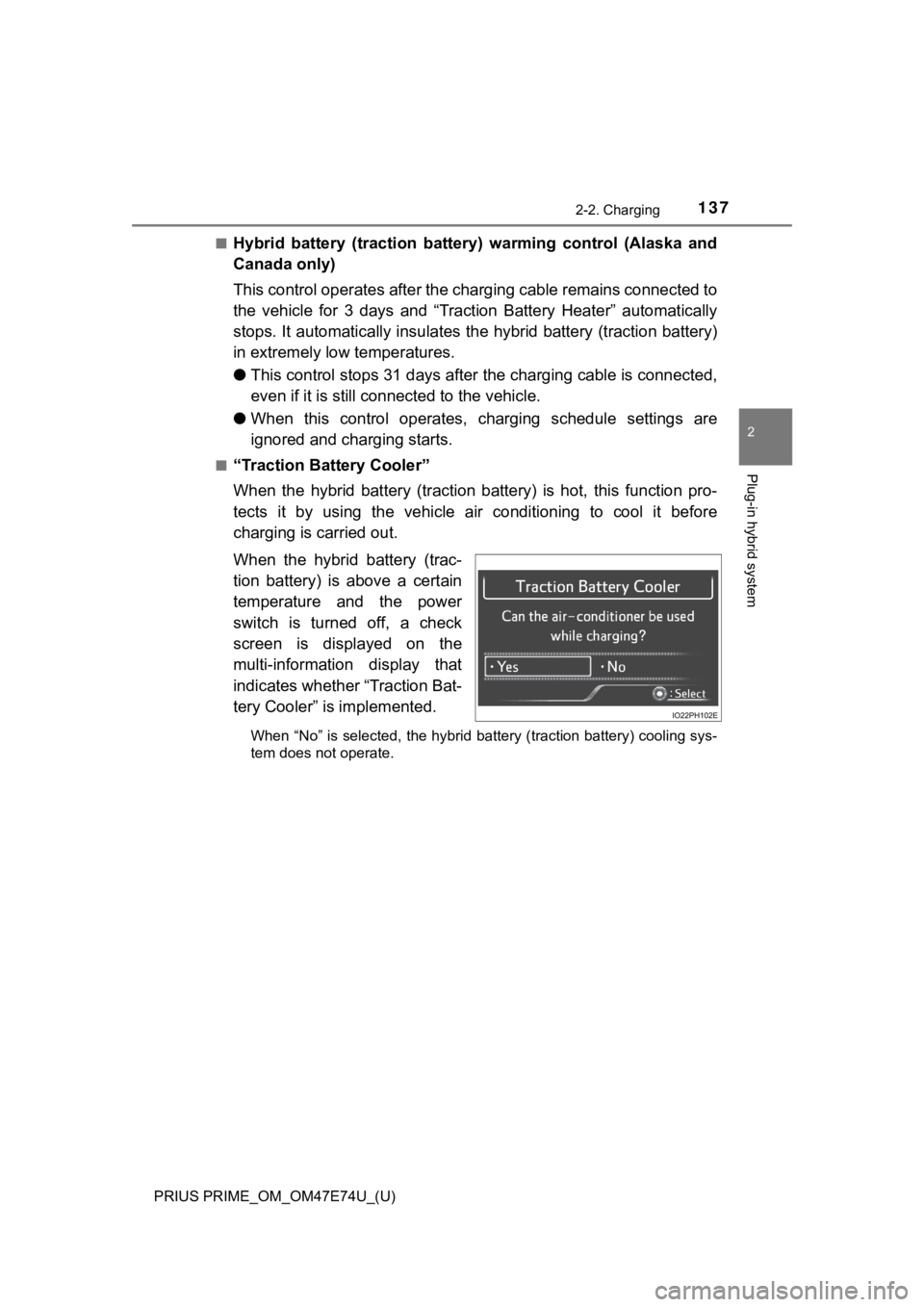
■“Traction Battery Cooler”
When the hybrid battery (traction battery) is hot, this functio n pro-
tects it by using the vehicle air conditioning to cool it befor e
charging is carried out.
When the hybrid battery (trac-
tion battery) is above a certain
temperature and the power
switch is turned off, a check
screen is displayed on the
multi-information display that
indicates whether “Traction Bat-
tery Cooler” is implemented.
When “No” is selected, the hybrid battery (traction battery) co oling sys-
tem does not operate.
Page 138 of 808

138
PRIUS PRIME_OM_OM47E74U_(U)
2-2. Charging
■“Traction Battery Heater”
●“Traction Battery Heater” may operate when charging is not bein g per-
formed.
● When “Traction Battery Heater” is operating, the charging indicator illumi-
nates.
● When “Traction Battery Heater” is operating during charging, th e charging
time may be longer than normal.
● If the outside temperature becomes high while “Traction Battery Heater” is
operating, charging may complete earlier than the “Departure” t ime set.
( P. 158)
● “Traction Battery Heater” can be turned on and off in the “Vehicle Settings”
settings on the multi-information display. ( P. 749)
● “Traction Battery Heater” may operate even when the hybrid batt ery (trac-
tion battery) is fully charged depending on the temperature of the hybrid bat-
tery (traction battery).
• The remaining charge of the hybrid battery (traction battery) decreases
when “Traction Battery Heater” operates. The charging operation may
start again to charge the hybrid battery (traction battery).
• “Charging Stopped Due to Pulled Charging Connector” may be sho wn
when the charging connector is removed while recharging. ( P. 186)
Page 139 of 808

PRIUS PRIME_OM_OM47E74U_(U)
1392-2. Charging
2
Plug-in hybrid system
■“Traction Battery Cooler”
●When the hybrid battery (traction battery) is above a certain temperature
and the power switch is turned off, a check screen is displayed on the multi-
information display that indicates whether “Traction Battery Co oler” is imple-
mented. Approximately 5 minutes after selecting “Yes” on this s creen, sys-
tem operation becomes possible.
● When charging starts, “Traction Battery Cooler” only operates i f the hybrid
battery (traction battery) temperature is hot.
● The charging indicator is illuminated while “Traction Battery C ooler” is on
standby or operating.
● “Traction Battery Cooler” is implemented for a maximum of approximately
30 minutes. However, when the “Departure” time is set ( P. 158) and there
is not sufficient time between the current time and the time that charging will
complete, “Traction Battery Cooler” operation time may become s horter.
● When there is a small amount of remaining charge in the hybrid battery
(traction battery), even if the hybrid battery (traction battery) is hot, “Traction
Battery Cooler” may not be implemented.
● When the following operations are performed while “Traction Bat tery Cooler”
is operating, the hybrid battery (traction battery) cooling operation stops.
• A door is opened
• The hood is opened
• The power switch is turned to any mode other than off
• The shift position is changed to any position other than P
• The Remote Air Conditioning System is operated ( P. 5 3 1 )
• “Charge Now” is implemented ( P. 1 5 9 )
• The amount of remaining charge in the hybrid battery (traction battery) is
below a certain amount
● When the power switch is turned off, a check screen is displayed on the
multi-information display that indicates whether “Traction Batt ery Cooler” is
implemented. This check screen can be turned on and off in the “Meter Cus-
tomize” settings on the multi-information display ( P. 248). However, when
the check screen is set to “Off”, “Traction Battery Cooler” is no longer oper-
ates.
● “Traction Battery Cooler” uses the power of the hybrid battery (traction bat-
tery) and external power source.
• While “Traction Battery Cooler” is operating, the amount of th e remaining
charge of the hybrid battery (traction battery) increases and d ecreases in
a certain range, and does not increase as in normal charging.
• The operation of “Traction Battery Cooler” is recognized as ch arging by a
charger. The charger that calculates the fee according to charg ing time
causes a charging fee.
Page 141 of 808
PRIUS PRIME_OM_OM47E74U_(U)
1412-2. Charging
2
Plug-in hybrid system
■Searching charging stations (vehicles with 11.6-inch display)
After applying to Entune App Suite, it is possible to use the s martphone appli-
cation to search the nearby charging stations.
For details about Entune App Suite, refer to http://www.toyota. com/entune/.
Information related to charging can be displayed and checked on the
multi-information display or 11. 6-inch display (if equipped).
Refer to P. 266 for details on the screen display for the 11.6- inch display (if
equipped).
■
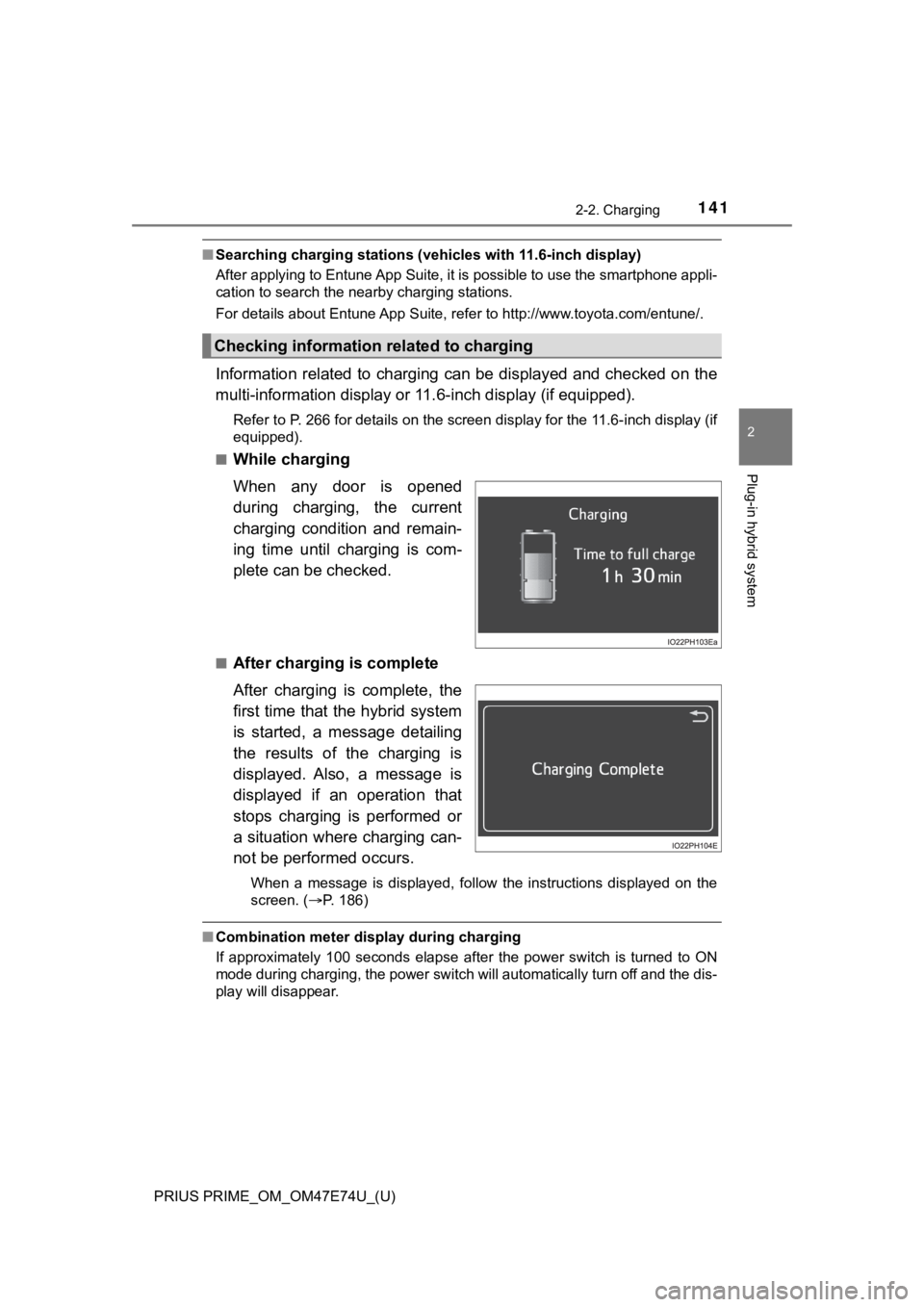
While charging
When any door is opened
during charging, the current
charging condition and remain-
ing time until charging is com-
plete can be checked.
■After charging is complete
After charging is complete, the
first time that the hybrid system
is started, a message detailing
the results of the charging is
displayed. Also, a message is
displayed if an operation that
stops charging is performed or
a situation where charging can-
not be performed occurs.
When a message is displayed, follow the instructions displayed on the
screen. ( P. 186)
■Combination meter display during charging
If approximately 100 seconds elapse after the power switch is t urned to ON
mode during charging, the power switch will automatically turn off and the dis-
play will disappear.
Checking information related to charging
Page 144 of 808

144
PRIUS PRIME_OM_OM47E74U_(U)
2-2. Charging
■Capacity reduction of the hybr id battery (traction battery)
The capacity of the hybrid battery (traction battery) will decline gradually
when the hybrid battery (traction battery) is in use. The rate at which it
declines will differ in accordance with environmental condition s and the way
in which the vehicle is used. Observing the following can help suppress bat-
tery capacity decline.
● Avoid parking the vehicle in areas with a high temperature unde r direct sun-
light when the hybrid battery (traction battery) is fully charged.
● Avoid accelerating and decelerating frequently and suddenly when EV driv-
ing.
● Avoid frequent driving near the top speed for EV driving. ( P. 96)
● Leave a low level of charge in the hybrid battery (traction bat tery) when
leaving the vehicle undriven for a long period of time.
After confirming that EV mode has switched to HV mode, turn the power
switch off.
● Use the charging schedule function as much as possible in order to fully
charge the hybrid battery (traction battery) immediately before starting
off. ( P. 158)
Also, if the hybrid battery (traction battery) capacity reduces , the distance that
can be driven in EV mode decreases. However, vehicle performanc e does
not significantly become worse.
■ When the remaining charge of the hybrid battery (traction battery) is low
after charging
In the following situations, the remaining charge of the hybrid battery (traction
battery) after charging completes may be less than normal in or der to protect
the system (the EV driving range after the battery is fully charged may be
shorter).
*
● Charging is carried out when the outside temperature is low or high
● Charging is carried out immediately after high-load driving or in extreme
heat
When none of the above situations apply and there is a drastic drop in the
remaining charge of the hybrid battery (traction battery) after charging com-
pletes, have the vehicle inspected by your Toyota dealer.
*: When this occurs, even if the remaining charge display of the hybrid battery
(traction battery) shows that it is fully charged, the remainin g charge rapidly
decreases faster than normal.
■ When the charging amount sent to the hybrid battery (traction battery)
decreases
When the amount of power supplied by the charger is low or oper ation of the
“Traction Battery Heater”, etc., reduces the charging power sen t to the hybrid
battery (traction battery), the charging amount sent to the hyb rid battery (trac-
tion battery) may decrease.
Page 150 of 808

150
PRIUS PRIME_OM_OM47E74U_(U)
2-2. Charging
■During charging
●The surface of the CCID (Charging Circuit Interrupting Device) may become
hot, but this does not indicate a malfunction.
● Depending on radio wave conditions, interference may be heard o n the
radio.
● The current charging condition and the estimated time until cha rging will
complete can be checked on the multi-information display or 11. 6-inch dis-
play (if equipped). ( P. 141, 271)
● During charging, the hybrid battery (traction battery) status i ndicator illumi-
nates and flashes, and changes according to the charging amount .
( P. 113)
■ If the charging indicator flashes after connecting the charging cable
The charge schedule ( P. 158) is registered and charging cannot be per-
formed. To cancel charging using the charging schedule and start charging,
perform any of the following procedures.
● Turn “Charge Now” on ( P. 167, 176)
● While the charging indicator is flashing, remove and reconnect the charging
connector within 5 seconds
■ When the charging connector cannot be inserted into the chargin g inlet
(vehicles with smart lid & connector locking system)
P. 128
Page 152 of 808
152
PRIUS PRIME_OM_OM47E74U_(U)
2-2. Charging
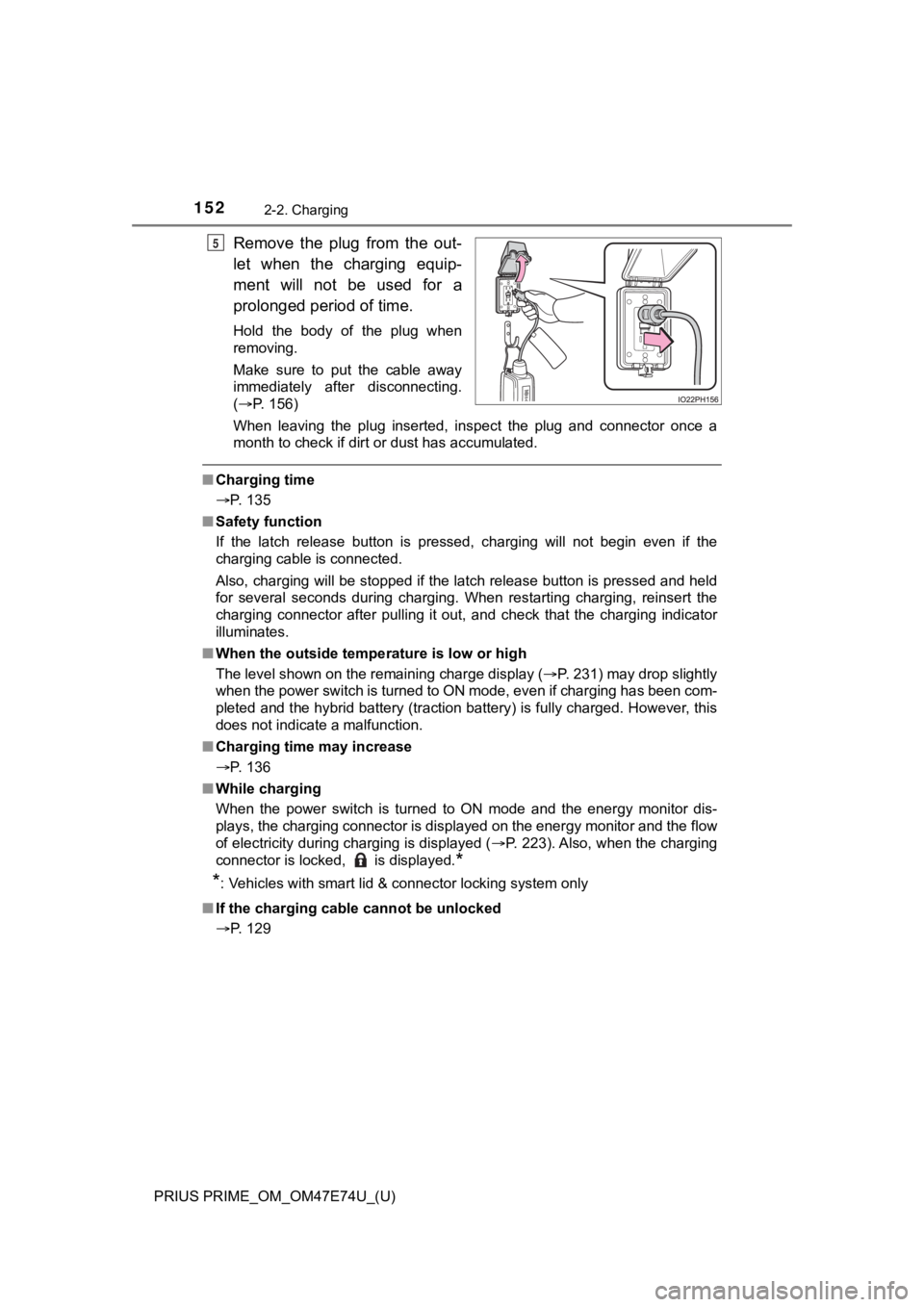
Remove the plug from the out-
let when the charging equip-
ment will not be used for a
prolonged period of time.
Hold the body of the plug when
removing.
Make sure to put the cable away
immediately after disconnecting.
(P. 156)
When leaving the plug inserted, inspect the plug and connector once a
month to check if dirt or dust has accumulated.
■ Charging time
P. 135
■ Safety function
If the latch release button is pressed, charging will not begin even if the
charging cable is connected.
Also, charging will be stopped if the latch release button is pressed and held
for several seconds during charging. When restarting charging, reinsert the
charging connector after pulling it out, and check that the charging indicator
illuminates.
■ When the outside tempe rature is low or high
The level shown on the remaining charge display ( P. 231) may drop slightly
when the power switch is turned to ON mode, even if charging ha s been com-
pleted and the hybrid battery (traction battery) is fully charg ed. However, this
does not indicate a malfunction.
■ Charging time may increase
P. 136
■ While charging
When the power switch is turned to ON mode and the energy monitor dis-
plays, the charging connector is displayed on the energy monito r and the flow
of electricity during charging is displayed ( P. 223). Also, when the charging
connector is locked, is displayed.
*
*
: Vehicles with smart lid & connector locking system only
■ If the charging cable cannot be unlocked
P. 129
5
Page 159 of 808
PRIUS PRIME_OM_OM47E74U_(U)
1592-2. Charging
2
Plug-in hybrid system
■Turning “Charge Now” on and off
If even one charge schedule is registered, charging does not start
until the set time, even if the charging cable is connected to the
vehicle. To start charging with out changing the charge schedule
setting, turn “Charge Now” on to temporarily cancel the charge
schedule and enable charging afte r connecting the charging cable.
■Changing “Next Charging Event”*1
It is possible to temporarily set the time of the next schedule d
charge without changing the r egistered repeated setting.
*2
*1: The “Next Charging Event” refers to the closest charge schedul e from the
current time among the registered charge schedules. Charging schedule is
performed based on the “Next Charging Event”.
*2: When “Next Charging Event” is changed, the current charge sche dule will
be temporarily ignored and charging will not be carried out unt il the time
specified by “Next Charging Event”. (For example, when “Next Ch arging
Event” is set for 2 days later, even if items are registered on the charge
schedule, charging will not be carried out until the time speci fied by “Next
Charging Event”.)
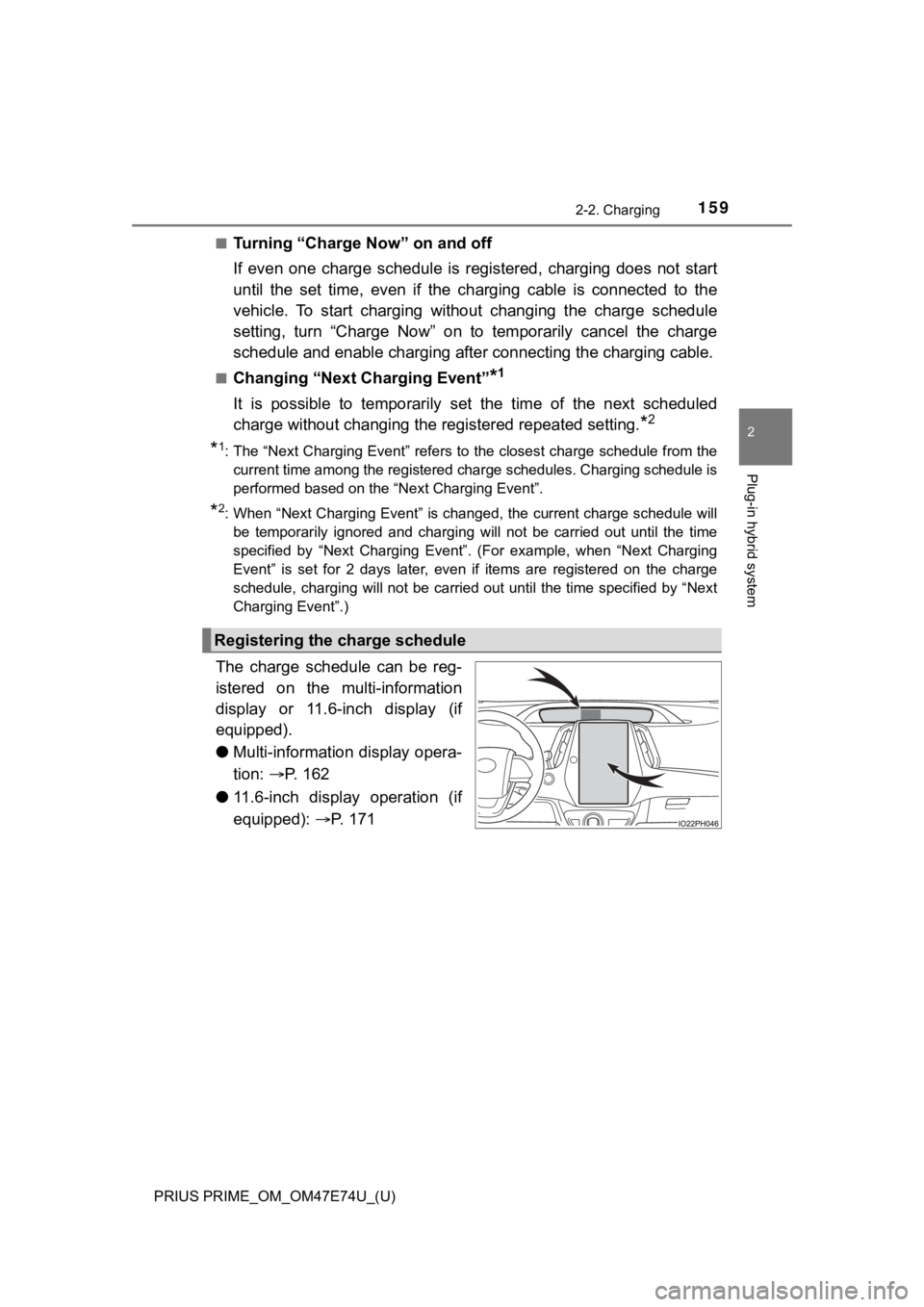
The charge schedule can be reg-
istered on the multi-information
display or 11.6-inch display (if
equipped).
● Multi-information display opera-
tion: P. 162
● 11.6-inch display operation (if
equipped): P. 171
Registering the charge schedule