display TOYOTA PRIUS PRIME 2022 Repair Manual
[x] Cancel search | Manufacturer: TOYOTA, Model Year: 2022, Model line: PRIUS PRIME, Model: TOYOTA PRIUS PRIME 2022Pages: 808, PDF Size: 14.72 MB
Page 198 of 808
198
PRIUS PRIME_OM_OM47E74U_(U)
3. Instrument cluster
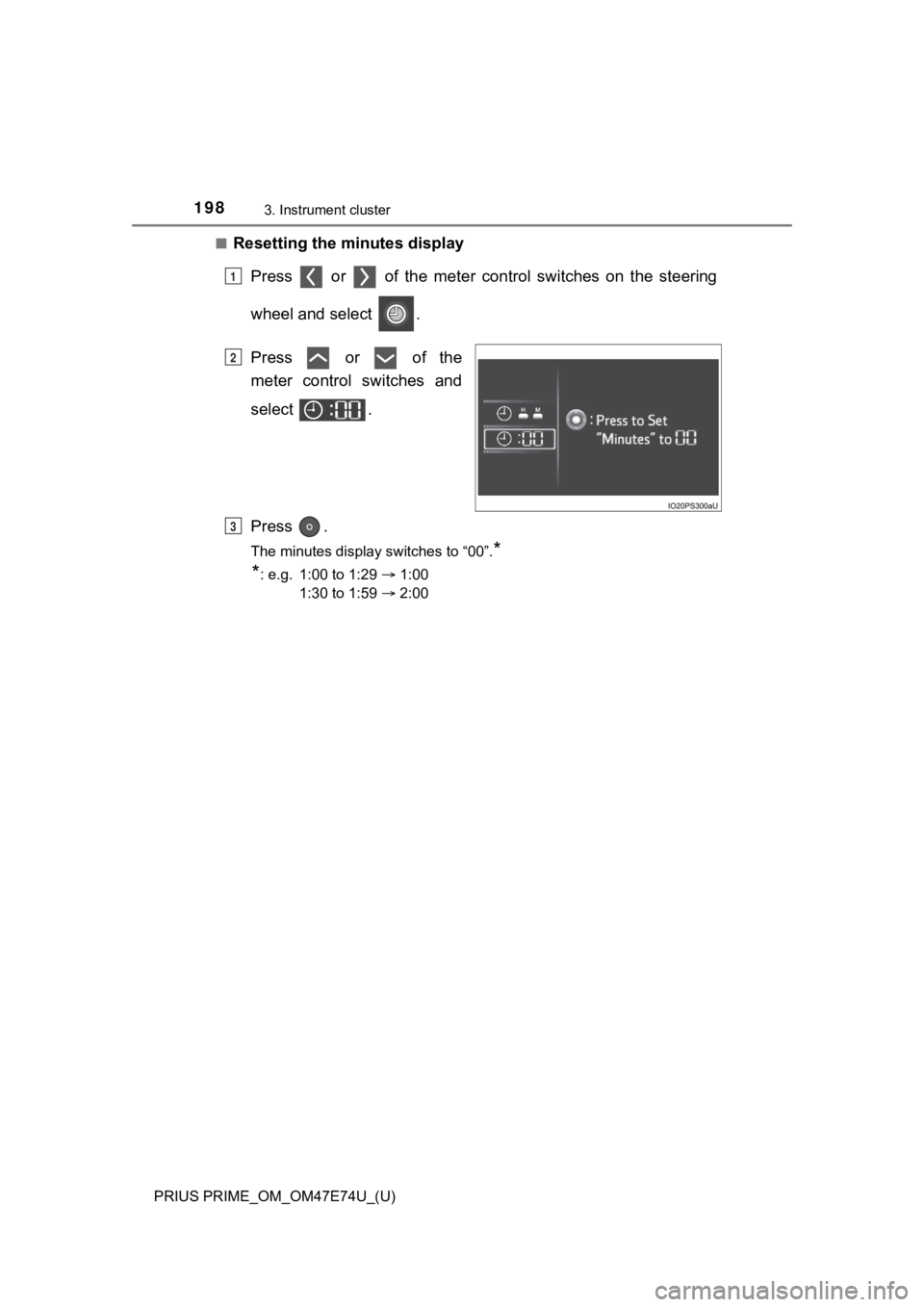
■Resetting the minutes displayPress or of the meter cont rol switches on the steering
wheel and select .
Press or of the
meter control switches and
select .
Press .
The minutes display switches to “00”.*
*
: e.g. 1:00 to 1:29 1:00
1:30 to 1:59 2:00
1
2
3
Page 199 of 808
PRIUS PRIME_OM_OM47E74U_(U)
1993. Instrument cluster
3
Instrument cluster
■The meters and display illuminate when
The power switch is in ON mode.
■ Adjusting the instrume nt cluster brightness (P. 194)
● The brightness levels that can be selected differ depending on whether the
tail lights are on and surrounding brightness levels, as shown in the table
below.
*: 22 levels of the brightness are displayed on the setting scree n. However,
the brightness setting will be the brightest when other than 1st level (the
darkest) is selected. If other than 1st or 22nd level is select ed, when the
tail lights are turned on in a dark place, the instrument clust er brightness
setting will be the selected level.
● If the taillights are illuminated in a dark environment, the in strument cluster
light dims. However, when the brightness of the instrument clus ter is set to
minimum or maximum (1st or 22nd level of the instrument cluster bright-
ness), even if the taillights are illuminated, the instrument c luster light will
not dim.
■ When disconnecting and reconnecting 12-volt battery terminals
The settings of the clock will be reset.
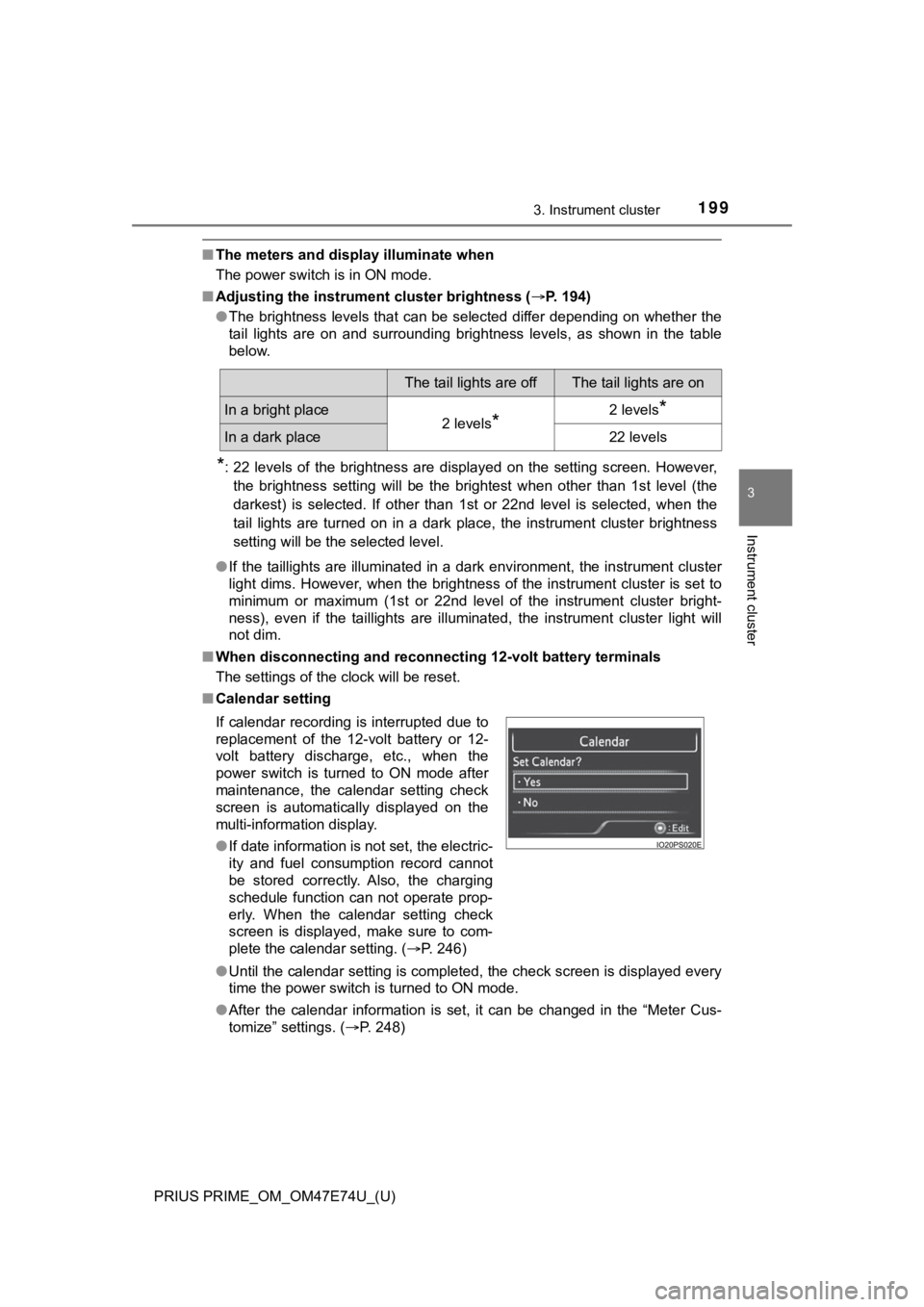
■ Calendar setting
●Until the calendar setting is completed, the check screen is di splayed every
time the power switch is turned to ON mode.
● After the calendar information is set, it can be changed in the “Meter Cus-
tomize” settings. ( P. 248)
The tail lights are offThe tail lights are on
In a bright place2 levels*2 levels*
In a dark place22 levels
If calendar recording is interrupted due to
replacement of the 12-volt battery or 12-
volt battery discharge, etc., when the
power switch is turned to ON mode after
maintenance, the calendar setting check
screen is automatically displayed on the
multi-information display.
● If date information is not set, the electric-
ity and fuel consumption record cannot
be stored correctly. Also, the charging
schedule function can not operate prop-
erly. When the calendar setting check
screen is displayed, make sure to com-
plete the calendar setting. ( P. 246)
Page 200 of 808
200
PRIUS PRIME_OM_OM47E74U_(U)
3. Instrument cluster
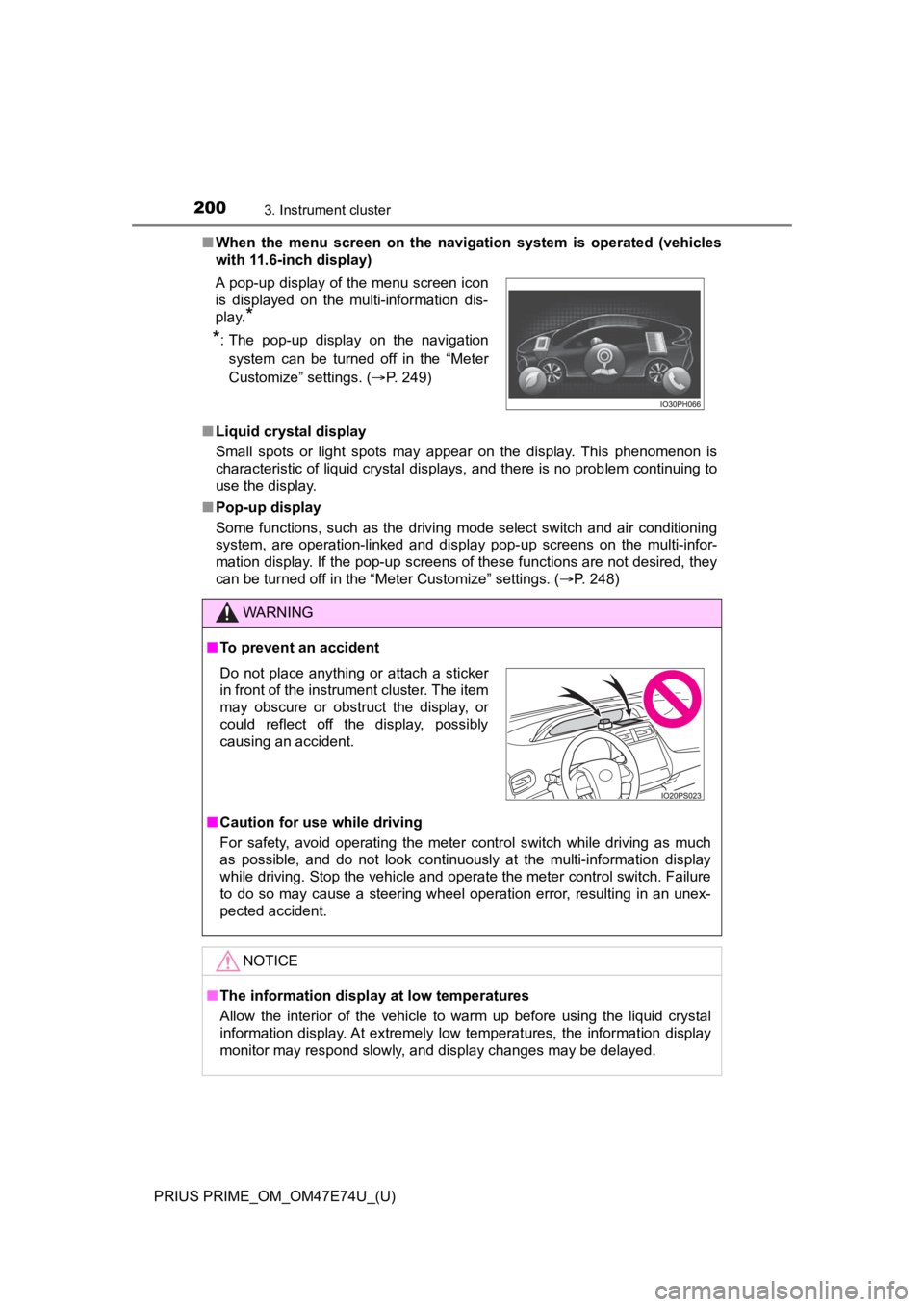
■When the menu screen on the navigation system is operated (vehicles
with 11.6-inch display)
■ Liquid crystal display
Small spots or light spots may appear on the display. This phen omenon is
characteristic of liquid crystal displays, and there is no prob lem continuing to
use the display.
■ Pop-up display
Some functions, such as the driving mode select switch and air conditioning
system, are operation-linked and display pop-up screens on the multi-infor-
mation display. If the pop-up screens of these functions are not desired, they
can be turned off in the “Meter Customize” settings. ( P. 248)
A pop-up display of the menu screen icon
is displayed on the multi-information dis-
play.
*
*
: The pop-up display on the navigation
system can be turned off in the “Meter
Customize” settings. ( P. 249)
WARNING
■To prevent an accident
■ Caution for use while driving
For safety, avoid operating the meter control switch while driv ing as much
as possible, and do not look continuously at the multi-informat ion display
while driving. Stop the vehicle and operate the meter control switch. Failure
to do so may cause a steering wheel operation error, resulting in an unex-
pected accident.
NOTICE
■ The information display at low temperatures
Allow the interior of the vehicle to warm up before using the liquid crystal
information display. At extremely low temperatures, the information display
monitor may respond slowly, and display changes may be delayed.
Do not place anything or attach a sticker
in front of the instrument cluster. The item
may obscure or obstruct the display, or
could reflect off the display, possibly
causing an accident.
Page 206 of 808
206
PRIUS PRIME_OM_OM47E74U_(U)
3. Instrument cluster
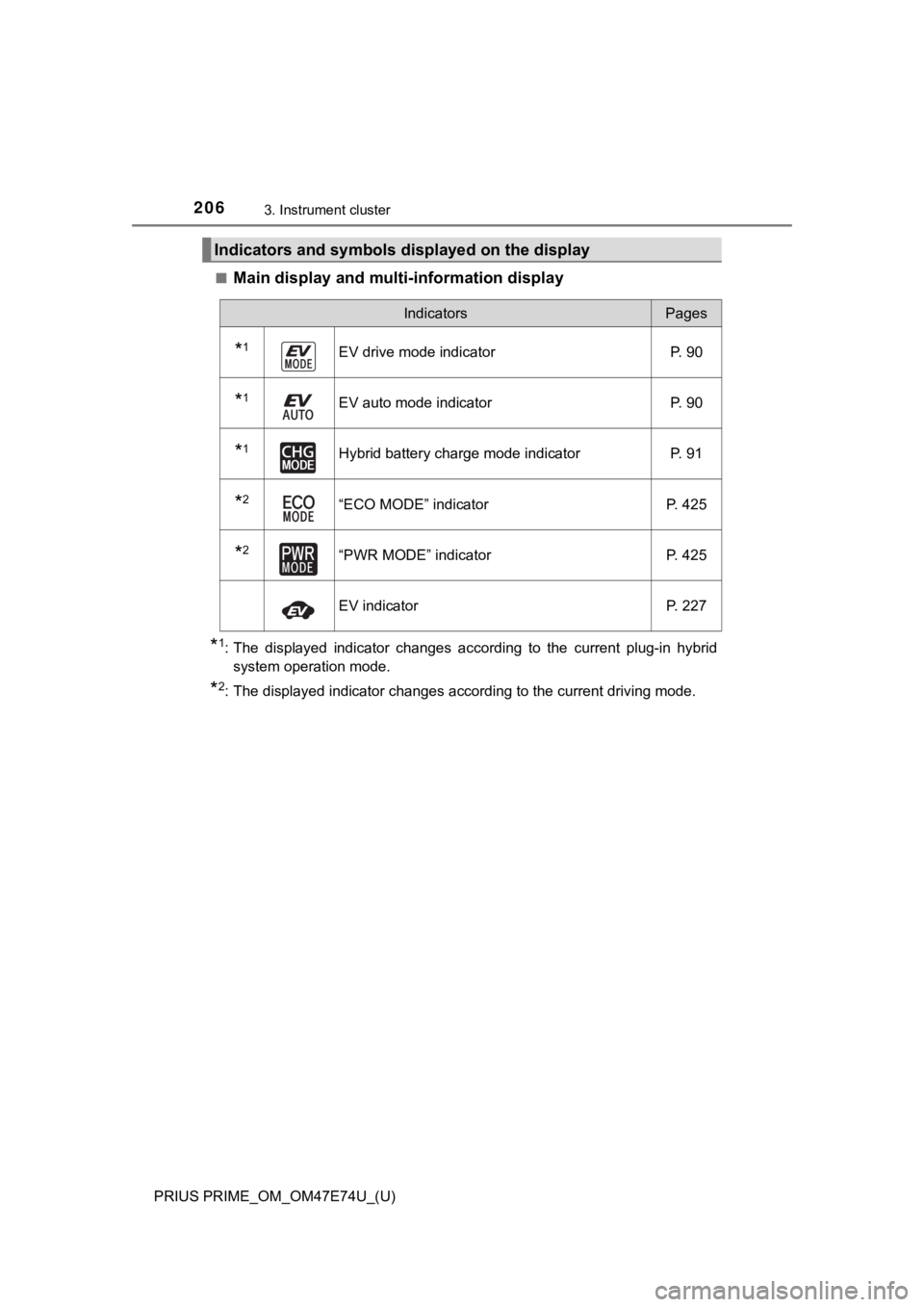
■Main display and multi-information display
*1: The displayed indicator changes according to the current plug-in hybrid
system operation mode.
*2: The displayed indicator changes according to the current drivi ng mode.
Indicators and symbols displayed on the display
IndicatorsPages
*1EV drive mode indicatorP. 90
*1EV auto mode indicator P. 90
*1Hybrid battery charge mode indicatorP. 91
*2“ECO MODE” indicatorP. 425
*2“PWR MODE” indicatorP. 425
EV indicator P. 227
Page 207 of 808
PRIUS PRIME_OM_OM47E74U_(U)
2073. Instrument cluster
3
Instrument cluster
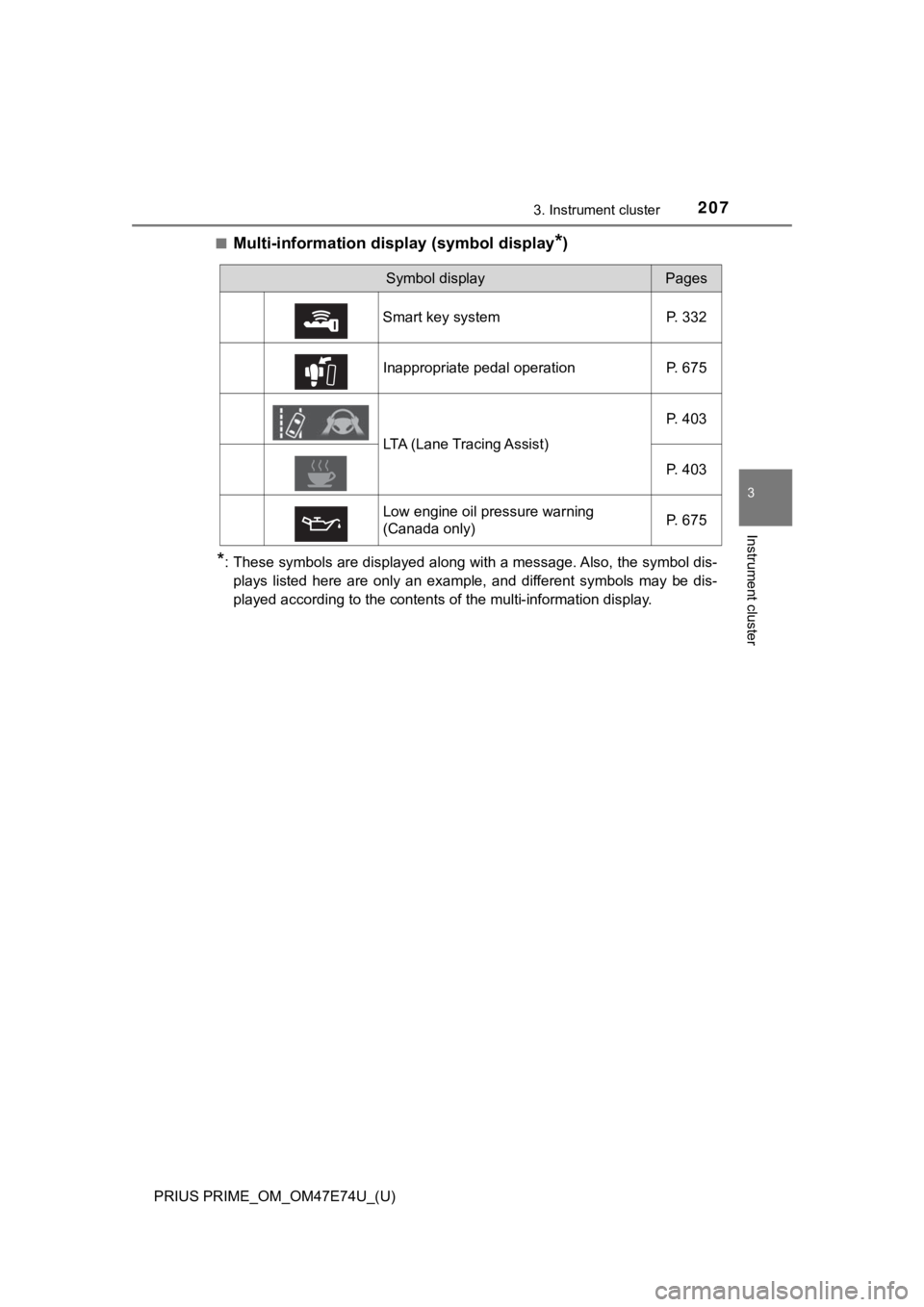
■Multi-information display (symbol display*)
*: These symbols are displayed along with a message. Also, the symbol dis-
plays listed here are only an example, and different symbols ma y be dis-
played according to the contents of the multi-information displ ay.
Symbol displayPages
Smart key system P. 332
Inappropriate pedal operation P. 675
LTA (Lane Tracing Assist) P. 403
P. 403
Low engine oil pressure warning
(Canada only) P. 675
Page 208 of 808
208
PRIUS PRIME_OM_OM47E74U_(U)
3. Instrument cluster
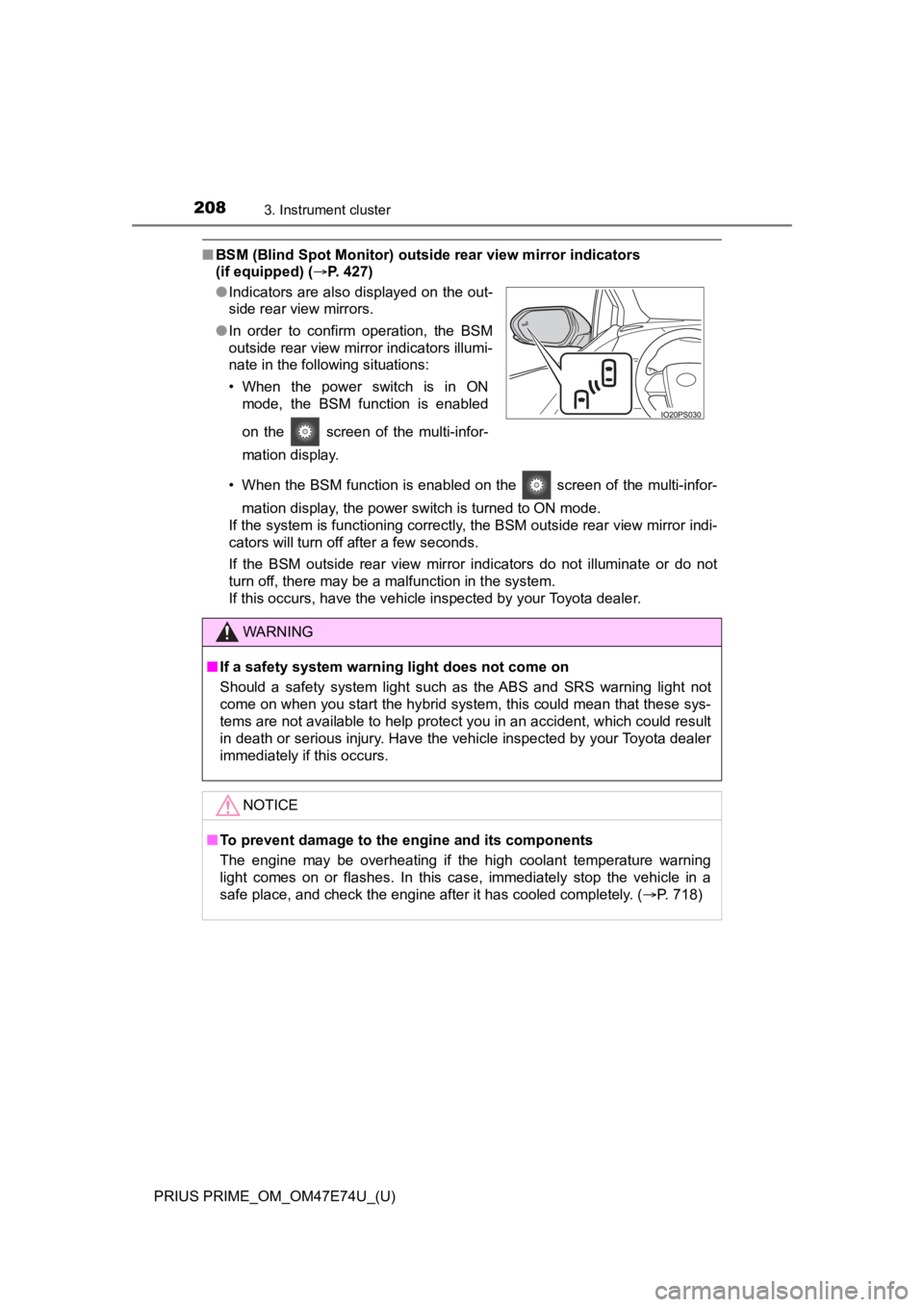
■BSM (Blind Spot Monitor) outsid e rear view mirror indicators
(if equipped) ( P. 427)
• When the BSM function is enabled on the screen of the multi-infor- mation display, the power switch is turned to ON mode.
If the system is functioning correctly, the BSM outside rear vi ew mirror indi-
cators will turn off after a few seconds.
If the BSM outside rear view mirror indicators do not illuminat e or do not
turn off, there may be a malfunction in the system.
If this occurs, have the vehicle inspected by your Toyota deale r.
●
Indicators are also displayed on the out-
side rear view mirrors.
● In order to confirm operation, the BSM
outside rear view mirror indicators illumi-
nate in the following situations:
• When the power switch is in ON
mode, the BSM function is enabled
on the screen of the multi-infor-
mation display.
WARNING
■If a safety system warning light does not come on
Should a safety system light such as the ABS and SRS warning li ght not
come on when you start the hybrid system, this could mean that these sys-
tems are not available to help protect you in an accident, which could result
in death or serious injury. Have the vehicle inspected by your Toyota dealer
immediately if this occurs.
NOTICE
■To prevent damage to the engine and its components
The engine may be overheating if the high coolant temperature warning
light comes on or flashes. In this case, immediately stop the v ehicle in a
safe place, and check the engine after it has cooled completely. (P. 718)
Page 209 of 808
209
PRIUS PRIME_OM_OM47E74U_(U)
3. Instrument cluster
3
Instrument cluster
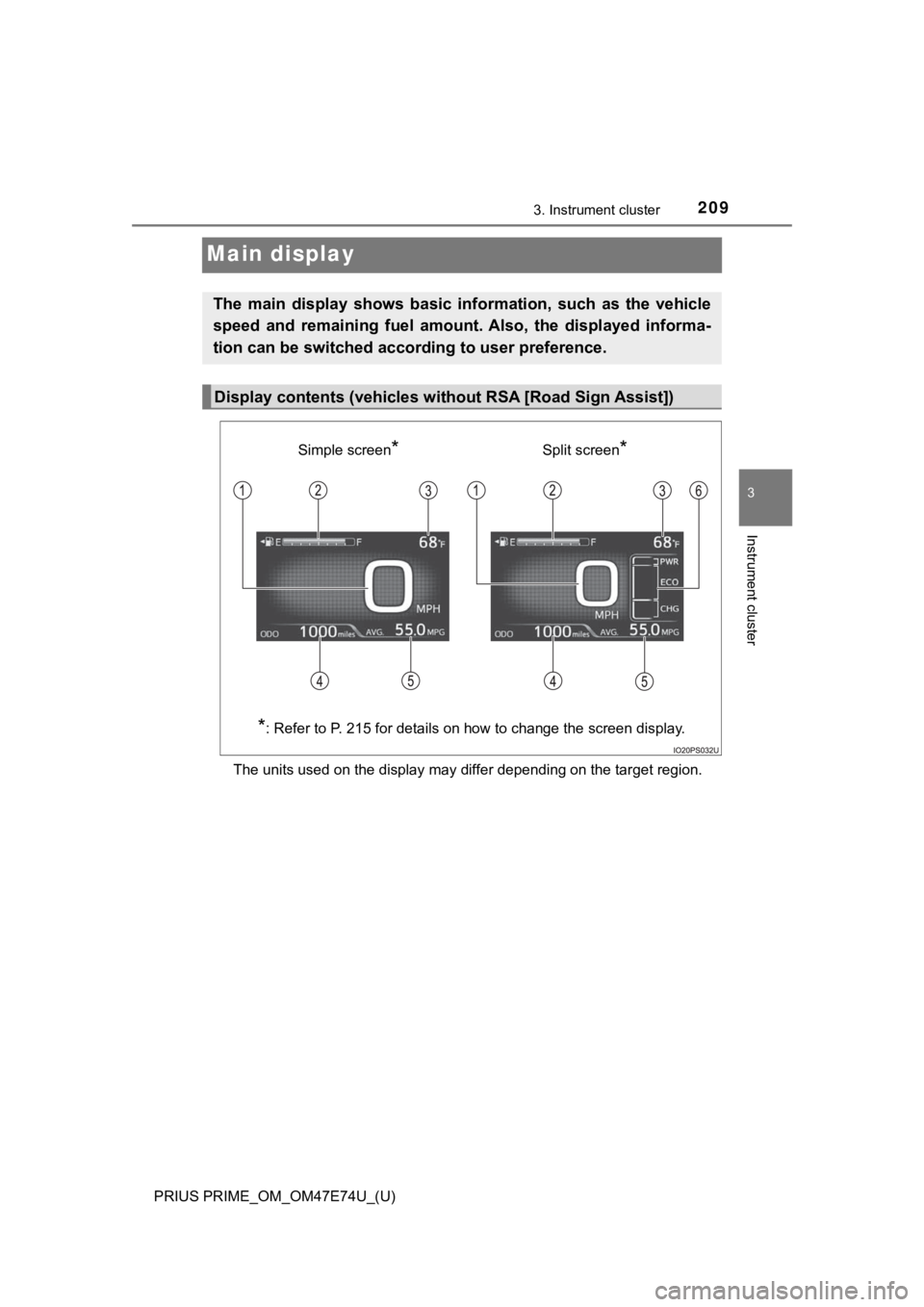
Main display
The units used on the display may differ depending on the target region.
The main display shows basic information, such as the vehicle
speed and remaining fuel amount. Also, the displayed informa-
tion can be switched according to user preference.
Display contents (vehicles without RSA [Road Sign Assist])
Simple screen*Split screen*
*
: Refer to P. 215 for details on how to change the screen display.
Page 210 of 808

210
PRIUS PRIME_OM_OM47E74U_(U)
3. Instrument cluster
Speedometer
Displays the vehicle speed
Fuel gauge
Displays the quantity of fuel remaining in the tank
Outside temperature
Displays the outside temperature within the range of -40°F (-40°C) to
122°F (50°C).
The temperature display flashes for approximately 10 seconds wh en the
outside temperature drops to approximately 37 F (3 C) or less, and then
stops flashing.
Mileage display (odometer/tr ip meters/driving range)
The possible driving range estimated from the mileage and current remain-
ing fuel amount can be displayed. ( P. 213)
Average fuel consumption display
The average electricity and fuel consumption that is linked wit h the con-
tents of the mileage display can be displayed. ( P. 213)
Sub-screen
When split screen is selected for the main display, information such as the
Hybrid System Indicator and current fuel consumption can be dis played.
( P. 215)
1
2
3
4
5
6
Page 211 of 808
PRIUS PRIME_OM_OM47E74U_(U)
2113. Instrument cluster
3
Instrument cluster
The units used on the display may differ depending on the target region.
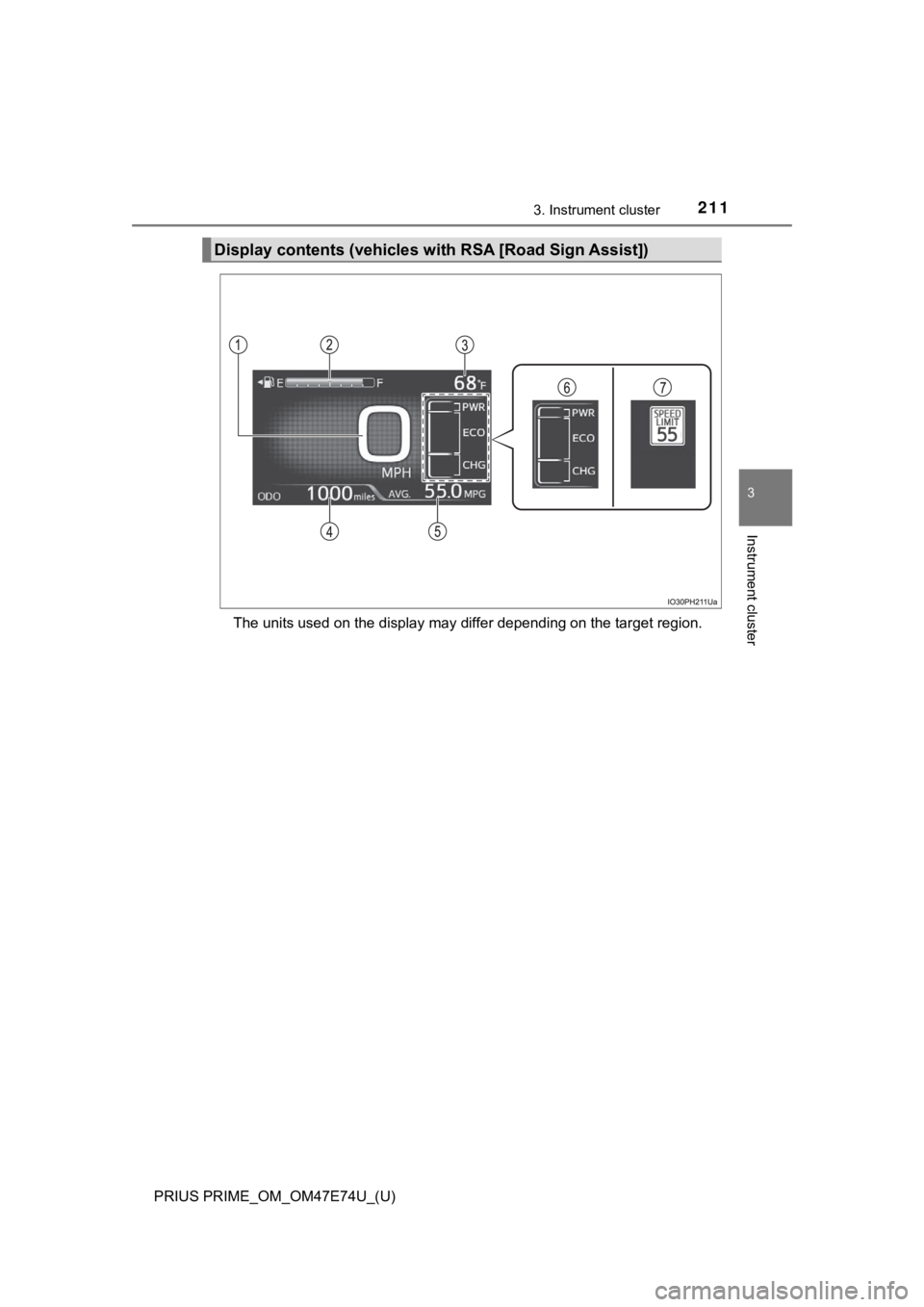
Display contents (vehicles with RSA [Road Sign Assist])
Page 212 of 808

212
PRIUS PRIME_OM_OM47E74U_(U)
3. Instrument cluster
Speedometer
Displays the vehicle speed
Fuel gauge
Displays the quantity of fuel remaining in the tank
Outside temperature
Displays the outside temperature within the range of -40°F (-40°C) to
122°F (50°C).
The temperature display flashes for approximately 10 seconds wh en the
outside temperature drops to approximately 37°F (3°C) or less, and then
stops flashing.
Mileage display (odometer/tr ip meters/driving range)
The possible driving range estimated from the mileage and current remain-
ing fuel amount can be displayed. ( P. 213)
Average fuel consumption display
The average fuel consumption that is linked with the contents o f the mile-
age display can be displayed. ( P. 213)
Sub-screen (when RSA [Road Sign Assist] is off)
Information such as the Hybrid System Indicator and current fue l con-
sumption can be displayed. ( P. 216)
Sub-screen (when RSA [Road Sign Assist] is on)
Displays information related to RSA (Road Sign Assist)*. (P. 405)
*: When RSA (Road Sign Assist) information is displayed in the s creen
of the multi-information display ( P. 245), RSA (Road Sign Assist) infor-
mation is not displayed on the sub-screen.
1
2
3
4
5
6
7