lane assist TOYOTA PRIUS PRIME 2022 Owners Manual
[x] Cancel search | Manufacturer: TOYOTA, Model Year: 2022, Model line: PRIUS PRIME, Model: TOYOTA PRIUS PRIME 2022Pages: 808, PDF Size: 14.72 MB
Page 4 of 808

TABLE OF CONTENTS4
PRIUS PRIME_OM_OM47E74U_(U)5-5. Using the driving support
systems
Toyota Safety Sense 2.0 ... 370
PCS (Pre-Collision System) ........................... 379
LTA (Lane Tracing Assist) ............................. 390
RSA (Road Sign Assist) ............................. 405
Dynamic radar cruise control with full-speed
range ............................... 409
Driving mode select switch .............................. 425
BSM (Blind Spot Monitor) ........ 427
• The Blind Spot Monitor
function ......................... 432
• The Rear Cross Traffic Alert function ................. 435
Intuitive parking assist ....... 441
Parking Support Brake function ........................... 452
S-APGS (Simple Advanced Parking
Guidance System) .......... 462
Driving assist systems....... 496
5-6. Driving tips Winter driving tips.............. 502 6-1. Using the air conditioning
system and defogger
Automatic air conditioning system (vehicles with
7-inch display) ................. 508
Automatic air conditioning system (vehicles with
11.6-inch display) ............ 520
Remote Air Conditioning System ............................ 531
Heated steering wheel/ seat heaters..................... 535
6-2. Using the interior lights Interior lights list................. 537• Front interior light .......... 538
• Front personal lights ...... 538
• Rear interior light ........... 539
6-3. Using the storage features List of storage features ...... 540• Glove box ...................... 541
• Console box .................. 541
• Cup holders ................... 542
• Bottle holders/door pockets.................. 543
• Auxiliary boxes .............. 544
• Seat back pockets ......... 544
Luggage compartment features ........................... 545
6Interior features
Page 21 of 808
21Pictorial index
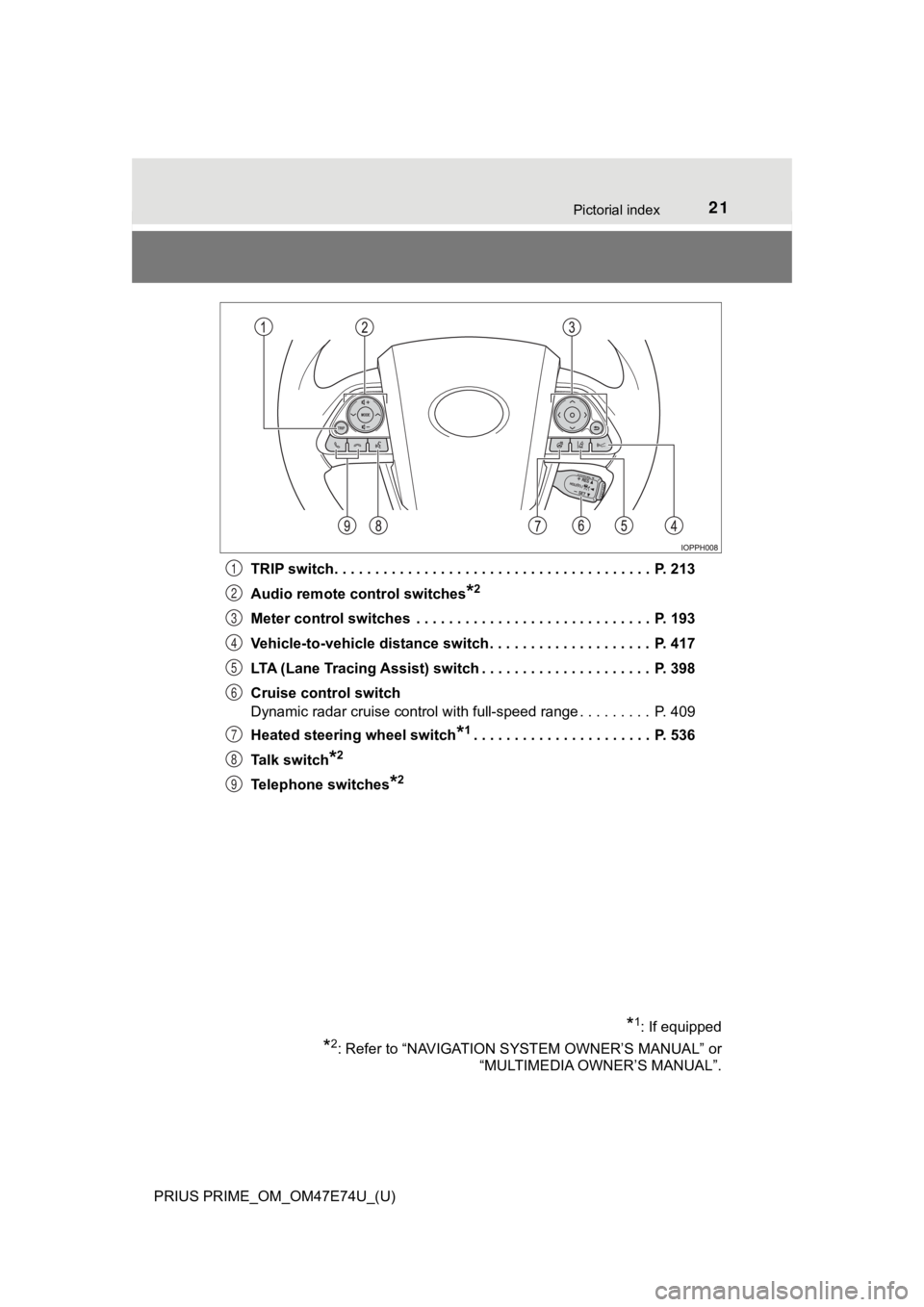
PRIUS PRIME_OM_OM47E74U_(U)TRIP switch. . . . . . . . . . . . . . . . . . . . . . . . . . . . . . . . . . . . . . . P. 213
Audio remote control switches
*2
Meter control switches . . . . . . . . . . . . . . . . . . . . . . . . . . . . . P. 193
Vehicle-to-vehicle distance switch . . . . . . . . . . . . . . . . . . . . P. 417
LTA (Lane Tracing Assist) switch . . . . . . . . . . . . . . . . . . . . . P. 398
Cruise control switch
Dynamic radar cruise control with full-speed range . . . . . . . . . P. 409
Heated steering wheel switch
*1. . . . . . . . . . . . . . . . . . . . . . P. 536
Talk switch
*2
Telephone switches*2
*1: If equipped
*2: Refer to “NAVIGATION SYSTEM OWNER’S MANUAL” or “MULTIMEDIA OWNER’S MANUAL”.
1
2
3
4
5
6
7
8
9
Page 195 of 808
PRIUS PRIME_OM_OM47E74U_(U)
1953. Instrument cluster
3
Instrument cluster
Some information will be displayed automatically according to power
switch operation, vehicle condition, etc.
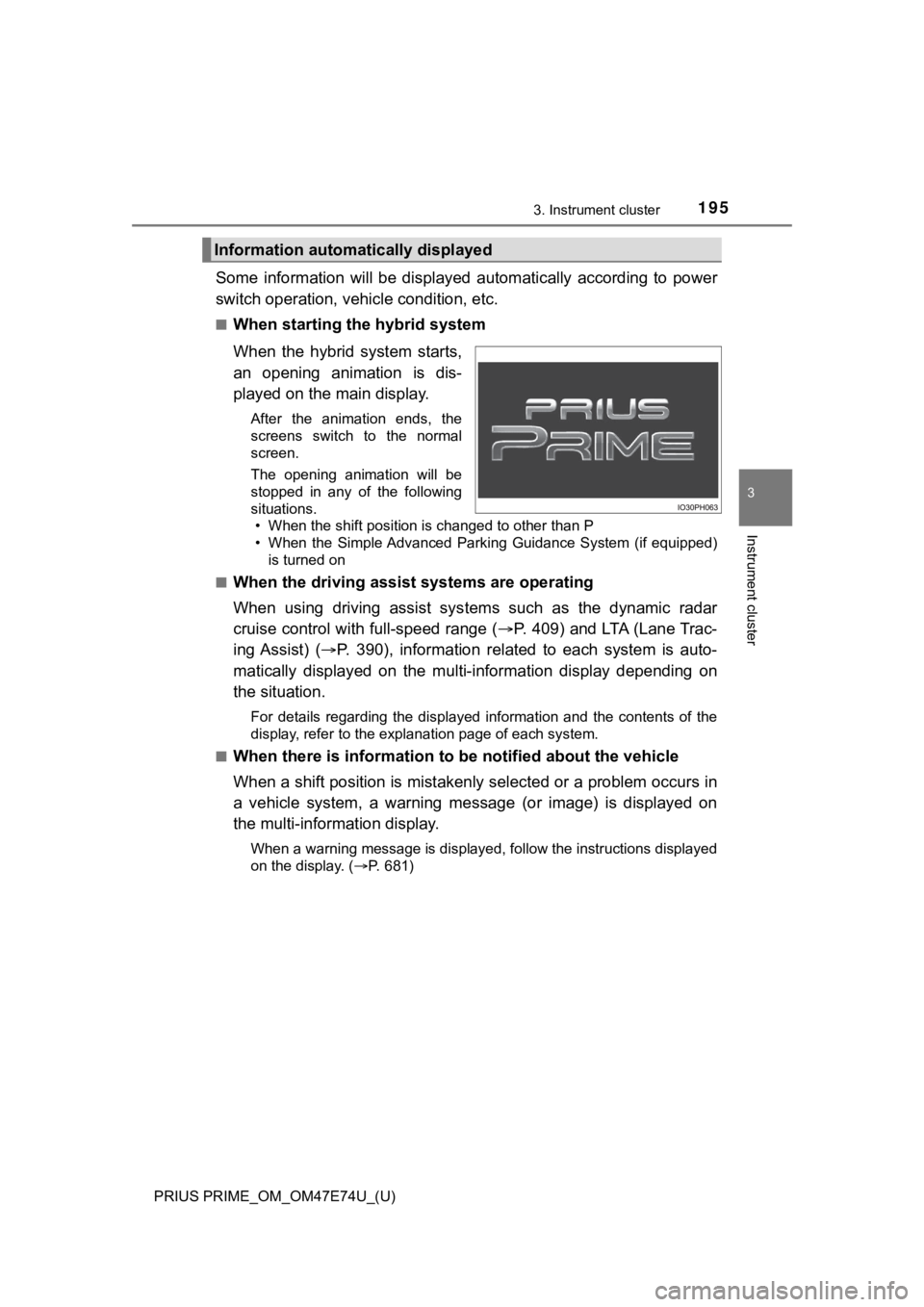
■When starting the hybrid system
When the hybrid system starts,
an opening animation is dis-
played on the main display.
After the animation ends, the
screens switch to the normal
screen.
The opening animation will be
stopped in any of the following
situations. • When the shift position is changed to other than P
• When the Simple Advanced Parking Guidance System (if equipped)
is turned on
■
When the driving assist systems are operating
When using driving assist systems such as the dynamic radar
cruise control with full-speed range ( P. 409) and LTA (Lane Trac-
ing Assist) ( P. 390), information related to each system is auto-
matically displayed on the multi-information display depending on
the situation.
For details regarding the displayed information and the contents of the
display, refer to the explanation page of each system.
■
When there is information to be notified about the vehicle
When a shift position is mistakenly selected or a problem occur s in
a vehicle system, a warning me ssage (or image) is displayed on
the multi-inform ation display.
When a warning message is displayed, follow the instructions displayed
on the display. ( P. 681)
Information automatically displayed
Page 207 of 808
PRIUS PRIME_OM_OM47E74U_(U)
2073. Instrument cluster
3
Instrument cluster
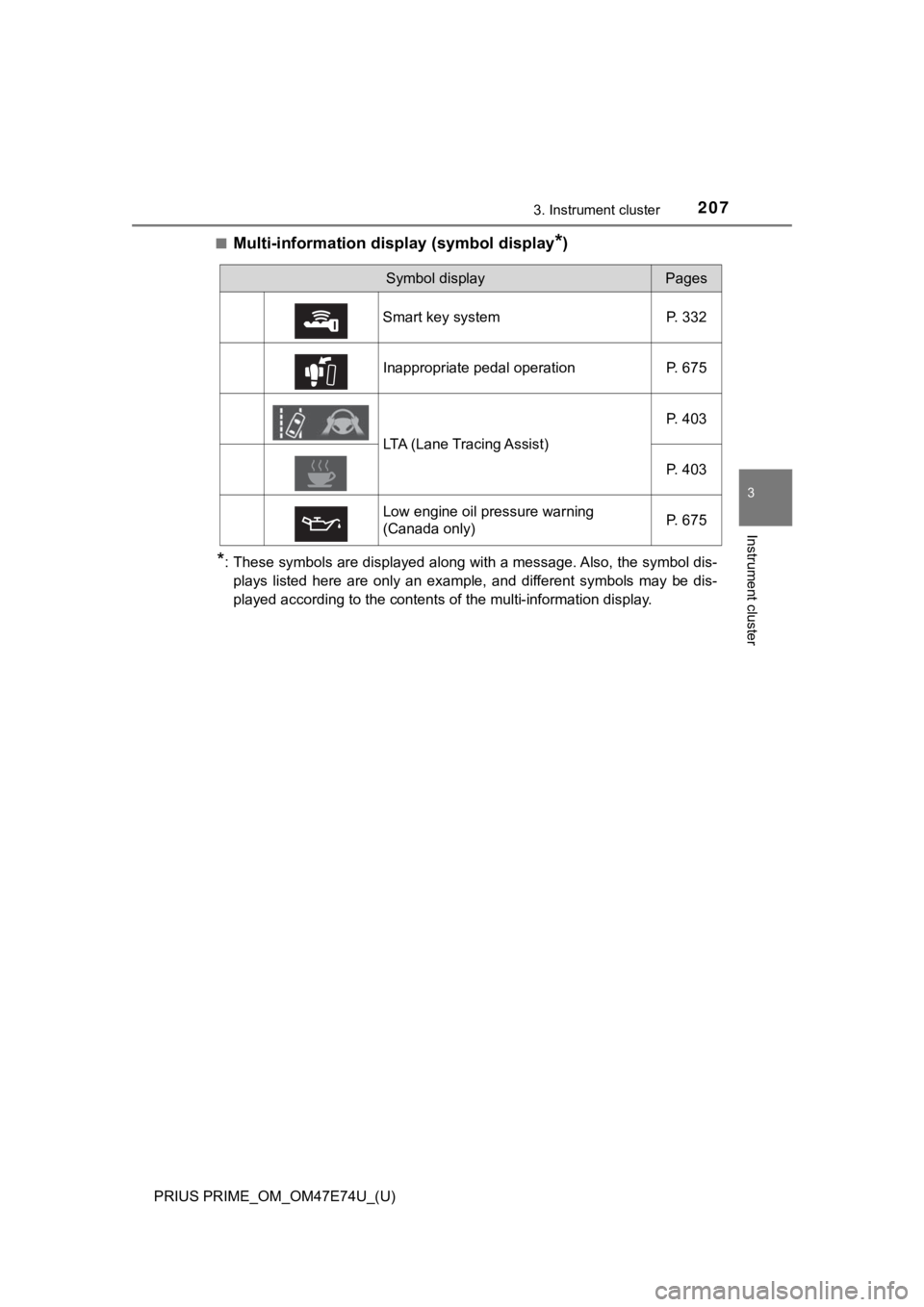
■Multi-information display (symbol display*)
*: These symbols are displayed along with a message. Also, the symbol dis-
plays listed here are only an example, and different symbols ma y be dis-
played according to the contents of the multi-information displ ay.
Symbol displayPages
Smart key system P. 332
Inappropriate pedal operation P. 675
LTA (Lane Tracing Assist) P. 403
P. 403
Low engine oil pressure warning
(Canada only) P. 675
Page 221 of 808
PRIUS PRIME_OM_OM47E74U_(U)
2213. Instrument cluster
3
Instrument cluster
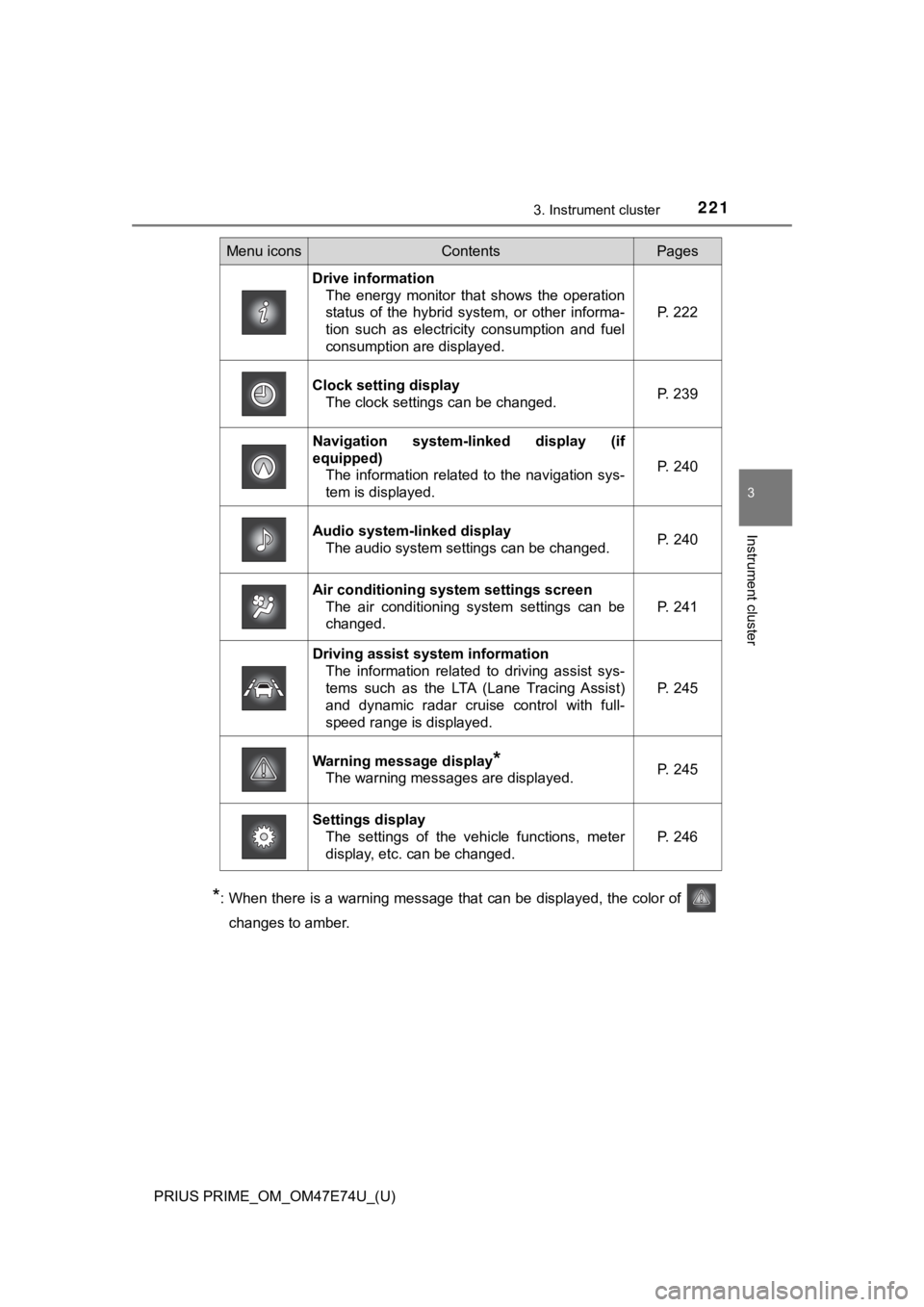
*: When there is a warning message that can be displayed, the color of
changes to amber.
Menu iconsContentsPages
Drive information The energy monitor that shows the operation
status of the hybrid system, or other informa-
tion such as electricity consumption and fuel
consumption are displayed. P. 222
Clock setting display The clock settings can be changed. P. 239
Navigation system-linked display (if
equipped)
The information related to the navigation sys-
tem is displayed.
P. 240
Audio system-linked displayThe audio system settings can be changed.P. 240
Air conditioning system settings screen
The air conditioning system settings can be
changed.
P. 241
Driving assist system informationThe information related to driving assist sys-
tems such as the LTA (Lane Tracing Assist)
and dynamic radar cruise control with full-
speed range is displayed.
P. 245
Warning message display*
The warning messages are displayed.P. 245
Settings display
The settings of the vehicle functions, meter
display, etc. can be changed.
P. 246
Page 245 of 808
PRIUS PRIME_OM_OM47E74U_(U)
2453. Instrument cluster
3
Instrument cluster
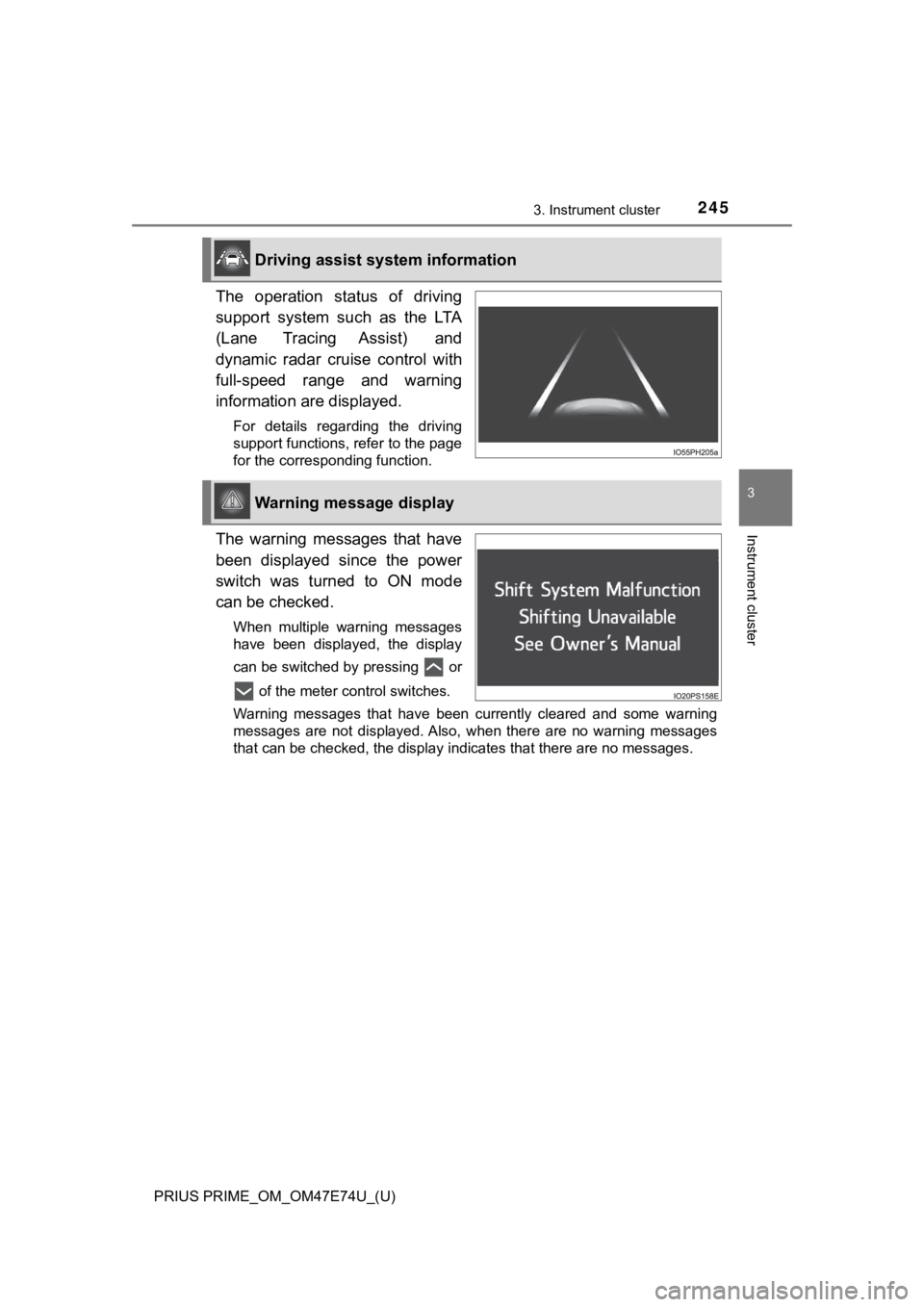
The operation status of driving
support system such as the LTA
(Lane Tracing Assist) and
dynamic radar cruise control with
full-speed range and warning
information are displayed.
For details regarding the driving
support functions, refer to the page
for the corresponding function.
The warning messages that have
been displayed since the power
switch was turned to ON mode
can be checked.
When multiple warning messages
have been displayed, the display
can be switched by pressing or of the meter control switches.
Warning messages that have been currently cleared and some warn ing
messages are not displayed. Also, when there are no warning mes sages
that can be checked, the display indicates that there are no me ssages.
Driving assist system information
Warning message display
Page 247 of 808
PRIUS PRIME_OM_OM47E74U_(U)
2473. Instrument cluster
3
Instrument cluster
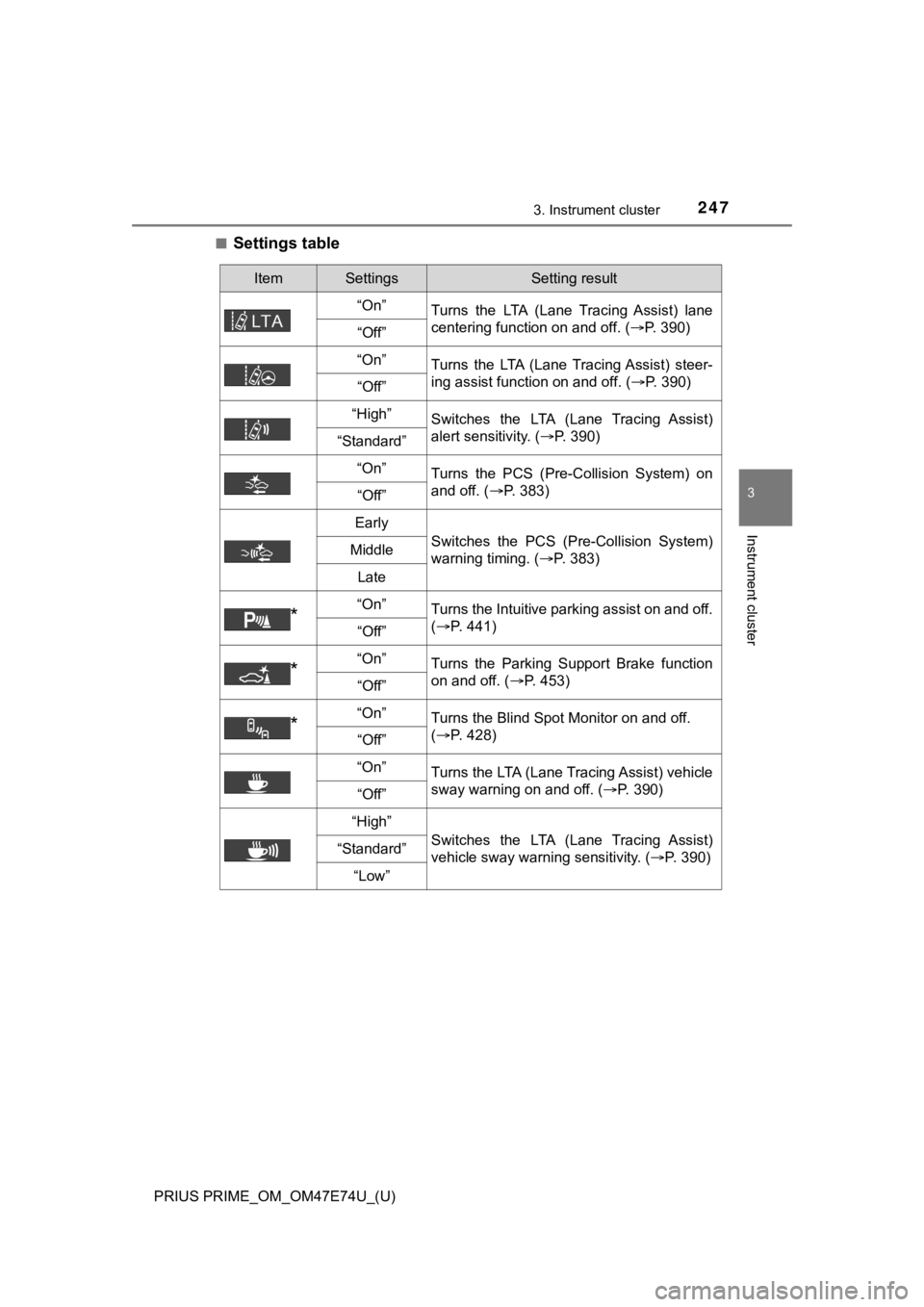
■Settings table
ItemSettingsSetting result
“On” Turns the LTA (Lane Tracing Assist) lane
centering function on and off. ( P. 390)
“Off”
“On” Turns the LTA (Lane Tracing Assist) steer-
ing assist function on and off. ( P. 390)
“Off”
“High”Switches the LTA (Lane Tracing Assist)
alert sensitivity. (P. 390)
“Standard”
“On”
Turns the PCS (Pre-Collision System) on
and off. ( P. 383)
“Off”
Early
Switches the PCS (Pre-Collision System)
warning timing. ( P. 383)Middle
Late
*“On”Turns the Intuitive parking assist on and off.
(P. 441)
“Off”
*“On”Turns the Parking Support Brake function
on and off. ( P. 453)
“Off”
*“On”Turns the Blind Spot Monitor on and off.
(P. 428)
“Off”
“On”
Turns the LTA (Lane Tracing Assist) vehicle
sway warning on and off. ( P. 390)
“Off”
“High”
Switches the LTA (Lane Tracing Assist)
vehicle sway warning sensitivity. ( P. 390)“Standard”
“Low”
Page 257 of 808
PRIUS PRIME_OM_OM47E74U_(U)
2573. Instrument cluster
3
Instrument cluster
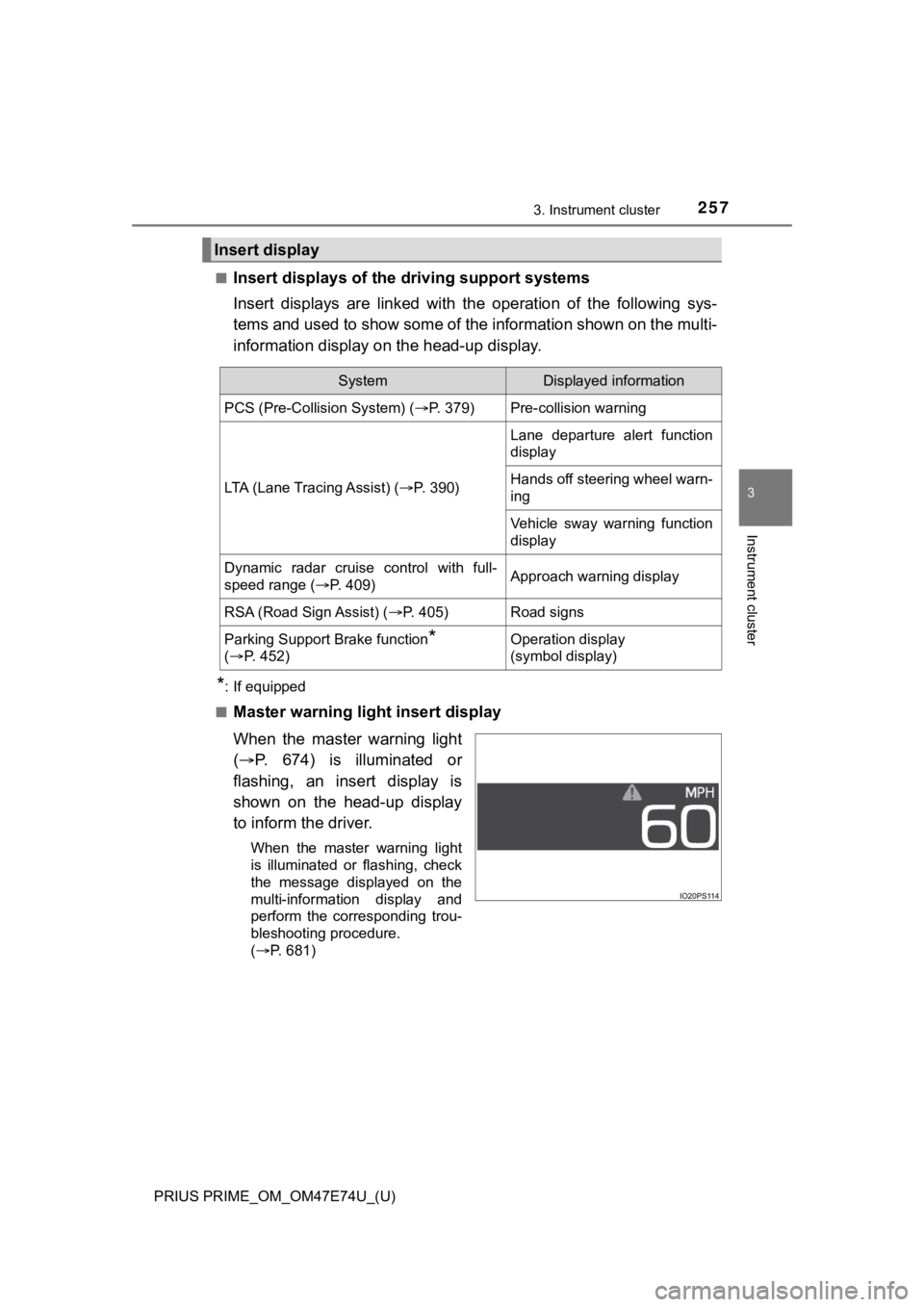
■Insert displays of the driving support systems
Insert displays are linked wit h the operation of the following sys-
tems and used to show some of the information shown on the mult i-
information display on the head-up display.
*: If equipped
■
Master warning light insert display
When the master warning light
( P. 674) is illuminated or
flashing, an insert display is
shown on the head-up display
to inform the driver.
When the master warning light
is illuminated or flashing, check
the message displayed on the
multi-information display and
perform the corresponding trou-
bleshooting procedure.
( P. 681)
Insert display
SystemDisplayed information
PCS (Pre-Collision System) ( P. 379)Pre-collision warning
LTA (Lane Tracing Assist) (P. 3 9 0 )
Lane departure alert function
display
Hands off steering wheel warn-
ing
Vehicle sway warning function
display
Dynamic radar cruise control with full-
speed range ( P. 409)Approach warning display
RSA (Road Sign Assist) ( P. 405)Road signs
Parking Support Brake function*
( P. 4 5 2 )Operation display
(symbol display)
Page 313 of 808
313
PRIUS PRIME_OM_OM47E74U_(U)
5Driving
5-1. Before drivingDriving the vehicle ............. 314
Cargo and luggage ........... 326
Vehicle load limits ............. 329
Trailer towing..................... 330
Dinghy towing ................... 331
5-2. Driving procedures Power (ignition) switch ...... 332
Hybrid transmission........... 339
Turn signal lever................ 345
Parking brake .................... 346
5-3. Operating the lights and wipers
Headlight switch ................ 347
AHB (Automatic High Beam) ............................. 352
Fog light switch ................. 357
Windshield wipers and washer ............................ 359
5-4. Refueling Opening the fuel tank cap .................................. 365 5-5. Using the driving support
systems
Toyota Safety Sense 2.0... 370
PCS (Pre-Collision System)........................... 379
LTA (Lane Tracing Assist) ............................. 390
RSA (Road Sign Assist) ............................. 405
Dynamic radar cruise control with full-speed
range............................... 409
Driving mode select switch .............................. 425
BSM (Blind Spot Monitor) ........ 427
• The Blind Spot Monitor function ......................... 432
• The Rear Cross Traffic Alert function ................. 435
Intuitive parking assist....... 441
Parking Support Brake function ........................... 452
S-APGS (Simple Advanced Parking
Guidance System) .......... 462
Driving assist systems ...... 496
5-6. Driving tips Winter driving tips ............. 502
Page 370 of 808
370
PRIUS PRIME_OM_OM47E74U_(U)
5-5. Using the driving support systems
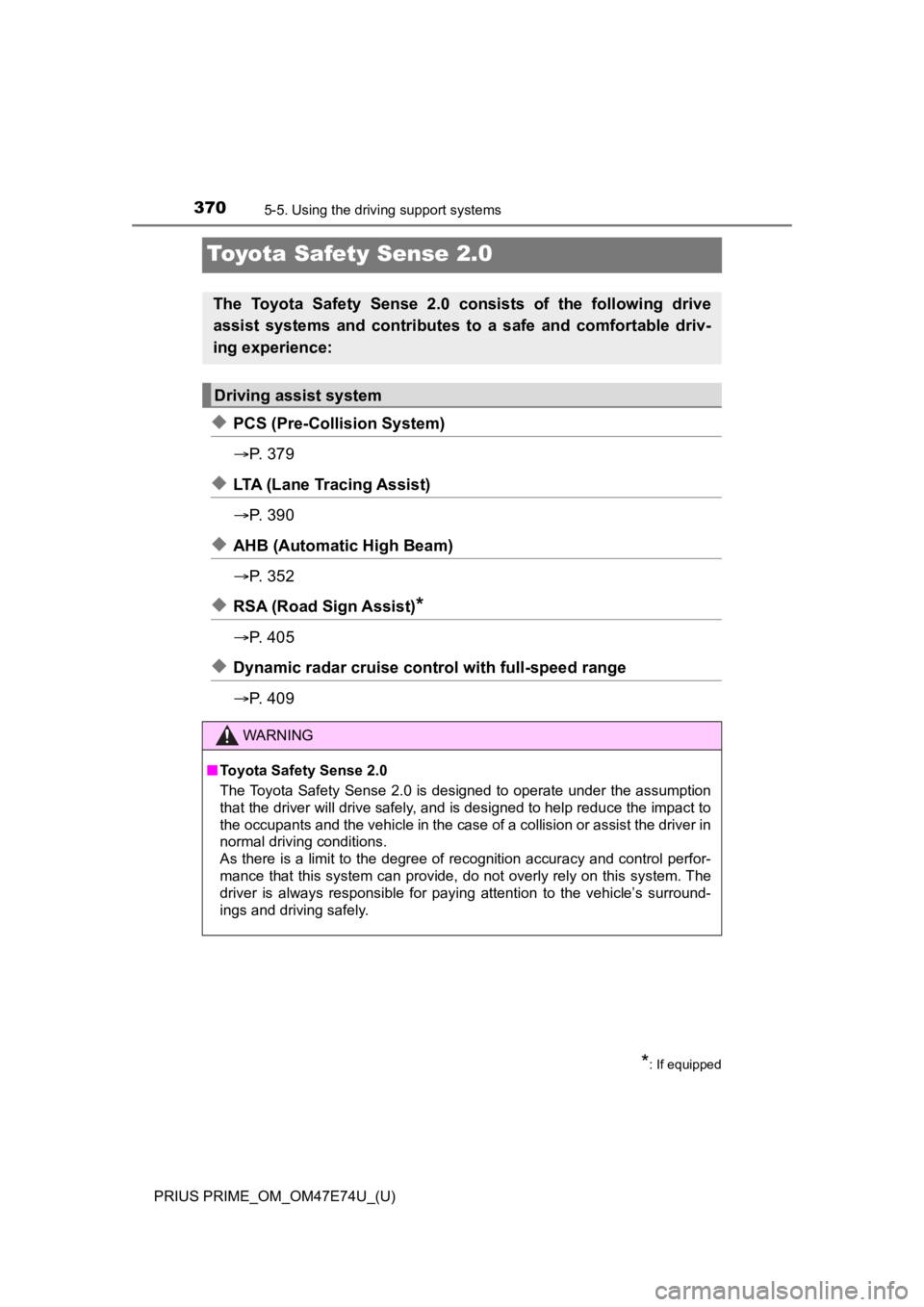
Toyota Safety Sense 2.0
◆PCS (Pre-Collision System)
P. 3 7 9
◆LTA (Lane Tracing Assist)
P. 3 9 0
◆AHB (Automatic High Beam)
P. 3 5 2
◆RSA (Road Sign Assist)*
P. 4 0 5
◆Dynamic radar cruise control with full-speed range
P. 4 0 9
The Toyota Safety Sense 2.0 consists of the following drive
assist systems and contributes t o a safe and comfortable driv-
ing experience:
Driving assist system
*: If equipped
WARNING
■ Toyota Safety Sense 2.0
The Toyota Safety Sense 2.0 is designed to operate under the assumption
that the driver will drive safely, and is designed to help reduce the impact to
the occupants and the vehicle in the case of a collision or assist the driver in
normal driving conditions.
As there is a limit to the degree of recognition accuracy and control perfor-
mance that this system can provide, do not overly rely on this system. The
driver is always responsible for paying attention to the vehicl e’s surround-
ings and driving safely.