maintenance schedule TOYOTA PRIUS PRIME 2022 Owners Manual
[x] Cancel search | Manufacturer: TOYOTA, Model Year: 2022, Model line: PRIUS PRIME, Model: TOYOTA PRIUS PRIME 2022Pages: 808, PDF Size: 14.72 MB
Page 199 of 808
PRIUS PRIME_OM_OM47E74U_(U)
1993. Instrument cluster
3
Instrument cluster
■The meters and display illuminate when
The power switch is in ON mode.
■ Adjusting the instrume nt cluster brightness (P. 194)
● The brightness levels that can be selected differ depending on whether the
tail lights are on and surrounding brightness levels, as shown in the table
below.
*: 22 levels of the brightness are displayed on the setting scree n. However,
the brightness setting will be the brightest when other than 1st level (the
darkest) is selected. If other than 1st or 22nd level is select ed, when the
tail lights are turned on in a dark place, the instrument clust er brightness
setting will be the selected level.
● If the taillights are illuminated in a dark environment, the in strument cluster
light dims. However, when the brightness of the instrument clus ter is set to
minimum or maximum (1st or 22nd level of the instrument cluster bright-
ness), even if the taillights are illuminated, the instrument c luster light will
not dim.
■ When disconnecting and reconnecting 12-volt battery terminals
The settings of the clock will be reset.
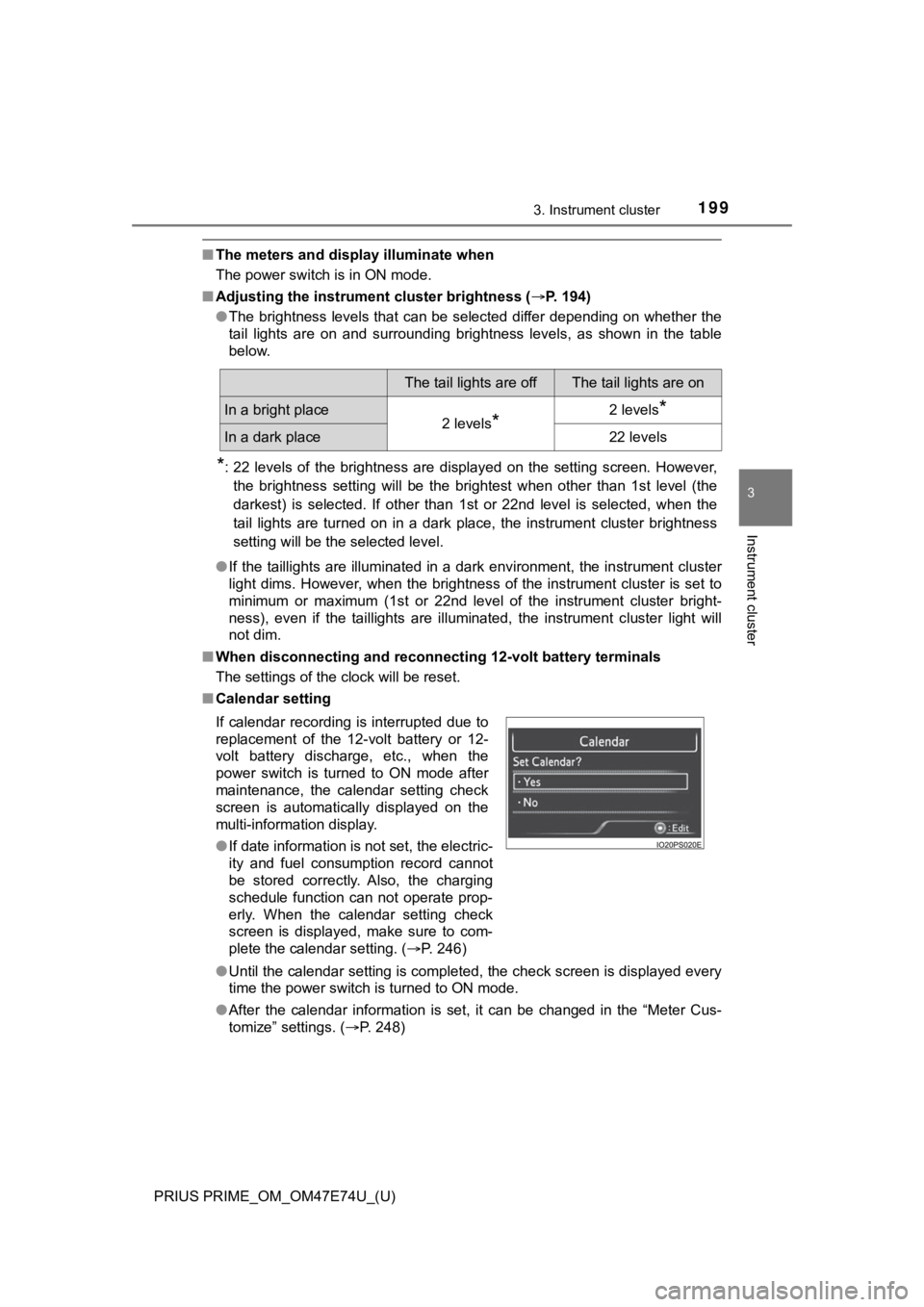
■ Calendar setting
●Until the calendar setting is completed, the check screen is di splayed every
time the power switch is turned to ON mode.
● After the calendar information is set, it can be changed in the “Meter Cus-
tomize” settings. ( P. 248)
The tail lights are offThe tail lights are on
In a bright place2 levels*2 levels*
In a dark place22 levels
If calendar recording is interrupted due to
replacement of the 12-volt battery or 12-
volt battery discharge, etc., when the
power switch is turned to ON mode after
maintenance, the calendar setting check
screen is automatically displayed on the
multi-information display.
● If date information is not set, the electric-
ity and fuel consumption record cannot
be stored correctly. Also, the charging
schedule function can not operate prop-
erly. When the calendar setting check
screen is displayed, make sure to com-
plete the calendar setting. ( P. 246)
Page 585 of 808
585
PRIUS PRIME_OM_OM47E74U_(U)
7-2. Maintenance
7
Maintenance and care
Maintenance requirements
General maintenance should be performed on a daily basis. This can
be done by yourself or by a Toyota dealer.
Scheduled maintenance should be performed at specified intervals
according to the maintenance schedule.
For details about maintenance items and schedules, refer to the “Sched-
uled Maintenance Guide” or “Owner’s Manual Supplement”.
You can perform som e maintenance procedures by yourself.
Please be aware that do-it-yourse lf maintenance may affect warranty
coverage.
The use of Toyota repair manuals is recommended.
For details about warranty coverage, refer to the separate “Own er’s War-
ranty Information Booklet” or “Owner’s Manual Supplement”.
To ensure safe and economical driving, day-to-day care and reg-
ular maintenance are essential. I t is the owner’s responsibility to
perform regular checks. Toyota recommends the following main-
tenance:
General maintenance
Scheduled maintenance
Do-it-yourself maintenance
Page 586 of 808
586
PRIUS PRIME_OM_OM47E74U_(U)
7-2. Maintenance
■Repair and replacement
It is recommended that genuine Toyota parts be used for repairs to ensure
performance of each system. If non-Toyota parts are used in rep lacement or if
a repair shop other than a Toyota dealer performs repairs, conf irm the war-
ranty coverage.
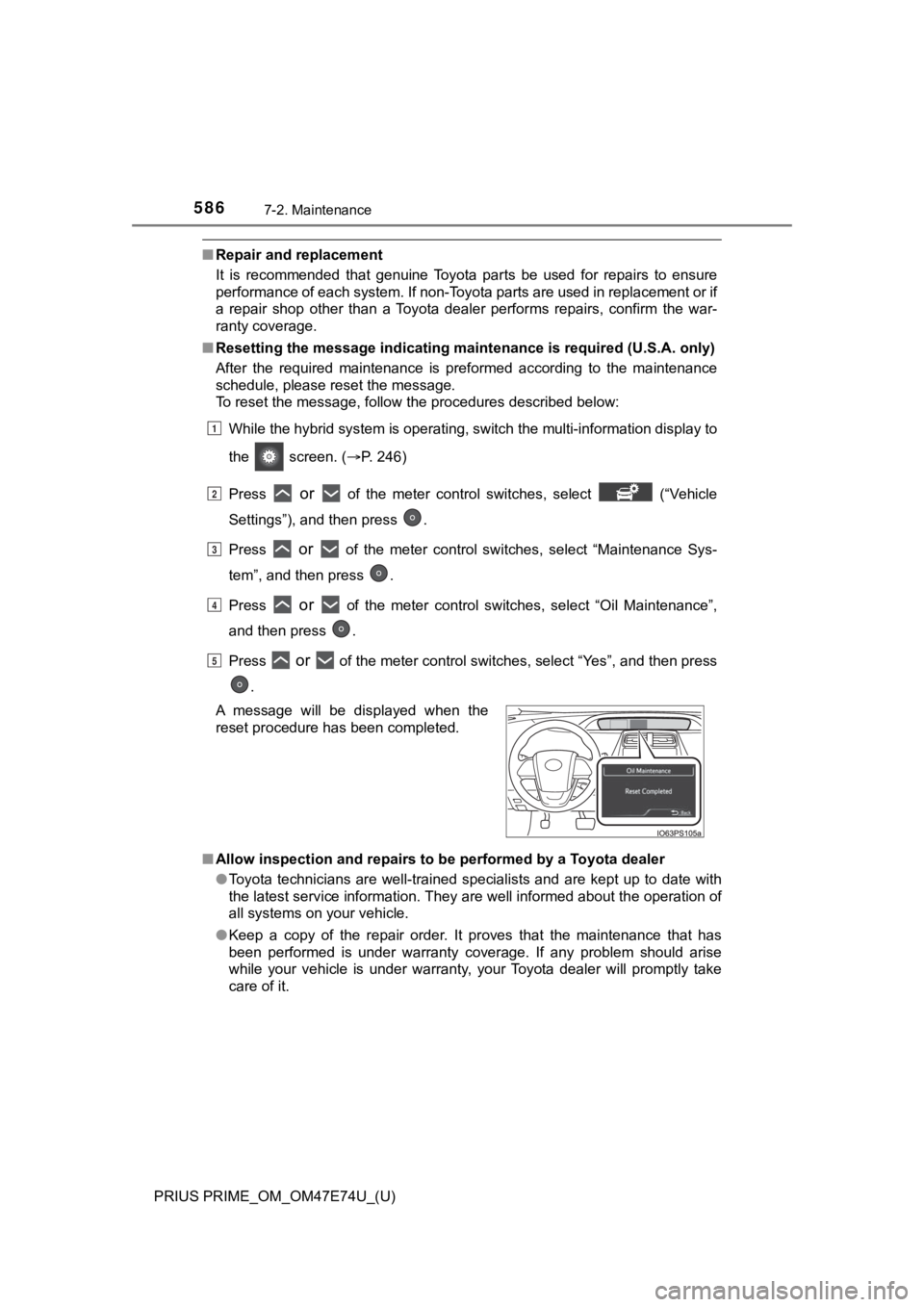
■ Resetting the message indicating ma intenance is required (U.S.A. only)
After the required maintenance is preformed according to the ma intenance
schedule, please reset the message.
To reset the message, follow the procedures described below:
While the hybrid system is operating, switch the multi-informat ion display to
the screen. ( P. 246)
Press
or of the meter control switches, select (“Vehicle
Settings”), and then press .
Press
or of the meter control switches, select “Maintenance Sys-
tem”, and then press .
Press
or of the meter control switches, select “Oil Maintenance”,
and then press .
Press
or of the meter control switches, select “Yes”, and then press
.
■ Allow inspection and repairs to be performed by a Toyota dealer
●Toyota technicians are well-trained specialists and are kept up to date with
the latest service information. They are well informed about th e operation of
all systems on your vehicle.
● Keep a copy of the repair order. It proves that the maintenance that has
been performed is under warranty coverage. If any problem should arise
while your vehicle is under warranty, your Toyota dealer will p romptly take
care of it.
A message will be displayed when the
reset procedure has been completed.
1
2
3
4
5
Page 590 of 808
590
PRIUS PRIME_OM_OM47E74U_(U)
7-2. Maintenance
Vehicle exterior
ItemsCheck points
Doors• Do the doors operate smoothly?
Engine hood• Does the engine hood lock system work prop-erly?
Fluid leaks• There should not be any signs of fluid leakageafter the vehicle has been parked.
Tires
• Is the tire inflati on pressure correct?
• The tires should not be damaged or exces- sively worn.
• Have the tires been rotated according to the
maintenance schedule?
• The wheel nuts should not be loose.
Windshield wipers
• The wiper blades should not show any signs
of cracking, splitting, wear, contamination or
deformation.
• The wiper blades should clear the windshield
without streaking or skipping.
Charging equipment
ItemsCheck points
Charging cable• Check the conditions of the charging cableand charging connector. ( P. 121)
WARNING
■If the hybrid system is operating
Turn the hybrid system off and ensure that there is adequate ventilation
before performing maintenance checks.
Page 639 of 808
PRIUS PRIME_OM_OM47E74U_(U)
6397-3. Do-it-yourself maintenance
7
Maintenance and care
■Checking interval
Inspect and replace the air conditioning filter according to the maintenance
schedule. In dusty areas or areas with heavy traffic flow, earl y replacement
may be required. (For scheduled maintenance information, please refer to the
“Scheduled Maintenance Guide” or “Owner’s Manual Supplement”.)
■ If air flow from the vents decreases dramatically
The filter may be clogged. Check the filter and replace if nece ssary.
WARNING
■When replacing the air conditioning filter
Observe the following precautions. Failure to do so may result in the air
conditioning system operating during the procedure, possibly re sulting in
injury.
● Check that the charging connector is not connected
The air conditioning may operate due to the “Climate Prep” (P. 158) or
“Traction Battery Cooler” (P. 137) setting.
● Do not use the Remote Air Conditioning System
Page 687 of 808
6878-2. Steps to take in an emergency
PRIUS PRIME_OM_OM47E74U_(U)
8
When trouble arises
■If a message that indicates the malfunction of front camera is displayed
The following systems may be suspended until the problem shown in the
message is resolved. ( P. 376, 671)
● PCS (Pre-Collision System)
● LTA (Lane Tracing Assist)
● AHB (Automatic High Beam)
● RSA (Road Sign Assist) (if equipped)
● Dynamic radar cruise control with full-speed range
■ If a message that indicates the m alfunction of radar sensor is displayed
The following systems may be suspended until the problem shown in the
message is resolved. ( P. 376, 671)
● PCS (Pre-Collision System)
● LTA (Lane Tracing Assist)
● Dynamic radar cruise control with full-speed range
■ If “Radar Cruise Control Unavailable See Owner’s Manual” is sho wn
The dynamic radar cruise control with full-speed range system is suspended
temporarily or until the problem shown in the message is resolv ed. (causes
and coping methods: P. 376)
■ If “Radar Cruise Control Unavailable” is shown
The dynamic radar cruise control with full-speed range system c annot be
used temporarily. Use the system when it becomes available agai n.
■ If “Maintenance Required Soon” is displayed (U.S.A. only)
Indicates that all maintenance according to the driven distance on the mainte-
nance schedule
* should be performed soon.
Comes on approximately 4500 miles (7200 km) after the message has been
reset.
If necessary, perform maintenance. Please reset the message aft er the main-
tenance is performed. ( P. 586)
*: Refer to the separate “Scheduled Maintenance Guide” or “Owner’ s Manual
Supplement” for the maintenance interval applicable to your veh icle.
■ If “Maintenance Required Visit Your Dealer” is displayed (U.S.A . only)
Indicates that all maintenance is required to correspond to the driven distance
on the maintenance schedule
*.
Comes on approximately 5000 miles (8000 km) after the message has been
reset. (The indicator will not work properly unless the message has been
reset.)
Perform the necessary maintenance. Please reset the message aft er the
maintenance is performed. ( P. 586)
*: Refer to the separate “Scheduled Maintenance Guide” or “Owner’ s Manual
Supplement” for the maintenance interval applicable to your veh icle.
Page 688 of 808
6888-2. Steps to take in an emergency
PRIUS PRIME_OM_OM47E74U_(U)■
If the shift position cannot be changed or the power switch is turned to
ACCESSORY mode even if trying to turn the power switch off when a
warning message is shown
If the 12-volt battery is discharged or the shift control system is malfunction-
ing, the followings may occur.
● The shift position may not be changed to P.
When parking, stop the vehicle on level ground and apply the parking brake
firmly.
● The hybrid system may not start.
● The power switch may be turned to ACCESSORY mode even if trying to
turn the power switch off.
In this case, the power switch may be turned off after applying the parking
brake.
● The automatic P position selection function ( P. 342) may not operate.
Before turning the power switch off, be sure to press the P position switch
and check that the shift position is in P by the shift position indicator or P
position switch indicator.
■ Warning buzzer
P. 678
NOTICE
■If “Maintenance Required for Traction Battery at Your Dealer” is shown
The hybrid battery (traction battery) is scheduled to be inspected or
replaced. Have the vehicle inspected by your Toyota dealer immediately.
● Continuing to drive the vehicle without having the hybrid batte ry (traction
battery) inspected will cause the hybrid system not to start.
● If the hybrid system does not start, contact your Toyota dealer immedi-
ately.
Page 759 of 808
PRIUS PRIME_OM_OM47E74U_(U)
7599-2. Customization
9
Vehicle specifications
■Seat belt reminder (P. 676)
■Charge settings
■Maintenance system
■Vehicle customization
●When the Speed linked door locking function and the Shift posit ion linked
door locking function are both on, the door lock operates as fo llows.
• When shifting the shift position to any position other than P, all the doors
will be locked.
• If the vehicle is started with all the doors locked, the Speed linked door locking function would not operate.
• If the vehicle is started with any door unlocked, the Speed linked door locking function will operate.
● When the smart key system is off, Smart door unlocking cannot b e custom-
ized.
● When the doors remain closed after unlocking the doors and the automatic
door lock function is activated, the signals will be generated in accordance
with the operation signal (buzzer) and the operation signal (em ergency
flashers) settings.
■ In the following situations, customize mode in which the settin gs can be
changed through the multi-information display will automaticall y be
turned off.
● The power switch is turned off.
● The vehicle begins to move while the customize mode screen is d isplayed.
FunctionDefault
settingCustomized setting
Vehicle speed linked seat belt
reminder buzzerOnOff––O
123
Charge scheduleSetting the charging schedule: P. 162
Charge currentChanging the upper limit of the charging cur-
rent:P. 133
Charging connector lock
(if equipped)Changing the charging connector lock settings:
P. 127
Traction battery heaterSetting “Traction Battery Heater” on/off:
P. 136
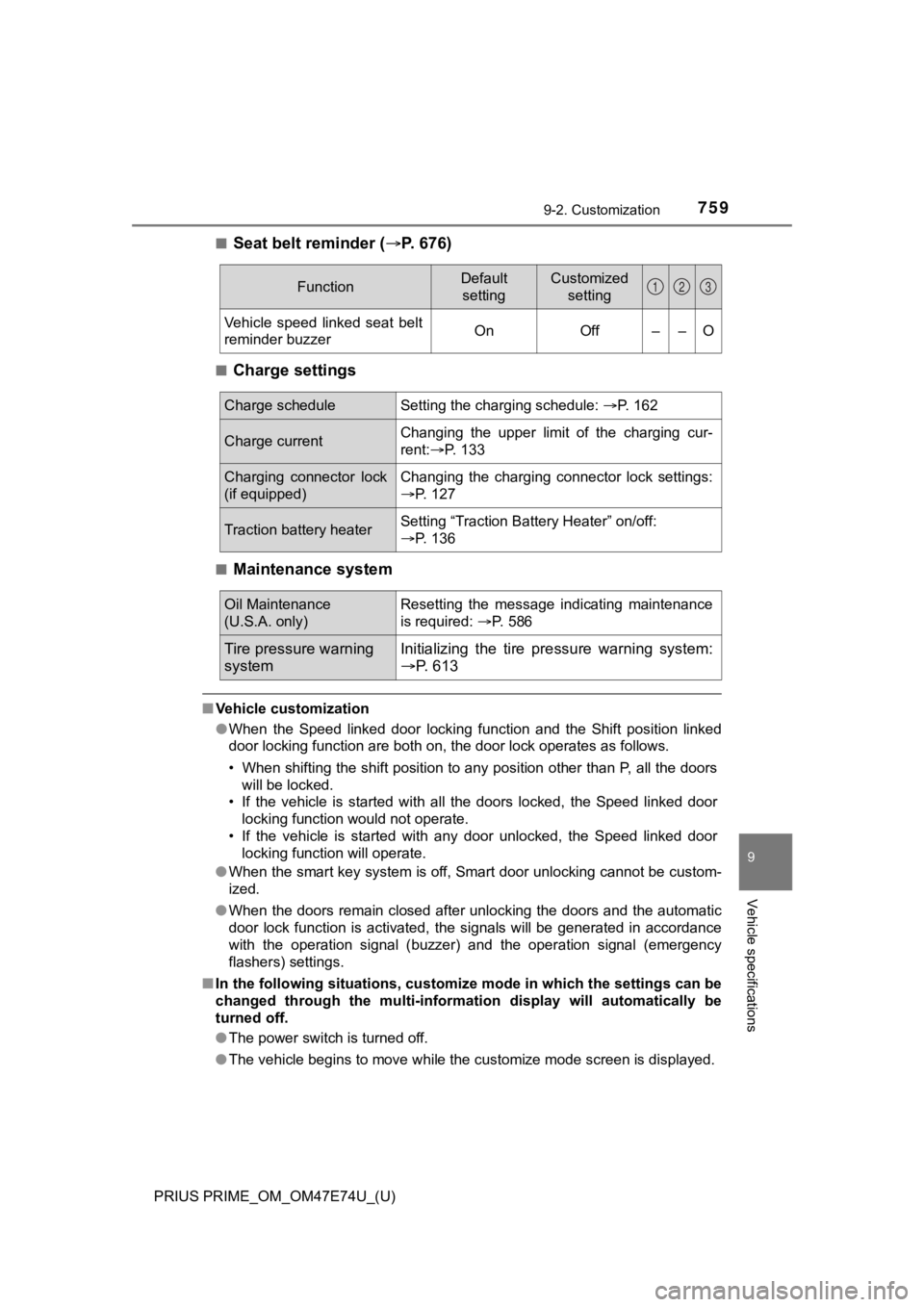
Oil Maintenance
(U.S.A. only)Resetting the message indicating maintenance
is required: P. 586
Tire pressure warning
systemInitializing the tire p ressure warning system:
P. 613
Page 786 of 808

786Alphabetical index
PRIUS PRIME_OM_OM47E74U_(U)
Care................................... 574, 579Aluminum wheels.................. 575
Exterior ................................. 574
Front camera ........................ 373
Interior................................... 579
Radar sensor ........................ 372
Seat belts .............................. 582
Water-repellent coating......... 575
Cargo capacity ......................... 329
Catch protection function ....... 310
CD player
*
Chains....................................... 503
Charging ................................... 111 Charging cable...................... 116
Charging equipment ............. 111
Charging indicator................. 115
Charging messages .............. 186
Charging precautions............ 154
Charging procedure .............. 147
Charging time may
increase .............................. 136
Charging schedule function .. 158
High voltage components ....... 99
Information related to charging display ................. 141
Opening and closing the charging port lid .................. 112
Power sources precautions ......................... 134
Power sources that can be
used.................................... 132
Safety functions ............ 143, 152
When normal charging cannot be carried out.......... 181
Charging cable......................... 116 CCID (Charging Circuit
Interrupting Device) ............ 116
If the charging cable cannot be unlocked ............ 129
Indicator................................. 118
Maintenance ......................... 121
Safety functions .................... 117 Charging port........................... 111
Opening and closing ............. 112
Smart lid & connector
locking system...... .............. 122
If the charging port lid does
not open ............................. 125
Child restraint system............... 58 Fixed with a LATCH
system .......... ..................... ... 70
Fixed with a seat belt .............. 64
Front passenger occupant classification syst em ............ 50
Points to remember ................ 58
Riding with children ................ 57
Types of child restraint system installation method ............... 60
Using an anchor bracket......... 73
Child safety ................................ 57 12-volt battery precautions ... 606
Airbag precautions.................. 40
Back door precautions .......... 287
Charging precautions ........... 142
Child restraint system ............. 58
How your child should wear the seat belt.......................... 32
Installing child restraints ......... 60
Power window lock switch .... 309
Power window precautions ... 311
Rear door child-protectors .... 282
Removed key battery precautions......................... 646
Riding with children ................ 57
Seat belt extender precautions........................... 34
Seat belt precautions .............. 69
Seat heater precautions ....... 535
Child-protectors ...................... 282
Cleaning ........................... 574, 579 Aluminum wheels ................. 575
Exterior ................................. 574
Front camera ........................ 373
Hybrid battery (traction
battery) air intake vent........ 580
Interior .................................. 579
C
Page 797 of 808
797Alphabetical index
PRIUS PRIME_OM_OM47E74U_(U)
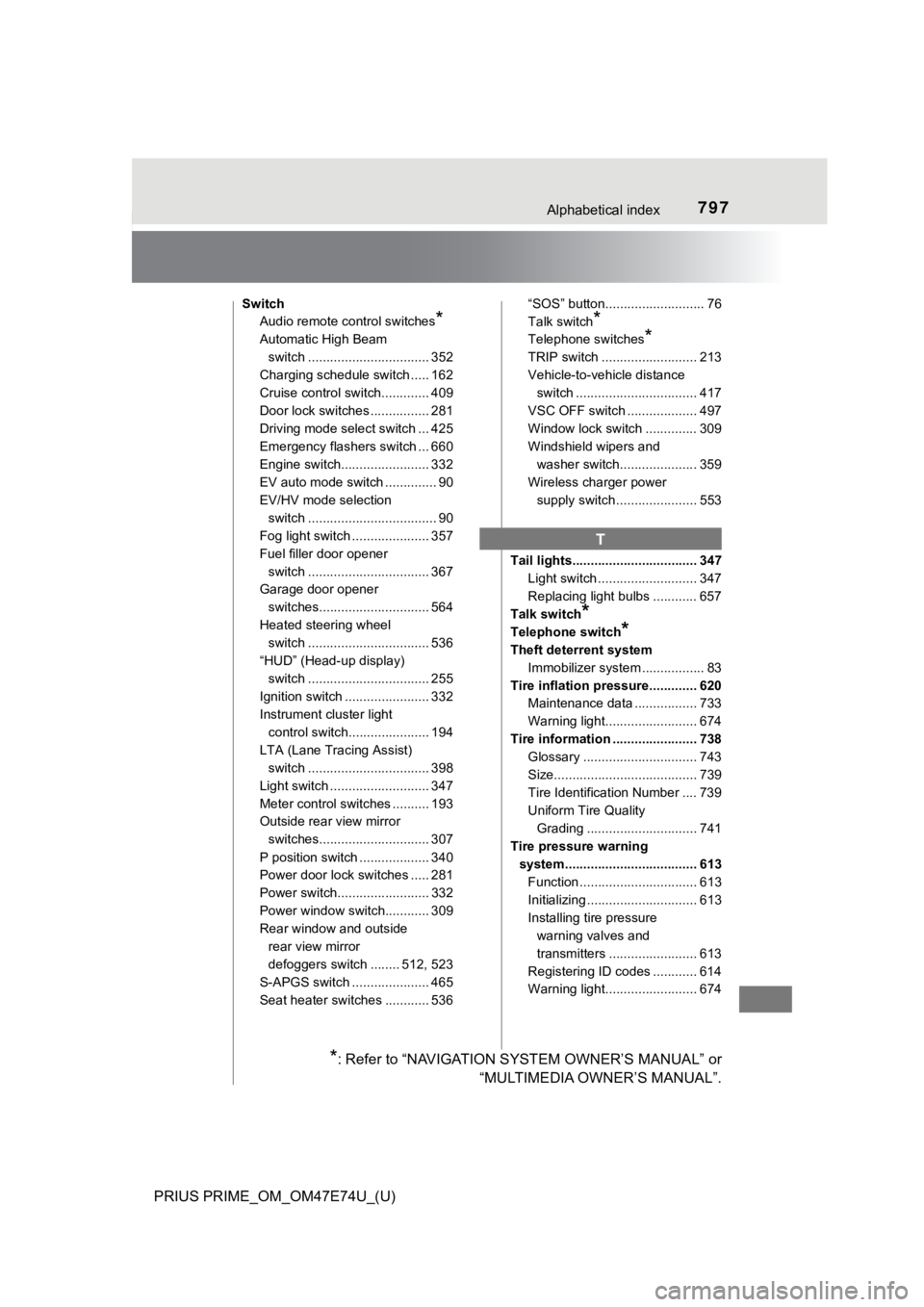
SwitchAudio remote control switches
*
Automatic High Beam
switch ................................. 352
Charging schedule switch ..... 162
Cruise control switch............. 409
Door lock switches ................ 281
Driving mode select switch ... 425
Emergency flashers switch ... 660
Engine switch........................ 332
EV auto mode switch .............. 90
EV/HV mode selection
switch ................................... 90
Fog light switch ..................... 357
Fuel filler door opener
switch ................................. 367
Garage door opener
switches.............................. 564
Heated steering wheel switch ................................. 536
“HUD” (Head-up display) switch ................................. 255
Ignition switch ....................... 332
Instrument cluster light
control switch...................... 194
LTA (Lane Tracing Assist) switch ................................. 398
Light switch ........................... 347
Meter control switches .......... 193
Outside rear view mirror switches.............................. 307
P position switch ................... 340
Power door lock switches ..... 281
Power switch......................... 332
Power window switch............ 309
Rear window and outside rear view mirror
defoggers switch ........ 512, 523
S-APGS switch ..................... 465
Seat heater switches ............ 536 “SOS” button........................... 76
Talk switch
*
Telephone switches*
TRIP switch .......................... 213
Vehicle-to-vehicle distance
switch ................................. 417
VSC OFF switch ................... 497
Window lock switch .............. 309
Windshield wipers and washer switch..................... 359
Wireless charger power
supply switch ...................... 553
Tail lights.................................. 347 Light switch ........................... 347
Replacing light bulbs ............ 657
Talk switch
*
Telephone switch*
Theft deterrent system Immobilizer system .. ............... 83
Tire inflation pressure............. 620 Maintenance data ................. 733
Warning light......................... 674
Tire information ....................... 738 Glossary ............................... 743
Size....................................... 739
Tire Identification Number .... 739
Uniform Tire Quality Grading .............................. 741
Tire pressure warning system.................................... 613 Function ................................ 613
Initializing .............................. 613
Installing tire pressure warning valves and
transmitters ........................ 613
Registering ID codes ............ 614
Warning light......................... 674
T
*: Refer to “NAVIGATION SYSTEM OWNER’S MANUAL” or “MULTIMEDIA OWNER’S MANUAL”.