parking sensors TOYOTA PRIUS PRIME 2022 Owners Manual
[x] Cancel search | Manufacturer: TOYOTA, Model Year: 2022, Model line: PRIUS PRIME, Model: TOYOTA PRIUS PRIME 2022Pages: 808, PDF Size: 14.72 MB
Page 437 of 808
PRIUS PRIME_OM_OM47E74U_(U)
4375-5. Using the driving support systems
5
Driving
■Conditions under which the system will not detect a vehicle
The Rear Cross Traffic Alert function is not designed to detect the following
types of vehicles and/or objects:
● Vehicles approaching from directly behind
● Vehicles backing up in a parking space next to your vehicle
● Guardrails, walls, signs, parked vehicles and similar stationar y objects
*
●Small motorcycles, bicycles, pedestrians, etc.*
●Vehicles moving away from your vehicle
● Vehicles approaching from the parking spaces next to your vehic le
*
●The distance between the sensor and approaching vehicle gets to o close
*: Depending on the conditions, detection of a vehicle and/or obj ect may
occur.
■ Situations in which the syst em may not operate properly
The Rear Cross Traffic Alert function may not detect vehicles c orrectly in the
following situations:
● When the sensor is misaligned due to a strong impact to the sensor or its
surrounding area
● When mud, snow, ice, a sticker, etc. is covering the sensor or surrounding
area on the position above the rear bumper
● When driving on a road surface that is wet with standing water during bad
weather, such as heavy rain, snow, or fog
● When multiple vehicles are approaching with only a small gap be tween
each vehicle
● When a vehicle is approaching at high speed
● When equipment that may obstruct a sensor is installed, such as a towing
eyelet, bumper protector (an additional trim strip, etc.), bicy cle carrier, or
snow plow
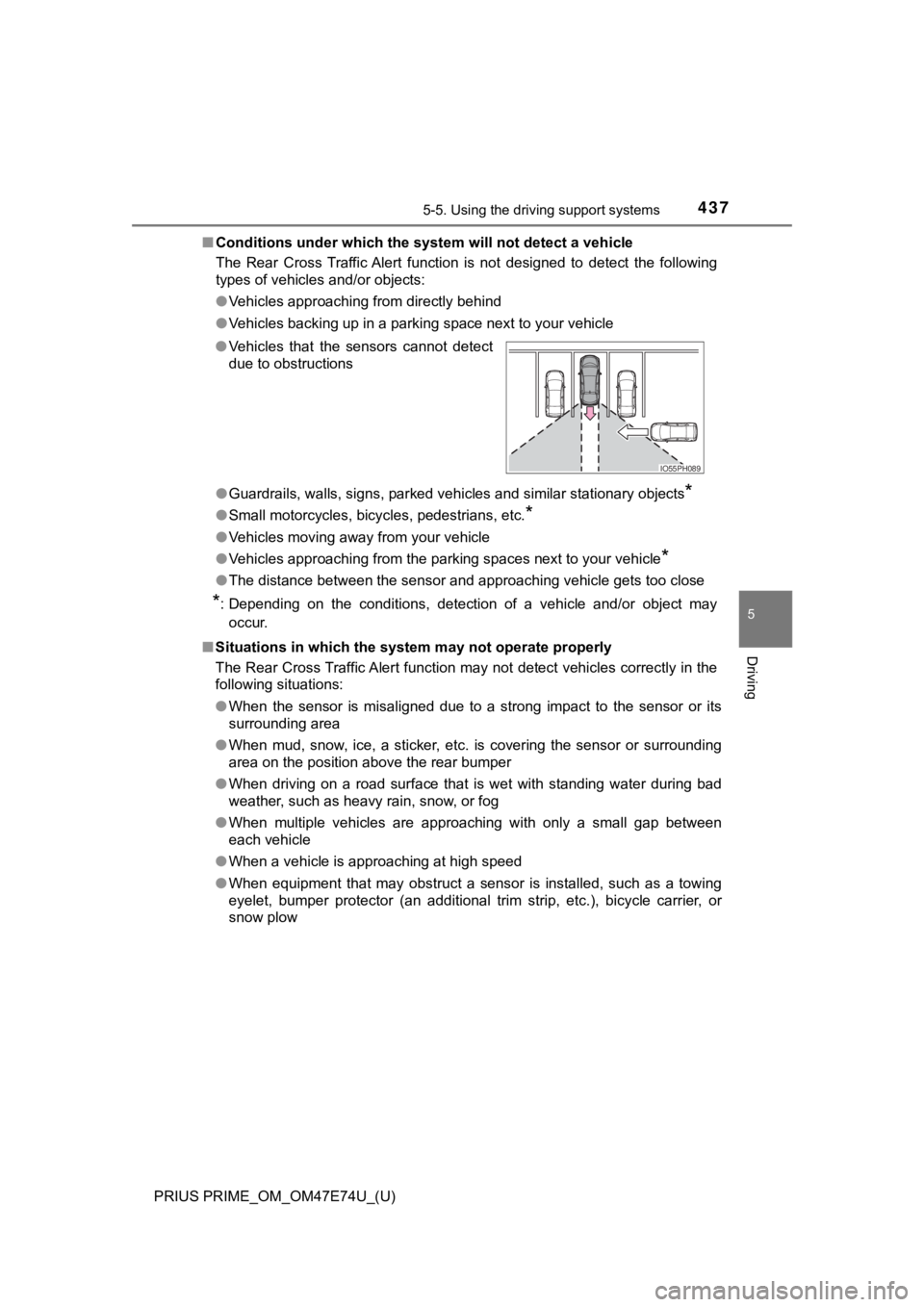
●
Vehicles that the sensors cannot detect
due to obstructions
IO55PH089
Page 441 of 808
441
PRIUS PRIME_OM_OM47E74U_(U)
5-5. Using the driving support systems
5
Driving
Intuitive parking assist
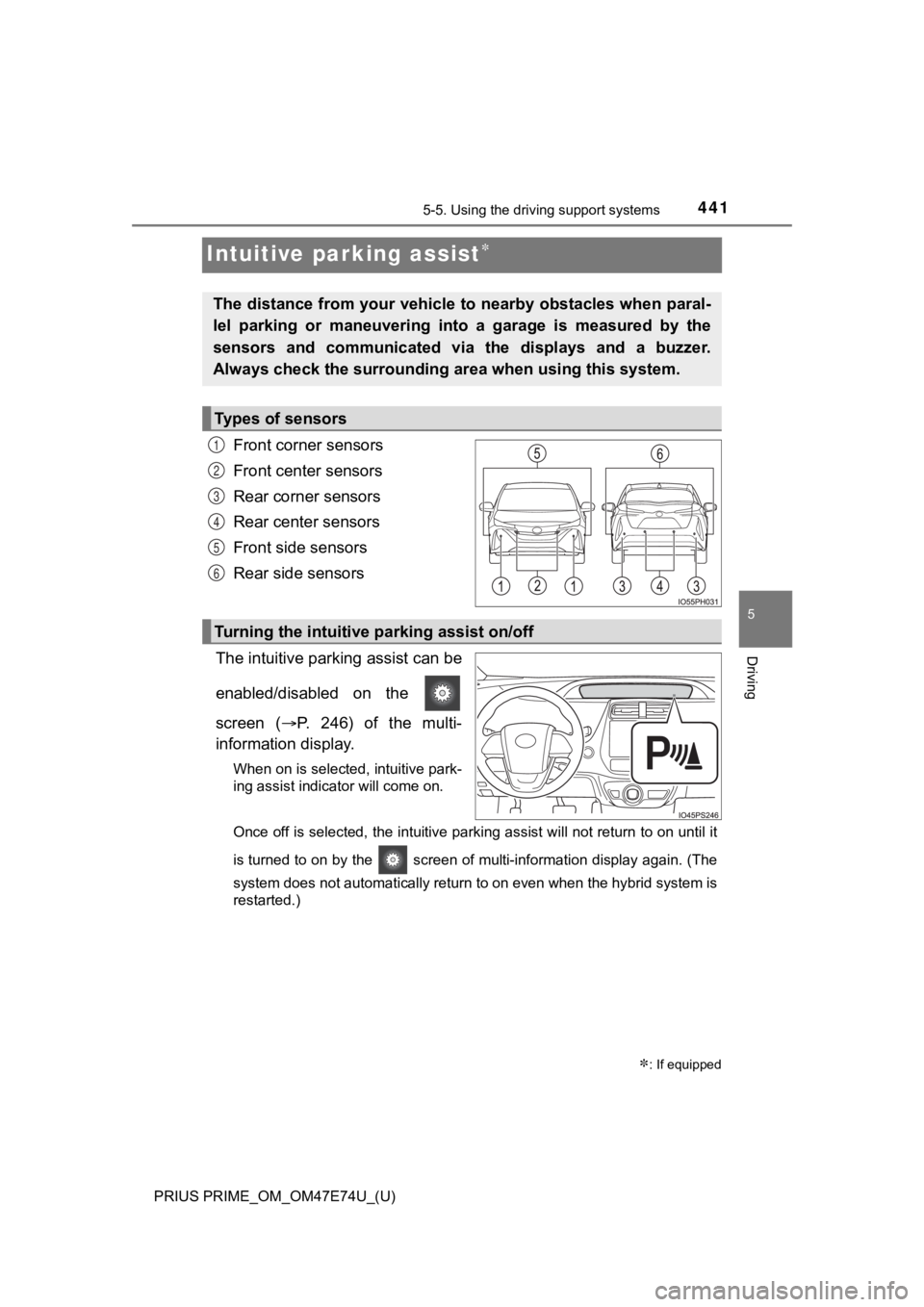
Front corner sensors
Front center sensors
Rear corner sensors
Rear center sensors
Front side sensors
Rear side sensors
The intuitive parking assist can be
enabled/disabled on the
screen ( P. 246) of the multi-
information display.
When on is selected, intuitive park-
ing assist indicator will come on.
Once off is selected, the intuitive parking assist will not return to on until it
is turned to on by the screen of multi-information display again. (The
system does not automatically return to on even when the hybrid system is
restarted.)
: If equipped
The distance from your vehicle to nearby obstacles when paral-
lel parking or maneuvering into a garage is measured by the
sensors and communicated via the displays and a buzzer.
Always check the surrounding ar ea when using this system.
Types of sensors
1
2
3
4
5
6
Turning the intuitive parking assist on/off
Page 445 of 808
PRIUS PRIME_OM_OM47E74U_(U)
4455-5. Using the driving support systems
5
Driving
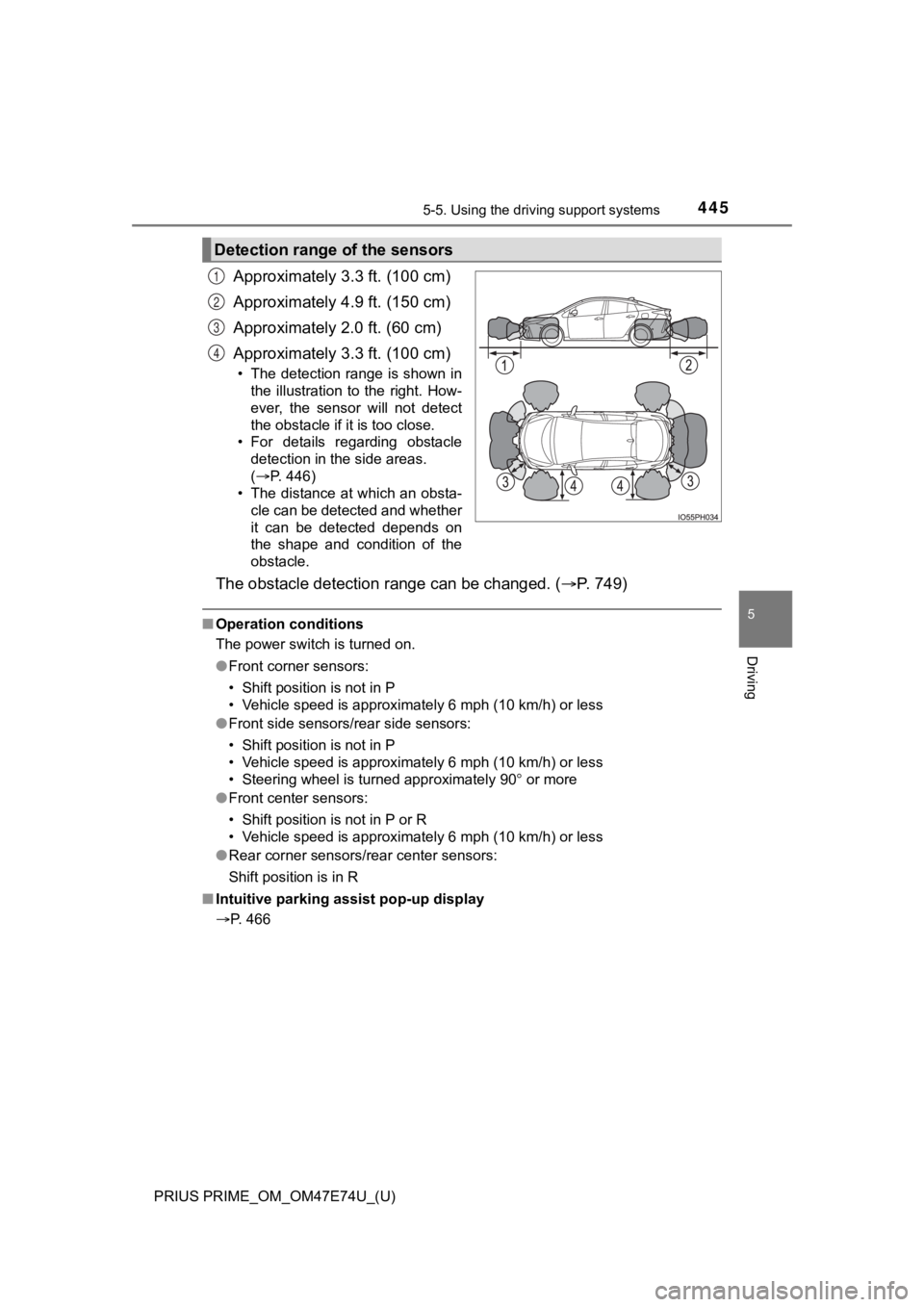
Approximately 3.3 ft. (100 cm)
Approximately 4.9 ft. (150 cm)
Approximately 2.0 ft. (60 cm)
Approximately 3.3 ft. (100 cm)
• The detection range is shown in
the illustration to the right. How-
ever, the sensor will not detect
the obstacle if it is too close.
• For details regarding obstacle detection in the side areas.
(P. 446)
• The distance at which an obsta- cle can be detected and whether
it can be detected depends on
the shape and condition of the
obstacle.
The obstacle detecti on range can be changed. ( P. 7 4 9 )
■Operation conditions
The power switch is turned on.
●Front corner sensors:
• Shift position is not in P
• Vehicle speed is approximately 6 mph (10 km/h) or less
● Front side sensors/rear side sensors:
• Shift position is not in P
• Vehicle speed is approximately 6 mph (10 km/h) or less
• Steering wheel is turned approximately 90 or more
● Front center sensors:
• Shift position is not in P or R
• Vehicle speed is approximately 6 mph (10 km/h) or less
● Rear corner sensors/rear center sensors:
Shift position is in R
■ Intuitive parking assist pop-up display
P. 466
Detection range of the sensors
1
2
3
4
Page 447 of 808
PRIUS PRIME_OM_OM47E74U_(U)
4475-5. Using the driving support systems
5
Driving
■If “Clean Parking Assist Sensor” is displayed on the multi-information
display
A sensor may be dirty or covered with snow or ice. In such case s, if it is
removed from the sensor, the system should return to normal.
Also, due to the sensor being frozen at low temperatures, a mal function dis-
play may appear or an obstacle may not be detected. If the sens or thaws out,
the system should return to normal.
■ If “Parking Assist Malfunction” is displayed on the multi-information dis-
play
Depending on the malfunction of the sensor, the device may not be working
normally. Have the vehicle inspected by your Toyota dealer.
■ Certification (Canada only)
This ISM device complies with Canadian ICES-001.
■ Customization
Settings (e.g. buzzer volume) can be changed.
(Customizable features: P. 749)
■ Objects which the system may not properly detect
The shape of the object may prevent the sensor from detecting it. Pay partic-
ular attention to the following objects:
● Wires, fences, ropes, etc.
● Cotton, snow and other materials that absorb sound waves
● Sharply-angled objects
● Low objects
● Tall objects with upper sections projecting outwards in the dir ection of your
vehicle
■ Situations in which the syst em may not operate properly
Certain vehicle conditions and the surrounding environment may affect the
ability of a sensor to correctly detect objects. Particular instances where this
may occur are listed below.
● There is dirt, snow, water drops or ice on a sensor. (Cleaning the sensors
will resolve this problem.)
● A sensor is frozen. (Thawing the area will resolve this problem .) In espe-
cially cold weather, if a sensor is frozen the sensor display m ay be displayed
abnormally, or objects, such as a wall, may not be detected.
● On an extremely bumpy road, on an incline, on gravel, or on grass.
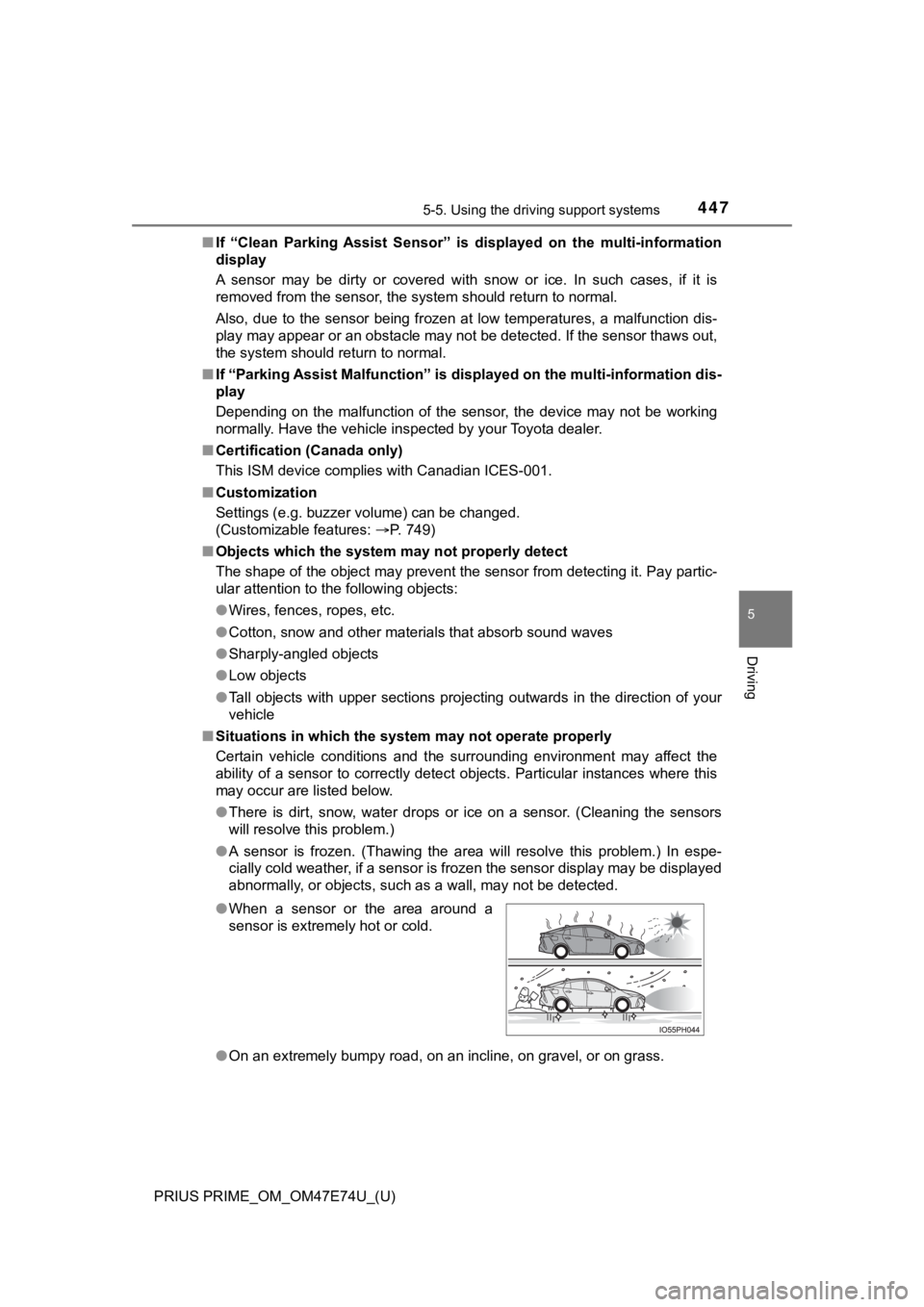
●
When a sensor or the area around a
sensor is extremely hot or cold.
Page 449 of 808
PRIUS PRIME_OM_OM47E74U_(U)
4495-5. Using the driving support systems
5
Driving
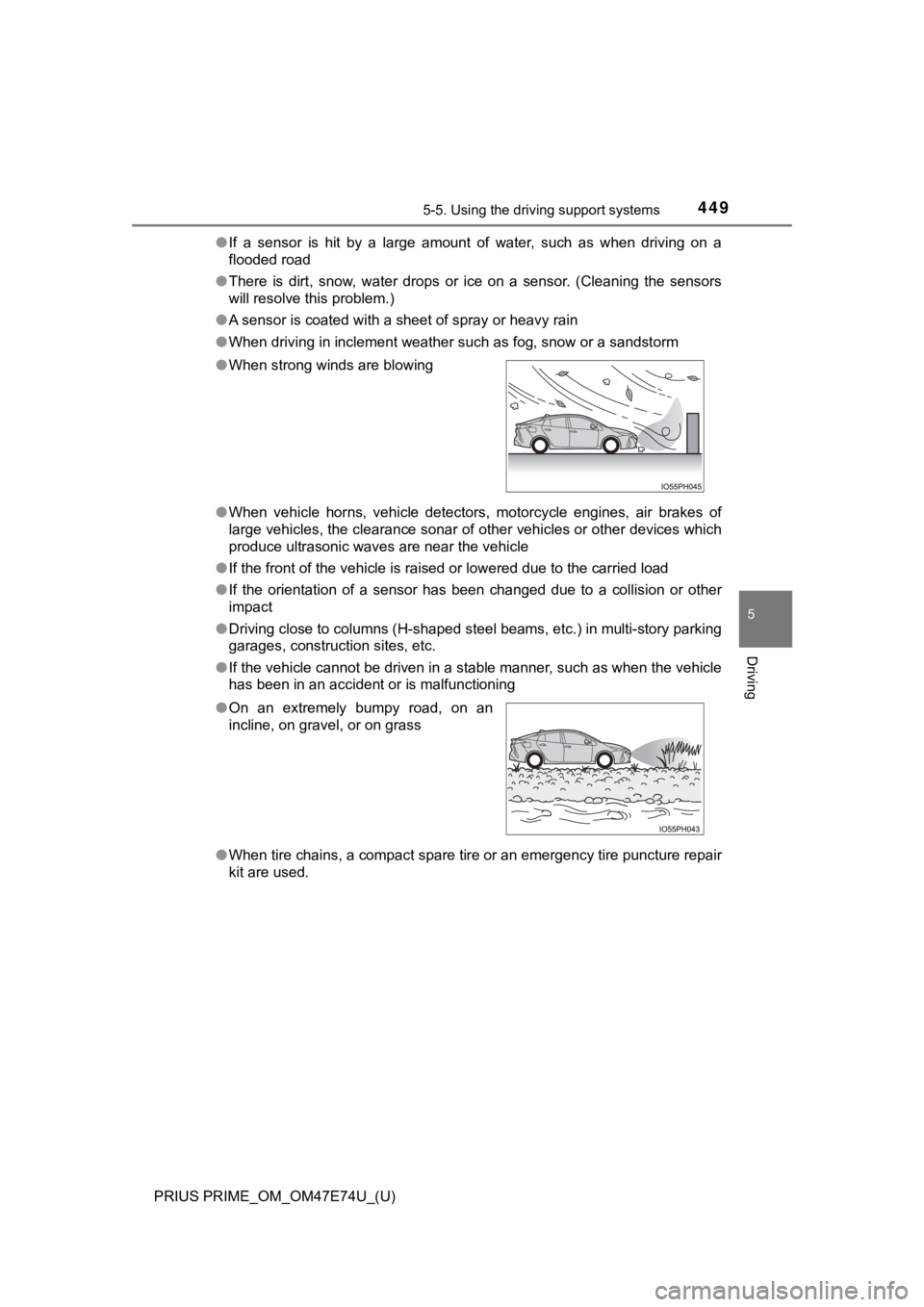
●If a sensor is hit by a large amount of water, such as when dri ving on a
flooded road
● There is dirt, snow, water drops or ice on a sensor. (Cleaning the sensors
will resolve this problem.)
● A sensor is coated with a sheet of spray or heavy rain
● When driving in inclement weather such as fog, snow or a sandst orm
● When vehicle horns, vehicle detectors, motorcycle engines, air brakes of
large vehicles, the clearance sonar of other vehicles or other devices which
produce ultrasonic waves are near the vehicle
● If the front of the vehicle is raised or lowered due to the car ried load
● If the orientation of a sensor has been changed due to a collis ion or other
impact
● Driving close to columns (H-shaped steel beams, etc.) in multi- story parking
garages, construction sites, etc.
● If the vehicle cannot be driven in a stable manner, such as whe n the vehicle
has been in an accident or is malfunctioning
● When tire chains, a compact spare tire or an emergency tire pun cture repair
kit are used.
●
When strong winds are blowing
● On an extremely bumpy road, on an
incline, on gravel, or on grass
Page 450 of 808

450
PRIUS PRIME_OM_OM47E74U_(U)
5-5. Using the driving support systems
WARNING
■Cautions regarding the use of the system
There is a limit to the degree of recognition accuracy and cont rol perfor-
mance that this system can provide, do not overly rely on this system. The
driver is always responsible for paying attention to the vehicl e’s surround-
ings and driving safely.
■ To ensure the system can operate properly
Observe the following precautions to avoid an unexpected accident.
● Do not damage the sensors, and always keep them clean.
● Do not attach a sticker or install an electronic component, such as a backlit
license plate (especially fluorescent type), fog lights, fender pole or wire-
less antenna near a radar sensor.
● Do not subject the surrounding area of the sensor to a strong impact. If
subjected to an impact, have the vehicle inspected by your Toyota dealer.
If the front or rear bumper needs to be removed/installed or replaced, con-
tact your Toyota dealer.
● Do not modify, disassemble or paint the sensors.
● Do not attach a license plate cover.
● Keep your tires properly inflated.
■ When to disable the function
In the following situations, disable the function as it may operate even
though there is no possibility of a collision.
● Failing to observe the warnings above.
● A non-genuine Toyota suspension (lowered suspension, etc.) is installed.
■ Side sensors
In the following situations, the intuitive parking assist may n ot operate nor-
mally and may result in an unexpected accident. Drive carefully.
● Obstacles may not be detected in the side areas until the vehicle is driven
for a short time and a scan of the side areas is completed. ( P. 446)
● Even after the scan of the side areas is completed, obstacles s uch as
other vehicles, people or animals that approach from the sides cannot be
detected.
● Even after the scan of the side areas is completed, obstacles may not be
detected depending on the surrounding situation of the vehicle.
At that time, the side sensor operation displays ( P. 442) temporary turn
off.
Page 451 of 808

PRIUS PRIME_OM_OM47E74U_(U)
4515-5. Using the driving support systems
5
Driving
WARNING
■Notes when washing the vehicle
● Do not apply intensive bursts of water or steam to the sensor area.
Doing so may result in the sensor malfunctioning.
● When using steam to wash the vehicle, do not direct steam too c lose to
the sensors. The sensors may not function properly if subjected to steam.
NOTICE
■ When using intuitive parking assist
In the following situations, the system may not function correctly due to a
sensor malfunction etc. Have the vehicle checked by your Toyota dealer.
● Intuitive parking assist operation display flashes, and a beep sounds when
no obstacles are detected.
● If the area around a sensor collides with something, or is subjected to
strong impact.
● If the bumper collides with something.
● If the display shows up and remains on without a beep.
● If a display error occurs, first check the sensor.
If the error occurs even when there is no ice, snow or mud on the sensor, it
is likely that the sensor is malfunctioning.
Page 452 of 808
452
PRIUS PRIME_OM_OM47E74U_(U)
5-5. Using the driving support systems
Parking Suppor t Brake function
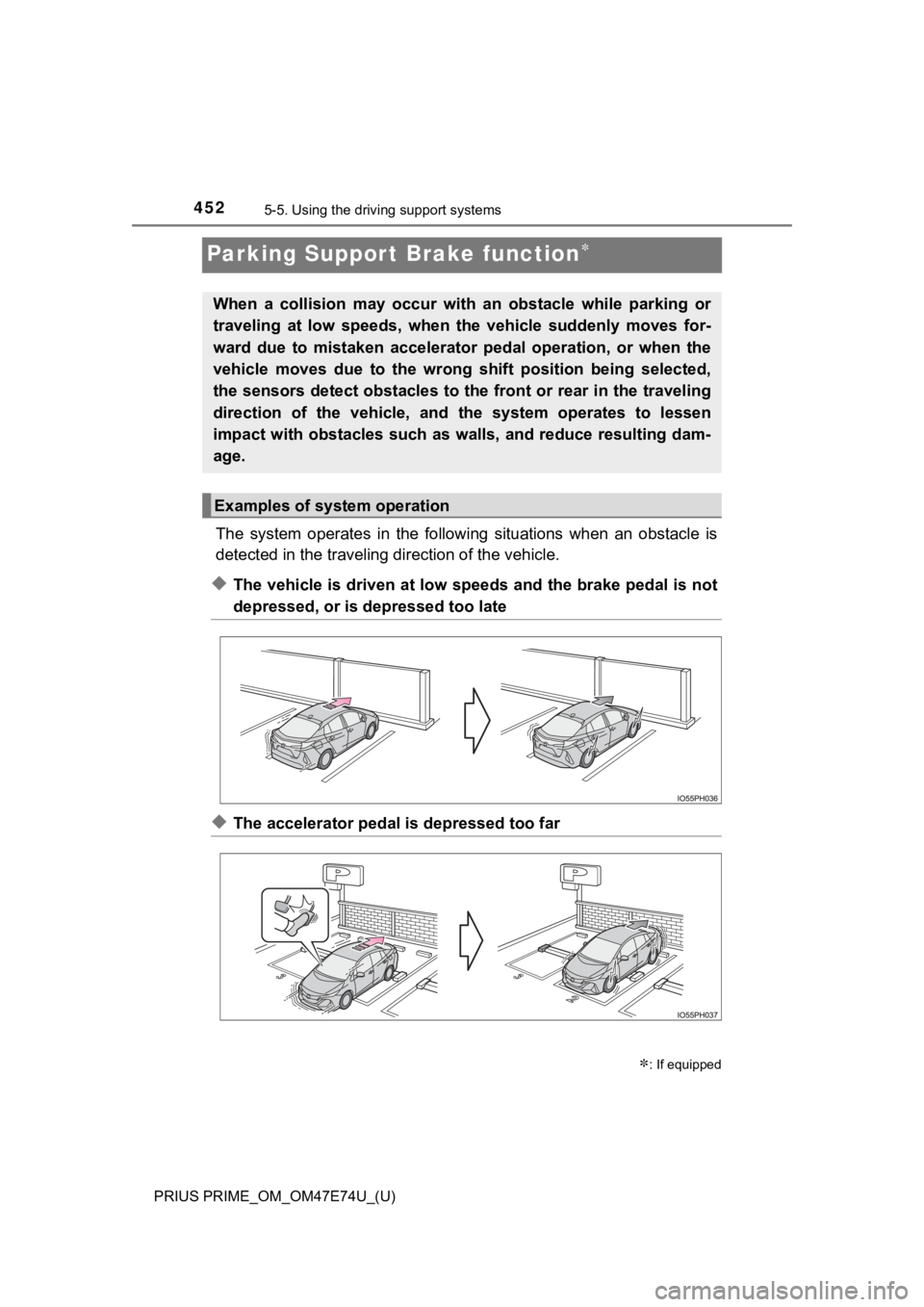
The system operates in the follo wing situations when an obstacle is
detected in the traveling d irection of the vehicle.
◆The vehicle is driven at low speeds and the brake pedal is not
depressed, or is depressed too late
◆The accelerator pedal is depressed too far
: If equipped
When a collision may occur with an obstacle while parking or
traveling at low speeds, when the vehicle suddenly moves for-
ward due to mistaken accelerator pedal operation, or when the
vehicle moves due to the wrong shift position being selected,
the sensors detect obstacles to the front or rear in the travel ing
direction of the vehicle, and the system operates to lessen
impact with obstacles such as walls, and reduce resulting dam-
age.
Examples of system operation
Page 453 of 808
PRIUS PRIME_OM_OM47E74U_(U)
4535-5. Using the driving support systems
5
Driving
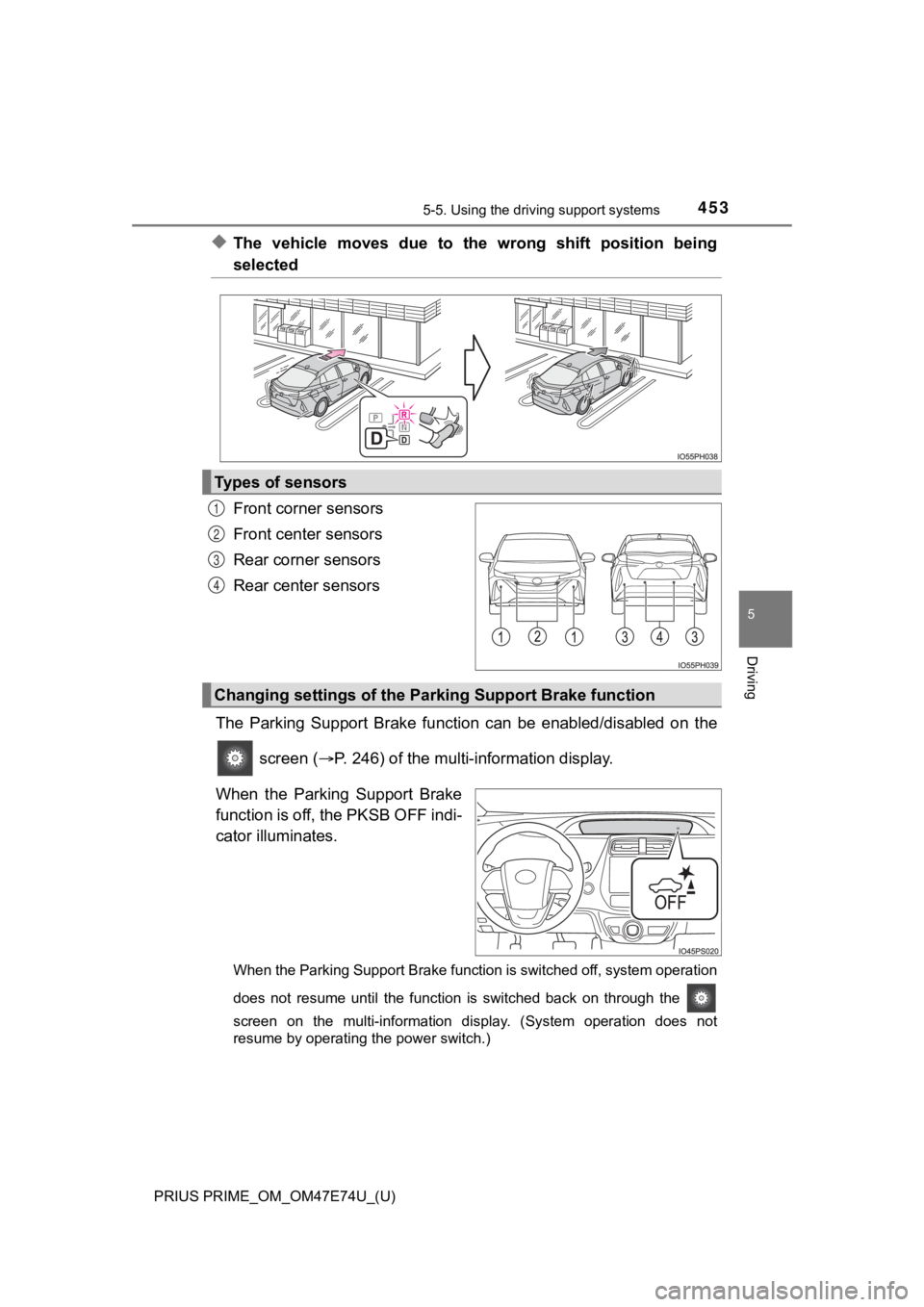
◆The vehicle moves due to the wrong shift position being
selected
Front corner sensors
Front center sensors
Rear corner sensors
Rear center sensors
The Parking Support Brake funct ion can be enabled/disabled on the
screen ( P. 246) of the multi-information display.
When the Parking Support Brake
function is off, the PKSB OFF indi-
cator illuminates.
When the Parking Support Brake function is switched off, system operation
does not resume until the function is switched back on through the
screen on the multi-information display. (System operation does not
resume by operating the power switch.)
Types of sensors
1
2
3
4
Changing settings of the Park ing Support Brake function
Page 458 of 808

458
PRIUS PRIME_OM_OM47E74U_(U)
5-5. Using the driving support systems
■Sensor detection range
The detection range of the Parking Support Brake function diffe rs from the
detection range of the intuitive parking assist. ( P. 445)
Therefore, even if the intuitive parking assist detects an obst acle and pro-
vides a warning, the Parking Support Brake function may not sta rt operating.
■ System operation
When the vehicle is stopped by system operation, the Parking Support Brake
function stops and the PKSB OFF indicator illuminates.
■ System recovery
When the Parking Support Brake function is stopped by system op eration
and you would like to resume operation, either turn the Parking Support
Brake function on again ( P. 453), or turn the power switch off and then back
on. Furthermore, when the vehicle moves with an obstacle no lon ger in the
traveling direction of the vehicle, or when the traveling direc tion of the vehicle
changes (such as when switching from moving forward to backing up, and
vice versa), system operation automatically resumes.
■ Obstacles not detected by the sensors
The following obstacles may not be detected by the sensors.
●Objects such as people, cloth and snow, that are difficult for sonic waves to
reflect off of. (In particular, people may also not be detected depending on
the type of clothing they are wearing.)
● Objects not perpendicular with the ground, objects not at a rig ht angle to the
traveling direction of the vehicle, uneven objects or waving objects
● Low objects
● Thin objects such as wires, fences, ropes and signposts
● Objects that are extremely close to the bumper
■ Situations in which the syst em may not operate properly
P. 447
■ Situations in which the system may operate even if there is no possibil-
ity of a collision
P. 448
■ In the unlikely event that the Parking Support Brake function m istakenly
operates at a crossing or elsewhere
Even in the unlikely event that the Parking Support Brake funct ion mistakenly
operates at a crossing or elsewhere, brake control is canceled after approxi-
mately 2 seconds, allowing you to proceed forward and leave the area. Fur-
thermore, brake control is also canceled when the brake pedal i s depressed.
Depressing the accelerator pedal again allows you to proceed forward and
leave the area.
■ When removing and instal ling the 12-volt battery
The system needs to be initialized.
The system can be initialized by driving the vehicle straight a head for 5 sec-
onds or more at a speed of approximately 22 mph (35 km/h) or hi gher.