park assist TOYOTA PRIUS PRIME 2023 Owners Manual
[x] Cancel search | Manufacturer: TOYOTA, Model Year: 2023, Model line: PRIUS PRIME, Model: TOYOTA PRIUS PRIME 2023Pages: 680, PDF Size: 14.97 MB
Page 3 of 680
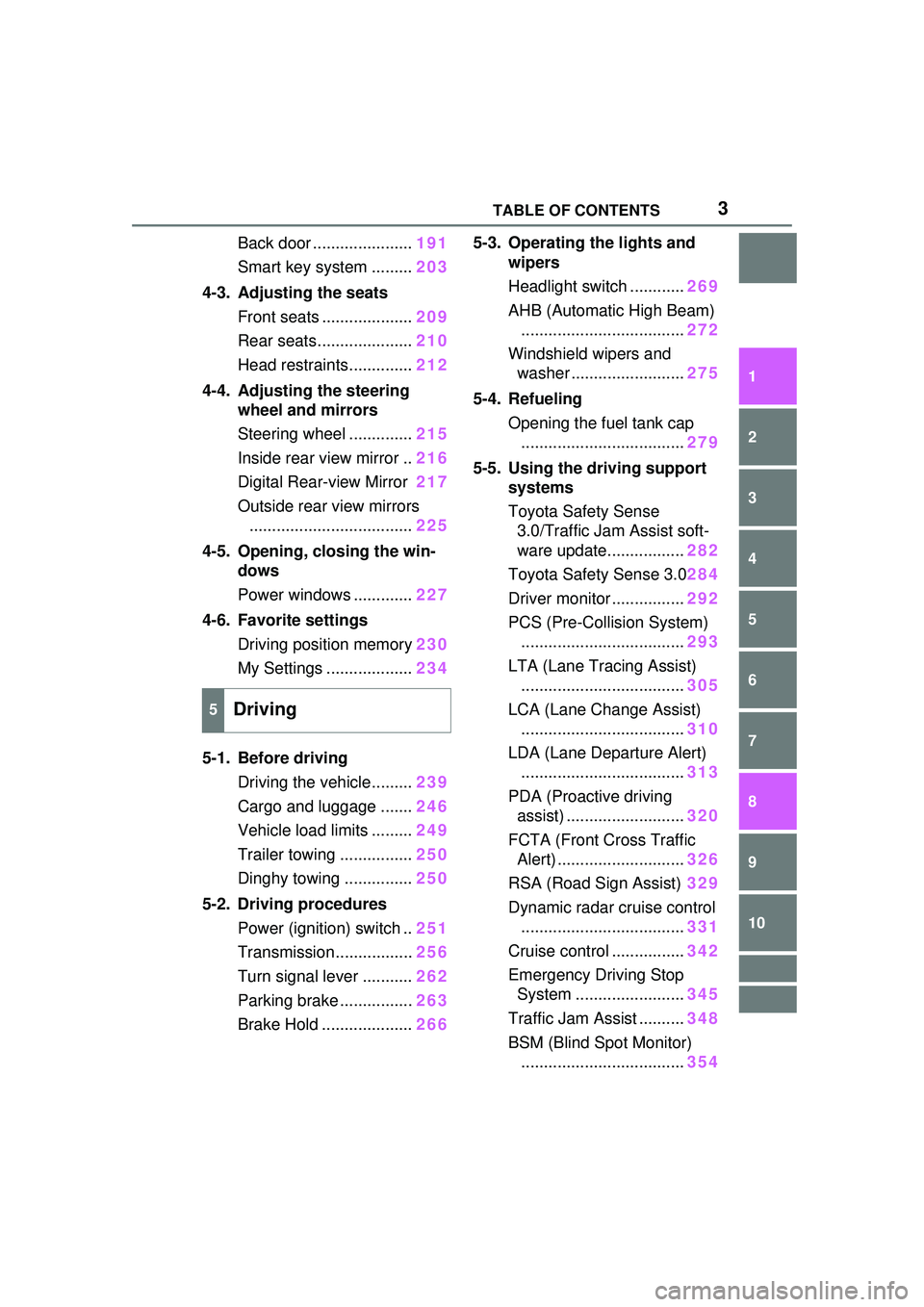
3TABLE OF CONTENTS
1
2
3
4
5
6
7
8
9
10
Back door ......................191
Smart key system ......... 203
4-3. Adjusting the seats Front seats .................... 209
Rear seats..................... 210
Head restraints.............. 212
4-4. Adjusting the steering wheel and mirrors
Steering wheel .............. 215
Inside rear view mirror .. 216
Digital Rear-view Mirror 217
Outside rear view mirrors .................................... 225
4-5. Opening, closing the win- dows
Power windows ............. 227
4-6. Favorite settings Driving position memory 230
My Settings ................... 234
5-1. Before driving Driving the vehicle......... 239
Cargo and luggage ....... 246
Vehicle load limits ......... 249
Trailer towing ................ 250
Dinghy towing ............... 250
5-2. Driving procedures Power (ignition) switch .. 251
Transmission................. 256
Turn signal lever ........... 262
Parking brake ................ 263
Brake Hold .................... 2665-3. Operating the lights and
wipers
Headlight switch ............ 269
AHB (Automatic High Beam) .................................... 272
Windshield wipers and washer ......................... 275
5-4. Refueling Opening the fuel tank cap.................................... 279
5-5. Using the driving support systems
Toyota Safety Sense 3.0/Traffic Jam Assist soft-
ware update................. 282
Toyota Safety Sense 3.0 284
Driver monitor ................ 292
PCS (Pre-Collision System) .................................... 293
LTA (Lane Tracing Assist) .................................... 305
LCA (Lane Change Assist) .................................... 310
LDA (Lane Departure Alert) .................................... 313
PDA (Proactive driving assist) .......................... 320
FCTA (Front Cross Traffic Alert) ............................ 326
RSA (Road Sign Assist) 329
Dynamic radar cruise control .................................... 331
Cruise control ................ 342
Emerge
ncy Driving Stop
System ........................ 345
Traffic Jam Assist .......... 348
BSM (Blind Spot Monitor) .................................... 354
5Driving
Page 4 of 680
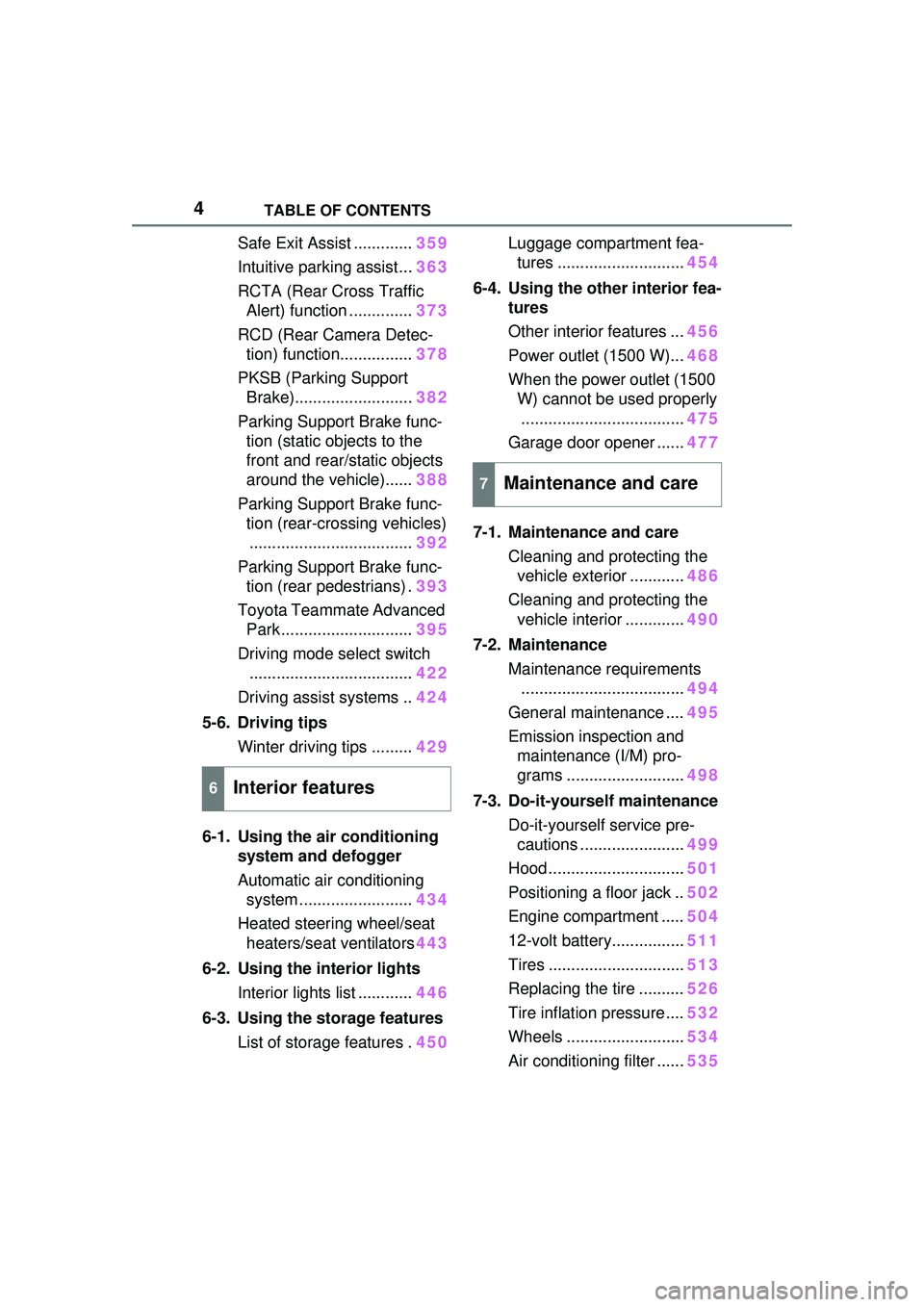
4TABLE OF CONTENTS
Safe Exit Assist .............359
Intuitive parking assist... 363
RCTA (Rear Cross Traffic Alert) function .............. 373
RCD (Rear Camera Detec- tion) function................ 378
PKSB (Parking Support Brake).......................... 382
Parking Support Brake func- tion (static objects to the
front and rear/static objects
around the vehicle)...... 388
Parking Support Brake func- tion (rear-crossing vehicles).................................... 392
Parking Support Brake func- tion (rear pedestrians) . 393
Toyota Teammate Advanced Park ............................. 395
Driving mode select switch .................................... 422
Driving assist systems .. 424
5-6. Driving tips Winter driving tips ......... 429
6-1. Using the air conditioning system and defogger
Automatic air conditioning system ......................... 434
Heated steering wheel/seat heaters/seat ventilators 443
6-2. Using the interior lights Interior lights list ............ 446
6-3. Using the storage features List of storage features . 450Luggage compartment fea-
tures ............................ 454
6-4. Using the other interior fea- tures
Other interior features ... 456
Power outlet (1500 W)... 468
When the power outlet (1500 W) cannot be used properly
.................................... 475
Garage door opener ...... 477
7-1. Maintenance and care Cleaning and protecting the vehicle exterior ............ 486
Cleaning and protecting the vehicle interior ............. 490
7-2. Maintenance Maintenance requirements.................................... 494
General maintenance .... 495
Emission inspection and maintenance (I/M) pro-
grams .......................... 498
7-3. Do-it-yourself maintenance Do-it-yourself service pre-cautions ....................... 499
Hood .............................. 501
Positioning a floor jack .. 502
Engine compartment ..... 504
12-volt battery................ 511
Tires .............................. 513
Replacing the tire .......... 526
Tire inflation pressure .... 532
Wheels .......................... 534
Air conditioning filter ...... 53
5
6Interior features
7Maintenance and care
Page 21 of 680
21Pictorial index
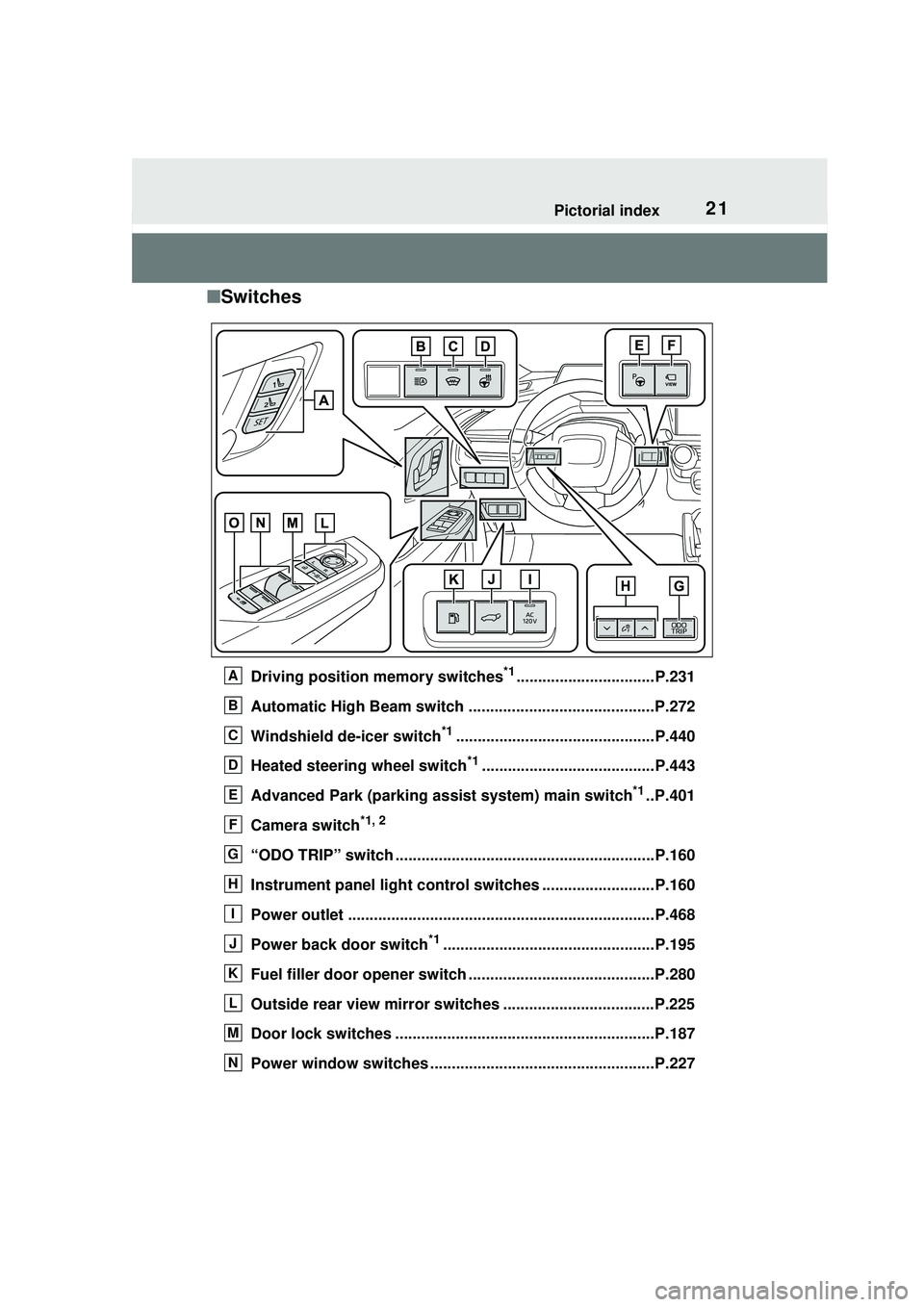
■Switches
Driving position memory switches*1................................P.231
Automatic High Beam switch ...........................................P.272
Windshield de-icer switch
*1..............................................P.440
Heated steering wheel switch
*1........................................P.443
Advanced Park (parking assist system) main switch
*1..P.401
Camera switch
*1, 2
“ODO TRIP” switch ............................................................P.160
Instrument panel light control switches ..........................P.160
Power outlet .......................................................................P.468
Power back door switch
*1.................................................P.195
Fuel filler door opener switch ...........................................P.280
Outside rear view mirror switches ...................................P.225
Door lock switches ............................................................P.187
Power window switches ................................. ...................P.227
A
B
C
D
E
F
G
H
I
J
K
L
M
N
Page 136 of 680
1362-2. Charging
the power consumption inside the
vehicle is improved.
• To continue using “My Room
Mode”, turn off the power of sys-
tems such as the air conditioning
system and audio system to
increase the remaining charge of
the hybrid battery (traction bat-
tery).
*: The power balance status during
“My Room Mode” can be checked
from the remaining charge dis-
play screen for the hybrid battery
(traction battery) displayed on the
multi-informat ion display.
( P.134)
*: If equipped
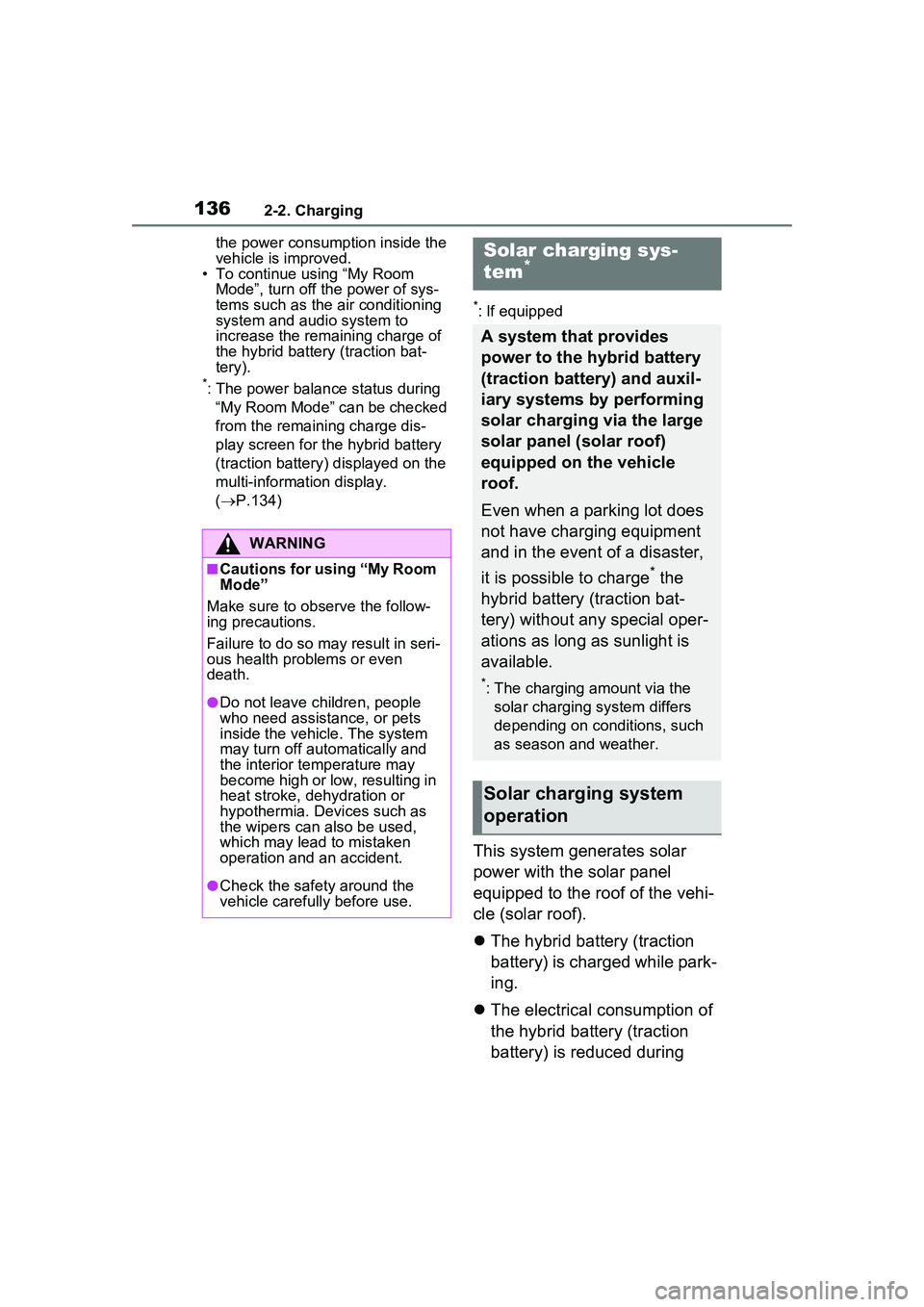
This system generates solar
power with the solar panel
equipped to the roof of the vehi-
cle (solar roof).
The hybrid battery (traction
battery) is charged while park-
ing.
The electrical consumption of
the hybrid battery (traction
battery) is reduced during
WARNING
■Cautions for using “My Room
Mode”
Make sure to ob serve the follow-
ing precautions.
Failure to do so may result in seri-
ous health problems or even
death.
●Do not leave children, people
who need assistance, or pets
inside the vehicle. The system
may turn off automatically and
the interior temperature may
become high or low, resulting in
heat stroke, dehydration or
hypothermia. Devices such as
the wipers can also be used,
which may lead to mistaken
operation and an accident.
●Check the safety around the
vehicle carefully before use.
Solar charging sys-
tem*
A system that provides
power to the hybrid battery
(traction battery) and auxil-
iary systems by performing
solar charging via the large
solar panel (solar roof)
equipped on the vehicle
roof.
Even when a parking lot does
not have charging equipment
and in the event of a disaster,
it is possible to charge
* the
hybrid battery (traction bat-
tery) without any special oper-
ations as long as sunlight is
available.
*: The charging amount via the solar charging system differs
depending on conditions, such
as season and weather.
Solar charging system
operation
Page 151 of 680
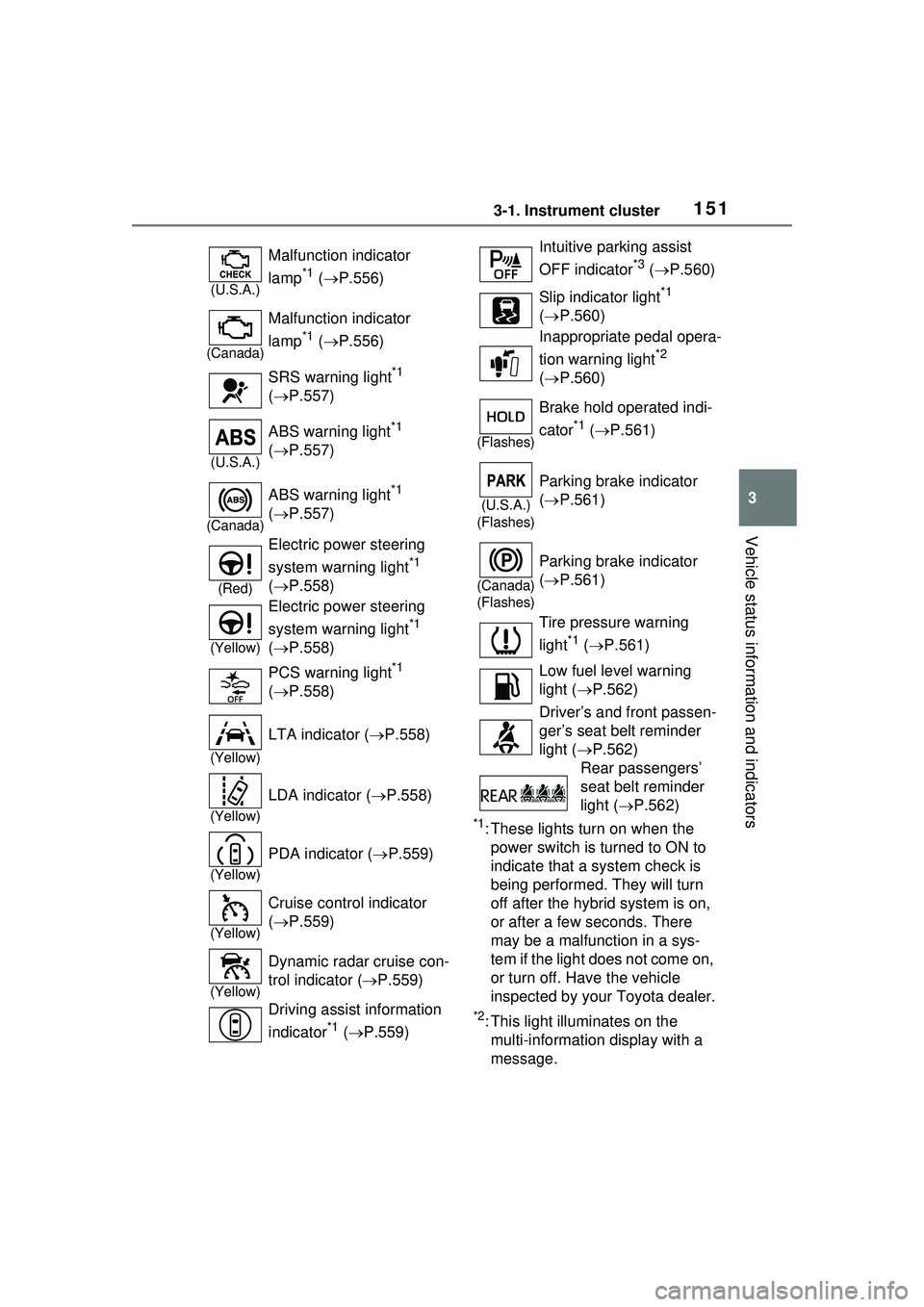
1513-1. Instrument cluster
3
Vehicle status information and indicators
*1: These lights turn on when the power switch is turned to ON to
indicate that a system check is
being performed. They will turn
off after the hybrid system is on,
or after a few seconds. There
may be a malfunction in a sys-
tem if the light does not come on,
or turn off. Have the vehicle
inspected by your Toyota dealer.
*2: This light illuminates on the multi-informatio n display with a
message.
(U.S.A.)
Malfunction indicator
lamp
*1 ( P.556)
(Canada)
Malfunction indicator
lamp
*1 ( P.556)
SRS warning light
*1
( P.557)
(U.S.A.)
ABS warning light*1
( P.557)
(Canada)
ABS warning light*1
( P.557)
(Red)
Electric power steering
system warning light
*1
( P.558)
(Yellow)
Electric power steering
system warning light
*1
( P.558)
PCS warning light
*1
( P.558)
(Yellow)
LTA indicator ( P.558)
(Yellow)
LDA indicator ( P.558)
(Yellow)
PDA indicator ( P.559)
(Yellow)
Cruise control indicator
( P.559)
(Yellow)
Dynamic radar cruise con-
trol indicator ( P.559)
Driving assist information
indicator
*1 ( P.559)
Intuitive parking assist
OFF indicator
*3 ( P.560)
Slip indicator light
*1
( P.560)
Inappropriate pedal opera-
tion warning light
*2
( P.560)
(Flashes)
Brake hold operated indi-
cator
*1 ( P.561)
(U.S.A.)
(Flashes)
Parking brake indicator
( P.561)
(Canada)
(Flashes)
Parking brake indicator
( P.561)
Tire pressure warning
light
*1 ( P.561)
Low fuel level warning
light ( P.562)
Driver’s and front passen-
ger’s seat belt reminder
light ( P.562)
Rear passengers’
seat belt reminder
light ( P.562)
Page 152 of 680
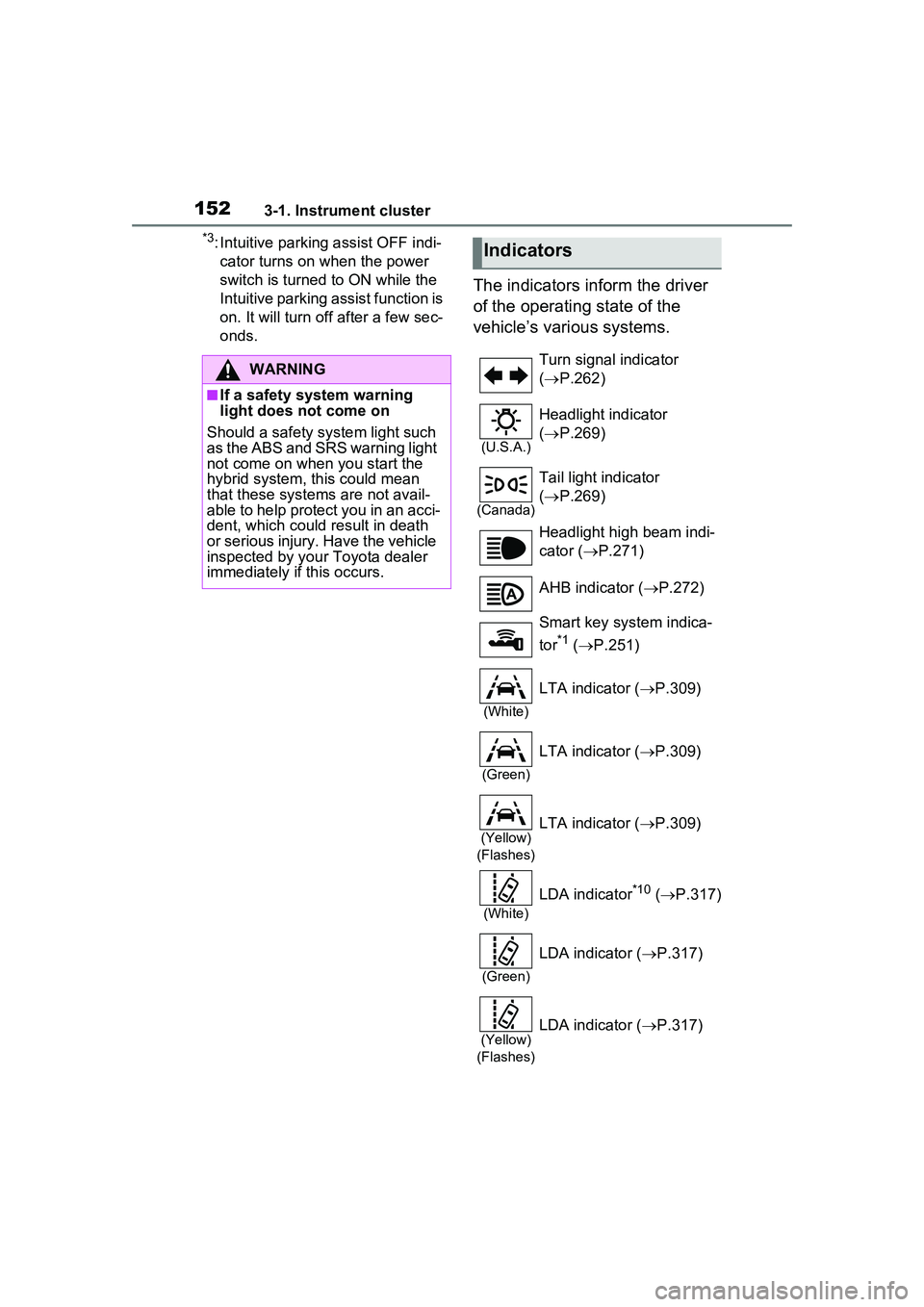
1523-1. Instrument cluster
*3: Intuitive parking assist OFF indi-cator turns on when the power
switch is turned to ON while the
Intuitive parking assist function is
on. It will turn off after a few sec-
onds.
The indicators inform the driver
of the operating state of the
vehicle’s various systems.
WARNING
■If a safety system warning
light does not come on
Should a safety system light such
as the ABS and SRS warning light
not come on when you start the
hybrid system, this could mean
that these systems are not avail-
able to help protect you in an acci-
dent, which could result in death
or serious injury. Have the vehicle
inspected by your Toyota dealer
immediately if this occurs.
Indicators
Turn signal indicator
( P.262)
(U.S.A.)
Headlight indicator
( P.269)
(Canada)
Tail light indicator
( P.269)
Headlight high beam indi-
cator ( P.271)
AHB indicator ( P.272)
Smart key system indica-
tor
*1 ( P.251)
(White)
LTA indicator ( P.309)
(Green)
LTA indicator ( P.309)
(Yellow)
(Flashes)LTA indicator ( P.309)
(White)
LDA indicator*10 ( P.317)
(Green)
LDA indicator ( P.317)
(Yellow)
(Flashes)LDA indicator ( P.317)
Page 153 of 680
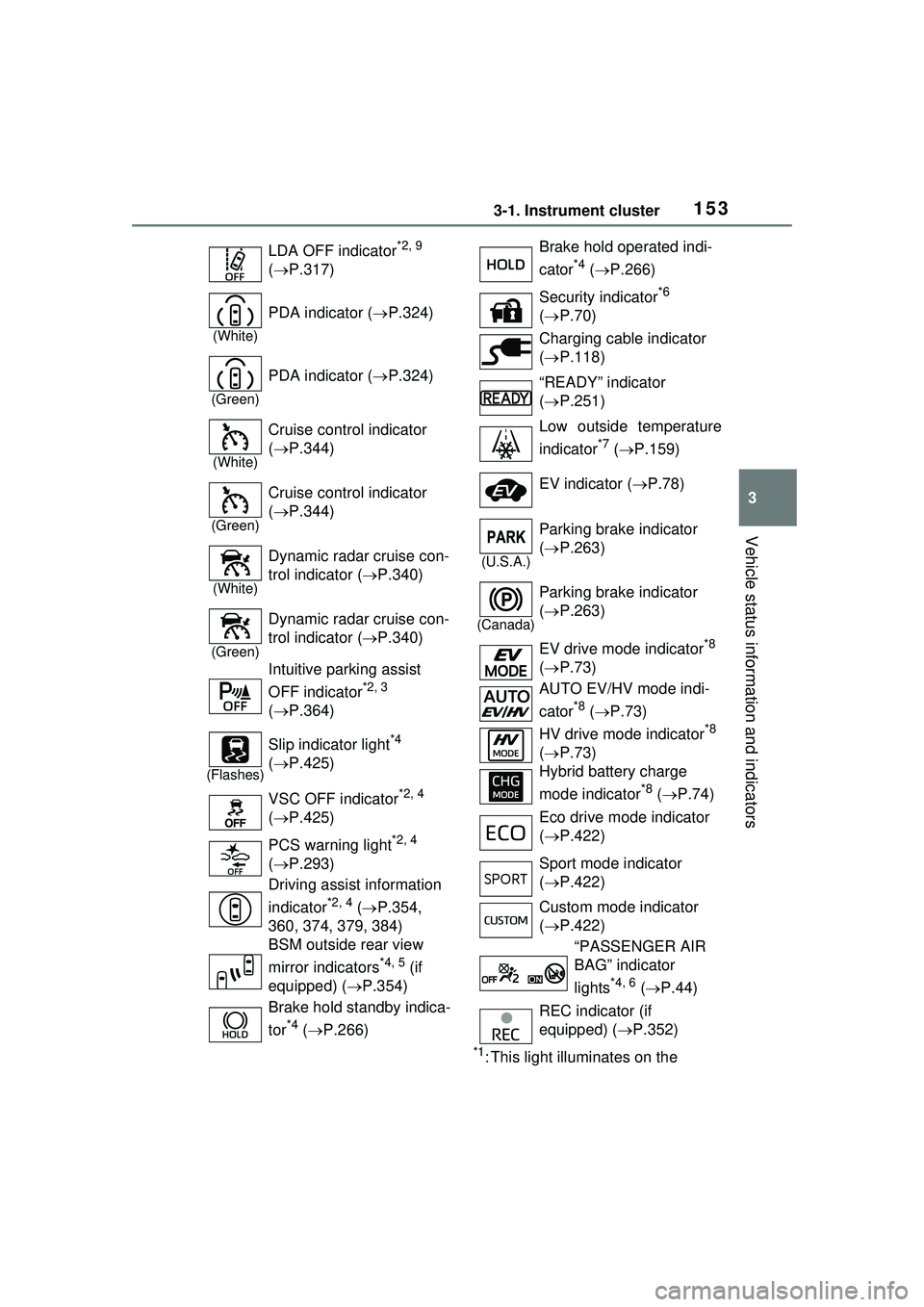
1533-1. Instrument cluster
3
Vehicle status information and indicators
*1: This light illuminates on the
LDA OFF indicator
*2, 9
( P.317)
(White)
PDA indicator ( P.324)
(Green)
PDA indicator ( P.324)
(White)
Cruise control indicator
( P.344)
(Green)
Cruise control indicator
( P.344)
(White)
Dynamic radar cruise con-
trol indicator ( P.340)
(Green)
Dynamic radar cruise con-
trol indicator ( P.340)
Intuitive parking assist
OFF indicator
*2, 3
( P.364)
(Flashes)
Slip indicator light*4
( P.425)
VSC OFF indicator
*2, 4
( P.425)
PCS warning light
*2, 4
( P.293)
Driving assist information
indicator
*2, 4 ( P.354,
360, 374, 379, 384)
BSM outside rear view
mirror indicators
*4, 5 (if
equipped) ( P.354)
Brake hold standby indica-
tor
*4 ( P.266)
Brake hold operated indi-
cator
*4 ( P.266)
Security indicator
*6
( P.70)
Charging cable indicator
( P.118)
“READY” indicator
( P.251)
Low outside temperature
indicator
*7 ( P.159)
EV indicator ( P.78)
(U.S.A.)
Parking brake indicator
( P.263)
(Canada)
Parking brake indicator
( P.263)
EV drive mode indicator
*8
( P.73)
AUTO EV/HV mode indi-
cator
*8 ( P.73)
HV drive mode indicator
*8
( P.73)
Hybrid battery charge
mode indicator
*8 ( P.74)
Eco drive mode indicator
( P.422)
Sport mode indicator
( P.422)
Custom mode indicator
( P.422)
“PASSENGER AIR
BAG” indicator
lights
*4, 6 ( P.44)
REC indicator (if
equipped) ( P.352)
Page 154 of 680
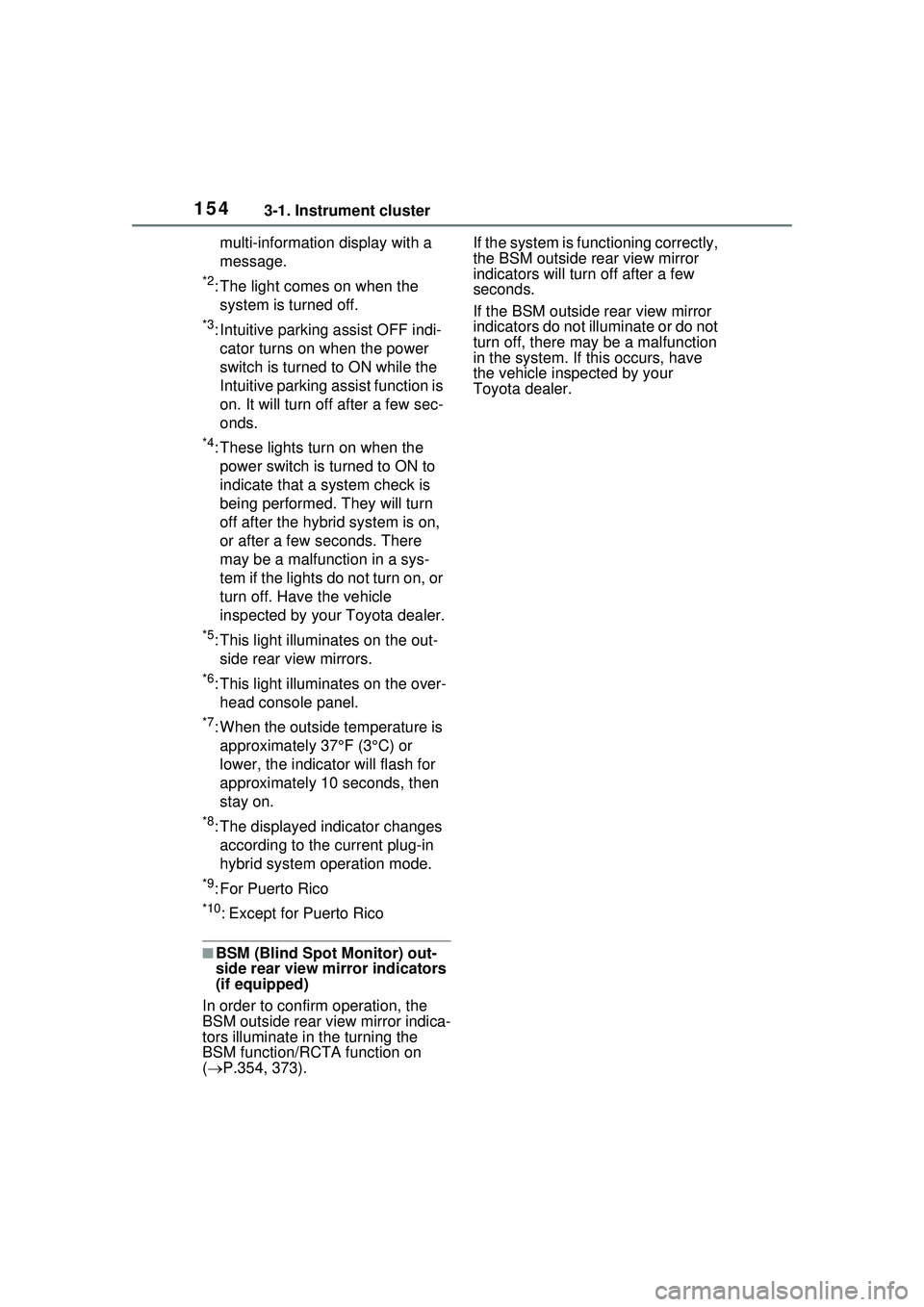
1543-1. Instrument cluster
multi-information display with a
message.
*2: The light comes on when the system is turned off.
*3: Intuitive parking assist OFF indi-cator turns on when the power
switch is turned to ON while the
Intuitive parking assist function is
on. It will turn off after a few sec-
onds.
*4: These lights turn on when the power switch is turned to ON to
indicate that a system check is
being performed. They will turn
off after the hybrid system is on,
or after a few seconds. There
may be a malfunction in a sys-
tem if the lights do not turn on, or
turn off. Have the vehicle
inspected by your Toyota dealer.
*5: This light illuminates on the out- side rear view mirrors.
*6: This light illuminates on the over-head console panel.
*7: When the outside temperature is approximately 37°F (3°C) or
lower, the indicator will flash for
approximately 10 seconds, then
stay on.
*8: The displayed indicator changes according to the current plug-in
hybrid system operation mode.
*9: For Puerto Rico
*10: Except for Puerto Rico
■BSM (Blind Spot Monitor) out-
side rear view mirror indicators
(if equipped)
In order to confirm operation, the
BSM outside rear view mirror indica-
tors illuminate in the turning the
BSM function/RCTA function on
( P.354, 373). If the system is functioning correctly,
the BSM outside rear view mirror
indicators will turn off after a few
seconds.
If the BSM outside rear view mirror
indicators do not illuminate or do not
turn off, there may be a malfunction
in the system. If this occurs, have
the vehicle inspected by your
Toyota dealer.
Page 168 of 680
1683-1. Instrument cluster
system.
“Sensitivity”
Select to change the alert timing for
a detected object.
SA (Steering Assist)
Select to enable/disable the Steer-
ing Assist function.
DA (Deceleration Assist)
Select to enable/disable the Decel-
eration Assist function.
OAA (Obstacle Anticipation
Assist)
Select to enable/disable the Obsta-
cle Anticipation Assist function.
■ Intuitive parking
assist ( P.363)
Select to set up the following
items.
Intuitive parking assist on/off
Select to enable/disable the intui-
tive parking assist.
Volume
Select to set the volume of the
buzzer which sounds when the
RCTA (if equipped), the RCD (if
equipped) or intuitive parking assist
is operated.
■ RCTA (Rear Cross Traf-
fic Alert) (if equipped)
( P.373)
Select to set up the following
items.
RCTA (Rear Cross Traffic
Alert) on/off
Select to enable/disable the RCTA
system.
Volume
Select to set the volume of the
buzzer which sounds when the
RCTA, the RCD (if equipped) or the
intuitive parking as sist is operated.
■ RCD (Rear Camera
Detection) function (if
equipped) ( P.378)
Select to enable/disable the
Rear Camera Detection func-
tion.
■ PKSB (Parking Sup-
port Brake System) (if
equipped) ( P.382)
Select to enable/disable the
Parking Support Brake function.
■ SEA (Safe Exit Assist) (if
equipped) ( P.359)
Select to set up the following
items.
Safe Exit Assist on/off
Select to enable/d isable the Safe
Exit Assist system.
“Sensitivity”
Select to change the alert timing for
a vehicle or bicycle.
Mirror indicate on/off
Select to enable/disable the outside
rear view mirrors display.
■ RSA (Road Sign
Assist) (if equipped)
( P.329)
Select to set up the following
items.
Road Sign Assist on/off
Page 197 of 680
1974-2. Opening, closing and locking the doors
4
Before driving
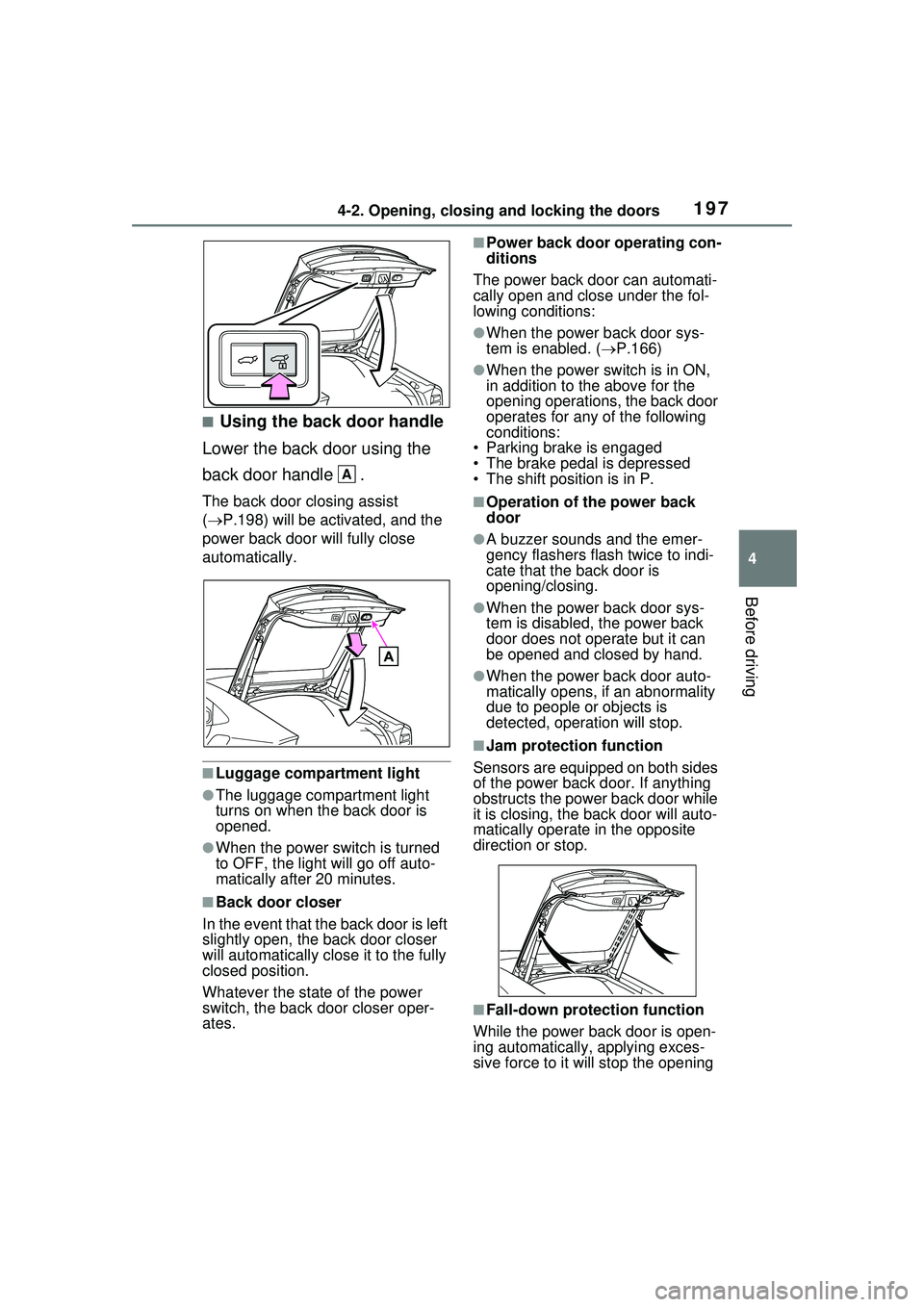
■Using the back door handle
Lower the back door using the
back door handle .
The back door closing assist
( P.198) will be activated, and the
power back door will fully close
automatically.
■Luggage compartment light
●The luggage compartment light
turns on when the back door is
opened.
●When the power switch is turned
to OFF, the light will go off auto-
matically after 20 minutes.
■Back door closer
In the event that the back door is left
slightly open, the back door closer
will automatically close it to the fully
closed position.
Whatever the stat e of the power
switch, the back door closer oper-
ates.
■Power back door operating con-
ditions
The power back door can automati-
cally open and close under the fol-
lowing conditions:
●When the power back door sys-
tem is enabled. ( P.166)
●When the power switch is in ON,
in addition to the above for the
opening operations, the back door
operates for any of the following
conditions:
• Parking brake is engaged
• The brake pedal is depressed
• The shift position is in P.
■Operation of the power back
door
●A buzzer sounds and the emer-
gency flashers flash twice to indi-
cate that the back door is
opening/closing.
●When the power back door sys-
tem is disabled, the power back
door does not operate but it can
be opened and closed by hand.
●When the power back door auto-
matically opens, if an abnormality
due to people or objects is
detected, operation will stop.
■Jam protection function
Sensors are equipped on both sides
of the power back door. If anything
obstructs the power back door while
it is closing, th e back door will auto-
matically operate in the opposite
direction or stop.
■Fall-down protection function
While the power back door is open-
ing automatically, applying exces-
sive force to it will stop the opening
A