instrument panel TOYOTA PRIUS PRIME 2023 Owners Manual
[x] Cancel search | Manufacturer: TOYOTA, Model Year: 2023, Model line: PRIUS PRIME, Model: TOYOTA PRIUS PRIME 2023Pages: 680, PDF Size: 14.97 MB
Page 19 of 680

19Pictorial index
■Instrument panel
Audio system*1
Emergency flasher switch .................................................P.546
Power switch ......................................................................P.251
Starting the hybrid system/changi ng the modes ..................P.251
Emergency stop of the hybrid system ..................................P.547
When the hybrid system will not start ..................................P.584
Warning messages ..............................................................P.566
Windshield wiper and washer switch ..............................P.275
Usage...................................................................................P.275
Adding washer fluid ..............................................................P.510
Warning messages ..............................................................P.566
Meters .................................................................................P.155
Reading the meters/adjusting the instrument panel light .....................................................................................P.155, 160
Warning lights/indicator lights ..............................................P.150
When the warning lights come on ........................................P.555
A
B
C
D
E
Page 21 of 680
21Pictorial index
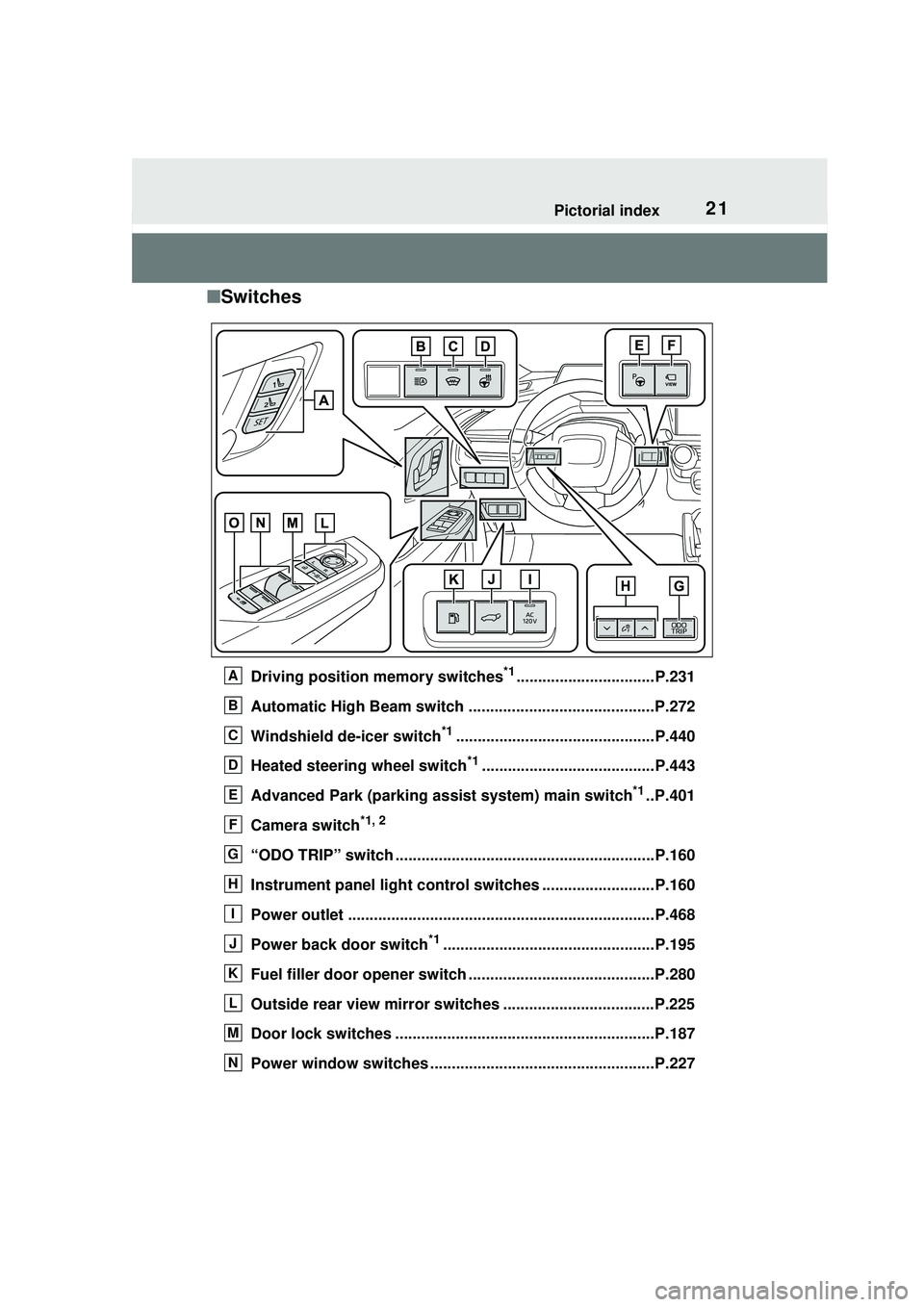
■Switches
Driving position memory switches*1................................P.231
Automatic High Beam switch ...........................................P.272
Windshield de-icer switch
*1..............................................P.440
Heated steering wheel switch
*1........................................P.443
Advanced Park (parking assist system) main switch
*1..P.401
Camera switch
*1, 2
“ODO TRIP” switch ............................................................P.160
Instrument panel light control switches ..........................P.160
Power outlet .......................................................................P.468
Power back door switch
*1.................................................P.195
Fuel filler door opener switch ...........................................P.280
Outside rear view mirror switches ...................................P.225
Door lock switches ............................................................P.187
Power window switches ................................. ...................P.227
A
B
C
D
E
F
G
H
I
J
K
L
M
N
Page 40 of 680
401-1. For safe use
WARNING
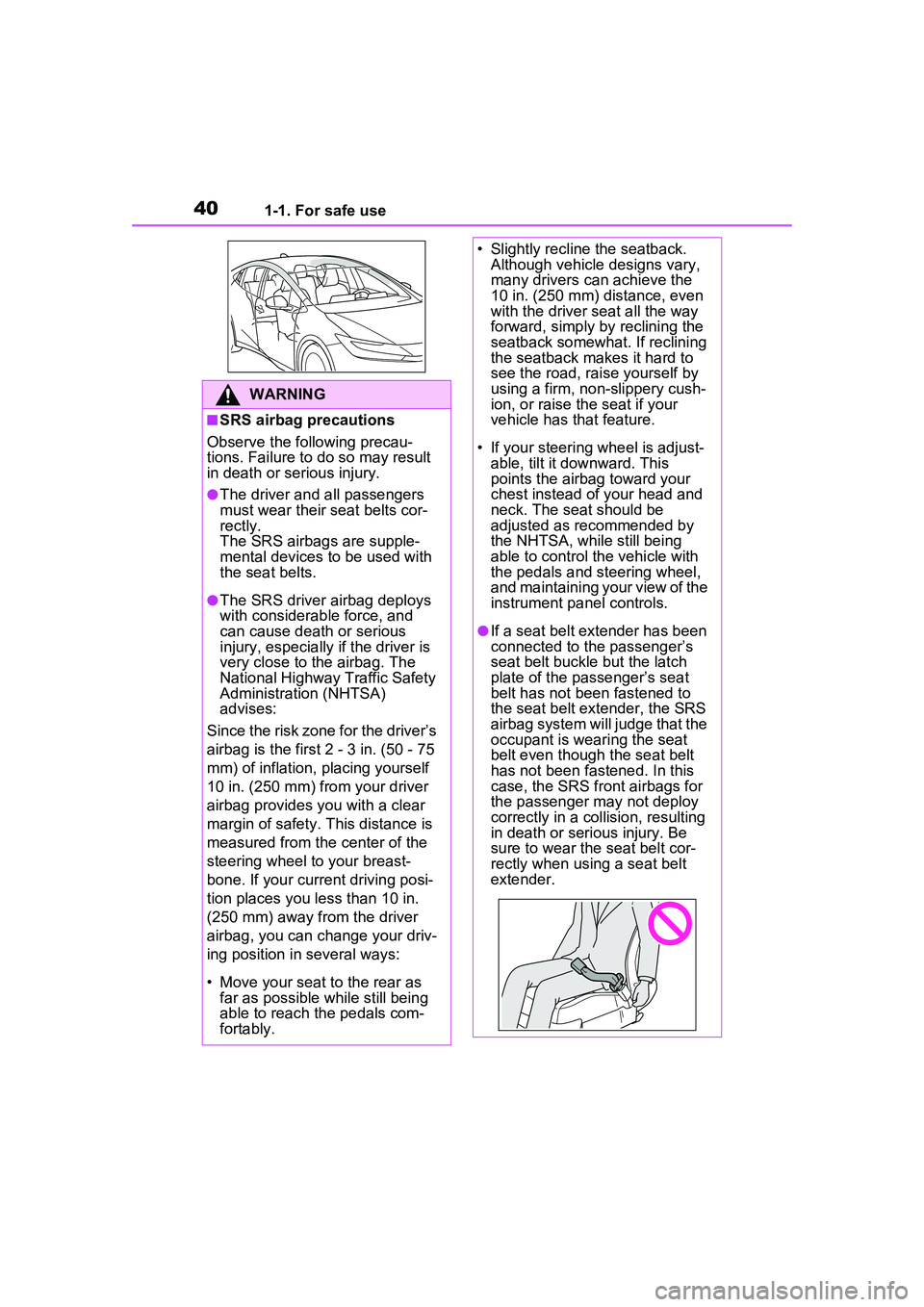
■SRS airbag precautions
Observe the following precau-
tions. Failure to do so may result
in death or serious injury.
●The driver and all passengers
must wear their seat belts cor-
rectly.
The SRS airbags are supple-
mental devices to be used with
the seat belts.
●The SRS driver airbag deploys
with considerable force, and
can cause death or serious
injury, especially if the driver is
very close to the airbag. The
National Highway Traffic Safety
Administration (NHTSA)
advises:
Since the risk zone for the driver’s
airbag is the first 2 - 3 in. (50 - 75
mm) of inflation, placing yourself
10 in. (250 mm) from your driver
airbag provides you with a clear
margin of safety. This distance is
measured from the center of the
steering wheel to your breast-
bone. If your current driving posi-
tion places you less than 10 in.
(250 mm) away from the driver
airbag, you can change your driv-
ing position in several ways:
• Move your seat to the rear as far as possible while still being
able to reach the pedals com-
fortably.
• Slightly recline the seatback. Although vehicle designs vary,
many drivers can achieve the
10 in. (250 mm) distance, even
with the driver seat all the way
forward, simply by reclining the
seatback somewhat. If reclining
the seatback makes it hard to
see the road, raise yourself by
using a firm, non-slippery cush-
ion, or raise the seat if your
vehicle has that feature.
• If your steering wheel is adjust- able, tilt it downward. This
points the airbag toward your
chest instead of your head and
neck. The seat should be
adjusted as recommended by
the NHTSA, while still being
able to control the vehicle with
the pedals and steering wheel,
and maintaining your view of the
instrument panel controls.
●If a seat belt extender has been
connected to the passenger’s
seat belt buckle but the latch
plate of the passenger’s seat
belt has not been fastened to
the seat belt extender, the SRS
airbag system will judge that the
occupant is wearing the seat
belt even though the seat belt
has not been fastened. In this
case, the SRS front airbags for
the passenger may not deploy
correctly in a collision, resulting
in death or serious injury. Be
sure to wear the seat belt cor-
rectly when using a seat belt
extender.
Page 42 of 680
421-1. For safe use
WARNING
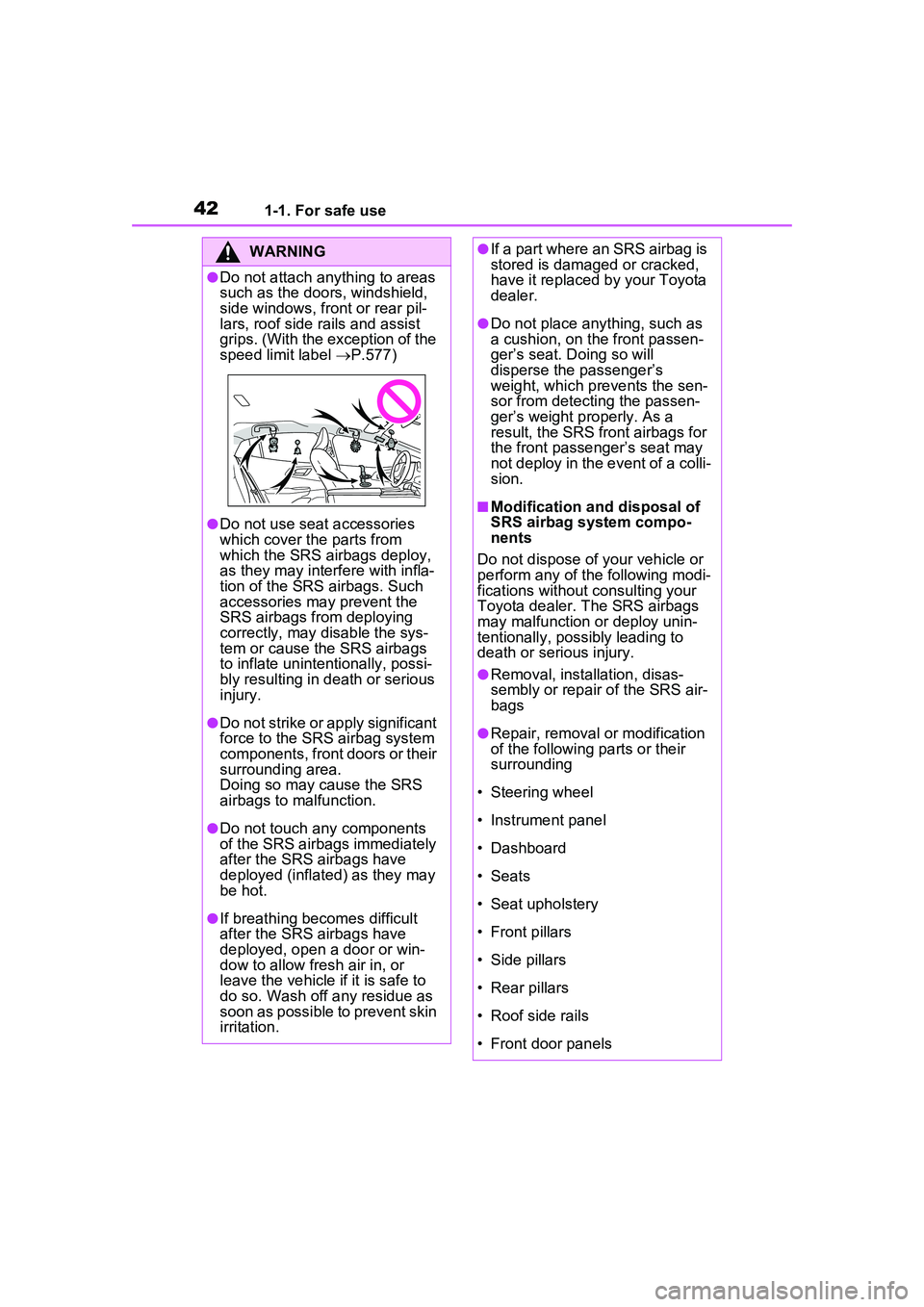
●Do not attach anything to areas
such as the doors, windshield,
side windows, front or rear pil-
lars, roof side rails and assist
grips. (With the exception of the
speed limit label P.577)
●Do not use seat accessories
which cover the parts from
which the SRS airbags deploy,
as they may inte rfere with infla-
tion of the SRS airbags. Such
accessories may prevent the
SRS airbags from deploying
correctly, may disable the sys-
tem or cause the SRS airbags
to inflate unintentionally, possi-
bly resulting in death or serious
injury.
●Do not strike or apply significant
force to the SRS airbag system
components, front doors or their
surrounding area.
Doing so may cause the SRS
airbags to malfunction.
●Do not touch any components
of the SRS airbags immediately
after the SRS airbags have
deployed (inflated) as they may
be hot.
●If breathing becomes difficult
after the SRS airbags have
deployed, open a door or win-
dow to allow fresh air in, or
leave the vehicle if it is safe to
do so. Wash off any residue as
soon as possible to prevent skin
irritation.
●If a part where an SRS airbag is
stored is damaged or cracked,
have it replaced by your Toyota
dealer.
●Do not place anything, such as
a cushion, on the front passen-
ger’s seat. Doing so will
disperse the passenger’s
weight, which prevents the sen-
sor from detecting the passen-
ger’s weight properly. As a
result, the SRS front airbags for
the front passenger’s seat may
not deploy in the event of a colli-
sion.
■Modification and disposal of
SRS airbag system compo-
nents
Do not dispose of your vehicle or
perform any of the following modi-
fications without consulting your
Toyota dealer. The SRS airbags
may malfunction or deploy unin-
tentionally, possibly leading to
death or serious injury.
●Removal, installation, disas-
sembly or repair of the SRS air-
bags
●Repair, removal or modification
of the following parts or their
surrounding
• Steering wheel
• Instrument panel
• Dashboard
• Seats
• Seat upholstery
• Front pillars
• Side pillars
• Rear pillars
• Roof side rails
• Front door panels
Page 150 of 680
1503-1. Instrument cluster
3-1.Instrument cluster
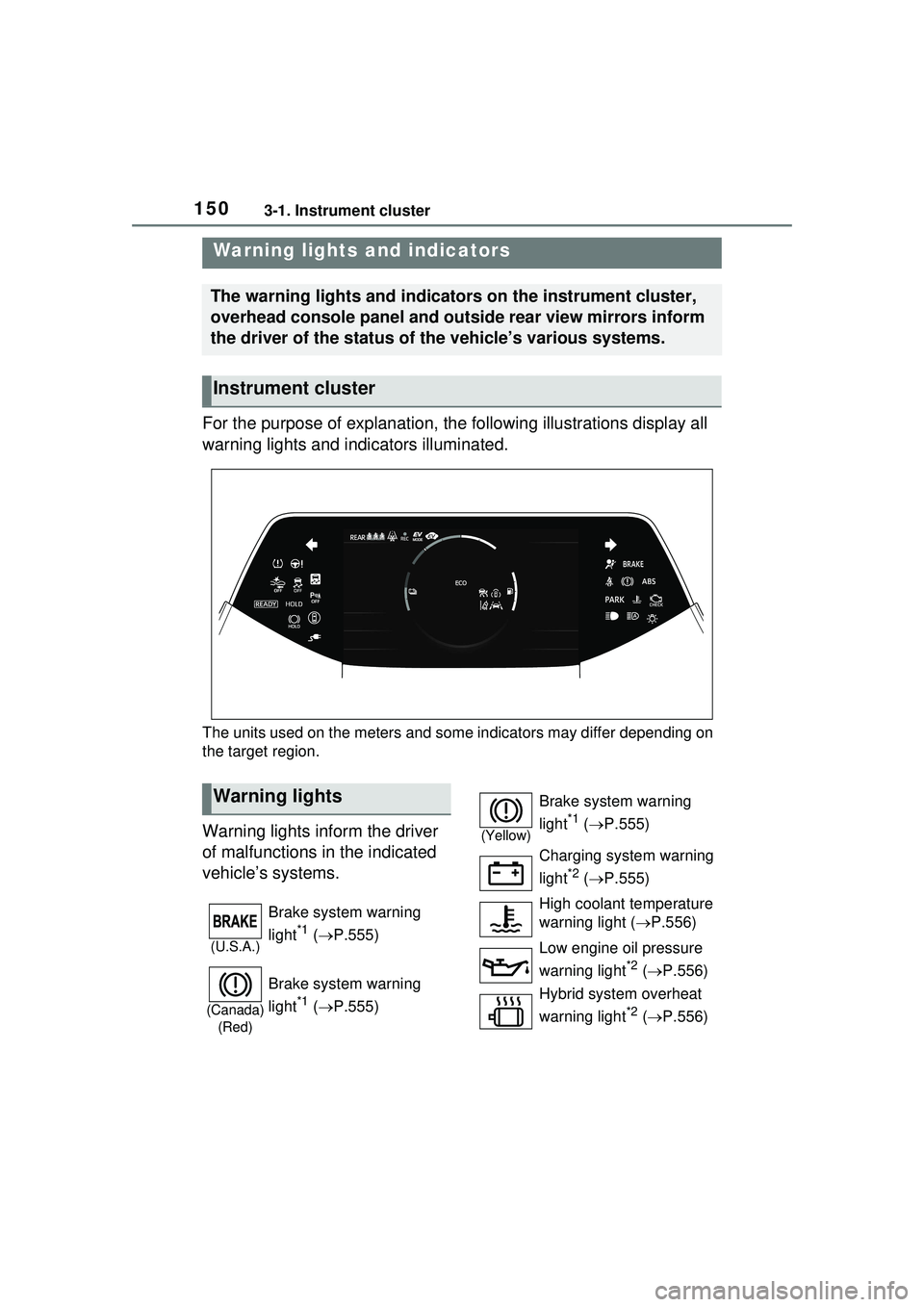
For the purpose of explanation, the following illustrations display all
warning lights and indicators illuminated.
The units used on the meters and some indicators may differ depending on
the target region.
Warning lights inform the driver
of malfunctions in the indicated
vehicle’s systems.
Warning lights and indicators
The warning lights and indicators on the instrument cluster,
overhead console panel and outside rear view mirrors inform
the driver of the status of the vehicle’s various systems.
Instrument cluster
Warning lights
(U.S.A.)
Brake system warning
light
*1 ( P.555)
(Canada)
(Red)
Brake system warning
light
*1 ( P.555)
(Yellow)
Brake system warning
light
*1 ( P.555)
Charging system warning
light
*2 ( P.555)
High coolant temperature
warning light ( P.556)
Low engine oil pressure
warning light
*2 ( P.556)
Hybrid system overheat
warning light
*2 ( P.556)
Page 154 of 680
1543-1. Instrument cluster
multi-information display with a
message.
*2: The light comes on when the system is turned off.
*3: Intuitive parking assist OFF indi-cator turns on when the power
switch is turned to ON while the
Intuitive parking assist function is
on. It will turn off after a few sec-
onds.
*4: These lights turn on when the power switch is turned to ON to
indicate that a system check is
being performed. They will turn
off after the hybrid system is on,
or after a few seconds. There
may be a malfunction in a sys-
tem if the lights do not turn on, or
turn off. Have the vehicle
inspected by your Toyota dealer.
*5: This light illuminates on the out- side rear view mirrors.
*6: This light illuminates on the over-head console panel.
*7: When the outside temperature is approximately 37°F (3°C) or
lower, the indicator will flash for
approximately 10 seconds, then
stay on.
*8: The displayed indicator changes according to the current plug-in
hybrid system operation mode.
*9: For Puerto Rico
*10: Except for Puerto Rico
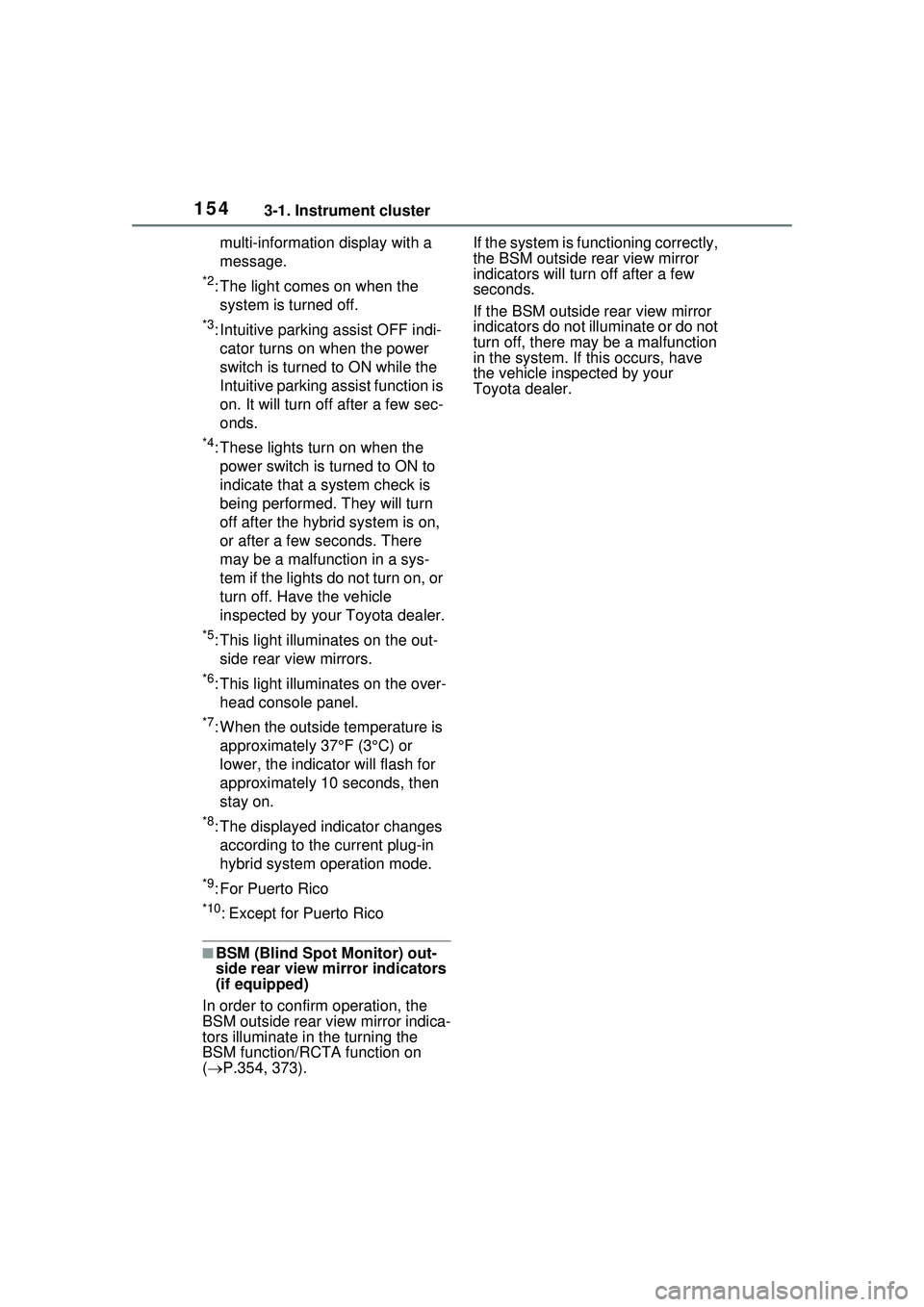
■BSM (Blind Spot Monitor) out-
side rear view mirror indicators
(if equipped)
In order to confirm operation, the
BSM outside rear view mirror indica-
tors illuminate in the turning the
BSM function/RCTA function on
( P.354, 373). If the system is functioning correctly,
the BSM outside rear view mirror
indicators will turn off after a few
seconds.
If the BSM outside rear view mirror
indicators do not illuminate or do not
turn off, there may be a malfunction
in the system. If this occurs, have
the vehicle inspected by your
Toyota dealer.
Page 172 of 680
1723-1. Instrument cluster
●Settings for functions not
equipped to the vehicle are not
displayed.
●When a function is turned off, the
related settings for that function
are not selectable.
Select to display warning mes-
sages and measures to be
taken if a malfunction is
detected. (P.566)
Displays suggestions to the
driver in the following situations.
To select a response to a dis-
played suggestion, use the
meter control switches.
■Suggestion to enable the
power back door (if
equipped)
If the power back door system is
disabled (setting on set to
off) and the power back door
switch on the instrument panel
is operated, a suggestion mes-
sage will be displayed asking if
you wish to enable the power
back door system. To enable
the power back door system,
select “Yes”.
After enabling the power back door
system, press the power back door
switch again to open or close the
power back door.
■Suggestion to turn off the
headlights
If the headlights are left on for a
certain amount of time after the
power switch has been turned
off, a suggestion message will
be displayed.
When the headlight switch is in
the AUTO position: The mes-
sage asking if you wish to turn
the headlights off is displayed.
To turn the headlights off, select
“Yes”.
If the driver’s door is opened after
the power switch is turned off, this
suggestion message will not be dis-
played.
■Customization
The suggestion function can be
turned on/off. (Customizable fea-
tures: P.619)
WARNING
■Cautions during setting up
the display
As the hybrid system needs to be
operating during setting up the
display, ensure that the vehicle is
parked in a place with adequate
ventilation. In a closed area such
as a garage, exhaust gases
including harmful carbon monox-
ide (CO) may collect and enter
the vehicle. This may lead to
death or a serious health hazard.
NOTICE
■During setting up the display
To prevent 12-volt battery dis-
charge, ensure that the hybrid
system is operating while setting
up the display features.
Warning message display
Suggestion function
Page 174 of 680
1743-1. Instrument cluster
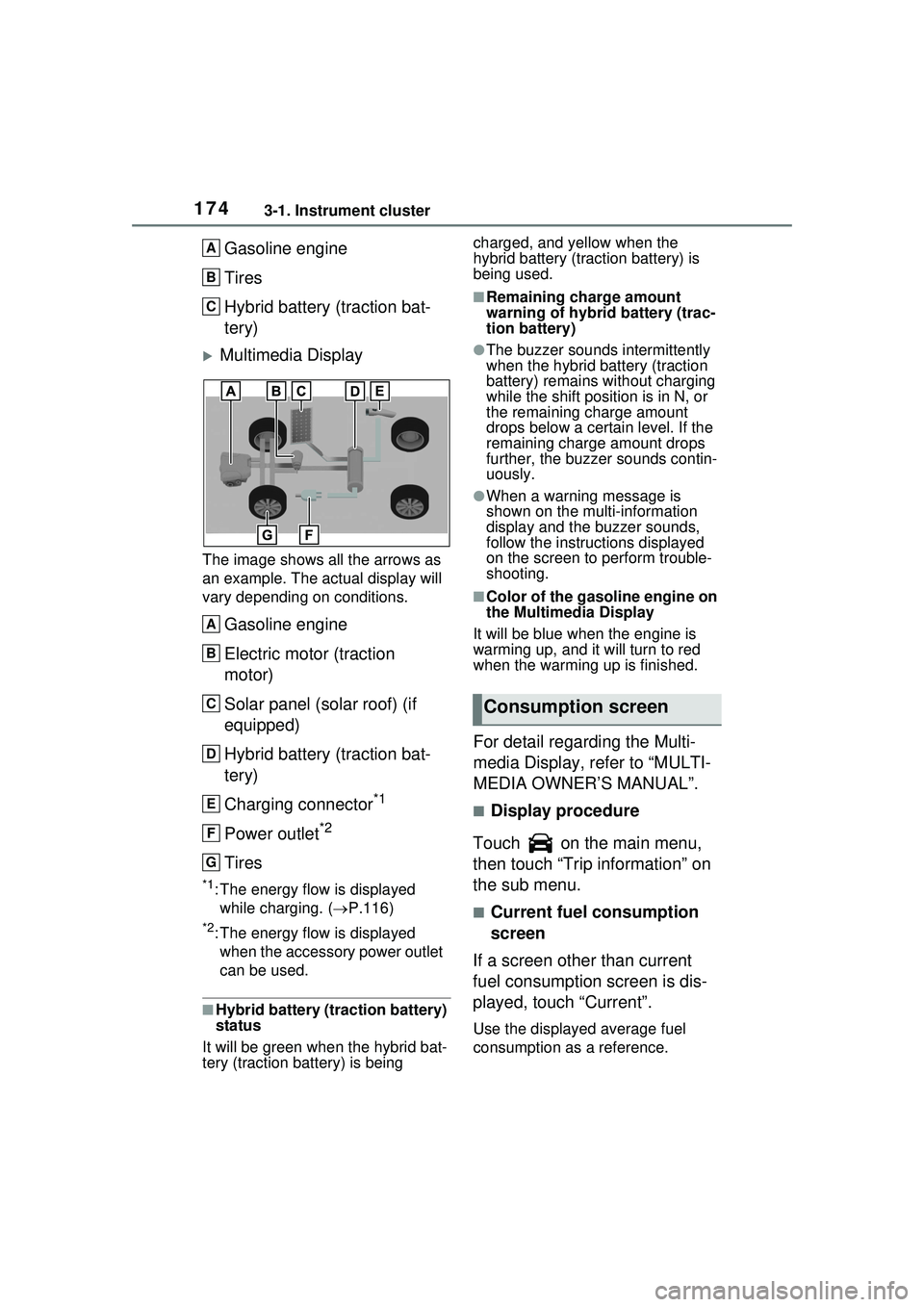
Gasoline engine
Tires
Hybrid battery (traction bat-
tery)
Multimedia Display
The image shows all the arrows as
an example. The actual display will
vary depending on conditions.
Gasoline engine
Electric motor (traction
motor)
Solar panel (solar roof) (if
equipped)
Hybrid battery (traction bat-
tery)
Charging connector
*1
Power outlet*2
Tires
*1: The energy flow is displayed while charging. ( P.116)
*2: The energy flow is displayed
when the accessory power outlet
can be used.
■Hybrid battery (traction battery)
status
It will be green when the hybrid bat-
tery (traction battery) is being charged, and yellow when the
hybrid battery (traction battery) is
being used.
■Remaining charge amount
warning of hybrid battery (trac-
tion battery)
●The buzzer sounds intermittently
when the hybrid battery (traction
battery) remains without charging
while the shift posit
ion is in N, or
the remaining charge amount
drops below a certain level. If the
remaining charge amount drops
further, the buzzer sounds contin-
uously.
●When a warning message is
shown on the multi-information
display and the buzzer sounds,
follow the instruct ions displayed
on the screen to perform trouble-
shooting.
■Color of the gasoline engine on
the Multimedia Display
It will be blue when the engine is
warming up, and it will turn to red
when the warming up is finished.
For detail regarding the Multi-
media Display, refer to “MULTI-
MEDIA OWNER’S MANUAL”.
■Display procedure
Touch on the main menu,
then touch “Trip information” on
the sub menu.
■Current fuel consumption
screen
If a screen other than current
fuel consumption screen is dis-
played, touch “Current”.
Use the displayed average fuel
consumption as a reference.
A
B
C
A
B
C
D
E
F
G
Consumption screen
Page 195 of 680
1954-2. Opening, closing and locking the doors
4
Before driving
the operation. When the switch is
pressed and held again during the
halted operation, the back door will
perform the reverse operation.
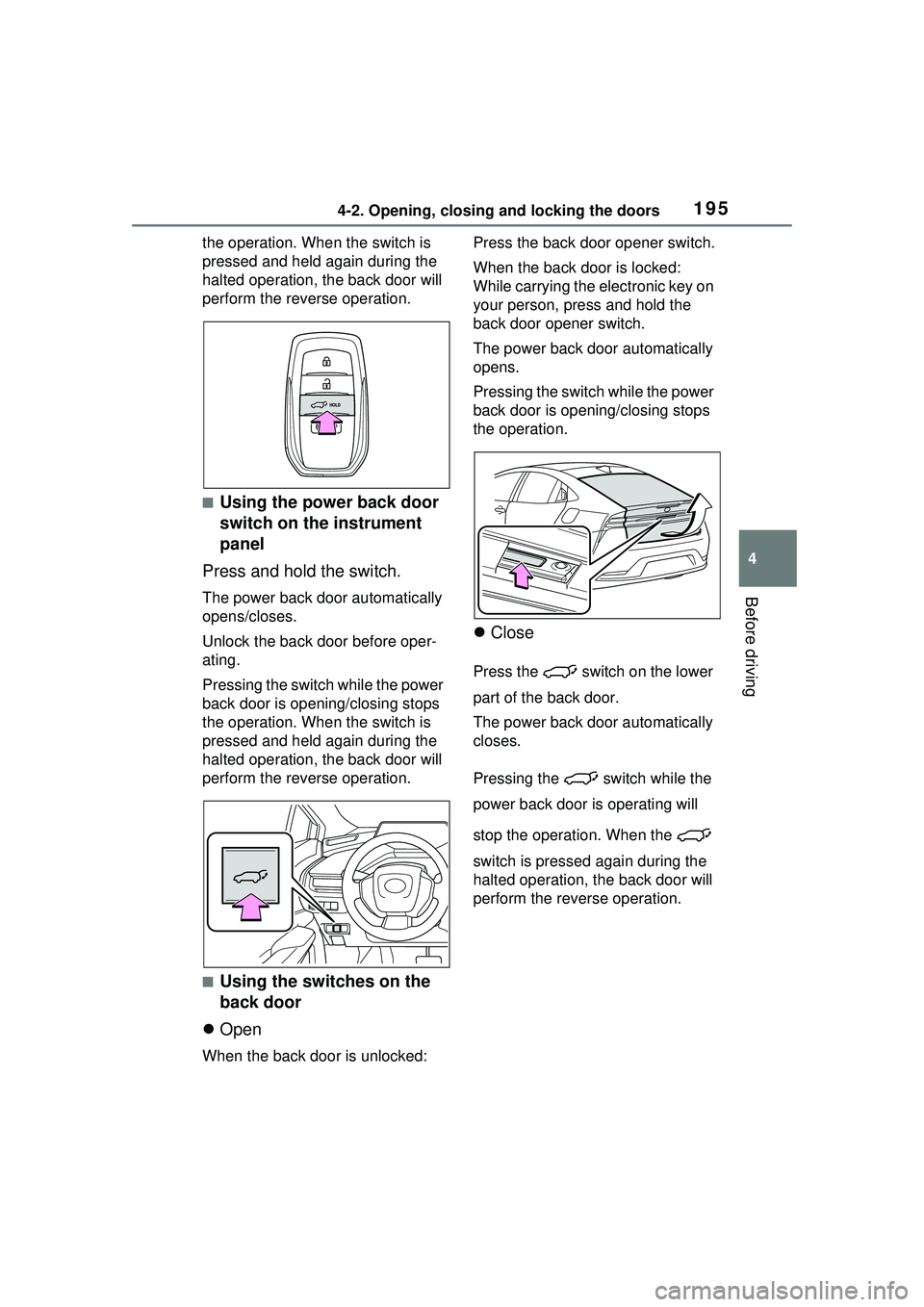
■Using the power back door
switch on the instrument
panel
Press and hold the switch.
The power back door automatically
opens/closes.
Unlock the back door before oper-
ating.
Pressing the switch while the power
back door is opening/closing stops
the operation. When the switch is
pressed and held again during the
halted operation, the back door will
perform the reverse operation.
■Using the switches on the
back door
Open
When the back door is unlocked: Press the back door opener switch.
When the back door is locked:
While carrying the
electronic key on
your person, press and hold the
back door opener switch.
The power back door automatically
opens.
Pressing the switch while the power
back door is opening/closing stops
the operation.
Close
Press the switch on the lower
part of the back door.
The power back door automatically
closes.
Pressing the switch while the
power back door is operating will
stop the operation. When the
switch is pressed again during the
halted operation, the back door will
perform the reverse operation.
Page 206 of 680
2064-2. Opening, closing and locking the doors
●When the electronic key is placed
near a battery charger or elec-
tronic devices
●When the vehicle is parked in a
pay parking spot where radio
waves are emitted.
If the doors cannot be
locked/unlocked using the smart key
system, lock/unlock the doors by
performing any of the following:
●Bring the electronic key close to
either front door handle and oper-
ate the entry function.
●Operate the wireless remote con-
trol.
If the doors cannot be
locked/unlocked using the above
methods, use the mechanical key.
( P.587)
If the hybrid system cannot be
started using the smart key system,
refer to P.588.
■Note for the entry function
●Even when the electronic key is
within the effective range (detec-
tion areas), the system may not
operate properly in the following
cases:
• The electronic key is too close to the window or outside door han-
dle, near the ground, or in a high
place when the doors are locked
or unlocked.
• The electronic key is on the instru- ment panel, luggage compartment
or floor, or in the door pockets or
glove box when the hybrid system
is started or power switch modes
are changed.
●Do not leave the electronic key on
top of the instrument panel or near
the door pockets when exiting the
vehicle. Depending on the radio
wave reception co nditions, it may
be detected by the antenna out-
side the cabin and the door will
become lockable from the outside,
possibly trapping the electronic
key inside the vehicle.
●As long as the electronic key is within the effective range, the
doors may be locked or unlocked
by anyone. However, only the
doors detecting the electronic key
can be used to unlock the vehicle.
●Even if the electronic key is not
inside the vehicle, it may be possi-
ble to start the hybrid system if the
electronic key is near the window.
●The doors may unlock if a large
amount of water splashes on the
door handle, such as in the rain or
in a car wash when the electronic
key is within the effective range.
(The doors will automatically be
locked after approximately 60 sec-
onds if the doors are not opened
and closed.)
●If the wireless remote control is
used to lock the doors when the
electronic key is near the vehicle,
there is a possibilit
y that the door
may not be unlocked by the entry
function. (Use the wireless remote
control to unlock the doors.)
●Touching the door lock sensor
while wearing gloves may delay or
prevent lock operation. Remove
the gloves and touch the lock sen-
sor again.
●When the lock operation is per-
formed using the lock sensor, rec-
ognition signals will be shown up
to two consecutive times. After
this, no recognition signals will be
given.
●If the door handle becomes wet
while the electronic key is within
the effective range, the door may
lock and unlock repeatedly. In that
case, follow the following correc-
tion procedures to wash the vehi-
cle:
• Place the electron ic key in a loca-
tion 6 ft. (2 m) or more away from
the vehicle. (Take care to ensure
that the key is not stolen.)
• Set the electronic key to battery- saving mode to disable the smart
key system. ( P.205)
●If the electronic key is inside the