driver monitor TOYOTA PRIUS PRIME 2023 User Guide
[x] Cancel search | Manufacturer: TOYOTA, Model Year: 2023, Model line: PRIUS PRIME, Model: TOYOTA PRIUS PRIME 2023Pages: 680, PDF Size: 14.97 MB
Page 291 of 680
2915-5. Using the driving support systems
5
Driving
such as tall grass, tree branches,
a curtain, etc.
●When driving in strong wind
■Situations in which the lane
may not be detected
●When the lane is extremely wide
or narrow
●Immediately after changing lanes
or passing through an intersection
●When driving in a temporary lane
or lane regulated by construction
●When there are structures, pat-
terns, shadows which are similar
to lane lines in the surrounding
●When there are multiple white
lines for a lane line
●When the lane lines are not clear
or driving on a wet road surface
●When a lane line is on a curb
●When driving on a bright, reflec-
tive road surface, such as con-
crete
■Situations in which some or all
of the functions of the system
cannot operate
●When a malfunction is detected in
this system or a related system,
such as the brakes, steering, etc.
●When the VSC, TRAC, or other
safety related syst em is operating
●When the VSC, TRAC, or other
safety related system is off
■Changes in brake operation
sound and pedal response
●When the brakes have been oper-
ated, brake operation sounds may
be heard and the brake pedal
response may change, but this
does not indicate a malfunction.
●When the system is operating, the
brake pedal may feel stiffer than
expected or sink. In either situa-
tion the brake pedal can be
depressed further. Further
depress the brake pedal as nec-
essary.
■Situations in which the driver
monitor may not operate prop-
erly (if equipped)
In situations such as the following,
the driver monitor camera may not
be able to detect the driver’s face,
and the function may not operate
properly.
●When the inside of the vehicle is
hot, such as after the vehicle has
been parked in the sun
●When a very bright light, such as
the sun or the headlights of follow-
ing vehicle, shines onto the driver
monitor camera
●When the brightness inside the
vehicle changes frequently due to
the shadows of surrounding struc-
tures, etc.
●When a very bright light, such as
the sun or the headlights of an
oncoming vehicle, is shining onto
the driver’s face
●When light, either inside or out-
side of the vehicle, is being
reflected from the lenses of eye-
glasses or sunglasses
●When there are multiple faces in
the detection range of the driver
monitor camera, such as when a
front or rear passenger is leaning
toward the driver’s seat
●When the driver’s face is outside
of the detection range of the driver
monitor camera, such as when
leaned forward or when their head
is outside of the window
●When the driver monitor camera is
being blocked by the steering
wheel, a hand holding the steering
wheel, an arm, etc.
●When the driver is wearing a hat
●When the driver is wearing an
eyepatch
●When the driver is wearing eye-
glasses or sunglasses that do not
easily transmit infrared rays
●When the driver is wearing con-
tact lenses
Page 292 of 680
2925-5. Using the driving support systems
●When the driver is wearing a face
mask
●When the driver is laughing or
their eyes are only slightly open
●When the driver’s eyes, nose,
mouth, or shape of their face is
blocked
●When the driver is wearing
makeup which makes it difficult to
detect their eyes, nose, mouth, or
shape of their face
●When the driver’s eyes are
blocked by the frame of eye-
glasses, sunglasses, hair, etc.
●When there is a device inside the
vehicle that radiates near infrared
rays, such as a non-genuine
driver monitoring system.
*: If equipped
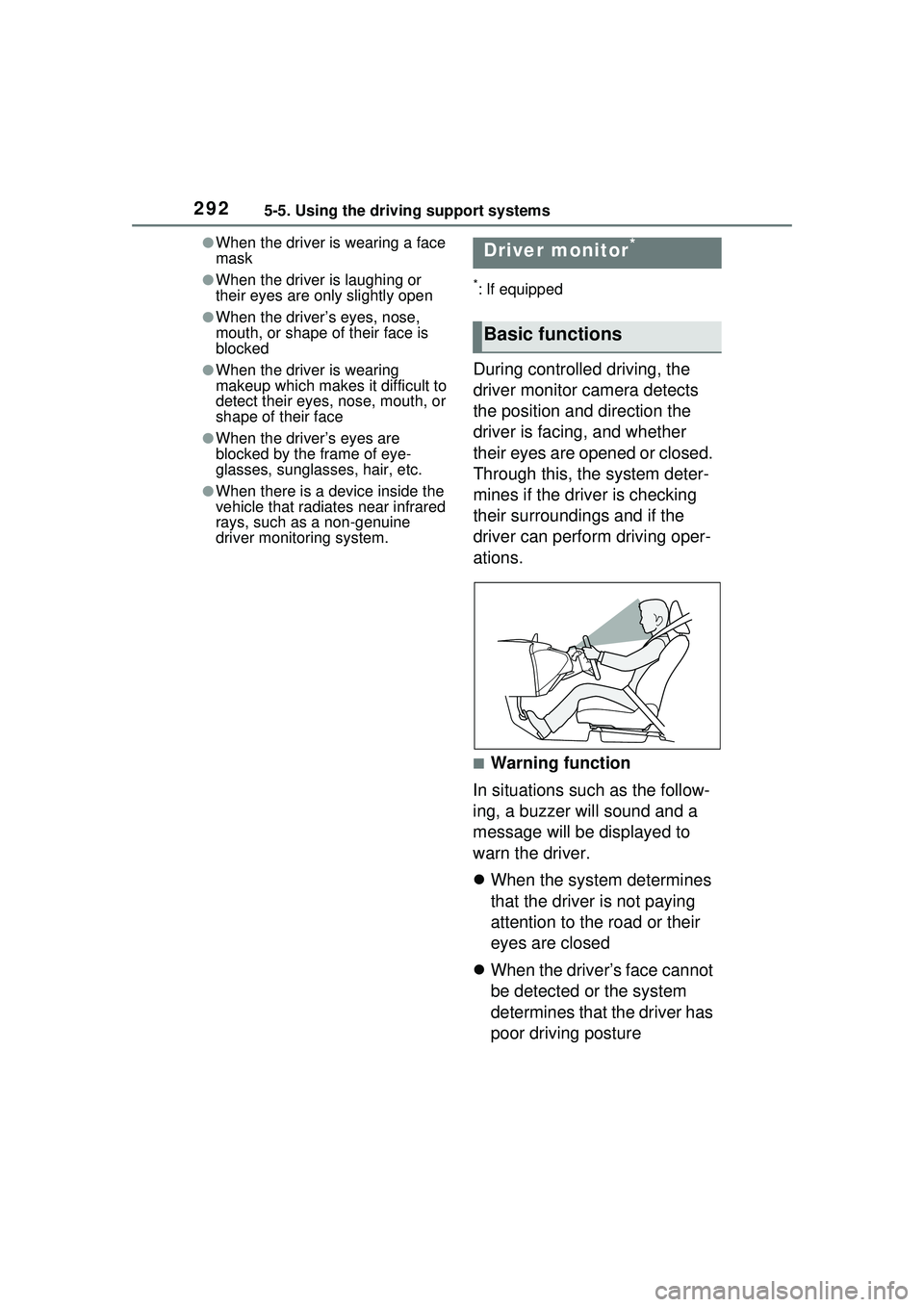
During controlled driving, the
driver monitor camera detects
the position and direction the
driver is facing, and whether
their eyes are opened or closed.
Through this, the system deter-
mines if the driver is checking
their surroundings and if the
driver can perform driving oper-
ations.
■Warning function
In situations such as the follow-
ing, a buzzer will sound and a
message will be displayed to
warn the driver.
When the system determines
that the driver is not paying
attention to the road or their
eyes are closed
When the driver’s face cannot
be detected or the system
determines that the driver has
poor driving posture
Driver monitor*
Basic functions
Page 293 of 680
2935-5. Using the driving support systems
5
Driving
■Warning function
These functions may not operate
when the vehicle speed is low.
■Situations in which the driver
monitor may not operate prop-
erly
P.291
The settings of Driver monitor
can be changed through cus-
tomize settings. ( P.626)
WARNING
■For safe use
●The driver monitor is not
designed to prevent the driver
from driving carelessly or hav-
ing a poor driving posture. Pay
careful attention to the sur-
rounding conditions in order to
ensure safe driving.
●The driver monitor cannot
reduce drowsiness. If you feel
unable to concentrate or
drowsy, take a break and sleep
as necessary in order to ensure
safe driving.
Changing Driver monitor
settings
PCS (Pre-Collision Sys-
tem)
The pre-collision system
uses sensors to detect
objects ( P.294) in the path
of the vehicle. When the
system determines that the
possibility of a frontal colli-
sion with a detectable
object is high, a warning
operates to urge the driver
to take evasive action and
the potential brake pressure
is increased to help the
driver avoid the collision. If
the system determines that
the possibility of a collision
is extremely high, the
brakes are automatically
applied to help avoid the
collision or help reduce the
impact of the collision.
The pre-collision system can
be disabled/enabled and the
warning timing can be
changed. ( P.304)
Page 305 of 680
3055-5. Using the driving support systems
5
Driving
active steering function) tim-
ing will also be changed.
When later is selected, the
emergency steering assist
(excluding the active steering
function) will not operate in most
cases.
Vehicles with a driver monitor
camera: When the system
determines that the driver is
not facing forward, the pre-
collision warning and emer-
gency steering assist will
operate at the earlier timing,
regardless of the user setting.
When the dynamic radar
cruise control is operating, the
pre-collision warning will
operate at the earlier timing,
regardless of the user setting.
Vehicles with Traffic Jam
Assist: When the Traffic Jam
Assist is operating, the pre-
collision warning will operate
at the earlier timing, regard-
less of the user setting.
When driving on a road with
clear lane lines with the
dynamic radar cruise control
operating, lane lines and pre-
ceding and surrounding vehi-
cles are detected using the
front camera and radar sen-
sor, and the steering wheel is
operated to maintain the vehi-
cle’s lane position.
Use this function only on highways
and expressways.
If the dynamic radar cruise control
is not operating, the function will not
operate.
In situations where the lane lines
are difficult to see or are not visible,
such as when in a traffic jam, sup-
port will be provi ded using the path
of preceding and surrounding vehi-
cles.
If the system determines that the
steering wheel has not been oper-
ated for a certain amount of time or
the steering wheel is not being
firmly gripped, the driver will be
alerted and this function will be
temporarily canceled.
If the steering wheel is firmly
gripped, the f unction will begin
operating again.
LTA (Lane Tracing
Assist)
LTA functions
Page 315 of 680
3155-5. Using the driving support systems
5
Driving
the following conditions are met:
• The vehicle speed is approxi-mately 30 mph (50 km/h) or more.
Operation may be possible when
the vehicle speed is approximately
25 mph (40 km/h) or more if vehi-
cles, motorcycles, bicycles, or
pedestrians are detected near the
lane.
• The system recognizes a lane or course
*. (When recognized on
only one side, the system will
operate only for the recognized
side.)
• The lane width is approximately
9.8 ft. (3 m) or more.
• The turn signal lever is not being operated.
(Vehicles with BSM: Except when a
vehicle is detected in the direction
that the turn signal lever is oper-
ated.)
• The vehicle is not being driven around a sharp curve.
• The vehicle is not accelerating or
decelerating more than a certain
amount.
• The steering wheel is not being turned sufficiently to perform a
lane change.
• When the VSC or TRAC system is not turned off
*: Boundary between the asphalt
and grass, soil, etc., or structures,
such as a curb, guardrail, etc.
■Temporary cancellation of func-
tions
When the operating conditions are
no longer met, a function may be
temporarily canceled. However,
when the operation conditions are
met again, operation of the function
will automatically be restored.
( P.314)
■Operation of the lane departure
alert function/lane departure
prevention function
●Depending on the vehicle speed, road conditions, lane departure
angle, etc., operation of the lane
departure prevention function may
not be felt or the function may not
operate.
●Depending on the conditions, the
warning buzzer may operate even
if vibration is selected through a
customize setting.
●If a course* is not clear or straight,
the lane departure alert function or
lane departure prevention function
may not operate.
●The lane departure alert function
or lane departure prevention func-
tion may not operate if the system
judges that the vehicle is inten-
tionally being steered to avoid a
pedestrian or parked vehicle.
●Vehicles with BSM: It may not be
possible for the sys tem to judge if
there is danger of a collision with a
vehicle in an adjacent lane.
●Vehicles with a driver monitor
camera: Depending on the driver
condition, the lane departure alert
function or lane departure preven-
tion function changes the timing of
operation.
●The steering assist operation of
the lane departure prevention
function can be overridden by the
steering wheel operation of the
driver.
*: Boundary between the asphalt
and grass, soil, etc., or structures,
such as a curb, guardrail, etc.
■Hands off steering wheel warn-
ing operation
In the following si tuations, a mes-
sage urging the driver to operate the
steering wheel and an icon will be
displayed and a buzzer will sound to
warn the driver. When using the
system, make sure to grip the steer-
ing wheel firmly, regardless of
whether the warning is operating or
not.
Page 325 of 680
3255-5. Using the driving support systems
5
Driving
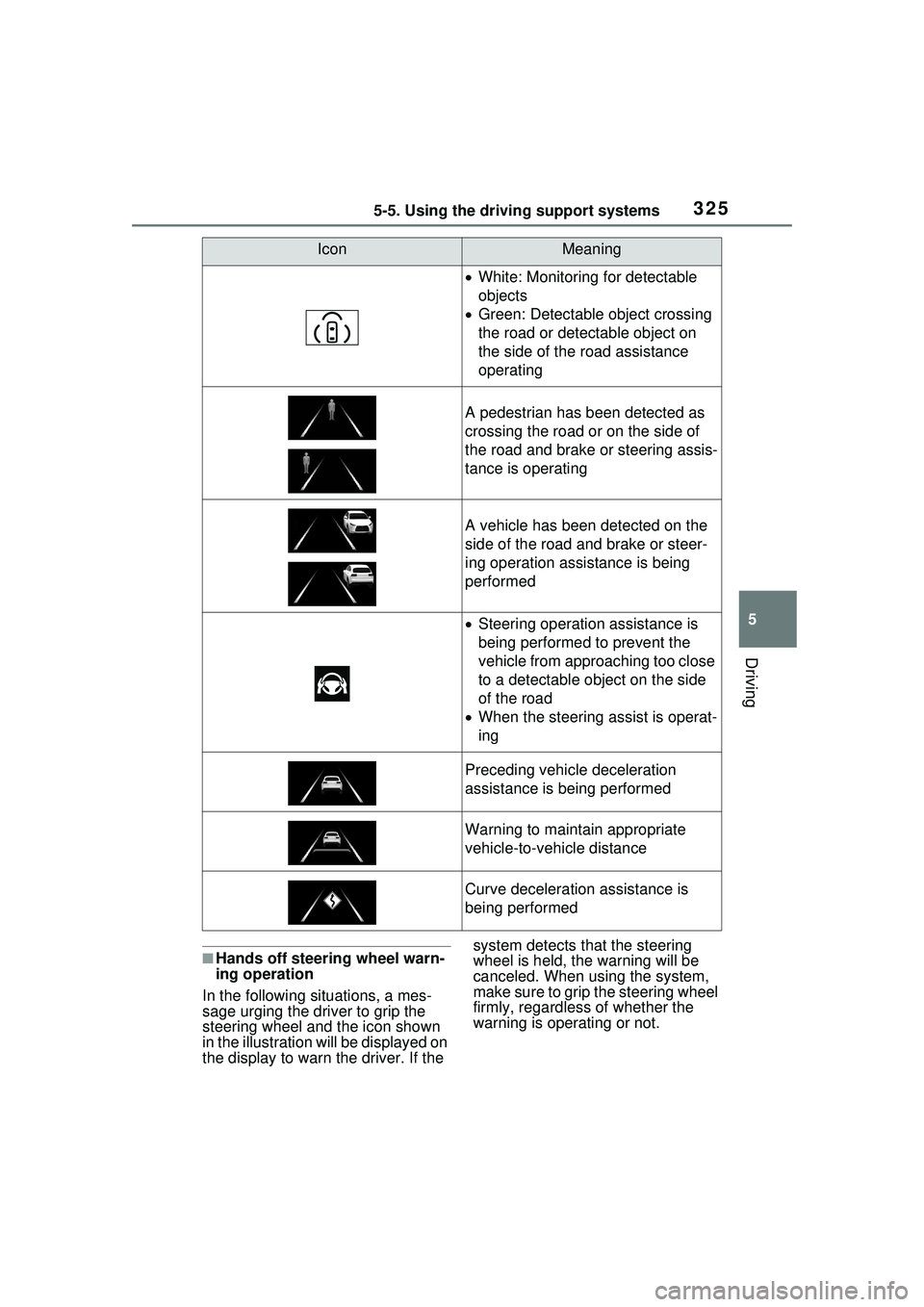
■Hands off steering wheel warn-
ing operation
In the following situations, a mes-
sage urging the driver to grip the
steering wheel and the icon shown
in the illustration will be displayed on
the display to warn the driver. If the system detects that the steering
wheel is held, the warning will be
canceled. When using the system,
make sure to grip the steering wheel
firmly, regardless of whether the
warning is operating or not.
IconMeaning
White: Monitoring for detectable
objects
Green: Detectable object crossing
the road or detectable object on
the side of the road assistance
operating
A pedestrian has been detected as
crossing the road or on the side of
the road and brake or steering assis-
tance is operating
A vehicle has been detected on the
side of the road and brake or steer-
ing operation assistance is being
performed
Steering operation assistance is
being performed to prevent the
vehicle from approaching too close
to a detectable object on the side
of the road
When the steering assist is operat-
ing
Preceding vehicle deceleration
assistance is being performed
Warning to maintain appropriate
vehicle-to-vehicle distance
Curve deceleration assistance is
being performed
Page 338 of 680
3385-5. Using the driving support systems
●When a preceding vehicle brakes
suddenly
●When changing lanes at low
speeds, such as in a traffic jam
■Conditions for extended
resume time (Vehicles with
Traffic Jam Assist)
Extended resume ti me is activated
when all of the following conditions
are satisfied:
●The connected service that
Toyota provides is subscribed to.
Contact your Toyota dealer for
details.
●The vehicle is driving on a vehicle-
only road, such as an express-
way.
●There is a preceding vehicle and
the system is able to detect it.
●No vehicle interruptions occur.
●The preceding vehicle has not
been replaced.
●Clearance sonar and FCTA are
not detecting the object in front of
you.
●The driver monitor judges that the
driver is looking forward.
●The steering wheel has not been
operated.
●The brake pedal has not been
operated.
In situations where the vehicle
approaches a preceding vehicle
and the system cannot provide
sufficient deceleration, such as
if a vehicle cuts in front of the
vehicle, a warning display will
flash and a buzzer will sound to
alert the driver. Depress the
brake pedal to ensure appropri-
ate vehicle-to-vehicle distance.
■Warnings may not occur
when
In the following situations, the
warning may not operate even
though the vehicle-to-vehicle
distance is short.
When the preceding vehicle is
traveling at the same speed
or faster than your vehicle
When the preceding vehicle is
traveling at an extremely low
speed
Immediately after the vehicle
speed has been set
When the accelerator pedal is
depressed
When a curve is detected, the
vehicle speed will begin being
reduced. When the curve ends,
the vehicle speed reduction will
end.
Depending on the situation, the
vehicle speed will then return to the
set vehicle speed.
In situations where vehicle-to-vehi-
cle distance control needs to oper-
ate, such as when a preceding
vehicle cuts in front of your vehicle,
the curve speed reduction function
will be canceled.
Approach warning
Curve speed reduction
function
Page 339 of 680
3395-5. Using the driving support systems
5
Driving
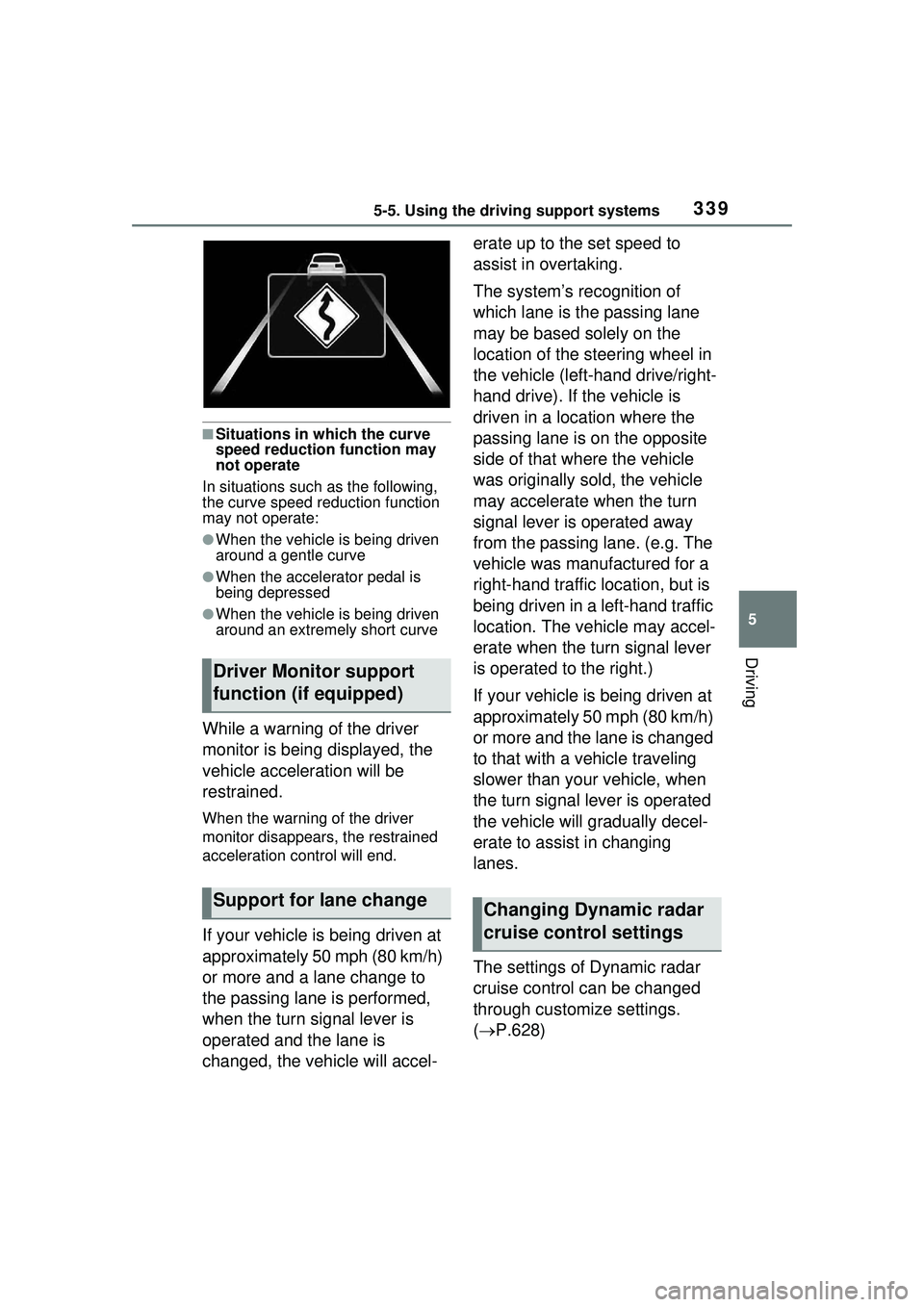
■Situations in which the curve
speed reduction function may
not operate
In situations such as the following,
the curve speed reduction function
may not operate:
●When the vehicle is being driven
around a gentle curve
●When the accelerator pedal is
being depressed
●When the vehicle is being driven
around an extremely short curve
While a warning of the driver
monitor is being displayed, the
vehicle acceleration will be
restrained.
When the warning of the driver
monitor disappears, the restrained
acceleration control will end.
If your vehicle is being driven at
approximately 50 mph (80 km/h)
or more and a lane change to
the passing lane is performed,
when the turn signal lever is
operated and the lane is
changed, the vehicle will accel- erate up to the set speed to
assist in overtaking.
The system’s recognition of
which lane is the passing lane
may be based solely on the
location of the steering wheel in
the vehicle (left-hand drive/right-
hand drive). If the vehicle is
driven in a location where the
passing lane is on the opposite
side of that where the vehicle
was originally sold, the vehicle
may accelerate when the turn
signal lever is operated away
from the passing lane. (e.g. The
vehicle was manufactured for a
right-hand traffic location, but is
being driven in a left-hand traffic
location. The vehicle may accel-
erate when the turn signal lever
is operated to the right.)
If your vehicle is being driven at
approximately 50 mph (80 km/h)
or more and the lane is changed
to that with a vehicle traveling
slower than your vehicle, when
the turn signal lever is operated
the vehicle will
gradually decel-
erate to assist in changing
lanes.
The settings of Dynamic radar
cruise control can be changed
through customize settings.
( P.628)
Driver Monitor support
function (if equipped)
Support for lane changeChanging Dynamic radar
cruise control settings
Page 346 of 680
3465-5. Using the driving support systems
Operation of this system is sep-
arated into 4 control states.
Through control state “warning
phase 1” and “warning phase 2”,
the system determines if the
driver is aware and responsive
while outputting a warning and
controlling the vehicle speed. If
the system determines the
driver is not responsive, it will
operate in control state “deceler-
ation stop phase” and “stop hold
phase” and decelerate and stop
the vehicle. It will then operate
continuously in “stop hold
phase”.
■Operating conditions
This system operates when all of
the following conditions are met:
●When the LTA is on
Or during the Traffic Jam Assist (if
equipped) controls
●When the vehicle speed is
approximately 30 mph (50 km/h) or more
During the Traffic Jam Assist con-
trols (if equipped), the system may
operate at below 30 mph (50 km/h).
■Operation cancelation condi-
tions
In the following si tuations, system
operation will be canceled:
●When LTA control has been can-
celed (the LTA switch has been
pressed, etc.)
●When the dynamic radar cruise
control has been canceled
●When driver operations are
detected (the steering wheel is
held, the brake pedal, accelerator
pedal, parking brake, emergency
flasher switch, or turn signal lever
is operated)
●When the driving assist switch is
pressed while in the stop and hold
phase
●When the power switch has been
turned from ON to off
●Situations in which some or all of
the functions of the system cannot
operate: P.291
■LTA control when operation is
canceled
When emergency driving stop sys-
tem operation is canceled, LTA con-
trol may also be canceled.
If driving operations are not
detected after the hands off
steering wheel warning oper-
ates, a buzzer will sound inter-
mittently and a message will be
displayed to warn the driver, and
the system will judge if the driver
is responsive or not. If driving
operations, such as holding the
steering wheel, are not per-
WARNING
●This system detects the condi-
tion of the driver through the
operation of the steering wheel.
This system may operate if the
driver is aware but intentionally
and continuously does not oper-
ate the vehicle. Also, the system
may not operate if it cannot
determine that the driver is not
responsive, such as if they are
leaning on the steering wheel.
●Situations in which the driver
monitor may not operate prop-
erly: P.291
Summary of the system
Warning phase 1
Page 347 of 680
3475-5. Using the driving support systems
5
Driving
formed within a certain amount
of time, the system will enter
warning phase 2.
Vehicles with a driver monitor
camera: Depending on the type
of detection of the driver’s unre-
sponsiveness, the system may
skip warning phase 1 and start
the control of warning phase 2.
After entering warning phase 2,
a buzzer will sound in short
intervals and a message will be
displayed to warn the driver, and
the vehicle will slowly deceler-
ate. If driving operations, such
as holding the steering wheel,
are not performed within a cer-
tain amount of time, the system
will determine that the driver is
not responsive and enter the
deceleration stop phase.
The audio system will be muted
until the driver becomes respon-
sive.
When the vehicle is decelerat-
ing, the brake lights may illumi-
nate, depending on the road
conditions, etc.
After entering the deceleration
stop phase, a buzzer will sound
continuously and a message will
be displayed to warn the driver,
and the vehicle will slowly decel-erate and stop. After the vehicle
stops, the system will enter the
stop and hold phase.
After the vehicle is stopped, the
parking brake will be applied
automatically. After entering the
stop and hold phase, the buzzer
will continue sounding continu-
ously and the emergency flash-
ers (hazard lights) will flash to
warn other drivers of the emer-
gency.
■Restricted functions after the
operation is canceled
After shifting to the deceleration
stop phase, the following functions
will not be available until the hybrid
system is re-started even though
the emergency driving stop system
is canceled:
●LTA
●LCA (if equipped)
●Traffic Jam Assist (if equipped)
Warning phase 2
Deceleration stop phase
Stop hold phase