service TOYOTA PRIUS PRIME 2023 Owner's Manual
[x] Cancel search | Manufacturer: TOYOTA, Model Year: 2023, Model line: PRIUS PRIME, Model: TOYOTA PRIUS PRIME 2023Pages: 680, PDF Size: 14.97 MB
Page 351 of 680
3515-5. Using the driving support systems
5
Driving
■Operating conditions of the
function
This function is operable when all of
the following conditions are met:
●The system detects lane lines and
the path of preceding or surround-
ing vehicles.
●The dynamic radar cruise control
and the lane tracing assist are
operating.
●The turn signal lever is not being
operated.
●The vehicle is not being driven
around a sharp curve.
●The vehicle is being driven in the
center of a lane.
●The driver monitor camera is
detecting that the driver is facing
front of the vehicle.
●The vehicle is driving in traffic jam
on a highway or expressway at
approximately 25 mph (40 km/h)
or less. (In some situations, such
as when a traffic jam starts, this
function may be operational at
approximately 20 mph (30 km/h)
or less.)
●It is necessary to enter a con-
nected services contract, provided
by Toyota, to use these functions.
For details, contact your Toyota
dealer.
●The driver’s door is closed.
●The driver’s seat belt is fastened.
●Customized setting of the Traffic
Jam Assist is not set to off.
●Functions and components com-
posing the system are in proper
condition.
●Customized setting of the PCS (Pre-Collision System) is not set
to off.
●Customized setting of the dynamic
radar cruise control (re-start time
extension) is not set to off.
■Temporary cancelation of the
function
●When the operating conditions are
no longer met, a function may be
temporarily canceled. However,
when the operation conditions are
met again, operation of the func-
tion will automatically be restored.
●If the operating conditions of a
function are no longer met while
the function is operating, a buzzer
may sound with a display to indi-
cate that the function has been
temporarily canceled. If no driver’s
responses to the
indication are
detected, the driver emergency
stop assist function may operate.
For types of display and action to
be taken, see the page mentioned
below. ( P.352)
■Driving operations during con-
trolled driving:
●Accelerator pedal
As with normal driving, acceleration
can be performed by depressing the
accelerator pedal. When the accel-
erator pedal is depressed at approx-
imately 10 km/h (6 mph) or more,
this function will be canceled.
●Brake pedal
As with normal driving, deceleration
can be performed by depressing the
brake pedal. However, controlled
driving will be cancelled.
●Steering wheel
As with normal driving, the steering
wheel can be operated. If the steer-
ing wheel is operated more than a
certain amount, controlled driving
will be cancelled.
WARNING
■Front camera installation area
on the windshield
P.288
Page 429 of 680
4295-6. Driving tips
5
Driving
5-6.Driving tips
Use fluids that are appropriate
to the prevailing outside tem-
peratures.
• Engine oil
• Engine coolant
• Power control unit coolant
• Washer fluid
Have a service technician
inspect the condition of the
12-volt battery.
Have the vehicle fitted with
four snow tires or purchase a
set of tire chains for the front
tires.
*
Ensure that all tires are the same
size and brand, and that chains
match the size of the tires.
*: Tire chains cannot be mounted
on vehicles with 195/50R19 tires.
Winter driving tips
Carry out the necessary
preparations and inspec-
tions before driving the
vehicle in winter. Always
drive the vehicle in a man-
ner appropriate to the pre-
vailing weather conditions.
Preparation for winter
WARNING
■Driving with snow tires
Observe the following precautions
to reduce the risk of accidents.
Failure to do so may result in a
loss of vehicle control and cause
death or serious injury.
●Use tires of the specified size.
●Maintain the recommended
level of air pressure.
●Do not drive in excess of 75
mph (120 km/h), regardless of
the type of snow tires being
used.
●Use snow tires on all, not just
some wheels.
■Driving with tire chains
(except 195/50R19 tires)
Observe the following precautions
to reduce the risk of accidents.
Failure to do so may result in the
vehicle being unable to be driven
safely, and may cause death or
serious injury.
●Do not drive in excess of the
speed limit specified for the tire
chains being used, or 30 mph
(50 km/h), whichever is lower.
●Avoid driving on bumpy road
surfaces or over potholes.
●Avoid sudden acceleration,
abrupt steering, sudden brak-
ing and shifting operations that
cause sudden engine braking.
●Slow down sufficiently before
entering a curve to ensure that
vehicle control is maintained.
●Do not use LTA (Lane Tracing
Assist) system.
●Do not use LDA (Lane Depar-
ture Alert) system.
Page 438 of 680
4386-1. Using the air conditioning system and defogger
turned on automatically. (P.422)
●To improve air conditioning perfor-
mance, perform the following
operations:
• Adjust the fan speed
• Deactivate Eco drive mode
( P.422)
• Turn off eco air conditioning mode
( P.440)
■Ventilation and air conditioning
odors
●To let fresh air in, set the air condi-
tioning system to the outside air
mode.
●During use, various odors from
inside and outside the vehicle may
enter into and accumulate in the
air conditioning system. This may
then cause odor to be emitted
from the vents.
●In order to suppress odors that
occur when the air conditioning
system starts, the air flow mode
may change to blow air to the feet
or air may stop blowing for a short
period of time immediately after
the air conditioning system is
started in automatic mode.
●When parking, the system auto-
matically switches to outside air
mode to encourage better air cir-
culation throughout the vehicle,
helping to reduce odors that occur
when starting the vehicle.
■Using the voice control system
(if equipped)
Air conditioning system can be
operated using voice control sys-
tem.
For details regarding the voice con-
trol system, refer to “MULTIMEDIA
OWNER’S MANUAL”.
■Air conditioning filter
P.535
■Air conditioning system refrig-
erant
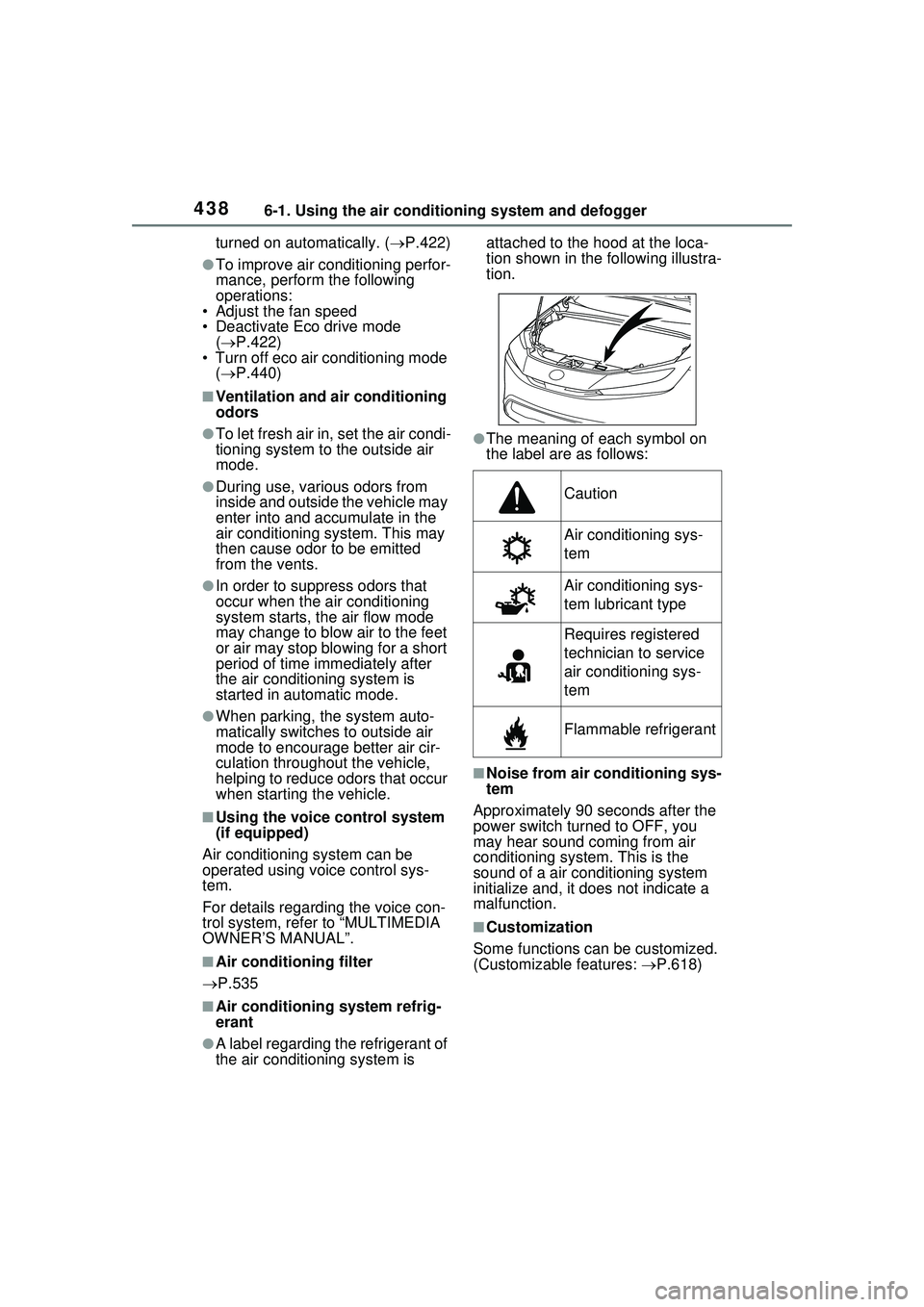
●A label regarding the refrigerant of
the air conditioning system is attached to the hood at the loca-
tion shown in th
e following illustra-
tion.
●The meaning of each symbol on
the label are as follows:
■Noise from air conditioning sys-
tem
Approximately 90 seconds after the
power switch turned to OFF, you
may hear sound coming from air
conditioning system. This is the
sound of a air conditioning system
initialize and, it does not indicate a
malfunction.
■Customization
Some functions can be customized.
(Customizable features: P.618)
Caution
Air conditioning sys-
tem
Air conditioning sys-
tem lubricant type
Requires registered
technician to service
air conditioning sys-
tem
Flammable refrigerant
Page 485 of 680
485
7
7
Maintenance and care
Maintenance and care
7-1. Maintenance and careCleaning and protecting the vehicle exterior .......... 486
Cleaning and protecting the vehicle interior ........... 490
7-2. Maintenance Maintenance requirements.................................. 494
General maintenance.. 495
Emission inspection and maintenance (I/M) pro-
grams ........................ 498
7-3. Do-it-yourself mainte- nance
Do-it-yourself service pre- cautions ..................... 499
Hood ........................... 501
Positioning a floor jack 502
Engine compartment ... 504
12-volt battery ............. 511
Tires ............................ 513
Replacing the tire ........ 526
Tire inflation pressure . 532
Wheels ......... ...............534
Air conditioning filter .... 535
Electronic key battery.. 538
Checking and replacing fuses.......................... 540
Headlight aim .............. 542
Exterior lights .............. 543
Page 494 of 680
4947-2. Maintenance
7-2.Maintenance
■Repair and replacement
It is recommended that genuine
Toyota parts be used for repairs to
ensure performance of each sys-
tem. If non-Toyota parts are used in
replacement or if a repair shop other
than a Toyota dealer performs
repairs, confirm the warranty cover-
age.
■Allow inspection and repairs to
be performed by a Toyota
dealer
●Toyota technicians are well-
trained specialists and are kept up
to date with the latest service
information. They are well
informed about the operations of
all systems on your vehicle.
●Keep a copy of the repair order. It
proves that the maintenance that
has been performed is under war-
ranty coverage. If any problem
should arise while your vehicle is
under warranty, your Toyota
dealer will promptly take care of it.
General maintenance should be
performed on a daily basis. This
can be done by yourself or by a
Toyota dealer.
Scheduled maintenance should
be performed at specified inter-
vals according to the mainte-
nance schedule.
For details about maintenance
items and schedules, refer to the
“Scheduled Maintenance Guide” or
“Owner’s Manual Supplement”.
Maintenance require-
ments
To ensure safe and econom-
ical driving, day-to-day care
and regular maintenance
are essential. It is the
owner’s responsibility to
perform regular checks.
Toyota recommends the fol-
lowing maintenance:
WARNING
■If your vehicle is not properly
maintained
Improper maintenance could
result in serious damage to the
vehicle and possible death or seri-
ous injury.
■Handling of the 12-volt bat-
tery
●Engine exhaust, some of its
constituents, and a wide variety
of automobile components con-
tain or emit chemicals known to
the State of California to cause
cancer and birth defects and
other reproductive harm. Work
in a well ventilated area.
●Oils, fuels and fluids contained
in vehicles as well as waste pro-
duced by component wear con-
tain or emit chemicals known to
the State of California to cause
cancer and birth defects or
other reproductive harm. Avoid
exposure and wash any
affected area immediately.
●12-volt battery posts, terminals
and related accessories con-
tain lead and lead compounds
which are known to cause brain
damage. Wash your hands after
handling. ( P.512)
General maintenance
Scheduled maintenance
Page 495 of 680
4957-2. Maintenance
7
Maintenance and care
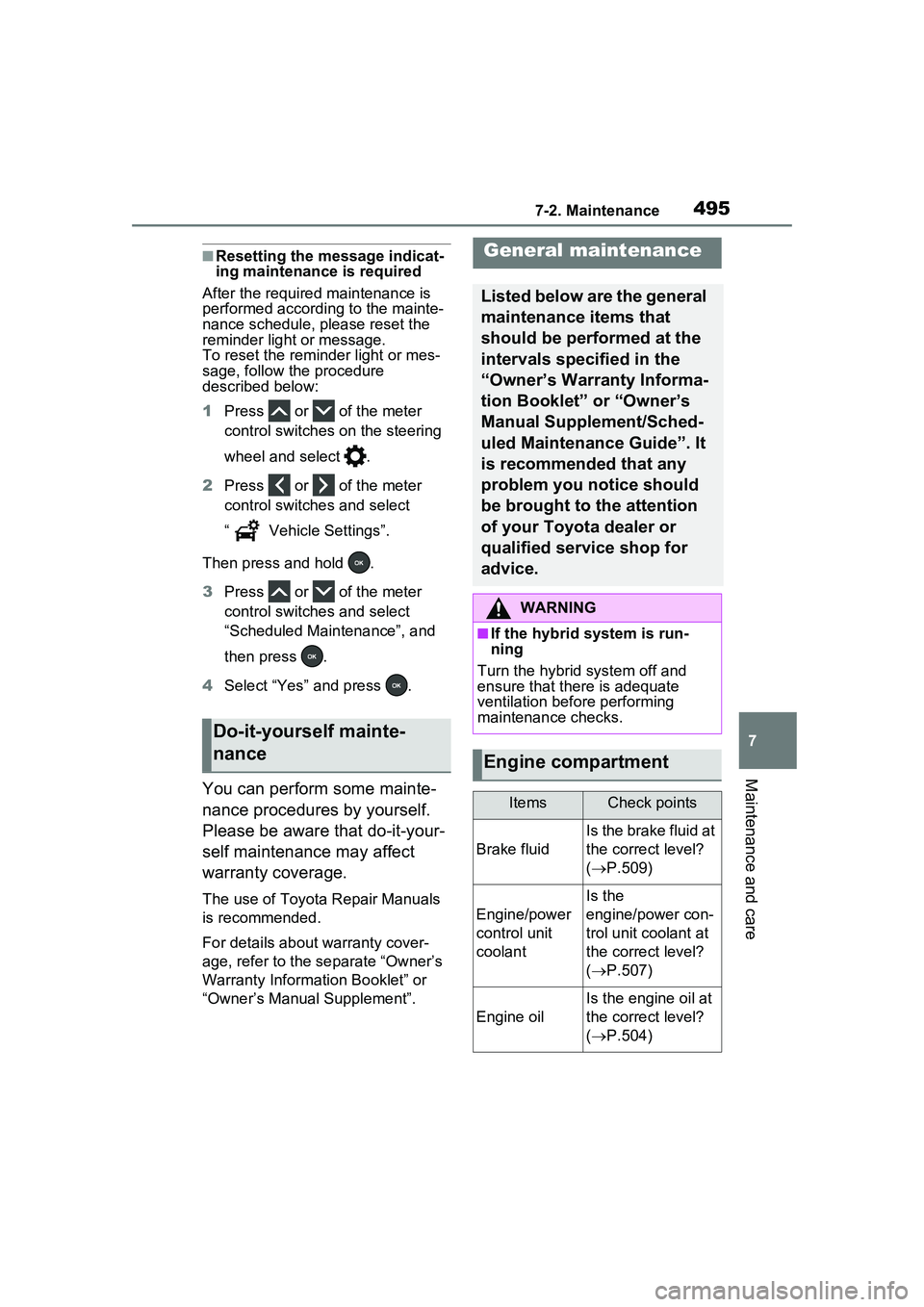
■Resetting the message indicat-
ing maintenance is required
After the required maintenance is
performed according to the mainte-
nance schedule, please reset the
reminder light or message.
To reset the reminder light or mes-
sage, follow the procedure
described below:
1 Press or of the meter
control switches on the steering
wheel and select .
2 Press or of the meter
control switches and select
“ Vehicle Settings”.
Then press and hold .
3 Press or of the meter
control switches and select
“Scheduled Maintenance”, and
then press .
4 Select “Yes” and press .
You can perform some mainte-
nance procedures by yourself.
Please be aware that do-it-your-
self maintenance may affect
warranty coverage.
The use of Toyota Repair Manuals
is recommended.
For details about warranty cover-
age, refer to the separate “Owner’s
Warranty Information Booklet” or
“Owner’s Manual Supplement”.
Do-it-yourself mainte-
nance
General maintenance
Listed below are the general
maintenance items that
should be performed at the
intervals specified in the
“Owner’s Warranty Informa-
tion Booklet” or “Owner’s
Manual Supplement/Sched-
uled Maintenance Guide”. It
is recommended that any
problem you notice should
be brought to the attention
of your Toyota dealer or
qualified service shop for
advice.
WARNING
■If the hybrid system is run-
ning
Turn the hybrid system off and
ensure that there is adequate
ventilation before performing
maintenance checks.
Engine compartment
ItemsCheck points
Brake fluid
Is the brake fluid at
the correct level?
( P.509)
Engine/power
control unit
coolant
Is the
engine/power con-
trol unit coolant at
the correct level?
( P.507)
Engine oil
Is the engine oil at
the correct level?
( P.504)
Page 498 of 680
4987-2. Maintenance
The OBD system determines
that a problem exists some-
where in the emission control
system. Your vehicle may not
pass the I/M test and may need
to be repaired. Contact your
Toyota dealer to service the
vehicle.
When the 12-volt battery is
disconnected or discharged
Readiness codes that are set
during ordinary driving are
erased.
Also, depending on your driv-
ing habits, the readiness
codes may not be completely
set.
When the fuel tank cap is loose
The malfunction indicator
lamp comes on indicating a
temporary malfunction and
your vehicle may not pass the
I/M test.
The error code in the OBD sys-
tem will not be cleared unless
the vehicle is driven 40 or more
times.
Contact your Toyota dealer to
prepare the vehicle for re-test-
ing.
Emission inspection
and maintenance (I/M)
programs
Some states have vehicle
emission inspection pro-
grams which include OBD
(On Board Diagnostics)
checks. The OBD system
monitors the operation of
the emission control sys-
tem.
If the malfunction indica-
tor lamp comes on
Your vehicle may not
pass the I/M test in the fol-
lowing situations:
When the malfunction
indicator lamp still
remains on after several
driving trips
If your vehicle does not
pass the I/M test
Page 499 of 680
4997-3. Do-it-yourself maintenance
7
Maintenance and care
7-3.Do-it-yourself maintenance
Do-it-yourself service
precautions
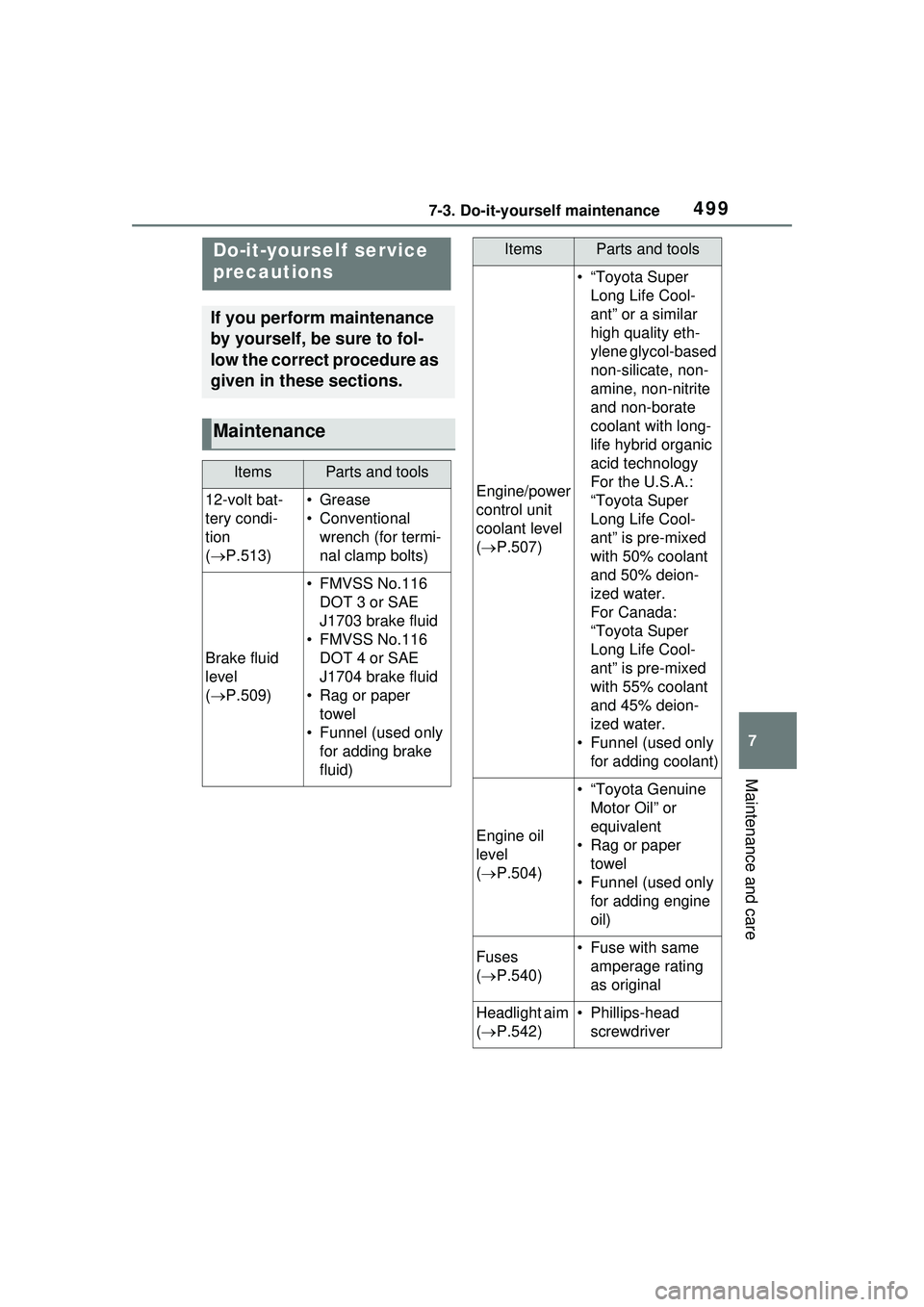
If you perform maintenance
by yourself, be sure to fol-
low the correct procedure as
given in these sections.
Maintenance
ItemsParts and tools
12-volt bat-
tery condi-
tion
( P.513)•Grease
• Conventional
wrench (for termi-
nal clamp bolts)
Brake fluid
level
( P.509)
• FMVSS No.116
DOT 3 or SAE
J1703 brake fluid
• FMVSS No.116 DOT 4 or SAE
J1704 brake fluid
• Rag or paper towel
• Funnel (used only for adding brake
fluid)
Engine/power
control unit
coolant level
( P.507)
• “Toyota Super
Long Life Cool-
ant” or a similar
high quality eth-
ylene glycol-based
non-silicate, non-
amine, non-nitrite
and non-borate
coolant with long-
life hybrid organic
acid technology
For the U.S.A.:
“Toyota Super
Long Life Cool-
ant” is pre-mixed
with 50% coolant
and 50% deion-
ized water.
For Canada:
“Toyota Super
Long Life Cool-
ant” is pre-mixed
with 55% coolant
and 45% deion-
ized water.
• Funnel (used only for adding coolant)
Engine oil
level
( P.504)
• “Toyota Genuine
Motor Oil” or
equivalent
• Rag or paper towel
• Funnel (used only for adding engine
oil)
Fuses
( P.540)• Fuse with same
amperage rating
as original
Headlight aim
( P.542)• Phillips-head
screwdriver
ItemsParts and tools
Page 507 of 680
5077-3. Do-it-yourself maintenance
7
Maintenance and care
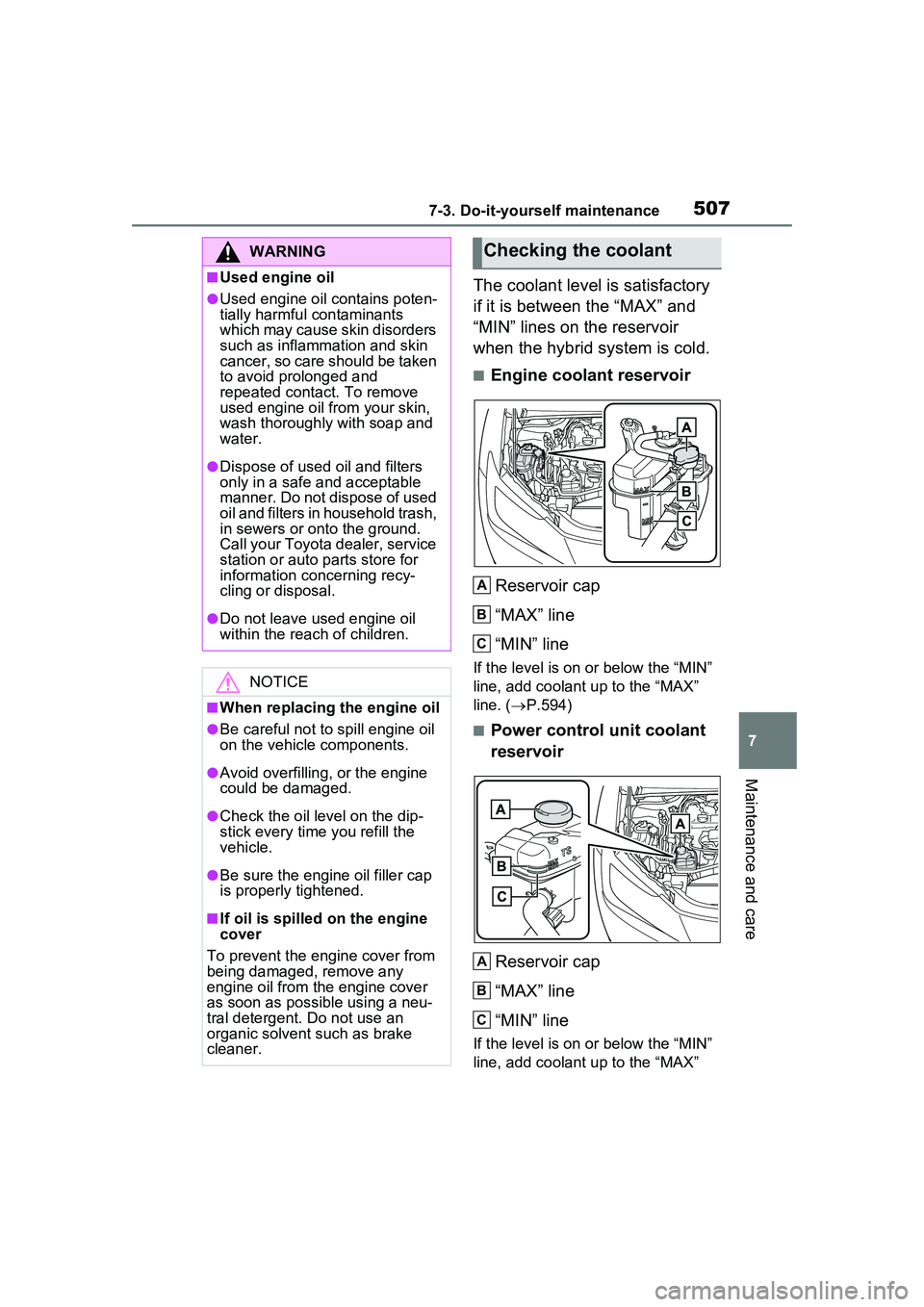
The coolant level is satisfactory
if it is between the “MAX” and
“MIN” lines on the reservoir
when the hybrid system is cold.
■Engine coolant reservoirReservoir cap
“MAX” line
“MIN” line
If the level is on or below the “MIN”
line, add coolant up to the “MAX”
line. ( P.594)
■Power control unit coolant
reservoir
Reservoir cap
“MAX” line
“MIN” line
If the level is on or below the “MIN”
line, add coolant up to the “MAX”
WARNING
■Used engine oil
●Used engine oil contains poten-
tially harmful contaminants
which may cause skin disorders
such as inflammation and skin
cancer, so care should be taken
to avoid prolonged and
repeated contact. To remove
used engine oil from your skin,
wash thoroughly with soap and
water.
●Dispose of used oil and filters
only in a safe and acceptable
manner. Do not dispose of used
oil and filters in household trash,
in sewers or onto the ground.
Call your Toyota dealer, service
station or auto parts store for
information concerning recy-
cling or disposal.
●Do not leave used engine oil
within the reach of children.
NOTICE
■When replacing the engine oil
●Be careful not to spill engine oil
on the vehicle components.
●Avoid overfilling, or the engine
could be damaged.
●Check the oil level on the dip-
stick every time you refill the
vehicle.
●Be sure the engine oil filler cap
is properly tightened.
■If oil is spilled on the engine
cover
To prevent the engine cover from
being damaged, remove any
engine oil from the engine cover
as soon as possible using a neu-
tral detergent. Do not use an
organic solvent such as brake
cleaner.
Checking the coolant
A
B
C
A
B
C
Page 509 of 680
5097-3. Do-it-yourself maintenance
7
Maintenance and care
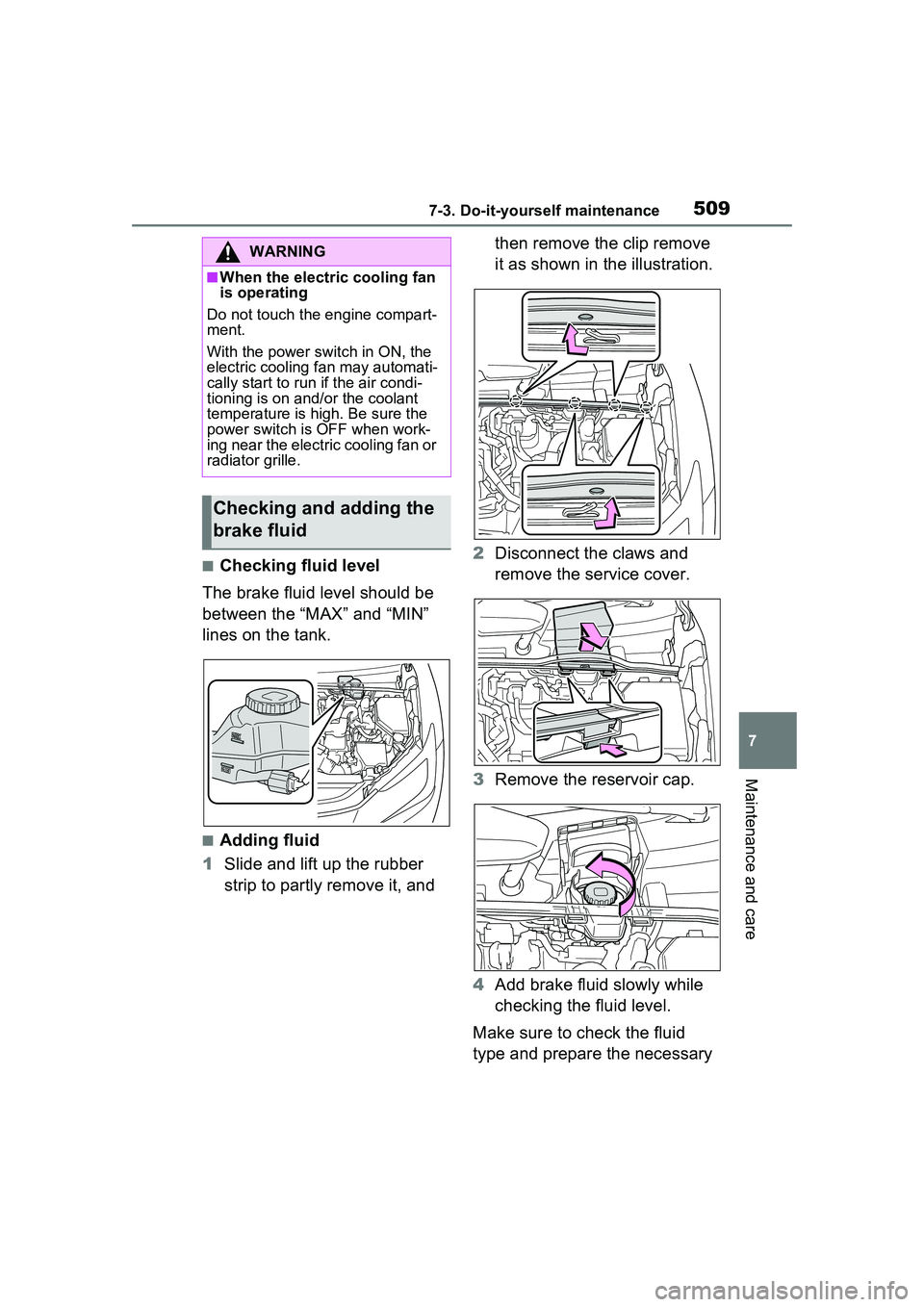
■Checking fluid level
The brake fluid level should be
between the “MAX” and “MIN”
lines on the tank.
■Adding fluid
1 Slide and lift up the rubber
strip to partly remove it, and then remove the clip remove
it as shown in the illustration.
2 Disconnect the claws and
remove the service cover.
3 Remove the reservoir cap.
4 Add brake fluid slowly while
checking the fluid level.
Make sure to check the fluid
type and prepare the necessary
WARNING
■When the electric cooling fan
is operating
Do not touch the engine compart-
ment.
With the power switch in ON, the
electric cooling fan may automati-
cally start to run if the air condi-
tioning is on and/or the coolant
temperature is high. Be sure the
power switch is OFF when work-
ing near the electric cooling fan or
radiator grille.
Checking and adding the
brake fluid