oil TOYOTA PRIUS PRIME 2023 Owners Manual
[x] Cancel search | Manufacturer: TOYOTA, Model Year: 2023, Model line: PRIUS PRIME, Model: TOYOTA PRIUS PRIME 2023Pages: 680, PDF Size: 14.97 MB
Page 1 of 680
PRIUS PRIME_OM_OM47E73U_(U)
1
2
3
4
5
6
7
8
9
10
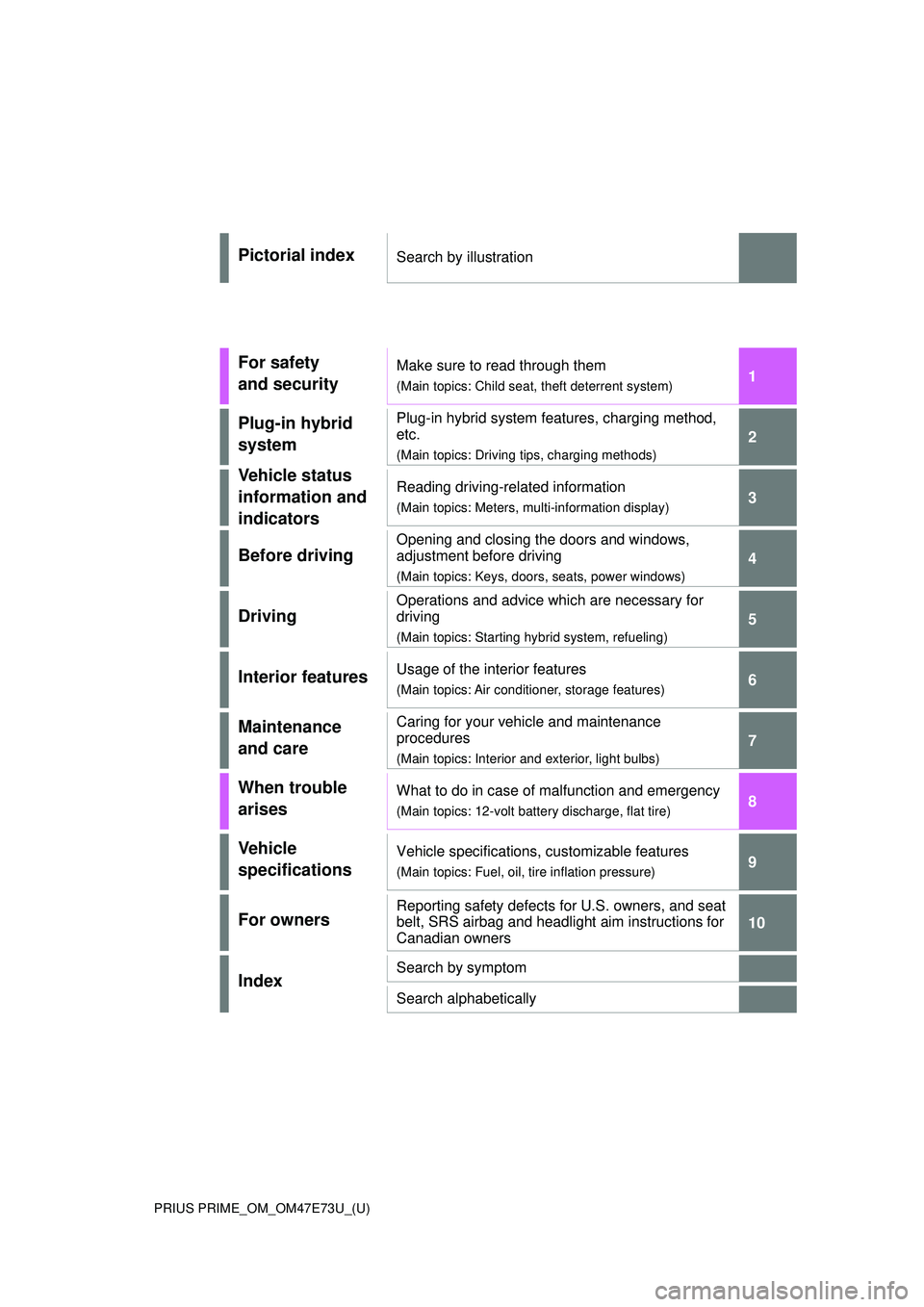
Pictorial indexSearch by illustration
For safety
and securityMake sure to read through them
(Main topics: Child seat, theft deterrent system)
Plug-in hybrid
systemPlug-in hybrid system features, charging method,
etc.
(Main topics: Driving tips, charging methods)
Vehicle status
information and
indicatorsReading driving-related information
(Main topics: Meters, multi-information display)
Before driving
Opening and closing the doors and windows,
adjustment before driving
(Main topics: Keys, doors, seats, power windows)
Driving
Operations and advice which are necessary for
driving
(Main topics: Starting hybrid system, refueling)
Interior featuresUsage of the interior features
(Main topics: Air conditioner, storage features)
Maintenance
and careCaring for your vehicle and maintenance
procedures
(Main topics: Interior and exterior, light bulbs)
When trouble
arisesWhat to do in case of malfunction and emergency
(Main topics: 12-volt battery discharge, flat tire)
Vehicle
specificationsVehicle specifications, customizable features
(Main topics: Fuel, oil, tire inflation pressure)
For ownersReporting safety defects for U.S. owners, and seat
belt, SRS airbag and headlight aim instructions for
Canadian owners
IndexSearch by symptom
Search alphabetically
Page 5 of 680
5TABLE OF CONTENTS
1
2
3
4
5
6
7
8
9
10
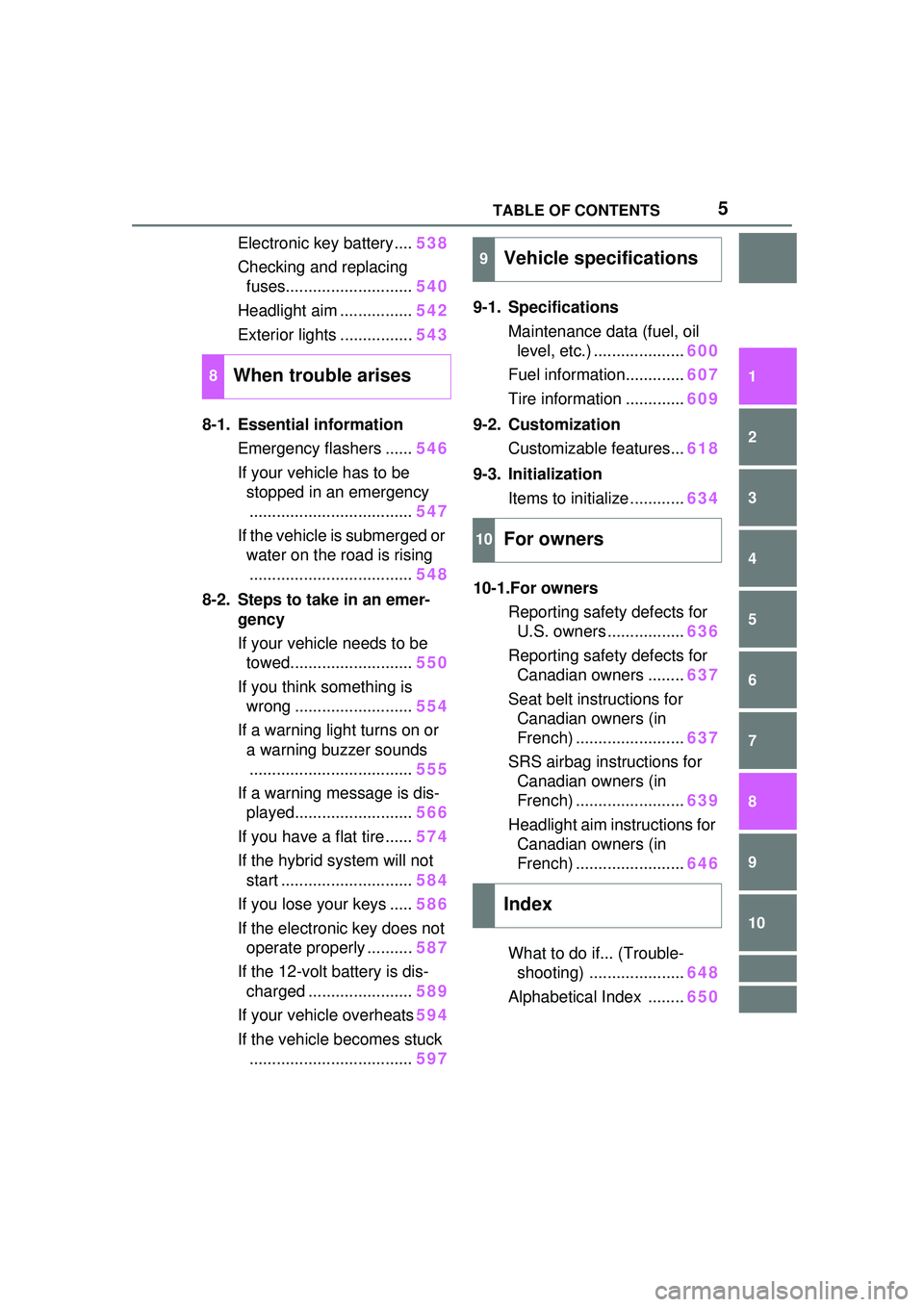
Electronic key battery....538
Checking and replacing fuses............................ 540
Headlight aim ................ 542
Exterior lights ................ 543
8-1. Essential information Emergency flashers ...... 546
If your vehicle has to be stopped in an emergency.................................... 547
If the vehicle is submerged or water on the road is rising.................................... 548
8-2. Steps to take in an emer- gency
If your vehicle needs to be towed........................... 550
If you think something is wrong .......................... 554
If a warning light turns on or a warning buzzer sounds.................................... 555
If a warning message is dis- played.......................... 566
If you have a flat tire...... 574
If the hybrid system will not start ............................. 584
If you lose your keys ..... 586
If the electronic key does not operate properly .......... 587
If the 12-volt battery is dis- charged ....................... 589
If your vehicle overheats 594
If the vehicle becomes stuck .................................... 5979-1. Specifications
Maintenance data (fuel, oil level, etc.) .................... 600
Fuel information............. 607
Tire information ............. 609
9-2. Customization Customizable features... 618
9-3. Initialization Items to initialize ............ 634
10-1.For owners Reporting safety defects for U.S. owners ................. 636
Reporting safety defects for Canadian owners ........ 637
Seat belt instructions for Canadian owners (in
French) ........................ 637
SRS airbag instructions for Canadian owners (in
French) ........................ 639
Headlight aim instructions for Canadian owners (in
French) ........................ 646
What to do if... (Trouble- shooting) ..................... 648
Alphabetical Index ........ 650
8When trouble arises
9Vehicle specifications
10For owners
Index
Page 17 of 680
17Pictorial index
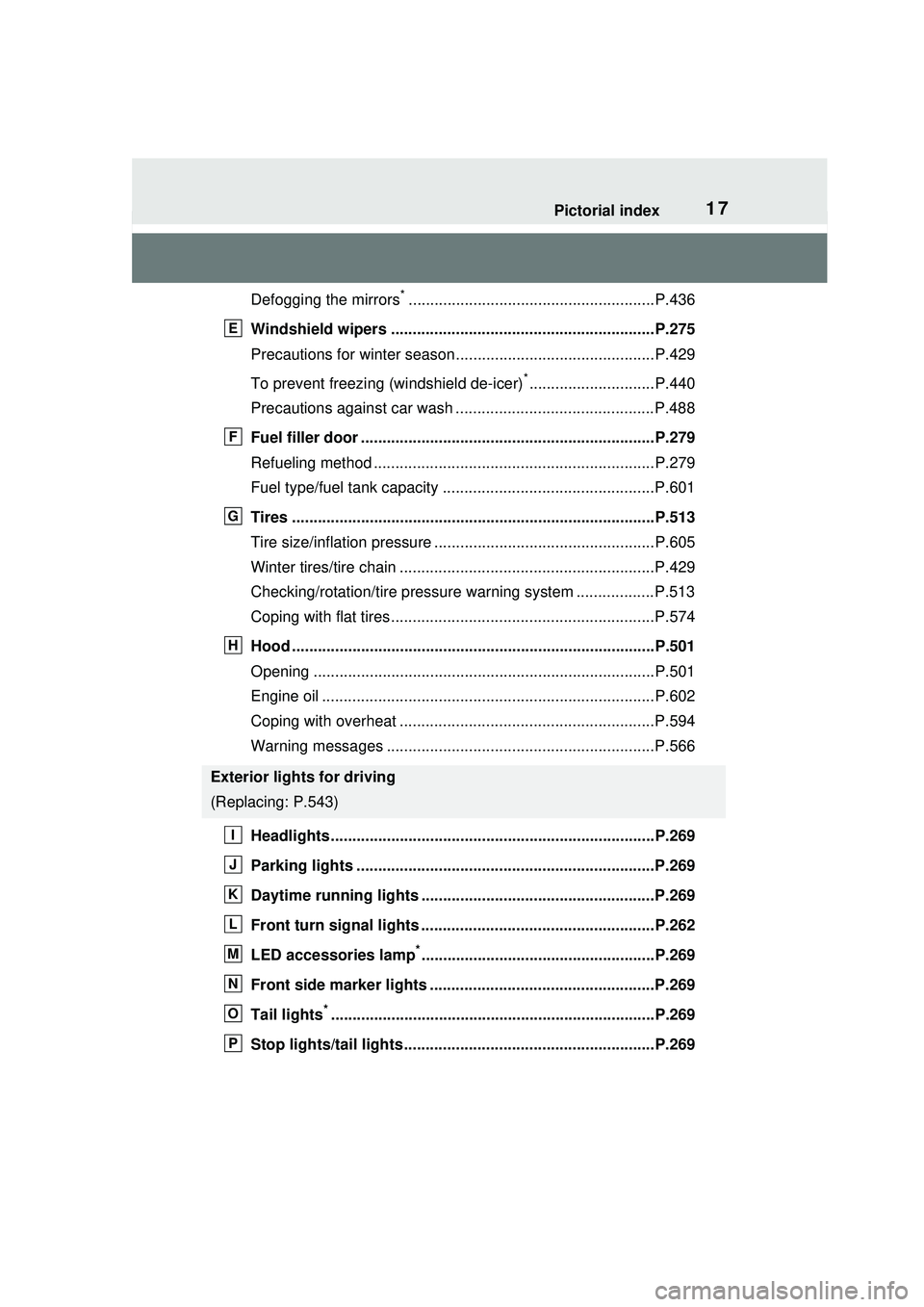
Defogging the mirrors*.........................................................P.436
Windshield wipers .............................................................P.275
Precautions for winter season.... ..........................................P.429
To prevent freezing (windshield de-icer)
*.............................P.440
Precautions against car wash ..............................................P.488
Fuel filler door ....................................................................P.279
Refueling method .................................................................P.279
Fuel type/fuel tank capacity .................................................P.601
Tires ....................................................................................P.513
Tire size/inflation pressure ...... .............................................P.605
Winter tires/tire chain ...........................................................P.429
Checking/rotation/tire pressure warning system ..................P.513
Coping with flat tires.............................................................P.574
Hood ....................................................................................P.501
Opening ...............................................................................P.501
Engine oil .............................................................................P.602
Coping with overheat ...........................................................P.594
Warning messages ..............................................................P.566
Headlights...........................................................................P.269
Parking lights .....................................................................P.269
Daytime running lights ............... .......................................P.269
Front turn signal lights ......................................................P.262
LED accessories lamp
*......................................................P.269
Front side marker lights ....................................................P.269
Tail lights
*...........................................................................P.269
Stop lights/tail lights ..........................................................P.269
Exterior lights for driving
(Replacing: P.543)
E
F
G
H
I
J
K
L
M
N
O
P
Page 150 of 680
1503-1. Instrument cluster
3-1.Instrument cluster
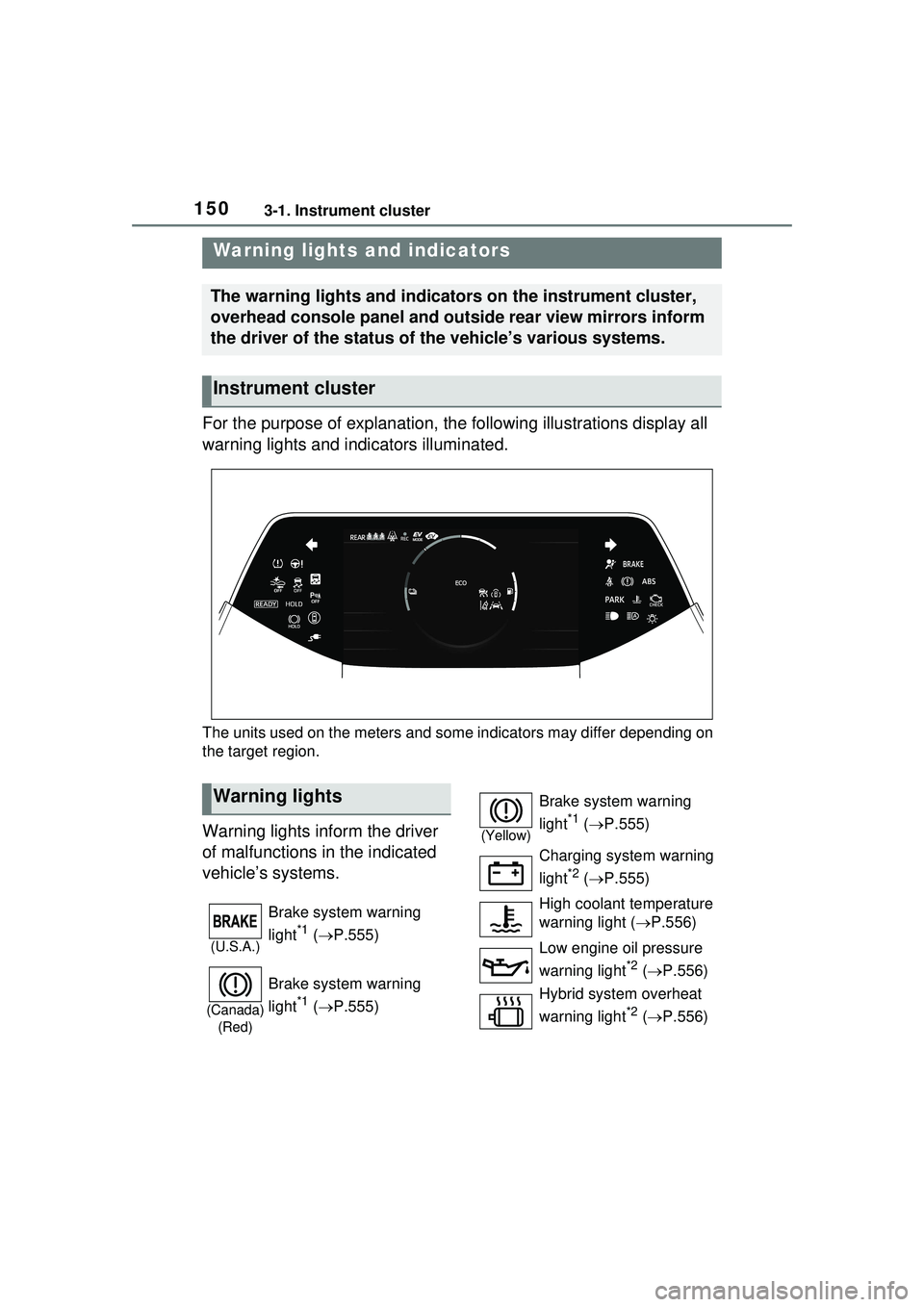
For the purpose of explanation, the following illustrations display all
warning lights and indicators illuminated.
The units used on the meters and some indicators may differ depending on
the target region.
Warning lights inform the driver
of malfunctions in the indicated
vehicle’s systems.
Warning lights and indicators
The warning lights and indicators on the instrument cluster,
overhead console panel and outside rear view mirrors inform
the driver of the status of the vehicle’s various systems.
Instrument cluster
Warning lights
(U.S.A.)
Brake system warning
light
*1 ( P.555)
(Canada)
(Red)
Brake system warning
light
*1 ( P.555)
(Yellow)
Brake system warning
light
*1 ( P.555)
Charging system warning
light
*2 ( P.555)
High coolant temperature
warning light ( P.556)
Low engine oil pressure
warning light
*2 ( P.556)
Hybrid system overheat
warning light
*2 ( P.556)
Page 156 of 680
1563-1. Instrument cluster
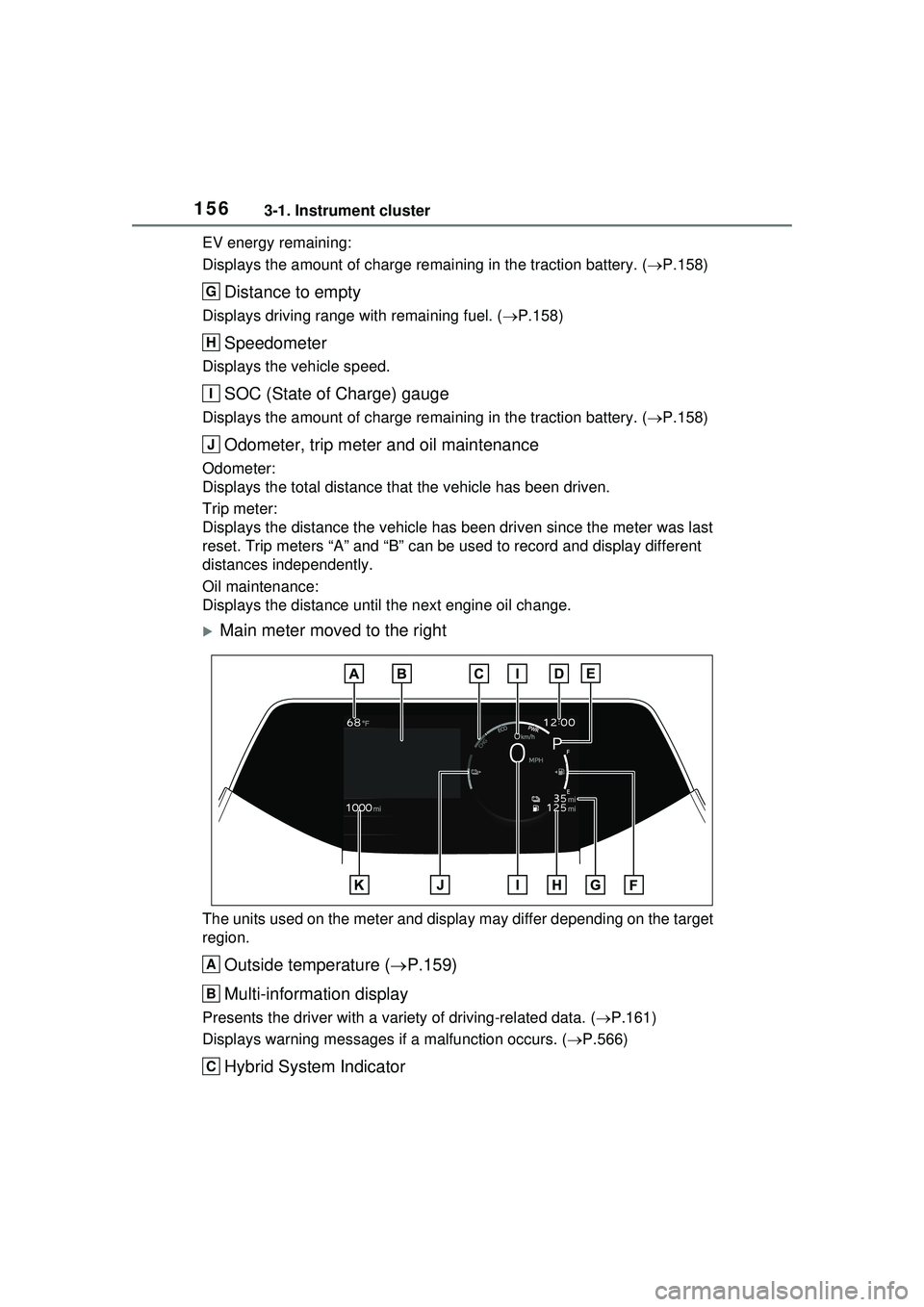
EV energy remaining:
Displays the amount of charge remaining in the traction battery. (P.158)
Distance to empty
Displays driving range with remaining fuel. ( P.158)
Speedometer
Displays the vehicle speed.
SOC (State of Charge) gauge
Displays the amount of charge remaining in the traction battery. ( P.158)
Odometer, trip meter and oil maintenance
Odometer:
Displays the total distance that the vehicle has been driven.
Trip meter:
Displays the distance the vehicle has been driven since the meter was last
reset. Trip meters “A” and “B” can be used to record and display different
distances independently.
Oil maintenance:
Displays the distance until the next engine oil change.
Main meter moved to the right
The units used on the meter and display may differ depending on the target
region.
Outside temperature ( P.159)
Multi-information display
Presents the driver with a vari ety of driving-related data. (P.161)
Displays warning me ssages if a malfunction occurs. ( P.566)
Hybrid System Indicator
G
H
I
J
A
B
C
Page 157 of 680
1573-1. Instrument cluster
3
Vehicle status information and indicators
Displays hybrid system output or regeneration level. (P.158)
Clock
The GPS clock’s time is automatically adjusted by utilizing GPS time infor-
mation. For details, refer to the “MULTIMEDIA OWNER’S MANUAL”.
Shift position indicator
Displays the selected shift position ( P.256)
Fuel gauge
Displays the quantity of fuel remaining in the tank.
EV driving range/EV energy remaining
The content can be switched through a customized setting. ( P.166)
EV driving range:
Displays the EV driving range with char ge remaining in the hybrid battery
(traction battery). ( P.159)
EV energy remaining:
Displays the amount of charge remaining in the traction battery. ( P.158)
Distance to empty
Displays driving range with remaining fuel. ( P.158)
Speedometer
Displays the vehicle speed.
SOC (State of Charge) gauge
Displays the amount of charge remaining in the traction battery. ( P.158)
Odometer, trip meter and oil maintenance
Odometer:
Displays the total distance that the vehicle has been driven.
Trip meter:
Displays the distance the vehicle has been driven since the meter was last
reset. Trip meters “A” and “B” can be used to record and display different
distances independently.
Oil maintenance:
Displays the distance until the next engine oil change.
■The meters and display illumi-
nate when
The power switch is in ON.
D
E
F
G
H
I
J
K
Page 160 of 680
1603-1. Instrument cluster
compliance with the License.
You may obtain a copy of the
License at
http://www.apache.org/licenses/
LICENSE-2.0
Unless required by applicable law or
agreed to in writing, software distrib-
uted under the License is distributed
on an “AS IS” BASIS, WITHOUT
WARRANTIES OR CONDITIONS
OF ANY KIND, either express or
implied. See the License for the
specific language governing permis-
sions and limitations under the
License.
The multi-information display
can be switched between dis-
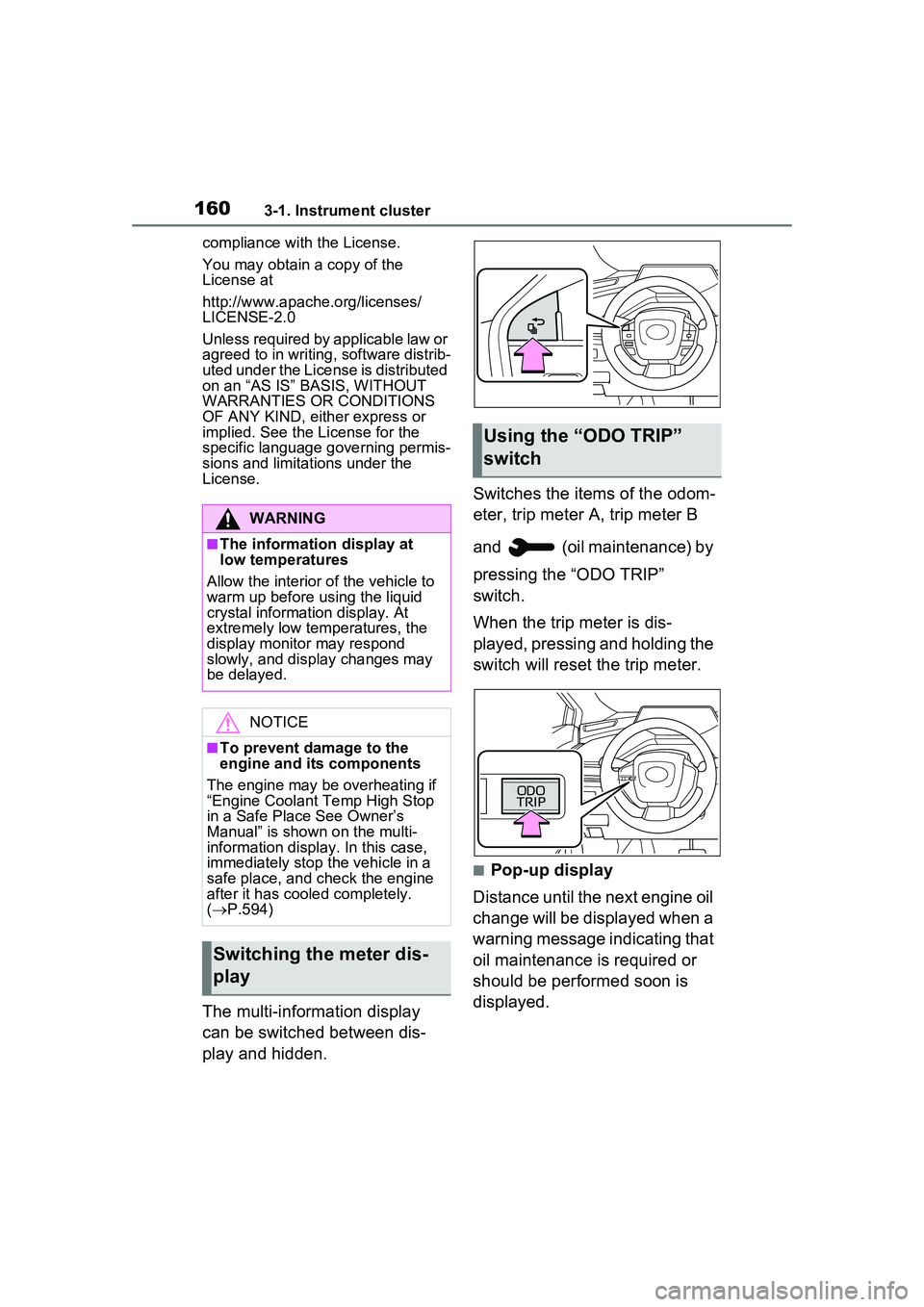
play and hidden. Switches the items of the odom-
eter, trip meter A, trip meter B
and (oil maintenance) by
pressing the “ODO TRIP”
switch.
When the trip meter is dis-
played, pressing and holding the
switch will reset the trip meter.
■Pop-up display
Distance until the next engine oil
change will be displayed when a
warning message indicating that
oil maintenance is required or
should be performed soon is
displayed.
WARNING
■The information display at
low temperatures
Allow the interior of the vehicle to
warm up before using the liquid
crystal information display. At
extremely low temperatures, the
display monitor may respond
slowly, and display changes may
be delayed.
NOTICE
■To prevent damage to the
engine and its components
The engine may be overheating if
“Engine Coolant Temp High Stop
in a Safe Place See Owner’s
Manual” is shown on the multi-
information display. In this case,
immediately stop the vehicle in a
safe place, and check the engine
after it has cooled completely.
( P.594)
Switching the meter dis-
play
Using the “O DO TRIP”
switch
Page 170 of 680
1703-1. Instrument cluster
system.
•“Timing”
Select to set the alert timing for
FCTA system.
Regenerative brake
Select to set up the following items.
• “Deceleration”
Select to change the regenerative
braking force when Regeneration
Boost is operating. ( P.260)
• “Deceleration Memory”
Select to store the settings for
regenerative braking force.
( P.260)
“TPWS setting” (Tire Pres-
sure Warning System)
( P.516)
• “Tire Set Switching”
Select to register the tire pressure
warning system sensor ID code set.
( P.524)
• “Tire Rotation”
Select to register the position of
each wheel after performing a tire
rotation. ( P.518)
• “Tire Pressure Setting”
Select to perform the tire inflation
pressure setting procedure of the
tire pressure warning system.
( P.520)
• “Pressure unit setting”
Select to change the units of mea-
sure displayed.( P.619)
Driver monitor (if equipped)
Select to enable/disable the driver
monitor warning function. ( P.292)
PBD (Power Back Door) (if equipped) (
P.194)
Select to set up the following items.
• System settings
Select to enable/d isable the power
back door system.
• “Opening Adjustment”
Select the open position when
power back door is fully open.
•“Volume”
Select to set the volume of the
buzzer which sounds when the
power back door system operates.
“Scheduled Maintenance”
Select to reset the scheduled main-
tenance information (message indi-
cating maintenance is required and
distance until the next mainte-
nance) after all maintenance is per-
formed.
Oil Maintenance
Select to reset th e Oil maintenance.
( P.506)
Rear Seat Reminder
( P.188)
Select to enable/disable the rear
seat reminder function.
Digital Keys (if equipped)
Select to reset registered digital
keys. ( P.183)
■ Settings
“Language”
Select to change the language on
the multi-information display.
“Units”
Select to change the unit of mea-
sure for fuel consumption.
“Meter Type”
Page 205 of 680
2054-2. Opening, closing and locking the doors
4
Before driving
an area of approximately 11.5 ft.
(3.5 m) of the outside of the vehi-
cle for 40 seconds or longer.
• The smart key system has not been used for 5 days or longer.
●If the smart key system has not
been used for 14 days or longer,
the doors cannot be unlocked at
any doors except the driver’s
door. In this case, take hold of the
driver’s door handle, or use the
wireless remote control or the
mechanical key, to unlock the
doors.
■Turning an electronic key to
battery-saving mode
●When battery-saving mode is set,
battery depletion is minimized by
stopping the electronic key from
receiving radio waves.
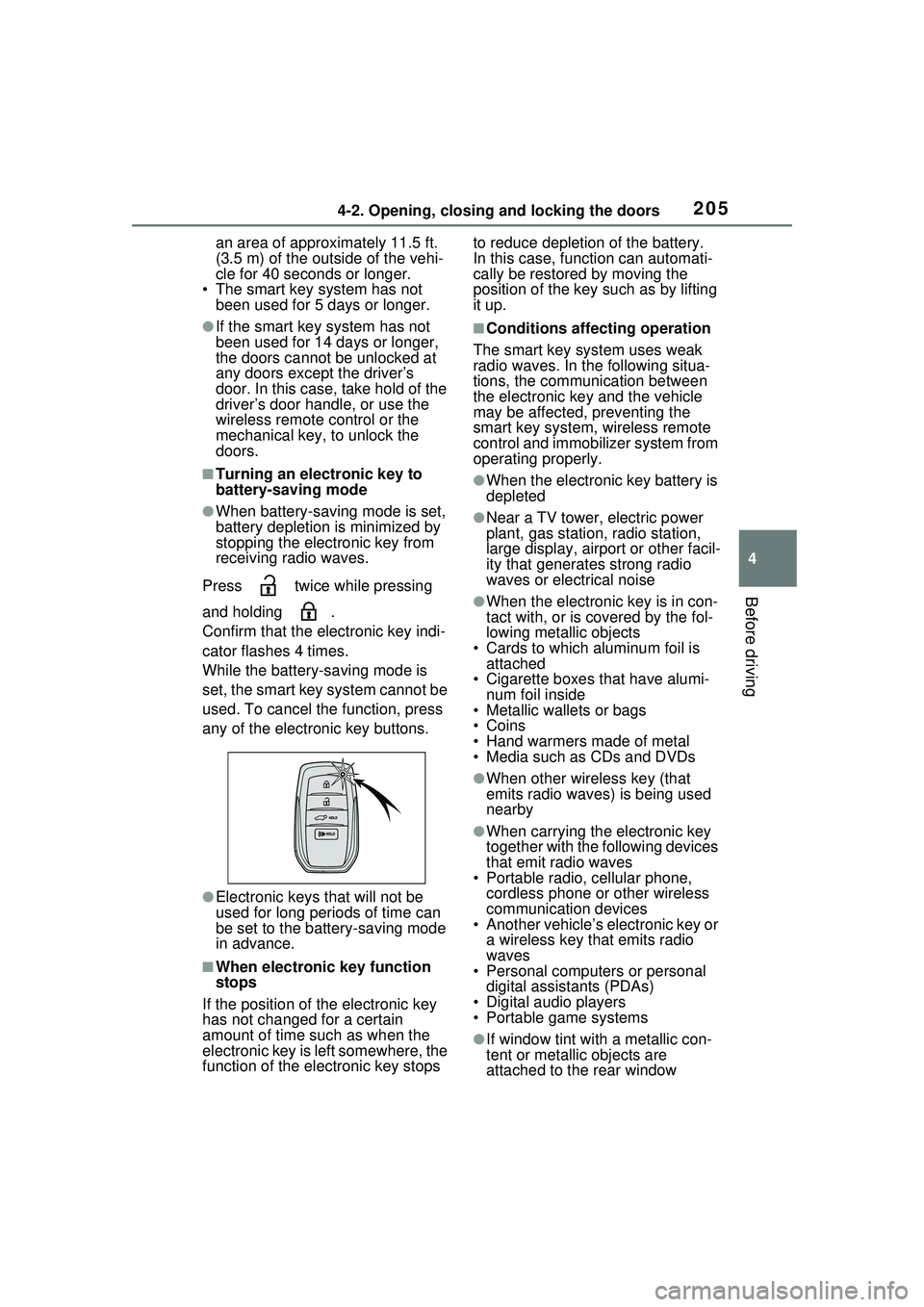
Press twice while pressing
and holding .
Confirm that the electronic key indi-
cator flashes 4 times.
While the battery-saving mode is
set, the smart key system cannot be
used. To cancel the function, press
any of the electronic key buttons.
●Electronic keys that will not be
used for long periods of time can
be set to the battery-saving mode
in advance.
■When electronic key function
stops
If the position of the electronic key
has not changed for a certain
amount of time such as when the
electronic key is left somewhere, the
function of the electronic key stops to reduce depletion of the battery.
In this case, function can automati-
cally be restored by moving the
position of the key such as by lifting
it up.
■Conditions affecting operation
The smart key system uses weak
radio waves. In the following situa-
tions, the communication between
the electronic key and the vehicle
may be affected, preventing the
smart key system, wireless remote
control and immobilizer system from
operating properly.
●When the electronic key battery is
depleted
●Near a TV tower, electric power
plant, gas station, radio station,
large display, airport or other facil-
ity that generates strong radio
waves or electrical noise
●When the electronic key is in con-
tact with, or is covered by the fol-
lowing metallic objects
• Cards to which aluminum foil is attached
• Cigarette boxes that have alumi-
num foil inside
• Metallic wallets or bags
•Coins
• Hand warmers made of metal
• Media such as CDs and DVDs
●When other wireless key (that
emits radio waves) is being used
nearby
●When carrying the electronic key
together with the following devices
that emit radio waves
• Portable radio, cellular phone, cordless phone or other wireless
communication devices
• Another vehicle’s electronic key or a wireless key that emits radio
waves
• Personal computers or personal digital assistants (PDAs)
• Digital audio players
• Portable game systems
●If window tint with a metallic con-
tent or metallic objects are
attached to the rear window
Page 245 of 680
2455-1. Before driving
5
Driving
When the following unusual
operation is performed with the
accelerator pedal depressed,
the hybrid system output may be
restrained.
When the shift position is
shifted to R
*.
When the shift position is
shifted from P or R to forward
drive shift position such as D
*.
When the system operates, a mes-
sage appears on the multi-informa-
tion display. Read the message
and follow the instruction.
*: Depending on the situation, the
shift position may not be
changed.
■Drive-Start Control (DSC)
●When the TRAC is turned off
( P.425), sudden start restraint
control also does not operate. If
your vehicle have trouble escap-
ing from the mud or fresh snow
NOTICE
■If you get a flat tire while driv-
ing
A flat or damaged tire may cause
the following situations. Hold the
steering wheel firmly and gradu-
ally depress the brake pedal to
slow down the vehicle.
●It may be difficult to control your
vehicle.
●The vehicle will make abnormal
sounds or vibrations.
●The vehicle will lean abnor-
mally.
Information on what to do in case
of a flat tire ( P.574)
■When encountering flooded
roads
Do not drive on a road that has
flooded after heavy rain, etc.
Doing so may cause the following
serious damage to the vehicle:
●Engine stalling
●Short in electrical components
●Engine damage caused by
water immersion
In the event that you drive on a
flooded road and the vehicle is
flooded, be sure to have your
Toyota dealer check the following:
●Brake function
●Changes in quantity and quality
of oil and fluid used for the
engine, transmission, tran-
saxle, etc.
●Lubricant condition for the bear-
ings and suspension joints
(where possible), and the func-
tion of all joints, bearings, etc.
If the shift control system is dam-
aged by flooding, it may not be
possible to shift the shift position
to P, or from P to other positions.
In this case, contact your Toyota
dealer.
■When parking the vehicle
Always set the parking brake, and
shift the shift position to P. Failure
to do so may cause the vehicle to
move or the vehicle may acceler-
ate suddenly if the accelerator
pedal is accidentally depressed.
Sudden start restraint
control (Drive-Start Con-
trol [DSC])