tire pressure TOYOTA PRIUS PRIME 2023 Owners Manual
[x] Cancel search | Manufacturer: TOYOTA, Model Year: 2023, Model line: PRIUS PRIME, Model: TOYOTA PRIUS PRIME 2023Pages: 680, PDF Size: 14.97 MB
Page 1 of 680
PRIUS PRIME_OM_OM47E73U_(U)
1
2
3
4
5
6
7
8
9
10
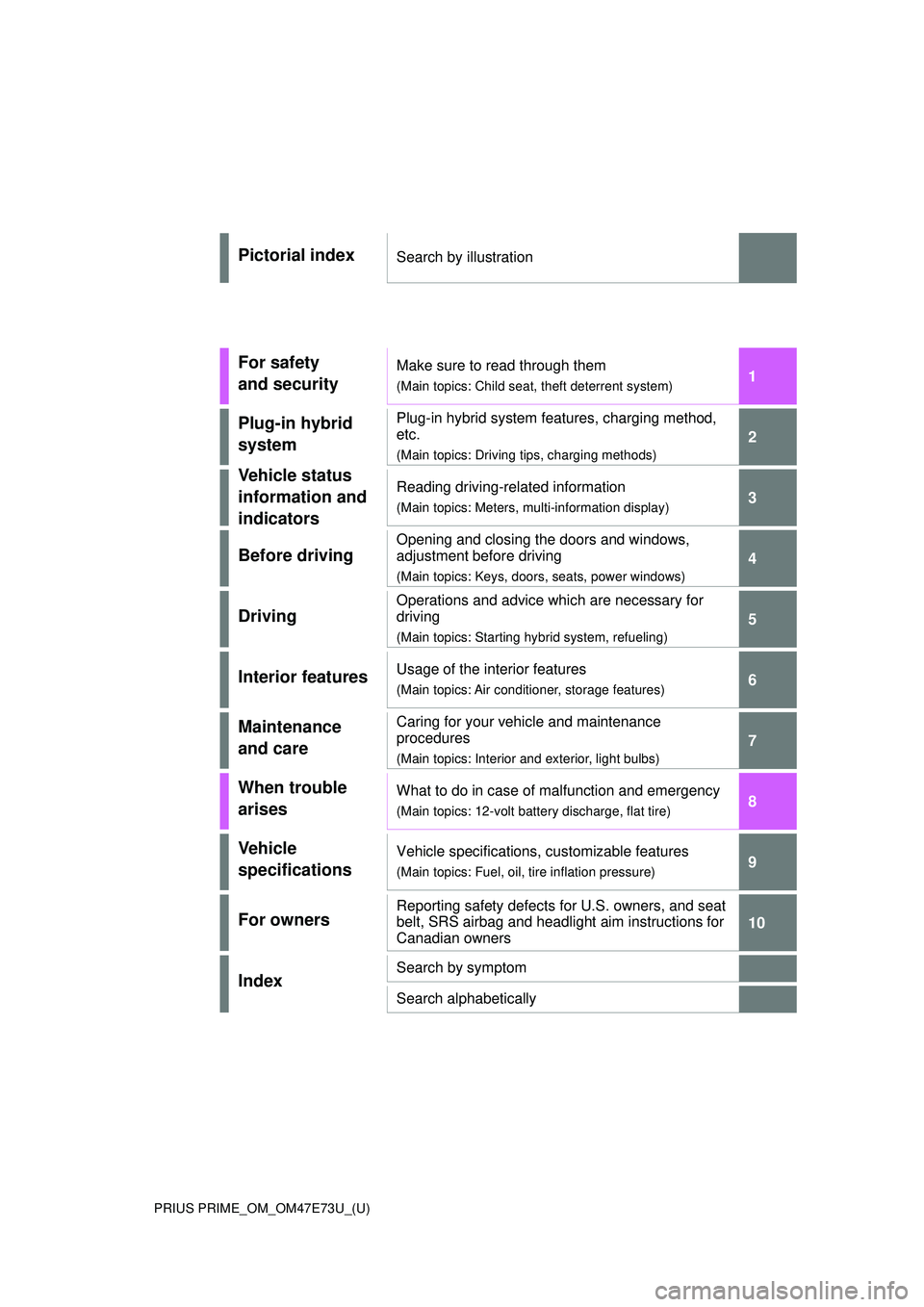
Pictorial indexSearch by illustration
For safety
and securityMake sure to read through them
(Main topics: Child seat, theft deterrent system)
Plug-in hybrid
systemPlug-in hybrid system features, charging method,
etc.
(Main topics: Driving tips, charging methods)
Vehicle status
information and
indicatorsReading driving-related information
(Main topics: Meters, multi-information display)
Before driving
Opening and closing the doors and windows,
adjustment before driving
(Main topics: Keys, doors, seats, power windows)
Driving
Operations and advice which are necessary for
driving
(Main topics: Starting hybrid system, refueling)
Interior featuresUsage of the interior features
(Main topics: Air conditioner, storage features)
Maintenance
and careCaring for your vehicle and maintenance
procedures
(Main topics: Interior and exterior, light bulbs)
When trouble
arisesWhat to do in case of malfunction and emergency
(Main topics: 12-volt battery discharge, flat tire)
Vehicle
specificationsVehicle specifications, customizable features
(Main topics: Fuel, oil, tire inflation pressure)
For ownersReporting safety defects for U.S. owners, and seat
belt, SRS airbag and headlight aim instructions for
Canadian owners
IndexSearch by symptom
Search alphabetically
Page 4 of 680
4TABLE OF CONTENTS
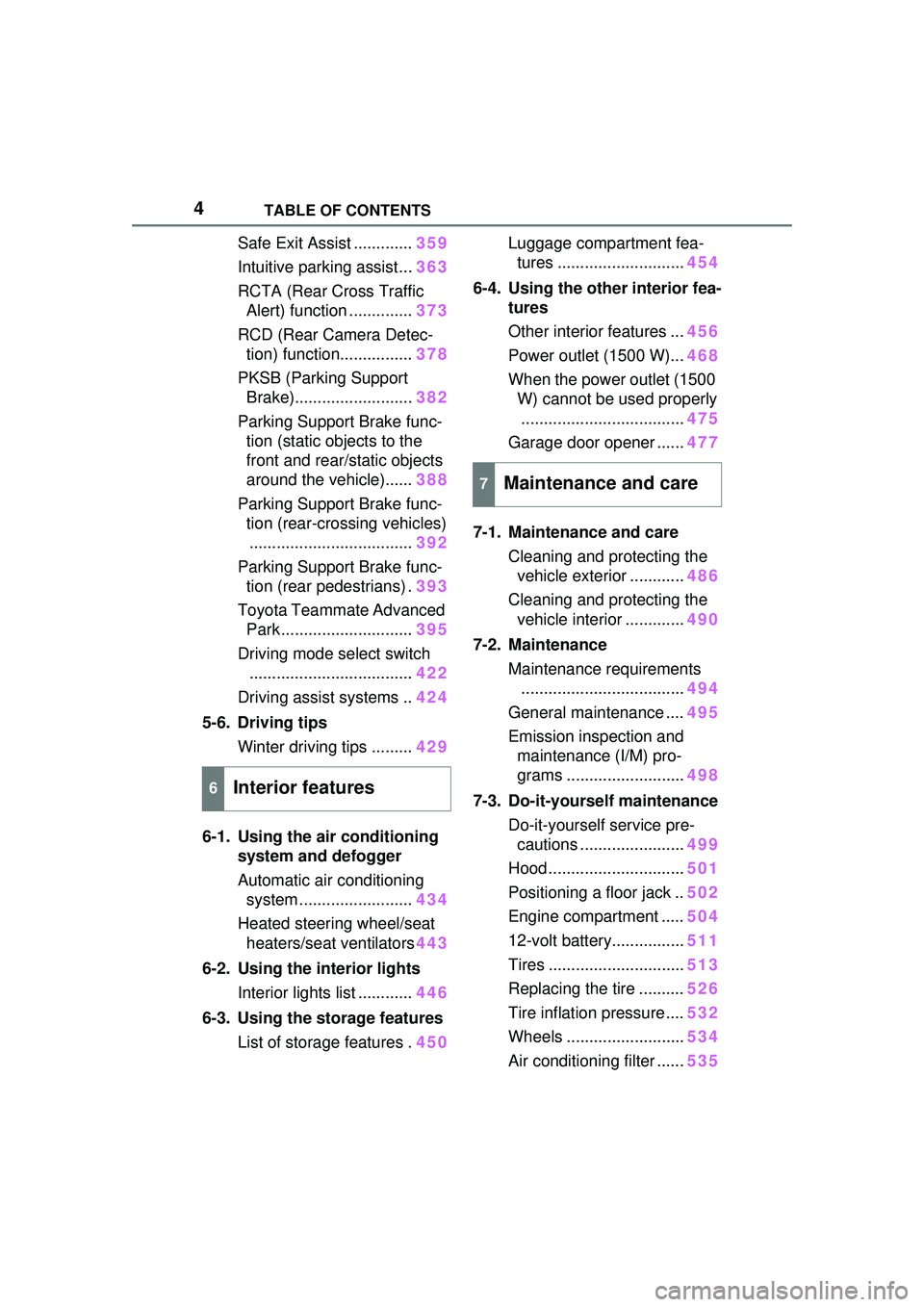
Safe Exit Assist .............359
Intuitive parking assist... 363
RCTA (Rear Cross Traffic Alert) function .............. 373
RCD (Rear Camera Detec- tion) function................ 378
PKSB (Parking Support Brake).......................... 382
Parking Support Brake func- tion (static objects to the
front and rear/static objects
around the vehicle)...... 388
Parking Support Brake func- tion (rear-crossing vehicles).................................... 392
Parking Support Brake func- tion (rear pedestrians) . 393
Toyota Teammate Advanced Park ............................. 395
Driving mode select switch .................................... 422
Driving assist systems .. 424
5-6. Driving tips Winter driving tips ......... 429
6-1. Using the air conditioning system and defogger
Automatic air conditioning system ......................... 434
Heated steering wheel/seat heaters/seat ventilators 443
6-2. Using the interior lights Interior lights list ............ 446
6-3. Using the storage features List of storage features . 450Luggage compartment fea-
tures ............................ 454
6-4. Using the other interior fea- tures
Other interior features ... 456
Power outlet (1500 W)... 468
When the power outlet (1500 W) cannot be used properly
.................................... 475
Garage door opener ...... 477
7-1. Maintenance and care Cleaning and protecting the vehicle exterior ............ 486
Cleaning and protecting the vehicle interior ............. 490
7-2. Maintenance Maintenance requirements.................................... 494
General maintenance .... 495
Emission inspection and maintenance (I/M) pro-
grams .......................... 498
7-3. Do-it-yourself maintenance Do-it-yourself service pre-cautions ....................... 499
Hood .............................. 501
Positioning a floor jack .. 502
Engine compartment ..... 504
12-volt battery................ 511
Tires .............................. 513
Replacing the tire .......... 526
Tire inflation pressure .... 532
Wheels .......................... 534
Air conditioning filter ...... 53
5
6Interior features
7Maintenance and care
Page 11 of 680
11
• An agreement from the vehicle’s owner (or the lessee for a leased
vehicle) is obtained
• In response to an official request by the police, a court of law or a
government agency
• For use by Toyota in a lawsuit
However, if necessary, Toyota
may:
• Use the data fo r research on
vehicle safety performance
• Disclose the data to a third party for research purposes without
disclosing information about the
specific vehicle or vehicle owner
The SRS airbag and seat belt
pretensioner devices in your
Toyota contain explosive chemi-
cals. If the vehicle is scrapped
with the airbags and seat belt
pretensioners left as they are,
this may cause an accident such
as fire. Be sure to have the sys-
tems of the SRS airbag and seat
belt pretensioner removed and
disposed of by a qualified ser-
vice shop or by your Toyota
dealer before you scrap your
vehicle.
Special handling may apply,
See www.dtsc.ca.gov/
hazardouswaste/perchlorate.
Your vehicle has components
that may contain perchlorate. These components may include
the airbags, seat belt preten-
sioners, wireless remote control
batteries, and the batteries in
the tire pressure warning valve
and transmitters.
The word “QR Code” is regis-
tered trademark of DENSO
WAVE INCORPORATED in
Japan and other countries.
Scrapping of your Toyota
Perchlorate Material
“QR Code”
WARNING
■General precautions while
driving
Driving under the influence: Never
drive your vehicle when under the
influence of alcohol or drugs that
have impaired your ability to oper-
ate your vehicle. Alcohol and cer-
tain drugs delay reaction time,
impair judgment and reduce coor-
dination, which could lead to an
accident that could result in death
or serious injury.
Defensive driving: Always drive
defensively. Anticipate mistakes
that other drivers or pedestrians
might make and be ready to avoid
accidents.
Driver distraction: Always give
your full attention to driving. Any-
thing that distracts the driver,
such as adjusting controls, talking
on a cellular phone or reading can
result in a collisio n with resulting
death or serious injury to you,
your occupants or others.
Page 17 of 680
17Pictorial index
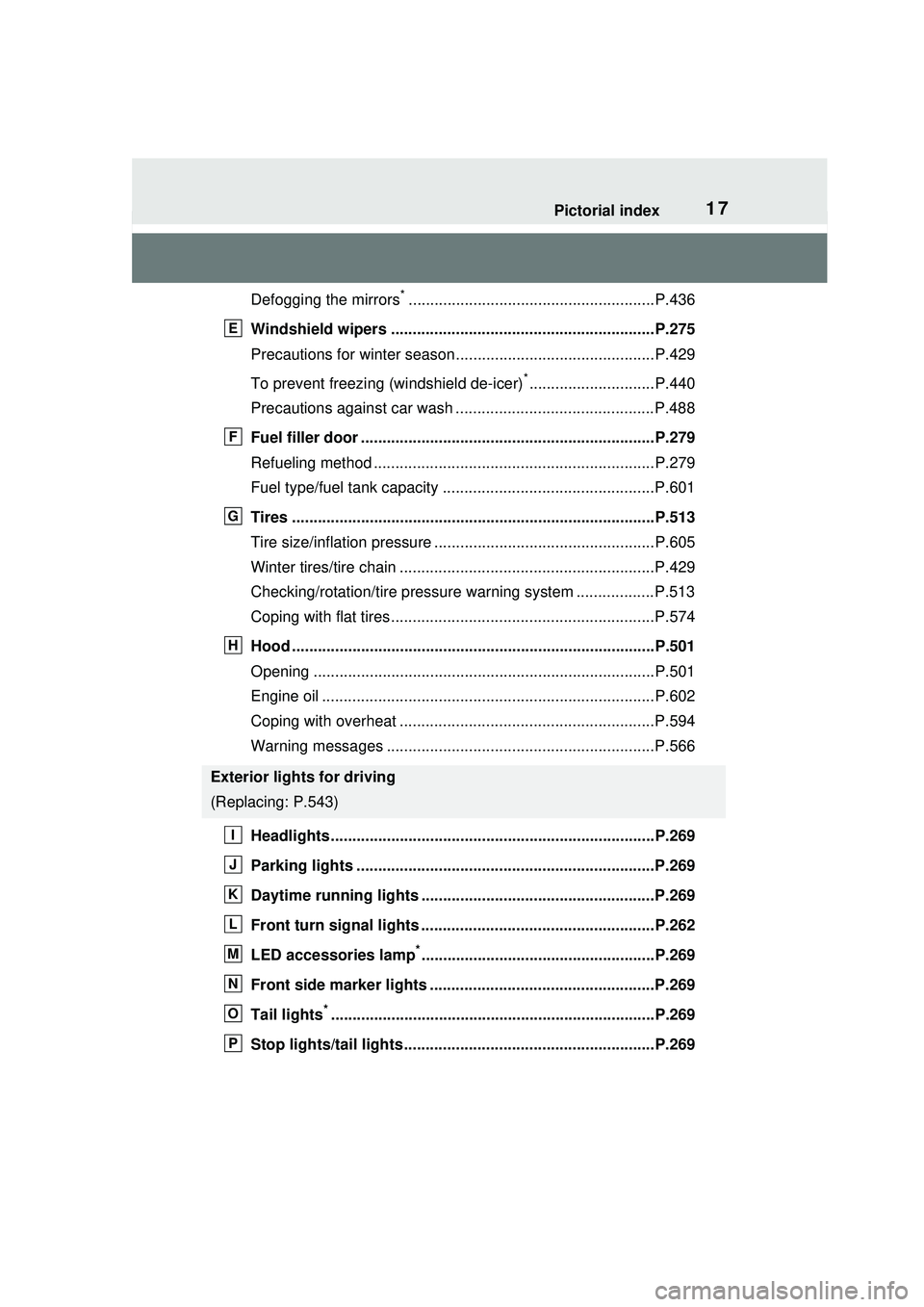
Defogging the mirrors*.........................................................P.436
Windshield wipers .............................................................P.275
Precautions for winter season.... ..........................................P.429
To prevent freezing (windshield de-icer)
*.............................P.440
Precautions against car wash ..............................................P.488
Fuel filler door ....................................................................P.279
Refueling method .................................................................P.279
Fuel type/fuel tank capacity .................................................P.601
Tires ....................................................................................P.513
Tire size/inflation pressure ...... .............................................P.605
Winter tires/tire chain ...........................................................P.429
Checking/rotation/tire pressure warning system ..................P.513
Coping with flat tires.............................................................P.574
Hood ....................................................................................P.501
Opening ...............................................................................P.501
Engine oil .............................................................................P.602
Coping with overheat ...........................................................P.594
Warning messages ..............................................................P.566
Headlights...........................................................................P.269
Parking lights .....................................................................P.269
Daytime running lights ............... .......................................P.269
Front turn signal lights ......................................................P.262
LED accessories lamp
*......................................................P.269
Front side marker lights ....................................................P.269
Tail lights
*...........................................................................P.269
Stop lights/tail lights ..........................................................P.269
Exterior lights for driving
(Replacing: P.543)
E
F
G
H
I
J
K
L
M
N
O
P
Page 89 of 680
892-1. Plug-in hybrid system
2
Plug-in hybrid system
gently and a timely manner.
A greater amount of electrical
energy can be regenerated
when slowing down.
Repeated acceleration and
deceleration, as well as long
waits at traffic lights, will lead to
high fuel and electricity con-
sumption. Check traffic reports
before leaving and avoid delays
as much as possible. When driv-
ing in a traffic jam, gently
release the brake pedal to allow
the vehicle to move forward
slightly while avoiding overuse
of the accelerator pedal. Doing
so can help control excessive
electricity and fuel consumption.
Control and maintain the vehi-
cle at a constant speed.
Before stopping at a toll booth
or similar, allow plenty of time
to release the accelerator and
gently apply the brakes. A
greater amount of electrical
energy can be regenerated
when slowing down.
Electricity consumption will
increase significantly when
driving at high speeds in EV
mode or AUTO EV/HV mode.
If there will be a long distance
to the next external charging
point after leaving a freeway, it is recommended to drive in
HV mode while on the free-
way and change to EV mode
or AUTO EV/HV mode after
leaving the freeway. (
P.74)
Turn the “A/C” switch off
when it is not needed. Doing
so can help reduce excessive
electricity and fuel consump-
tion.
In summer: When the ambient tem-
perature is high, use the recircu-
lated air mode. Doin g so will help to
reduce the burden on the air condi-
tioning system and reduce electric-
ity and fuel consumption as well.
In winter: Avoid excessive and
unnecessary use of the heater.
Usage of the heated steering wheel
(if equipped) and seat heaters (if
equipped) are effective. ( P.443)
Make sure to check the tire infla-
tion pressure frequently. If there
is improper tire inflation pres-
sure in the tires, the EV driving
range will become shorter, and
fuel consumption when in HV
mode will increase.
Also, as snow tires can cause
large amounts of friction, their
use on dry roads can lead to
increased fuel and electricity
consumption.
Delays
Highway driving
Air conditioning
Checking tire inflation
pressure
Page 92 of 680
922-1. Plug-in hybrid system
■Release the accelerator
pedal early before stopping
the vehicle, such as at a
traffic light
The regenerative brake will
operate to convert the kinetic
energy of the vehicle into electri-
cal energy, which will charge the
hybrid battery (traction battery).
The regeneration status can be
checked from the Hybrid Sys-
tem Indicator. ( P.158)
When the brake pedal is
depressed lightly during decel-
eration, the regeneration
amount increases, enabling
more electrical energy to be
recovered.
If the brake pedal is depressed too
strongly, the recovered amount
indicator will reach the maximum
level and the upper limit of the
recoverable en ergy will be
exceeded. Therefore, be sure to
operate the brake pedal early.
■Use the air conditioning
system appropriately, and
also utilize the heated steer-
ing wheel (if equipped) and
seat heaters (if equipped)
In EV mode, the vehicle is
cooled and heated by electrical
energy. (Except in extremely
cold temperatures of approxi-
mately 14°F [-10°C] or less.)
Preventing excessive cooling or
heating of the vehicle will reduce
power consumption and
improve electrical efficiency. When eco air conditioning mode
is used, the air conditioning con-
trol is switched automatically to
a lower setting. (
P.437)
The heated steering wheel and
seat heaters are efficient heat-
ing device that directly warm the
body using less electric power.
When used together with the air
conditioning system, a low tem-
perature setting can be used to
improve electrical and fuel effi-
ciency.
■Check the tire pressure
If the tire pressure is lower than
the specified value, it will
worsen the electrical and fuel
efficiency.
A pressure level 7 psi (50 kPa, 0.5
kgf/cm
2 or bar) lower than the spec-
ified value will cause a worsening of
several percentage points.
■When driving on highways,
use the EV/HV mode selec-
tion switch to drive in HV
mode
The power consumption will
increase significantly if the vehi-
cle is driven in EV mode on
highways.
■Do not load unnecessary
objects in the vehicle
Driving with objects weighing
220 lb. (100 kg) in the vehicle
will worsen the electrical and
fuel efficiency by approximately
3%.
Air resistance also greatly
Page 151 of 680
1513-1. Instrument cluster
3
Vehicle status information and indicators
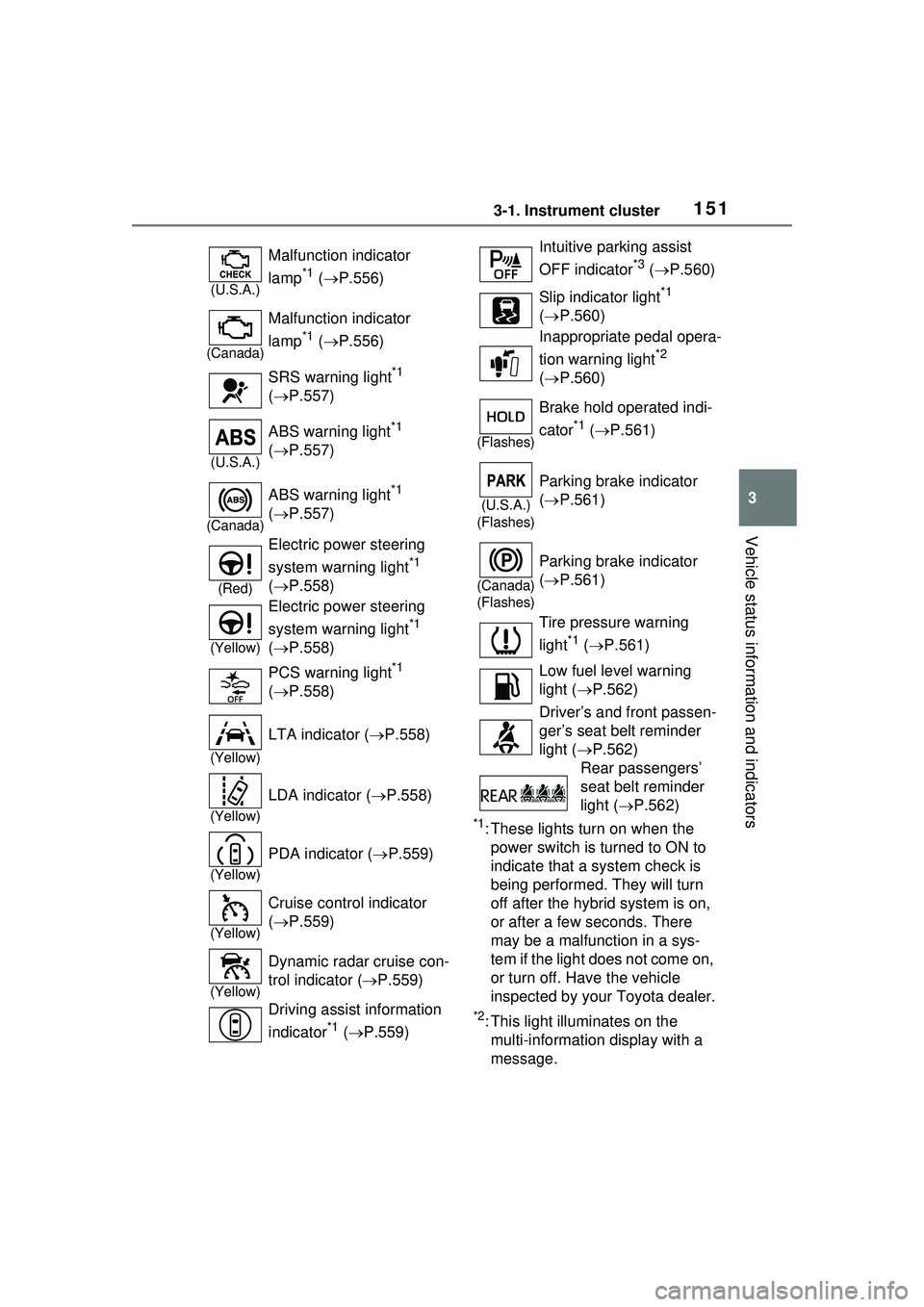
*1: These lights turn on when the power switch is turned to ON to
indicate that a system check is
being performed. They will turn
off after the hybrid system is on,
or after a few seconds. There
may be a malfunction in a sys-
tem if the light does not come on,
or turn off. Have the vehicle
inspected by your Toyota dealer.
*2: This light illuminates on the multi-informatio n display with a
message.
(U.S.A.)
Malfunction indicator
lamp
*1 ( P.556)
(Canada)
Malfunction indicator
lamp
*1 ( P.556)
SRS warning light
*1
( P.557)
(U.S.A.)
ABS warning light*1
( P.557)
(Canada)
ABS warning light*1
( P.557)
(Red)
Electric power steering
system warning light
*1
( P.558)
(Yellow)
Electric power steering
system warning light
*1
( P.558)
PCS warning light
*1
( P.558)
(Yellow)
LTA indicator ( P.558)
(Yellow)
LDA indicator ( P.558)
(Yellow)
PDA indicator ( P.559)
(Yellow)
Cruise control indicator
( P.559)
(Yellow)
Dynamic radar cruise con-
trol indicator ( P.559)
Driving assist information
indicator
*1 ( P.559)
Intuitive parking assist
OFF indicator
*3 ( P.560)
Slip indicator light
*1
( P.560)
Inappropriate pedal opera-
tion warning light
*2
( P.560)
(Flashes)
Brake hold operated indi-
cator
*1 ( P.561)
(U.S.A.)
(Flashes)
Parking brake indicator
( P.561)
(Canada)
(Flashes)
Parking brake indicator
( P.561)
Tire pressure warning
light
*1 ( P.561)
Low fuel level warning
light ( P.562)
Driver’s and front passen-
ger’s seat belt reminder
light ( P.562)
Rear passengers’
seat belt reminder
light ( P.562)
Page 166 of 680
1663-1. Instrument cluster
equipped) (P.310)
LDA (Lane Departure Alert)
( P.313)
PDA (Proactive driving assist)
( P.320)
Dynamic radar cruise control
( P.331)
Cruise Control ( P.342)
■Navigation system-linked
display (if equipped)
Select to display the following
navigation system-linked infor-
mation.
Route guidance to destination
Compass
Select to enable selection of an
audio source or track on the dis-
play.
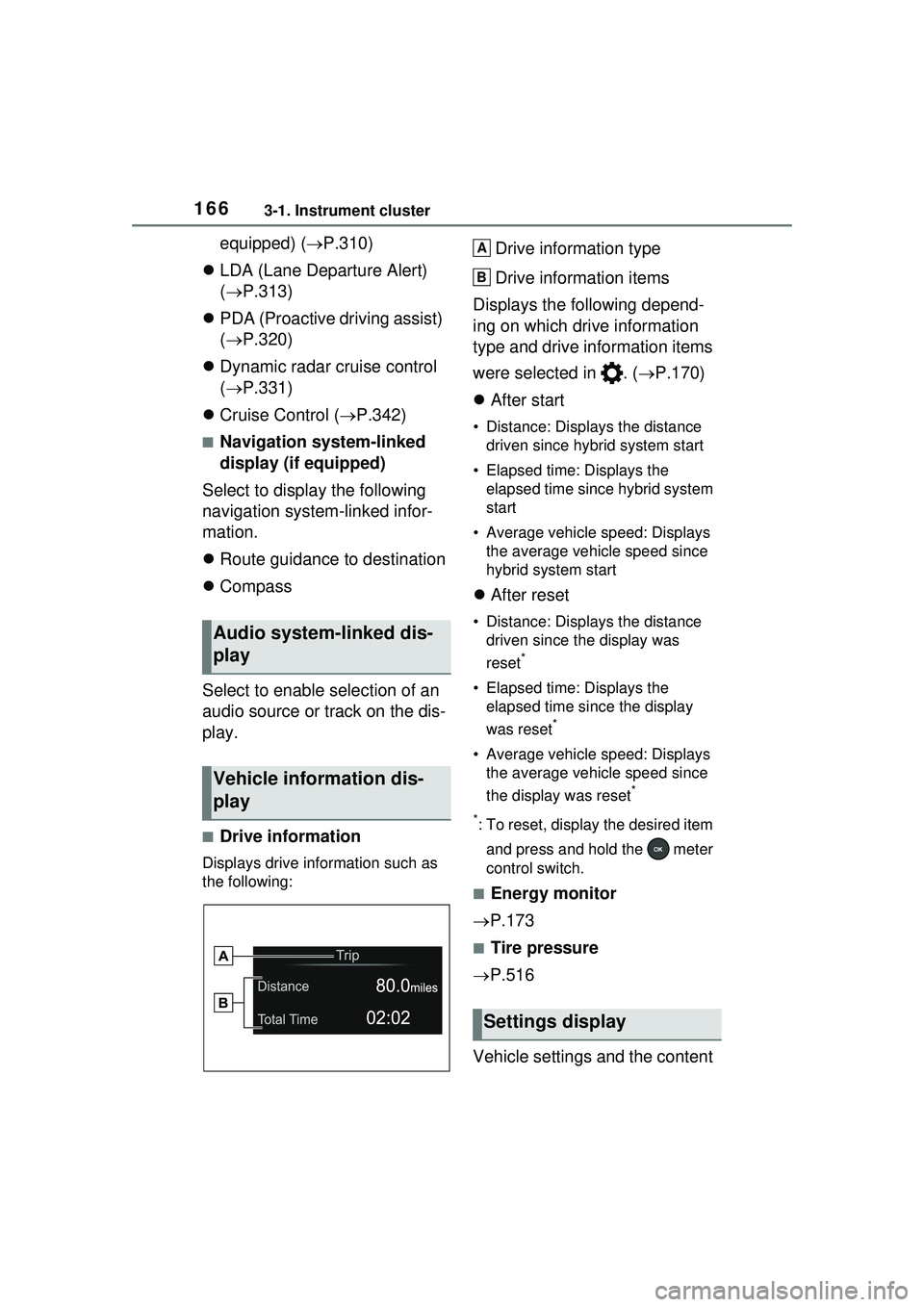
■Drive information
Displays drive information such as
the following:
Drive information type
Drive information items
Displays the following depend-
ing on which drive information
type and drive information items
were selected in . ( P.170)
After start
• Distance: Displays the distance
driven since hybrid system start
• Elapsed time: Displays the elapsed time since hybrid system
start
• Average vehicle speed: Displays the average vehicle speed since
hybrid system start
After reset
• Distance: Displays the distance
driven since the display was
reset
*
• Elapsed time: Displays the elapsed time since the display
was reset
*
• Average vehicle speed: Displays the average vehicle speed since
the display was reset
*
*
: To reset, display the desired item and press and hold the meter
control switch.
■Energy monitor
P.173
■Tire pressure
P.516
Vehicle settings and the content
Audio system-linked dis-
play
Vehicle information dis-
play
Settings display
A
B
Page 170 of 680
1703-1. Instrument cluster
system.
•“Timing”
Select to set the alert timing for
FCTA system.
Regenerative brake
Select to set up the following items.
• “Deceleration”
Select to change the regenerative
braking force when Regeneration
Boost is operating. ( P.260)
• “Deceleration Memory”
Select to store the settings for
regenerative braking force.
( P.260)
“TPWS setting” (Tire Pres-
sure Warning System)
( P.516)
• “Tire Set Switching”
Select to register the tire pressure
warning system sensor ID code set.
( P.524)
• “Tire Rotation”
Select to register the position of
each wheel after performing a tire
rotation. ( P.518)
• “Tire Pressure Setting”
Select to perform the tire inflation
pressure setting procedure of the
tire pressure warning system.
( P.520)
• “Pressure unit setting”
Select to change the units of mea-
sure displayed.( P.619)
Driver monitor (if equipped)
Select to enable/disable the driver
monitor warning function. ( P.292)
PBD (Power Back Door) (if equipped) (
P.194)
Select to set up the following items.
• System settings
Select to enable/d isable the power
back door system.
• “Opening Adjustment”
Select the open position when
power back door is fully open.
•“Volume”
Select to set the volume of the
buzzer which sounds when the
power back door system operates.
“Scheduled Maintenance”
Select to reset the scheduled main-
tenance information (message indi-
cating maintenance is required and
distance until the next mainte-
nance) after all maintenance is per-
formed.
Oil Maintenance
Select to reset th e Oil maintenance.
( P.506)
Rear Seat Reminder
( P.188)
Select to enable/disable the rear
seat reminder function.
Digital Keys (if equipped)
Select to reset registered digital
keys. ( P.183)
■ Settings
“Language”
Select to change the language on
the multi-information display.
“Units”
Select to change the unit of mea-
sure for fuel consumption.
“Meter Type”
Page 171 of 680
1713-1. Instrument cluster
3
Vehicle status information and indicators
Select to enable/disable Hybrid
System Indicator. (
P.158)
EV indicator
Select to enable/disable the EV
indicator.
EV Drive Information
Select to change the item on the
meter display between “EV Energy
remaining” or “EV Distance remain-
ing”. ( P.155)
(Driving information dis-
play settings)
Select to set up the following items.
• “Hybrid System”
Select to enable/disable the ECO
Accelerator Guidance ( P.158).
• “Fuel Economy”
Select to change the display on
Fuel Economy. ( P.163)
• “Power Consumption”
Select to change the display on
Power Consumption. ( P.163)
(Audio settings)
Select to enable/disable
screen.
(Vehicle information dis-
play settings)
• “Drive Info Type”
Select to change the drive informa-
tion type display between trip and
total. ( P.163)
• “Drive Info Items”
Select to set the items on the upper
and lower side of the drive informa-
tion screen from three items, aver-
age speed, distance and total time.
“Trip Summary”
Select to set the items displayed
from “Drive Info ” or “Charging
Schedule” when the power switch
is turned off.
Pop-Up Display
Select to enable/disable the pop-up
displays, which may appear in
some situations.
“Calendar”
Select to set up the calender. This
can only be set if GPS calibration of
clock is turned off in the multimedia
system settings.
Default Settings
Select to reset the meter display
settings.
■Tire pressure
• It may take a few minutes to dis- play the tire inflation pressure
after the power switch is turned to
ON. It may also take a few min-
utes to display the tire inflation
pressure after inflation pressure
has been adjusted.
• “---” may be displayed if the tire position information cannot be
determined due to unfavorable
radio wave conditions.
• Tire inflation pressure changes with temperature. The displayed
values may also be different from
the values measured using a tire
pressure gauge.
■Suspension of the settings dis-
play
●In the following situations, opera-
tion of the settings display will be
temporarily suspended.
• When a warning message appears on the multi-information
display
• When the vehicle begins to move