reset TOYOTA PRIUS V 2016 ZVW40 / 1.G Navigation Manual
[x] Cancel search | Manufacturer: TOYOTA, Model Year: 2016, Model line: PRIUS V, Model: TOYOTA PRIUS V 2016 ZVW40 / 1.GPages: 294, PDF Size: 4.85 MB
Page 64 of 294
64
3. OTHER SETTINGS
PRIUS v_Navi_OM47B14U_(U)
15.06.04 12:24
3. DRIVER SETTINGS
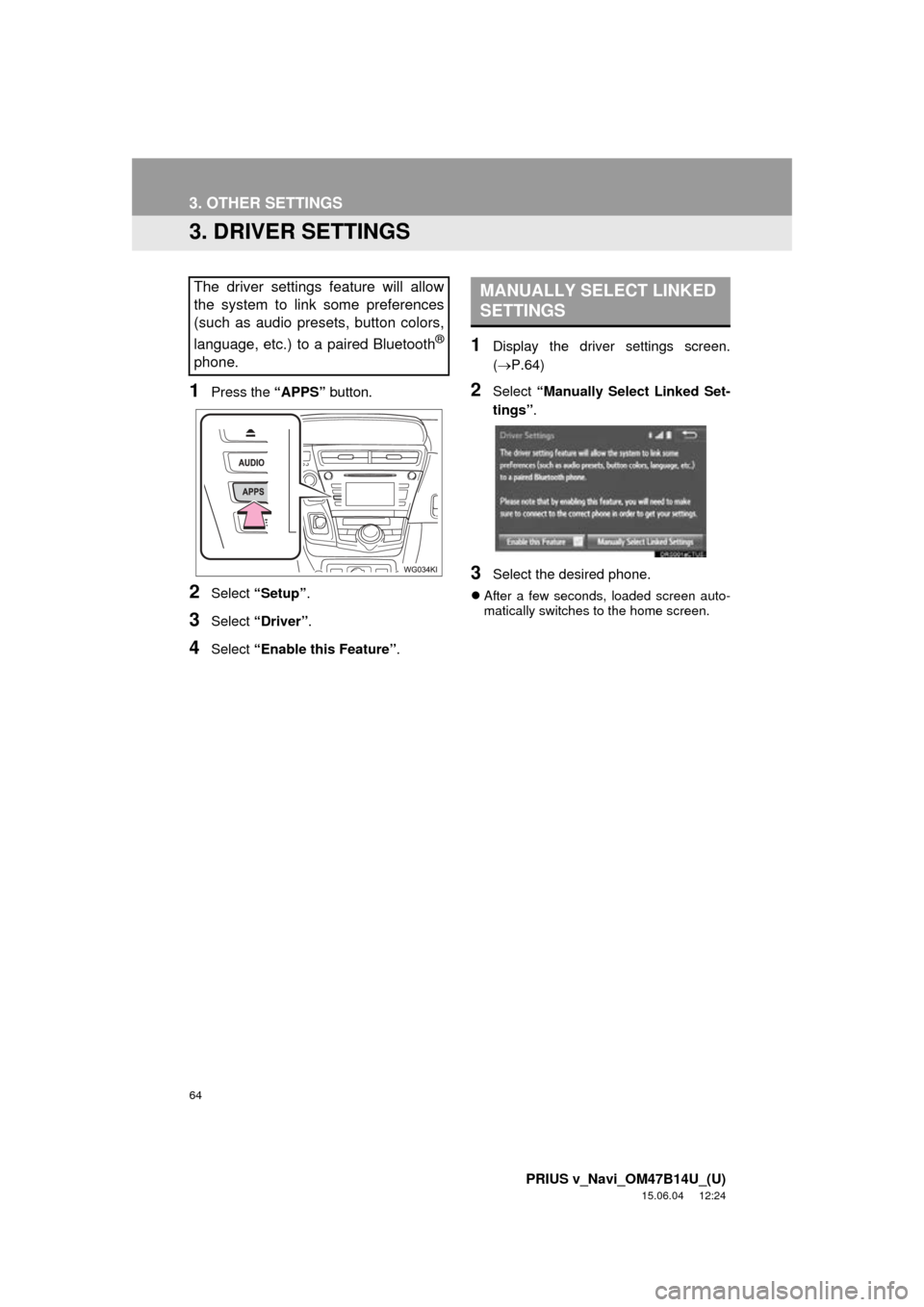
1Press the “APPS” button.
2Select “Setup” .
3Select “Driver” .
4Select “Enable this Feature” .
1Display the driver settings screen.
(P.64)
2Select “Manually Select Linked Set-
tings” .
3Select the desired phone.
After a few seconds, loaded screen auto-
matically switches to the home screen.
The driver settings feature will allow
the system to link some preferences
(such as audio presets, button colors,
language, etc.) to a paired Bluetooth
®
phone.
MANUALLY SELECT LINKED
SETTINGS
Page 65 of 294
65
3. OTHER SETTINGS
PRIUS v_Navi_OM47B14U_(U)
15.06.04 12:24
BASIC FUNCTION
2
4. MAINTENANCE
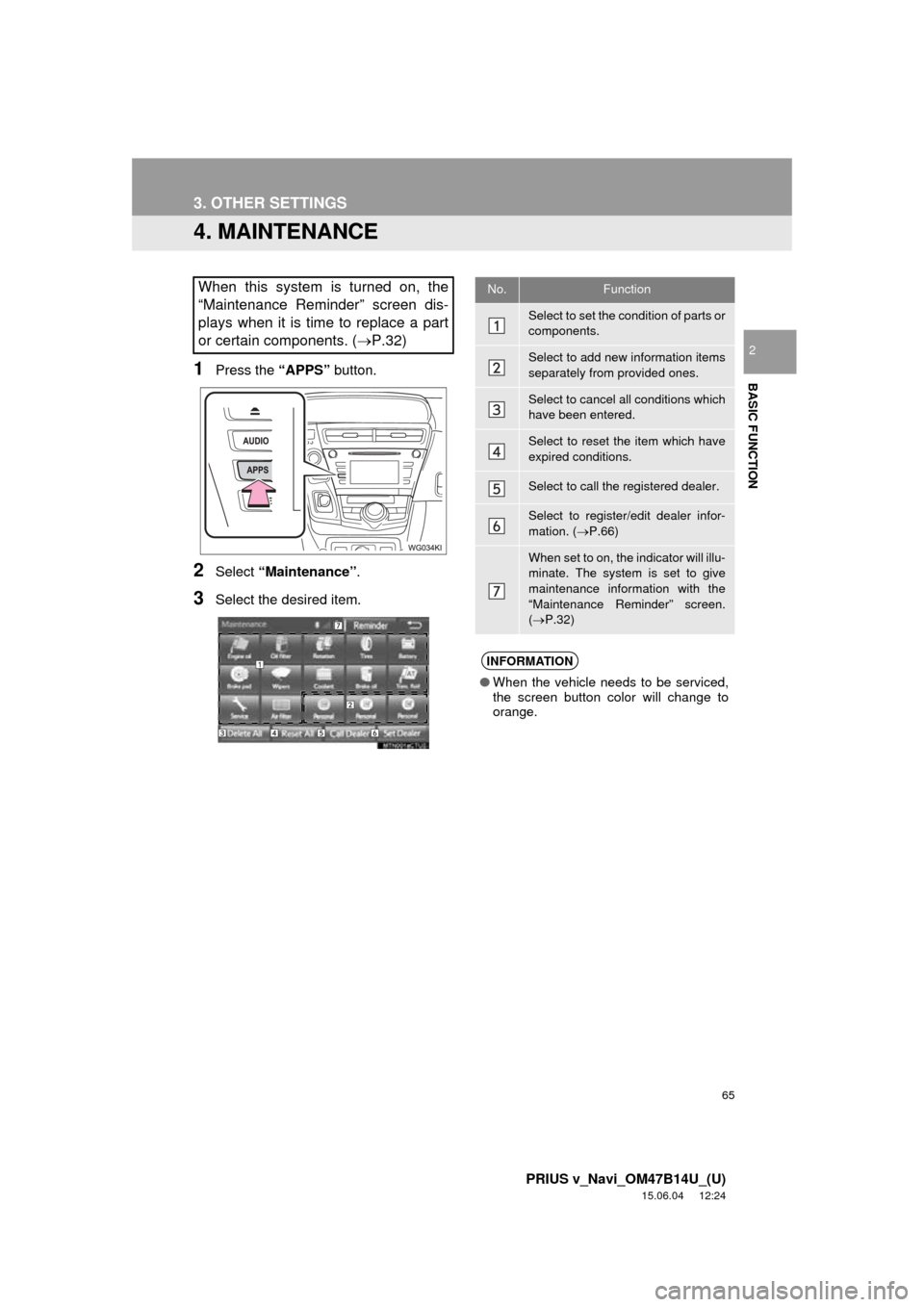
1Press the “APPS” button.
2Select “Maintenance” .
3Select the desired item.
When this system is turned on, the
“Maintenance Reminder” screen dis-
plays when it is time to replace a part
or certain components. ( P.32)No.Function
Select to set the condition of parts or
components.
Select to add new information items
separately from provided ones.
Select to cancel all conditions which
have been entered.
Select to reset the item which have
expired conditions.
Select to call the registered dealer.
Select to register/edit dealer infor-
mation. (P.66)
When set to on, the indicator will illu-
minate. The system is set to give
maintenance information with the
“Maintenance Reminder” screen.
( P.32)
INFORMATION
● When the vehicle needs to be serviced,
the screen button color will change to
orange.
Page 66 of 294
66
3. OTHER SETTINGS
PRIUS v_Navi_OM47B14U_(U)
15.06.04 12:24
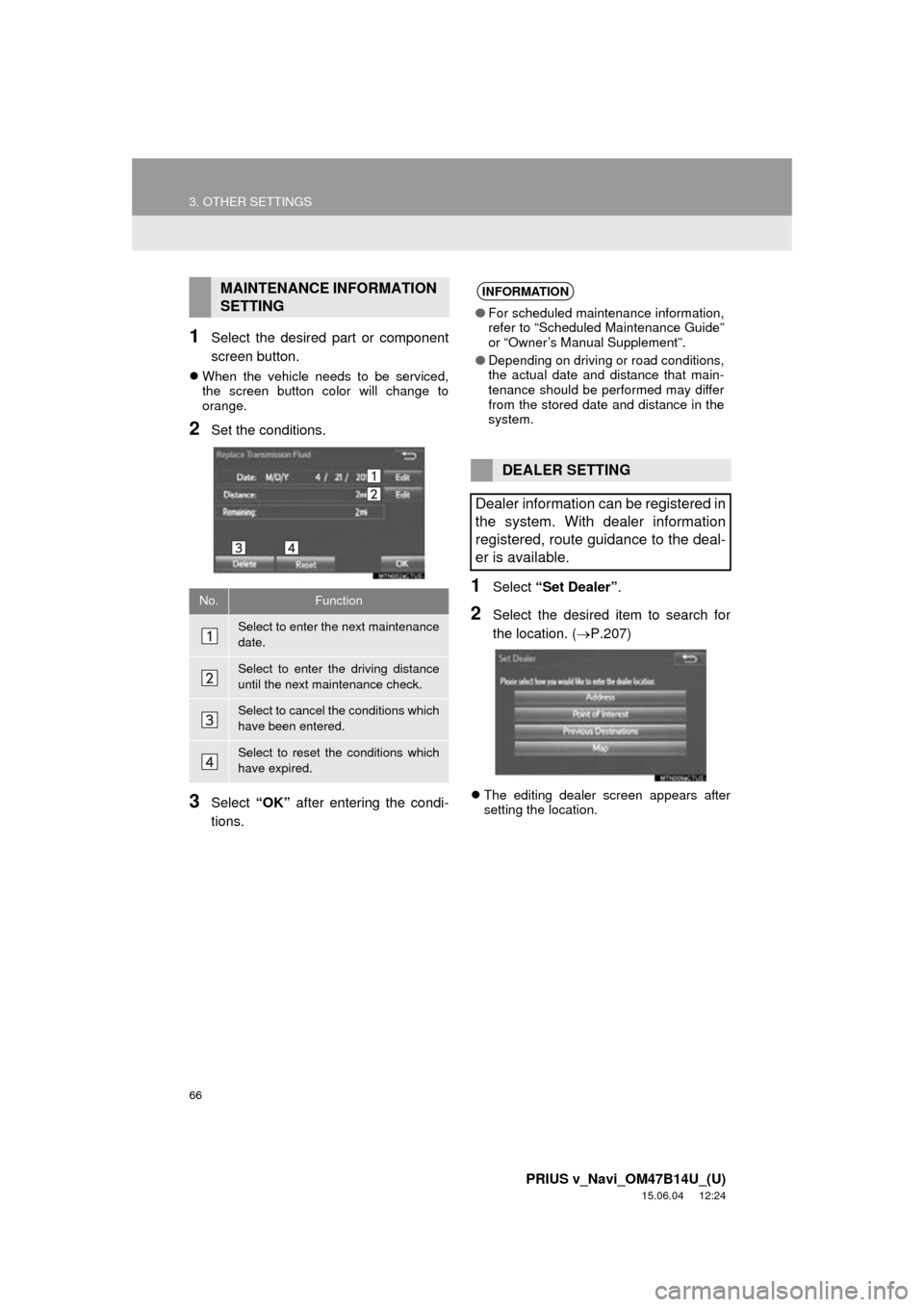
1Select the desired part or component
screen button.
When the vehicle needs to be serviced,
the screen button color will change to
orange.
2Set the conditions.
3Select “OK” after entering the condi-
tions.
1Select “Set Dealer” .
2Select the desired item to search for
the location. ( P.207)
The editing dealer screen appears after
setting the location.
MAINTENANCE INFORMATION
SETTING
No.Function
Select to enter the next maintenance
date.
Select to enter the driving distance
until the next maintenance check.
Select to cancel the conditions which
have been entered.
Select to reset the conditions which
have expired.
INFORMATION
●For scheduled maintenance information,
refer to “Scheduled Maintenance Guide”
or “Owner’s Manual Supplement”.
● Depending on driving or road conditions,
the actual date and distance that main-
tenance should be performed may differ
from the stored date and distance in the
system.
DEALER SETTING
Dealer information can be registered in
the system. With dealer information
registered, route guidance to the deal-
er is available.
Page 68 of 294
68
PRIUS v_Navi_OM47B14U_(U)
15.06.04 12:24
1. QUICK REFERENCE ..................... 70
2. SOME BASICS............................... 71
TURNING THE SYSTEM ON AND OFF ..................................................... 71
SELECTING AN AUDIO SOURCE ........ 72
DISC SLOT ............................................ 73
USB/AUX PORT .................................... 74
SOUND SETTINGS ............................... 75
AUDIO SCREEN ADJUSTMENT .......... 76
VOICE COMMAND SYSTEM ................ 78
1. AM/FM RADIO ............................... 79
OVERVIEW ............................................ 79
PRESETTING A STATION .................... 82
SELECTING A STATION FROM THE LIST ..................................................... 82
CACHING A RADIO PROGRAM ........... 83
RADIO BROADCAST DATA SYSTEM .............................................. 84
TRAFFIC ANNOUNCEMENT (FM RADIO) ......................................... 85
USING HD Radio™ TECHNOLOGY...... 86
AVAILABLE HD Radio™ TECHNOLOGY.................................... 86
TROUBLESHOOTING GUIDE ............... 88
2. XM Satellite Radio ........................ 89
OVERVIEW ............................................ 89
HOW TO SUBSCRIBE TO AN XM Satellite Radio...................................... 91
DISPLAYING THE RADIO ID................. 93
PRESETTING A CHANNEL ................... 93
SELECTING A CHANNEL FROM THE LIST ..................................................... 94
IF THE SATELLITE RADIO TUNER MALFUNCTIONS ................................ 95
3. INTERNET RADIO......................... 96
LISTENING TO INTERNET RADIO ....... 96
1BASIC OPERATION2RADIO OPERATION
3
AUDIO/VISUAL SYSTEM
Page 80 of 294
80
2. RADIO OPERATION
PRIUS v_Navi_OM47B14U_(U)
15.06.04 12:24
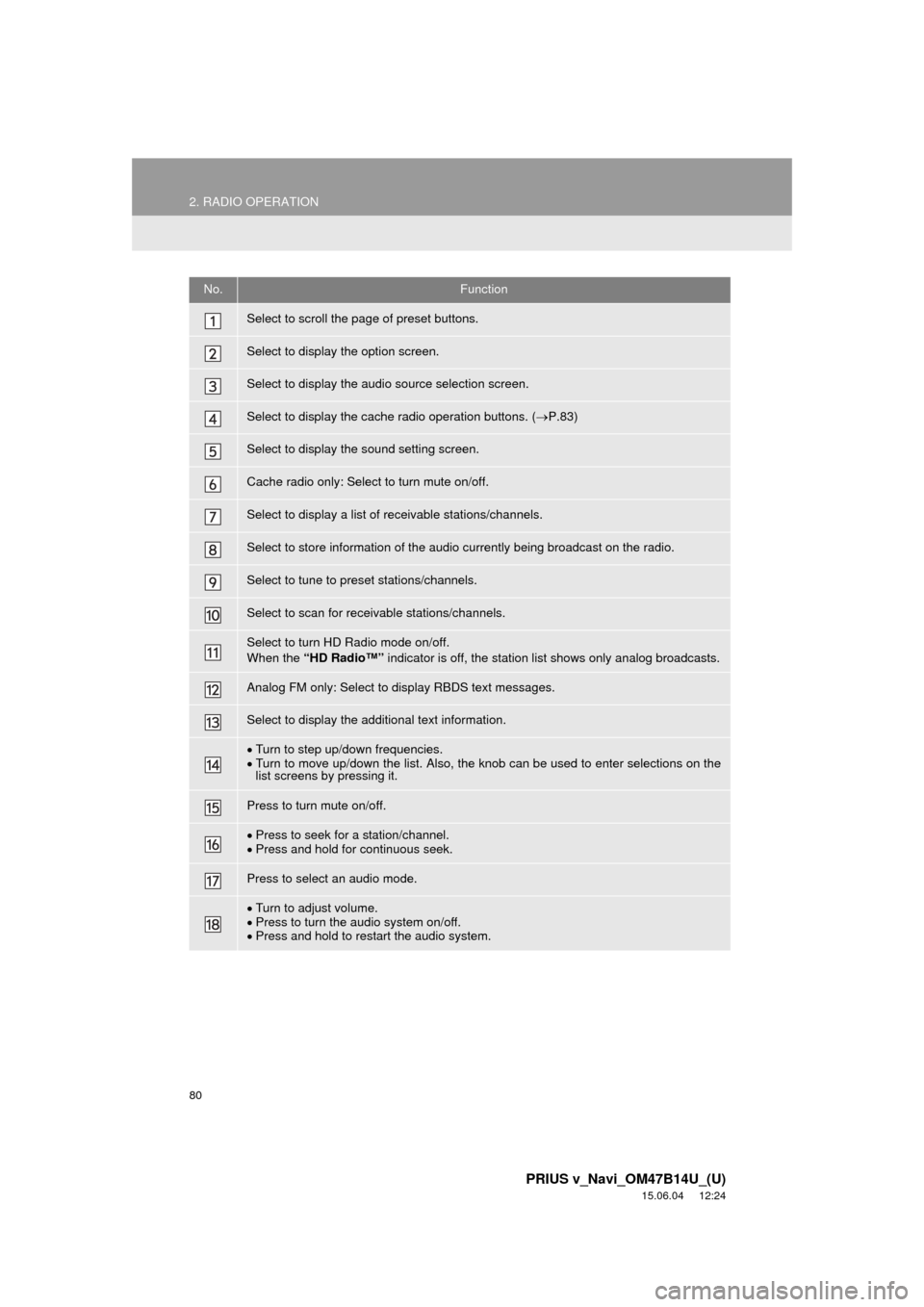
No.Function
Select to scroll the page of preset buttons.
Select to display the option screen.
Select to display the audio source selection screen.
Select to display the cache radio operation buttons. (P.83)
Select to display the sound setting screen.
Cache radio only: Select to turn mute on/off.
Select to display a list of receivable stations/channels.
Select to store information of the audio currently being broadcast on the radio.
Select to tune to preset stations/channels.
Select to scan for receivable stations/channels.
Select to turn HD Radio mode on/off.
When the “HD Radio™” indicator is off, the station list shows only analog broadcasts.
Analog FM only: Select to display RBDS text messages.
Select to display the additional text information.
Turn to step up/down frequencies.
Turn to move up/down the list. Also, the knob can be used to enter selections on the
list screens by pressing it.
Press to turn mute on/off.
Press to seek for a station/channel.
Press and hold for continuous seek.
Press to select an audio mode.
Turn to adjust volume.
Press to turn the audio system on/off.
Press and hold to restart the audio system.
Page 82 of 294
82
2. RADIO OPERATION
PRIUS v_Navi_OM47B14U_(U)
15.06.04 12:24
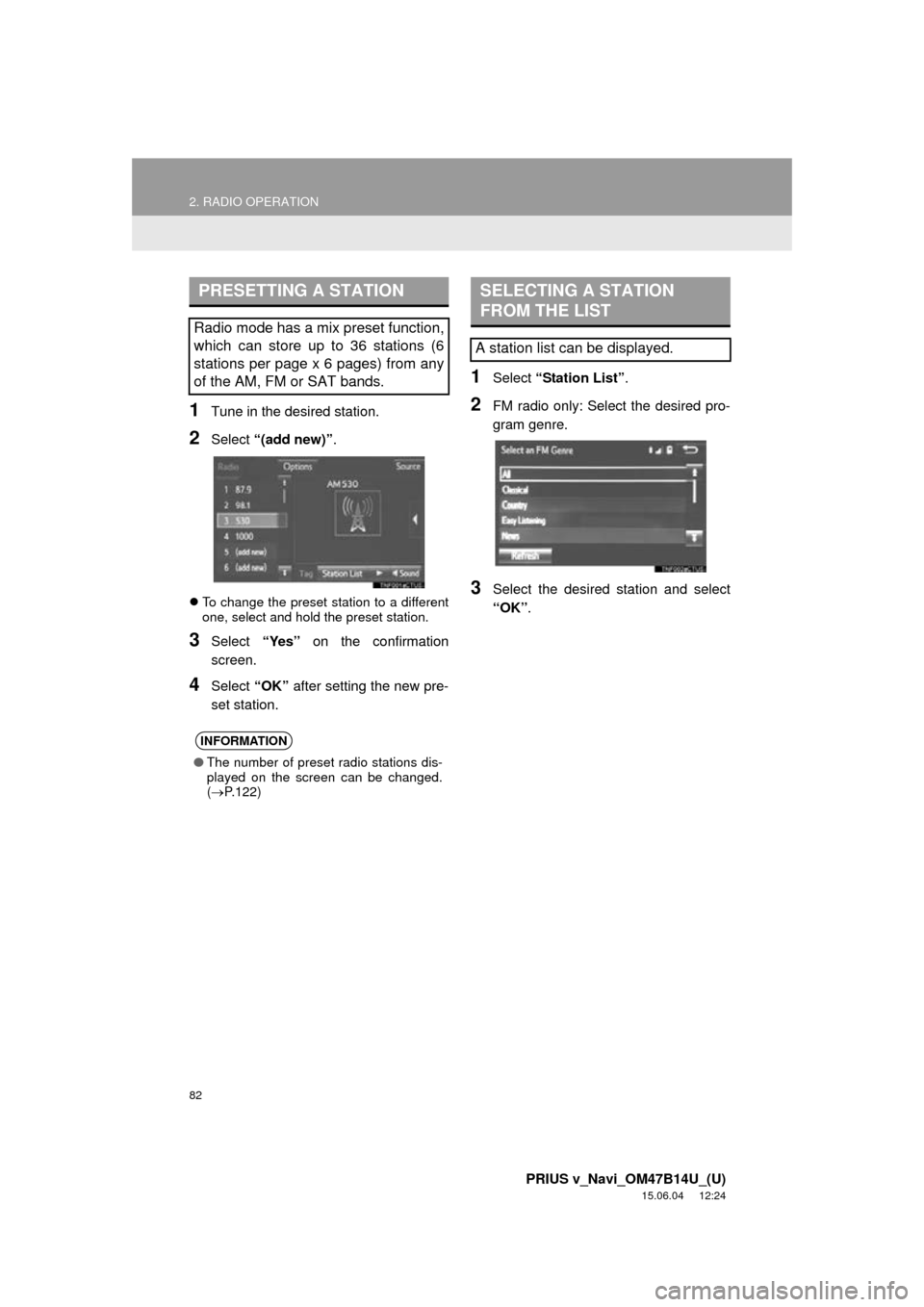
1Tune in the desired station.
2Select “(add new)” .
To change the preset station to a different
one, select and hold the preset station.
3Select “Yes” on the confirmation
screen.
4Select “OK” after setting the new pre-
set station.
1Select “Station List” .
2FM radio only: Select the desired pro-
gram genre.
3Select the desired station and select
“OK”.
PRESETTING A STATION
Radio mode has a mix preset function,
which can store up to 36 stations (6
stations per page x 6 pages) from any
of the AM, FM or SAT bands.
INFORMATION
●The number of preset radio stations dis-
played on the screen can be changed.
( P.122)
SELECTING A STATION
FROM THE LIST
A station list can be displayed.
Page 87 of 294
87
2. RADIO OPERATION
PRIUS v_Navi_OM47B14U_(U)
15.06.04 12:24
AUDIO/VISUAL SYSTEM
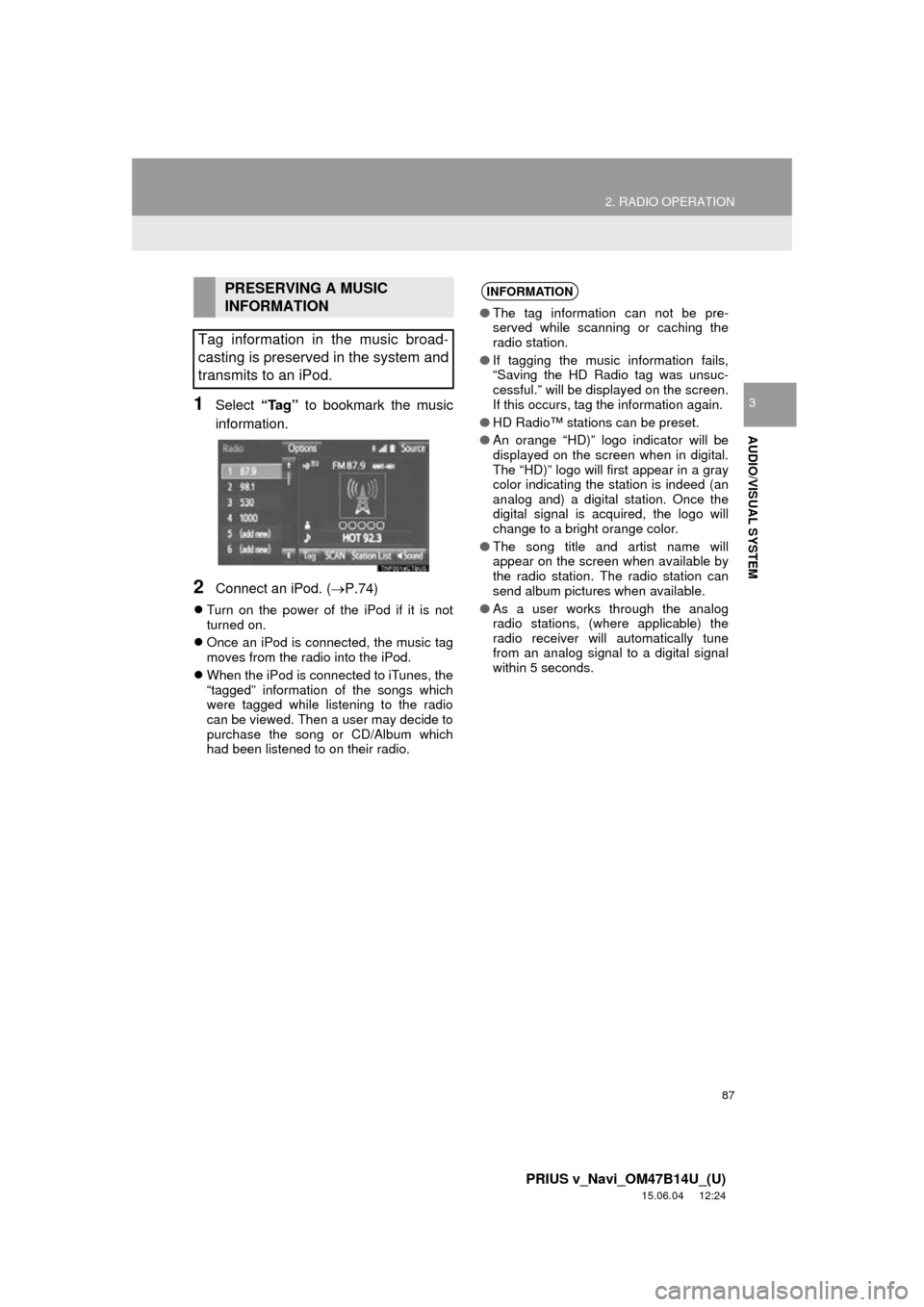
31Select “Tag” to bookmark the music
information.
2Connect an iPod. ( P.74)
Turn on the power of the iPod if it is not
turned on.
Once an iPod is connected, the music tag
moves from the radio into the iPod.
When the iPod is connected to iTunes, the
“tagged” information of the songs which
were tagged while listening to the radio
can be viewed. Then a user may decide to
purchase the song or CD/Album which
had been listened to on their radio.
PRESERVING A MUSIC
INFORMATION
Tag information in the music broad-
casting is preserved in the system and
transmits to an iPod.INFORMATION
● The tag information can not be pre-
served while scanning or caching the
radio station.
● If tagging the music information fails,
“Saving the HD Radio tag was unsuc-
cessful.” will be displayed on the screen.
If this occurs, tag the information again.
● HD Radio™ stations can be preset.
● An orange “HD)” logo indicator will be
displayed on the screen when in digital.
The “HD)” logo will first appear in a gray
color indicating the station is indeed (an
analog and) a digital station. Once the
digital signal is acquired, the logo will
change to a bright orange color.
● The song title and artist name will
appear on the screen when available by
the radio station. The radio station can
send album pictures when available.
● As a user works through the analog
radio stations, (where applicable) the
radio receiver will automatically tune
from an analog signal to a digital signal
within 5 seconds.
Page 88 of 294
88
2. RADIO OPERATION
PRIUS v_Navi_OM47B14U_(U)
15.06.04 12:24
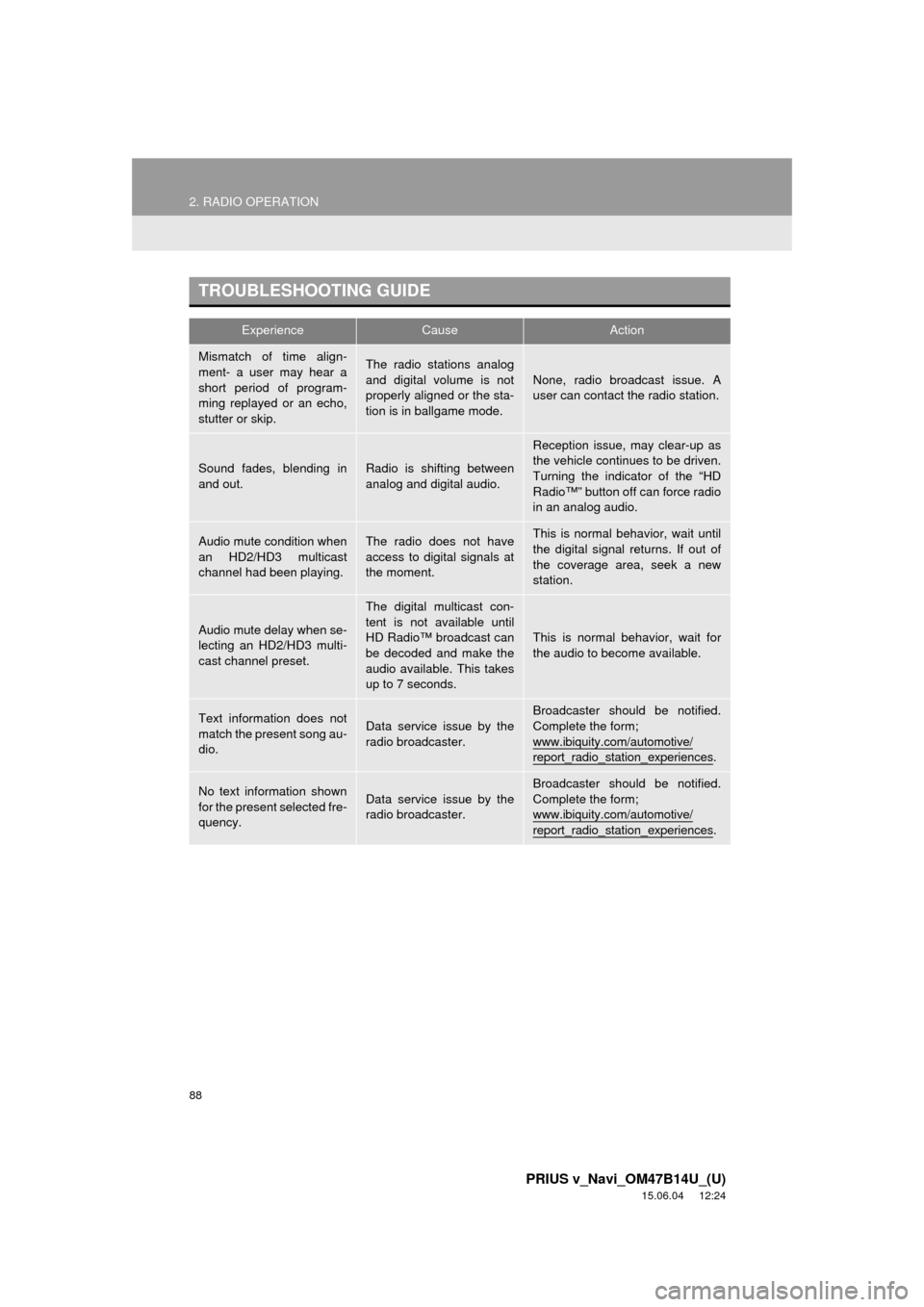
TROUBLESHOOTING GUIDE
ExperienceCauseAction
Mismatch of time align-
ment- a user may hear a
short period of program-
ming replayed or an echo,
stutter or skip.The radio stations analog
and digital volume is not
properly aligned or the sta-
tion is in ballgame mode.None, radio broadcast issue. A
user can contact the radio station.
Sound fades, blending in
and out.Radio is shifting between
analog and digital audio.
Reception issue, may clear-up as
the vehicle continues to be driven.
Turning the indicator of the “HD
Radio™” button off can force radio
in an analog audio.
Audio mute condition when
an HD2/HD3 multicast
channel had been playing.The radio does not have
access to digital signals at
the moment.This is normal behavior, wait until
the digital signal returns. If out of
the coverage area, seek a new
station.
Audio mute delay when se-
lecting an HD2/HD3 multi-
cast channel preset.
The digital multicast con-
tent is not available until
HD Radio™ broadcast can
be decoded and make the
audio available. This takes
up to 7 seconds.
This is normal behavior, wait for
the audio to become available.
Text information does not
match the present song au-
dio.Data service issue by the
radio broadcaster.
Broadcaster should be notified.
Complete the form;
www.ibiquity.com/automotive/
report_radio_station_experiences.
No text information shown
for the present selected fre-
quency.Data service issue by the
radio broadcaster.Broadcaster should be notified.
Complete the form;
www.ibiquity.com/automotive/
report_radio_station_experiences.
Page 90 of 294
90
2. RADIO OPERATION
PRIUS v_Navi_OM47B14U_(U)
15.06.04 12:24
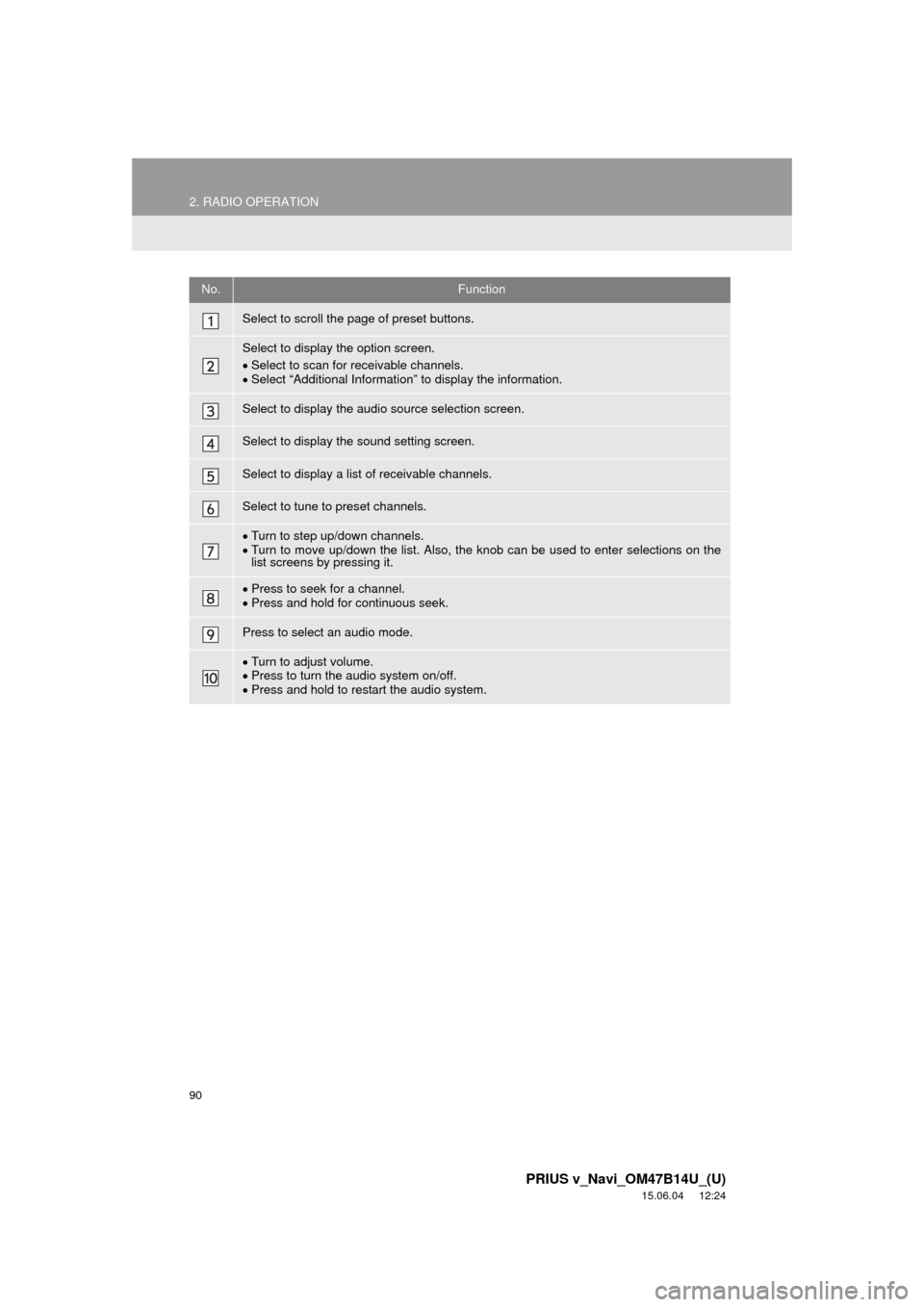
No.Function
Select to scroll the page of preset buttons.
Select to display the option screen.
Select to scan for receivable channels.
Select “Additional Information” to display the information.
Select to display the audio source selection screen.
Select to display the sound setting screen.
Select to display a list of receivable channels.
Select to tune to preset channels.
Turn to step up/down channels.
Turn to move up/down the list. Also, the knob can be used to enter selections on the
list screens by pressing it.
Press to seek for a channel.
Press and hold for continuous seek.
Press to select an audio mode.
Turn to adjust volume.
Press to turn the audio system on/off.
Press and hold to restart the audio system.
Page 93 of 294
93
2. RADIO OPERATION
PRIUS v_Navi_OM47B14U_(U)
15.06.04 12:24
AUDIO/VISUAL SYSTEM
3If “Ch 000” is selected using the
“TUNE SCROLL” knob, the ID code,
which is 8 alphanumeric characters, will
be displayed. If another channel is
selected, the ID code will no longer be dis-
played. The channel (000) alternates
between displaying the radio ID and the
specific radio code.
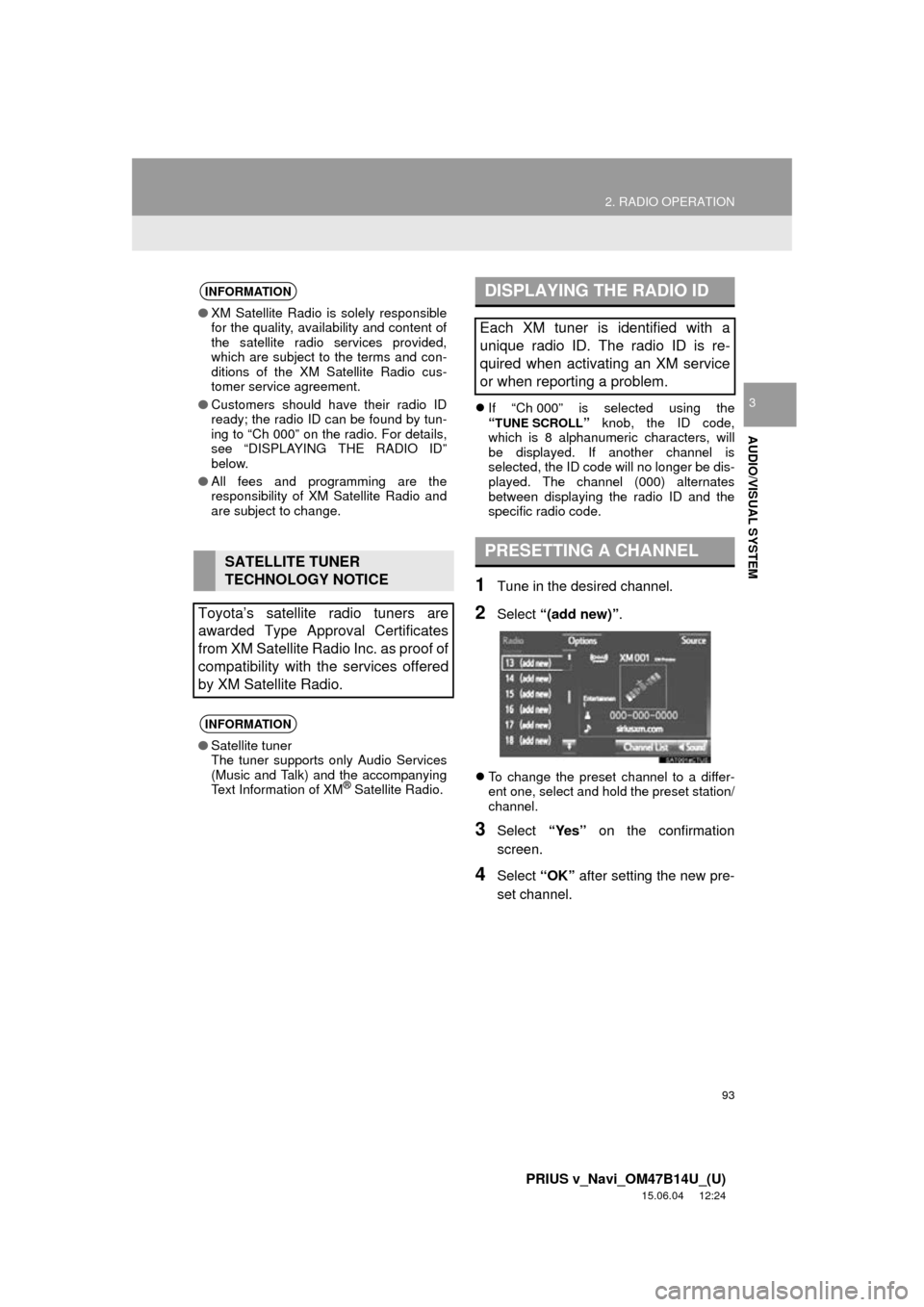
1Tune in the desired channel.
2Select “(add new)” .
To change the preset channel to a differ-
ent one, select and hold the preset station/
channel.
3Select “Yes” on the confirmation
screen.
4Select “OK” after setting the new pre-
set channel.
INFORMATION
● XM Satellite Radio is solely responsible
for the quality, availability and content of
the satellite radio services provided,
which are subject to the terms and con-
ditions of the XM Satellite Radio cus-
tomer service agreement.
● Customers should have their radio ID
ready; the radio ID can be found by tun-
ing to “Ch 000” on the radio. For details,
see “DISPLAYING THE RADIO ID”
below.
● All fees and programming are the
responsibility of XM Satellite Radio and
are subject to change.
SATELLITE TUNER
TECHNOLOGY NOTICE
Toyota’s satellite radio tuners are
awarded Type Approval Certificates
from XM Satellite Radio Inc. as proof of
compatibility with the services offered
by XM Satellite Radio.
INFORMATION
● Satellite tuner
The tuner supports only Audio Services
(Music and Talk) and the accompanying
Text Information of XM
® Satellite Radio.
DISPLAYING THE RADIO ID
Each XM tuner is identified with a
unique radio ID. The radio ID is re-
quired when activating an XM service
or when reporting a problem.
PRESETTING A CHANNEL