air conditioning TOYOTA PRIUS V 2016 ZVW40 / 1.G Owners Manual
[x] Cancel search | Manufacturer: TOYOTA, Model Year: 2016, Model line: PRIUS V, Model: TOYOTA PRIUS V 2016 ZVW40 / 1.GPages: 620, PDF Size: 29.83 MB
Page 5 of 620

5
1
9 8
7
6 4 3
2
PRIUS v_OM_OM47B12U_(U)
10
5
5-9. Bluetooth® phone
Using a Bluetooth®
Phone ............................. 323
Making a call..................... 326
Receiving a call ................ 329
Speaking on the phone..... 330
Bluetooth
® phone
message function ........... 333
Using the steering wheel
switches.......................... 337
Bluetooth
® phone
settings ........................... 338
Contact/Call History
Settings .......................... 339
What to do if...
(Troubleshooting) ........... 348
5-10. Bluetooth
®
Bluetooth®........................ 352
5-11. Using the voice
command system
Voice command system ... 3586-1. Using the air conditioning
system and defogger
Automatic air conditioning
system ............................. 364
Using the steering wheel
climate remote control
switches........................... 371
Seat heaters ...................... 372
6-2. Using the interior lights
Interior lights list................. 373
• Front interior light .......... 374
• Front personal lights ...... 374
• Rear interior light ........... 375
6-3. Using the storage features
List of storage features ...... 376
• Glove boxes .................. 377
• Console box .................. 377
• Cup holders/
bottle holders/
door pockets.................. 378
• Auxiliary boxes .............. 380
• Card holder ................... 380
Luggage compartment
features ........................... 381
6Interior features
Page 6 of 620

TABLE OF CONTENTS6
PRIUS v_OM_OM47B12U_(U)6-4. Using the other interior
features
Other interior features ....... 385
• Sun visors ..................... 385
• Vanity mirrors................ 385
• Clock ............................. 386
• Power outlet .................. 386
• Armrest ......................... 387
• Assist grips ................... 388
• Panoramic roof
shades .......................... 389
Garage door opener .......... 391
Safety Connect.................. 3987-1. Maintenance and care
Cleaning and protecting
the vehicle exterior .......... 406
Cleaning and protecting
the vehicle interior ........... 410
7-2. Maintenance
Maintenance
requirements ................... 413
General maintenance ........ 415
Emission inspection and
maintenance (I/M)
programs ......................... 418
7-3. Do-it-yourself maintenance
Do-it-yourself service
precautions ...................... 419
Hood .................................. 421
Positioning a floor jack....... 423
Engine compartment ......... 425
12-volt battery .................... 439
Tires................................... 443
Tire inflation pressure ........ 452
Wheels............................... 455
Air conditioning filter .......... 457
Wiper rubber
replacement..................... 459
Electronic key battery ........ 461
Checking and replacing
fuses ................................ 463
Light bulbs ......................... 466
7Maintenance and care
Page 19 of 620
19Pictorial index
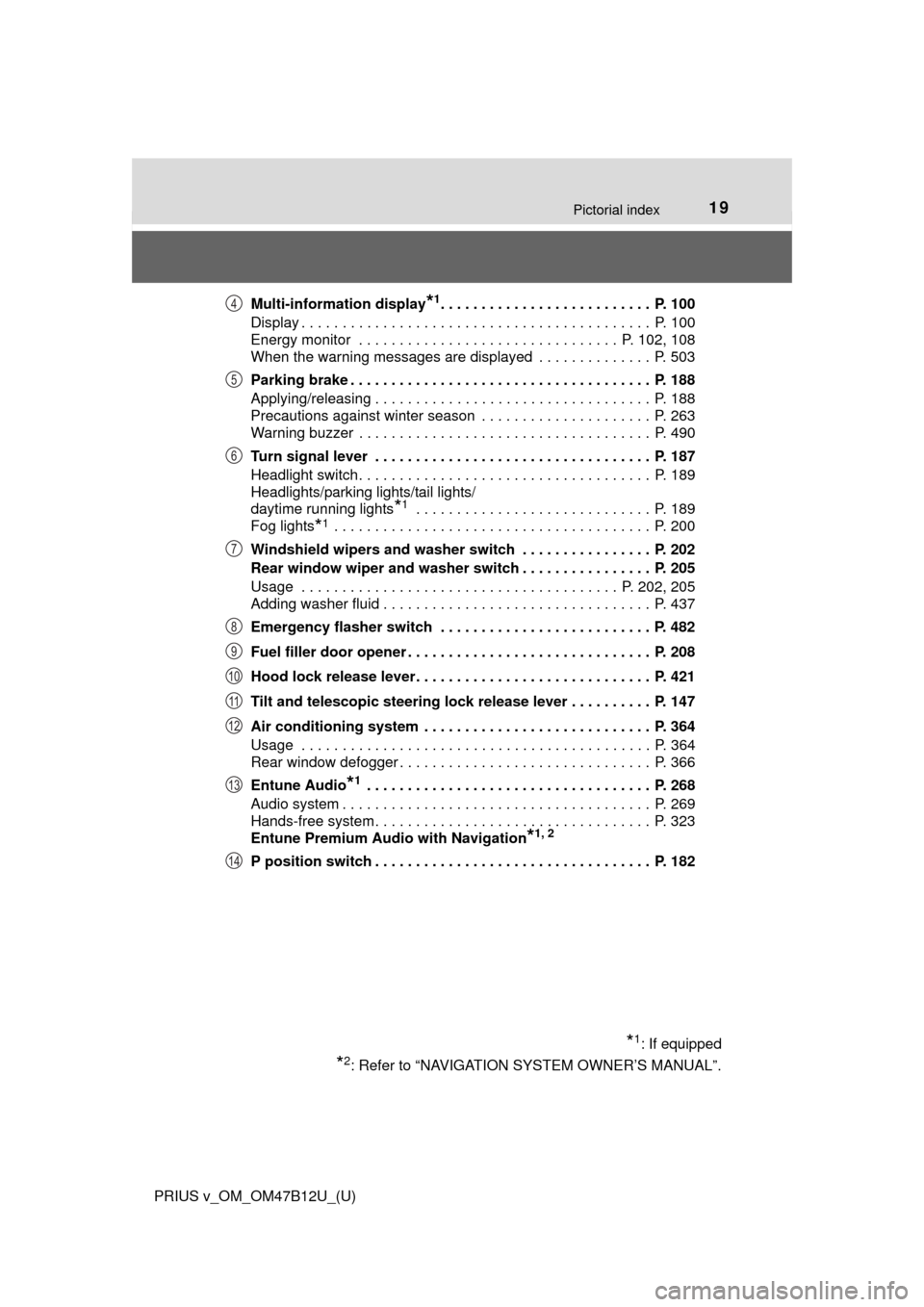
PRIUS v_OM_OM47B12U_(U)Multi-information display
*1. . . . . . . . . . . . . . . . . . . . . . . . . . P. 100
Display . . . . . . . . . . . . . . . . . . . . . . . . . . . . . . . . . . . . . . . . . . . P. 100
Energy monitor . . . . . . . . . . . . . . . . . . . . . . . . . . . . . . . . P. 102, 108
When the warning messages are displayed . . . . . . . . . . . . . . P. 503
Parking brake . . . . . . . . . . . . . . . . . . . . . . . . . . . . . . . . . . . . . P. 188
Applying/releasing . . . . . . . . . . . . . . . . . . . . . . . . . . . . . . . . . . P. 188
Precautions against winter season . . . . . . . . . . . . . . . . . . . . . P. 263
Warning buzzer . . . . . . . . . . . . . . . . . . . . . . . . . . . . . . . . . . . . P. 490
Turn signal lever . . . . . . . . . . . . . . . . . . . . . . . . . . . . . . . . . . P. 187
Headlight switch . . . . . . . . . . . . . . . . . . . . . . . . . . . . . . . . . . . . P. 189
Headlights/parking lights/tail lights/
daytime running lights
*1 . . . . . . . . . . . . . . . . . . . . . . . . . . . . . P. 189
Fog lights
*1 . . . . . . . . . . . . . . . . . . . . . . . . . . . . . . . . . . . . . . . P. 200
Windshield wipers and washer switch . . . . . . . . . . . . . . . . P. 202
Rear window wiper and washer switch . . . . . . . . . . . . . . . . P. 205
Usage . . . . . . . . . . . . . . . . . . . . . . . . . . . . . . . . . . . . . . . P. 202, 205
Adding washer fluid . . . . . . . . . . . . . . . . . . . . . . . . . . . . . . . . . P. 437
Emergency flasher switch . . . . . . . . . . . . . . . . . . . . . . . . . . P. 482
Fuel filler door opener . . . . . . . . . . . . . . . . . . . . . . . . . . . . . . P. 208
Hood lock release lever. . . . . . . . . . . . . . . . . . . . . . . . . . . . . P. 421
Tilt and telescopic steering lock release lever . . . . . . . . . . P. 147
Air conditioning system . . . . . . . . . . . . . . . . . . . . . . . . . . . . P. 364
Usage . . . . . . . . . . . . . . . . . . . . . . . . . . . . . . . . . . . . . . . . . . . P. 364
Rear window defogger . . . . . . . . . . . . . . . . . . . . . . . . . . . . . . . P. 366
Entune Audio
*1 . . . . . . . . . . . . . . . . . . . . . . . . . . . . . . . . . . . P. 268
Audio system . . . . . . . . . . . . . . . . . . . . . . . . . . . . . . . . . . . . . . P. 269
Hands-free system . . . . . . . . . . . . . . . . . . . . . . . . . . . . . . . . . . P. 323
Entune Premium Audio with Navigation
*1, 2
P position switch . . . . . . . . . . . . . . . . . . . . . . . . . . . . . . . . . . P. 182
*1: If equipped
*2: Refer to “NAVIGATION SYSTEM OWNER’S MANUAL”.
4
5
6
7
8
9
10
11
12
13
14
Page 77 of 620
771-2. Hybrid system
PRIUS v_OM_OM47B12U_(U)
1
For safety and security
Hybrid system precautions
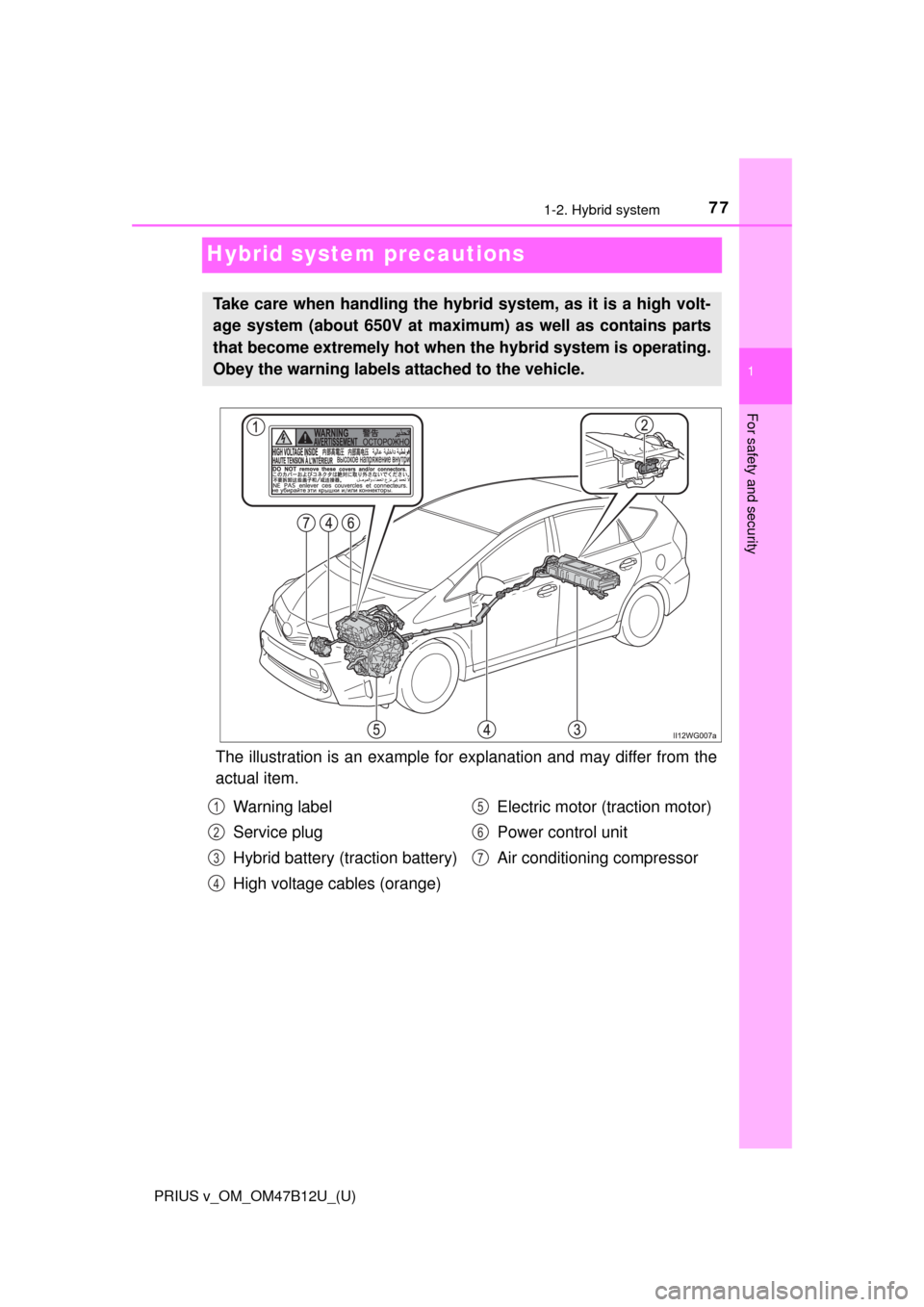
The illustration is an example for explanation and may differ from the
actual item.
Take care when handling the hybrid system, as it is a high volt-
age system (about 650V at maximum) as well as contains parts
that become extremely hot when the hybrid system is operating.
Obey the warning labels attached to the vehicle.
Warning label
Service plug
Hybrid battery (traction battery)
High voltage cables (orange)Electric motor (traction motor)
Power control unit
Air conditioning compressor1
2
3
4
5
6
7
Page 107 of 620
PRIUS v_OM_OM47B12U_(U)
1072. Instrument cluster
2
Instrument cluster
■System check display
After turning the power switch to ON mode, opening image is displayed while
system operation is checked. When the system check is complete, the nor-
mal screen will return.
■Pop-up display
When a system that supports pop-up displays, such as the air conditioning
system, is operated, a pop-up display will be temporarily displayed.
■When disconnecting and reconnecting 12-volt battery terminals
The fuel consumption display and average vehicle speed will be reset.
■Liquid crystal display
Small spots or light spots may appear on the display. This phenomenon is
characteristic of liquid crystal displays, and there is no problem continuing to
use the display.
■Meter display setting initialization
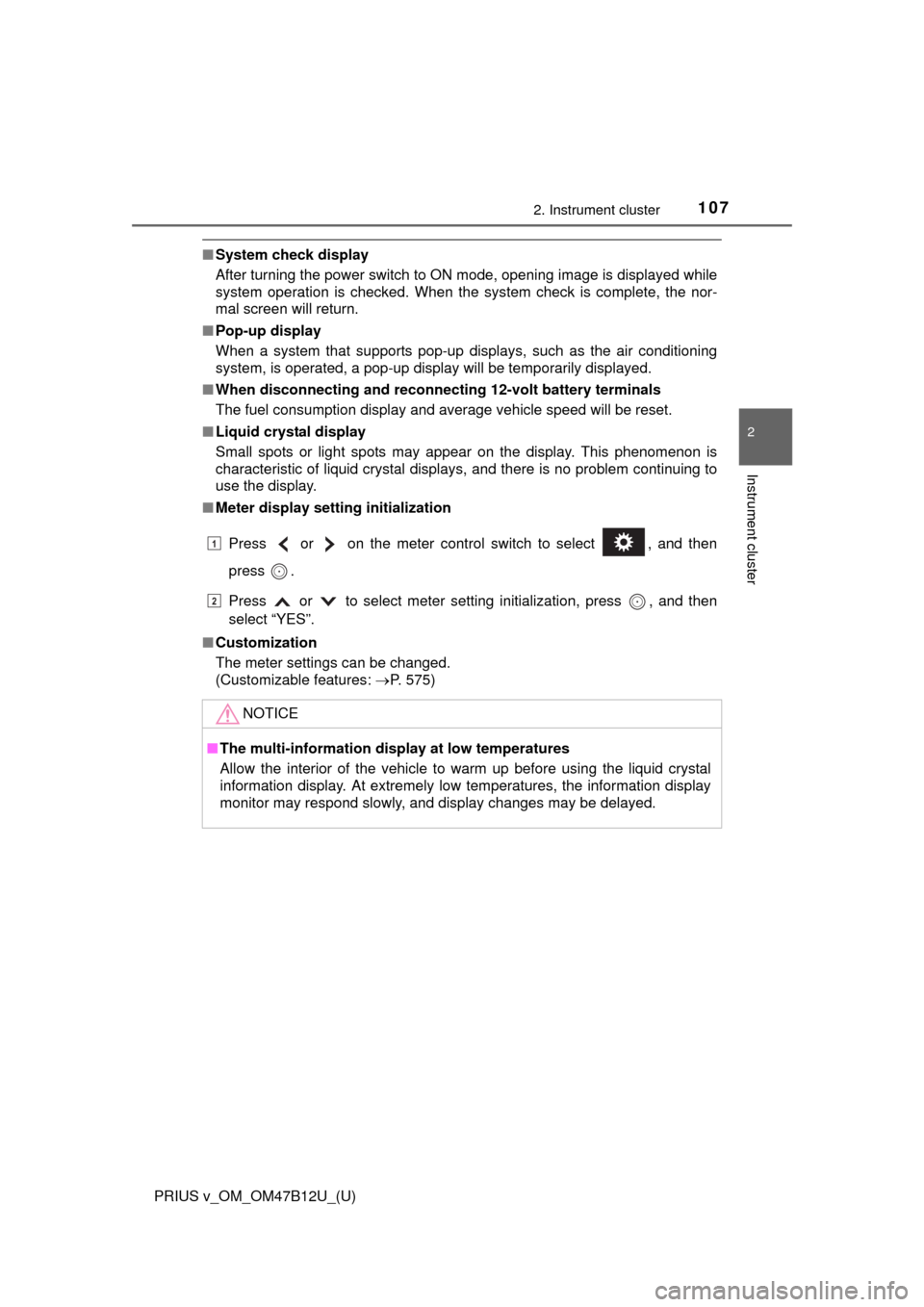
Press or on the meter control switch to select , and then
press .
Press or to select meter setting initialization, press , and then
select “YES”.
■Customization
The meter settings can be changed.
(Customizable features: P. 575)
NOTICE
■The multi-information display at low temperatures
Allow the interior of the vehicle to warm up before using the liquid crystal
information display. At extremely low temperatures, the information display
monitor may respond slowly, and display changes may be delayed.
1
2
Page 192 of 620
192
PRIUS v_OM_OM47B12U_(U)
4-3. Operating the lights and wipers
■Daytime running light system
●To make your vehicle more visible to other drivers during daytime driving,
the daytime running lights turn on automatically whenever the hybrid system
is started and the parking brake is released with the headlight switch off or in
the / position (Illuminate dimmer than the headlights). Daytime run-
ning lights are not designed for use at night.
For the U.S.A.: Daytime running lights can be turned off by operating the
headlight switch.
●Compared to turning on the headlights, the daytime running light system
offers greater durability and consumes less electricity, so it can help improve
fuel economy.
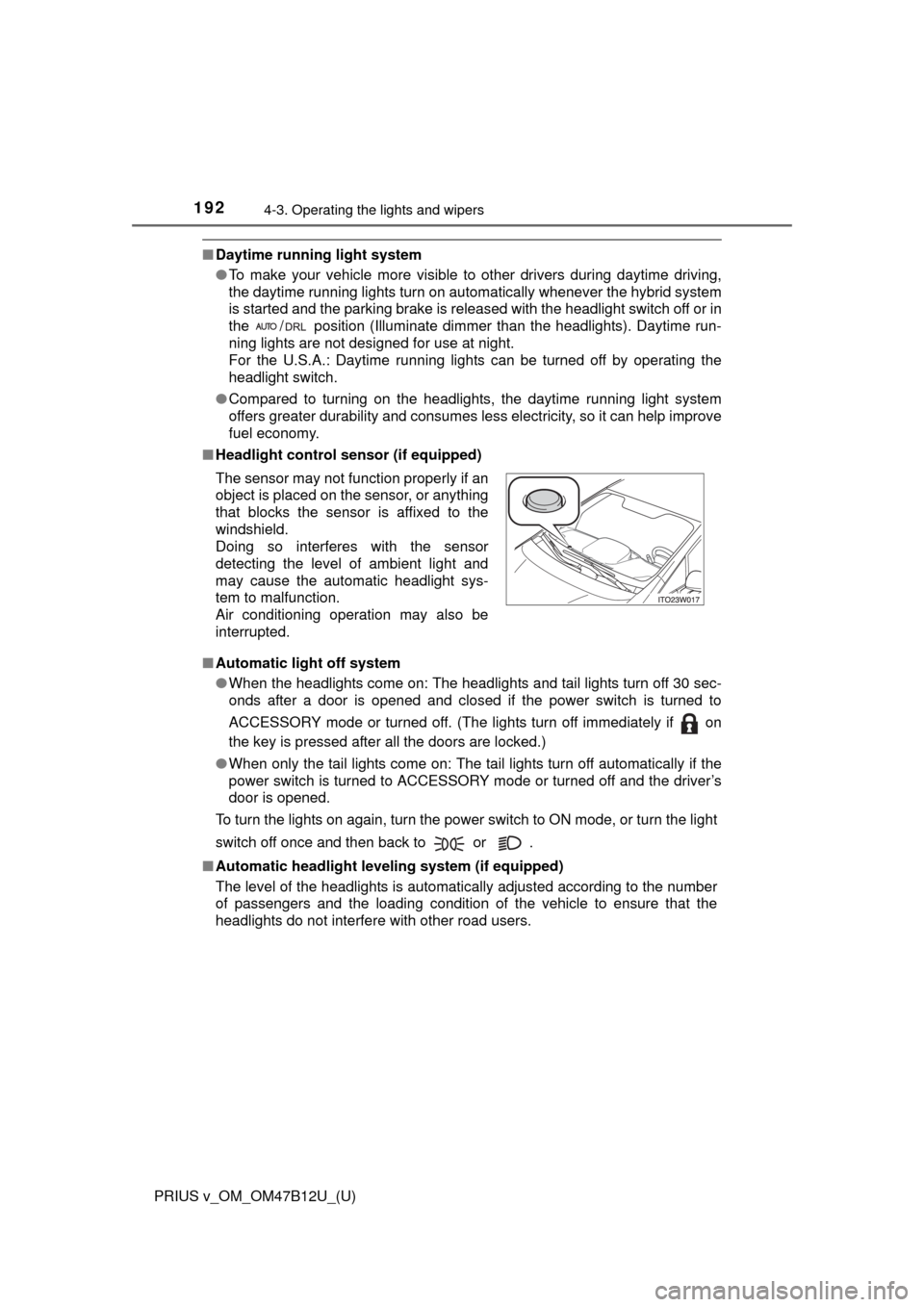
■Headlight control sensor (if equipped)
■Automatic light off system
●When the headlights come on: The headlights and tail lights turn off 30 sec-
onds after a door is opened and closed if the power switch is turned to
ACCESSORY mode or turned off. (The lights turn off immediately if on
the key is pressed after all the doors are locked.)
●When only the tail lights come on: The tail lights turn off automatically if the
power switch is turned to ACCESSORY mode or turned off and the driver’s
door is opened.
To turn the lights on again, turn the power switch to ON mode, or turn the light
switch off once and then back to or .
■Automatic headlight leveling system (if equipped)
The level of the headlights is automatically adjusted according to the number
of passengers and the loading condition of the vehicle to ensure that the
headlights do not interfere with other road users. The sensor may not function properly if an
object is placed on the sensor, or anything
that blocks the sensor is affixed to the
windshield.
Doing so interferes with the sensor
detecting the level of ambient light and
may cause the automatic headlight sys-
tem to malfunction.
Air conditioning operation may also be
interrupted.
Page 231 of 620

PRIUS v_OM_OM47B12U_(U)
2314-5. Using the driving support systems
4
Driving
■LDA indicator
Even if the LDA switch is pressed, when the LDA indicator does not come on
the system may have a malfunction. Have the vehicle inspected by your Toy-
ota dealer immediately.
■Alert buzzer for lane departure alert
Depending on the audio system sound level or air conditioning fan noise
while the audio system or air conditioning system is in use, it may be difficult
to hear the alert buzzer.
■After the vehicle has been parked in the sun
The LDA may not be available and a warning message will be displayed for a
while after driving has started. When the temperature in the cabin decreases
and the temperature around the camera sensor (P. 227) becomes suitable
for its operation, turn the LDA switch on again after a short time.
■If there are lane markers on only one side of the vehicle
The lane departure alert will not operate for the side on which lane markers
could not be recognized.
■Conditions in which the function may not operate correctly
In the following situations, the camera sensor may be unable to recognize
lane markers causing the lane departure alert function to operate incorrectly.
However, this does not indicate a malfunction.
●When there are shadows on the road running parallel with lane markers, or
if a shadow covers the lane markers
●When driving through an area with no lane markers, such as a toll booth, a
crossing or before a ticket checkpoint
●When the lane markers are broken, Botts’ dots (raised pavement markers)
or stones
●When lane markers are obscured or partially obscured by sand, dirt, etc.
●When driving on a road surface that is wet due to rain, previous rainfall,
standing water, etc.
●When the lane markers are yellow (These may be more difficult for the sys-
tem to recognize compared to white markers.)
●When the lane markers are on a curb, etc.
●When driving on a particularly bright road surface, such as concrete
●When driving on a road surface that is bright due to reflected light
●When driving in a location where the light level changes rapidly, such as the
entrance to or exit from a tunnel
●When sunlight or the headlights of oncoming vehicles are shining directly
into the camera lens
●When driving on roads that are branching or merging
●When driving on winding roads or roads that are uneven
Page 245 of 620
245
PRIUS v_OM_OM47B12U_(U)
4-5. Using the driving support systems
4
Driving
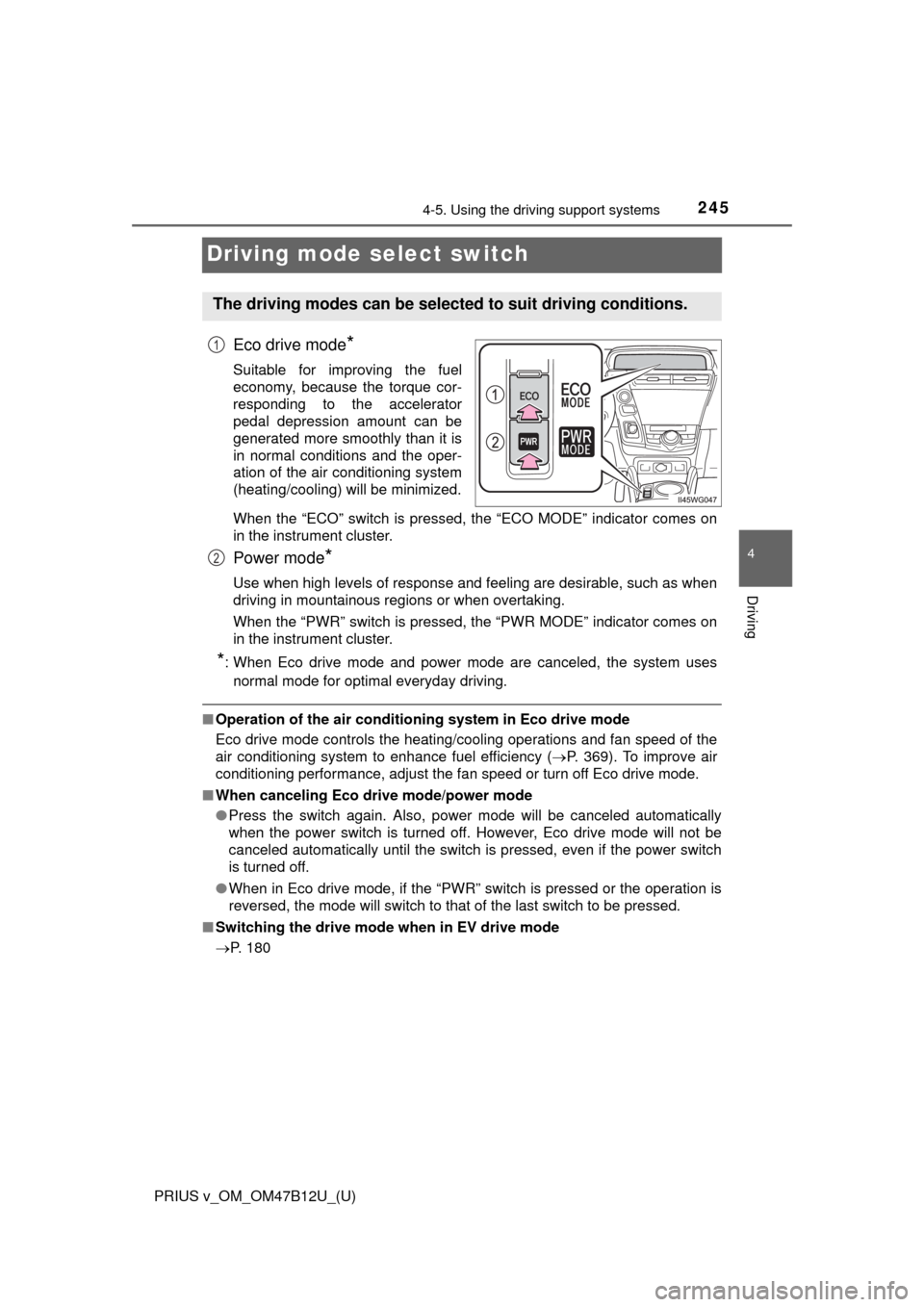
Driving mode select switch
Eco drive mode*
Suitable for improving the fuel
economy, because the torque cor-
responding to the accelerator
pedal depression amount can be
generated more smoothly than it is
in normal conditions and the oper-
ation of the air conditioning system
(heating/cooling) will be minimized.
When the “ECO” switch is pressed, the “ECO MODE” indicator comes on
in the instrument cluster.
Power mode*
Use when high levels of response and feeling are desirable, such as when
driving in mountainous regions or when overtaking.
When the “PWR” switch is pressed, the “PWR MODE” indicator comes on
in the instrument cluster.
*: When Eco drive mode and power mode are canceled, the system uses
normal mode for optimal everyday driving.
■Operation of the air conditioning system in Eco drive mode
Eco drive mode controls the heating/cooling operations and fan speed of the
air conditioning system to enhance fuel efficiency (P. 369). To improve air
conditioning performance, adjust the fan speed or turn off Eco drive mode.
■When canceling Eco drive mode/power mode
●Press the switch again. Also, power mode will be canceled automatically
when the power switch is turned off. However, Eco drive mode will not be
canceled automatically until the switch is pressed, even if the power switch
is turned off.
●When in Eco drive mode, if the “PWR” switch is pressed or the operation is
reversed, the mode will switch to that of the last switch to be pressed.
■Switching the drive mode when in EV drive mode
P. 180
The driving modes can be selected to suit driving conditions.
1
2
Page 260 of 620
260
PRIUS v_OM_OM47B12U_(U)
4-6. Driving tips
Hybrid vehicle driving tips
◆Using Eco drive mode
When using Eco drive mode, the torque corresponding to the accel-
erator pedal depression amount can be generated more smoothly
than it is in normal conditions. In addition, the operation of the air
conditioning system (heating/cooling) will be minimized, improving
the fuel economy. (P. 245)
◆Use of Hybrid System Indicator
The Eco-friendly driving is possible by keeping the Hybrid System
Indicator within Eco area. (P. 98)
◆Shift position operation
Shift the shift position to D when stopped at a traffic light, or driving
in heavy traffic etc. Shift the shift position to P when parking. When
using the N, there is no positive effect on fuel consumption. In the
N, the gasoline engine operates but electricity cannot be gener-
ated. Also, when using the air conditioning system, etc., the hybrid
battery (traction battery) power is consumed.
◆Accelerator pedal/brake pedal operation
●Drive your vehicle smoothly. Avoid abrupt acceleration and
deceleration. Gradual acceleration and deceleration will make
more effective use of the electric motor (traction motor) without
having to use gasoline engine power.
●Avoid repeated acceleration. Repeated acceleration consumes
hybrid battery (traction battery) power, resulting in poor fuel con-
sumption. Battery power can be restored by driving with the
accelerator pedal slightly released.
For economical and ecological driving, pay attention to the fol-
lowing points:
Page 261 of 620

PRIUS v_OM_OM47B12U_(U)
2614-6. Driving tips
4
Driving
◆When braking
Make sure to operate the brakes gently and in a timely manner. A
greater amount of electrical energy can be regenerated when slow-
ing down.
◆Delays
Repeated acceleration and deceleration, as well as long waits at
traffic lights, will lead to bad fuel economy. Check traffic reports
before leaving and avoid delays as much as possible. When driving
in a traffic jam, gently release the brake pedal to allow the vehicle to
move forward slightly while avoiding overuse of the accelerator
pedal. Doing so can help control excessive gasoline consumption.
◆Highway driving
Control and maintain the vehicle at a constant speed. Before stop-
ping at a toll booth or similar, allow plenty of time to release the
accelerator and gently apply the brakes. A greater amount of elec-
trical energy can be regenerated when slowing down.
◆Air conditioning
Use the air conditioning only when necessary. Doing so can help
reduce excessive gasoline consumption.
In summer: When the ambient temperature is high, use the recircu-
lated air mode. Doing so will help to reduce the burden on the air
conditioning system and reduce fuel consumption as well.
In winter: Because the gasoline engine will not automatically cut out
until it and the interior of the vehicle are warm, it will consume fuel.
Fuel consumption can be improved by avoiding overuse of the
heater.
◆Checking tire inflation pressure
Make sure to check the tire inflation pressure frequently. Improper
tire inflation pressure can cause poor fuel economy.
Also, as snow tires can cause large amounts of friction, their use on
dry roads can lead to poor fuel economy. Use tires that are appro-
priate for the season.