display TOYOTA PRIUS V 2018 Owner's Manual
[x] Cancel search | Manufacturer: TOYOTA, Model Year: 2018, Model line: PRIUS V, Model: TOYOTA PRIUS V 2018Pages: 607, PDF Size: 41.96 MB
Page 106 of 607
104
PRIUS v_OM_OM47B78U_(U)
2. Instrument cluster
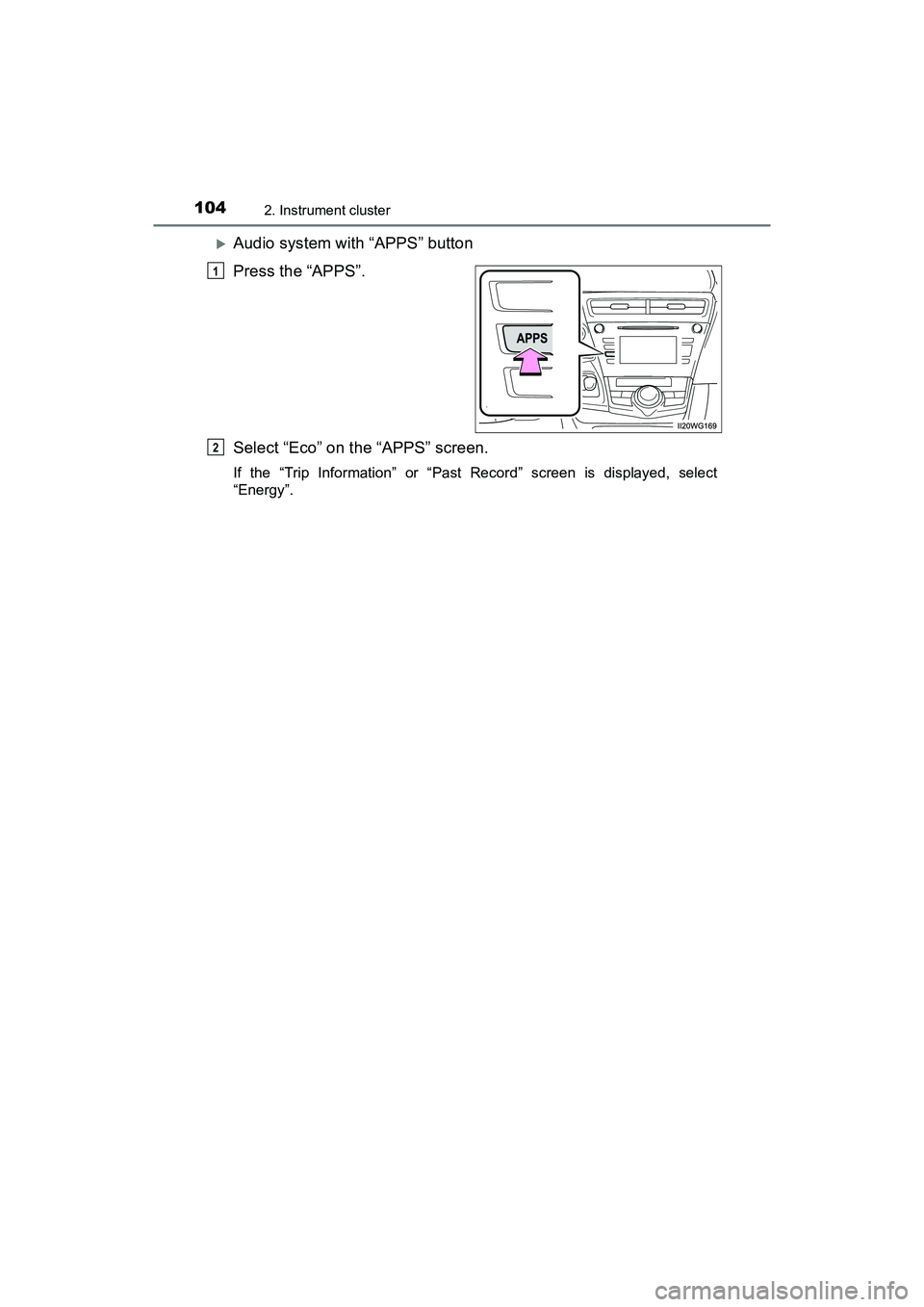
Audio system with “APPS” button
Press the “APPS”.
Select “Eco” on the “APPS” screen.
If the “Trip Information” or “Past Record” screen is displayed, select
“Energy”.
1
2
Page 109 of 607
PRIUS v_OM_OM47B78U_(U)
1072. Instrument cluster
2
Instrument cluster
Audio system with “CAR” button
Press the “CAR” button. (P. 103)
Audio system with “APPS” button
Press the “APPS” button. ( P. 104)
Select “ECO” on the “APPS” screen
If “Energy Monitor” screen is displayed, select “Trip Information”.
If “Past Record” screen is displayed, select “Trip Information”.
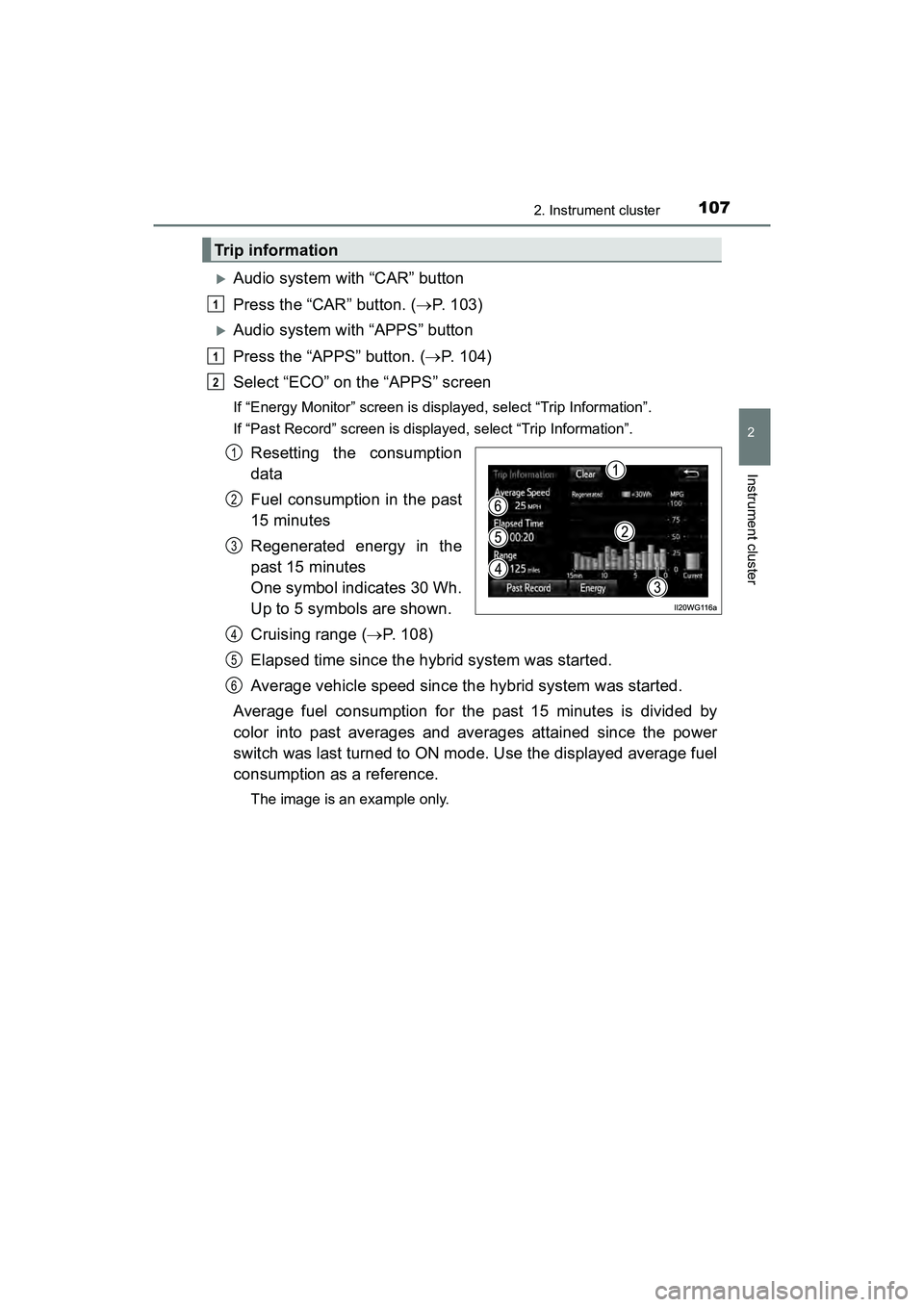
Resetting the consumption
data
Fuel consumption in the past
15 minutes
Regenerated energy in the
past 15 minutes
One symbol indicates 30 Wh.
Up to 5 symbols are shown.
Cruising range ( P. 108)
Elapsed time since the hybrid system was started.
Average vehicle speed since the hybrid system was started.
Average fuel consumption for the past 15 minutes is divided by
color into past averages and averages attained since the power
switch was last turned to ON mode. Use the displayed average fuel
consumption as a reference.
The image is an example only.
Trip information
1
1
2
1
2
3
4
5
6
Page 110 of 607
108
PRIUS v_OM_OM47B78U_(U)
2. Instrument cluster
Audio system with “CAR” button
Press the “CAR” button. (P. 103)
Audio system with “APPS” button
Press the “APPS” button. ( P. 104)
Select “ECO” on the “APPS” screen.
If “Energy Monitor” screen is displayed, select “Past Record”.
If “Trip Information” screen is displayed, select “Past Record”.
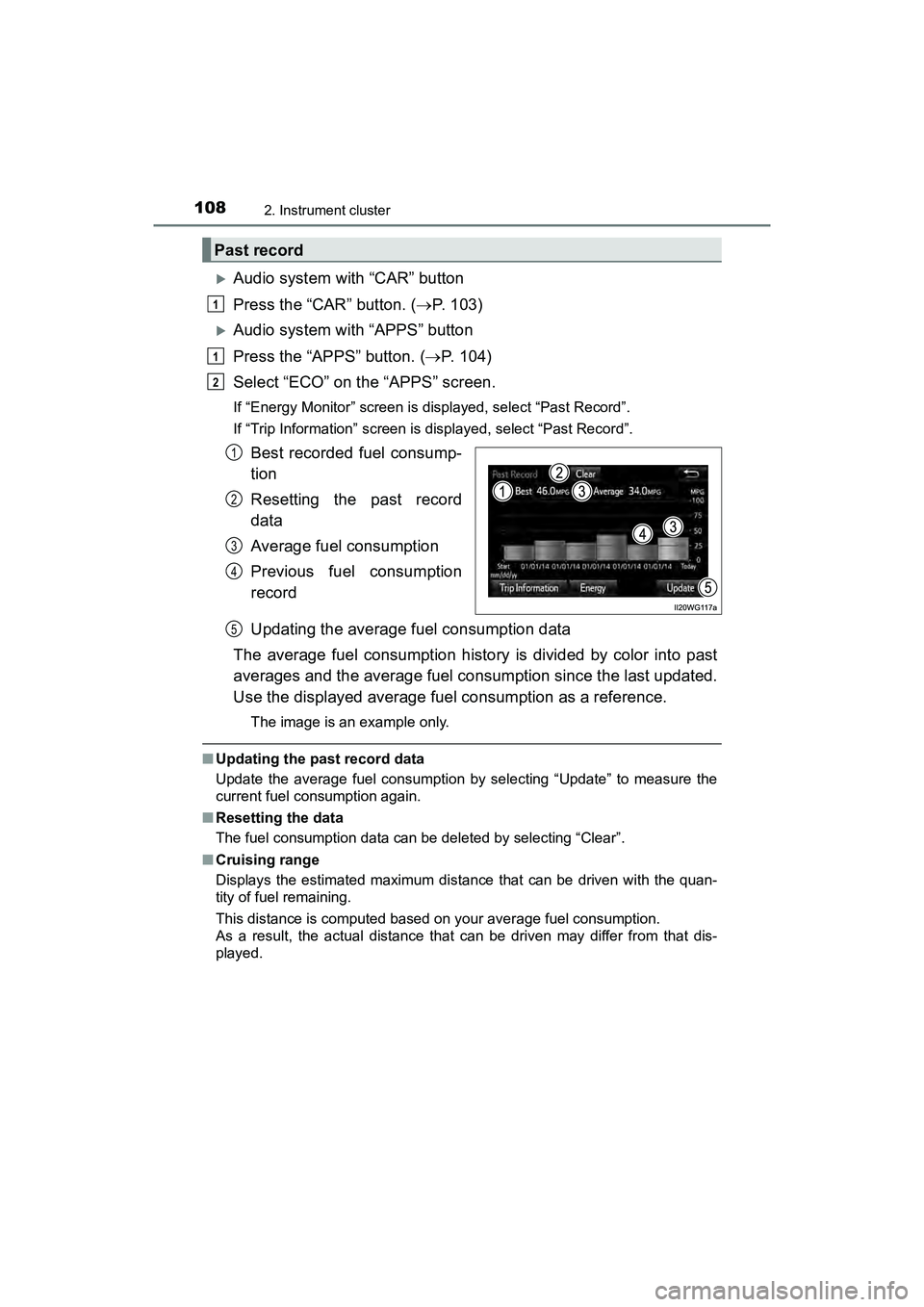
Best recorded fuel consump-
tion
Resetting the past record
data
Average fuel consumption
Previous fuel consumption
record
Updating the average fuel consumption data
The average fuel consumption history is divided by color into past
averages and the average fuel consumption since the last updated.
Use the displayed average fuel consumption as a reference.
The image is an example only.
■ Updating the past record data
Update the average fuel consumption by selecting “Update” to measure the
current fuel consumption again.
■ Resetting the data
The fuel consumption data can be deleted by selecting “Clear”.
■ Cruising range
Displays the estimated maximum distance that can be driven with the quan-
tity of fuel remaining.
This distance is computed based on your average fuel consumption.
As a result, the actual distance that can be driven may differ from that dis-
played.
Past record
1
1
2
1
2
3
4
5
Page 114 of 607
112
PRIUS v_OM_OM47B78U_(U)
3-1. Key information
■Electronic key battery depletion
●The standard battery life is 1 to 2 years.
● If the battery becomes low, an alarm will sound in the cabin, and a message
will be displayed on the multi-information display when the hybrid system
stops. ( P. 504)
● As the electronic key always receives radio waves, the battery will become
depleted even if the electronic key is not used. The following symptoms indi-
cate that the electronic key battery may be depleted. Replace the battery
when necessary. ( P. 449)
• The smart key system or the wireless remote control does not operate.
• The detection area becomes smaller.
• The LED indicator on the key surface does not turn on.
● To avoid serious deterioration, do not leave the electronic key within 3 ft.
(1 m) of the following electrical appliances that produce a magnetic field:
•TVs
• Personal computers
• Cellular phones, cordless phones and battery chargers
• Table lamps
• Induction cookers
■ Replacing the battery
P. 449
■ Confirmation of the registered key number
The number of keys already registered to the vehicle can be confirmed. Ask
your Toyota dealer.
■ If a wrong key is used
The key cylinder rotates freely to isolate inside mechanism.
Page 127 of 607
PRIUS v_OM_OM47B78U_(U)
1253-2. Opening, closing and locking the doors
3
Operation of each component
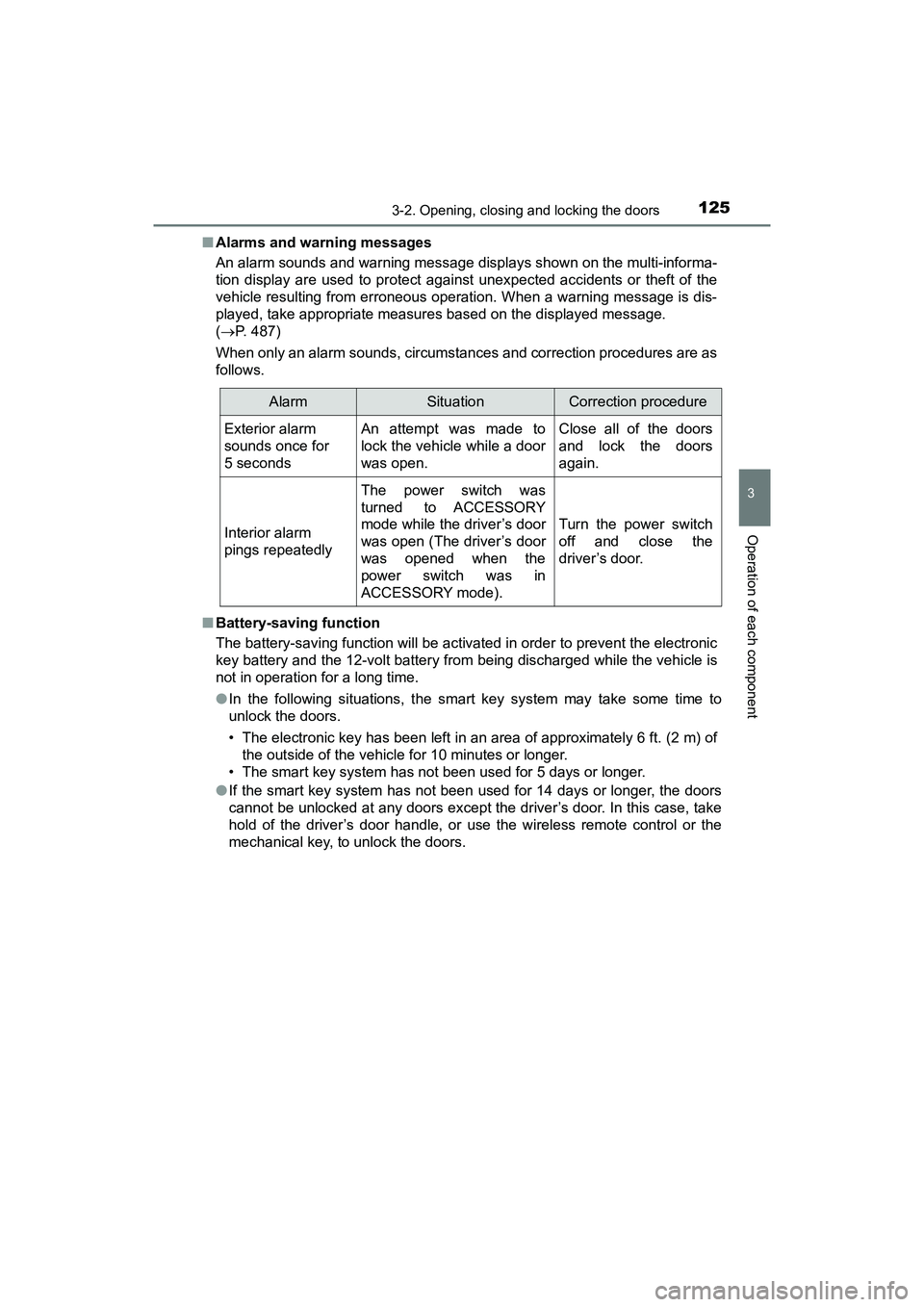
■Alarms and warning messages
An alarm sounds and warning message displays shown on the multi-informa-
tion display are used to protect against unexpected accidents or theft of the
vehicle resulting from erroneous operation. When a warning message is dis-
played, take appropriate measures based on the displayed message.
( P. 487)
When only an alarm sounds, circumstan ces and correction procedures are as
follows.
■ Battery-saving function
The battery-saving function will be activated in order to prevent the electronic
key battery and the 12-volt battery from being discharged while the vehicle is
not in operation for a long time.
●In the following situations, the smart key system may take some time to
unlock the doors.
• The electronic key has been left in an area of approximately 6 ft. (2 m) of
the outside of the vehicle for 10 minutes or longer.
• The smart key system has not been used for 5 days or longer.
● If the smart key system has not been used for 14 days or longer, the doors
cannot be unlocked at any doors except the driver’s door. In this case, take
hold of the driver’s door handle, or use the wireless remote control or the
mechanical key, to unlock the doors.
AlarmSituationCorrection procedure
Exterior alarm
sounds once for
5 secondsAn attempt was made to
lock the vehicle while a door
was open.Close all of the doors
and lock the doors
again.
Interior alarm
pings repeatedly
The power switch was
turned to ACCESSORY
mode while the driver’s door
was open (The driver’s door
was opened when the
power switch was in
ACCESSORY mode).
Turn the power switch
off and close the
driver’s door.
Page 153 of 607
PRIUS v_OM_OM47B78U_(U)
1514-1. Before driving
4
Driving
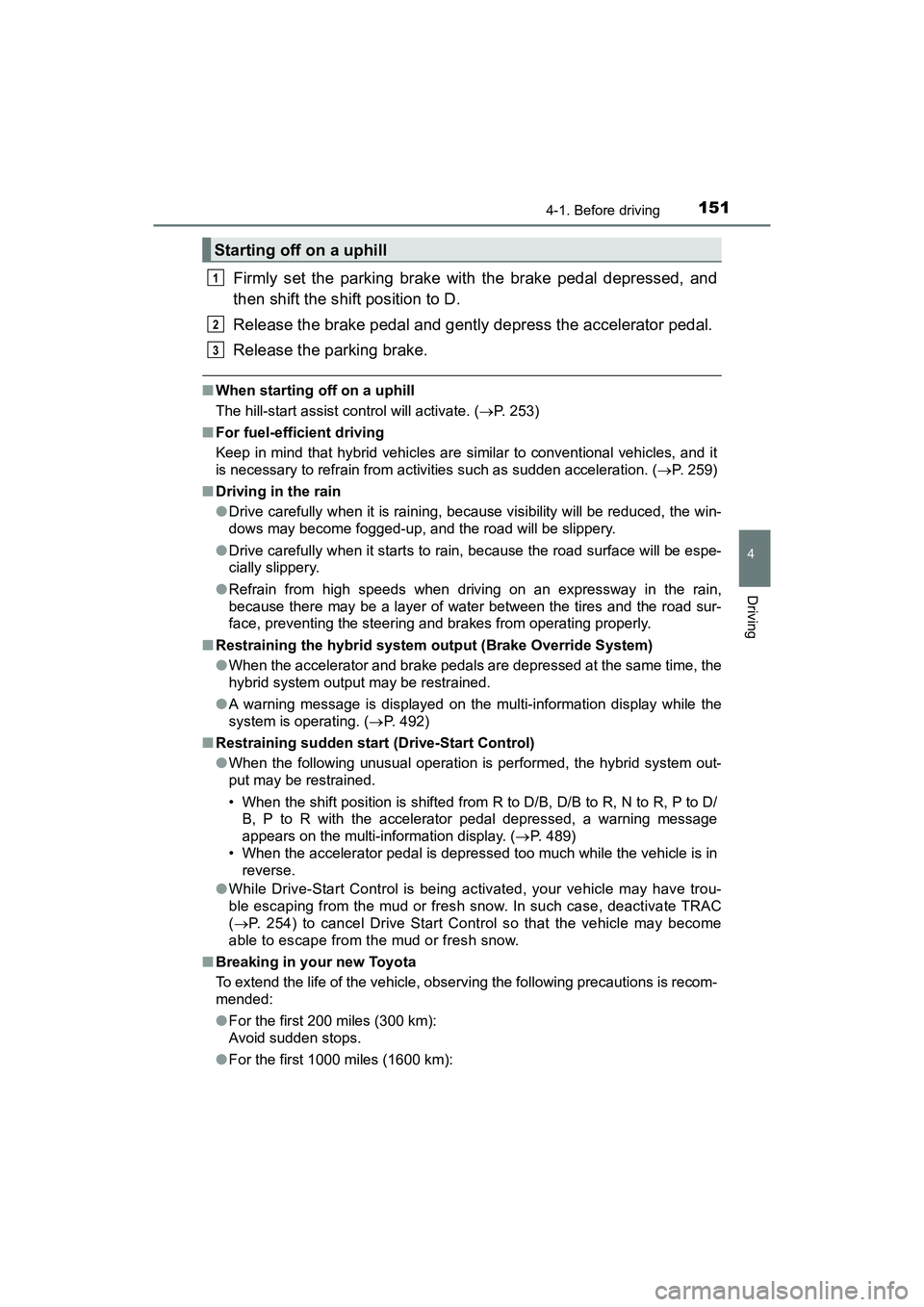
Firmly set the parking brake with the brake pedal depressed, and
then shift the shift position to D.
Release the brake pedal and gently depress the accelerator pedal.
Release the parking brake.
■When starting off on a uphill
The hill-start assist control will activate. ( P. 253)
■ For fuel-efficient driving
Keep in mind that hybrid vehicles are similar to conventional vehicles, and it
is necessary to refrain from activities such as sudden acceleration. ( P. 259)
■ Driving in the rain
●Drive carefully when it is raining, because visibility will be reduced, the win-
dows may become fogged-up, and the road will be slippery.
● Drive carefully when it starts to rain, because the road surface will be espe-
cially slippery.
● Refrain from high speeds when driving on an expressway in the rain,
because there may be a layer of water between the tires and the road sur-
face, preventing the steering and brakes from operating properly.
■ Restraining the hybrid system ou tput (Brake Override System)
● When the accelerator and brake pedals are depressed at the same time, the
hybrid system output may be restrained.
● A warning message is displayed on the multi-information display while the
system is operating. ( P. 492)
■ Restraining sudden start (Drive-Start Control)
●When the following unusual operation is performed, the hybrid system out-
put may be restrained.
• When the shift position is shifted from R to D/B, D/B to R, N to R, P to D/
B, P to R with the accelerator pedal depressed, a warning message
appears on the multi-information display. ( P. 489)
• When the accelerator pedal is depressed too much while the vehicle is in reverse.
● While Drive-Start Control is being activated, your vehicle may have trou-
ble escaping from the mud or fresh snow. In such case, deactivate TRAC
( P. 254) to cancel Drive Start Control so that the vehicle may become
able to escape from the mud or fresh snow.
■ Breaking in your new Toyota
To extend the life of the vehicle, observing the following precautions is recom-
mended:
●For the first 200 miles (300 km):
Avoid sudden stops.
● For the first 1000 miles (1600 km):
Starting off on a uphill
1
2
3
Page 157 of 607
PRIUS v_OM_OM47B78U_(U)
1554-1. Before driving
4
Driving
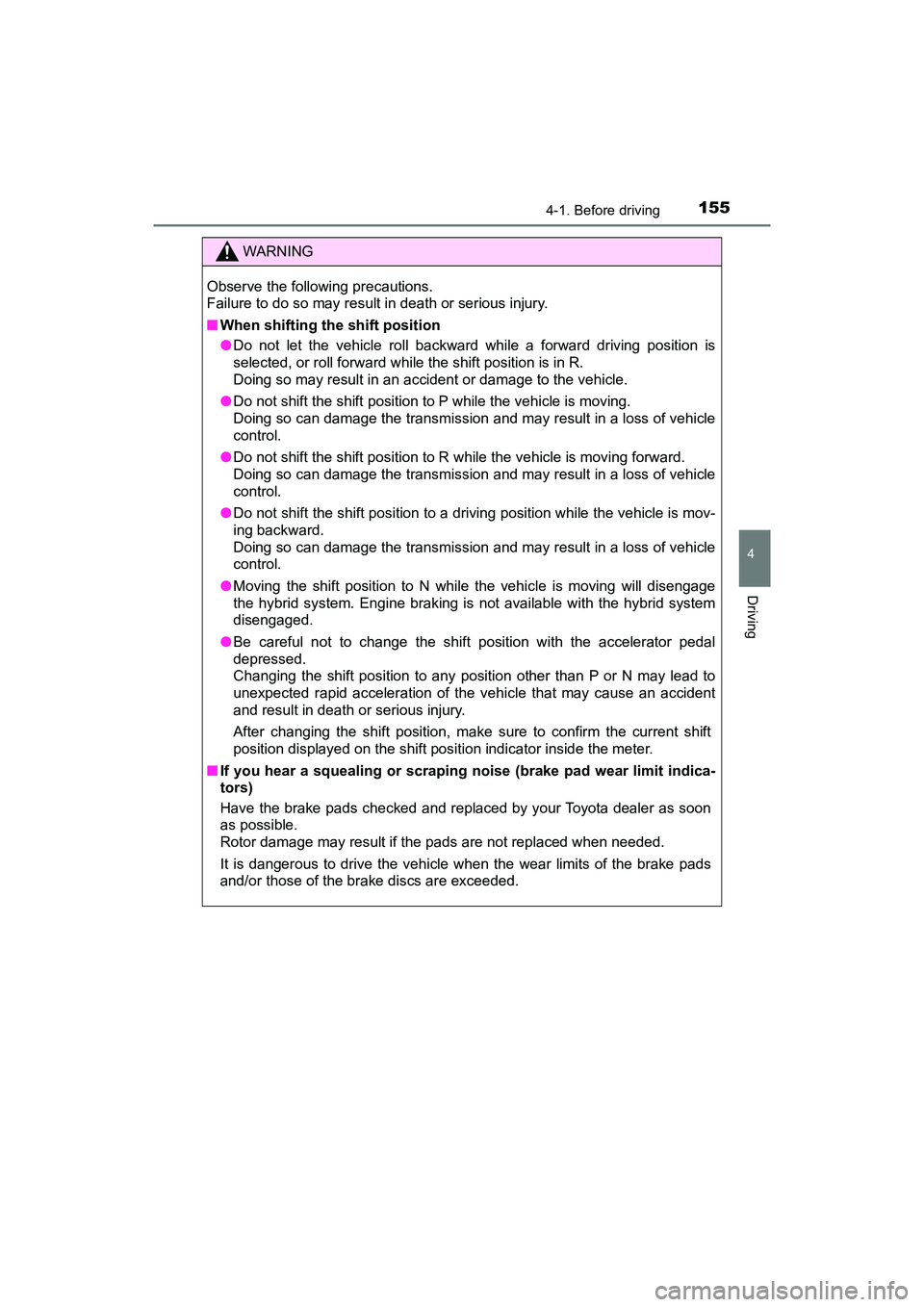
WARNING
Observe the following precautions.
Failure to do so may result in death or serious injury.
■When shifting the shift position
●Do not let the vehicle roll backward while a forward driving position is
selected, or roll forward while the shift position is in R.
Doing so may result in an accident or damage to the vehicle.
● Do not shift the shift position to P while the vehicle is moving.
Doing so can damage the transmission and may result in a loss of vehicle
control.
● Do not shift the shift position to R while the vehicle is moving forward.
Doing so can damage the transmission and may result in a loss of vehicle
control.
● Do not shift the shift position to a driving position while the vehicle is mov-
ing backward.
Doing so can damage the transmission and may result in a loss of vehicle
control.
● Moving the shift position to N while the vehicle is moving will disengage
the hybrid system. Engine braking is not available with the hybrid system
disengaged.
● Be careful not to change the shift position with the accelerator pedal
depressed.
Changing the shift position to any position other than P or N may lead to
unexpected rapid acceleration of the vehicle that may cause an accident
and result in death or serious injury.
After changing the shift position, make sure to confirm the current shift
position displayed on the shift position indicator inside the meter.
■ If you hear a squealing or scrapin g noise (brake pad wear limit indica-
tors)
Have the brake pads checked and replaced by your Toyota dealer as soon
as possible.
Rotor damage may result if the pads are not replaced when needed.
It is dangerous to drive the vehicle when the wear limits of the brake pads
and/or those of the brake discs are exceeded.
Page 170 of 607
168
PRIUS v_OM_OM47B78U_(U)
4-2. Driving procedures
Power (ignition) switch
Check that the parking brake is set.
Firmly depress the brake pedal.
will be displayed on the multi-information display.
If it is not displayed, the hybrid system cannot be started.
When the shift position is N, the hybrid system cannot start. Shift the shift
position to P when starting the hybrid system. ( P. 176)
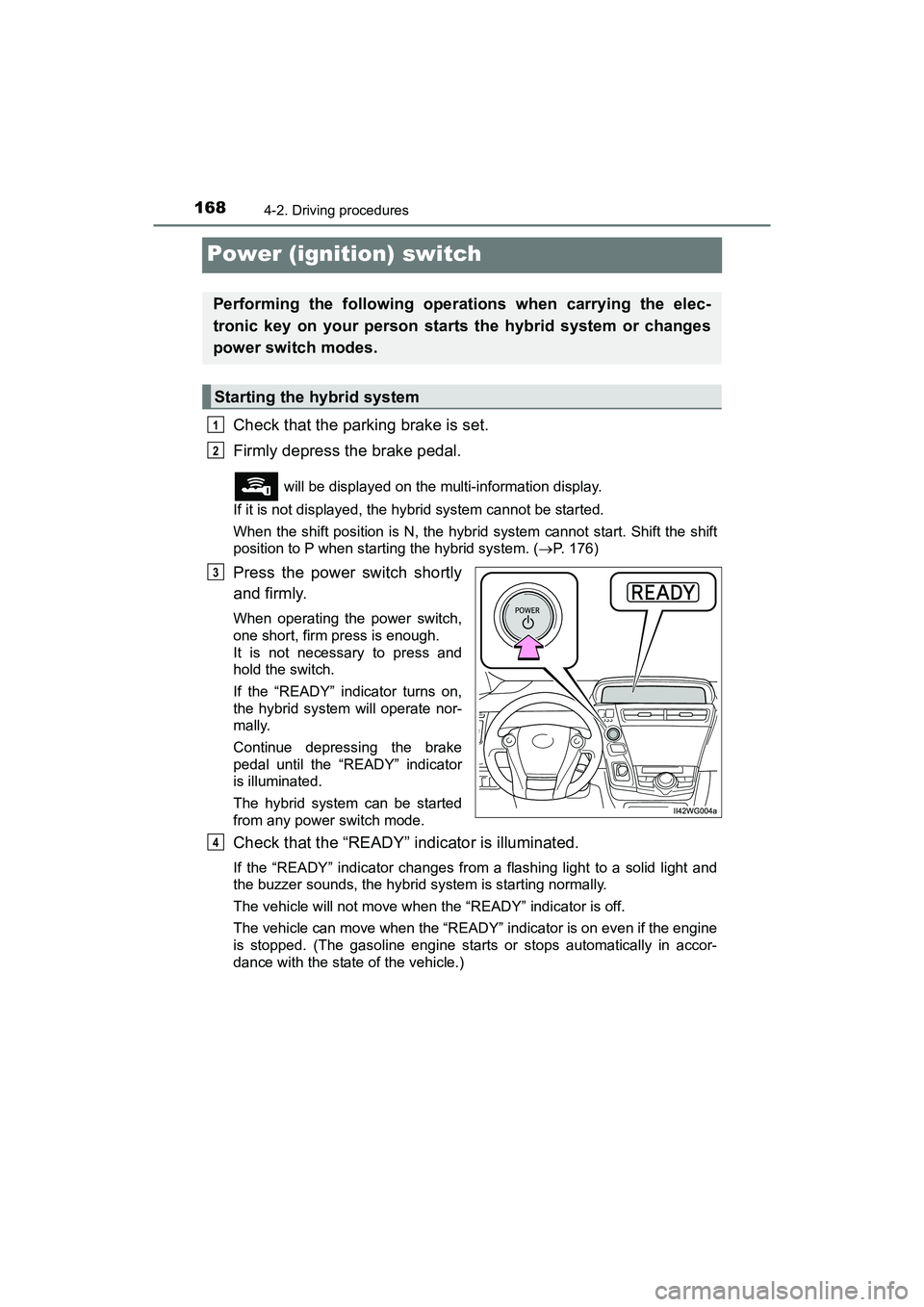
Press the power switch shortly
and firmly.
When operating the power switch,
one short, firm press is enough.
It is not necessary to press and
hold the switch.
If the “READY” indicator turns on,
the hybrid system will operate nor-
mally.
Continue depressing the brake
pedal until the “READY” indicator
is illuminated.
The hybrid system can be started
from any power switch mode.
Check that the “READY” indicator is illuminated.
If the “READY” indicator changes from a flashing light to a solid light and
the buzzer sounds, the hybrid system is starting normally.
The vehicle will not move when the “READY” indicator is off.
The vehicle can move when the “READY” indicator is on even if the engine
is stopped. (The gasoline engine starts or stops automatically in accor-
dance with the state of the vehicle.)
Performing the following operations when carrying the elec-
tronic key on your person starts the hybrid system or changes
power switch modes.
Starting the hybrid system
1
2
3
4
Page 171 of 607
PRIUS v_OM_OM47B78U_(U)
1694-2. Driving procedures
4
Driving
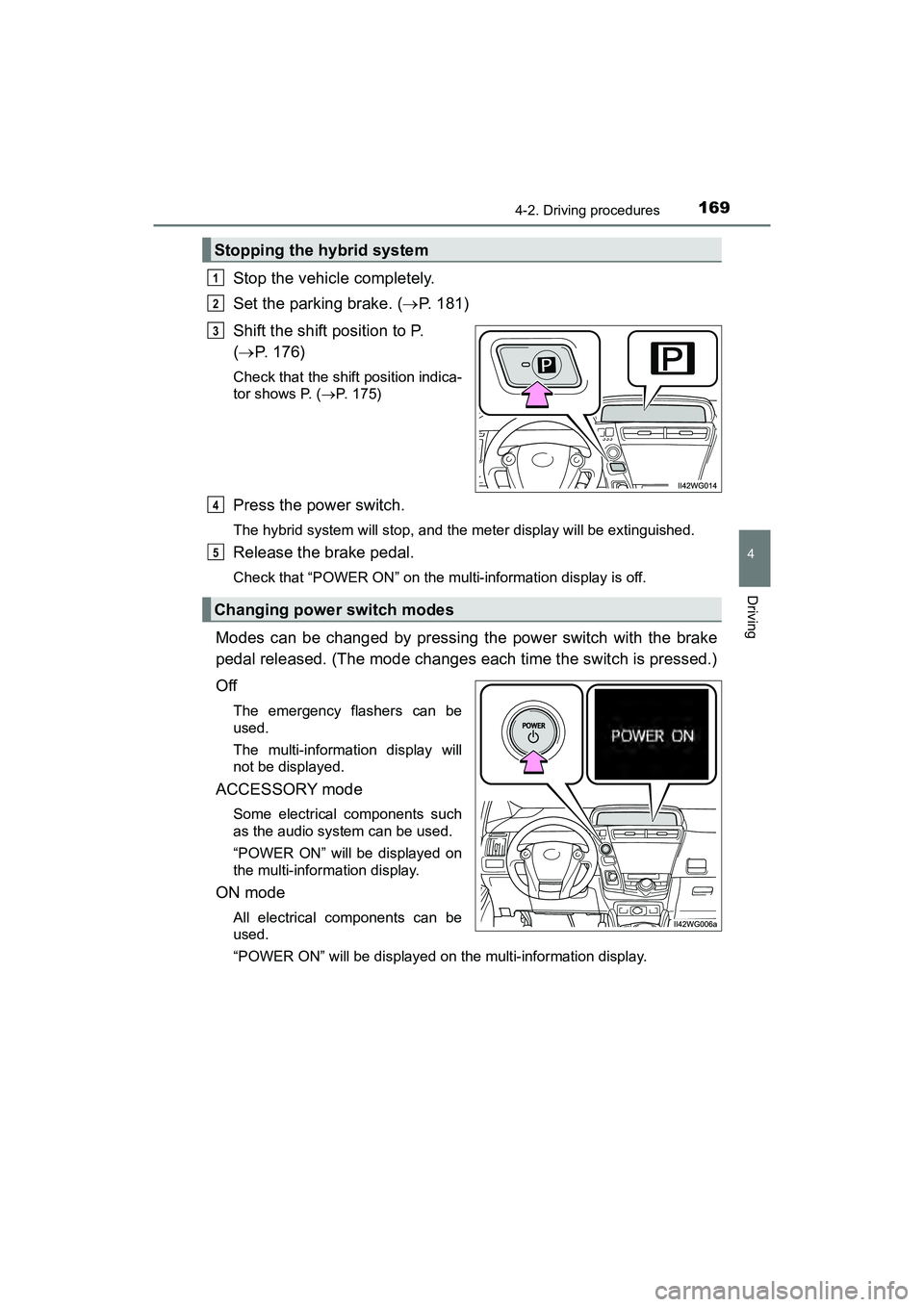
Stop the vehicle completely.
Set the parking brake. (P. 181)
Shift the shift position to P.
( P. 176)
Check that the shift position indica-
tor shows P. ( P. 175)
Press the power switch.
The hybrid system will stop, and the meter display will be extinguished.
Release the brake pedal.
Check that “POWER ON” on the multi-information display is off.
Modes can be changed by pressing the power switch with the brake
pedal released. (The mode changes each time the switch is pressed.)
Off
The emergency flashers can be
used.
The multi-information display will
not be displayed.
ACCESSORY mode
Some electrical components such
as the audio system can be used.
“POWER ON” will be displayed on
the multi-information display.
ON mode
All electrical components can be
used.
“POWER ON” will be displayed on the multi-information display.
Stopping the hybrid system
1
2
3
Changing power switch modes
4
5
Page 172 of 607
170
PRIUS v_OM_OM47B78U_(U)
4-2. Driving procedures
■Auto power off function
If the vehicle is left in ACCESSORY mode for more than 20 minutes or ON
mode (the hybrid system is not operating) for more than an hour with the shift
position in P, the power switch will automatically turn off. However, this func-
tion cannot entirely prevent the 12-volt battery discharge. Do not leave the
vehicle with the power switch in ACCESSORY or ON mode for long periods
of time when the hybrid system is not operating.
■ Sounds and vibrations specific to a hybrid vehicle
P. 7 7
■ Electronic key battery depletion
P. 1 1 2
■ When the ambient temperature is low, such as during winter driving con-
ditions
When starting the hybrid system, the fl ashing time of the “READY” indicator
may be long. Leave the vehicle as it is until the “READY” indicator is steady
on, as steady means the vehicle is able to move.
■ Conditions affecting operation
P. 126
■ Note for the entry function
P. 127
■ If the hybrid system does not start
The immobilizer system may not have been deactivated. ( P. 8 3 )
Contact your Toyota dealer.
■ When “SMART KEY SYSTEM CHECK HAVE YOUR VEHICLE CHECKED
BY A DEALER” is displayed on the multi-information display
The system may be malfunctioning. Have the vehicle inspected by your
Toyota dealer immediately.
■ If the “READY” indicator does not come on
In the event that the “READY” indicator does not come on even after perform-
ing the proper procedures for starting th e vehicle, contact your Toyota dealer
immediately.
■ If the hybrid system is malfunctioning
P. 489
■ If the electronic key battery is depleted
P. 449