warning TOYOTA PRIUS V 2018 Service Manual
[x] Cancel search | Manufacturer: TOYOTA, Model Year: 2018, Model line: PRIUS V, Model: TOYOTA PRIUS V 2018Pages: 607, PDF Size: 41.96 MB
Page 89 of 607
PRIUS v_OM_OM47B78U_(U)
872. Instrument cluster
2
Instrument cluster
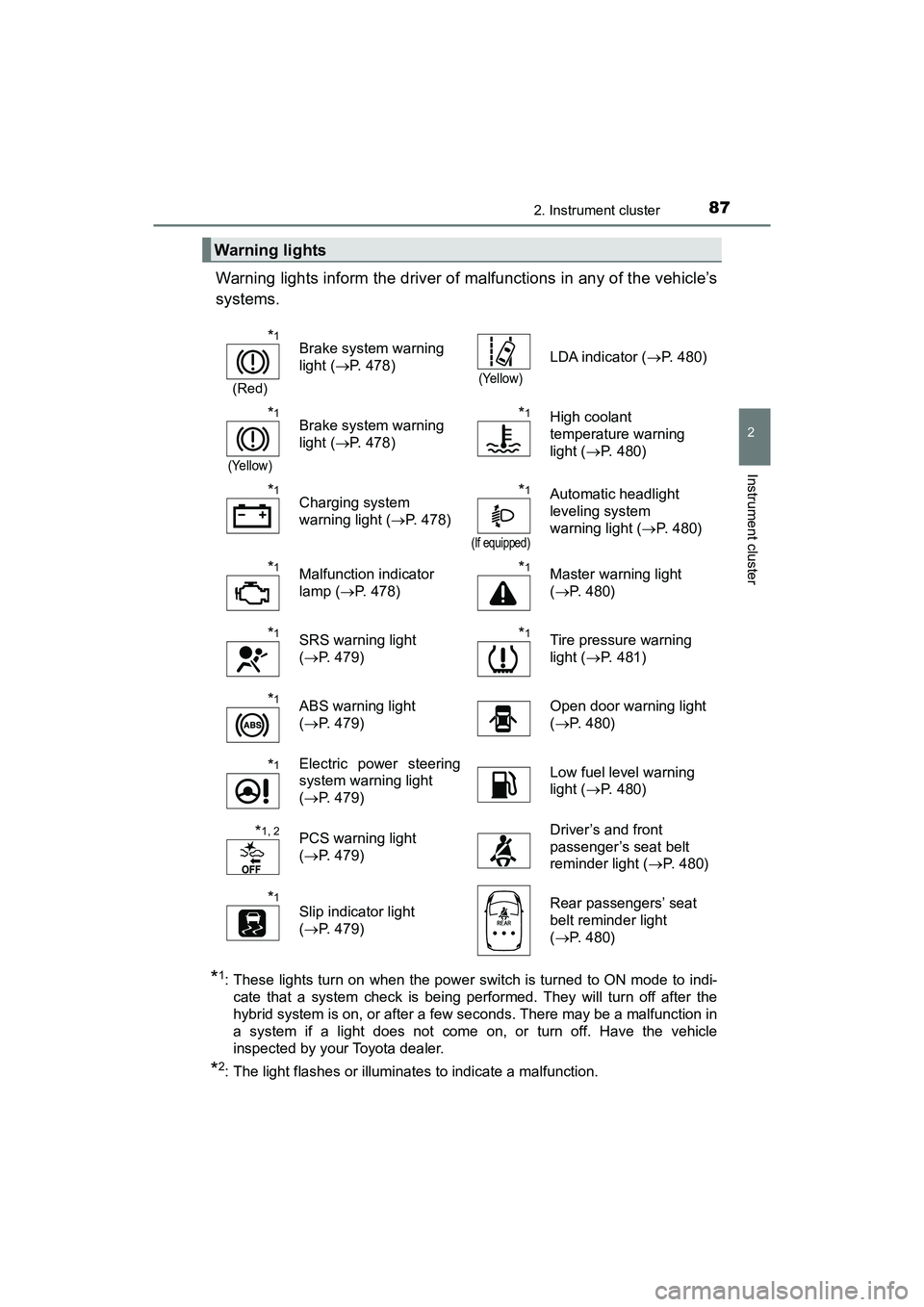
Warning lights inform the driver of malfunctions in any of the vehicle’s
systems.
*1: These lights turn on when the power switch is turned to ON mode to indi-cate that a system check is being performed. They will turn off after the
hybrid system is on, or after a few seconds. There may be a malfunction in
a system if a light does not come on, or turn off. Have the vehicle
inspected by your Toyota dealer.
*2: The light flashes or illuminates to indicate a malfunction.
Warning lights
*1
(Red)
Brake system warning
light ( P. 478)
(Yellow)
LDA indicator ( P. 480)
*1
(Yellow)
Brake system warning
light (P. 478)*1High coolant
temperature warning
light ( P. 480)
*1Charging system
warning light ( P. 478)*1
(If equipped)
Automatic headlight
leveling system
warning light ( P. 480)
*1Malfunction indicator
lamp (P. 478)*1Master warning light
(P. 480)
*1SRS warning light
(P. 479)*1Tire pressure warning
light ( P. 481)
*1ABS warning light
(P. 479) Open door warning light
(
P. 480)
*1Electric power steering
system warning light
(P. 479) Low fuel level warning
light (
P. 480)
*1, 2PCS warning light
(P. 479) Driver’s and front
passenger’s seat belt
reminder light (
P. 480)
*1Slip indicator light
(P. 479) Rear passengers’ seat
belt reminder light
(
P. 480)
Page 90 of 607
88
PRIUS v_OM_OM47B78U_(U)
2. Instrument cluster
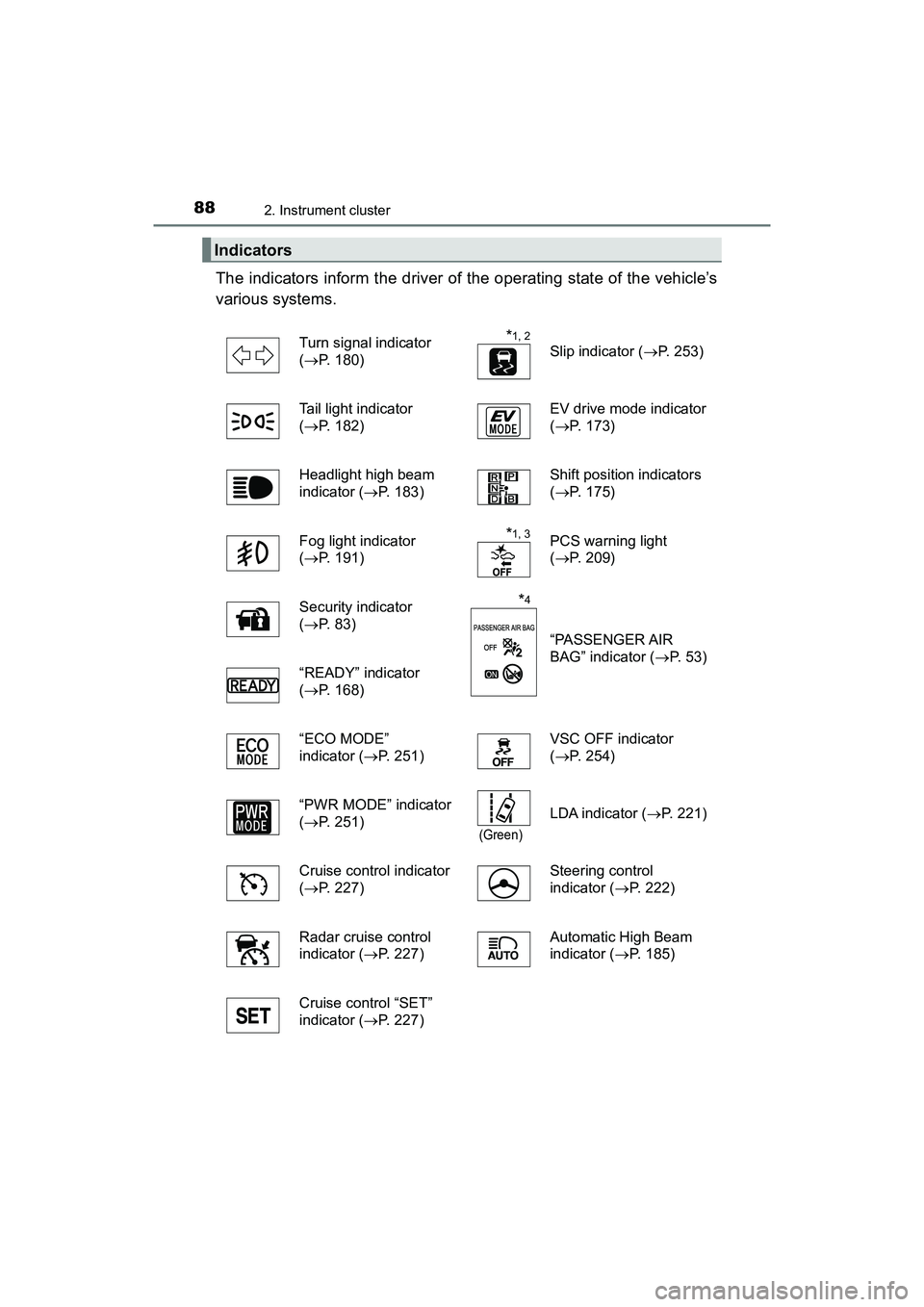
The indicators inform the driver of the operating state of the vehicle’s
various systems.
Indicators
Turn signal indicator
(P. 180)*1, 2
Slip indicator ( P. 253)
Tail light indicator
( P. 182) EV drive mode indicator
(
P. 173)
Headlight high beam
indicator (P. 183) Shift position indicators
(
P. 175)
Fog light indicator
( P. 191)
*1, 3PCS warning light
( P. 209)
Security indicator
( P. 8 3 )
*4
“PASSENGER AIR
BAG” indicator ( P. 53)
“READY” indicator
( P. 168)
“ECO MODE”
indicator (P. 251) VSC OFF indicator
(
P. 254)
“PWR MODE” indicator
( P. 251)
(Green)
LDA indicator ( P. 221)
Cruise control indicator
( P. 227) Steering control
indicator (
P. 222)
Radar cruise control
indicator (P. 227) Automatic High Beam
indicator (
P. 185)
Cruise control “SET”
indicator (P. 227)
Page 91 of 607
PRIUS v_OM_OM47B78U_(U)
892. Instrument cluster
2
Instrument cluster
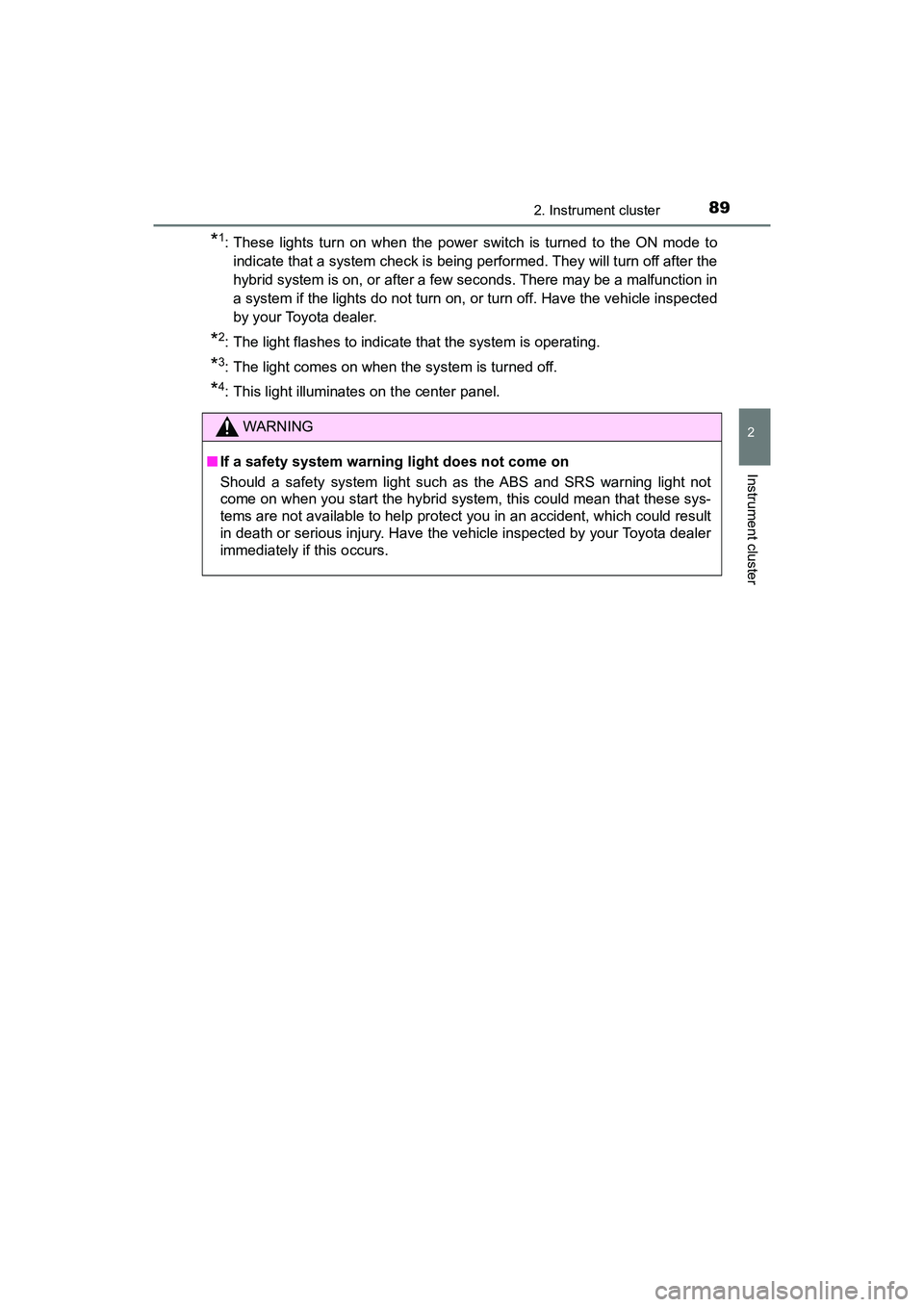
*1: These lights turn on when the power switch is turned to the ON mode toindicate that a system check is being performed. They will turn off after the
hybrid system is on, or after a few seconds. There may be a malfunction in
a system if the lights do not turn on, or turn off. Have the vehicle inspected
by your Toyota dealer.
*2: The light flashes to indicate that the system is operating.
*3: The light comes on when the system is turned off.
*4: This light illuminates on the center panel.
WARNING
■ If a safety system warning light does not come on
Should a safety system light such as the ABS and SRS warning light not
come on when you start the hybrid system, this could mean that these sys-
tems are not available to help protect you in an accident, which could result
in death or serious injury. Have the vehicle inspected by your Toyota dealer
immediately if this occurs.
Page 93 of 607
PRIUS v_OM_OM47B78U_(U)
912. Instrument cluster
2
Instrument cluster
Odometer and trip meter display
Odometer:
Displays the total distance that the vehicle has been driven
Trip meter:
Displays the distance the vehicle has been driven since the meter was last
reset. Trip meters “A” and “B” can be used to record and display different
distances independently.
Average fuel consumption
Displays the average fuel consumption
Multi-information display
Presents the driver with a variety of driving-related data (P. 9 4 )
Displays warning messages in case of a malfunction ( P. 487)
Current fuel consumption
Displays the current fuel consumption
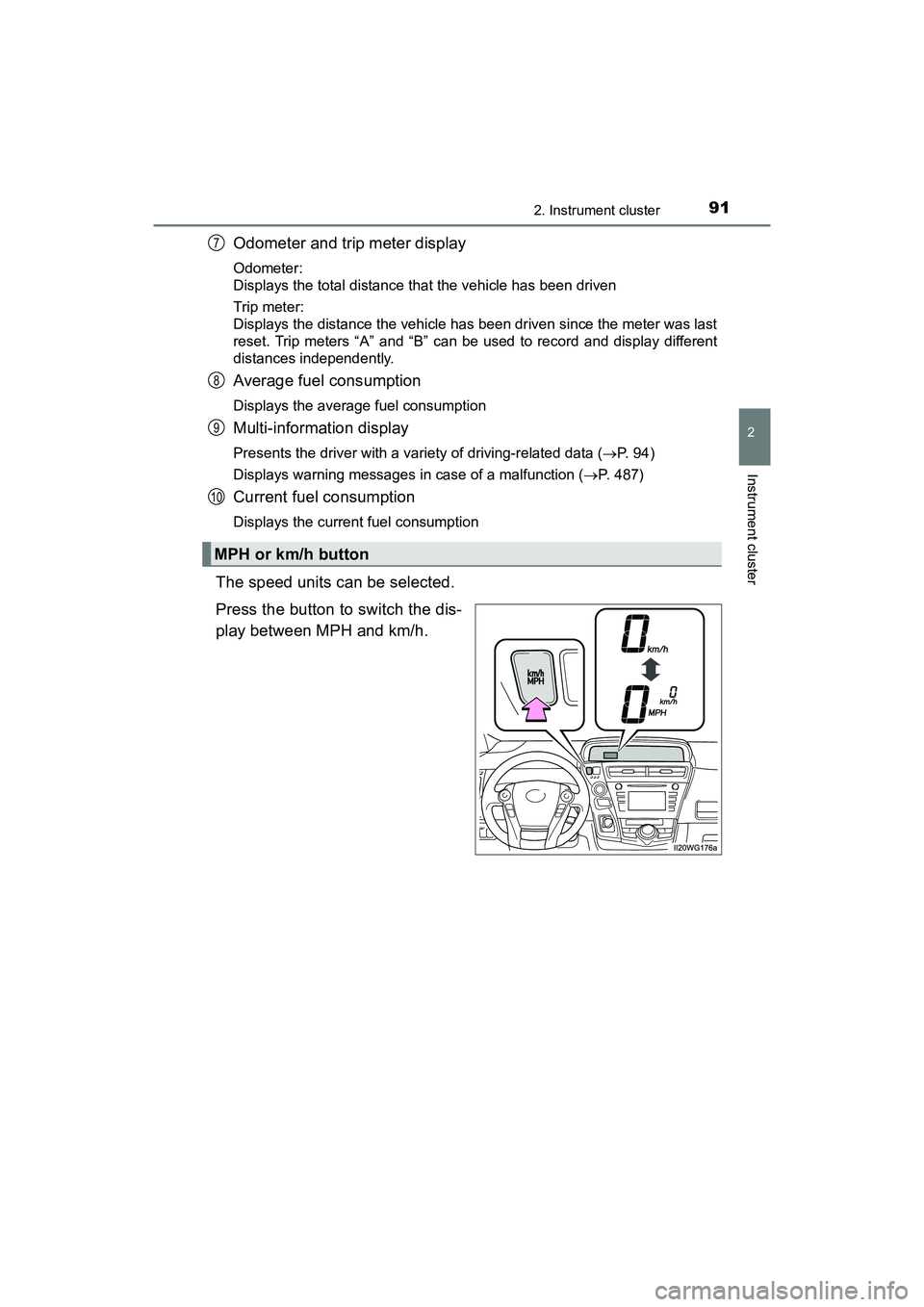
The speed units can be selected.
Press the button to switch the dis-
play between MPH and km/h.
MPH or km/h button
7
8
9
10
Page 95 of 607
PRIUS v_OM_OM47B78U_(U)
932. Instrument cluster
2
Instrument cluster
■The meters and display illuminate when
The power switch is in ON mode.
■ Remaining hybrid battery (tract ion battery) charge display
The charge amount of the hybrid battery (traction battery) is automatically
controlled by the hybrid system. For this reason, even if electricity is recov-
ered via the regenerative braking, or electricity is generated via the gasoline
engine, the displayed hybrid battery (traction battery) charge amount may not
reach the highest level (level 8). However, this does not indicate a malfunc-
tion.
■ Engine speed
On hybrid vehicles, engine speed is precisely controlled in order to help
improve fuel efficiency and reduce exhaust emissions etc.
■ Brightness of the instrument panel light
If the headlight switch is turned to ON while the surrounding area is dark, the
instrument panel lights will dim.
■ When disconnecting and reconnect ing 12-volt battery terminals
The fuel consumption display and average vehicle speed will be reset.
NOTICE
■ To prevent damage to the engine and its components
The engine may be overheating if the high coolant temperature warning
light comes on or flashes. In this case, immediately stop the vehicle in a
safe place, and check the engine after it has cooled completely. ( P. 528)
■ The information display at low temperatures
Allow the interior of the vehicle to warm up before using the liquid crystal
information display. At extremely low temperatures, the information display
monitor may respond slowly, and display changes may be delayed.
Page 97 of 607
PRIUS v_OM_OM47B78U_(U)
952. Instrument cluster
2
Instrument cluster
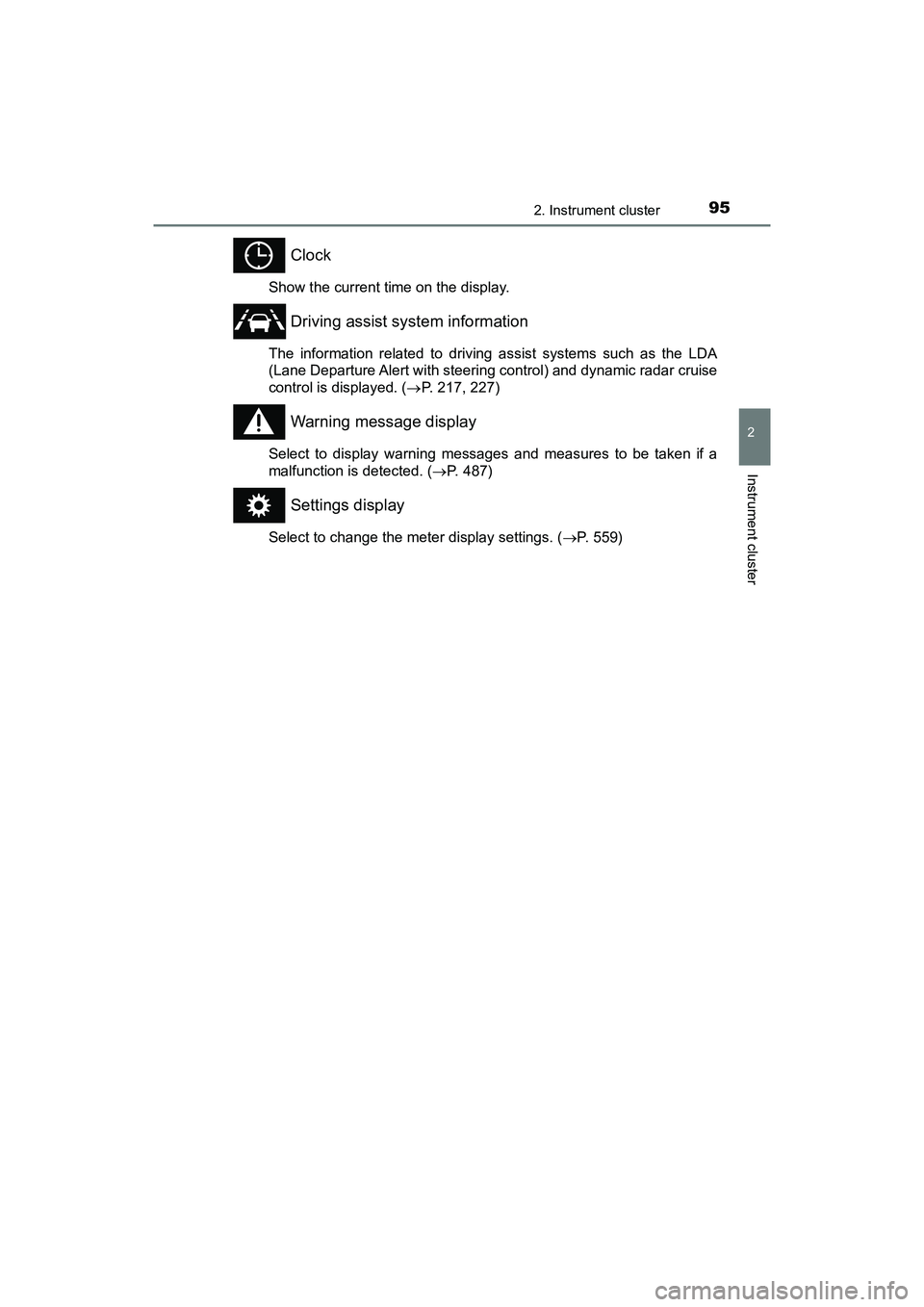
Clock
Show the current time on the display.
Driving assist system information
The information related to driving assist systems such as the LDA
(Lane Departure Alert with steering control) and dynamic radar cruise
control is displayed. (P. 217, 227)
Warning message display
Select to display warning messages and measures to be taken if a
malfunction is detected. ( P. 487)
Settings display
Select to change the meter display settings. ( P. 559)
Page 98 of 607
96
PRIUS v_OM_OM47B78U_(U)
2. Instrument cluster
Items displayed can be switched by pressing or of the meter
control switches to select and pressing or .
■Energy monitor
The current vehicle hybrid system condition is displayed. (P. 97)
■Hybrid System Indicator
The hybrid system power output and regenerative charging condi-
tions are displayed. ( P. 9 9 )
■Eco score/Hybrid System Indicator
The eco-driving total count is displayed. ( P. 9 9 )
■Fuel consumption and instantaneous fuel consumption per
minute
The fuel consumption and instantaneous fuel consumption per min-
ute is displayed. ( P. 9 9 )
■Distance to empty/Average vehicle speed after hybrid system
started/Average fuel consumption after hybrid system started
The possible driving range estimated from the remaining fuel
amount, average vehicle speed after the hybrid system is started,
and average fuel consumption are displayed. ( P. 100)
■LDA (Lane Departure Alert with steering control) vehicle sway
warning
Detects the sway of the vehicle within a lane, which is often associ-
ated with a decrease in the driver’s attention level, and displays the
decrease in attention using a bar display.
The shorter the bar length, the more the driver may need to rest.
This display is a part of the LDA (Lane Departure Alert with steering
control) system. The display is enabled when the operating conditions
of the vehicle sway warning function are met. (
P. 217)
■
OFF display
The OFF display is displayed.
Drive information
Page 104 of 607
102
PRIUS v_OM_OM47B78U_(U)
2. Instrument cluster
■Meter display setting initialization
Press or on the meter control switch to select , and then
press .
Press or to select meter setting initialization, press , and then
select “YES”.
■ Customization
The meter settings can be changed. (Customizable features: P. 559)
WARNING
■Caution for use while driving
●When operating the multi-information display while driving, pay extra
attention to the safety of the area around the vehicle.
● Do not look continuously at the multi-information display while driving as
you may fail to see pedestrians, objects on the road, etc. ahead of the
vehicle.
NOTICE
■The multi-information display at low temperatures
Allow the interior of the vehicle to warm up before using the liquid crystal
information display. At extremely low temperatures, the information display
monitor may respond slowly, and display changes may be delayed.
1
2
Page 120 of 607
118
PRIUS v_OM_OM47B78U_(U)
3-2. Opening, closing and locking the doors
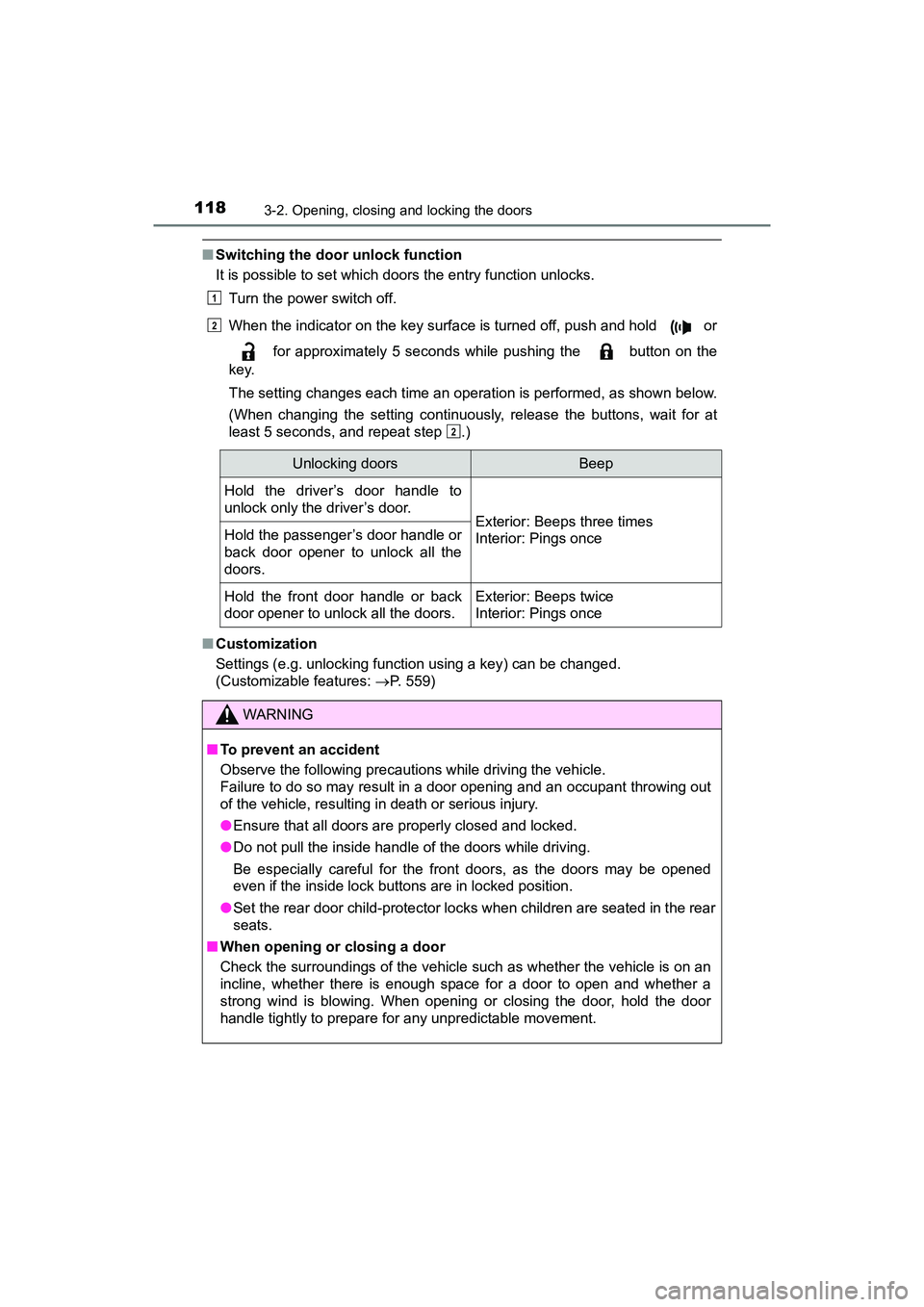
■Switching the door unlock function
It is possible to set which doors the entry function unlocks.
Turn the power switch off.
When the indicator on the key surface is turned off, push and hold or
for approximately 5 seconds while pushing the button on the
key.
The setting changes each time an operation is performed, as shown below.
(When changing the setting continuously, release the buttons, wait for at
least 5 seconds, and repeat step .)
■ Customization
Settings (e.g. unlocking function using a key) can be changed.
(Customizable features: P. 559)
1
2
2
Unlocking doorsBeep
Hold the driver’s door handle to
unlock only the driver’s door.
Exterior: Beeps three times
Interior: Pings onceHold the passenger’s door handle or
back door opener to unlock all the
doors.
Hold the front door handle or back
door opener to unlock all the doors.Exterior: Beeps twice
Interior: Pings once
WARNING
■To prevent an accident
Observe the following precautions while driving the vehicle.
Failure to do so may result in a door opening and an occupant throwing out
of the vehicle, resulting in death or serious injury.
●Ensure that all doors are properly closed and locked.
● Do not pull the inside handle of the doors while driving.
Be especially careful for the front doors, as the doors may be opened
even if the inside lock buttons are in locked position.
● Set the rear door child-protector lock s when children are seated in the rear
seats.
■ When opening or closing a door
Check the surroundings of the vehicle such as whether the vehicle is on an
incline, whether there is enough space for a door to open and whether a
strong wind is blowing. When opening or closing the door, hold the door
handle tightly to prepare for any unpredictable movement.
Page 123 of 607
PRIUS v_OM_OM47B78U_(U)
1213-2. Opening, closing and locking the doors
3
Operation of each component
WARNING
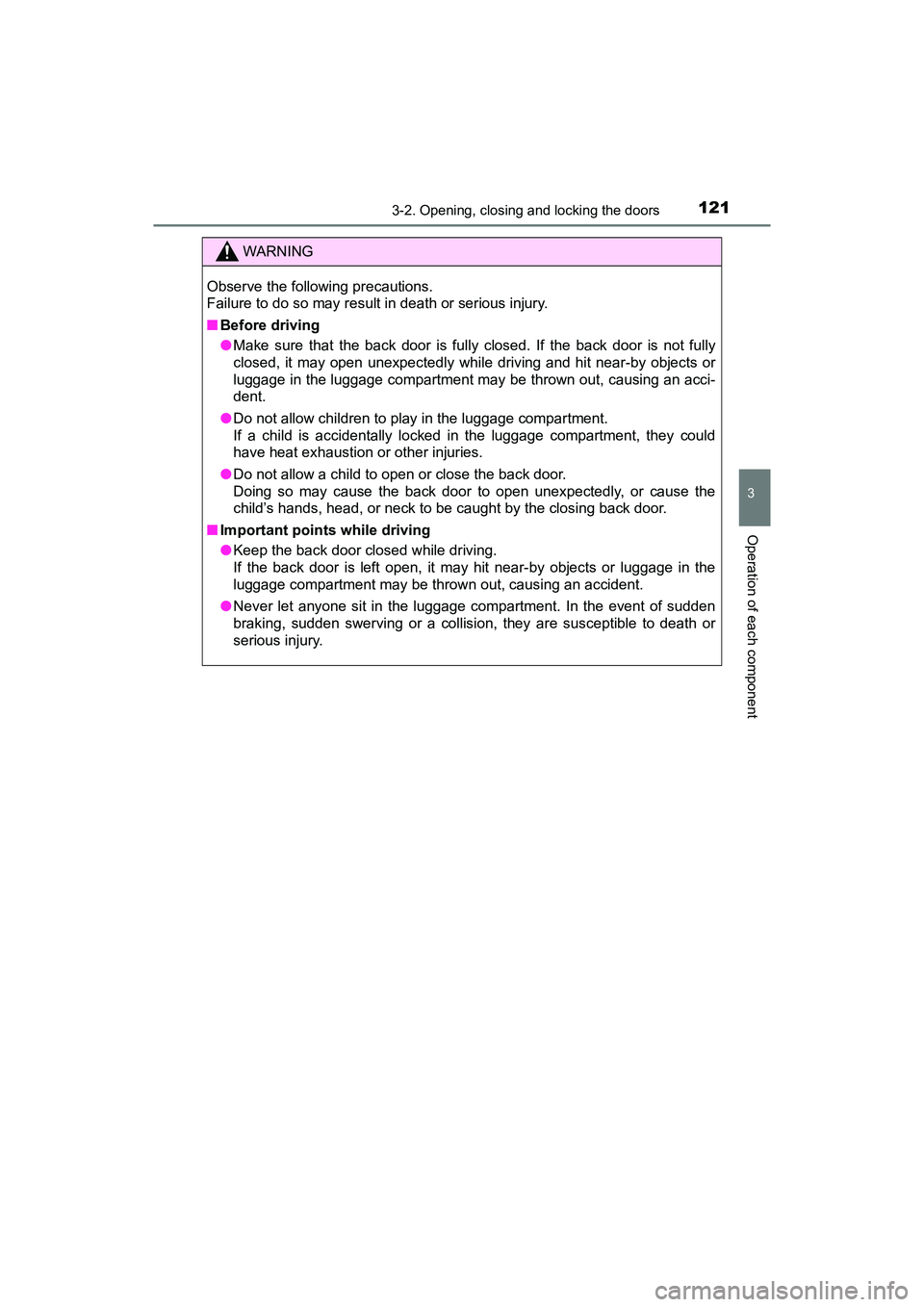
Observe the following precautions.
Failure to do so may result in death or serious injury.
■Before driving
●Make sure that the back door is fully closed. If the back door is not fully
closed, it may open unexpectedly while driving and hit near-by objects or
luggage in the luggage compartment may be thrown out, causing an acci-
dent.
● Do not allow children to play in the luggage compartment.
If a child is accidentally locked in the luggage compartment, they could
have heat exhaustion or other injuries.
● Do not allow a child to open or close the back door.
Doing so may cause the back door to open unexpectedly, or cause the
child’s hands, head, or neck to be caught by the closing back door.
■ Important points while driving
●Keep the back door closed while driving.
If the back door is left open, it may hit near-by objects or luggage in the
luggage compartment may be thrown out, causing an accident.
● Never let anyone sit in the luggage compartment. In the event of sudden
braking, sudden swerving or a collision, they are susceptible to death or
serious injury.