display TOYOTA PRIUS V 2018 Manual Online
[x] Cancel search | Manufacturer: TOYOTA, Model Year: 2018, Model line: PRIUS V, Model: TOYOTA PRIUS V 2018Pages: 607, PDF Size: 41.96 MB
Page 307 of 607
305
PRIUS v_OM_OM47B78U_(U)
5-6. Using an external device
5
Audio system
Using the AUX
P. 2 7 3
■Operating portable audio players connected to the audio system
The volume can be adjusted using the vehicle’s audio controls. All other
adjustments must be made on the portable audio player itself.
■ When using a portable audio player connected to the power outlet
Noise may occur during playback. Use the power source of the portable
audio player.
To use the AUX port, connect a portable player, press the
“AUDIO” button, then select “AUX” to display the audio control
screen.
Connecting a portable audio player
WARNING
■While driving
Do not connect a portable audio player or operate the device controls.
Page 310 of 607
3085-7. Connecting Bluetooth®
PRIUS v_OM_OM47B78U_(U)
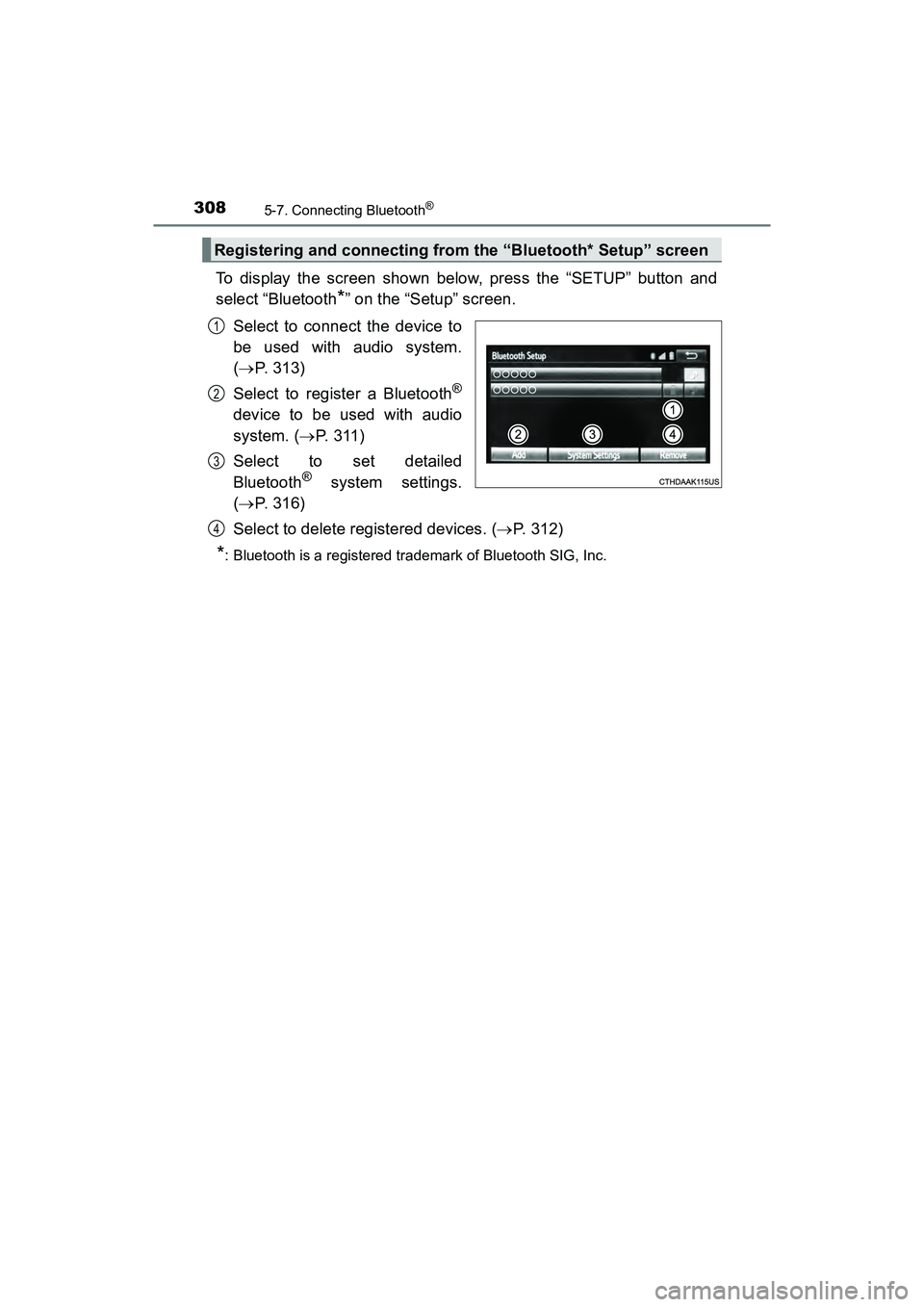
To display the screen shown below, press the “SETUP” button and
select “Bluetooth
*” on the “Setup” screen.
Select to connect the device to
be used with audio system.
( P. 313)
Select to register a Bluetooth
®
device to be used with audio
system. ( P. 3 1 1 )
Select to set detailed
Bluetooth
® system settings.
( P. 316)
Select to delete registered devices. ( P. 312)
*: Bluetooth is a registered trademark of Bluetooth SIG, Inc.
Registering and connecting from the “Bluetooth* Setup” screen
1
2
3
4
Page 313 of 607
311
PRIUS v_OM_OM47B78U_(U)
5-7. Connecting Bluetooth®
5
Audio system
Registering a Bluetooth® device
Display the “Bluetooth* Setup” screen. (P. 308)
Select “Add”.
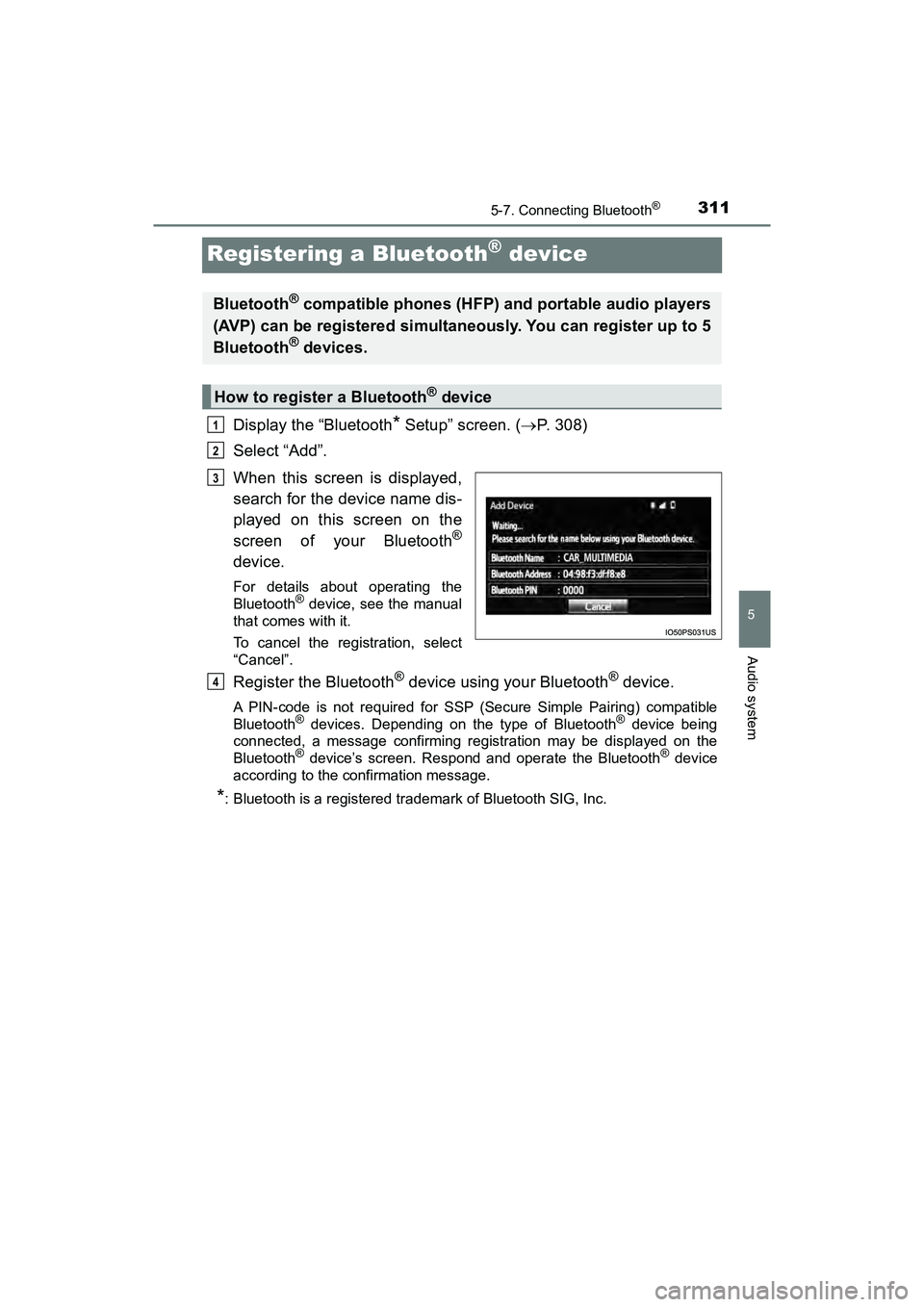
When this screen is displayed,
search for the device name dis-
played on this screen on the
screen of your Bluetooth
®
device.
For details about operating the
Bluetooth® device, see the manual
that comes with it.
To cancel the registration, select
“Cancel”.
Register the Bluetooth® device using your Bluetooth® device.
A PIN-code is not required for SSP (Secure Simple Pairing) compatible
Bluetooth® devices. Depending on the type of Bluetooth® device being
connected, a message confirming registration may be displayed on the
Bluetooth
® device’s screen. Respond and operate the Bluetooth® device
according to the confirmation message.
*: Bluetooth is a registered trademark of Bluetooth SIG, Inc.
Bluetooth® compatible phones (HFP) and portable audio players
(AVP) can be registered simultaneously. You can register up to 5
Bluetooth
® devices.
How to register a Bluetooth® device
1
2
3
4
Page 314 of 607
3125-7. Connecting Bluetooth®
PRIUS v_OM_OM47B78U_(U)
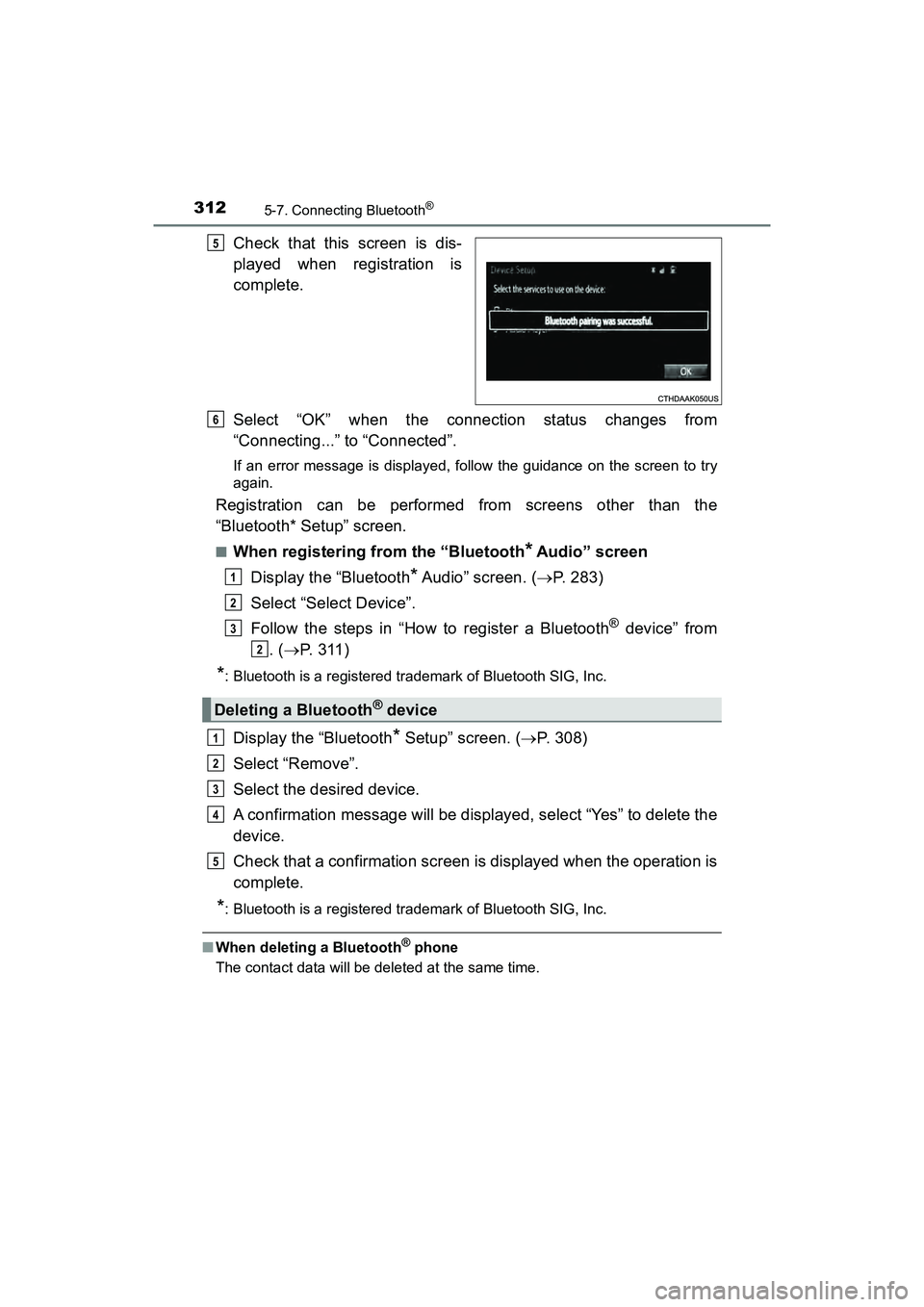
Check that this screen is dis-
played when registration is
complete.
Select “OK” when the connection status changes from
“Connecting...” to “Connected”.
If an error message is displayed, follow the guidance on the screen to try
again.
Registration can be performed from screens other than the
“Bluetooth* Setup” screen.
■When registering from the “Bluetooth* Audio” screen
Display the “Bluetooth
* Audio” screen. ( P. 283)
Select “Select Device”.
Follow the steps in “How to register a Bluetooth
® device” from
. ( P. 3 1 1 )
*: Bluetooth is a registered trademark of Bluetooth SIG, Inc.
Display the “Bluetooth* Setup” screen. ( P. 308)
Select “Remove”.
Select the desired device.
A confirmation message will be displayed, select “Yes” to delete the
device.
Check that a confirmation screen is displayed when the operation is
complete.
*: Bluetooth is a registered trademark of Bluetooth SIG, Inc.
■ When deleting a Bluetooth® phone
The contact data will be deleted at the same time.
5
Deleting a Bluetooth® device
6
1
2
3
2
1
2
3
4
5
Page 315 of 607
313
PRIUS v_OM_OM47B78U_(U)
5-7. Connecting Bluetooth®
5
Audio system
Connecting a Bluetooth® device
Press the “SETUP” button.
Select “Bluetooth
*”.
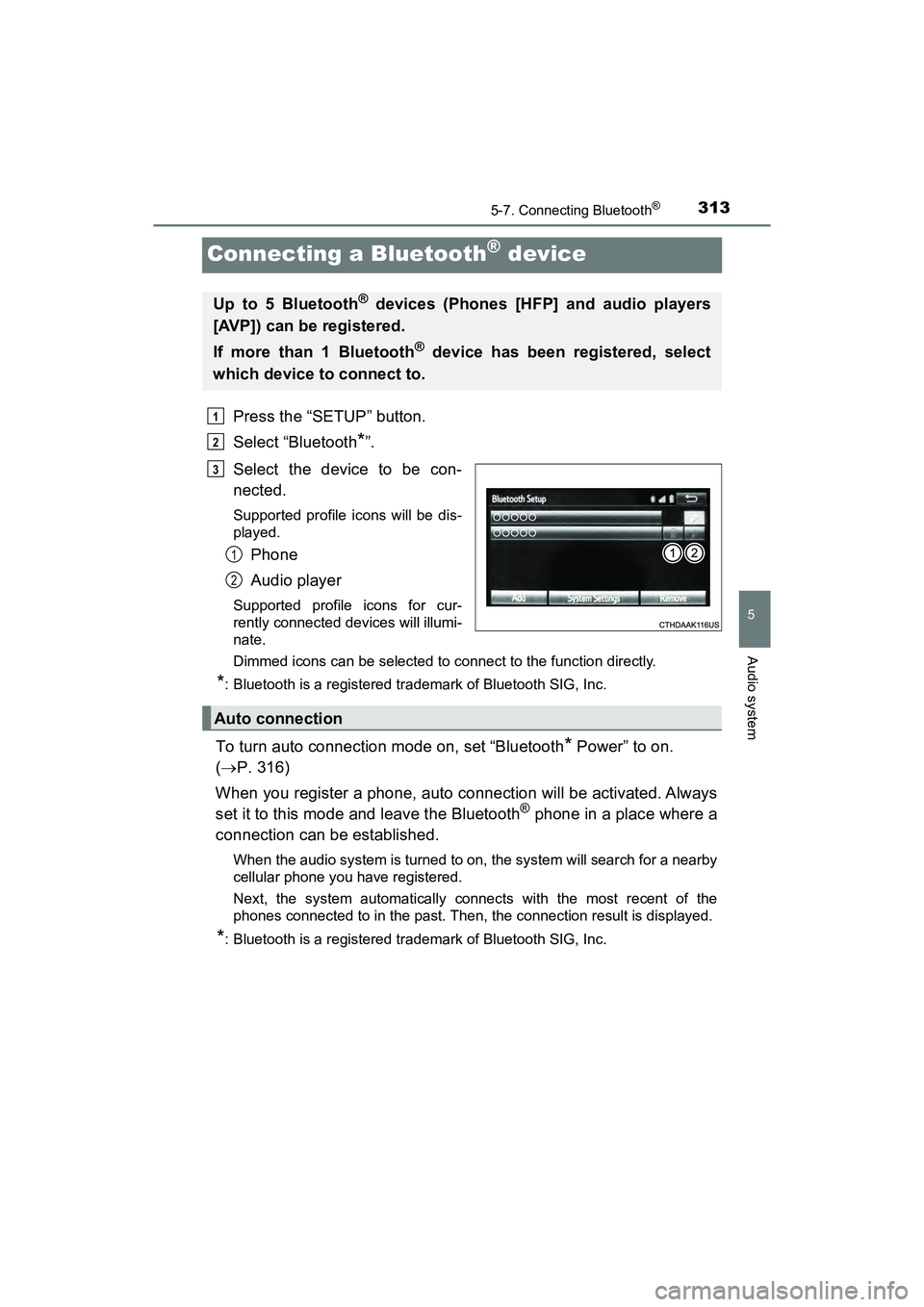
Select the device to be con-
nected.
Supported profile icons will be dis-
played.
Phone
Audio player
Supported profile icons for cur-
rently connected devices will illumi-
nate.
Dimmed icons can be selected to connect to the function directly.
*: Bluetooth is a registered trademark of Bluetooth SIG, Inc.
To turn auto connection mode on, set “Bluetooth* Power” to on.
( P. 316)
When you register a phone, auto connection will be activated. Always
set it to this mode and leave the Bluetooth
® phone in a place where a
connection can be established.
When the audio system is turned to on, the system will search for a nearby
cellular phone you have registered.
Next, the system automatically connects with the most recent of the
phones connected to in the past. Then, the connection result is displayed.
*: Bluetooth is a registered trademark of Bluetooth SIG, Inc.
Up to 5 Bluetooth® devices (Phones [HFP] and audio players
[AVP]) can be registered.
If more than 1 Bluetooth
® device has been registered, select
which device to connect to.
1
2
3
1
2
Auto connection
Page 317 of 607
315
PRIUS v_OM_OM47B78U_(U)
5-7. Connecting Bluetooth®
5
Audio system
Displaying a Bluetooth® device details
Display the “Bluetooth* Setup” screen. (P. 308)
Select the device.
Select “Device Info”.
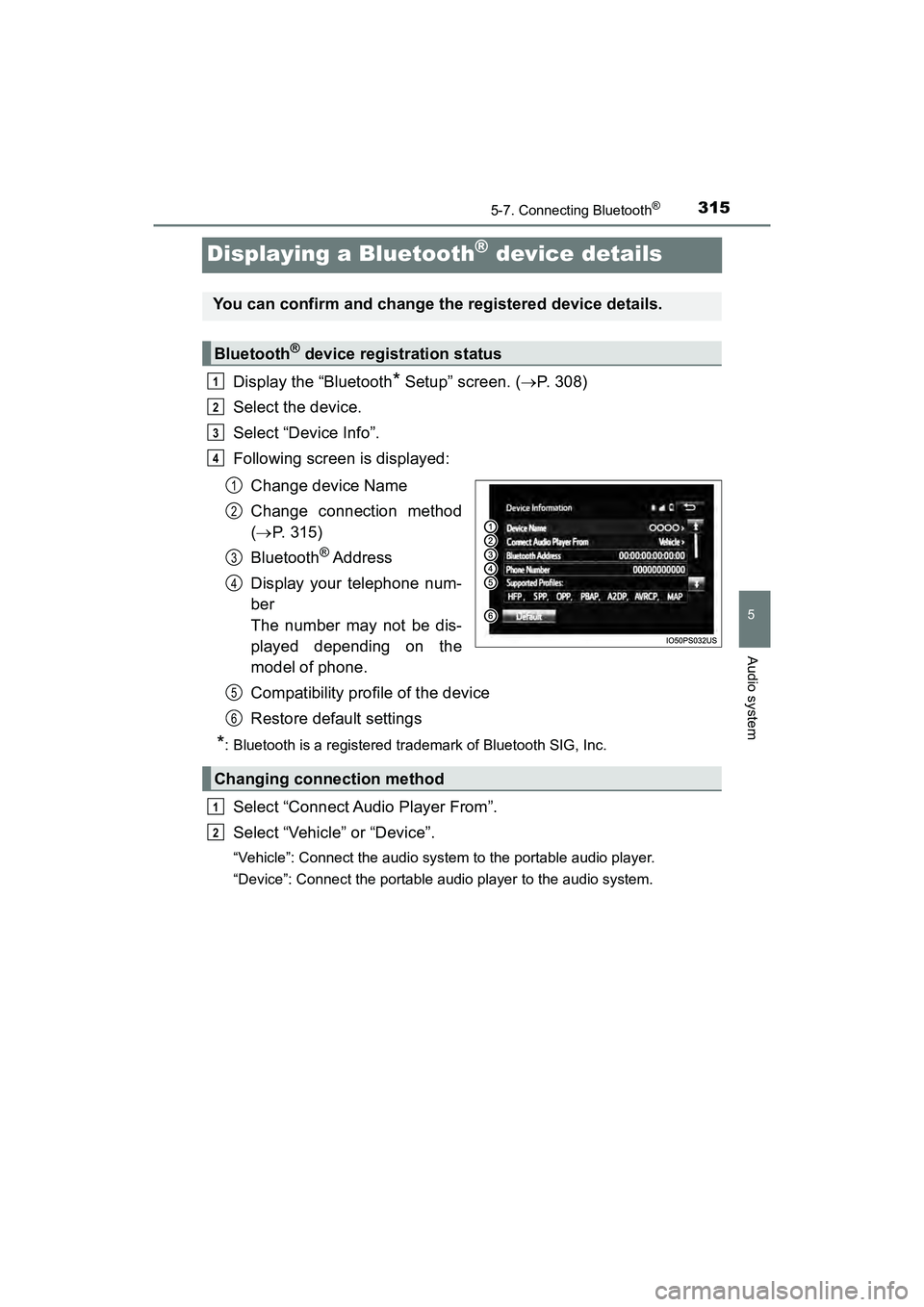
Following screen is displayed:
Change device Name
Change connection method
( P. 315)
Bluetooth
® Address
Display your telephone num-
ber
The number may not be dis-
played depending on the
model of phone.
Compatibility profile of the device
Restore default settings
*: Bluetooth is a registered trademark of Bluetooth SIG, Inc.
Select “Connect Audio Player From”.
Select “Vehicle” or “Device”.
“Vehicle”: Connect the audio system to the portable audio player.
“Device”: Connect the portable audio player to the audio system.
You can confirm and change the registered device details.
Bluetooth® device registration status
1
2
3
4
1
2
3
4
Changing connection method
5
6
1
2
Page 318 of 607
316
PRIUS v_OM_OM47B78U_(U)
5-7. Connecting Bluetooth®
Detailed Bluetooth® settings
Display the “Bluetooth* Setup” screen. (P. 308)
Select “System Settings”.
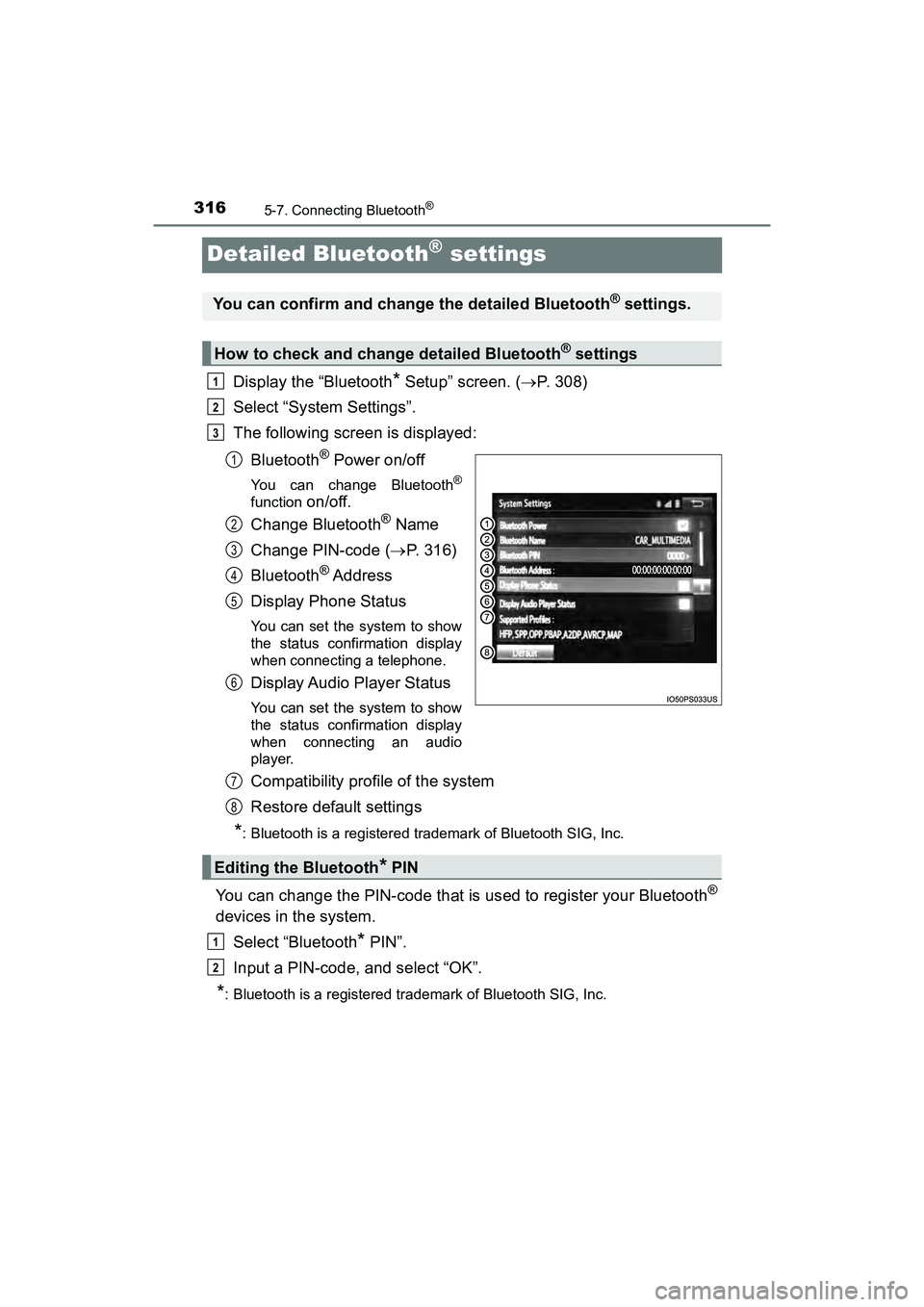
The following screen is displayed:
Bluetooth
® Power on/off
You can change Bluetooth®
function on/off.
Change Bluetooth
® Name
Change PIN-code ( P. 316)
Bluetooth
® Address
Display Phone Status
You can set the system to show
the status confirmation display
when connecting a telephone.
Display Audio Player Status
You can set the system to show
the status confirmation display
when connecting an audio
player.
Compatibility profile of the system
Restore default settings
*: Bluetooth is a registered trademark of Bluetooth SIG, Inc.
You can change the PIN-code that is used to register your Bluetooth®
devices in the system. Select “Bluetooth
* PIN”.
Input a PIN-code, and select “OK”.
*: Bluetooth is a registered trademark of Bluetooth SIG, Inc.
You can confirm and change the detailed Bluetooth® settings.
How to check and change detailed Bluetooth® settings
1
2
3
1
2
3
4
5
6
Editing the Bluetooth* PIN
7
8
1
2
Page 319 of 607
317
PRIUS v_OM_OM47B78U_(U)
5-8. Bluetooth® Audio
5
Audio system
Listening to Bluetooth® Audio
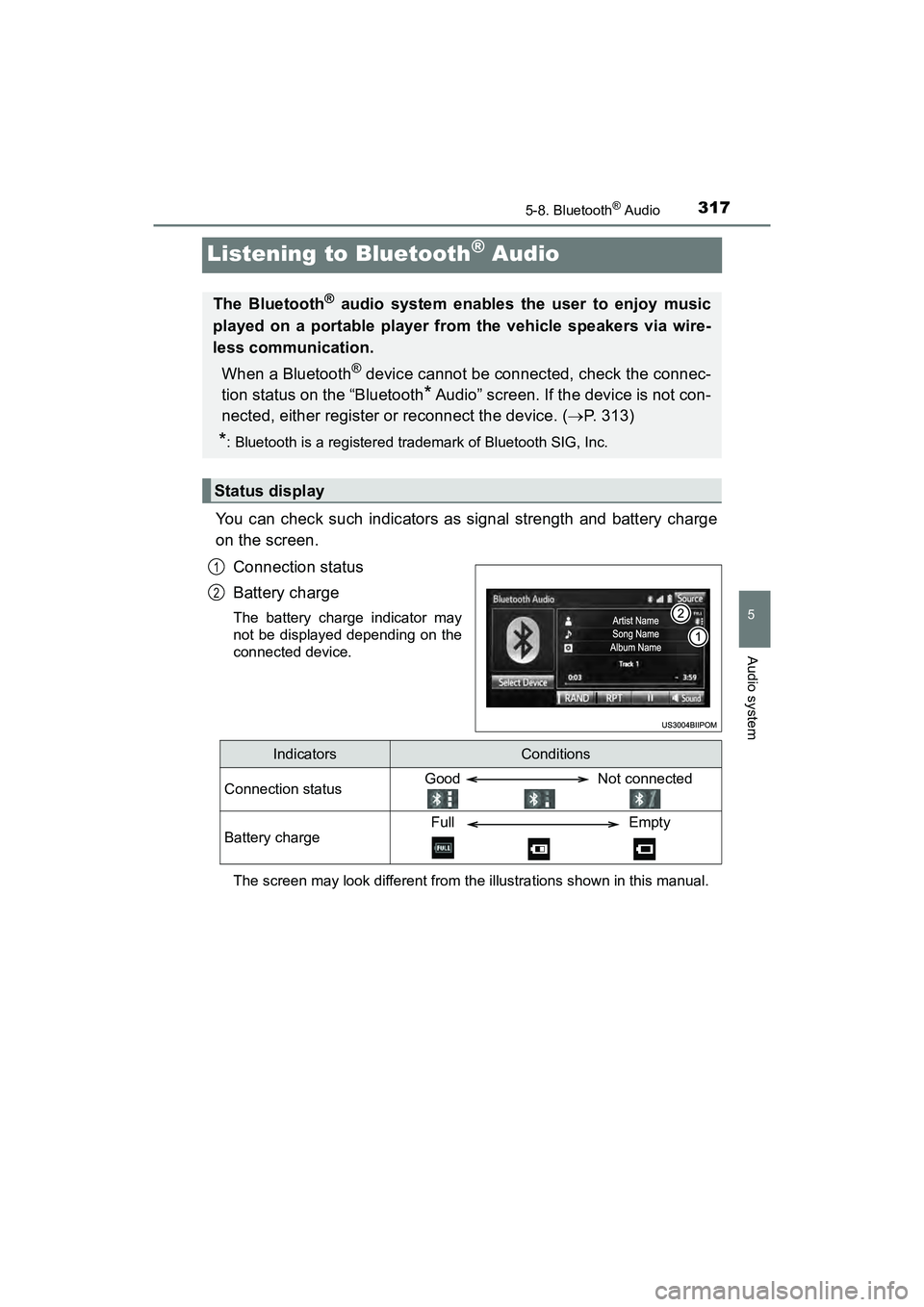
You can check such indicators as signal strength and battery charge
on the screen.Connection status
Battery charge
The battery charge indicator may
not be displayed depending on the
connected device.
The screen may look different from th e illustrations shown in this manual.
The Bluetooth® audio system enables the user to enjoy music
played on a portable player from the vehicle speakers via wire-
less communication.
When a Bluetooth
® device cannot be connected, check the connec-
tion status on the “Bluetooth
* Audio” screen. If the device is not con-
nected, either register or reconnect the device. ( P. 313)
*: Bluetooth is a registered trademark of Bluetooth SIG, Inc.
Status display
1
2
IndicatorsConditions
Connection statusGood Not connected
Battery chargeFull Empty
Page 321 of 607
319
PRIUS v_OM_OM47B78U_(U)
5-9. Bluetooth® phone
5
Audio system
Using a Bluetooth® Phone
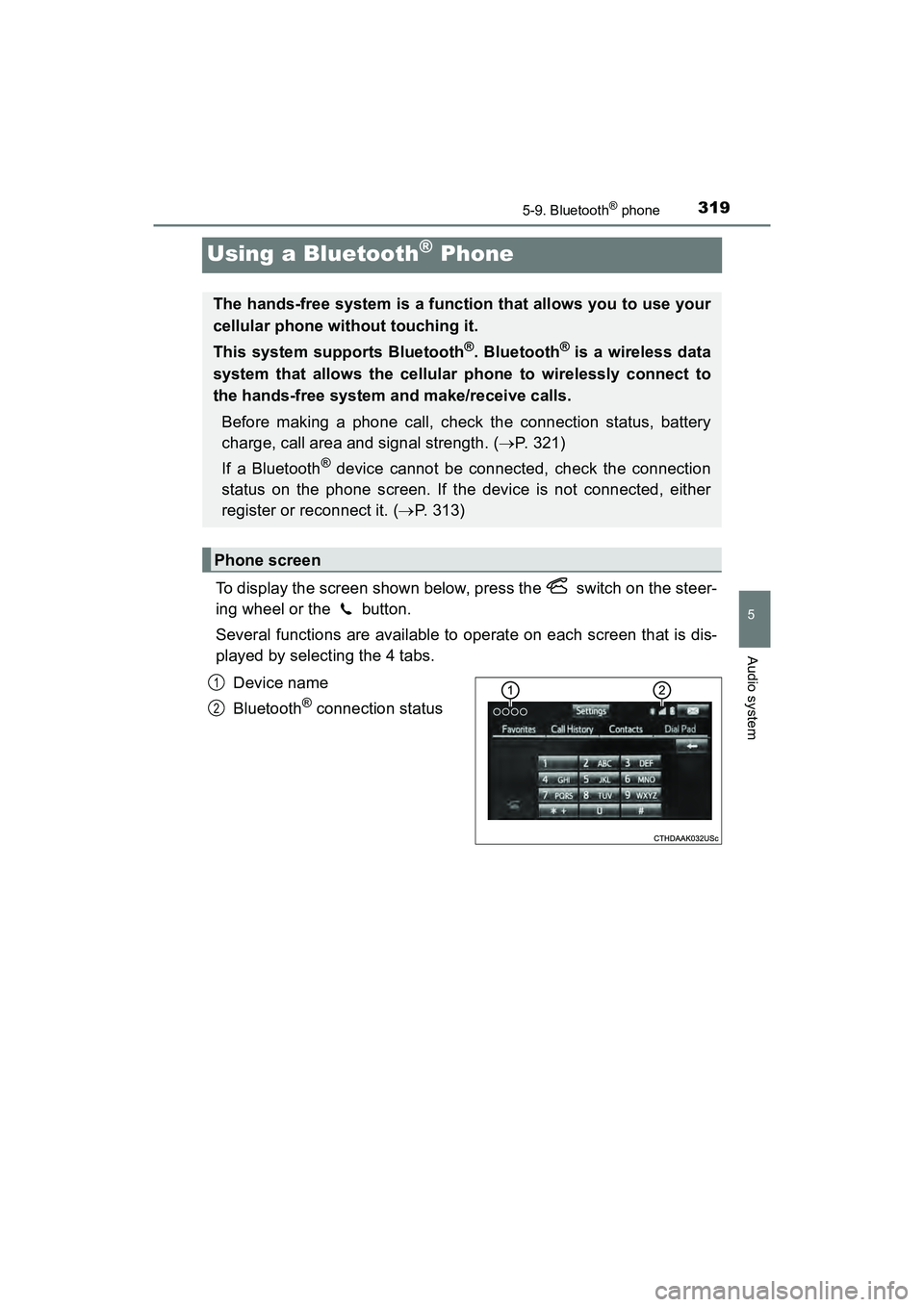
To display the screen shown below, press the switch on the steer-
ing wheel or the button.
Several functions are available to operate on each screen that is dis-
played by selecting the 4 tabs.Device name
Bluetooth
® connection status
The hands-free system is a function that allows you to use your
cellular phone without touching it.
This system supports Bluetooth
®. Bluetooth® is a wireless data
system that allows the cellular phone to wirelessly connect to
the hands-free system and make/receive calls.
Before making a phone call, check the connection status, battery
charge, call area and signal strength. ( P. 321)
If a Bluetooth
® device cannot be connected, check the connection
status on the phone screen. If the device is not connected, either
register or reconnect it. ( P. 313)
Phone screen
1
2
Page 323 of 607
PRIUS v_OM_OM47B78U_(U)
3215-9. Bluetooth® phone
5
Audio system
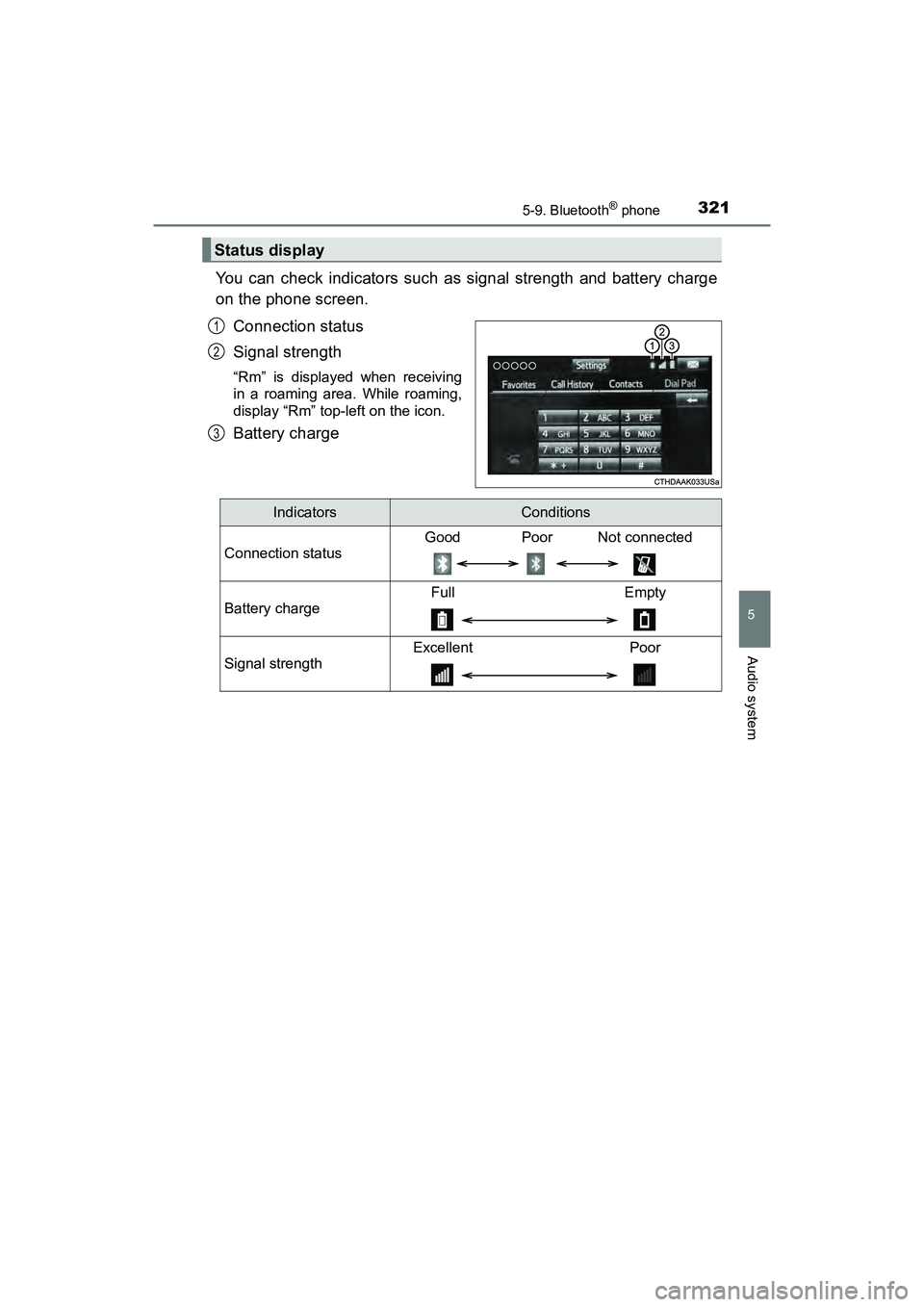
You can check indicators such as signal strength and battery charge
on the phone screen.Connection status
Signal strength
“Rm” is displayed when receiving
in a roaming area. While roaming,
display “Rm” top-left on the icon.
Battery charge
Status display
1
2
3
IndicatorsConditions
Connection status
Good Poor Not connected
Battery charge
Full Empty
Signal strength
Excellent Poor