steering TOYOTA PROACE 2016 User Guide
[x] Cancel search | Manufacturer: TOYOTA, Model Year: 2016, Model line: PROACE, Model: TOYOTA PROACE 2016Pages: 516, PDF Size: 91.65 MB
Page 122 of 516
122
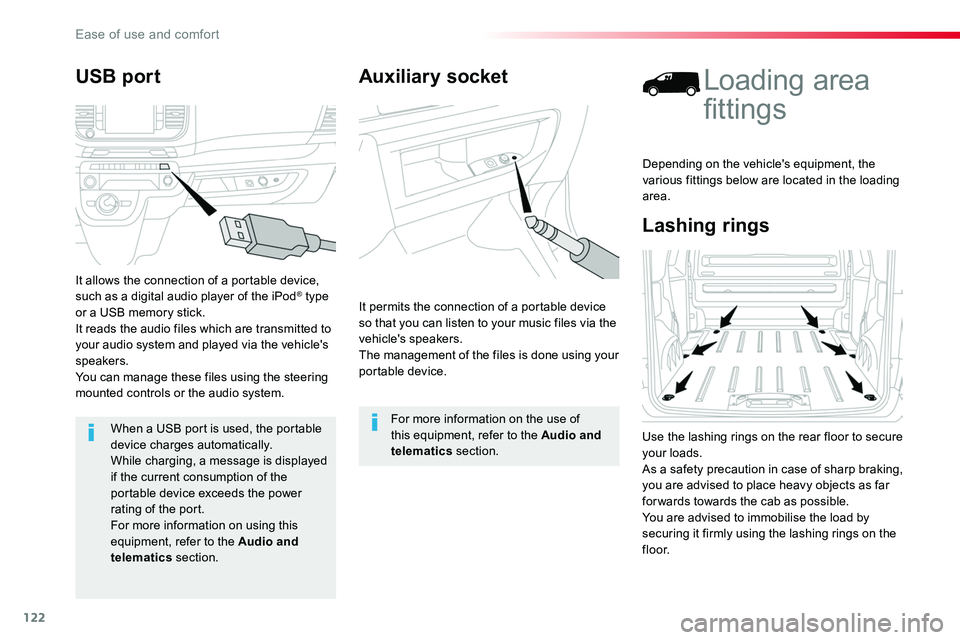
Auxiliary socket
It permits the connection of a portable device so that you can listen to your music files via the vehicle's speakers.The management of the files is done using your portable device.
For more information on the use of this equipment, refer to the Audio and telematics section.
Lashing rings
Loading area
fittings
Use the lashing rings on the rear floor to secure your loads.As a safety precaution in case of sharp braking, you are advised to place heavy objects as far for wards towards the cab as possible.You are advised to immobilise the load by
securing it firmly using the lashing rings on the f l o o r.
Depending on the vehicle's equipment, the various fittings below are located in the loading area.
USB port
It allows the connection of a portable device, such as a digital audio player of the iPod® type or a USB memory stick.It reads the audio files which are transmitted to your audio system and played via the vehicle's speakers.You can manage these files using the steering mounted controls or the audio system.
When a USB port is used, the portable
device charges automatically.While charging, a message is displayed if the current consumption of the portable device exceeds the power rating of the port.For more information on using this equipment, refer to the Audio and telematics section.
Ease of use and comfort
Page 152 of 516
152
In the vehicle settings menu, activate/deactivate "Driving lighting".
With the touch screen
With the audio system
In the "Personalisation-configuration" menu, activate/deactivate "Driving lighting".
The system is activated or deactivated in the vehicle configuration menu.The system is activated by default.
ProgrammingCornering lighting
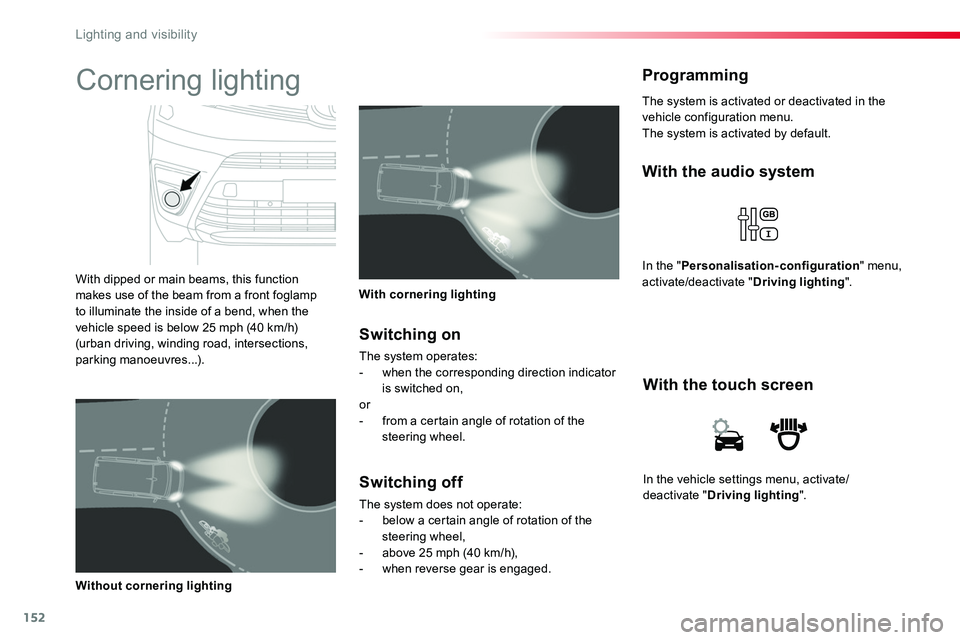
With dipped or main beams, this function makes use of the beam from a front foglamp to illuminate the inside of a bend, when the vehicle speed is below 25 mph (40 km/h) (urban driving, winding road, intersections, parking manoeuvres...).
With cornering lighting
Without cornering lighting
Switching on
The system operates:- when the corresponding direction indicator is switched on,or- from a certain angle of rotation of the steering wheel.
Switching off
The system does not operate:- below a certain angle of rotation of the steering wheel,- above 25 mph (40 km/h),- when reverse gear is engaged.
Lighting and visibility
Page 161 of 516
161
Electronic stability control (ESC) incorporating the following systems:- anti-lock braking system (ABS) and electronic brake force distribution (EBFD),- emergency braking assistance (EBA),- wheel anti-slip regulation (ASR) or traction control,- dynamic stability control (DSC).
Electronic stability control (ESC)
Definitions
Anti-lock braking system (ABS) and electronic brake force distribution (EBFD)
This system improves the stability and manoeuvrability of your vehicle when braking and contributes towards improved control on corners, in particular on poor or slippery road surfaces.The ABS prevents wheel lock in the event of emergency braking.The EBFD manages the braking pressure wheel by wheel.
Emergency braking assistance (EBA) / Brake assist
In an emergency, this system enables you to reach the optimum braking pressure more quickly and therefore reduce the stopping distance.It is triggered according to the speed at which the brake pedal is pressed. This is felt by a reduction in the resistance of the pedal and an increase in the effectiveness of the braking.
Anti-slip regulation (ASR) / Traction Control (TRC)
The ASR system (also known as Traction Control) optimises traction in order to limit wheel slip by acting on the brakes of the driving wheels and on the engine. It also improves the directional stability of the vehicle on acceleration.
Dynamic stability control (DSC) / Vehicle Stability Control (VSC)
If there is a difference between the path followed by the vehicle and that required by the driver, the DSC monitors each wheel and automatically acts on the brake of one or more
wheels and on the engine to return the vehicle to the required path, within the limits of the laws of physics.
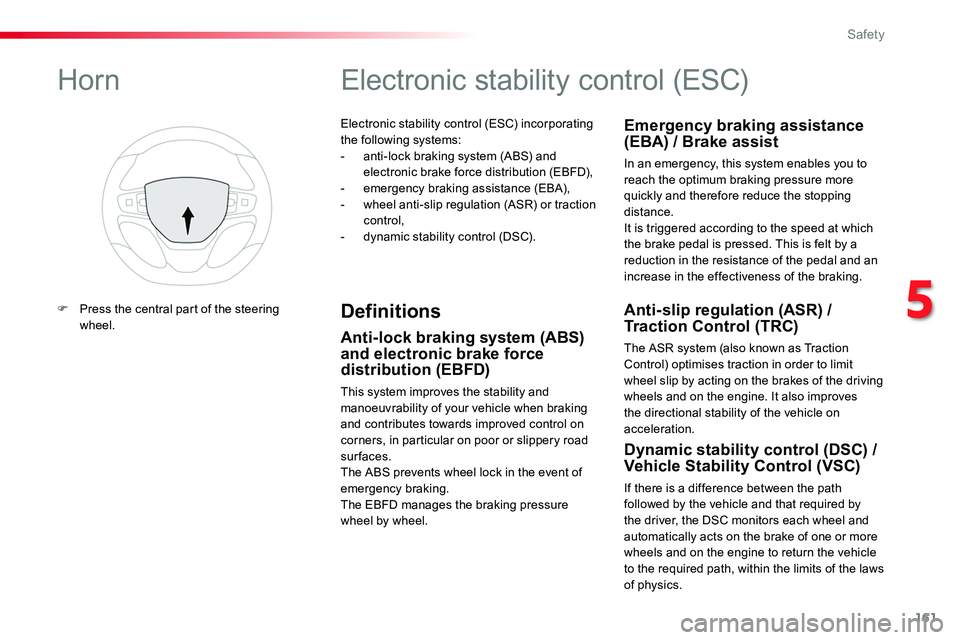
Horn
F Press the central part of the steering wheel.
5
Safety
Page 171 of 516
171
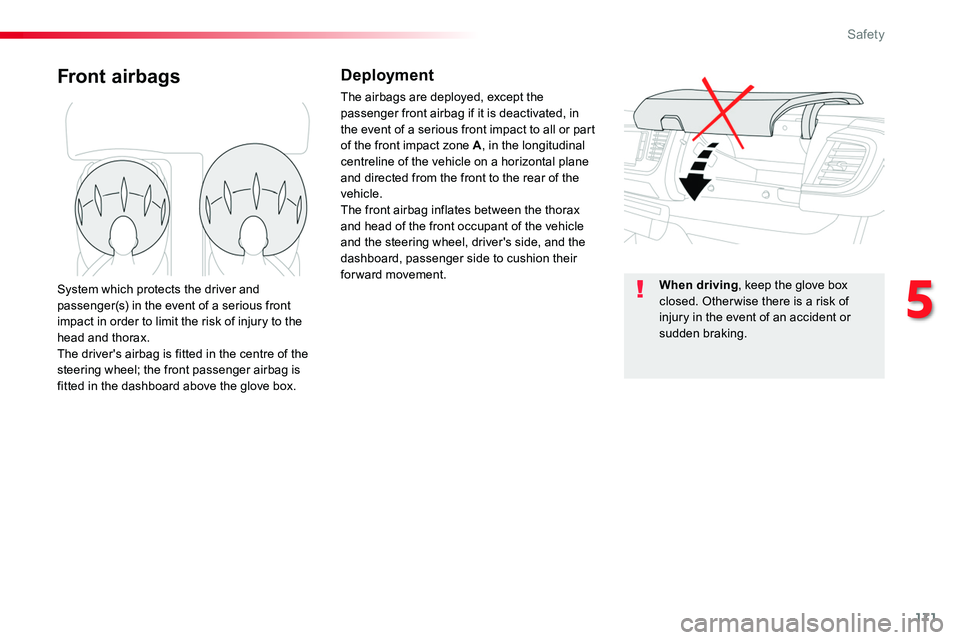
Front airbagsDeployment
The airbags are deployed, except the passenger front airbag if it is deactivated, in the event of a serious front impact to all or part of the front impact zone A, in the longitudinal centreline of the vehicle on a horizontal plane and directed from the front to the rear of the vehicle.The front airbag inflates between the thorax and head of the front occupant of the vehicle and the steering wheel, driver's side, and the dashboard, passenger side to cushion their for ward movement.System which protects the driver and passenger(s) in the event of a serious front impact in order to limit the risk of injury to the head and thorax.The driver's airbag is fitted in the centre of the steering wheel; the front passenger airbag is fitted in the dashboard above the glove box.
When driving, keep the glove box closed. Otherwise there is a risk of injury in the event of an accident or sudden braking.
5
Safety
Page 173 of 516
173
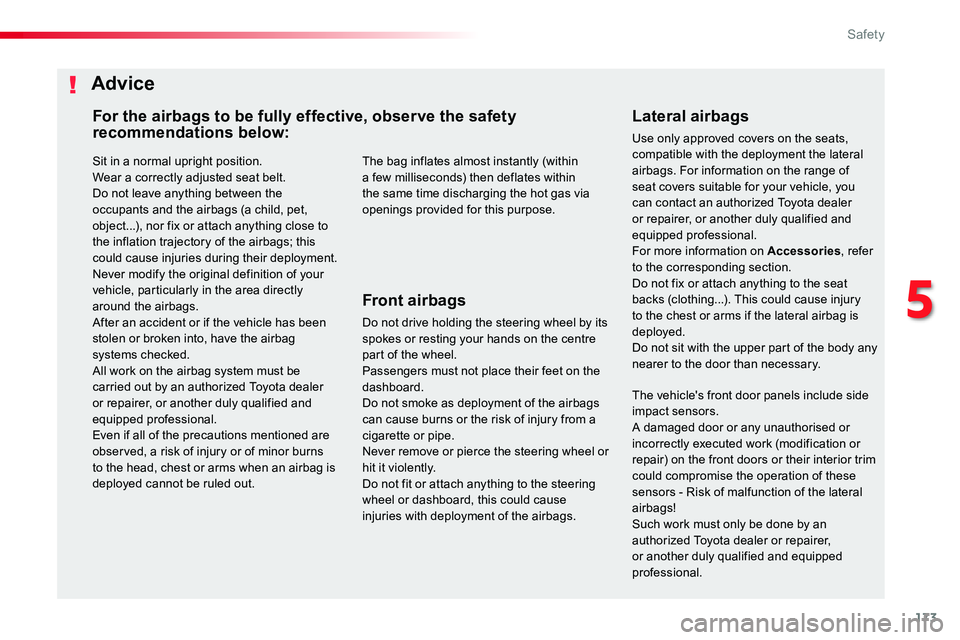
Sit in a normal upright position.Wear a correctly adjusted seat belt.Do not leave anything between the occupants and the airbags (a child, pet, object...), nor fix or attach anything close to the inflation trajectory of the airbags; this could cause injuries during their deployment.Never modify the original definition of your vehicle, particularly in the area directly around the airbags.After an accident or if the vehicle has been stolen or broken into, have the airbag systems checked.All work on the airbag system must be carried out by an authorized Toyota dealer or repairer, or another duly qualified and equipped professional.Even if all of the precautions mentioned are observed, a risk of injury or of minor burns to the head, chest or arms when an airbag is deployed cannot be ruled out.
Lateral airbags
Use only approved covers on the seats, compatible with the deployment the lateral airbags. For information on the range of seat covers suitable for your vehicle, you can contact an authorized Toyota dealer or repairer, or another duly qualified and equipped professional.For more information on Accessories, refer to the corresponding section.Do not fix or attach anything to the seat backs (clothing...). This could cause injury to the chest or arms if the lateral airbag is deployed.Do not sit with the upper part of the body any nearer to the door than necessary.
The bag inflates almost instantly (within a few milliseconds) then deflates within the same time discharging the hot gas via openings provided for this purpose.
Front airbags
Do not drive holding the steering wheel by its spokes or resting your hands on the centre part of the wheel.Passengers must not place their feet on the dashboard.Do not smoke as deployment of the airbags can cause burns or the risk of injury from a cigarette or pipe.Never remove or pierce the steering wheel or hit it violently.Do not fit or attach anything to the steering wheel or dashboard, this could cause injuries with deployment of the airbags.
Advice
For the airbags to be fully effective, observe the safety recommendations below:
The vehicle's front door panels include side impact sensors.A damaged door or any unauthorised or
incorrectly executed work (modification or repair) on the front doors or their interior trim could compromise the operation of these sensors - Risk of malfunction of the lateral airbags!Such work must only be done by an authorized Toyota dealer or repairer, or another duly qualified and equipped professional.
5
Safety
Page 199 of 516
199
Starting-switching off the engine, manual key, remote control
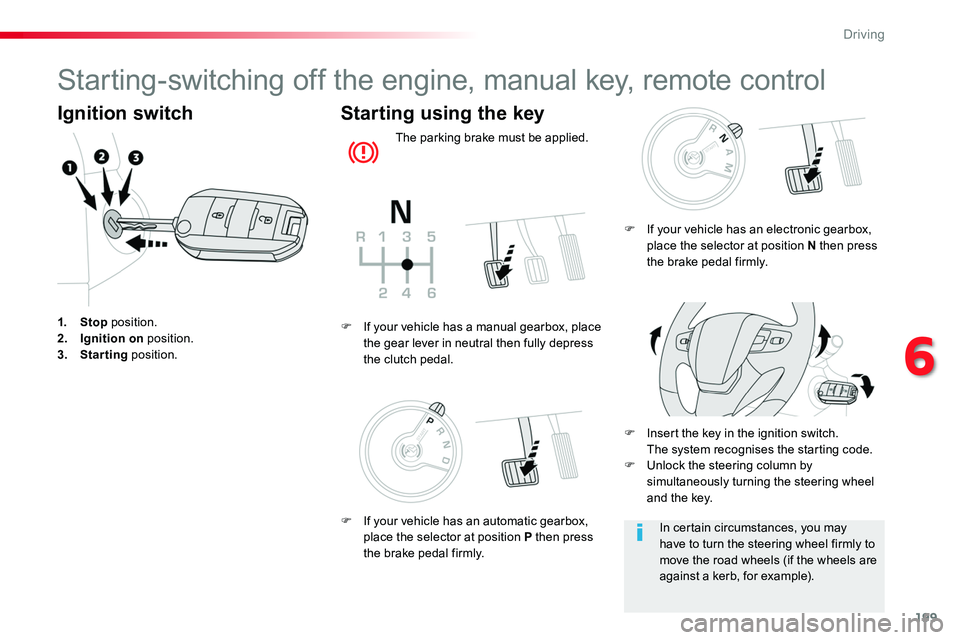
Ignition switch
1. Stop position.2. Ignition on position.3. Starting position.
Starting using the key
The parking brake must be applied.
F Insert the key in the ignition switch. The system recognises the starting code.F Unlock the steering column by simultaneously turning the steering wheel and the key.
F If your vehicle has a manual gearbox, place the gear lever in neutral then fully depress the clutch pedal.
In certain circumstances, you may have to turn the steering wheel firmly to move the road wheels (if the wheels are against a kerb, for example).
F If your vehicle has an electronic gearbox, place the selector at position N then press the brake pedal firmly.
F If your vehicle has an automatic gearbox, place the selector at position P then press the brake pedal firmly.
6
Driving
Page 201 of 516
201
Avoid attaching heavy objects to the key, which would weigh down on its blade in the ignition switch and could cause a malfunction.
Switching off the engine leads to a loss of braking assistance.
Key left in the "Ignition on" position
If the key has been left in the ignition switch at position 2 (Ignition on), the ignition will be switched off automatically after one hour.To switch the ignition back on, turn the key to position 1 (Stop), then back to position 2 (Ignition on).Never switch off the ignition until the vehicle has been brought to a complete stop.
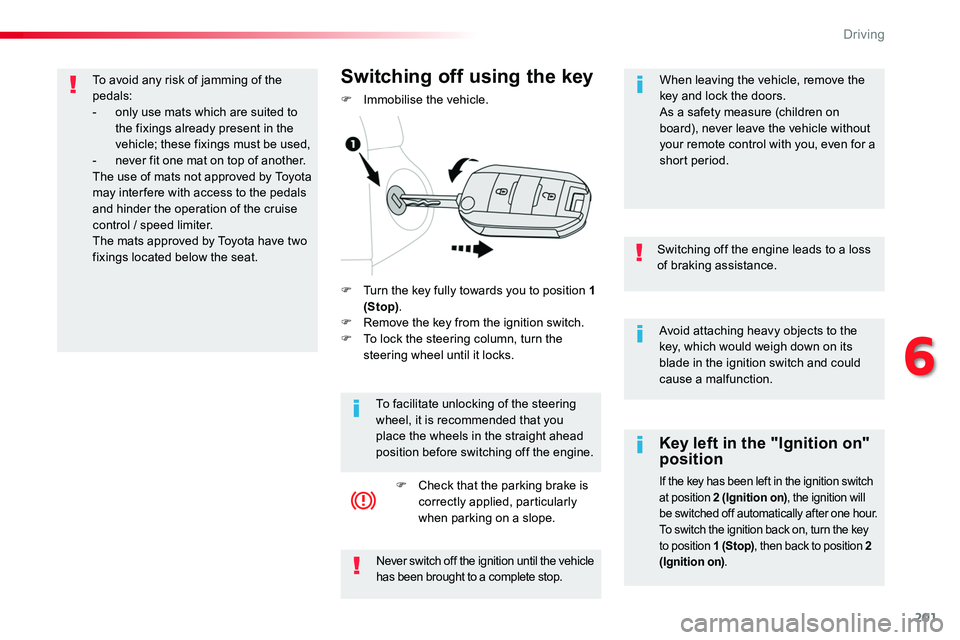
F Turn the key fully towards you to position 1 (Stop).F Remove the key from the ignition switch.F To lock the steering column, turn the steering wheel until it locks.
Switching off using the key
F Immobilise the vehicle.
To facilitate unlocking of the steering wheel, it is recommended that you place the wheels in the straight ahead position before switching off the engine.
F Check that the parking brake is correctly applied, particularly when parking on a slope.
When leaving the vehicle, remove the key and lock the doors.As a safety measure (children on board), never leave the vehicle without your remote control with you, even for a short period.
To avoid any risk of jamming of the pedals:- only use mats which are suited to the fixings already present in the vehicle; these fixings must be used,- never fit one mat on top of another.The use of mats not approved by Toyota may inter fere with access to the pedals and hinder the operation of the cruise
control / speed limiter.The mats approved by Toyota have two fixings located below the seat.
6
Driving
Page 202 of 516
202
For Diesel vehicles, in sub-zero temperatures the engine will not start until the pre-heater warning lamp has gone off.If this warning lamp comes on after pressing the "START/STOP" button, press down on the brake or clutch pedal until the warning lamp goes off, without pressing the "START/STOP" button again, until the engine starts and runs.
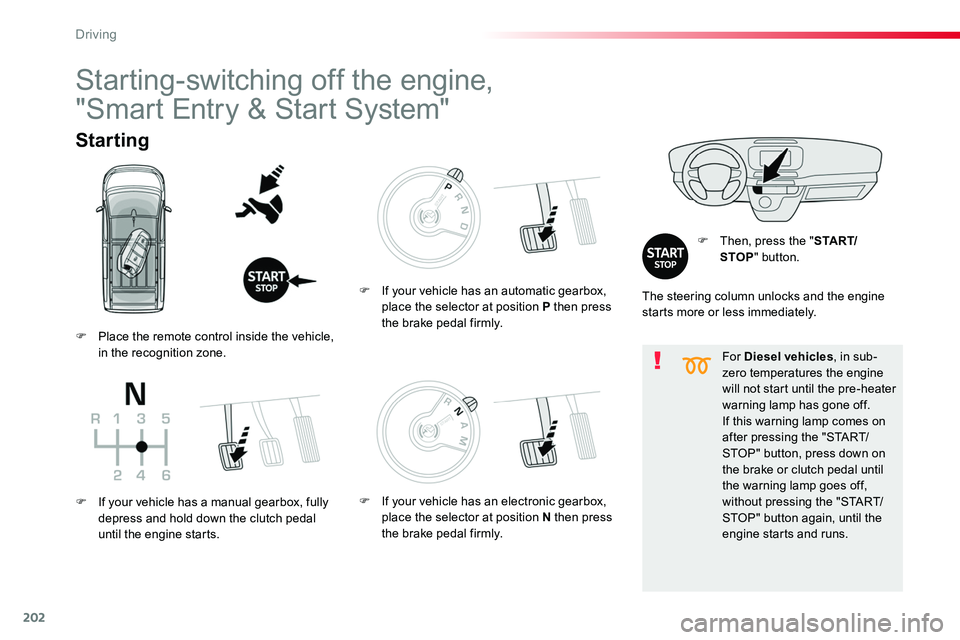
Starting
F Then, press the "S TA R T/STOP" button.
Starting-switching off the engine,
"Smart Entry & Start System"
The steering column unlocks and the engine starts more or less immediately.
F Place the remote control inside the vehicle, in the recognition zone.
F If your vehicle has a manual gearbox, fully depress and hold down the clutch pedal until the engine starts.
F If your vehicle has an automatic gearbox, place the selector at position P then press the brake pedal firmly.
F If your vehicle has an electronic gearbox, place the selector at position N then press the brake pedal firmly.
Driving
Page 203 of 516
203
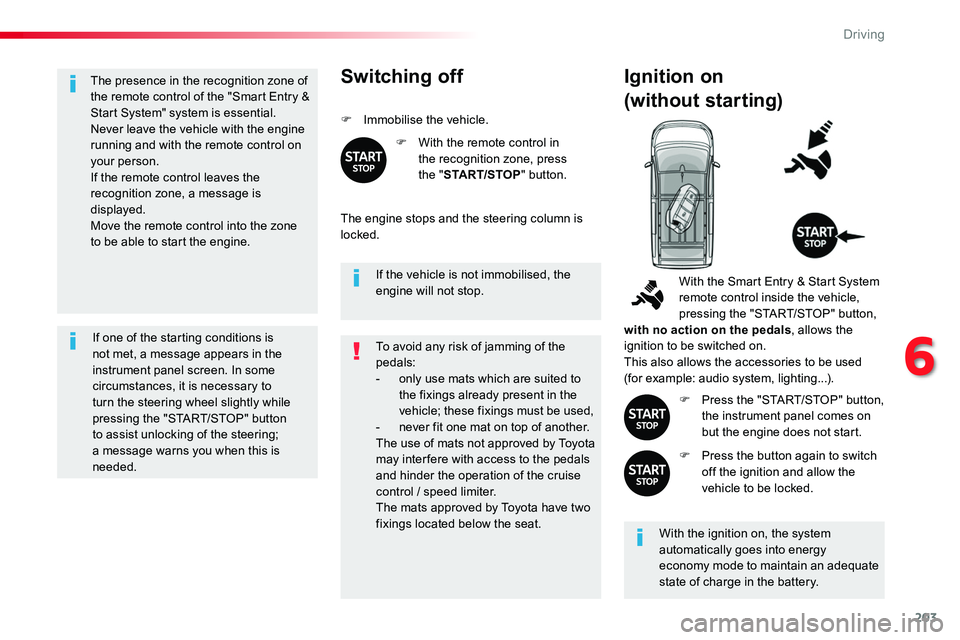
The presence in the recognition zone of the remote control of the "Smart Entry & Start System" system is essential.Never leave the vehicle with the engine running and with the remote control on your person.If the remote control leaves the recognition zone, a message is displayed.
Move the remote control into the zone to be able to start the engine.
If one of the starting conditions is not met, a message appears in the instrument panel screen. In some circumstances, it is necessary to turn the steering wheel slightly while pressing the "START/STOP" button
to assist unlocking of the steering; a message warns you when this is needed.
If the vehicle is not immobilised, the engine will not stop.
Switching off
F Immobilise the vehicle.
F With the remote control in the recognition zone, press the "START/STOP" button.
The engine stops and the steering column is locked.
Ignition on
(without starting)
With the ignition on, the system automatically goes into energy economy mode to maintain an adequate state of charge in the battery.
With the Smart Entry & Start System remote control inside the vehicle, pressing the "START/STOP" button, with no action on the pedals, allows the ignition to be switched on.This also allows the accessories to be used (for example: audio system, lighting...).
F Press the "START/STOP" button, the instrument panel comes on but the engine does not start.
F Press the button again to switch off the ignition and allow the vehicle to be locked.
To avoid any risk of jamming of the pedals:- only use mats which are suited to the fixings already present in the vehicle; these fixings must be used,- never fit one mat on top of another.The use of mats not approved by Toyota may inter fere with access to the pedals and hinder the operation of the cruise control / speed limiter.The mats approved by Toyota have two fixings located below the seat.
6
Driving
Page 204 of 516
204
Back-up starting
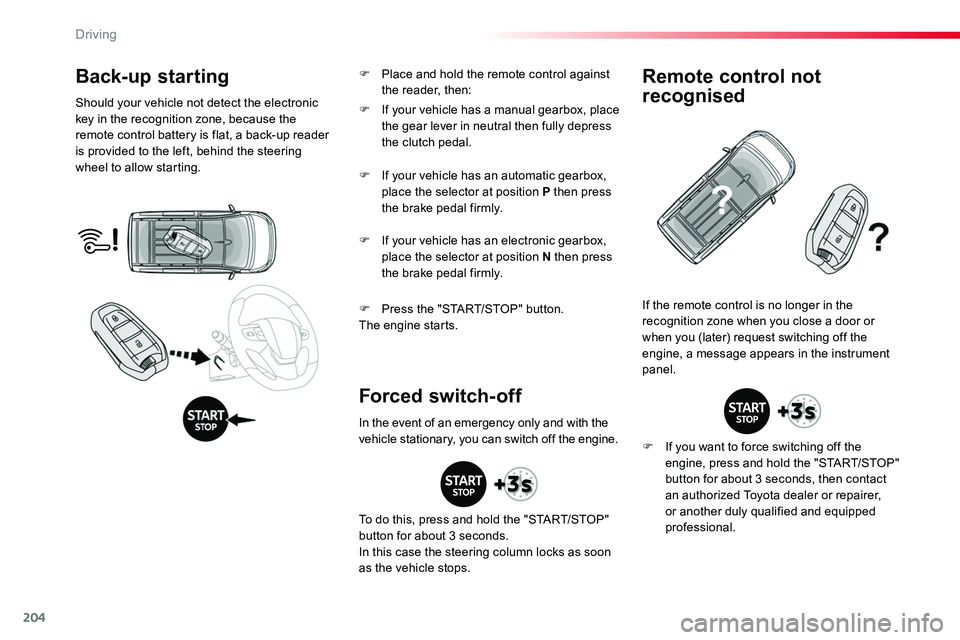
Should your vehicle not detect the electronic key in the recognition zone, because the remote control battery is flat, a back-up reader is provided to the left, behind the steering wheel to allow starting.
F Press the "START/STOP" button.The engine starts.
If the remote control is no longer in the recognition zone when you close a door or when you (later) request switching off the engine, a message appears in the instrument panel.
Forced switch-off
Remote control not
recognised
F If you want to force switching off the engine, press and hold the "START/STOP" button for about 3 seconds, then contact an authorized Toyota dealer or repairer, or another duly qualified and equipped professional.
F If your vehicle has a manual gearbox, place the gear lever in neutral then fully depress the clutch pedal.
F If your vehicle has an automatic gearbox, place the selector at position P then press the brake pedal firmly.
F If your vehicle has an electronic gearbox, place the selector at position N then press the brake pedal firmly.
In the event of an emergency only and with the vehicle stationary, you can switch off the engine.
To do this, press and hold the "START/STOP" button for about 3 seconds.In this case the steering column locks as soon as the vehicle stops.
F Place and hold the remote control against the reader, then:
Driving