mirror TOYOTA PROACE 2016 Service Manual
[x] Cancel search | Manufacturer: TOYOTA, Model Year: 2016, Model line: PROACE, Model: TOYOTA PROACE 2016Pages: 516, PDF Size: 91.65 MB
Page 369 of 516
369
As a safety measure and because it requires sustained attention by the driver, using a smartphone when driving is prohibited.All operations must be done with the vehicle stationary.
Connected navigation services
The principles and standards are constantly changing. For communication between your smartphone and the system to operate correctly, we recommend that you keep your smar tphone's operating system up to date, and the time and date on your smar tphone and the system correct.
The services offered with connected navigation are as follows.A connected services pack:- Weather,- Filling stations,- Car park,- Tr a f f i c ,- POI, local search.A Danger area pack.
Activate the Bluetooth function on the telephone and ensure that it is visible to all (see the "Connectivity" section).
Connect the USB cable.The smartphone is in charge mode when connected by USB cable.
In order to enable the navigation connected services, please ensure to create a Toyota account at my.toyota.eu.
When this "TOMTOM TR AFFIC" logo appears, the services are available.
For access to connected navigation, you can use the connection provided by the vehicle using your smartphone as a modem.Activate and enter settings for sharing the smartphone connection.Restrictions of use:- With MirrorLinkTM, connection sharing is only with a USB connection.
The quality of services depends on the quality of the network connection.
Select a Wi-Fi connection found by the system and connect to it (see the "Connectivity" section).
USB connection
Network connection provided by the user
Bluetooth connection
Wi-Fi connection
.
Audio and Telematics
Page 382 of 516
382
12:13
23 °C531 kHz
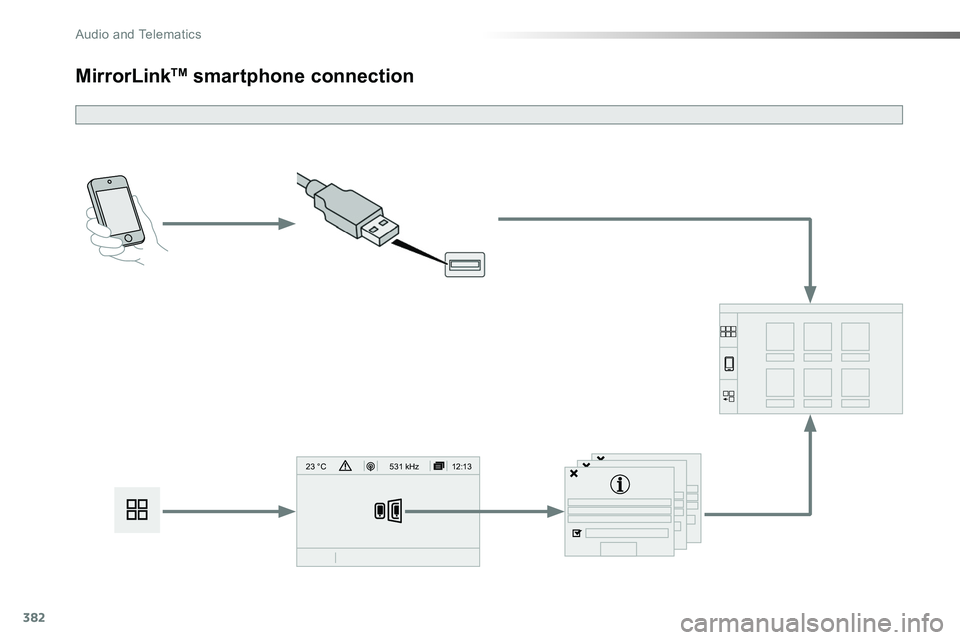
MirrorLinkTM smartphone connection
Audio and Telematics
Page 383 of 516
383
As a safety measure and because it requires the sustained attention of the driver, using a smartphone when driving is prohibited.Operation must be with the vehicle stationary.
The synchronisation of a smartphone allows applications on a smartphone that are adapted to the MirrorLinkTM technology to be displayed in the vehicle's screen.The principles and standards are constantly evolving. For the communication process between the smartphone and the system to work correctly, the smartphone must be unlocked; update the operating system of your smar tphone as well as the date and time in the smartphone and the system.For the list of eligible smartphones, connect to the brand's internet website in your country.
The "MirrorLinkTM" function requires the use of a compatible smartphone
and applications.
There may be a wait for the availability of applications, depending on the quality of your network.
When connecting a smartphone to the system, it is recommended that Bluetooth® be started on the smartphone
Depending on the smartphone, it may be necessary to activate the "MirrorLinkTM" function.
During the procedure, several screen pages relating to certain functions are displayed.Accept to start and end the connection.
Connect a USB cable. The smartphone charges when connected by a USB cable.
Press "MirrorLinkTM" to start the application in the system.
Once connection is established, a page is displayed with the applications already downloaded to your smartphone and adapted to MirrorLinkTM technology.
Access to the different audio sources remains accessible in the margin of the MirrorLinkTM display, using touch buttons in the upper bar.Access to the menus for the system is possible at any time using the dedicated buttons
From the system, press on "Connectivity to display the primary page.
As a safety measure, applications can only be viewed with the vehicle stationary; display is interrupted once the vehicle is moving.
.
Audio and Telematics
Page 385 of 516
385
Level 1Level 2Level 3Comments
Connectivity
MirrorLinkTM
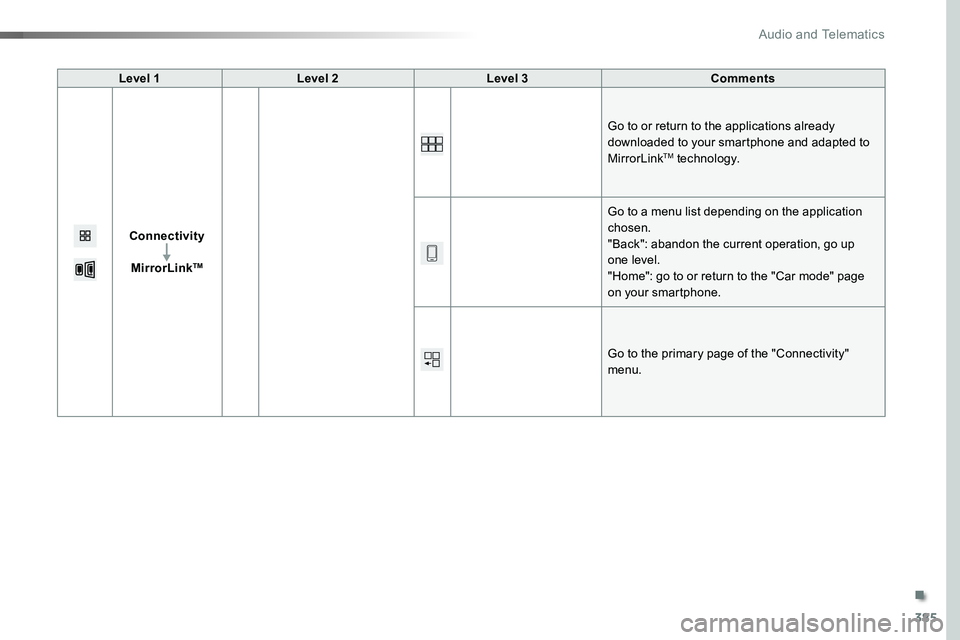
Go to or return to the applications already downloaded to your smartphone and adapted to MirrorLinkTM technology.
Go to a menu list depending on the application chosen."Back": abandon the current operation, go up one level."Home": go to or return to the "Car mode" page on your smartphone.
Go to the primary page of the "Connectivity" menu.
.
Audio and Telematics
Page 431 of 516

431
12:13
23 °C531 kHz
Select the audio source (depending on version):- FM / DAB* / AM* stations.- Smartphone via MirrorLinkTM.- USB memory stick.- Media player connected to the auxiliary socket (jack, cable not supplied).- Telephone connected by Bluetooth* and using Bluetooth* audio streaming.
* Depending on equipment.
Short-cuts: using the virtual buttons in the upper band of touch screen, it is possible to go directly to the selection of audio source, the list of stations (or titles, depending on the source), message notifications and emails.
In very hot conditions, the volume may be limited to protect the system. It may go into standby (screen and sound off) for at least 5 minutesThe return to normal takes place when the temperature in the passenger compartment drops.
In the "Settings" menu you can create a profile for just one person or a group of people with common points, with the possibility of entering a multitude of settings (radio presets, audio settings, contact favourites, ...); these settings are taken into account automatically.
.
Audio and Telematics
Page 433 of 516
433
12:13
23 °C531 kHz
FM/87.5 MHz
87.5MH z 12:13
23 °C 87.5 MHz
12:13
23 °C531 kH z
12:13
23 °C
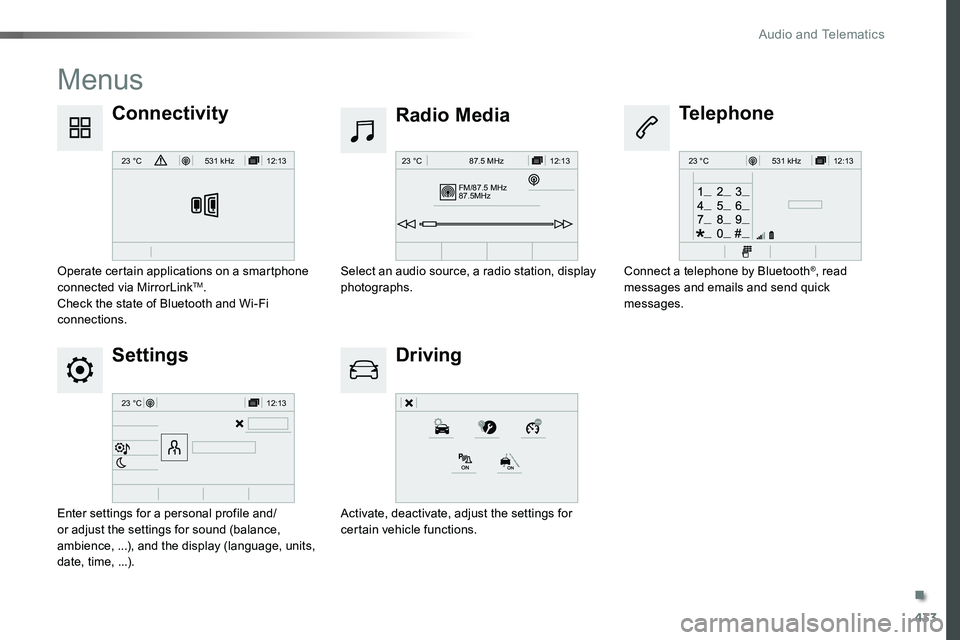
Menus
Settings
Radio Media
Driving
ConnectivityTelephone
Enter settings for a personal profile and/or adjust the settings for sound (balance, ambience, ...), and the display (language, units, date, time, ...).
Select an audio source, a radio station, display photographs.
Activate, deactivate, adjust the settings for certain vehicle functions.
Operate certain applications on a smartphone connected via MirrorLinkTM.Check the state of Bluetooth and Wi-Fi connections.
Connect a telephone by Bluetooth®, read messages and emails and send quick messages.
.
Audio and Telematics
Page 438 of 516
438
12:13
23 °C531 kHz
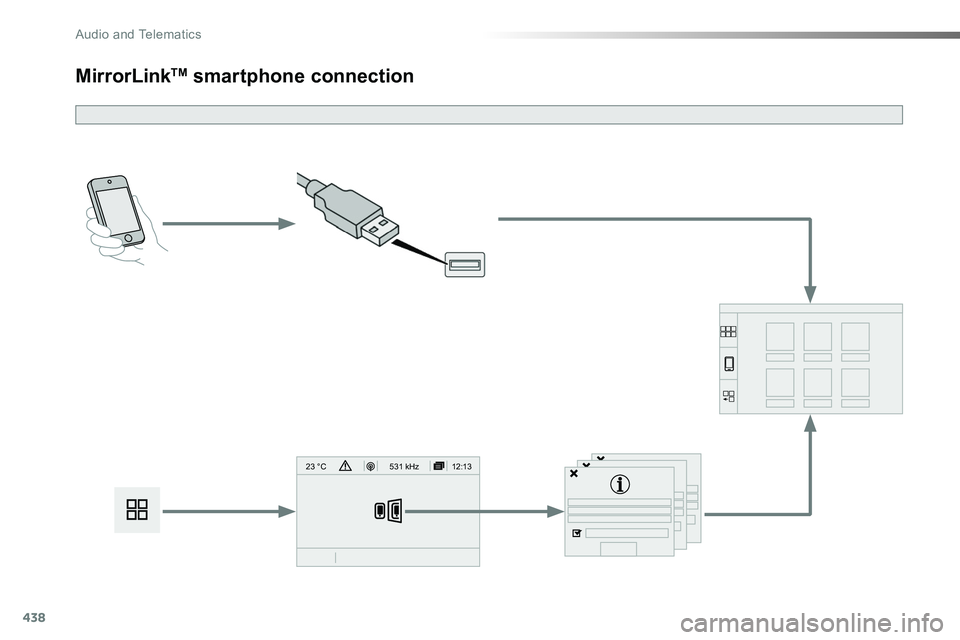
MirrorLinkTM smartphone connection
Audio and Telematics
Page 439 of 516
439
As a safety measure and because it requires the sustained attention of the driver, using a smartphone when driving is prohibited.Operation must be with the vehicle stationary.
The synchronisation of a smartphone allows applications on a smartphone that are adapted to the MirrorLinkTM technology to be displayed in the vehicle's screen.The principles and standards are constantly evolving. For the communication process between the smartphone and the system to work correctly, the smartphone must be unlocked; update the operating system of your smar tphone as well as the date and time in the smartphone and the system.For the list of eligible smartphones, connect to the brand's internet website in your country.
The "MirrorLinkTM" function requires the use of a compatible smartphone
and applications.
There may be a wait for the availability of applications, depending on the quality of your network.
When connecting a smartphone to the system, it is recommended that Bluetooth® be started on the smartphone.
Depending on the smartphone, it may be necessary to activate the "MirrorLinkTM" function.
During the procedure, several screen pages relating to certain functions are displayed.Accept to start and end the connection.
Connect a USB cable. The smartphone charges when connected by a USB cable.
Press "MirrorLinkTM" to start the application in the system.
Once connection is established, a page is displayed with the applications already downloaded to your smartphone and adapted to MirrorLinkTM technology.
Access to the different audio sources remains accessible in the margin of the MirrorLinkTM display, using touch buttons in the upper bar.Access to the menus for the system is possible at any time using the dedicated buttons
From the system, press on "Connectivity" to display the primary page.
As a safety measure, applications can only be viewed with the vehicle stationary; display is interrupted once the vehicle is moving.
.
Audio and Telematics
Page 441 of 516
441
Level 1Level 2Level 3Comments
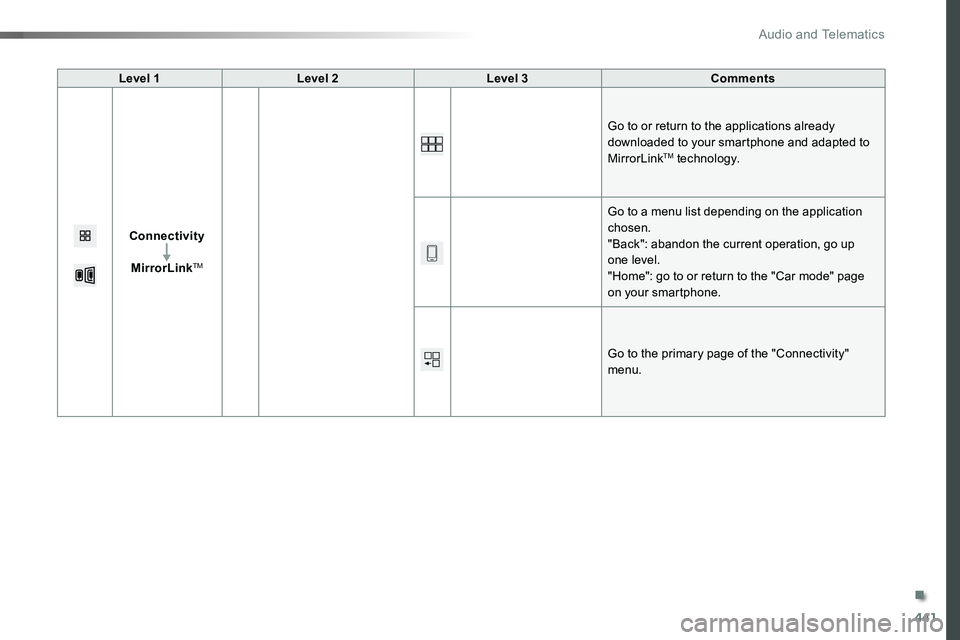
Connectivity
MirrorLinkTM
Go to or return to the applications already downloaded to your smartphone and adapted to MirrorLinkTM technology.
Go to a menu list depending on the application chosen."Back": abandon the current operation, go up one level."Home": go to or return to the "Car mode" page on your smartphone.
Go to the primary page of the "Connectivity" menu.
.
Audio and Telematics
Page 507 of 516
507
Checks, routine .....................................281, 282Child lock on rear windows ...........................195Child lock ...............................................19 4, 195Child lock, electric .........................................19 4Child seats .....169, 174-176, 180 -182, 184, 193Child seats, conventional ..............180 -182, 18 4Child seats, ISOFIX ......................187, 188, 190Children (safety) ............................................19 4Children .................................182, 187, 188, 190Closing the boot ..............................................94Closing the doors .............59, 64, 74, 75, 77, 82, 91, 93Compressor, tyre inflation ............................290Connection, Bluetooth ................380, 406-408,436, 462- 464, 498Connection, MirrorLink ........382, 384, 438, 440Connection, Wi-Fi network ...................3 81, 4 37Connectivity ..........................................378, 434Control stalk, lighting ..............................3 0, 146Control stalk, wipers .............................15 6, 157Control, emergency boot release ...................94Control, emergency door ..........................53, 68Control, heated seats ............................103, 105Courtesy lamp ...............................................312Courtesy lamp, front ..............141, 142, 312, 315Courtesy lamp, rear ...............141, 142, 312, 315Courtesy lamps ......................141, 142, 312, 315Cover, load space .........................................123Crew cab, fixed .............................................117Cruise control by Road Sign Assist ..............227Cruise control ................224, 227, 232, 233, 237Cruise control, adaptive ........................2 2 7, 2 3 6
Filling the fuel tank ................................265, 267Filter, air ........................................................281Filter, oil .........................................................281Filter, particle ........................................280, 281Filter, passenger compartment .....................281Finisher .........................................................302Fitting a wheel ...............................................299Fitting roof bars .............................................273Fitting the mat ...............................................11 9Fittings, interior .....................................120, 123Fittings, rear ..................................................123Flap, fuel filler ................................................265
D
F
E
DAB (Digital Audio Broadcasting) - Digital radio ...................396, 397, 452, 453, 490, 491Date (setting) ...................................46, 420, 476Daytime running lamps .........146, 149, 3 0 4 - 3 0 6Deactivating the passenger airbag .......171, 17 7Deactivation of DSC (ESC) ...........................163Deadlocking ........................................51, 58, 65Defrosting ..............................................132, 14 4Demisting ......................................................132Demisting, rear screen .........................13 3, 13 4Demisting, rear ......................................13 3, 13 4Diagnostic system, engine ..............................21Dial ............................................................15, 16Dials and gauges ............................................14Dimensions ...........................................328-330Dipstick ....................................................34, 278Direction indicators .............................................148, 304, 307, 308, 310, 313, 315Display screen, instrument panel ......14 -16, 2 0 8Display, head-up ...........................................222Door pockets .................................................120Doors ...............................................................74Doors, rear wing door ....64, 65, 91-93, 310, 311Doors, rear ......................................................91Driver Attention Alert ............................250, 251Driver’s fatigue warning ........................250, 251Driver's door open warning .............................75Driving abroad...............................................148Driving economically.......................................12Driving time warning .............................250, 251DSC ...............................................................161Dynamic stability control (DSC) ....................................25, 161, 163, 16 4
EBA ...............................................................161EBFD .............................................................161Eco-driving (advice) ........................................12Economy mode .............................................270Electric windows .............................................98Electronic brake force distribution (EBFD) ...161Emergency call .....................................160, 338Emergency warning lamps ...................160, 287Emissions control system, SCR .....................27Energy economy mode .................................270Engine compartment ....................................277Engine, Diesel ............21, 267, 277, 327, 333, 335, 336Environment ................................12, 54, 70, 139ESC (electronic stability control) ....................25ESC system .....................................................25ESC/ASR .......................................................161
.
Alphabetical index