tow TOYOTA PROACE 2017 User Guide
[x] Cancel search | Manufacturer: TOYOTA, Model Year: 2017, Model line: PROACE, Model: TOYOTA PROACE 2017Pages: 516, PDF Size: 91.65 MB
Page 91 of 516
91
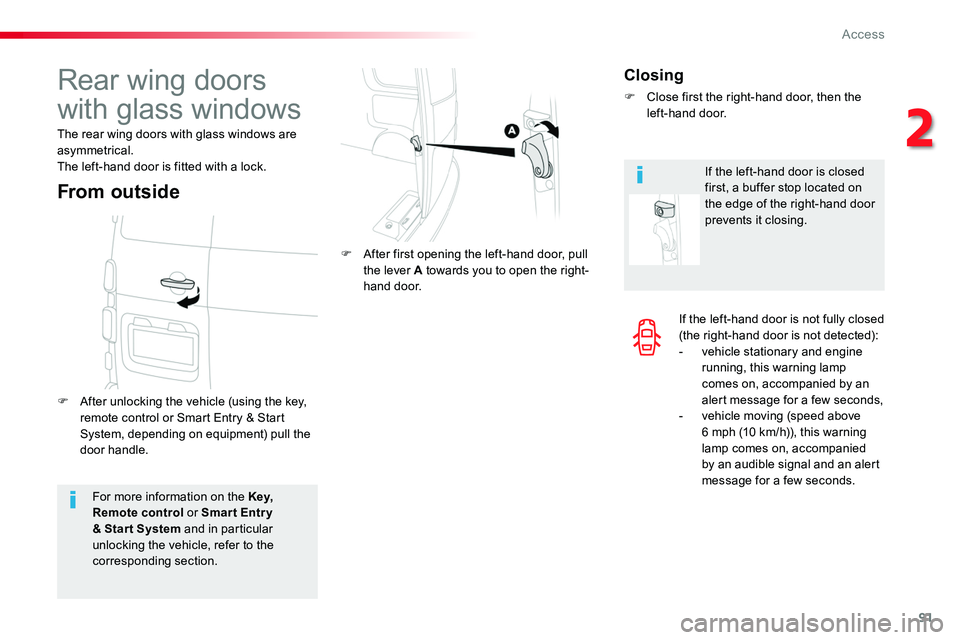
If the left-hand door is not fully closed (the right-hand door is not detected):- vehicle stationary and engine running, this warning lamp comes on, accompanied by an alert message for a few seconds,- vehicle moving (speed above 6 mph (10 km/h)), this warning lamp comes on, accompanied by an audible signal and an alert message for a few seconds.For more information on the Key, Remote control or Smar t Entr y & Star t System and in particular unlocking the vehicle, refer to the corresponding section.
Rear wing doors
with glass windows
The rear wing doors with glass windows are asymmetrical.The left-hand door is fitted with a lock.
F After unlocking the vehicle (using the key, remote control or Smart Entry & Start System, depending on equipment) pull the door handle.
F After first opening the left-hand door, pull the lever A towards you to open the right-hand door.
From outside
Closing
F Close first the right-hand door, then the left-hand door.
If the left-hand door is closed first, a buffer stop located on the edge of the right-hand door prevents it closing.
2
Access
Page 96 of 516
96
Deactivation
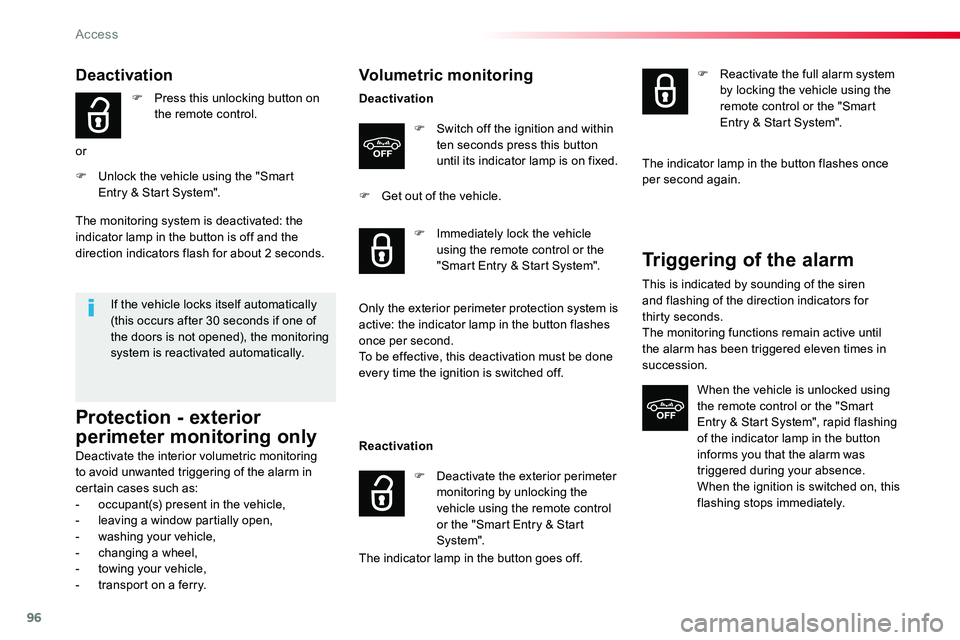
F Press this unlocking button on the remote control.
or
F Unlock the vehicle using the "Smart Entry & Start System".
If the vehicle locks itself automatically (this occurs after 30 seconds if one of the doors is not opened), the monitoring system is reactivated automatically.
The monitoring system is deactivated: the indicator lamp in the button is off and the direction indicators flash for about 2 seconds.
Protection - exterior
perimeter monitoring only
Deactivate the interior volumetric monitoring to avoid unwanted triggering of the alarm in certain cases such as:- occupant(s) present in the vehicle,- leaving a window partially open,- washing your vehicle,- changing a wheel,- towing your vehicle,- transport on a ferry.
Volumetric monitoring
Deactivation
F Switch off the ignition and within ten seconds press this button until its indicator lamp is on fixed.
F Get out of the vehicle.
Reactivation
The indicator lamp in the button goes off.
F Immediately lock the vehicle using the remote control or the "Smart Entry & Start System".
Only the exterior perimeter protection system is active: the indicator lamp in the button flashes once per second.To be effective, this deactivation must be done every time the ignition is switched off.
F Deactivate the exterior perimeter monitoring by unlocking the vehicle using the remote control or the "Smart Entry & Start System".
F Reactivate the full alarm system by locking the vehicle using the remote control or the "Smart Entry & Start System".
The indicator lamp in the button flashes once per second again.
Triggering of the alarm
This is indicated by sounding of the siren and flashing of the direction indicators for thirty seconds.The monitoring functions remain active until the alarm has been triggered eleven times in succession.
When the vehicle is unlocked using the remote control or the "Smart Entry & Start System", rapid flashing
of the indicator lamp in the button informs you that the alarm was triggered during your absence.When the ignition is switched on, this flashing stops immediately.
Access
Page 106 of 516
106
Smart Cargo
Removing the flap
Removable flap
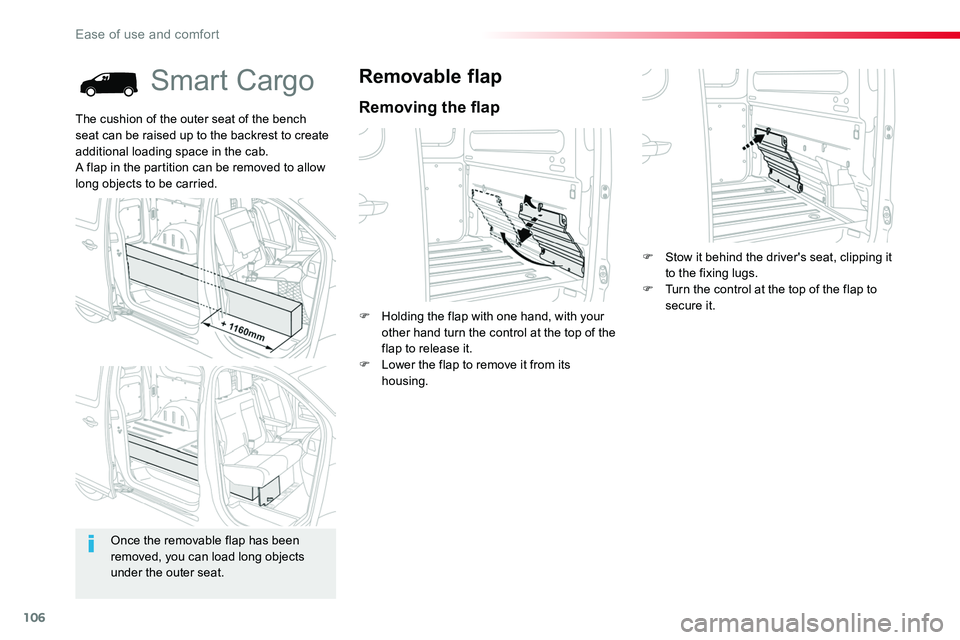
F Holding the flap with one hand, with your other hand turn the control at the top of the flap to release it.F Lower the flap to remove it from its housing.
The cushion of the outer seat of the bench seat can be raised up to the backrest to create additional loading space in the cab.A flap in the partition can be removed to allow long objects to be carried.
Once the removable flap has been removed, you can load long objects under the outer seat.
F Stow it behind the driver's seat, clipping it to the fixing lugs.F Turn the control at the top of the flap to secure it.
Ease of use and comfort
Page 111 of 516
111
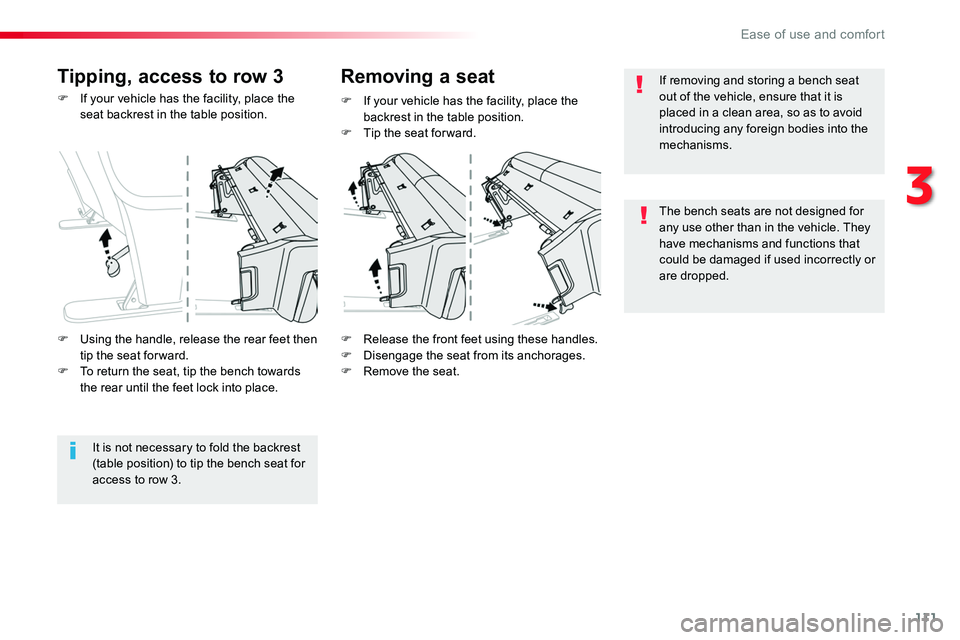
F If your vehicle has the facility, place the seat backrest in the table position.
F Release the front feet using these handles.F Disengage the seat from its anchorages.F Remove the seat.
F If your vehicle has the facility, place the backrest in the table position.F Tip the seat for ward.
Tipping, access to row 3Removing a seat
It is not necessary to fold the backrest (table position) to tip the bench seat for access to row 3.
F Using the handle, release the rear feet then tip the seat for ward.F To return the seat, tip the bench towards the rear until the feet lock into place.
If removing and storing a bench seat out of the vehicle, ensure that it is placed in a clean area, so as to avoid introducing any foreign bodies into the mechanisms.
The bench seats are not designed for any use other than in the vehicle. They have mechanisms and functions that could be damaged if used incorrectly or are dropped.
3
Ease of use and comfort
Page 112 of 516
112
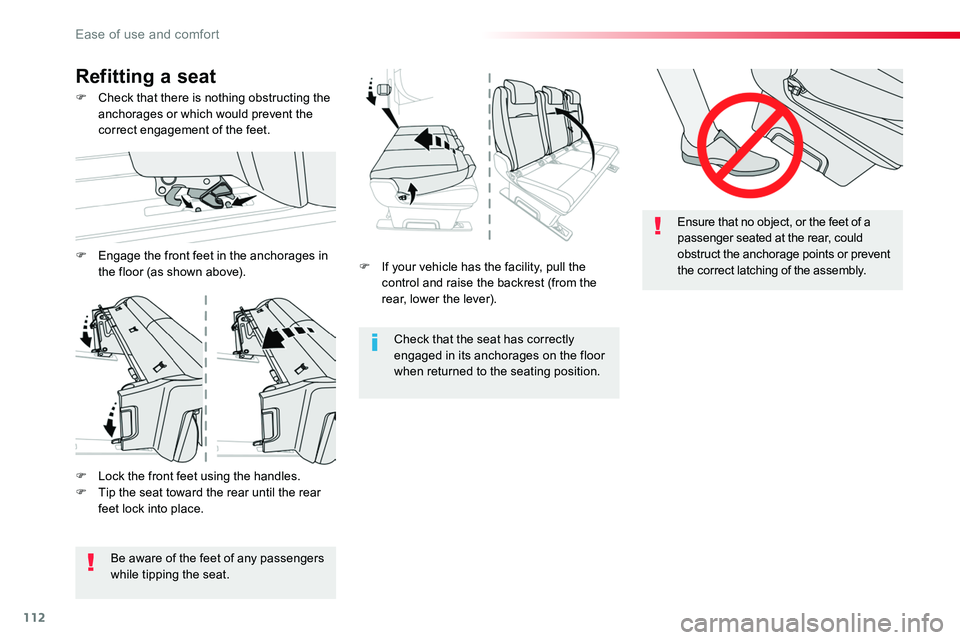
F If your vehicle has the facility, pull the control and raise the backrest (from the rear, lower the lever).
Check that the seat has correctly engaged in its anchorages on the floor when returned to the seating position.
Ensure that no object, or the feet of a passenger seated at the rear, could obstruct the anchorage points or prevent the correct latching of the assembly.
F Check that there is nothing obstructing the anchorages or which would prevent the correct engagement of the feet.
Refitting a seat
F Lock the front feet using the handles.F Tip the seat toward the rear until the rear feet lock into place.
Be aware of the feet of any passengers while tipping the seat.
F Engage the front feet in the anchorages in the floor (as shown above).
Ease of use and comfort
Page 115 of 516
115
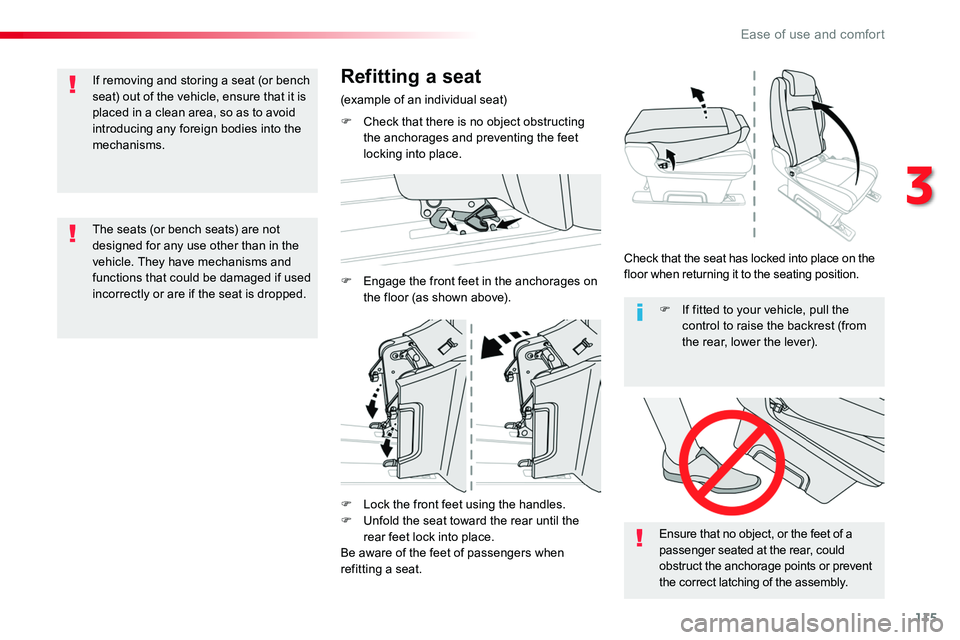
F Lock the front feet using the handles.F Unfold the seat toward the rear until the
rear feet lock into place.Be aware of the feet of passengers when refitting a seat.
Ensure that no object, or the feet of a passenger seated at the rear, could obstruct the anchorage points or prevent the correct latching of the assembly.
F If fitted to your vehicle, pull the control to raise the backrest (from the rear, lower the lever).
The seats (or bench seats) are not designed for any use other than in the vehicle. They have mechanisms and functions that could be damaged if used incorrectly or are if the seat is dropped.
If removing and storing a seat (or bench seat) out of the vehicle, ensure that it is placed in a clean area, so as to avoid introducing any foreign bodies into the mechanisms.
Refitting a seat
(example of an individual seat)
F Check that there is no object obstructing the anchorages and preventing the feet locking into place.
F Engage the front feet in the anchorages on the floor (as shown above).
Check that the seat has locked into place on the floor when returning it to the seating position.
3
Ease of use and comfort
Page 118 of 516
118
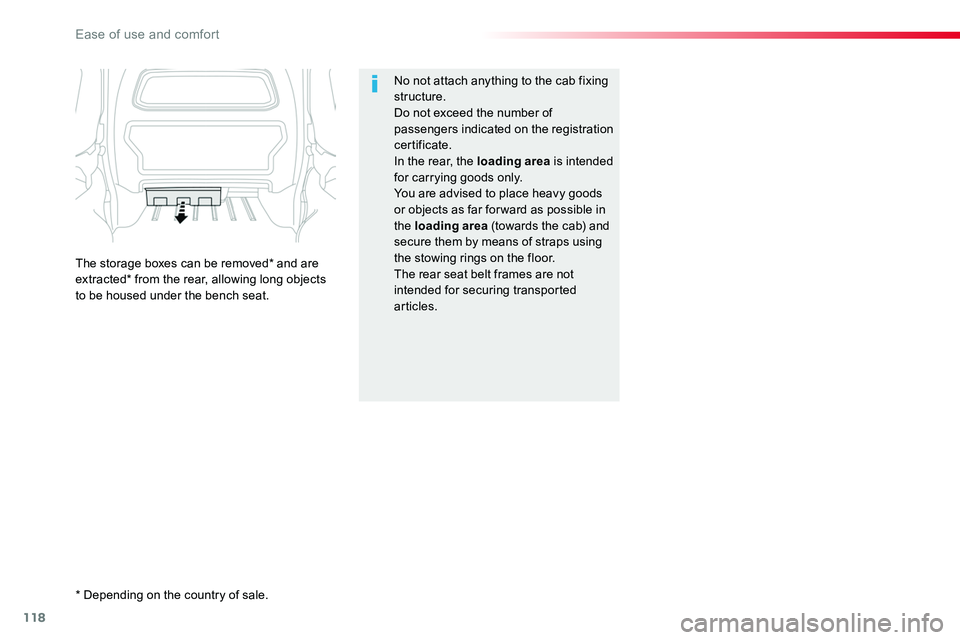
No not attach anything to the cab fixing structure.Do not exceed the number of passengers indicated on the registration certificate.In the rear, the loading area is intended for carrying goods only.You are advised to place heavy goods or objects as far for ward as possible in
the loading area (towards the cab) and secure them by means of straps using the stowing rings on the floor.The rear seat belt frames are not intended for securing transported articles.
The storage boxes can be removed* and are extracted* from the rear, allowing long objects to be housed under the bench seat.
* Depending on the country of sale.
Ease of use and comfort
Page 122 of 516
122
Auxiliary socket
It permits the connection of a portable device so that you can listen to your music files via the vehicle's speakers.The management of the files is done using your portable device.
For more information on the use of this equipment, refer to the Audio and telematics section.
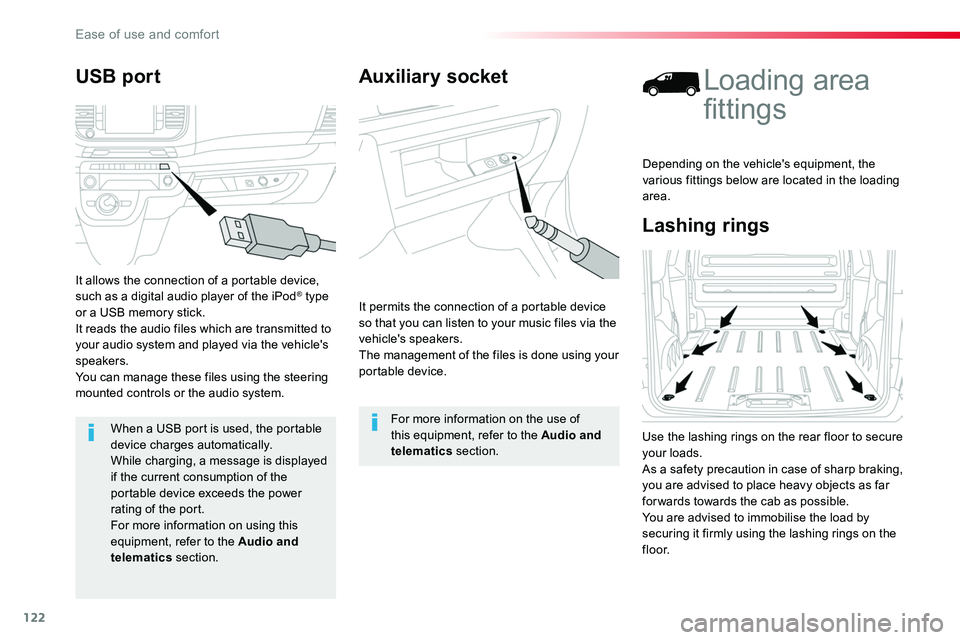
Lashing rings
Loading area
fittings
Use the lashing rings on the rear floor to secure your loads.As a safety precaution in case of sharp braking, you are advised to place heavy objects as far for wards towards the cab as possible.You are advised to immobilise the load by
securing it firmly using the lashing rings on the f l o o r.
Depending on the vehicle's equipment, the various fittings below are located in the loading area.
USB port
It allows the connection of a portable device, such as a digital audio player of the iPod® type or a USB memory stick.It reads the audio files which are transmitted to your audio system and played via the vehicle's speakers.You can manage these files using the steering mounted controls or the audio system.
When a USB port is used, the portable
device charges automatically.While charging, a message is displayed if the current consumption of the portable device exceeds the power rating of the port.For more information on using this equipment, refer to the Audio and telematics section.
Ease of use and comfort
Page 124 of 516
124
Fit the net
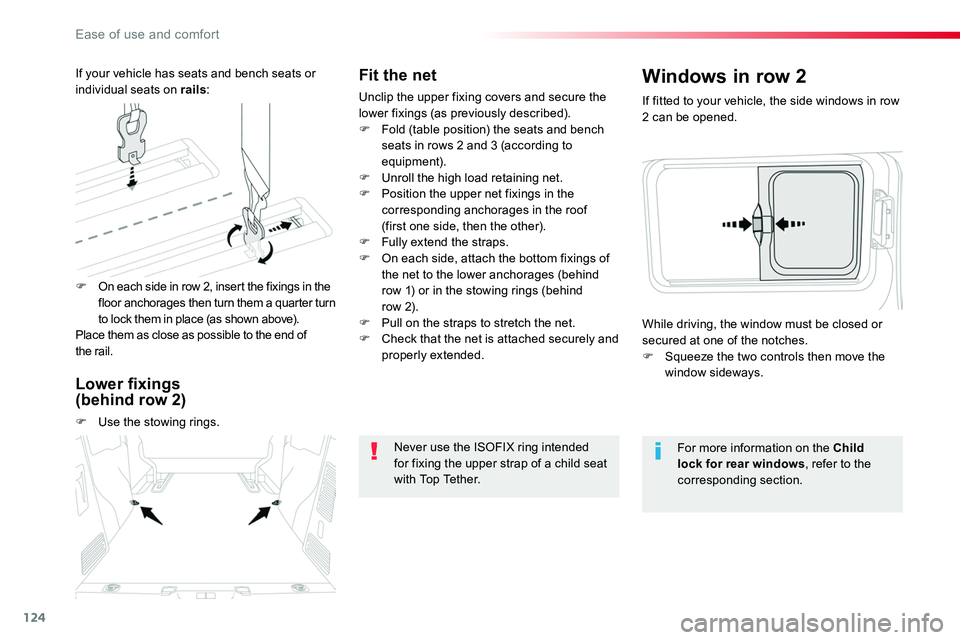
Unclip the upper fixing covers and secure the lower fixings (as previously described).F Fold (table position) the seats and bench seats in rows 2 and 3 (according to equipment).F Unroll the high load retaining net.F Position the upper net fixings in the corresponding anchorages in the roof (first one side, then the other).F Fully extend the straps.F On each side, attach the bottom fixings of the net to the lower anchorages (behind row 1) or in the stowing rings (behind row 2).F Pull on the straps to stretch the net.F Check that the net is attached securely and properly extended.
Never use the ISOFIX ring intended for fixing the upper strap of a child seat with Top Tether.
If fitted to your vehicle, the side windows in row 2 can be opened.
Windows in row 2
For more information on the Child lock for rear windows, refer to the corresponding section.
While driving, the window must be closed or secured at one of the notches.F Squeeze the two controls then move the window sideways.
F On each side in row 2, insert the fixings in the floor anchorages then turn them a quarter turn to lock them in place (as shown above).Place them as close as possible to the end of the rail.
If your vehicle has seats and bench seats or individual seats on rails:
Lower fixings (behind row 2)
F Use the stowing rings.
Ease of use and comfort
Page 132 of 516
132
Front demist - defrost
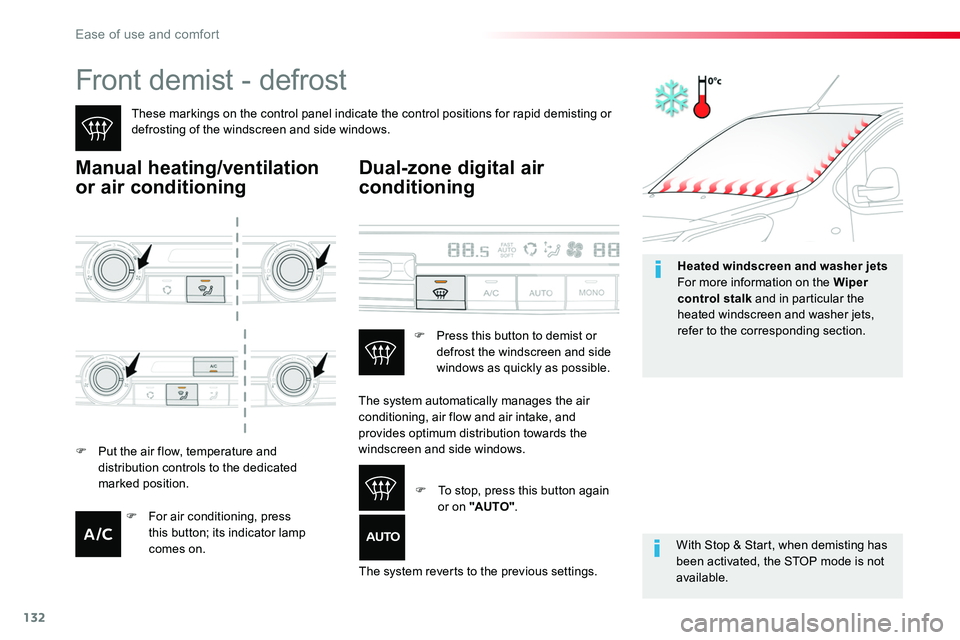
These markings on the control panel indicate the control positions for rapid demisting or defrosting of the windscreen and side windows.
Manual heating/ventilation
or air conditioning
With Stop & Start, when demisting has been activated, the STOP mode is not available.
Dual-zone digital air
conditioning
F Put the air flow, temperature and distribution controls to the dedicated marked position.
The system automatically manages the air conditioning, air flow and air intake, and
provides optimum distribution towards the windscreen and side windows.
The system reverts to the previous settings.
F Press this button to demist or defrost the windscreen and side windows as quickly as possible.
F To stop, press this button again or on "AUTO".F For air conditioning, press this button; its indicator lamp comes on.
Heated windscreen and washer jetsFor more information on the Wiper control stalk and in particular the heated windscreen and washer jets, refer to the corresponding section.
Ease of use and comfort