height TOYOTA PROACE 2021 User Guide
[x] Cancel search | Manufacturer: TOYOTA, Model Year: 2021, Model line: PROACE, Model: TOYOTA PROACE 2021Pages: 360, PDF Size: 70.79 MB
Page 152 of 360
152
Before setting off
Nose weight
► Distribute the load in the trailer so that the heaviest items are as close as possible to the axle and the nose weight (at the point where it joins your vehicle) approaches the maximum permitted without exceeding it.
Tyres
► Check the tyre pressures of the towing vehicle and of the trailer, observing the recommended pressures.
Lighting
► Check the electrical signalling on the trailer and the headlamp beam height of your vehicle.
NOTIC E
If a genuine TOYOTA towing device is used, the rear parking sensors will be deactivated automatically to avoid the audible signal.
When driving
Cooling
Towing a trailer uphill causes the coolant temperature to increase. The maximum towable load depends on the gradient and the exterior
temperature. The fan’s cooling capacity does not increase with engine speed.► Reduce speed and lower the engine speed to limit the amount of heating produced.
In all cases, pay attention to the coolant temperature.If this warning lamp and the STOP warning lamp come on, stop the vehicle and switch off the engine as soon as possible.
Brakes
Braking distances are increased when towing a trailer. To avoid overheating the brakes, the use
of engine braking is recommended.
Side wind
Bear in mind that the vehicle will be more susceptible to wind when towing.
Anti-theft protection
Electronic immobiliser
The remote control contains an electronic chip which has a special code. When the ignition is switched on, this code must be recognised in order for starting to be possible.A few seconds after switching off the ignition, this system locks the engine control system, therefore preventing the engine from being started in the event of a break-in.In the event of a fault, you are informed by illumination of this warning lamp, an audible signal and a message on the screen.The vehicle will not start; contact any authorized Toyota retailer or Toyota authorized repairer, or any reliable repairer as soon as possible.
Starting/switching off the
engine
Starting
The parking brake must be applied.
► With a manual gearbox, place the gear lever in neutral, fully depress the clutch pedal and
keep the pedal down until the engine starts.► With an automatic gearbox, place the selector in position P then depress the brake pedal.
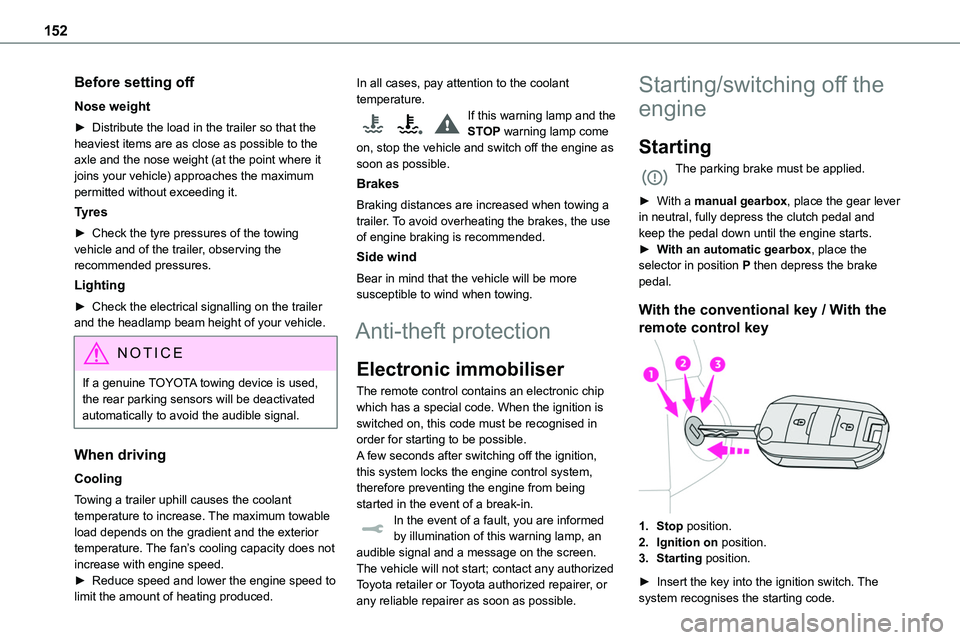
With the conventional key / With the
remote control key
1.Stop position.
2.Ignition on position.
3.Starting position.
► Insert the key into the ignition switch. The system recognises the starting code.
Page 173 of 360
173
Driving
6
NOTIC E
MaintenanceClean the bumpers and door mirrors and the field of vision of the cameras regularly.When washing your vehicle at high pressure, direct the spray from at least 30 cm away from the radar, sensors and cameras.
WARNI NG
MatsThe use of mats not approved by TOYOTA may interfere with the operation of the speed limiter or cruise control.To avoid any risk of jamming the pedals:– Ensure that the mat is secured correctly.– Never fit one mat on top of another.
NOTIC E
Units of speedEnsure that the units of speed displayed on the instrument panel (km/h or mph) are those for the country you are driving in.If this is not the case, when the vehicle is stationary, set the display to the required units of speed so that it complies with what is authorised locally.In case of doubt, contact any authorized Toyota retailer or Toyota authorized repairer, or any reliable repairer.
Head-up display
This system projects various information onto a smoked projection blade situated in the driver's field of vision, enabling them to drive without taking their eyes off the road.
Information displayed
during operation
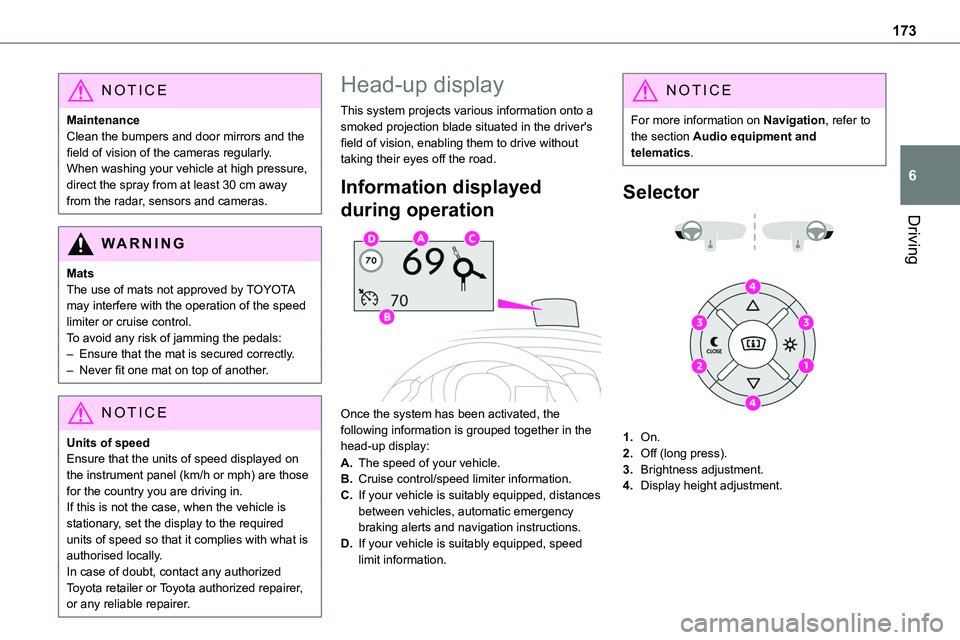
Once the system has been activated, the following information is grouped together in the head-up display:
A.The speed of your vehicle.
B.Cruise control/speed limiter information.
C.If your vehicle is suitably equipped, distances between vehicles, automatic emergency braking alerts and navigation instructions.
D.If your vehicle is suitably equipped, speed limit information.
NOTIC E
For more information on Navigation, refer to the section Audio equipment and telematics.
Selector
1.On.
2.Off (long press).
3.Brightness adjustment.
4.Display height adjustment.
Page 174 of 360
174
Activation/Deactivation
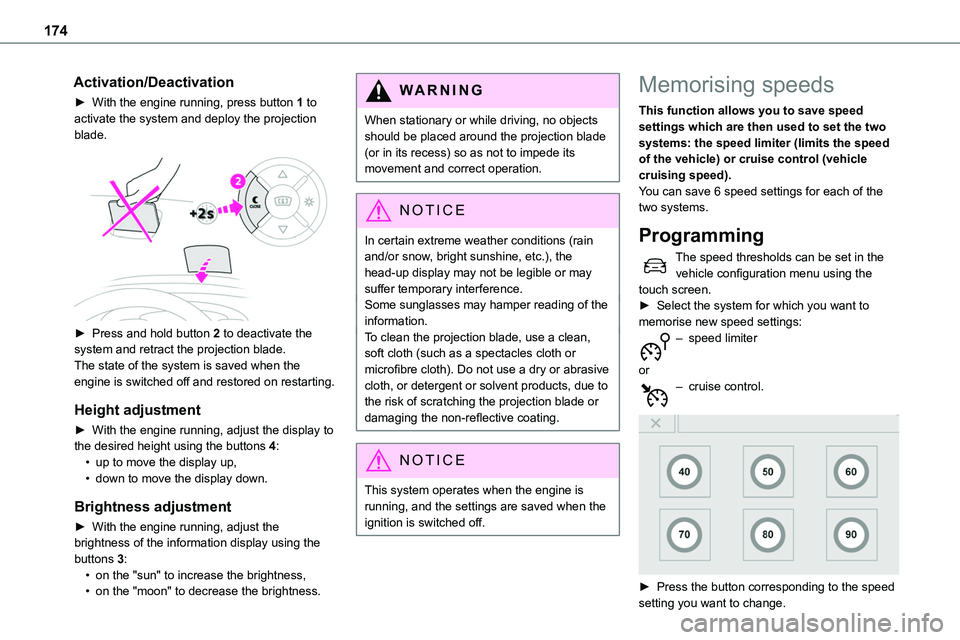
► With the engine running, press button 1 to activate the system and deploy the projection blade.
► Press and hold button 2 to deactivate the system and retract the projection blade.The state of the system is saved when the engine is switched off and restored on restarting.
Height adjustment
► With the engine running, adjust the display to the desired height using the buttons 4:• up to move the display up,• down to move the display down.
Brightness adjustment
► With the engine running, adjust the
brightness of the information display using the buttons 3:• on the "sun" to increase the brightness,• on the "moon" to decrease the brightness.
W ARNI NG
When stationary or while driving, no objects should be placed around the projection blade (or in its recess) so as not to impede its movement and correct operation.
NOTIC E
In certain extreme weather conditions (rain and/or snow, bright sunshine, etc.), the head-up display may not be legible or may suffer temporary interference.Some sunglasses may hamper reading of the information.To clean the projection blade, use a clean, soft cloth (such as a spectacles cloth or microfibre cloth). Do not use a dry or abrasive cloth, or detergent or solvent products, due to the risk of scratching the projection blade or damaging the non-reflective coating.
NOTIC E
This system operates when the engine is running, and the settings are saved when the ignition is switched off.
Memorising speeds
This function allows you to save speed settings which are then used to set the two systems: the speed limiter (limits the speed of the vehicle) or cruise control (vehicle cruising speed).You can save 6 speed settings for each of the two systems.
Programming
The speed thresholds can be set in the vehicle configuration menu using the touch screen.► Select the system for which you want to memorise new speed settings:– speed limiter
or– cruise control.
► Press the button corresponding to the speed setting you want to change.
Page 214 of 360
214
Roof bars / Roof rack
WARNI NG
As a safety measure and to avoid damaging the roof, it is essential to use the roof bars and racks approved for your vehicle.Observe the instructions on fitting and use contained in the guide supplied with the roof
bars and racks.
WARNI NG
RecommendationsDistribute the load uniformly, taking care to avoid overloading one of the sides.Arrange the heaviest part of the load as close as possible to the roof.Secure the load firmly.Drive gently: the vehicle will be more susceptible to the effects of side winds and its stability may be affected.Remove the roof bars once they are no longer needed.
WARNI NG
As this value may change, please verify the maximum load quoted in the guide supplied with the roof bars.If the height exceeds 40 cm, adapt the speed of the vehicle to the profile of the road to avoid damaging the roof bars and the fixings on the vehicle.
Be sure to refer to national legislation in order to comply with the regulations for transporting objects that are longer than the vehicle.
Roof bars
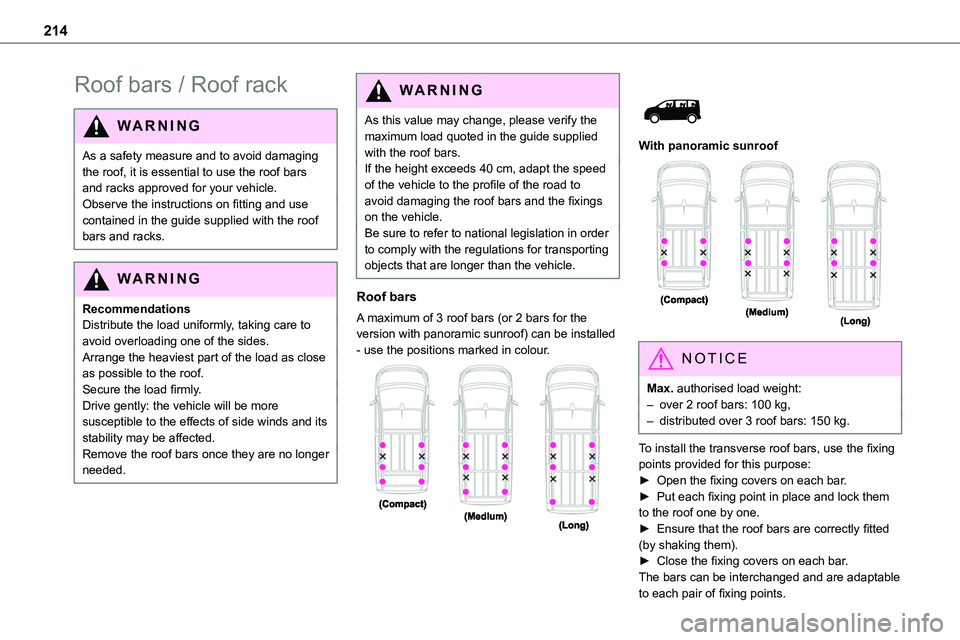
A maximum of 3 roof bars (or 2 bars for the version with panoramic sunroof) can be installed - use the positions marked in colour.
With panoramic sunroof
NOTIC E
Max. authorised load weight:– over 2 roof bars: 100 kg,– distributed over 3 roof bars: 150 kg.
To install the transverse roof bars, use the fixing points provided for this purpose:► Open the fixing covers on each bar.► Put each fixing point in place and lock them to the roof one by one.► Ensure that the roof bars are correctly fitted
(by shaking them).► Close the fixing covers on each bar.The bars can be interchanged and are adaptable to each pair of fixing points.
Page 323 of 360
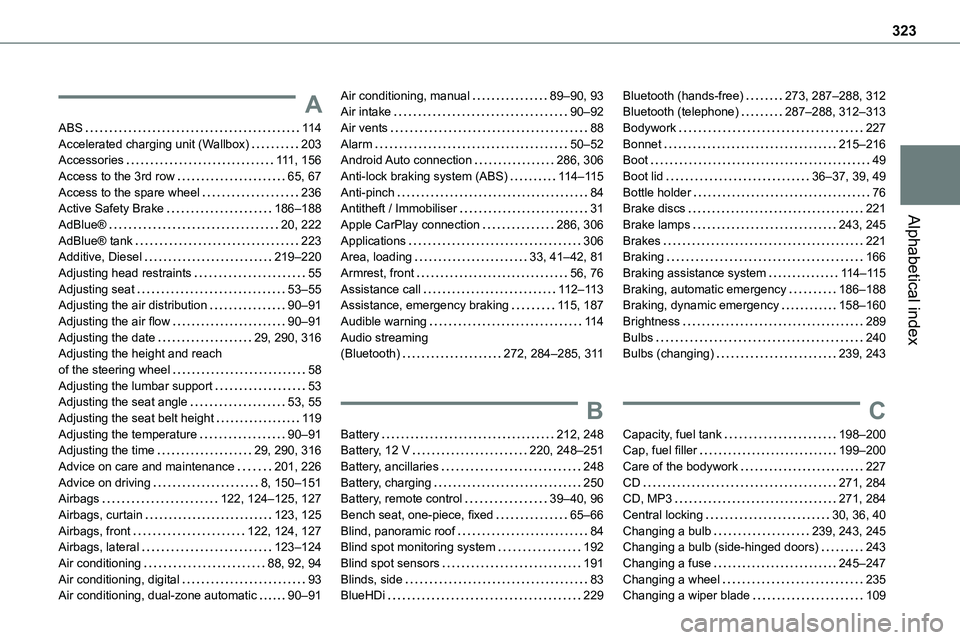
323
Alphabetical index
A
ABS 11 4Accelerated charging unit (Wallbox) 203Accessories 111, 156Access to the 3rd row 65, 67Access to the spare wheel 236Active Safety Brake 186–188
AdBlue® 20, 222AdBlue® tank 223Additive, Diesel 219–220Adjusting head restraints 55Adjusting seat 53–55Adjusting the air distribution 90–91Adjusting the air flow 90–91Adjusting the date 29, 290, 316Adjusting the height and reach of the steering wheel 58Adjusting the lumbar support 53Adjusting the seat angle 53, 55Adjusting the seat belt height 11 9Adjusting the temperature 90–91Adjusting the time 29, 290, 316Advice on care and maintenance 201, 226Advice on driving 8, 150–151Airbags 122, 124–125, 127Airbags, curtain 123, 125Airbags, front 122, 124, 127Airbags, lateral 123–124Air conditioning 88, 92, 94Air conditioning, digital 93Air conditioning, dual-zone automatic 90–91
Air conditioning, manual 89–90, 93Air intake 90–92Air vents 88Alarm 50–52Android Auto connection 286, 306Anti-lock braking system (ABS) 11 4–11 5Anti-pinch 84Antitheft / Immobiliser 31
Apple CarPlay connection 286, 306Applications 306Area, loading 33, 41–42, 81Armrest, front 56, 76Assistance call 11 2–11 3Assistance, emergency braking 11 5, 187Audible warning 11 4Audio streaming (Bluetooth) 272, 284–285, 3 11
B
Battery 212, 248Battery, 12 V 220, 248–251Battery, ancillaries 248Battery, charging 250Battery, remote control 39–40, 96Bench seat, one-piece, fixed 65–66Blind, panoramic roof 84Blind spot monitoring system 192Blind spot sensors 191Blinds, side 83BlueHDi 229
Bluetooth (hands-free) 273, 287–288, 312Bluetooth (telephone) 287–288, 312–313Bodywork 227Bonnet 215–216Boot 49Boot lid 36–37, 39, 49Bottle holder 76Brake discs 221
Brake lamps 243, 245Brakes 221Braking 166Braking assistance system 11 4–11 5Braking, automatic emergency 186–188Braking, dynamic emergency 158–160Brightness 289Bulbs 240Bulbs (changing) 239, 243
C
Capacity, fuel tank 198–200Cap, fuel filler 199–200Care of the bodywork 227CD 271, 284CD, MP3 271, 284Central locking 30, 36, 40Changing a bulb 239, 243, 245Changing a bulb (side-hinged doors) 243Changing a fuse 245–247Changing a wheel 235Changing a wiper blade 109