battery TOYOTA PROACE 2021 Workshop Manual
[x] Cancel search | Manufacturer: TOYOTA, Model Year: 2021, Model line: PROACE, Model: TOYOTA PROACE 2021Pages: 360, PDF Size: 70.79 MB
Page 319 of 360
319
TOYOTA Pro Touch with navigation system
12
► Deactivate then reactivate the telephone’s Bluetooth function.The Bluetooth telephone is not compatible with the system.► You can check the compatibility of the telephone on the Brand's website (services).Android Auto and/or CarPlay do not work.Android Auto and CarPlay may not activate if the USB cables are of poor quality.
► Use genuine USB cables to ensure compatibility.Android Auto and/or CarPlay do not work.Android Auto and CarPlay are not available in all countries.► Check the Google Android Auto or Apple website to see which countries are supported.The volume of the telephone connected in Bluetooth mode is inaudible.The volume depends on both the system and the telephone.► Increase the volume of the audio system, to maximum if required, and increase the volume of the telephone if necessary.Ambient noise affects the quality of the telephone call.► Reduce the ambient noise level (close windows, turn down ventilation, slow down, etc.).Some contacts are duplicated in the list.The options for synchronising contacts are: synchronise the contacts on the SIM card, the contacts on the telephone, or both. When both synchronisations are selected, some contacts may be duplicated.
► Select "Display SIM card contacts" or "Display telephone contacts".The contacts are not listed in alphabetical order.Some telephones offer display options. Depending on the settings chosen, contacts can be transferred in a specific order.► Modify the telephone directory display settings.
The system does not receive SMS.Bluetooth mode does not allow SMS text messages to be sent to the system.
Settings
When the treble and bass settings are changed, the ambience is deselected.When the ambience is changed, the treble and bass settings are reset.Selecting an ambience imposes the treble and bass settings, and vice versa.► Modify the treble and bass or ambience settings to obtain the desired musical ambience.When the balance settings are changed, the distribution is deselected.When the distribution setting is changed, the balance settings are deselected.Selecting a distribution setting imposes the balance settings, and vice versa.► Modify the balance setting or the distribution setting to obtain the desired sound quality.There is a difference in sound quality between audio sources.
To allow for optimal listening quality, the sound settings can be tailored to different audio sources, which can generate audible differences when changing source.► Check that the sound settings are appropriate to the sources listened to. We recommend setting the sound functions (Bass:, Treble:, Balance) to the middle position, setting the musical ambience to "None", setting loudness
correction to "Active" in USB mode and "Inactive" in Radio mode.► In all cases, after applying sound settings, adjust the volume level on the portable device (to a high level) first. Then adjust the volume level on the audio system.When the engine is off, the system switches off after several minutes of use.When the engine is switched off, the system's operating time depends on the state of charge of the battery.The switch-off is normal: the system automatically goes into energy economy mode and switches off to maintain an adequate charge in the battery.► Start the vehicle’s engine to increase the charge of the battery.The date and time cannot be set.Setting of the date and time is only available if the synchronisation with the satellites is deactivated.► Settings menu / Options / Time-Date setting. Select the "Time" tab and deactivate the "GPS synchronisation" (UTC).
Page 320 of 360
320
Recording event data
Electronic control units are installed in your vehicle. These control units process data received from the vehicle's sensors, for example, or data they generate themselves or exchange with each other. Some of these control units are required for the correct operation of your vehicle, some others assist you while driving (driving or
manoeuvring aids), while others provide comfort or infotainment functions.The following contains general information about how data is processed within the vehicle.You will find additional information about the specific data which is downloaded, stored and transmitted to third parties and what it is used for in your vehicle under the keyword "Data protection". This information is directly associated with the references for the functions in question contained in the corresponding vehicle handbook, or in the general terms and conditions of sale.This information is also available online.
Vehicle operating data
The control units process the data used for the operation of the vehicle. This data includes, for example: – Information about the state of the vehicle (e.g. speed, travel time, lateral acceleration, wheel rotation rate, fastened seat belts display). – Environmental conditions (e.g. temperature, rain sensor, distance sensor).
As a general rule, this data is temporary, is not stored for longer than one operating cycle and is only used within the vehicle itself. The control units often record this data (including the vehicle's key). This function allows either the temporary or permanent storage of information about the state of the vehicle, stresses on components, servicing requirements, as well as events and technical errors. Depending on the vehicle's equipment level, the data stored is as follows: – Operating state of system components (e.g. filling level, tyre pressures, battery charge status). – Faults and malfunctions in important system components (e.g. lamps, brakes). – System reactions in specific driving situations (e.g. deployment of an airbag, triggering of stability control and braking systems). – Information about events which have damaged the vehicle.
– For electric and rechargeable hybrid vehicles, the traction battery charge level and the estimated driving range. In particular circumstances (e.g. if the vehicle has detected a malfunction), it may be necessary to record data which would otherwise simply not be stored. When taking your vehicle in for servicing (e.g. repairs, maintenance), the stored operating
data may be read along with the vehicle's identification number and used if necessary. The personnel working for the servicing network (e.g. garages, manufacturers) or third parties (e.g. roadside assistance agents) may read the vehicle's data. This also applies to work carried out under warranty and quality assurance measures. This data is generally read via the OBD (On-Board Diagnostics) port fitted by law to the vehicle. It is used to report on the technical state of the vehicle or its components and facilitates the diagnosis of malfunctions, in compliance with warranty obligations and for quality improvement. This data, in particular the information relating to stress on components, technical events, operator errors and other malfunctions, is sent to the Manufacturer, if necessary, along with the vehicle's identification number. The Manufacturer's liability may also be engaged. The Manufacturer may also use the operating data taken from the vehicle for product recalls. This data may also be used to check the
Page 323 of 360
323
Alphabetical index
A
ABS 11 4Accelerated charging unit (Wallbox) 203Accessories 111, 156Access to the 3rd row 65, 67Access to the spare wheel 236Active Safety Brake 186–188
AdBlue® 20, 222AdBlue® tank 223Additive, Diesel 219–220Adjusting head restraints 55Adjusting seat 53–55Adjusting the air distribution 90–91Adjusting the air flow 90–91Adjusting the date 29, 290, 316Adjusting the height and reach of the steering wheel 58Adjusting the lumbar support 53Adjusting the seat angle 53, 55Adjusting the seat belt height 11 9Adjusting the temperature 90–91Adjusting the time 29, 290, 316Advice on care and maintenance 201, 226Advice on driving 8, 150–151Airbags 122, 124–125, 127Airbags, curtain 123, 125Airbags, front 122, 124, 127Airbags, lateral 123–124Air conditioning 88, 92, 94Air conditioning, digital 93Air conditioning, dual-zone automatic 90–91
Air conditioning, manual 89–90, 93Air intake 90–92Air vents 88Alarm 50–52Android Auto connection 286, 306Anti-lock braking system (ABS) 11 4–11 5Anti-pinch 84Antitheft / Immobiliser 31
Apple CarPlay connection 286, 306Applications 306Area, loading 33, 41–42, 81Armrest, front 56, 76Assistance call 11 2–11 3Assistance, emergency braking 11 5, 187Audible warning 11 4Audio streaming (Bluetooth) 272, 284–285, 3 11
B
Battery 212, 248Battery, 12 V 220, 248–251Battery, ancillaries 248Battery, charging 250Battery, remote control 39–40, 96Bench seat, one-piece, fixed 65–66Blind, panoramic roof 84Blind spot monitoring system 192Blind spot sensors 191Blinds, side 83BlueHDi 229
Bluetooth (hands-free) 273, 287–288, 312Bluetooth (telephone) 287–288, 312–313Bodywork 227Bonnet 215–216Boot 49Boot lid 36–37, 39, 49Bottle holder 76Brake discs 221
Brake lamps 243, 245Brakes 221Braking 166Braking assistance system 11 4–11 5Braking, automatic emergency 186–188Braking, dynamic emergency 158–160Brightness 289Bulbs 240Bulbs (changing) 239, 243
C
Capacity, fuel tank 198–200Cap, fuel filler 199–200Care of the bodywork 227CD 271, 284CD, MP3 271, 284Central locking 30, 36, 40Changing a bulb 239, 243, 245Changing a bulb (side-hinged doors) 243Changing a fuse 245–247Changing a wheel 235Changing a wiper blade 109
Page 324 of 360
324
Changing the remote control battery 39Changing to free-wheeling 225, 252Charge level indicator (Electric) 22Charging cable 204Charging cable (Electric) 203Charging connector (Electric) 202, 208–209, 2 11Charging flap (Electric) 202, 208–209, 2 11
Charging system (Electric) 5, 9, 27, 200, 217Charging the traction battery (Electric) 21, 200, 208–209, 2 11Checking the engine oil level 19Checking the levels 217–219Checking tyre pressures (using the kit) 231–234Checks 216, 219–222Checks, routine 219–221Child lock 148–149Child lock on rear windows 149Children 121, 129, 135–136, 144, 144–145, 144–145Children (safety) 148Child seats 121, 125–126, 128–132, 145Child seats, conventional 128–132Child seats, i-Size 144–145Child seats, ISOFIX 135–136, 144, 144–145, 144–145Cleaning (advice) 201, 226–228Closing the boot 49Closing the doors 30, 36, 48Collision Risk Alert 186–187Compressor, tyre inflation 231
Configuration, vehicle 26–27Connected applications 306Connection, Bluetooth 273, 287–288, 307, 312–313Connection, Wi-Fi network 307–308Connectivity 306Consumption figures 27Container, AdBlue® 223
Control, emergency boot release 39Control, emergency door 31, 38–39Control, heated seats 57Control stalk, lighting 101Control stalk, wipers 106, 108Control unit 203–204Courtesy lamp 99Courtesy lamp, front 99–100, 244Courtesy lamp, rear 99–100, 244Courtesy lamps 99–100, 244Cover, load space 80Crew cab, fixed 74–75Crew cab, folding 75Cruise control 174, 176–177, 179–182Cruise control, adaptive 177, 182, 184–186Cruise control by speed limit recognition 176–177Cruise control, dynamic with Stop function 176–177Cup holder 76
D
DAB (Digital Audio Broadcasting) - Digital radio 269, 284, 310Date (setting) 29, 290, 316Daytime running lamps 103, 240–242Deactivating the passenger airbag 122, 127Deactivation of DSC (ESC) 11 5
Deadlocking 37Deferred charging 27, 210Deferred charging (Electric) 27–28, 202, 208Defrosting 59, 93Demisting 93Demisting, rear 93Demisting, rear screen 93Dimensions 261Dipstick 19, 217Direction indicators 102, 240–241, 243, 245Display, head-up 173–174Domestic charging 204Domestic charging (Electric) 209, 2 11, 259Door pockets 77Doors, rear 48Doors, side 44Doors, side-hinged 36–37, 48, 243Driver’s attention warning 190Drive selector (Electric) 166, 221Driving 150–151Driving aids camera (warnings) 172Driving aids (recommendations) 171Driving economically 8Driving modes 167
Page 327 of 360
327
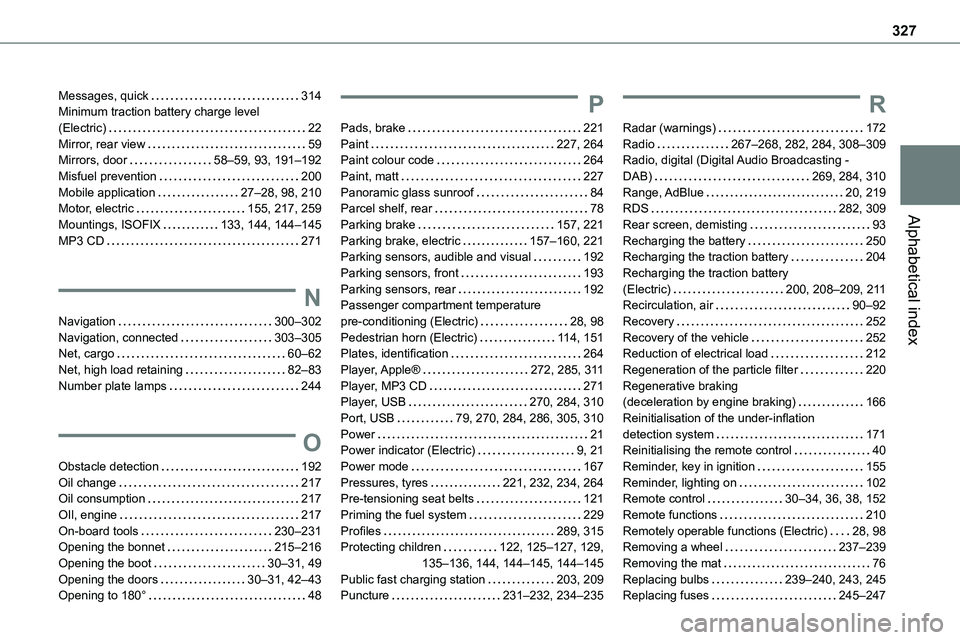
Alphabetical index
Messages, quick 314Minimum traction battery charge level (Electric) 22Mirror, rear view 59Mirrors, door 58–59, 93, 191–192Misfuel prevention 200Mobile application 27–28, 98, 210Motor, electric 155, 217, 259
Mountings, ISOFIX 133, 144, 144–145MP3 CD 271
N
Navigation 300–302Navigation, connected 303–305Net, cargo 60–62Net, high load retaining 82–83Number plate lamps 244
O
Obstacle detection 192Oil change 217Oil consumption 217OIl, engine 217On-board tools 230–231Opening the bonnet 215–216Opening the boot 30–31, 49Opening the doors 30–31, 42–43Opening to 180° 48
P
Pads, brake 221Paint 227, 264Paint colour code 264Paint, matt 227Panoramic glass sunroof 84Parcel shelf, rear 78
Parking brake 157, 221Parking brake, electric 157–160, 221Parking sensors, audible and visual 192Parking sensors, front 193Parking sensors, rear 192Passenger compartment temperature pre-conditioning (Electric) 28, 98Pedestrian horn (Electric) 11 4, 151Plates, identification 264Player, Apple® 272, 285, 3 11Player, MP3 CD 271Player, USB 270, 284, 310Port, USB 79, 270, 284, 286, 305, 310Power 21Power indicator (Electric) 9, 21Power mode 167Pressures, tyres 221, 232, 234, 264Pre-tensioning seat belts 121Priming the fuel system 229Profiles 289, 315Protecting children 122, 125–127, 129, 135–136, 144, 144–145, 144–145Public fast charging station 203, 209Puncture 231–232, 234–235
R
Radar (warnings) 172Radio 267–268, 282, 284, 308–309Radio, digital (Digital Audio Broadcasting - DAB) 269, 284, 310Range, AdBlue 20, 219RDS 282, 309
Rear screen, demisting 93Recharging the battery 250Recharging the traction battery 204Recharging the traction battery (Electric) 200, 208–209, 2 11Recirculation, air 90–92Recovery 252Recovery of the vehicle 252Reduction of electrical load 212Regeneration of the particle filter 220Regenerative braking (deceleration by engine braking) 166Reinitialisation of the under-inflation detection system 171Reinitialising the remote control 40Reminder, key in ignition 155Reminder, lighting on 102Remote control 30–34, 36, 38, 152Remote functions 210Remotely operable functions (Electric) 28, 98Removing a wheel 237–239Removing the mat 76Replacing bulbs 239–240, 243, 245Replacing fuses 245–247
Page 328 of 360
328
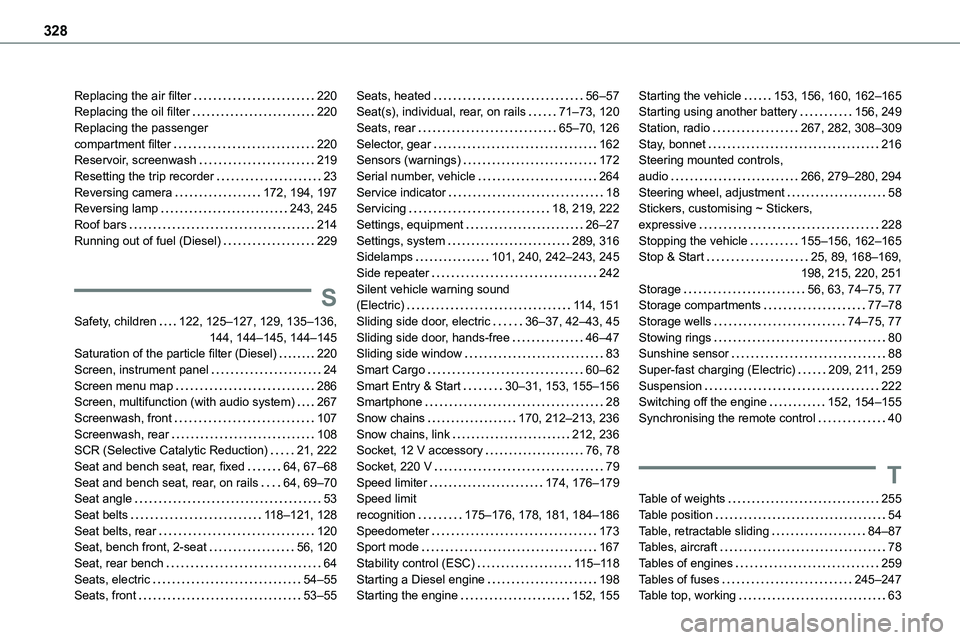
Replacing the air filter 220Replacing the oil filter 220Replacing the passenger compartment filter 220Reservoir, screenwash 219Resetting the trip recorder 23Reversing camera 172, 194, 197Reversing lamp 243, 245
Roof bars 214Running out of fuel (Diesel) 229
S
Safety, children 122, 125–127, 129, 135–136, 144, 144–145, 144–145Saturation of the particle filter (Diesel) 220Screen, instrument panel 24Screen menu map 286Screen, multifunction (with audio system) 267Screenwash, front 107Screenwash, rear 108SCR (Selective Catalytic Reduction) 21, 222Seat and bench seat, rear, fixed 64, 67–68Seat and bench seat, rear, on rails 64, 69–70Seat angle 53Seat belts 11 8–121, 128Seat belts, rear 120Seat, bench front, 2-seat 56, 120Seat, rear bench 64Seats, electric 54–55Seats, front 53–55
Seats, heated 56–57Seat(s), individual, rear, on rails 71–73, 120Seats, rear 65–70, 126Selector, gear 162Sensors (warnings) 172Serial number, vehicle 264Service indicator 18Servicing 18, 219, 222
Settings, equipment 26–27Settings, system 289, 316Sidelamps 101, 240, 242–243, 245Side repeater 242Silent vehicle warning sound (Electric) 11 4, 151Sliding side door, electric 36–37, 42–43, 45Sliding side door, hands-free 46–47Sliding side window 83Smart Cargo 60–62Smart Entry & Start 30–31, 153, 155–156Smartphone 28Snow chains 170, 212–213, 236Snow chains, link 212, 236Socket, 12 V accessory 76, 78Socket, 220 V 79Speed limiter 174, 176–179Speed limit recognition 175–176, 178, 181, 184–186Speedometer 173Sport mode 167Stability control (ESC) 11 5–11 8Starting a Diesel engine 198Starting the engine 152, 155
Starting the vehicle 153, 156, 160, 162–165Starting using another battery 156, 249Station, radio 267, 282, 308–309Stay, bonnet 216Steering mounted controls, audio 266, 279–280, 294Steering wheel, adjustment 58Stickers, customising ~ Stickers,
expressive 228Stopping the vehicle 155–156, 162–165Stop & Start 25, 89, 168–169, 198, 215, 220, 251Storage 56, 63, 74–75, 77Storage compartments 77–78Storage wells 74–75, 77Stowing rings 80Sunshine sensor 88Super-fast charging (Electric) 209, 2 11, 259Suspension 222Switching off the engine 152, 154–155Synchronising the remote control 40
T
Table of weights 255Table position 54Table, retractable sliding 84–87Tables, aircraft 78Tables of engines 259Tables of fuses 245–247Table top, working 63
Page 329 of 360
329
Alphabetical index
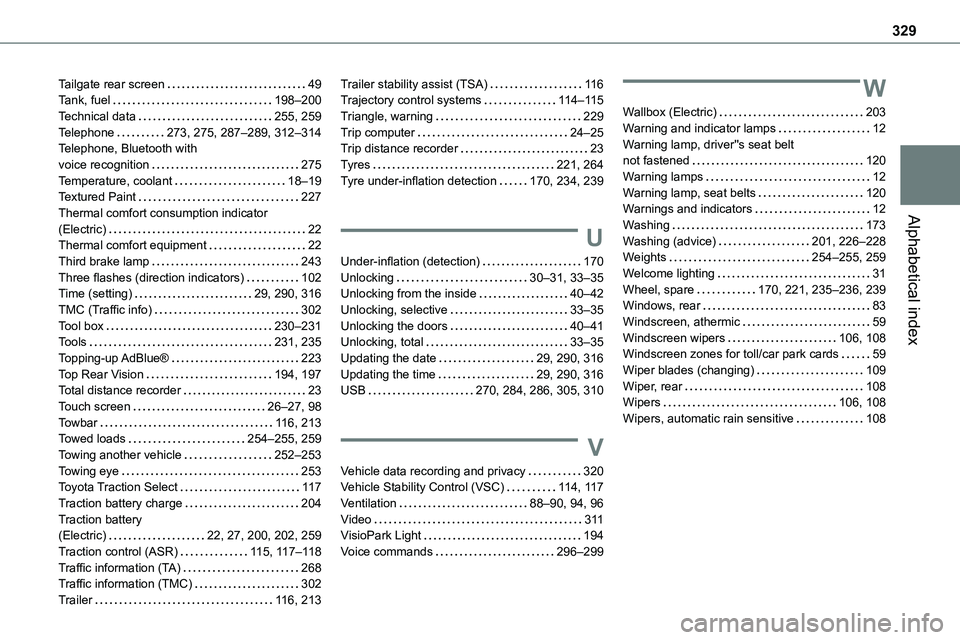
Tailgate rear screen 49Tank, fuel 198–200Technical data 255, 259Telephone 273, 275, 287–289, 312–314Telephone, Bluetooth with voice recognition 275Temperature, coolant 18–19Textured Paint 227Thermal comfort consumption indicator (Electric) 22Thermal comfort equipment 22Third brake lamp 243Three flashes (direction indicators) 102Time (setting) 29, 290, 316TMC (Traffic info) 302Tool box 230–231Tools 231, 235Topping-up AdBlue® 223Top Rear Vision 194, 197Total distance recorder 23Touch screen 26–27, 98Towbar 11 6, 213Towed loads 254–255, 259Towing another vehicle 252–253Towing eye 253Toyota Traction Select 11 7Traction battery charge 204Traction battery (Electric) 22, 27, 200, 202, 259Traction control (ASR) 11 5, 11 7–11 8Traffic information (TA) 268Traffic information (TMC) 302
Trailer 11 6, 213
Trailer stability assist (TSA) 11 6Trajectory control systems 11 4–11 5Triangle, warning 229Trip computer 24–25Trip distance recorder 23Tyres 221, 264Tyre under-inflation detection 170, 234, 239
U
Under-inflation (detection) 170Unlocking 30–31, 33–35Unlocking from the inside 40–42Unlocking, selective 33–35Unlocking the doors 40–41Unlocking, total 33–35Updating the date 29, 290, 316Updating the time 29, 290, 316USB 270, 284, 286, 305, 310
V
Vehicle data recording and privacy 320Vehicle Stability Control (VSC) 11 4, 11 7Ventilation 88–90, 94, 96Video 3 11VisioPark Light 194Voice commands 296–299
W
Wallbox (Electric) 203Warning and indicator lamps 12Warning lamp, driver''s seat belt not fastened 120Warning lamps 12Warning lamp, seat belts 120Warnings and indicators 12Washing 173Washing (advice) 201, 226–228Weights 254–255, 259Welcome lighting 31Wheel, spare 170, 221, 235–236, 239Windows, rear 83Windscreen, athermic 59Windscreen wipers 106, 108Windscreen zones for toll/car park cards 59Wiper blades (changing) 109Wiper, rear 108Wipers 106, 108Wipers, automatic rain sensitive 108