audio TOYOTA PROACE 2023 User Guide
[x] Cancel search | Manufacturer: TOYOTA, Model Year: 2023, Model line: PROACE, Model: TOYOTA PROACE 2023Pages: 360, PDF Size: 70.22 MB
Page 101 of 360
101
Lighting and visibility
4
Daytime running lamps/
Sidelamps
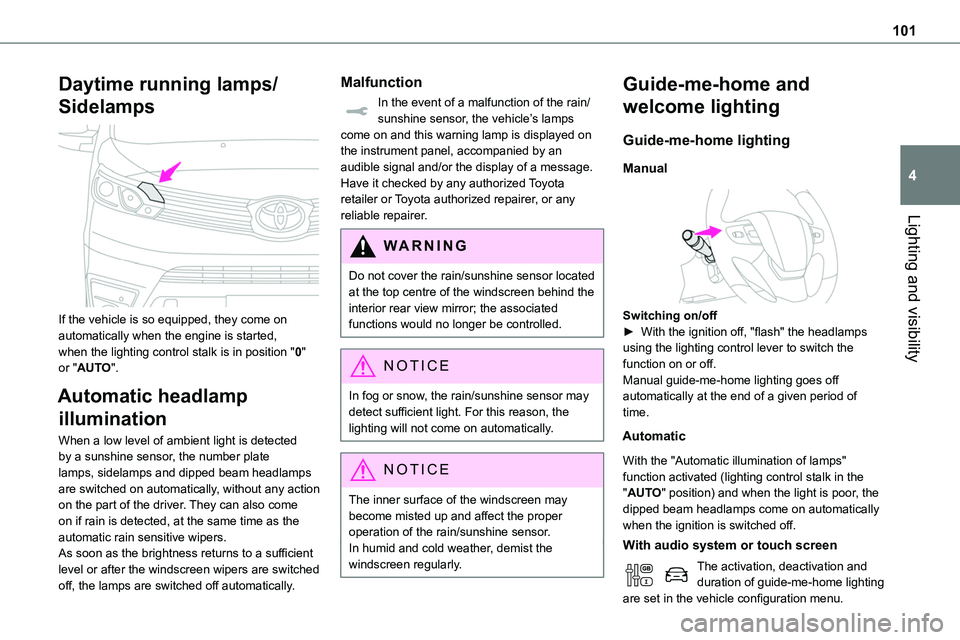
If the vehicle is so equipped, they come on automatically when the engine is started, when the lighting control stalk is in position "0" or "AUTO".
Automatic headlamp
illumination
When a low level of ambient light is detected by a sunshine sensor, the number plate lamps, sidelamps and dipped beam headlamps are switched on automatically, without any action on the part of the driver. They can also come on if rain is detected, at the same time as the automatic rain sensitive wipers.As soon as the brightness returns to a sufficient level or after the windscreen wipers are switched
off, the lamps are switched off automatically.
Malfunction
In the event of a malfunction of the rain/sunshine sensor, the vehicle’s lamps come on and this warning lamp is displayed on the instrument panel, accompanied by an audible signal and/or the display of a message.Have it checked by any authorized Toyota retailer or Toyota authorized repairer, or any reliable repairer.
WARNI NG
Do not cover the rain/sunshine sensor located at the top centre of the windscreen behind the interior rear view mirror; the associated functions would no longer be controlled.
NOTIC E
In fog or snow, the rain/sunshine sensor may detect sufficient light. For this reason, the lighting will not come on automatically.
NOTIC E
The inner surface of the windscreen may become misted up and affect the proper operation of the rain/sunshine sensor.In humid and cold weather, demist the windscreen regularly.
Guide-me-home and
welcome lighting
Guide-me-home lighting
Manual
Switching on/off► With the ignition off, "flash" the headlamps using the lighting control lever to switch the function on or off.Manual guide-me-home lighting goes off automatically at the end of a given period of time.
Automatic
With the "Automatic illumination of lamps" function activated (lighting control stalk in the "AUTO" position) and when the light is poor, the dipped beam headlamps come on automatically when the ignition is switched off.
With audio system or touch screen
The activation, deactivation and duration of guide-me-home lighting are set in the vehicle configuration menu.
Page 102 of 360
102
Exterior welcome lighting
The remote operation of the lighting makes your approach to the vehicle easier in poor light. It is activated when the lighting control is in the "AUTO" position and the level of light detected by the sunshine sensor is low.
Switching on
Press this button on the remote control or
on one of the front door handles with the "Smart Entry & Start" system.The dipped beam headlamps and sidelamps come on; your vehicle is also unlocked.
Switching off
The exterior welcome lighting switches off automatically after a set time, when the ignition is switched on or on locking the vehicle.
Programming
With audio system or touch screen
The activation, deactivation and duration of the welcome lighting can be set via the vehicle configuration menu.
Automatic lighting
systems - General
recommendations
The automatic lighting systems use a detection camera, located at the top of the windscreen.
NOTIC E
Operating limitsThe system may be disrupted or not work correctly:– When visibility conditions are poor (e.g. snowfall, heavy rain).– If the windscreen is dirty, misted-up or masked (e.g. sticker) in front of the camera.– If the vehicle is facing highly reflective signs or safety barrier reflectors.The system is not able to detect:– Road users that do not have their own lighting, such as pedestrians.– Vehicles with hidden lighting (e.g. travelling behind a safety barrier on the motorway).– Vehicles at the top or bottom of a steep slope, on winding roads, on crossroads.
WARNI NG
MaintenanceClean the windscreen regularly, particularly the area in front of the camera.The internal surface of the windscreen can also become misted around the camera. In humid and cold weather, demist the windscreen regularly.
Do not allow snow to accumulate on the bonnet or roof of the vehicle as this could obstruct the camera.
Page 103 of 360
103
Lighting and visibility
4
Automatic headlamp
dipping
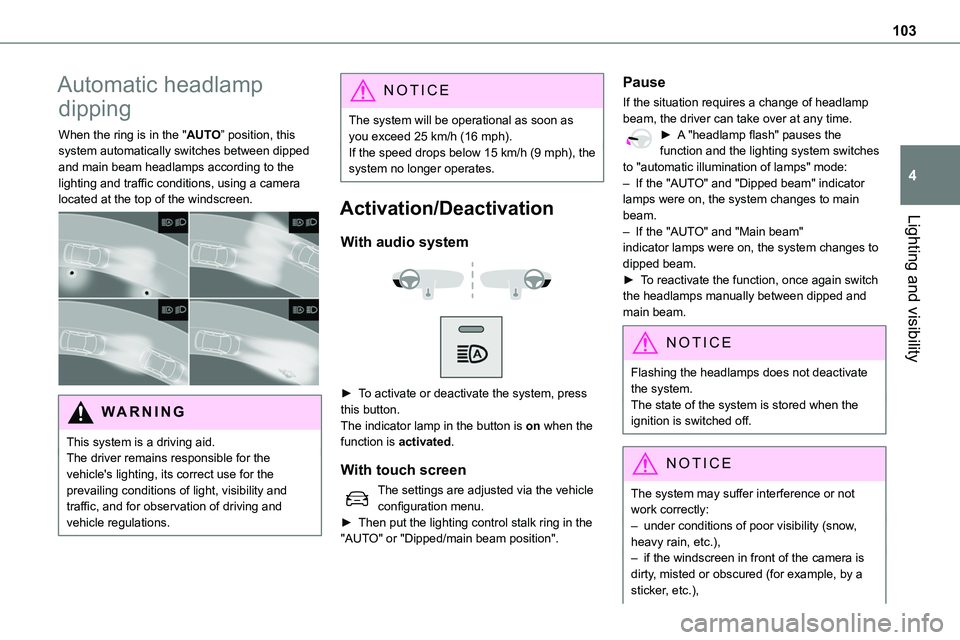
When the ring is in the "AUTO” position, this system automatically switches between dipped and main beam headlamps according to the lighting and traffic conditions, using a camera located at the top of the windscreen.
WARNI NG
This system is a driving aid.The driver remains responsible for the vehicle's lighting, its correct use for the prevailing conditions of light, visibility and traffic, and for observation of driving and vehicle regulations.
NOTIC E
The system will be operational as soon as you exceed 25 km/h (16 mph).If the speed drops below 15 km/h (9 mph), the system no longer operates.
Activation/Deactivation
With audio system
► To activate or deactivate the system, press this button.The indicator lamp in the button is on when the
function is activated.
With touch screen
The settings are adjusted via the vehicle configuration menu.► Then put the lighting control stalk ring in the "AUTO" or "Dipped/main beam position".
Pause
If the situation requires a change of headlamp beam, the driver can take over at any time.► A "headlamp flash" pauses the function and the lighting system switches to "automatic illumination of lamps" mode:– If the "AUTO" and "Dipped beam" indicator lamps were on, the system changes to main beam.
– If the "AUTO" and "Main beam" indicator lamps were on, the system changes to dipped beam.► To reactivate the function, once again switch the headlamps manually between dipped and main beam.
NOTIC E
Flashing the headlamps does not deactivate the system.The state of the system is stored when the ignition is switched off.
NOTIC E
The system may suffer interference or not work correctly:– under conditions of poor visibility (snow,
heavy rain, etc.),– if the windscreen in front of the camera is dirty, misted or obscured (for example, by a sticker, etc.),
Page 104 of 360
104
– if the vehicle is facing highly reflective signs.When the system detects thick fog, it temporarily deactivates the function.The system is not able to detect:– road users that do not have their own lighting, such as pedestrians,– vehicles whose lighting is obscured (for example: vehicles running behind a safety
barrier on a motorway),– vehicles at the top or bottom of a steep slope, on winding roads, on crossroads.
WARNI NG
Clean the windscreen regularly, particularly the area in front of the camera.The internal surface of the windscreen can also become misted around the camera. In humid and cold weather, demist the windscreen regularly.Do not allow snow to accumulate on the bonnet or roof of the vehicle as this could obstruct the detection camera.
Headlamp beam height
adjustment
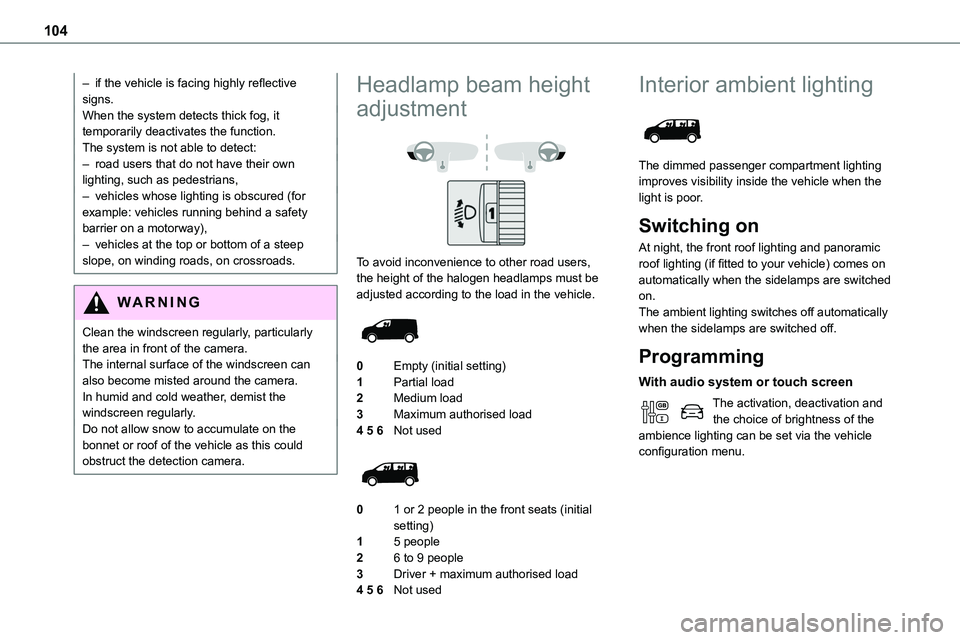
To avoid inconvenience to other road users, the height of the halogen headlamps must be adjusted according to the load in the vehicle.
0Empty (initial setting)
1Partial load
2Medium load
3Maximum authorised load
4 5 6Not used
01 or 2 people in the front seats (initial setting)
15 people
26 to 9 people
3Driver + maximum authorised load
4 5 6Not used
Interior ambient lighting
The dimmed passenger compartment lighting improves visibility inside the vehicle when the light is poor.
Switching on
At night, the front roof lighting and panoramic roof lighting (if fitted to your vehicle) comes on automatically when the sidelamps are switched on.The ambient lighting switches off automatically when the sidelamps are switched off.
Programming
With audio system or touch screen
The activation, deactivation and the choice of brightness of the ambience lighting can be set via the vehicle configuration menu.
Page 107 of 360
107
Lighting and visibility
4
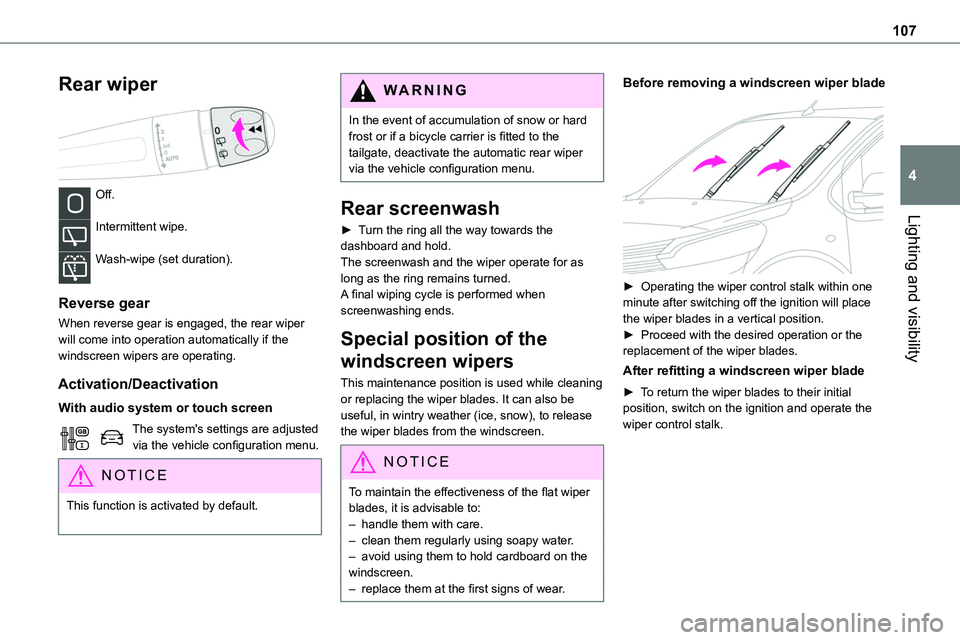
Rear wiper
Off.
Intermittent wipe.
Wash-wipe (set duration).
Reverse gear
When reverse gear is engaged, the rear wiper will come into operation automatically if the windscreen wipers are operating.
Activation/Deactivation
With audio system or touch screen
The system's settings are adjusted via the vehicle configuration menu.
NOTIC E
This function is activated by default.
WARNI NG
In the event of accumulation of snow or hard frost or if a bicycle carrier is fitted to the tailgate, deactivate the automatic rear wiper via the vehicle configuration menu.
Rear screenwash
► Turn the ring all the way towards the dashboard and hold.The screenwash and the wiper operate for as long as the ring remains turned.A final wiping cycle is performed when screenwashing ends.
Special position of the
windscreen wipers
This maintenance position is used while cleaning or replacing the wiper blades. It can also be useful, in wintry weather (ice, snow), to release the wiper blades from the windscreen.
NOTIC E
To maintain the effectiveness of the flat wiper blades, it is advisable to:– handle them with care.
– clean them regularly using soapy water.– avoid using them to hold cardboard on the windscreen.– replace them at the first signs of wear.
Before removing a windscreen wiper blade
► Operating the wiper control stalk within one minute after switching off the ignition will place the wiper blades in a vertical position.► Proceed with the desired operation or the replacement of the wiper blades.
After refitting a windscreen wiper blade
► To return the wiper blades to their initial position, switch on the ignition and operate the wiper control stalk.
Page 166 of 360
166
Stop & Start
The Stop & Start function puts the engine temporarily into standby - STOP mode - during phases when the vehicle is stopped (red lights, queues, etc.). The engine restarts automatically - START mode - as soon as the driver wishes to move off again.Primarily designed for urban use, the function
is intended to reduce fuel consumption and exhaust emissions as well as the noise level when stationary.The function does not affect the functionalities of the vehicle, in particular the braking.
WARNI NG
Driving on flooded roadsBefore entering into a flooded area, it is strongly recommended that you deactivate the Stop & Start system.For more information on Driving recommendations, particularly on flooded roads, refer to the corresponding section.
Deactivation/Reactivation
With audio system
► To deactivate or reactivate the system, press this button.The indicator lamp is lit when the system is deactivated.
With touch screen
The settings are changed via the vehicle configuration menu.
WARNI NG
If the system has been deactivated in STOP mode, the engine restarts immediately.
NOTIC E
The system is reactivated automatically
whenever the engine is started by the driver.
Operation
Main conditions for operation
– The driver’s door must be closed.– The sliding side door must be closed.– The driver's seat belt must be fastened.– The state of charge of the battery must be sufficient.– The temperature of the engine must be within
its nominal operating range.– The outside temperature must be between 0°C and 35°C.
Putting the engine into standby
(STOP mode)
The engine automatically enters standby mode as soon as the driver indicates their intention to stop.With a manual gearbox: at speeds below 12 mph (20 km/h) or with the vehicle stationary (depending on engine), with the gear lever in neutral and the clutch pedal released.With an automatic gearbox: with the brake pedal depressed or the gear selector in position N, with the vehicle stationary.
Time counter
A time counter adds up the time spent in standby during the journey. It is reset to zero every time the ignition is switched on.
Page 169 of 360
169
Driving
6
values read by the wheel's speed sensors can take several minutes.The alert may be delayed at speeds below 25 mph (40 km/h), or when adopting a sporty driving mode.
NOTIC E
The alert is kept active until the system is reinitialised.
Reinitialisation
Reinitialise the system after adjusting one or more tyre pressures and after changing one or more wheels.
WARNI NG
Before reinitialising the system, make sure that the pressures of the four tyres are correct for the conditions of use of the vehicle and conform to the values written on the tyre pressure label.Check the pressures of the four tyres before performing the reinitialisation.The system does not advise if a pressure is incorrect at the time of reinitialisation.
With button
► With the vehicle stationary, press this button for 3 to 10 seconds then release it. Reinitialisation is confirmed by an audible signal.
With audio system or touch screen
With the vehicle stationary, the system is reinitialised via the vehicle configuration menu.
Malfunction
In the event of a malfunction, these warning lamps light up on the instrument panel.
In this case, the tyre under-inflation monitoring function is no longer performed.Have it checked by any authorized Toyota retailer or Toyota authorized repairer, or any reliable repairer.
Driving and manoeuvring
aids - General
recommendations
NOTIC E
Driving and manoeuvring aids cannot, in any circumstances, replace the need for vigilance
on the part of the driver.The driver must comply with the Highway Code, must remain in control of the vehicle in all circumstances and must be able to retake control of it at all times. The driver must adapt the speed to climactic conditions, traffic and the state of the road.It is the driver's responsibility to constantly check the traffic, to assess the relative distances and speeds of other vehicles and to anticipate their movements before indicating and changing lane.The systems cannot exceed the limits of the laws of physics.
NOTIC E
Driving aids
You should hold the steering wheel with both hands, always use the interior and exterior rear view mirrors, always keep the feet close to the pedals and take a break every two hours.
Page 171 of 360
171
Driving
6
NOTIC E
MaintenanceClean the bumpers and door mirrors and the field of vision of the cameras regularly.When washing your vehicle at high pressure, direct the spray from at least 30 cm away from the radar, sensors and cameras.
WARNI NG
MatsThe use of mats not approved by TOYOTA may interfere with the operation of the speed limiter or cruise control.To avoid any risk of jamming the pedals:– Ensure that the mat is secured correctly.– Never fit one mat on top of another.
NOTIC E
Units of speedEnsure that the units of speed displayed on the instrument panel (km/h or mph) are those for the country you are driving in.If this is not the case, when the vehicle is stationary, set the display to the required units of speed so that it complies with what is authorised locally.In case of doubt, contact any authorized Toyota retailer or Toyota authorized repairer, or any reliable repairer.
Head-up display
This system projects various information onto a smoked projection blade situated in the driver's field of vision, enabling them to drive without taking their eyes off the road.
Information displayed
during operation
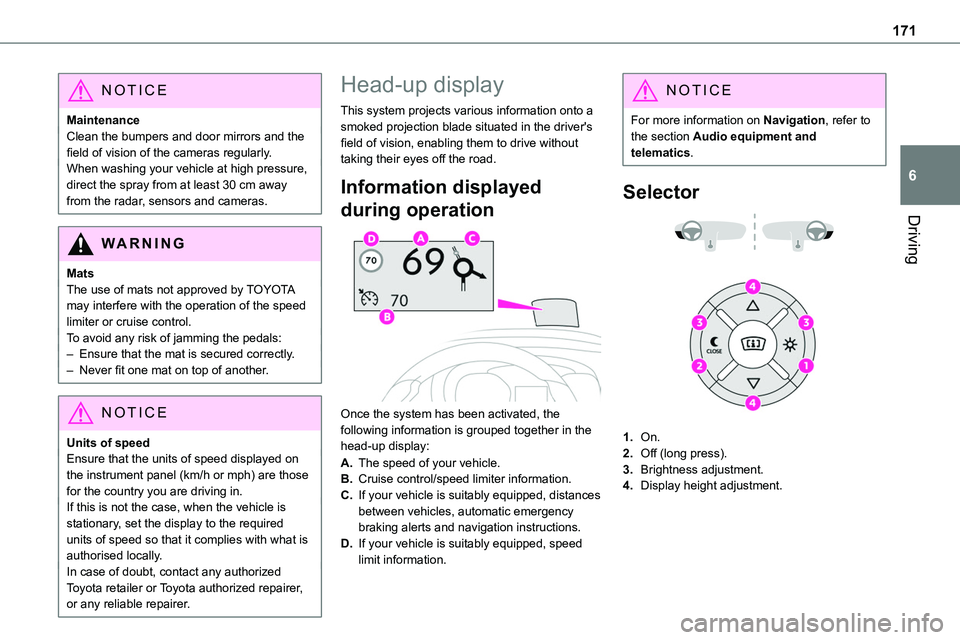
Once the system has been activated, the following information is grouped together in the head-up display:
A.The speed of your vehicle.
B.Cruise control/speed limiter information.
C.If your vehicle is suitably equipped, distances between vehicles, automatic emergency braking alerts and navigation instructions.
D.If your vehicle is suitably equipped, speed limit information.
NOTIC E
For more information on Navigation, refer to the section Audio equipment and telematics.
Selector
1.On.
2.Off (long press).
3.Brightness adjustment.
4.Display height adjustment.
Page 185 of 360
185
Driving
6
WARNI NG
It is possible that warnings are not given, are given too late or seem unjustified.The driver must always stay in control of the vehicle and be prepared to react at any time to avoid an accident.
WARNI NG
Following an impact, the system is automatically deactivated.Have it checked by any authorized Toyota retailer or Toyota authorized repairer, or any reliable repairer.
Collision Risk Alert
This function warns the driver that their vehicle is at risk of a collision with the vehicle in front, or with a pedestrian or cyclist present in their traffic lane.
Modifying the alert trigger threshold
This trigger threshold determines the sensitivity with which the function warns of the risk of collision.The threshold is set via the vehicle
configuration menu with the audio system or touch screen.► Select one of the three pre-defined thresholds: "Far", "Normal" or "Close".
The last threshold selected is memorised when the ignition is switched off.
Operation
Depending on the degree of risk of collision detected by the system and the alert trigger threshold chosen by the driver, several different levels of alert may be triggered and displayed on the instrument panel.
The system takes account of the vehicle dynamics, the speed of your vehicle and the one in front, the environmental conditions and the operation of the vehicle (actions on the pedals, steering wheel, etc.) to trigger the alert at the most relevant moment.Level 1 (orange): visual alert only, warning that the vehicle in front is very close.The message "Vehicle close" is displayed.Level 2 (red): visual and audible alert, warning that a collision is imminent.The message "Brake!" is displayed.
NOTIC E
Where the speed of your vehicle is too high approaching another vehicle, the first level of alert may not be displayed: the level 2 alert may be displayed directly.
Important: the level 1 alert is not displayed when there is a stationary obstacle or when the "Near" trigger threshold has been selected.
Intelligent emergency
braking assistance (iEBA)
If the driver brakes, but not sufficiently to avoid a collision, this system will provide additional braking, within the limits of the laws of physics.This assistance will only be provided if the driver presses the brake pedal.
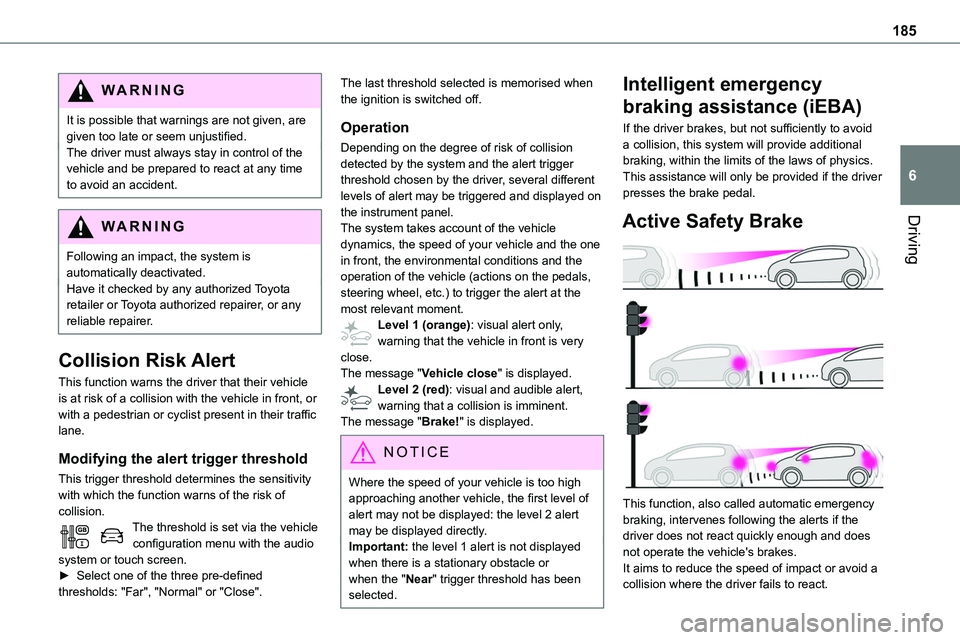
Active Safety Brake
This function, also called automatic emergency braking, intervenes following the alerts if the driver does not react quickly enough and does not operate the vehicle's brakes.It aims to reduce the speed of impact or avoid a collision where the driver fails to react.
Page 187 of 360
187
Driving
6
Detection - Alert
You are alerted by the flashing of this warning lamp in the instrument panel, accompanied by an audible signal.
NOTIC E
No warning is transmitted while the direction indicator is active and for approximately 20 seconds after the direction indicator is switched off.
Activation/Deactivation
With audio system
► To activate or deactivate the system, press this button.The indicator lamp is on when the system is activated.
With touch screen
The settings are changed via the vehicle configuration menu.
Malfunction
Depending on the vehicle’s equipment:The indicator lamp in this button flashes.
or/The button flashes and a fault appears.Consult any authorized Toyota retailer or Toyota authorized repairer, or any reliable repairer.
NOTIC E
Detection may be impeded:– If the markings on the ground are worn and not clearly contrasted against the road surface.– If the windscreen is dirty.– In certain extreme weather conditions: fog, heavy rain, snow, shade, bright sunlight or direct exposure to the sun (e.g. low sun, leaving a tunnel).
Distraction detection
WARNI NG
Refer to the General recommendations on the use of driving and manoeuvring aids.
Depending on version, the function consists of either the "Coffee Break Alert" system alone or combined with the "Driver Attention Alert" system.
WARNI NG
These systems are in no way designed to keep the driver awake or to prevent the driver from falling asleep at the wheel. It is the driver’s responsibility to stop if feeling tired.Take a break in case of feeling tired or at least every 2 hours.
Activation/Deactivation
This function is set via the vehicle configuration menu.The state of the system is memorised when the ignition is switched off.