light TOYOTA PROACE 2023 User Guide
[x] Cancel search | Manufacturer: TOYOTA, Model Year: 2023, Model line: PROACE, Model: TOYOTA PROACE 2023Pages: 360, PDF Size: 70.22 MB
Page 24 of 360
24
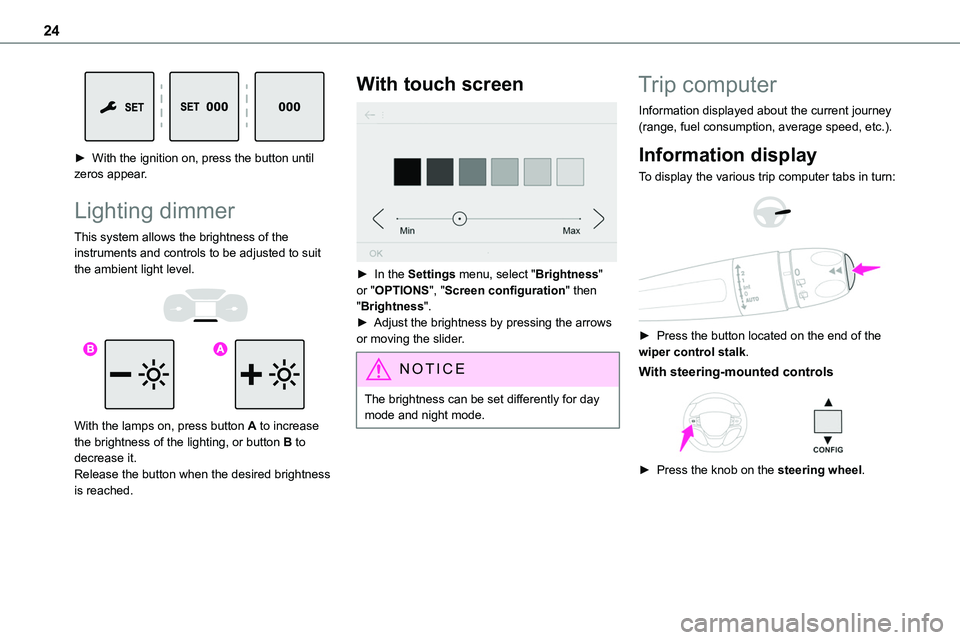
► With the ignition on, press the button until zeros appear.
Lighting dimmer
This system allows the brightness of the instruments and controls to be adjusted to suit the ambient light level.
With the lamps on, press button A to increase the brightness of the lighting, or button B to decrease it.Release the button when the desired brightness is reached.
With touch screen
► In the Settings menu, select "Brightness" or "OPTIONS", "Screen configuration" then "Brightness".► Adjust the brightness by pressing the arrows or moving the slider.
NOTIC E
The brightness can be set differently for day mode and night mode.
Trip computer
Information displayed about the current journey (range, fuel consumption, average speed, etc.).
Information display
To display the various trip computer tabs in turn:
► Press the button located on the end of the wiper control stalk.
With steering-mounted controls
► Press the knob on the steering wheel.
Page 33 of 360
33
Access
2
With the remote control
► Press one this button to unlock the vehicle.
Using the remote control with electric
sliding side door(s)
► To fully unlock the vehicle and open the side door, press and hold this button until the door has opened.
With Smart Entry & Start on your
person
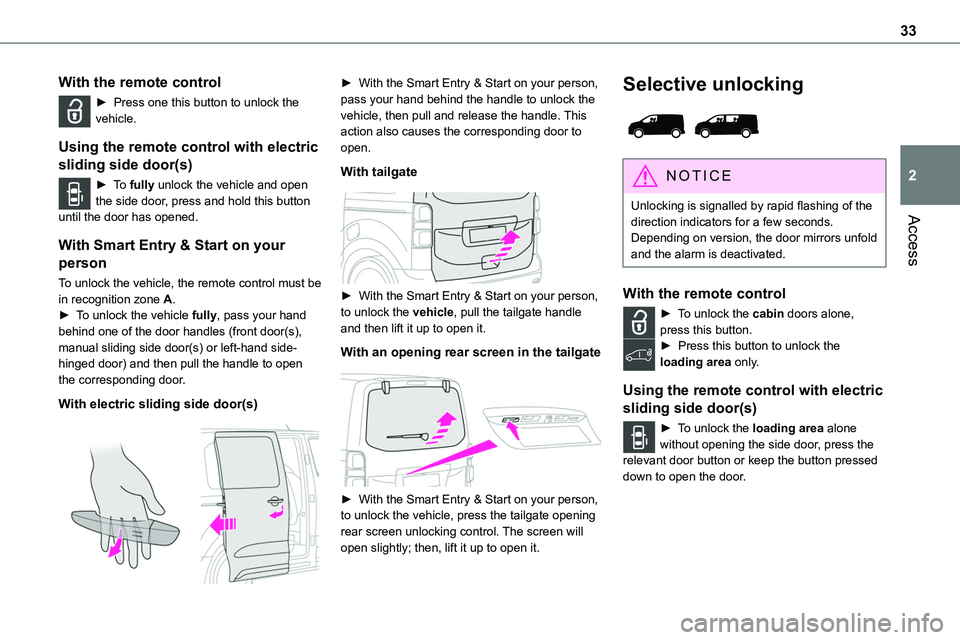
To unlock the vehicle, the remote control must be in recognition zone A.► To unlock the vehicle fully, pass your hand behind one of the door handles (front door(s), manual sliding side door(s) or left-hand side-hinged door) and then pull the handle to open the corresponding door.
With electric sliding side door(s)
► With the Smart Entry & Start on your person, pass your hand behind the handle to unlock the vehicle, then pull and release the handle. This action also causes the corresponding door to open.
With tailgate
► With the Smart Entry & Start on your person, to unlock the vehicle, pull the tailgate handle and then lift it up to open it.
With an opening rear screen in the tailgate
► With the Smart Entry & Start on your person, to unlock the vehicle, press the tailgate opening rear screen unlocking control. The screen will open slightly; then, lift it up to open it.
Selective unlocking
NOTIC E
Unlocking is signalled by rapid flashing of the direction indicators for a few seconds.
Depending on version, the door mirrors unfold and the alarm is deactivated.
With the remote control
► To unlock the cabin doors alone, press this button.► Press this button to unlock the loading area only.
Using the remote control with electric
sliding side door(s)
► To unlock the loading area alone without opening the side door, press the relevant door button or keep the button pressed down to open the door.
Page 35 of 360
35
Access
2
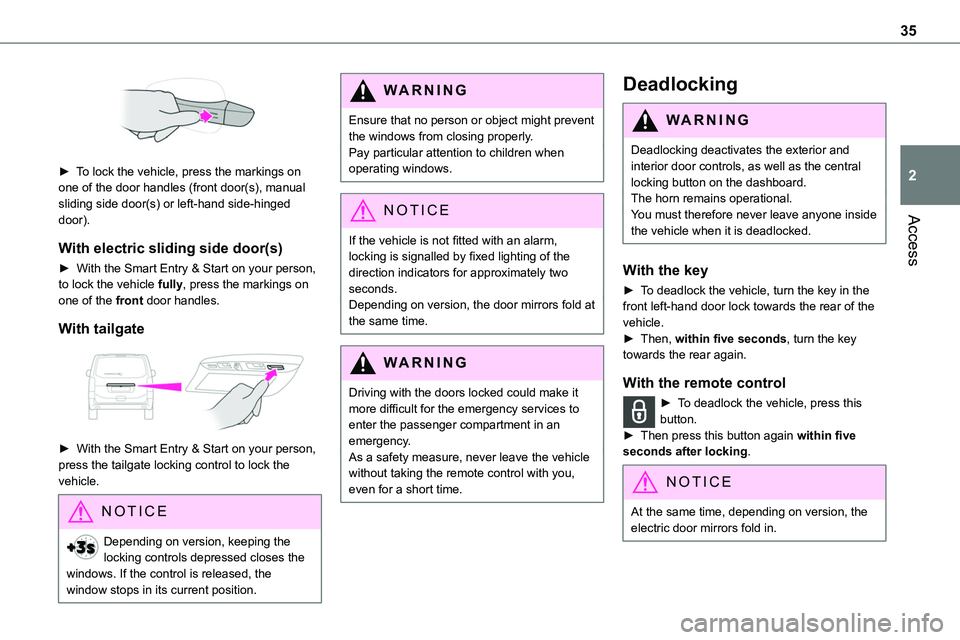
► To lock the vehicle, press the markings on one of the door handles (front door(s), manual sliding side door(s) or left-hand side-hinged door).
With electric sliding side door(s)
► With the Smart Entry & Start on your person, to lock the vehicle fully, press the markings on one of the front door handles.
With tailgate
► With the Smart Entry & Start on your person, press the tailgate locking control to lock the vehicle.
NOTIC E
Depending on version, keeping the locking controls depressed closes the windows. If the control is released, the window stops in its current position.
WARNI NG
Ensure that no person or object might prevent the windows from closing properly.Pay particular attention to children when operating windows.
NOTIC E
If the vehicle is not fitted with an alarm, locking is signalled by fixed lighting of the direction indicators for approximately two seconds. Depending on version, the door mirrors fold at the same time.
WARNI NG
Driving with the doors locked could make it more difficult for the emergency services to enter the passenger compartment in an emergency.As a safety measure, never leave the vehicle without taking the remote control with you, even for a short time.
Deadlocking
WARNI NG
Deadlocking deactivates the exterior and interior door controls, as well as the central locking button on the dashboard.The horn remains operational.You must therefore never leave anyone inside the vehicle when it is deadlocked.
With the key
► To deadlock the vehicle, turn the key in the front left-hand door lock towards the rear of the vehicle.► Then, within five seconds, turn the key towards the rear again.
With the remote control
► To deadlock the vehicle, press this button.► Then press this button again within five seconds after locking.
NOTIC E
At the same time, depending on version, the electric door mirrors fold in.
Page 36 of 360
36
NOTIC E
If the vehicle is not fitted with an alarm, deadlocking is confirmed by fixed illumination of the direction indicators for about two seconds.
With Smart Entry & Start on your
person
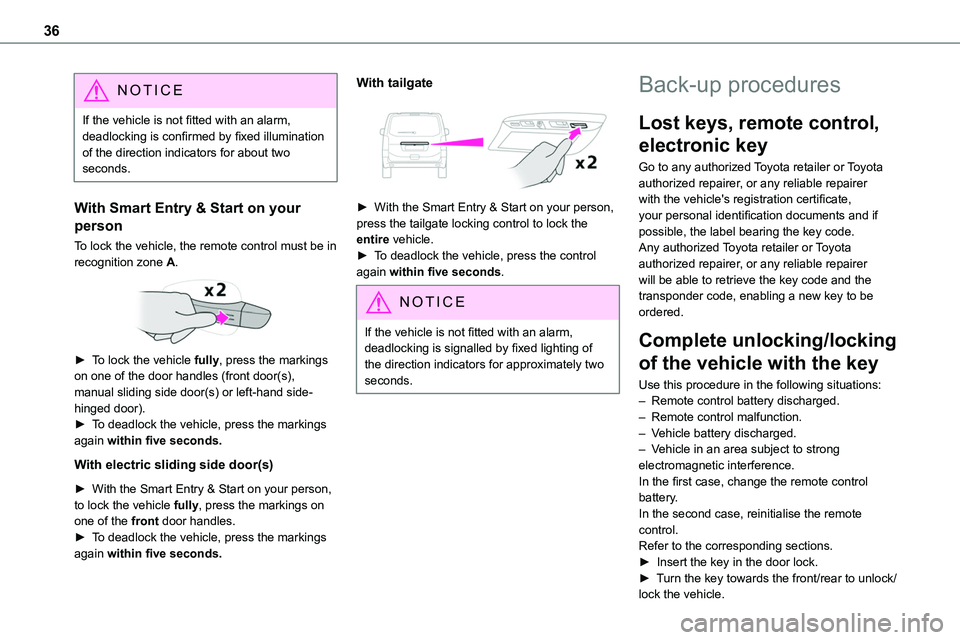
To lock the vehicle, the remote control must be in recognition zone A.
► To lock the vehicle fully, press the markings on one of the door handles (front door(s), manual sliding side door(s) or left-hand side-hinged door).► To deadlock the vehicle, press the markings again within five seconds.
With electric sliding side door(s)
► With the Smart Entry & Start on your person, to lock the vehicle fully, press the markings on one of the front door handles.► To deadlock the vehicle, press the markings again within five seconds.
With tailgate
► With the Smart Entry & Start on your person,
press the tailgate locking control to lock the entire vehicle.► To deadlock the vehicle, press the control again within five seconds.
NOTIC E
If the vehicle is not fitted with an alarm, deadlocking is signalled by fixed lighting of the direction indicators for approximately two seconds.
Back-up procedures
Lost keys, remote control,
electronic key
Go to any authorized Toyota retailer or Toyota authorized repairer, or any reliable repairer with the vehicle's registration certificate, your personal identification documents and if
possible, the label bearing the key code.Any authorized Toyota retailer or Toyota authorized repairer, or any reliable repairer will be able to retrieve the key code and the transponder code, enabling a new key to be ordered.
Complete unlocking/locking
of the vehicle with the key
Use this procedure in the following situations:– Remote control battery discharged.– Remote control malfunction.– Vehicle battery discharged.– Vehicle in an area subject to strong electromagnetic interference.In the first case, change the remote control battery.In the second case, reinitialise the remote control.Refer to the corresponding sections.► Insert the key in the door lock.► Turn the key towards the front/rear to unlock/lock the vehicle.
Page 40 of 360
40
NOTIC E
When transporting an oversized load (tailgate or side-hinged doors open), press the button to lock only the front and rear doors (sliding side door).
NOTIC E
When locking from inside, the door mirrors do not fold.Central locking from the inside does not operate if one of the doors is open (indicated by a mechanical noise coming from the locks).When the tailgate or side-hinged doors are open, only the other doors are locked (the button does not light up).
Automatic (anti-intrusion
security)
The doors and the tailgate or the side-hinged doors can lock automatically while driving (speed
above 6 mph (10 km/h)).To deactivate/reactivate this function (activated by default):
► Press the button until an audible signal is heard and/or a message appears on the screen.
Electric sliding side
door(s)
The exterior and interior door handles and the interior buttons allow the electrically powered movement of the door to be started.
Opening and closing of the doors is accompanied by an audible signal.
Opening
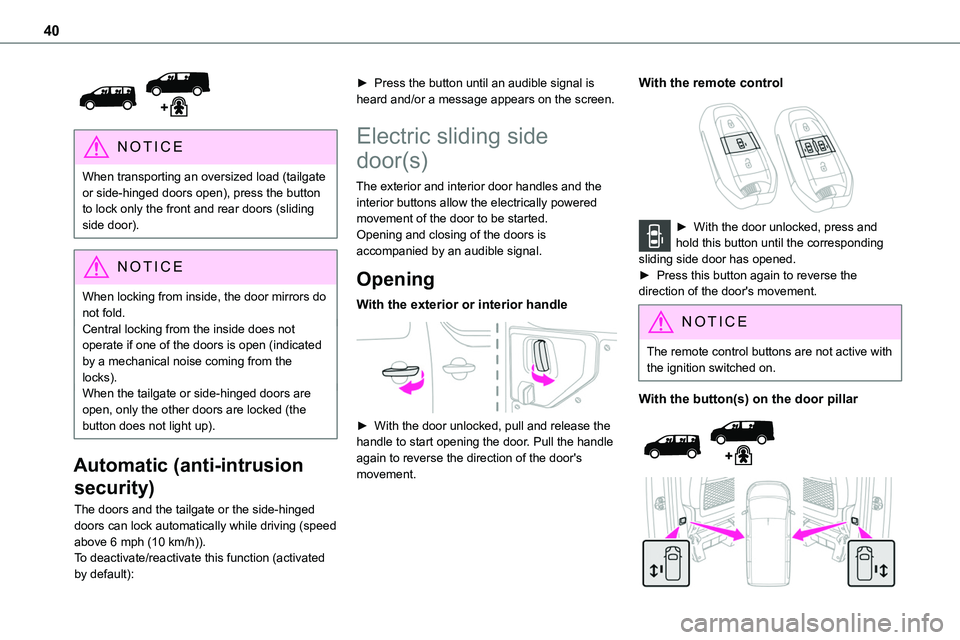
With the exterior or interior handle
► With the door unlocked, pull and release the handle to start opening the door. Pull the handle again to reverse the direction of the door's movement.
With the remote control
► With the door unlocked, press and hold this button until the corresponding sliding side door has opened. ► Press this button again to reverse the direction of the door's movement.
NOTIC E
The remote control buttons are not active with the ignition switched on.
With the button(s) on the door pillar
Page 42 of 360
42
NOTIC E
The button(s) at the front or on the door pillar is not operational and pressing it results in an audible signal, if:– the vehicle is moving,– the child lock is on (activated) (for the buttons on the door pillars),– the vehicle has been locked or deadlocked
from outside (using the key, remote control or Smart Entry & Start, depending on equipment).The button for the left-hand door is not operational and pressing it results in an audible signal if the fuel filler flap is open.
General
recommendations for the
sliding side doors
WARNI NG
Doors must only be operated when the vehicle is stationary.
For your safety and that of your passengers, as well as for correct operation of the doors, you are strongly advised not to drive with a door open.Always check that it is safe to operate the door and in particular, be sure not to leave children or animals near the door controls without supervision.The audible warning, the lighting of the "door open" warning lamp and the message on the screen are there to remind you. Contact any authorized Toyota retailer or Toyota authorized repairer, or any reliable repairer if you want to deactivate this warning.Lock the vehicle when you use an automatic car wash.
WARNI NG
Before opening or closing and while moving doors, ensure that no person, animal or object is in the door frame or any other position that would block the desired movement, inside or outside the vehicle.If this advice is not followed, injuries or damage may occur if any part of a person or
an object is trapped or caught.Electrical door opening is disabled at speeds above 2 mph (3 km/h):– However, if the vehicle started moving while the doors were open, the speed must be reduced below 19 mph (30 km/h) before they can be closed.– Any attempt to open a door electrically using the interior handle while driving results in it only being possible to open the door manually.– This situation is accompanied by the audible warning, the lighting of the "door open" warning lamp and the message on the screen. To release the door and be able to operate it again, it is necessary to stop the vehicle.
Page 43 of 360
43
Access
2
WARNI NG
Take care not to block the guide space on the floor so that the door can slide correctly.For safety and functional reasons, do not drive with the sliding side door open.
NOTIC E
The electric controls are disabled in the event of an impact. Manual opening and closing remain possible.
NOTIC E
While starting the engine, door movements are paused, resuming when the engine is running.
NOTIC E
Depending on the engine fitted, if the door is closed and an opening request is issued in Stop mode of Stop & Start, the door will open slightly and then stop. In Start mode, the door will resume its movement when the engine re-starts.
NOTIC E
To hold the sliding side door in the open position, open the door fully to engage the latch (located at the bottom of the door).
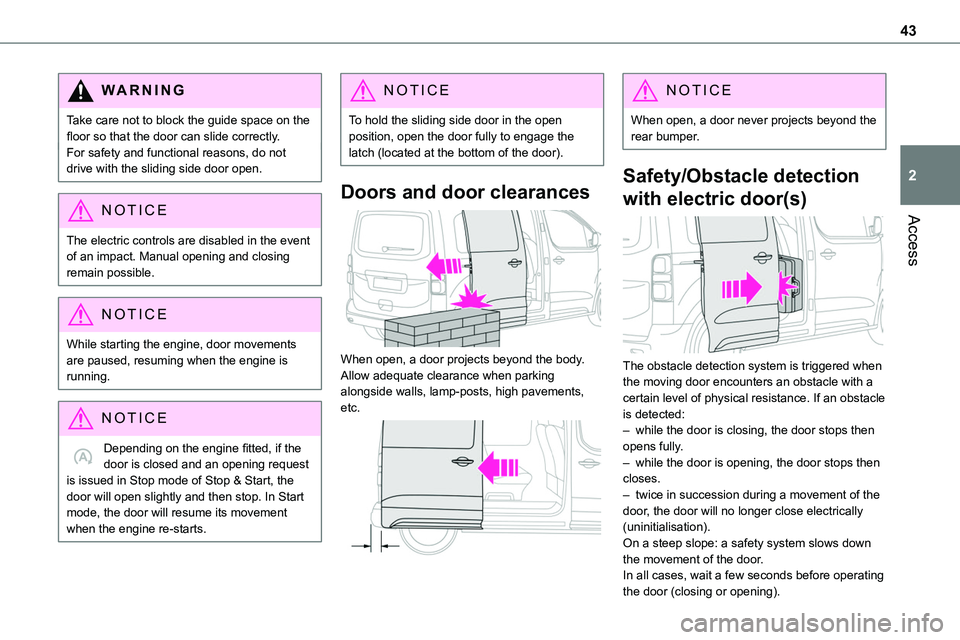
Doors and door clearances
When open, a door projects beyond the body. Allow adequate clearance when parking alongside walls, lamp-posts, high pavements, etc.
NOTIC E
When open, a door never projects beyond the rear bumper.
Safety/Obstacle detection
with electric door(s)
The obstacle detection system is triggered when the moving door encounters an obstacle with a certain level of physical resistance. If an obstacle is detected:– while the door is closing, the door stops then opens fully.– while the door is opening, the door stops then closes.– twice in succession during a movement of the door, the door will no longer close electrically (uninitialisation).On a steep slope: a safety system slows down the movement of the door.In all cases, wait a few seconds before operating
the door (closing or opening).
Page 47 of 360
47
Access
2
If the left-hand side-hinged door is not properly closed, the "door open" warning lamp lights up (the right-hand door is not detected). For more information on the List of warning lamps and, in particular, the door open warning, refer to the corresponding section.
Opening to
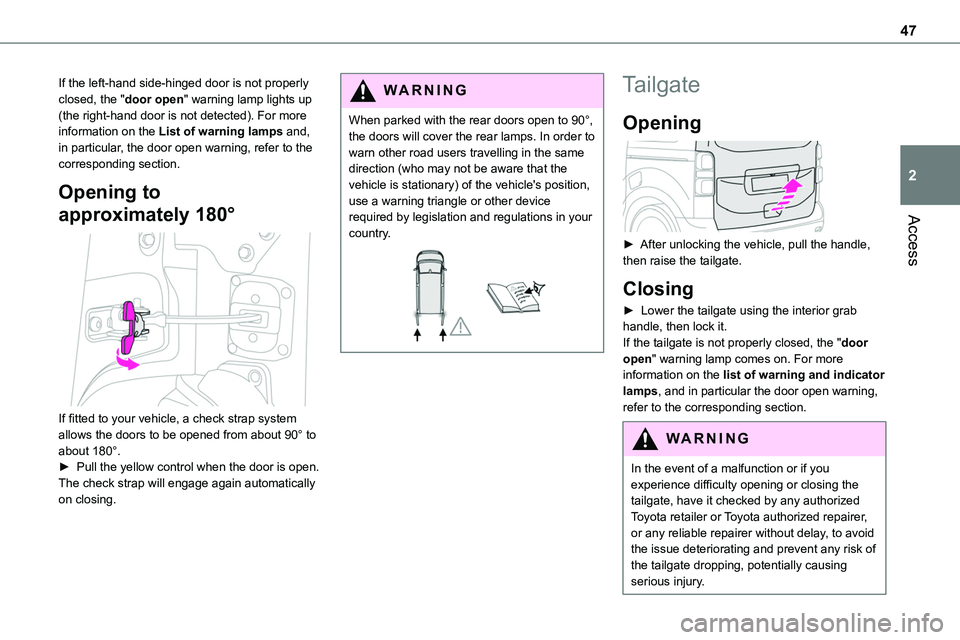
approximately 180°
If fitted to your vehicle, a check strap system allows the doors to be opened from about 90° to about 180°.► Pull the yellow control when the door is open.The check strap will engage again automatically on closing.
WARNI NG
When parked with the rear doors open to 90°, the doors will cover the rear lamps. In order to warn other road users travelling in the same direction (who may not be aware that the vehicle is stationary) of the vehicle's position, use a warning triangle or other device required by legislation and regulations in your
country.
Tailgate
Opening
► After unlocking the vehicle, pull the handle, then raise the tailgate.
Closing
► Lower the tailgate using the interior grab handle, then lock it.If the tailgate is not properly closed, the "door open" warning lamp comes on. For more information on the list of warning and indicator lamps, and in particular the door open warning, refer to the corresponding section.
WARNI NG
In the event of a malfunction or if you experience difficulty opening or closing the tailgate, have it checked by any authorized Toyota retailer or Toyota authorized repairer, or any reliable repairer without delay, to avoid the issue deteriorating and prevent any risk of the tailgate dropping, potentially causing serious injury.
Page 49 of 360
49
Access
2
Locking the vehicle with full
alarm system
Activation
► Switch off the ignition and exit the vehicle.► Lock or deadlock the vehicle using the remote control or with the "Smart Entry & Start" system.
When the monitoring system is active, the red indicator lamp in the button flashes once per second and the direction indicators come on for about 2 seconds.The exterior perimeter monitoring is activated after 5 seconds and the interior volumetric monitoring after 45 seconds.
WARNI NG
If an opening (door, tailgate/side-hinged doors or bonnet) is not properly closed, the vehicle is not locked, but the exterior perimeter monitoring will be activated after 45 seconds, at the same time as the interior volumetric monitoring.
Deactivation
► Press the remote control unlocking
button.or► Unlock the vehicle with the Smart Entry & Start system.
The monitoring system is deactivated: the indicator lamp in the button goes off and the direction indicators flash for about 2 seconds.
NOTIC E
When the vehicle automatically locks itself again (as happens if a door or the boot is not opened within 30 seconds of unlocking), the monitoring system is also reactivated automatically.
Triggering of the alarm
This is indicated by sounding of the siren and flashing of the direction indicators for 30 seconds.The monitoring functions remain active until the alarm has been triggered ten times in succession.When the vehicle is unlocked, rapid flashing of the indicator lamp in the button indicates that the alarm was triggered during your absence. When the ignition is switched on, this flashing stops immediately.
Locking the vehicle
with exterior perimeter
monitoring only
Deactivate the interior volumetric monitoring to avoid the unwanted triggering of the alarm, in certain cases such as:
– Slightly open window.– Washing the vehicle.– Changing a wheel.– Towing the vehicle.– Transport on a ship or ferry.
Deactivating interior volumetric
monitoring
► Switch off the ignition and within 10 seconds
press the alarm button until the indicator lamp is on fixed.► Exit the vehicle.► Immediately lock the vehicle using the remote control or the "Smart Entry & Start" system.Only exterior perimeter monitoring is activated; the red indicator lamp in the button flashes every second.To take effect, this deactivation must be performed whenever the ignition is switched off.
Reactivating interior volumetric
monitoring
► Deactivate exterior perimeter monitoring by unlocking the vehicle using the remote control or the "Smart Entry & Start" system.The indicator lamp in the button goes off.► Reactivate the full alarm system by locking the vehicle using the remote control or the "Smart Entry & Start" system.The red indicator lamp in the button once again flashes every second.
Page 50 of 360
50
Locking the vehicle without
activating the alarm
► Lock or deadlock the vehicle using the key (integral to the remote control) in the driver's door lock.
Failure of the remote control
To deactivate the monitoring functions:
► unlock the vehicle using the key (integral to the remote control) in the driver's door lock,► open the door; the alarm is triggered,► switch on the ignition; the alarm stops; the indicator lamp in the button goes off.
Malfunction
When the ignition is switched on, the fixed lighting of the red indicator lamp in the button indicates a system malfunction.Have it checked by any authorized Toyota retailer or Toyota authorized repairer, or any reliable repairer.
Automatic activation
(Depending on the country of sale)The system is activated automatically 2 minutes after the last door or the boot is closed.► To avoid triggering the alarm on entering the vehicle, first press the unlocking button on the remote control or unlock the vehicle using the “Smart Entry & Start” system.
Electric windows
1.Left-hand electric window control.
2.Right-hand electric window control.
Operation
► To open/close the window manually, press/pull the switch without passing the point of resistance; the window stops as soon as the switch is released.► To open/close the window automatically, press/pull the switch fully, beyond the point of resistance; the window opens/closes completely when the switch is released (pressing the switch again stops the movement of the window).
NOTIC E
The electric window controls remain operational for about 45 seconds after the ignition is switched off if the front doors are not open.After that time, the controls are disabled. To reactivate them, switch the ignition on again.
Safety anti-pinch
If your vehicle is fitted with the safety anti-pinch function, when the window rises and meets an obstacle, it stops and partially lowers.In the event of unwanted opening of the window on closing, press the control until the window opens completely. Within 4 seconds, pull the control until the window closes.The safety anti-pinch does not operate while
doing this.
Reinitialising the electric
windows
After reconnecting the battery, or in the event of abnormal window movement, the anti-pinch function must be reinitialised.The anti-pinch function is disabled during the following sequence of operations.For each window:► Lower the window fully, then raise it; it will rise in steps of a few centimetres each time the control is pressed. Repeat the operation until the window is fully closed.► Continue to pull the control for at least one second after the window reaches the closed position.