ignition TOYOTA PROACE 2023 Owner's Manual
[x] Cancel search | Manufacturer: TOYOTA, Model Year: 2023, Model line: PROACE, Model: TOYOTA PROACE 2023Pages: 360, PDF Size: 70.22 MB
Page 46 of 360
46
NOTIC E
If the "Hands-free tailgate access self-locking" option is selected in the vehicle menu and after closing the door, check that the vehicle is properly locked.Locking will not take place:– if the ignition is on,– if one of the doors or the tailgate is open,
– if a "Smart Entry & Start" remote control is inside the vehicle. If a number of gestures with your foot have no effect, wait a few seconds before starting again.The system is automatically deactivated in heavy rain or with accumulations of snow.If it does not work, make sure that the remote control is not exposed to a source of electromagnetic interference (smartphone, etc.).Operation may be affected if using a prosthetic leg.This system may not work correctly if your vehicle is fitted with a towbar.
NOTIC E
The side door may open or close without warning if: – Your vehicle is fitted with a towbar.– A trailer is coupled or decoupled.– A bicycle carrier is installed or removed.– Bicycles are loaded on to or unloaded from the bicycle carrier.
– Something is deposited or lifted behind the vehicle.– An animal approaches the bumper,– The vehicle is washed.– The vehicle is being serviced.– A wheel is changed. To avoid any sudden operation, keep the key away from the detection zone (also from the boot’s interior sides) or deactivate the function in the vehicle configuration menu.
W ARNI NG
Ensure that no person or object might prevent the correct opening or closing of the doors.Be aware of children when operating the doors.
Side-hinged rear doors
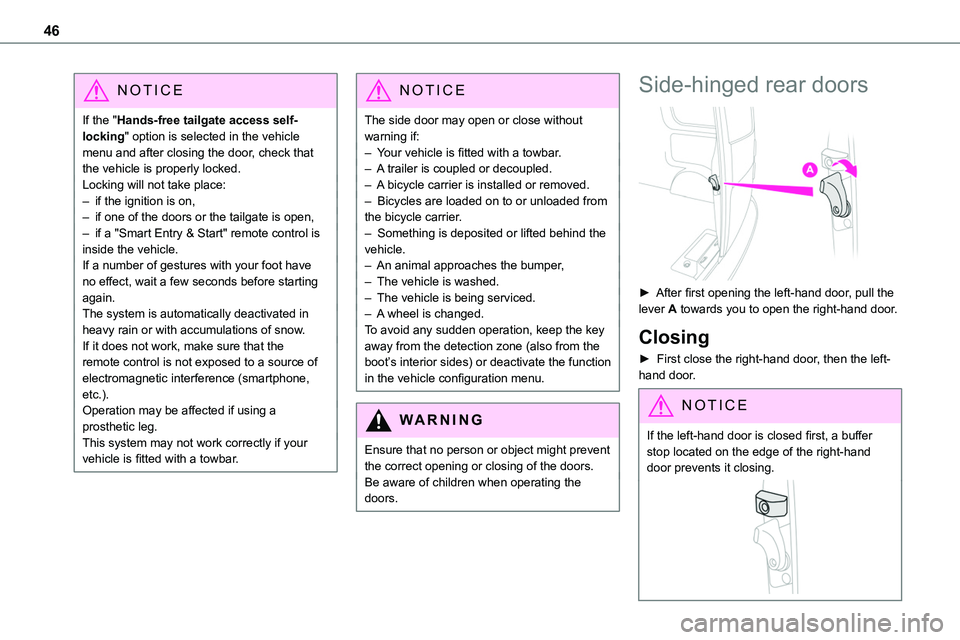
► After first opening the left-hand door, pull the lever A towards you to open the right-hand door.
Closing
► First close the right-hand door, then the left-hand door.
NOTIC E
If the left-hand door is closed first, a buffer stop located on the edge of the right-hand door prevents it closing.
Page 49 of 360
49
Access
2
Locking the vehicle with full
alarm system
Activation
► Switch off the ignition and exit the vehicle.► Lock or deadlock the vehicle using the remote control or with the "Smart Entry & Start" system.
When the monitoring system is active, the red indicator lamp in the button flashes once per second and the direction indicators come on for about 2 seconds.The exterior perimeter monitoring is activated after 5 seconds and the interior volumetric monitoring after 45 seconds.
WARNI NG
If an opening (door, tailgate/side-hinged doors or bonnet) is not properly closed, the vehicle is not locked, but the exterior perimeter monitoring will be activated after 45 seconds, at the same time as the interior volumetric monitoring.
Deactivation
► Press the remote control unlocking
button.or► Unlock the vehicle with the Smart Entry & Start system.
The monitoring system is deactivated: the indicator lamp in the button goes off and the direction indicators flash for about 2 seconds.
NOTIC E
When the vehicle automatically locks itself again (as happens if a door or the boot is not opened within 30 seconds of unlocking), the monitoring system is also reactivated automatically.
Triggering of the alarm
This is indicated by sounding of the siren and flashing of the direction indicators for 30 seconds.The monitoring functions remain active until the alarm has been triggered ten times in succession.When the vehicle is unlocked, rapid flashing of the indicator lamp in the button indicates that the alarm was triggered during your absence. When the ignition is switched on, this flashing stops immediately.
Locking the vehicle
with exterior perimeter
monitoring only
Deactivate the interior volumetric monitoring to avoid the unwanted triggering of the alarm, in certain cases such as:
– Slightly open window.– Washing the vehicle.– Changing a wheel.– Towing the vehicle.– Transport on a ship or ferry.
Deactivating interior volumetric
monitoring
► Switch off the ignition and within 10 seconds
press the alarm button until the indicator lamp is on fixed.► Exit the vehicle.► Immediately lock the vehicle using the remote control or the "Smart Entry & Start" system.Only exterior perimeter monitoring is activated; the red indicator lamp in the button flashes every second.To take effect, this deactivation must be performed whenever the ignition is switched off.
Reactivating interior volumetric
monitoring
► Deactivate exterior perimeter monitoring by unlocking the vehicle using the remote control or the "Smart Entry & Start" system.The indicator lamp in the button goes off.► Reactivate the full alarm system by locking the vehicle using the remote control or the "Smart Entry & Start" system.The red indicator lamp in the button once again flashes every second.
Page 50 of 360
50
Locking the vehicle without
activating the alarm
► Lock or deadlock the vehicle using the key (integral to the remote control) in the driver's door lock.
Failure of the remote control
To deactivate the monitoring functions:
► unlock the vehicle using the key (integral to the remote control) in the driver's door lock,► open the door; the alarm is triggered,► switch on the ignition; the alarm stops; the indicator lamp in the button goes off.
Malfunction
When the ignition is switched on, the fixed lighting of the red indicator lamp in the button indicates a system malfunction.Have it checked by any authorized Toyota retailer or Toyota authorized repairer, or any reliable repairer.
Automatic activation
(Depending on the country of sale)The system is activated automatically 2 minutes after the last door or the boot is closed.► To avoid triggering the alarm on entering the vehicle, first press the unlocking button on the remote control or unlock the vehicle using the “Smart Entry & Start” system.
Electric windows
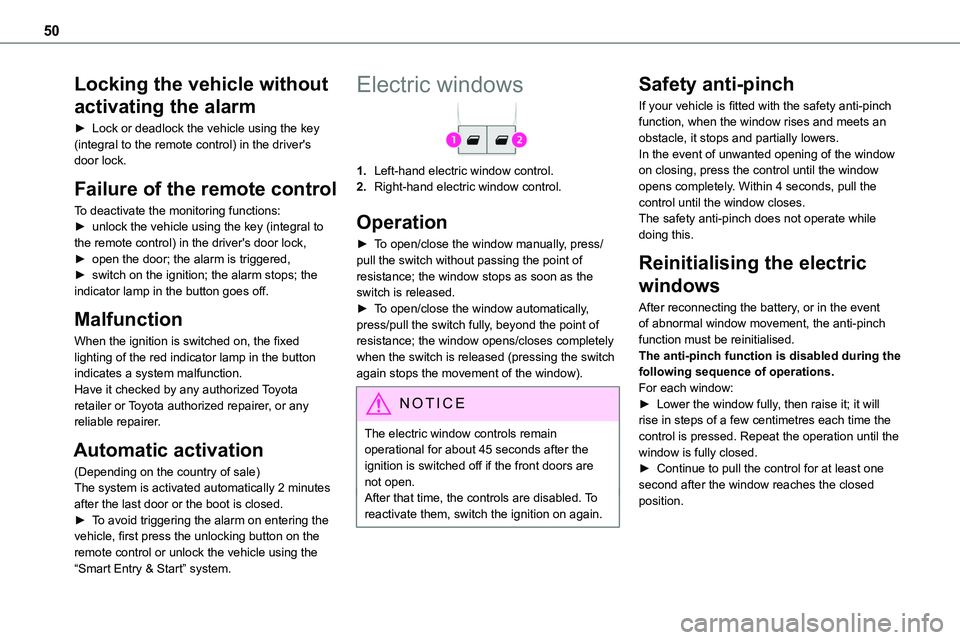
1.Left-hand electric window control.
2.Right-hand electric window control.
Operation
► To open/close the window manually, press/pull the switch without passing the point of resistance; the window stops as soon as the switch is released.► To open/close the window automatically, press/pull the switch fully, beyond the point of resistance; the window opens/closes completely when the switch is released (pressing the switch again stops the movement of the window).
NOTIC E
The electric window controls remain operational for about 45 seconds after the ignition is switched off if the front doors are not open.After that time, the controls are disabled. To reactivate them, switch the ignition on again.
Safety anti-pinch
If your vehicle is fitted with the safety anti-pinch function, when the window rises and meets an obstacle, it stops and partially lowers.In the event of unwanted opening of the window on closing, press the control until the window opens completely. Within 4 seconds, pull the control until the window closes.The safety anti-pinch does not operate while
doing this.
Reinitialising the electric
windows
After reconnecting the battery, or in the event of abnormal window movement, the anti-pinch function must be reinitialised.The anti-pinch function is disabled during the following sequence of operations.For each window:► Lower the window fully, then raise it; it will rise in steps of a few centimetres each time the control is pressed. Repeat the operation until the window is fully closed.► Continue to pull the control for at least one second after the window reaches the closed position.
Page 57 of 360
57
Ease of use and comfort
3
Manual folding
The mirrors can be folded manually (parking obstruction, narrow garage, etc.).► Turn the mirror towards the vehicle.
Electric folding
Depending on equipment, the mirrors can be folded electrically, when the vehicle is parked.
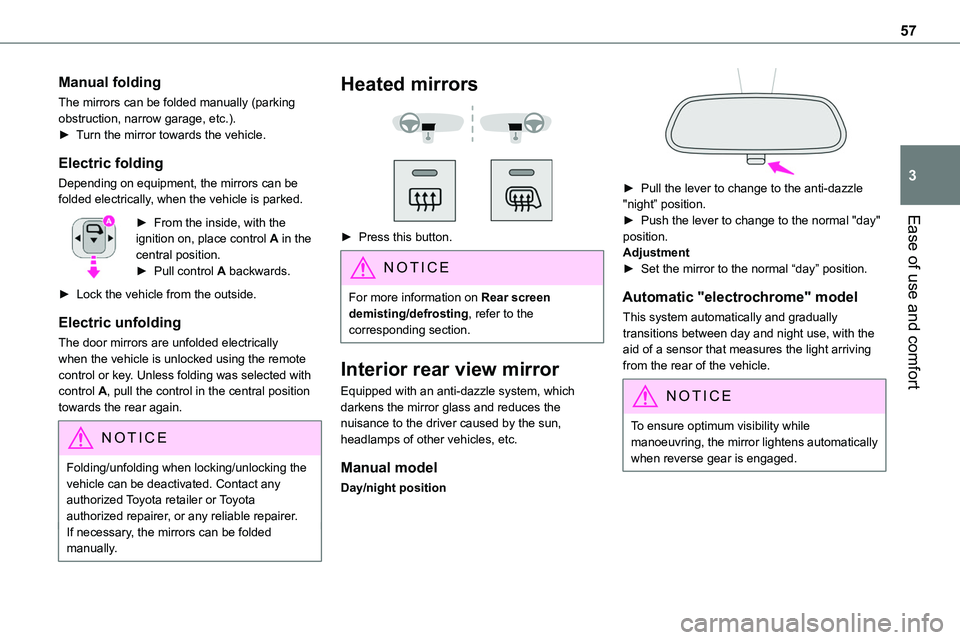
► From the inside, with the ignition on, place control A in the central position.► Pull control A backwards.
► Lock the vehicle from the outside.
Electric unfolding
The door mirrors are unfolded electrically when the vehicle is unlocked using the remote control or key. Unless folding was selected with control A, pull the control in the central position towards the rear again.
NOTIC E
Folding/unfolding when locking/unlocking the vehicle can be deactivated. Contact any authorized Toyota retailer or Toyota authorized repairer, or any reliable repairer.If necessary, the mirrors can be folded manually.
Heated mirrors
► Press this button.
NOTIC E
For more information on Rear screen demisting/defrosting, refer to the corresponding section.
Interior rear view mirror
Equipped with an anti-dazzle system, which darkens the mirror glass and reduces the nuisance to the driver caused by the sun, headlamps of other vehicles, etc.
Manual model
Day/night position
► Pull the lever to change to the anti-dazzle "night” position.► Push the lever to change to the normal "day" position.Adjustment► Set the mirror to the normal “day” position.
Automatic "electrochrome" model
This system automatically and gradually transitions between day and night use, with the aid of a sensor that measures the light arriving from the rear of the vehicle.
NOTIC E
To ensure optimum visibility while manoeuvring, the mirror lightens automatically when reverse gear is engaged.
Page 96 of 360
96
A/C preconditioning
(Electric)
This function allows you to programme the temperature in the passenger compartment to reach a pre-defined, non-modifiable temperature (approx. 21°C) before you enter the vehicle, on the days and at the times of your choice.This function is available when the vehicle is
connected or not connected.
Programming
With Bluetooth® audio system
Temperature pre-conditioning is not available with the Bluetooth® audio system.
With TOYOTA Pro Touch or TOYOTA Pro Touch with navigation system
Programming can be carried out from a smartphone using the MyToyota application (Available soon).For more information on the Remotely-operable functions, refer to the corresponding section.
With TOYOTA Pro Touch with navigation system
In the Applications menu:
Press "Car Apps" to display the applications home page.Select Temperature conditioning.
► Press + to add a programme.
► Select the time of entry into the vehicle and the desired days. Press OK.► Press ON to activate this programme.The temperature pre-conditioning sequence begins approximately 45 minutes before the programmed time when the vehicle is connected (20 minutes when it is not connected) and is maintained for 10 minutes after.
NOTIC E
You can set multiple programmes.Each one is saved in the system.To optimise the driving range, we recommend starting a programme while the vehicle is connected.
NOTIC E
The fan noise that occurs during temperature pre-conditioning is perfectly normal.
Operating conditions
– The function is only activated when the ignition is switched off and the vehicle locked.– When the vehicle is not connected, the function is only activated if the battery charge level is greater than 50%.– When the vehicle is not connected and a recurring programme is active (e.g. from Monday
to Friday), if two temperature pre-conditioning sequences are run without the vehicle being used, the programme will be deactivated.
Courtesy lamp(s)
Front: comes on when one of the front or rear doors is opened (sliding side door and depending on equipment, left-hand side-hinged door or tailgate).Rear or row 2 and row 3: comes on when one of the rear doors is opened (sliding side door and depending on equipment, left-hand side-hinged door or tailgate).Always lit, ignition on.
Always off.
Page 97 of 360
97
Ease of use and comfort
3
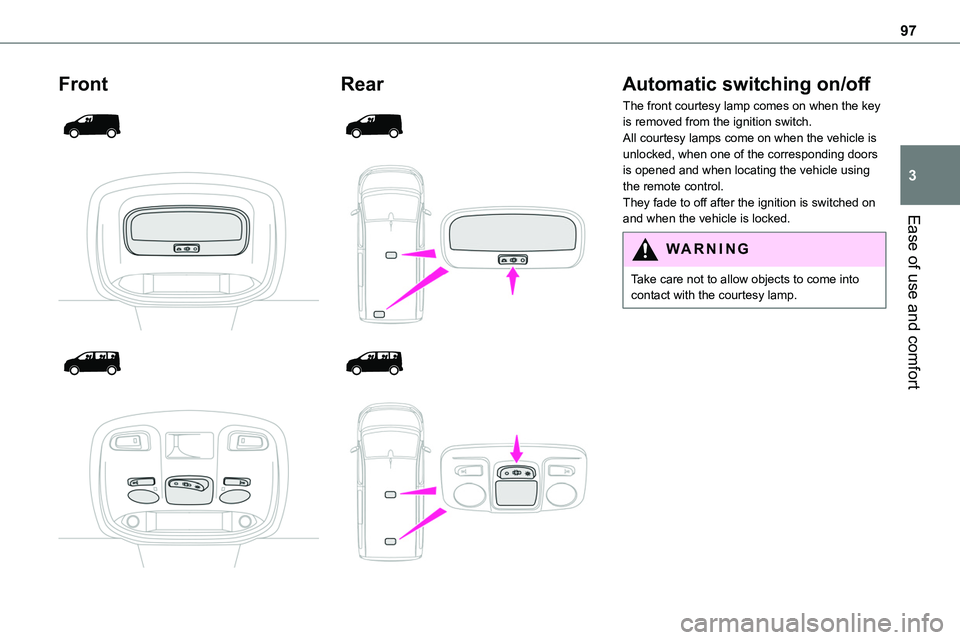
Front
Rear
Automatic switching on/off
The front courtesy lamp comes on when the key is removed from the ignition switch.All courtesy lamps come on when the vehicle is unlocked, when one of the corresponding doors is opened and when locating the vehicle using the remote control. They fade to off after the ignition is switched on and when the vehicle is locked.
WARNI NG
Take care not to allow objects to come into contact with the courtesy lamp.
Page 98 of 360
98
Individual reading lamp
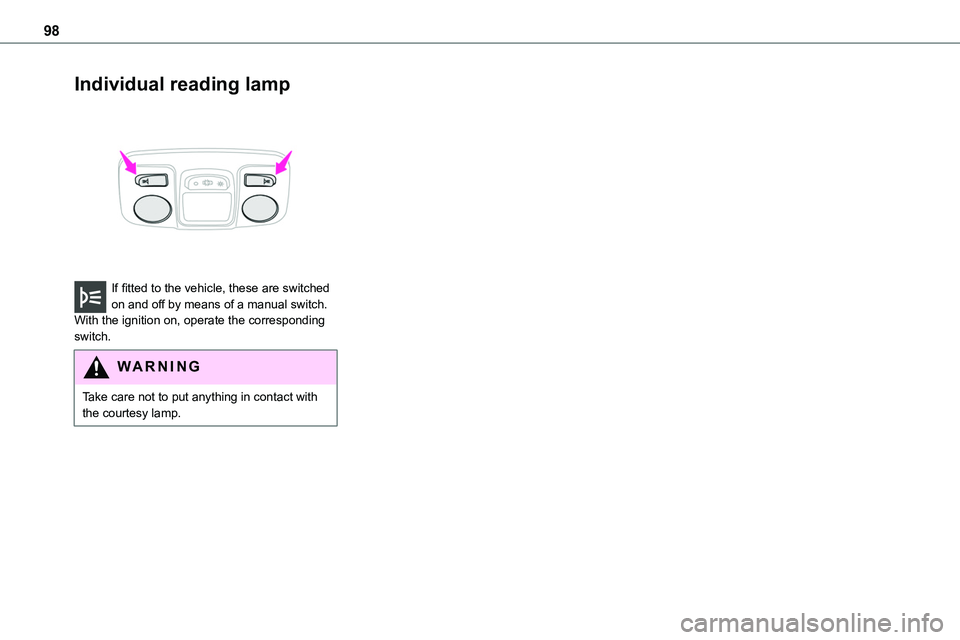
If fitted to the vehicle, these are switched on and off by means of a manual switch.With the ignition on, operate the corresponding switch.
WARNI NG
Take care not to put anything in contact with the courtesy lamp.
Page 99 of 360
99
Lighting and visibility
4
Lighting control lever
Main lighting
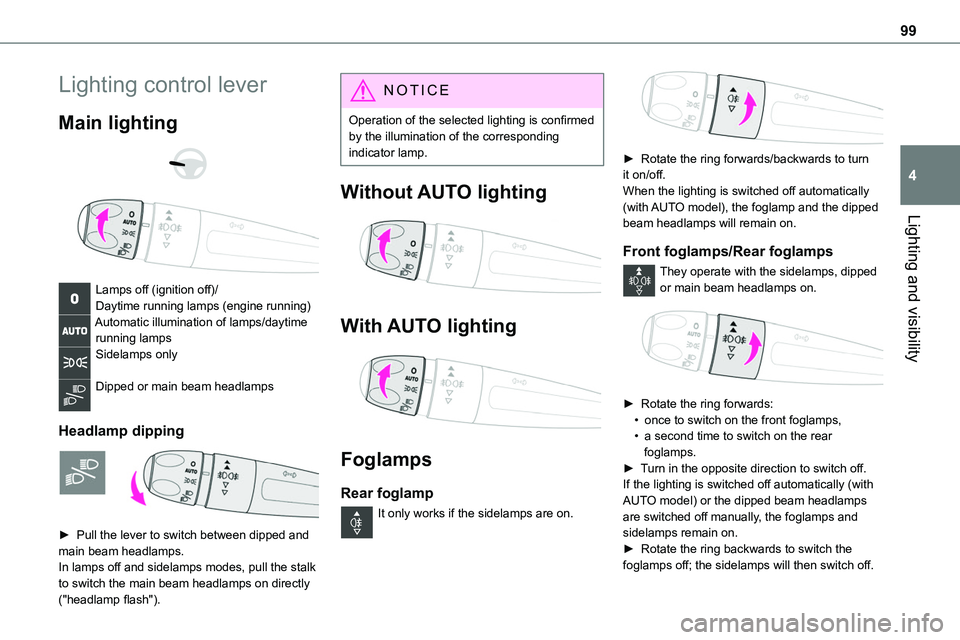
Lamps off (ignition off)/Daytime running lamps (engine running)Automatic illumination of lamps/daytime running lampsSidelamps only
Dipped or main beam headlamps
Headlamp dipping
► Pull the lever to switch between dipped and main beam headlamps.In lamps off and sidelamps modes, pull the stalk to switch the main beam headlamps on directly ("headlamp flash").
NOTIC E
Operation of the selected lighting is confirmed by the illumination of the corresponding indicator lamp.
Without AUTO lighting
With AUTO lighting
Foglamps
Rear foglamp
It only works if the sidelamps are on.
► Rotate the ring forwards/backwards to turn it on/off.When the lighting is switched off automatically (with AUTO model), the foglamp and the dipped beam headlamps will remain on.
Front foglamps/Rear foglamps
They operate with the sidelamps, dipped or main beam headlamps on.
► Rotate the ring forwards:• once to switch on the front foglamps,• a second time to switch on the rear foglamps.► Turn in the opposite direction to switch off.If the lighting is switched off automatically (with AUTO model) or the dipped beam headlamps are switched off manually, the foglamps and sidelamps remain on.
► Rotate the ring backwards to switch the foglamps off; the sidelamps will then switch off.
Page 100 of 360
100
WARNI NG
Switching on the foglamps is prohibited in clear weather or in rain, both day and night. In these situations, the power of their beams may dazzle other drivers. They must only be used in fog or falling snow (rules may vary depending on country).Do not forget to switch off the foglamps when
they are no longer necessary.
NOTIC E
Switching on the lamps after switching off the ignitionTo reactivate the lighting control, rotate the ring to the "0" position - lamps off, then to the desired position.If the driver's door is opened, a temporary audible signal warns the driver that the lamps are on.They will go off automatically after a period of time that depends on the level of charge in the battery (entering energy economy mode).
NOTIC E
Switching off of the lamps when the ignition is switched offWhen the ignition is switched off, all of the lamps turn off immediately, except for dipped beam headlamps if automatic guide-me-home lighting is activated.
NOTIC E
In some weather conditions (e.g. low temperature or humidity), misting on the internal surface of the glass of the headlamps and rear lamps is normal, and will disappear after the lamps have been on for a few minutes.
NOTIC E
Travelling abroadIf planning to use your vehicle in a country that drives on the other side of the road, the dipped beam headlamps must be adjusted to avoid dazzling oncoming drivers.Contact any authorized Toyota retailer or Toyota authorized repairer, or any reliable repairer.
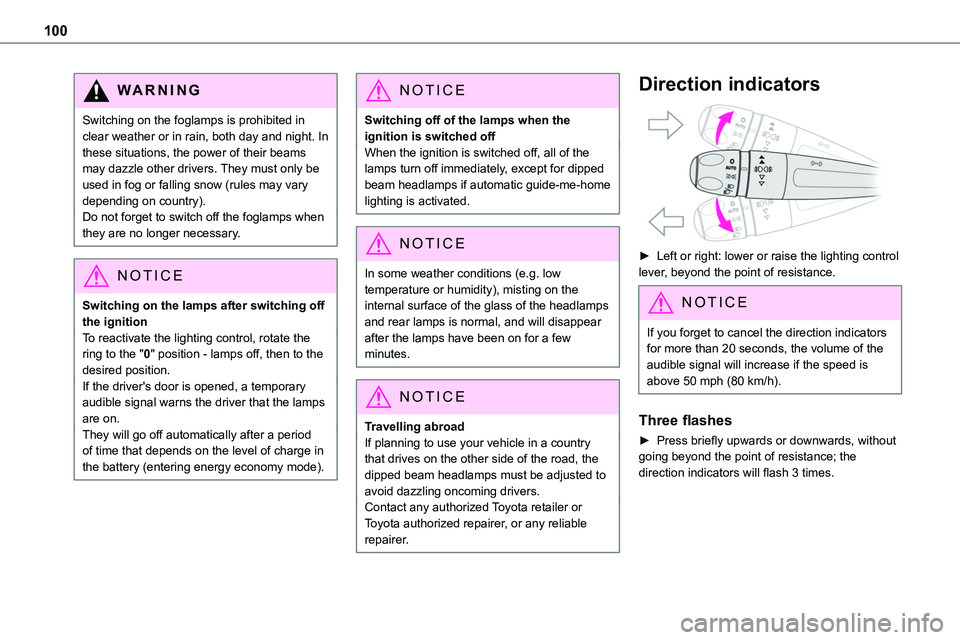
Direction indicators
► Left or right: lower or raise the lighting control lever, beyond the point of resistance.
NOTIC E
If you forget to cancel the direction indicators for more than 20 seconds, the volume of the audible signal will increase if the speed is above 50 mph (80 km/h).
Three flashes
► Press briefly upwards or downwards, without going beyond the point of resistance; the direction indicators will flash 3 times.
Page 101 of 360
101
Lighting and visibility
4
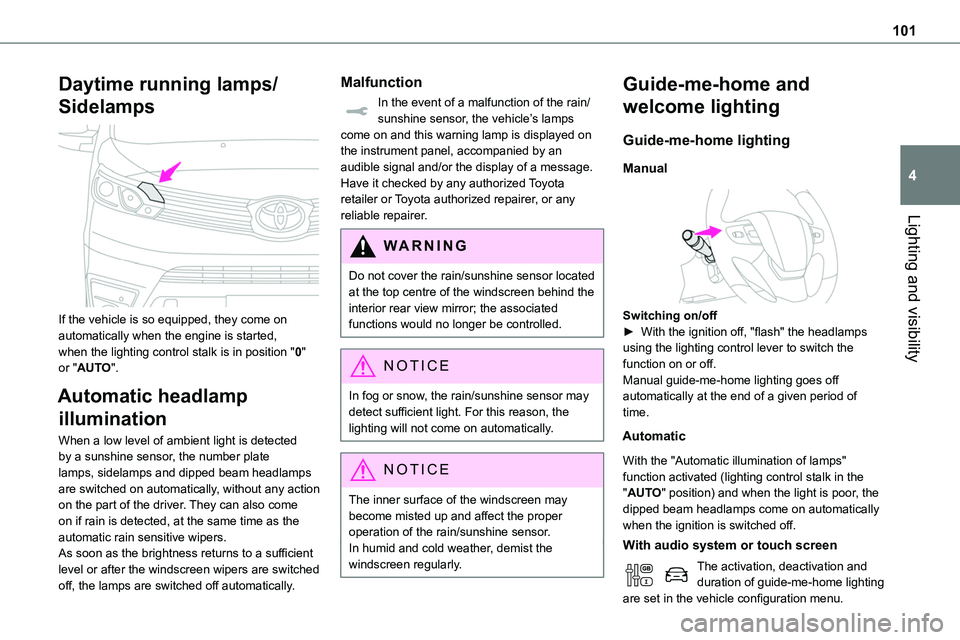
Daytime running lamps/
Sidelamps
If the vehicle is so equipped, they come on automatically when the engine is started, when the lighting control stalk is in position "0" or "AUTO".
Automatic headlamp
illumination
When a low level of ambient light is detected by a sunshine sensor, the number plate lamps, sidelamps and dipped beam headlamps are switched on automatically, without any action on the part of the driver. They can also come on if rain is detected, at the same time as the automatic rain sensitive wipers.As soon as the brightness returns to a sufficient level or after the windscreen wipers are switched
off, the lamps are switched off automatically.
Malfunction
In the event of a malfunction of the rain/sunshine sensor, the vehicle’s lamps come on and this warning lamp is displayed on the instrument panel, accompanied by an audible signal and/or the display of a message.Have it checked by any authorized Toyota retailer or Toyota authorized repairer, or any reliable repairer.
WARNI NG
Do not cover the rain/sunshine sensor located at the top centre of the windscreen behind the interior rear view mirror; the associated functions would no longer be controlled.
NOTIC E
In fog or snow, the rain/sunshine sensor may detect sufficient light. For this reason, the lighting will not come on automatically.
NOTIC E
The inner surface of the windscreen may become misted up and affect the proper operation of the rain/sunshine sensor.In humid and cold weather, demist the windscreen regularly.
Guide-me-home and
welcome lighting
Guide-me-home lighting
Manual
Switching on/off► With the ignition off, "flash" the headlamps using the lighting control lever to switch the function on or off.Manual guide-me-home lighting goes off automatically at the end of a given period of time.
Automatic
With the "Automatic illumination of lamps" function activated (lighting control stalk in the "AUTO" position) and when the light is poor, the dipped beam headlamps come on automatically when the ignition is switched off.
With audio system or touch screen
The activation, deactivation and duration of guide-me-home lighting are set in the vehicle configuration menu.