boot TOYOTA PROACE CITY 2020 User Guide
[x] Cancel search | Manufacturer: TOYOTA, Model Year: 2020, Model line: PROACE CITY, Model: TOYOTA PROACE CITY 2020Pages: 272, PDF Size: 61.18 MB
Page 73 of 272
73
Lighting and visibility
4
Off.
Intermittent wiping (proportional to the speed of the vehicle).Wash-wipe (set duration).
Reverse gear
When reverse gear is engaged, the rear wiper will come into operation automatically if the windscreen wipers are operating.
Activation/Deactivation
Activation or deactivation is set via the vehicle configuration menu.
NOTIC E
This system is activated by default.
WARNI NG
If a significant accumulation of snow or ice is present, or when using a bicycle carrier on the boot, deactivate the automatic rear wiper.
Special position of the
windscreen wipers
This maintenance position is used while cleaning or replacing the wiper blades. It can also be useful, in winter (ice, snow), to release the wiper blades from the windscreen.
NOTIC E
To maintain the effectiveness of the flat wiper blades, it is advisable to:– handle them with care,– clean them regularly using soapy water,– avoid using them to retain cardboard on the windscreen,– replace them at the first signs of wear.
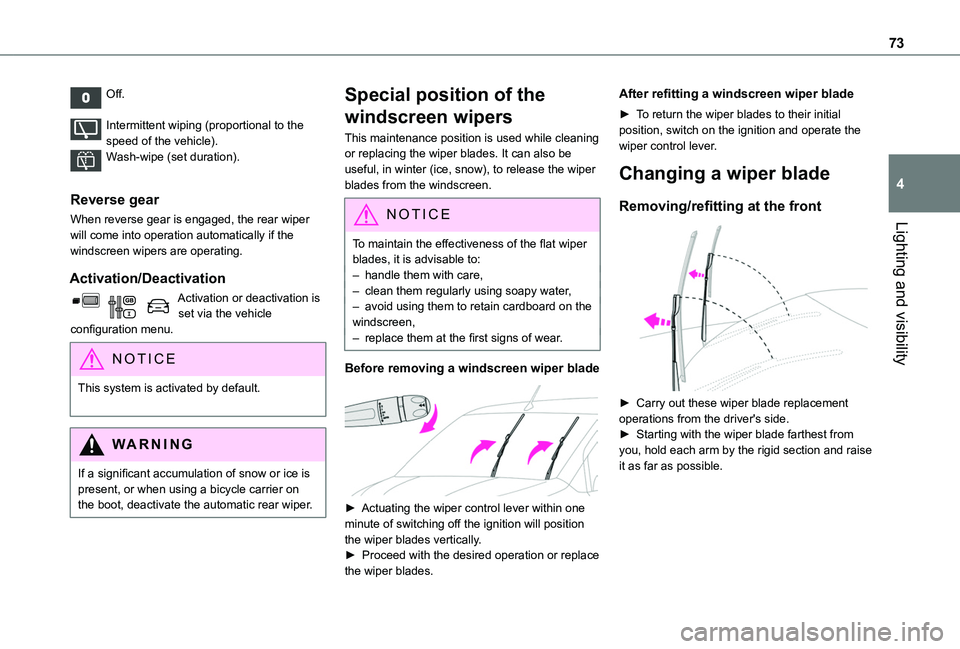
Before removing a windscreen wiper blade
► Actuating the wiper control lever within one minute of switching off the ignition will position the wiper blades vertically.► Proceed with the desired operation or replace the wiper blades.
After refitting a windscreen wiper blade
► To return the wiper blades to their initial position, switch on the ignition and operate the wiper control lever.
Changing a wiper blade
Removing/refitting at the front
► Carry out these wiper blade replacement operations from the driver's side.► Starting with the wiper blade farthest from
you, hold each arm by the rigid section and raise it as far as possible.
Page 139 of 272
139
Driving
6
Side parking sensors
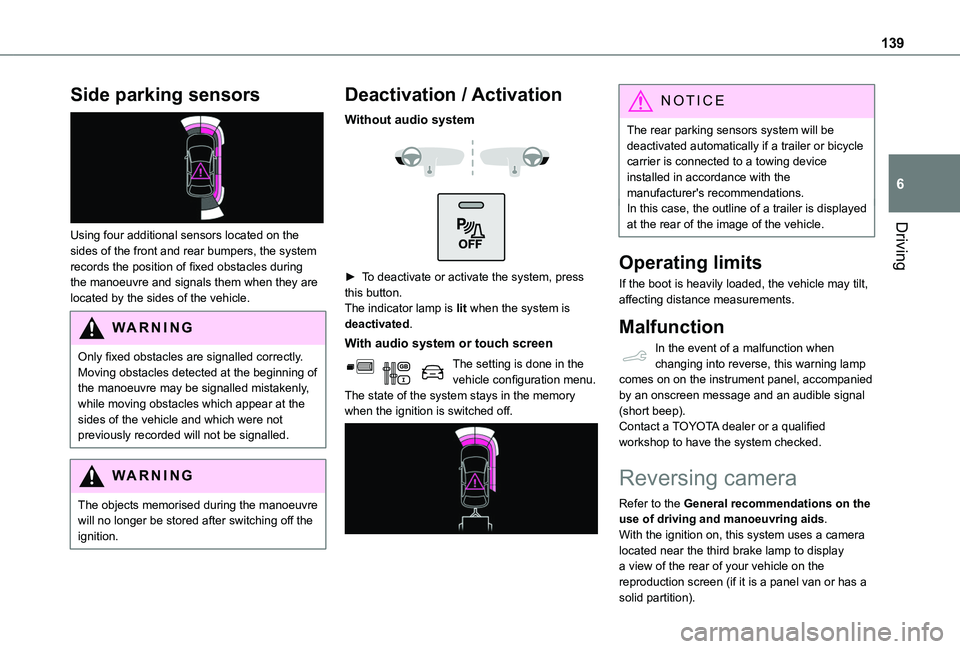
Using four additional sensors located on the sides of the front and rear bumpers, the system records the position of fixed obstacles during the manoeuvre and signals them when they are located by the sides of the vehicle.
WARNI NG
Only fixed obstacles are signalled correctly. Moving obstacles detected at the beginning of the manoeuvre may be signalled mistakenly, while moving obstacles which appear at the sides of the vehicle and which were not previously recorded will not be signalled.
WARNI NG
The objects memorised during the manoeuvre will no longer be stored after switching off the ignition.
Deactivation / Activation
Without audio system
► To deactivate or activate the system, press this button.The indicator lamp is lit when the system is deactivated.
With audio system or touch screen
The setting is done in the vehicle configuration menu.The state of the system stays in the memory when the ignition is switched off.
NOTIC E
The rear parking sensors system will be deactivated automatically if a trailer or bicycle carrier is connected to a towing device installed in accordance with the manufacturer's recommendations.In this case, the outline of a trailer is displayed at the rear of the image of the vehicle.
Operating limits
If the boot is heavily loaded, the vehicle may tilt, affecting distance measurements.
Malfunction
In the event of a malfunction when changing into reverse, this warning lamp comes on on the instrument panel, accompanied by an onscreen message and an audible signal (short beep).Contact a TOYOTA dealer or a qualified workshop to have the system checked.
Reversing camera
Refer to the General recommendations on the use of driving and manoeuvring aids.With the ignition on, this system uses a camera located near the third brake lamp to display a view of the rear of your vehicle on the reproduction screen (if it is a panel van or has a
solid partition).
Page 245 of 272
245
Alphabetical index
A
ABS 78Accessories 75, 100Access to the spare wheel 166Active Safety Brake 128–130AdBlue® 157AdBlue® tank 158Additive, Diesel 155–156Adjusting headlamps 71Adjusting head restraints 48Adjusting seat 42Adjusting the air distribution 60Adjusting the air flow 60Adjusting the date 216, 240Adjusting the height and reach of the steering wheel 44Adjusting the lumbar support 42Adjusting the temperature 60Adjusting the time 215, 240Advanced Grip Control 80–81Advice on care and maintenance 160
Advice on driving 7, 95–96Airbags 85, 87–88, 90Airbags, curtain 86–88Airbags, front 85–87, 91Airbags, lateral 86–87Air conditioning 58, 61Air conditioning, digital 62Air conditioning, dual-zone automatic 60Air conditioning, manual 59, 62Air intake 60
Air vents 58Alarm 37–39Alarm, volumetric 37Android Auto connection 231Anti-lock braking system (ABS) 78–79Antitheft / Immobiliser 24Apple CarPlay connection 2 11, 230Applications 231Area, loading 25, 33–34, 52Armrest 42Armrest, front 48Assistance call 75–77Assistance, emergency braking 79, 130Audible warning 78Audio streaming (Bluetooth) 197, 210, 235
B
Battery 150, 177, 179Battery, 12 V 155, 176–178Battery, charging 178–179
Battery, remote control 31–32, 65Blind spot monitoring system 135Blind spot monitoring system, active 136Blind spot sensors 134, 136Bluetooth (hands-free) 198–199, 212–213, 236–237Bluetooth (telephone) 212–214, 236–237Bodywork 161Bonnet 151–152Boot lid 28, 31
Bottle holder 48Brake discs 156Brake lamps 173Brakes 156Braking assistance system 78–79Braking, automatic emergency 128–130Braking, dynamic emergency 102–103Brightness 215Bulbs 170Bulbs (changing) 169–170Bulbs (changing, type) 170
C
Capacity, fuel tank 144–145Cap, fuel filler 144–145Care of the bodywork 161CD 196, 210CD, MP3 196–197, 210Central locking 24, 28Changing a bulb 169–170
Changing a fuse 174–176Changing a wheel 163, 165Changing a wiper blade 73Changing the remote control battery 31Charger, induction 50Charger, wireless 50Checking the levels 153–154Checking tyre pressures (using the kit) 163, 165Checks 152, 155–156Checks, routine 155–156
Page 246 of 272
246
Child lock 93Children 84, 92Children (safety) 93Child seats 84, 88–89, 91–92Child seats, conventional 91Cleaning (advice) 160–161Closing the doors 24, 28Collision Risk Alert 128–129Connected applications 231Connection, Bluetooth 199, 212–214, 231–232, 236–237Connection, MirrorLink 2 11–212, 230Connection, Wi-Fi network 232Connectivity 230Container, AdBlue® 158Control, emergency boot release 31Control, emergency door 23, 30Control, heated seats 43Control lever, lighting 67, 69Control lever, wipers 71–74Courtesy lamp 66Courtesy lamp, front 66
Courtesy lamp, rear 66Courtesy lamps 66Cruise control 11 8–11 9, 121, 123–124, 128Cruise control, adaptive 124Cruise control by speed limit recognition 11 8–11 9Cruise control, dynamic with Stop function 11 8–11 9Cup holder 48
D
DAB (Digital Audio Broadcasting) - Digital radio 194–195, 209, 234Date (setting) 216, 240Daytime running lamps 69, 170–171Deactivating the passenger airbag 85–86, 90–91Deactivation of DSC (ESC) 79Deadlocking 29Defrosting 45, 62Demisting 62Demisting, rear 44, 63Demisting, rear screen 44, 63Dimensions 182Dipstick 153Direction indicators 68–69, 170, 172–173Display, head-up 11 3–11 4Doors, side 35Doors, side-hinged 28–29Driver’s attention warning 136–137Driving 95–96
Driving abroad 68Driving aids camera (warnings) 11 5Driving aids (recommendations) 11 4Driving economically 7Dynamic stability control (DSC) 79, 81
E
EBFD 78
Eco-driving (advice) 7Economy mode 150Electric windows 39Electronic brake force distribution (EBFD) 78–79Emergency braking assistance (EBA) 79Emergency call 75–77Emergency warning lamps 78Emissions control system, SCR 157Energy economy mode 150Engine compartment 152Engine, Diesel 144, 152, 162, 189Engine, petrol 152, 188Engines 187–189Environment 7, 32, 65ESC (electronic stability control) 78Expanded traffic sign recognition 11 9
F
Fatigue detection 136–137Filling the AdBlue® tank 155, 158
Filling the fuel tank 144–145Filter, air 155Filter, oil 155Filter, particle 155–156Filter, passenger compartment 58, 155Finisher 169Fitting a wheel 166–169Fitting roof bars 150–151Fittings, interior 48Flap, fuel filler 144–145
Page 248 of 272
248
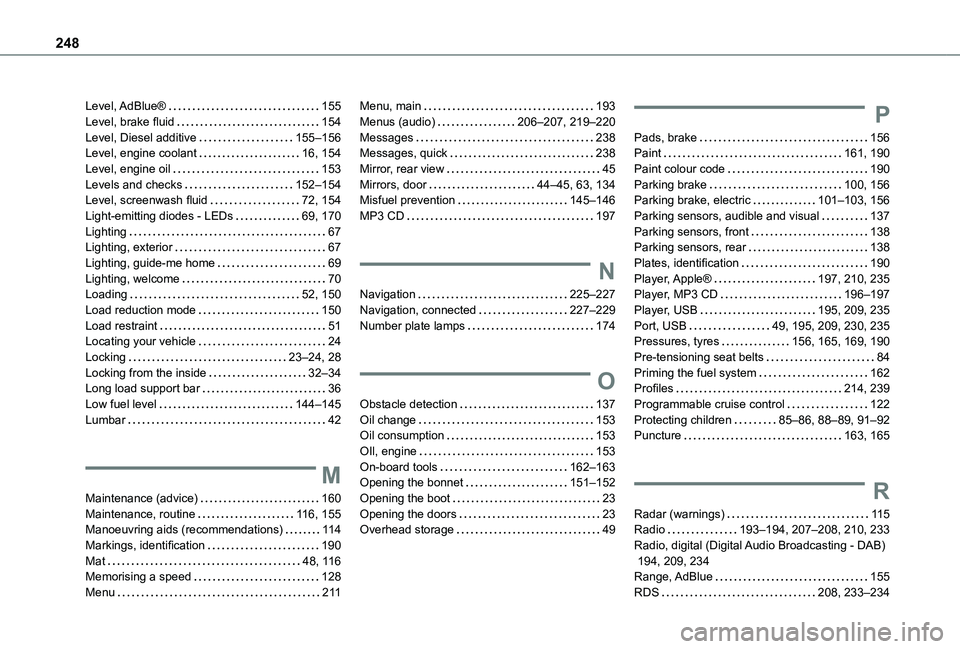
Level, AdBlue® 155Level, brake fluid 154Level, Diesel additive 155–156Level, engine coolant 16, 154Level, engine oil 153Levels and checks 152–154Level, screenwash fluid 72, 154Light-emitting diodes - LEDs 69, 170Lighting 67Lighting, exterior 67Lighting, guide-me home 69Lighting, welcome 70Loading 52, 150Load reduction mode 150Load restraint 51Locating your vehicle 24Locking 23–24, 28Locking from the inside 32–34Long load support bar 36Low fuel level 144–145Lumbar 42
M
Maintenance (advice) 160Maintenance, routine 11 6, 155Manoeuvring aids (recommendations) 11 4Markings, identification 190Mat 48, 11 6Memorising a speed 128Menu 2 11
Menu, main 193Menus (audio) 206–207, 219–220Messages 238Messages, quick 238Mirror, rear view 45Mirrors, door 44–45, 63, 134Misfuel prevention 145–146MP3 CD 197
N
Navigation 225–227Navigation, connected 227–229Number plate lamps 174
O
Obstacle detection 137Oil change 153Oil consumption 153
OIl, engine 153On-board tools 162–163Opening the bonnet 151–152Opening the boot 23Opening the doors 23Overhead storage 49
P
Pads, brake 156Paint 161, 190Paint colour code 190Parking brake 100, 156Parking brake, electric 101–103, 156Parking sensors, audible and visual 137Parking sensors, front 138Parking sensors, rear 138Plates, identification 190Player, Apple® 197, 210, 235Player, MP3 CD 196–197Player, USB 195, 209, 235Port, USB 49, 195, 209, 230, 235Pressures, tyres 156, 165, 169, 190Pre-tensioning seat belts 84Priming the fuel system 162Profiles 214, 239Programmable cruise control 122Protecting children 85–86, 88–89, 91–92Puncture 163, 165
R
Radar (warnings) 11 5Radio 193–194, 207–208, 210, 233Radio, digital (Digital Audio Broadcasting - DAB) 194, 209, 234Range, AdBlue 155RDS 208, 233–234