lights TOYOTA PROACE CITY 2022 User Guide
[x] Cancel search | Manufacturer: TOYOTA, Model Year: 2022, Model line: PROACE CITY, Model: TOYOTA PROACE CITY 2022Pages: 320, PDF Size: 75.81 MB
Page 112 of 320
11 2
Rear seat belts (row 3)
These seat belts are not fitted with a pyrotechnic pretensioning system or force limiter.
Seat belt(s) warning lamps
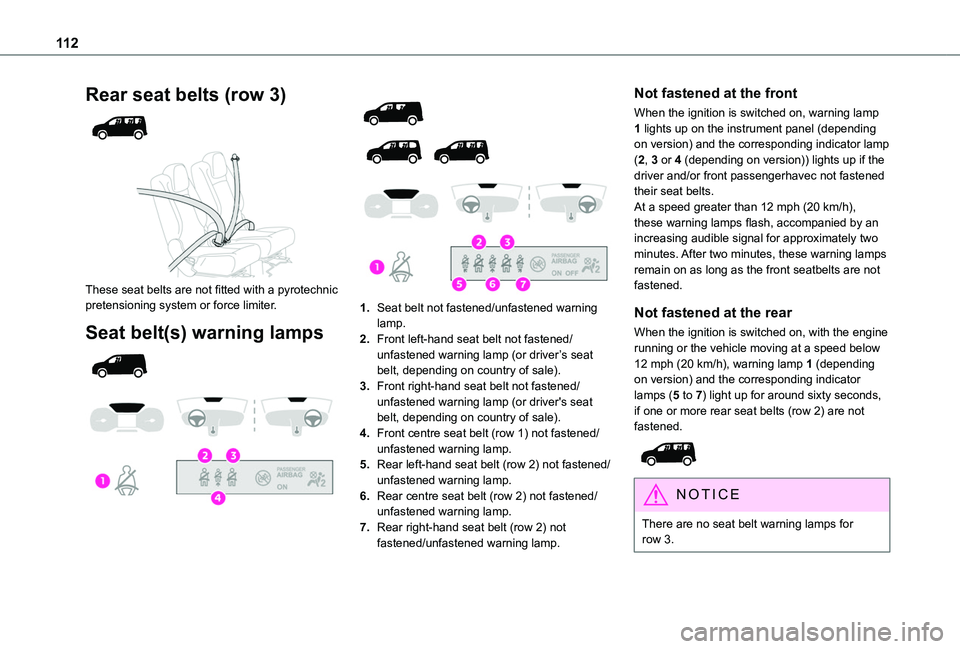
1.Seat belt not fastened/unfastened warning lamp.
2.Front left-hand seat belt not fastened/unfastened warning lamp (or driver’s seat belt, depending on country of sale).
3.Front right-hand seat belt not fastened/unfastened warning lamp (or driver's seat belt, depending on country of sale).
4.Front centre seat belt (row 1) not fastened/unfastened warning lamp.
5.Rear left-hand seat belt (row 2) not fastened/unfastened warning lamp.
6.Rear centre seat belt (row 2) not fastened/unfastened warning lamp.
7.Rear right-hand seat belt (row 2) not fastened/unfastened warning lamp.
Not fastened at the front
When the ignition is switched on, warning lamp 1 lights up on the instrument panel (depending on version) and the corresponding indicator lamp (2, 3 or 4 (depending on version)) lights up if the driver and/or front passengerhavec not fastened their seat belts.At a speed greater than 12 mph (20 km/h), these warning lamps flash, accompanied by an increasing audible signal for approximately two minutes. After two minutes, these warning lamps remain on as long as the front seatbelts are not fastened.
Not fastened at the rear
When the ignition is switched on, with the engine running or the vehicle moving at a speed below 12 mph (20 km/h), warning lamp 1 (depending on version) and the corresponding indicator lamps (5 to 7) light up for around sixty seconds, if one or more rear seat belts (row 2) are not fastened.
NOTIC E
There are no seat belt warning lamps for row 3.
Page 134 of 320
134
Key left in the ignition
NOTIC E
When opening the driver's door, an alert message is displayed, accompanied by an audible signal, to remind you that the key is still in the ignition switch at position 1 (Stop).If the key has been left in the ignition switch at position 2 (Ignition on), the ignition will be
switched off automatically after one hour.To switch the ignition back on, turn the key to position 1 (Stop), then back to position 2 (Ignition on).
With Keyless Entry and Starting
► With the remote control in the recognition zone, press the "START/STOP" button.With a manual gearbox, the engine switches off and the steering column locks.With the EAT8 automatic gearbox, the engine switches off.
NOTIC E
If the vehicle is not immobilised, the engine will not stop.
WARNI NG
To avoid any risk of jamming the pedals:– only use mats which are suited to the fixings already present in the vehicle; these fixings must be used,– never place one mat on top of another.The use of mats not approved by TOYOTA may interfere with access to the pedals and hinder the operation of the cruise control / speed limiter.The mats approved by TOYOTA have two fixings located below the seat.
Starting/Switching off the
electric motor
Starting
The drive selector must be in mode P.► If using a conventional or remote control key, depress the brake pedal and turn the key to position 3 until the motor starts, without
depressing the accelerator. As soon as the motor starts, release the key so it returns to position 2.► If using Keyless Entry and Starting, depress the brake pedal and briefly press the "START/STOP" button.► Keep your foot on the brake pedal until the READY indicator lamp comes on and an audible signal is emitted, indicating that the vehicle is ready to drive.
► With your foot on the brake, select mode D or R.► Release the brake pedal, then accelerate.On starting, the instrument panel lights up and the power indicator cursor moves to the "neutral" position. The steering column automatically unlocks (you may hear a sound and feel the steering wheel move).
Switching off
► If using a conventional or remote control key, turn the key fully to position 1 (Stop).► If using Keyless Entry and Starting, press the "START/STOP" button.Before exiting the vehicle, check that:– The drive selector is in mode P.– The READY indicator lamp is off.
NOTIC E
The drive selector moves automatically to mode P when the motor is switched off or when the driver's door is opened.
NOTIC E
If the driver's door is opened while the required conditions for stopping are not satisfied, an audible signal is emitted,
accompanied by the display of a warning message.
Page 147 of 320
147
Driving
6
Selector malfunction
Minor malfunction
This warning lamp comes on, accompanied by the display of a message and an audible signal.Drive carefully.Go to any authorized Toyota retailer or Toyota authorized repairer, or any reliable repairer.In some cases, the selector indicator lamps may no longer come on, but the gearbox state is still displayed on the instrument panel.
Major malfunction
This warning lamp comes on, accompanied by the display of a message.
WARNI NG
You must stop the vehicle.Stop as soon as it is safe to do so and switch off the ignition.Contact any authorized Toyota retailer or Toyota authorized repairer, or any reliable repairer.
Drive selector (Electric)
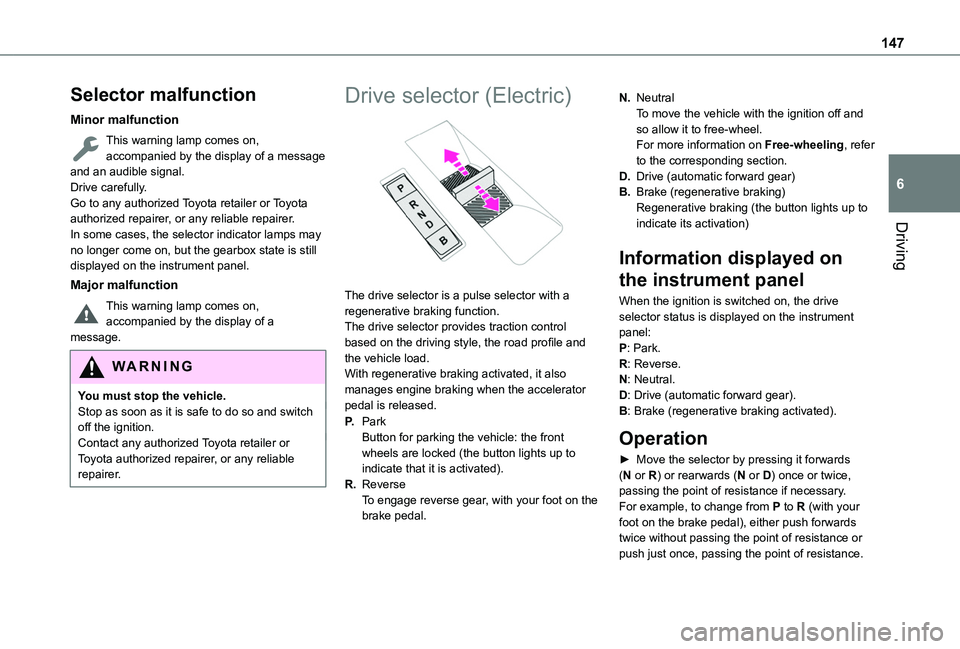
The drive selector is a pulse selector with a regenerative braking function.The drive selector provides traction control based on the driving style, the road profile and the vehicle load.With regenerative braking activated, it also manages engine braking when the accelerator pedal is released.
P.ParkButton for parking the vehicle: the front wheels are locked (the button lights up to indicate that it is activated).
R.ReverseTo engage reverse gear, with your foot on the brake pedal.
N.NeutralTo move the vehicle with the ignition off and so allow it to free-wheel.For more information on Free-wheeling, refer to the corresponding section.
D.Drive (automatic forward gear)
B.Brake (regenerative braking)Regenerative braking (the button lights up to indicate its activation)
Information displayed on
the instrument panel
When the ignition is switched on, the drive selector status is displayed on the instrument panel:P: Park.R: Reverse.N: Neutral.D: Drive (automatic forward gear).B: Brake (regenerative braking activated).
Operation
► Move the selector by pressing it forwards (N or R) or rearwards (N or D) once or twice, passing the point of resistance if necessary.For example, to change from P to R (with your foot on the brake pedal), either push forwards twice without passing the point of resistance or
push just once, passing the point of resistance.
Page 148 of 320
148
Regenerative braking
With the Brake function and when decelerating
The Brake function emulates engine braking, slowing the vehicle with no need to depress the brake pedal. The vehicle slows more quickly when the driver releases the accelerator pedal.The energy recovered when the accelerator pedal is released is then used to partially recharge the traction battery, thereby increasing the vehicle's driving range.
WARNI NG
The resulting deceleration of the vehicle does not cause the brake lamps to come on.
► From mode D/R, press button B to activate/deactivate the function (the button lights up when the function is activated).D/R on the instrument panel is replaced with B.The system status is not saved when the ignition is switched off.
WARNI NG
In some situations (e.g. battery full, extreme temperatures), the amount of regenerative braking may be temporarily limited, resulting
in less deceleration.The driver must remain alert to traffic conditions and must always be ready to use the brake pedal.
With the brake pedal
When the brake pedal is depressed, the intelligent braking system automatically recovers some of the energy and uses it to recharge the traction battery.This energy recovery also reduces use of the brake pads, thereby limiting their wear.
NOTIC E
The driver may experience a different sensation when depressing the brake pedal compared to a vehicle without regenerative braking.
Driving modes
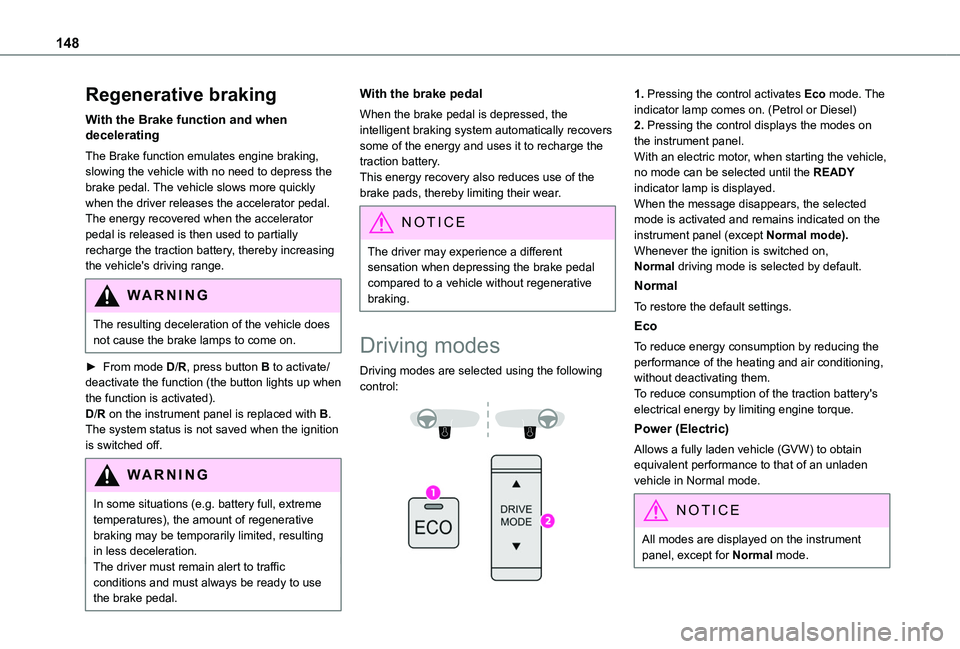
Driving modes are selected using the following control:
1. Pressing the control activates Eco mode. The indicator lamp comes on. (Petrol or Diesel)2. Pressing the control displays the modes on the instrument panel.With an electric motor, when starting the vehicle, no mode can be selected until the READY indicator lamp is displayed.When the message disappears, the selected mode is activated and remains indicated on the instrument panel (except Normal mode).Whenever the ignition is switched on, Normal driving mode is selected by default.
Normal
To restore the default settings.
Eco
To reduce energy consumption by reducing the performance of the heating and air conditioning, without deactivating them.To reduce consumption of the traction battery's electrical energy by limiting engine torque.
Power (Electric)
Allows a fully laden vehicle (GVW) to obtain equivalent performance to that of an unladen vehicle in Normal mode.
NOTIC E
All modes are displayed on the instrument panel, except for Normal mode.
Page 149 of 320
149
Driving
6
NOTIC E
Coasting modesDepending on version or engine, with an EAT8 gearbox and the gear selector in mode D, gradually releasing the accelerator pedal fully allows free-wheeling which can save fuel.A drop in engine speed is normal (rev counter at idle, drop in engine noise).
Gear efficiency indicator
(Depending on engine.)This system helps reduce fuel consumption by recommending the most appropriate gear.
Operation
Depending on the driving situation and the vehicle's equipment, the system may advise to skip one or more gears.Gear shift recommendations should not be considered compulsory. In fact, the road layout,
the traffic density and safety remain the deciding factors when choosing the best gear. The driver therefore remains responsible for deciding whether or not to follow the indications issued by the system.This function cannot be deactivated.
NOTIC E
With an automatic gearbox, the system is only active in manual operation.
The information appears in the instrument panel, in the form of an ascending or descending arrow and the recommended gear.
NOTIC E
The system adapts its gear shift recommendation according to the driving conditions (slope, load, etc.) and the driver’s requirements (power, acceleration, braking, etc.).The system never suggests:– engaging first gear;– engaging reverse.
Stop & Start (Petrol or
Diesel)
The Stop & Start function puts the engine temporarily into standby - STOP mode - during phases when the vehicle is stopped (red lights, queues, etc.). The engine restarts automatically - START mode - as soon as the driver wishes to move off again.Primarily designed for urban use, the function is intended to reduce fuel consumption and
exhaust emissions as well as the noise level when stationary.The function does not affect the functionalities of the vehicle, in particular the braking.
WARNI NG
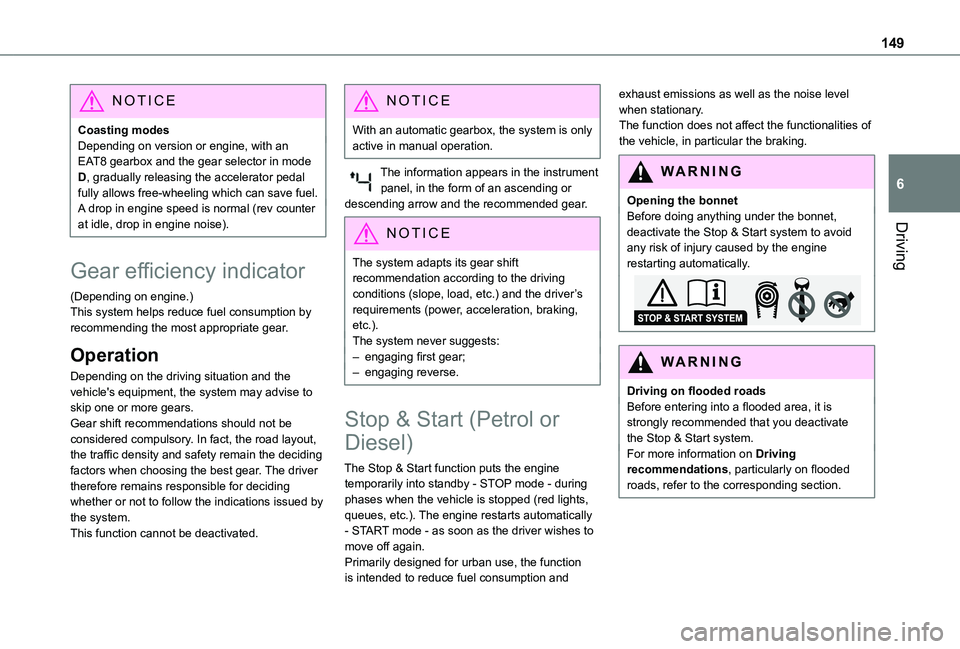
Opening the bonnetBefore doing anything under the bonnet, deactivate the Stop & Start system to avoid any risk of injury caused by the engine restarting automatically.
WARNI NG
Driving on flooded roadsBefore entering into a flooded area, it is strongly recommended that you deactivate the Stop & Start system.For more information on Driving recommendations, particularly on flooded roads, refer to the corresponding section.
Page 181 of 320
181
Driving
6
Side parking sensors
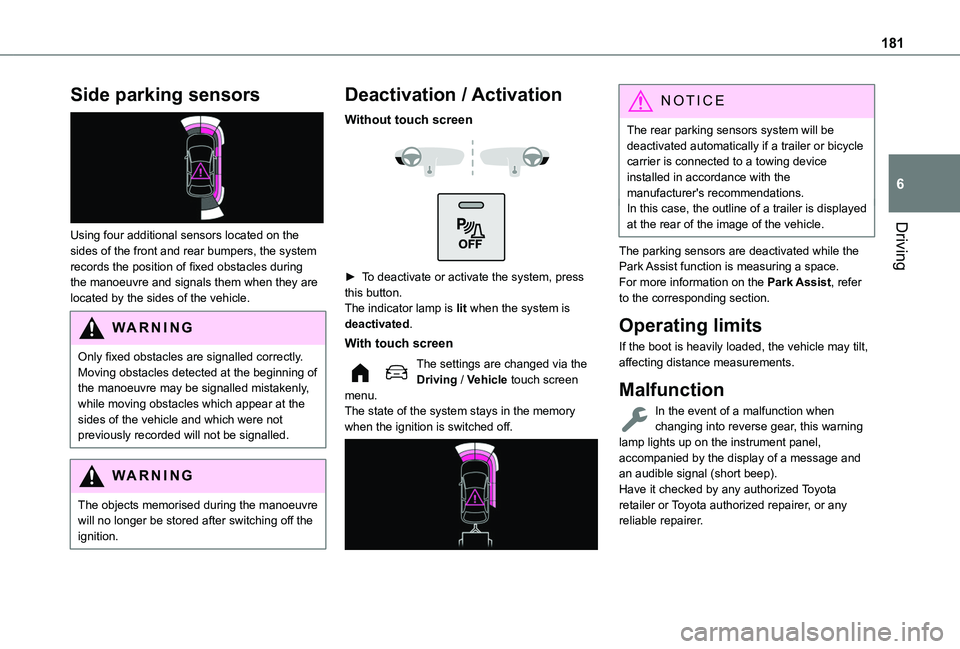
Using four additional sensors located on the sides of the front and rear bumpers, the system records the position of fixed obstacles during the manoeuvre and signals them when they are located by the sides of the vehicle.
WARNI NG
Only fixed obstacles are signalled correctly. Moving obstacles detected at the beginning of the manoeuvre may be signalled mistakenly, while moving obstacles which appear at the sides of the vehicle and which were not previously recorded will not be signalled.
WARNI NG
The objects memorised during the manoeuvre will no longer be stored after switching off the ignition.
Deactivation / Activation
Without touch screen
► To deactivate or activate the system, press this button.The indicator lamp is lit when the system is deactivated.
With touch screen
The settings are changed via the Driving / Vehicle touch screen menu.The state of the system stays in the memory when the ignition is switched off.
NOTIC E
The rear parking sensors system will be deactivated automatically if a trailer or bicycle carrier is connected to a towing device installed in accordance with the manufacturer's recommendations.In this case, the outline of a trailer is displayed at the rear of the image of the vehicle.
The parking sensors are deactivated while the Park Assist function is measuring a space.For more information on the Park Assist, refer to the corresponding section.
Operating limits
If the boot is heavily loaded, the vehicle may tilt, affecting distance measurements.
Malfunction
In the event of a malfunction when changing into reverse gear, this warning lamp lights up on the instrument panel,
accompanied by the display of a message and an audible signal (short beep).Have it checked by any authorized Toyota retailer or Toyota authorized repairer, or any reliable repairer.