Wiper TOYOTA PROACE EV 2021 Owners Manual
[x] Cancel search | Manufacturer: TOYOTA, Model Year: 2021, Model line: PROACE EV, Model: TOYOTA PROACE EV 2021Pages: 360, PDF Size: 68.91 MB
Page 2 of 360
2
■OverviewOverview 4Labels 6
■Eco-driving
1InstrumentsInstrument Panel 10Warning and indicator lamps 12Indicators 18Lighting dimmer 23Trip computer 24Touch screen 26Remotely operable functions (Electric) 28Setting the date and time 28
2AccessElectronic key with remote control function and built-in key, 30Unlocking/Complete or selective unlocking 32Back-up procedures 37Central locking 39Electric sliding side door(s) 41General recommendations for the sliding side doors 43Hands-free sliding side door(s) 45Side-hinged rear doors 47Tailgate 48Tailgate rear screen 48Alarm 49Electric windows 51
3Ease of use and comfortFront seats 522-seat front bench seat 55
Steering wheel adjustment 57Mirrors 57Smart Cargo 59Precautions for the seats and bench seats 63Fixed one-piece bench seat 64Fixed rear seat and bench seat 66Rear seat and bench seat on rails 68Individual rear seat(s) on rails 70Crew Cab, fixed 73Crew Cab, folding 74Interior fittings 75Loading area fittings 79Seating area fittings 81Panoramic sunroof 82Retractable sliding table 83Heating and Ventilation 87Heating 88Manual air conditioning 88Dual-zone automatic air conditioning 89Front demisting - defrosting 91Rear screen and/or door mirror demisting/de-icing 92Rear heating - air conditioning 92Additional heating/ventilation system 93A/C preconditioning (Electric) 96Courtesy lamp(s) 97
4Lighting and visibilityLighting control lever 99Direction indicators 100Daytime running lamps/Sidelamps 101Automatic illumination of headlamps 101Guide-me-home and welcome lighting 101Cornering lighting 102Automatic headlamp dipping 102
Headlamp beam height adjustment 104Interior ambient lighting 104Wiper control lever 105Automatic wipers 106Changing a wiper blade 108
5SafetyGeneral safety recommendations 109Hazard warning lamps 11 0Emergency or assistance 11 0Horn 111Pedestrian horn (Electric) 111Vehicle stability control (VSC) 11 2Toyota Traction Select 11 5Seat belts 11 6Airbags 120Child seats 124Deactivating the front passenger airbag 126ISOFIX and i-Size child seats 132i-Size child seats 144Manual child lock 146Electric child lock 147Child lock on rear windows 147
6DrivingDriving recommendations 148Starting/switching off the engine 150Manual parking brake 155Electric parking brake 156Hill start assist 1586-speed manual gearbox 159Gear efficiency indicator 160Automatic gearbox 160Drive selector (Electric) 164Driving modes (Electric) 165
Page 4 of 360
4
Presentation
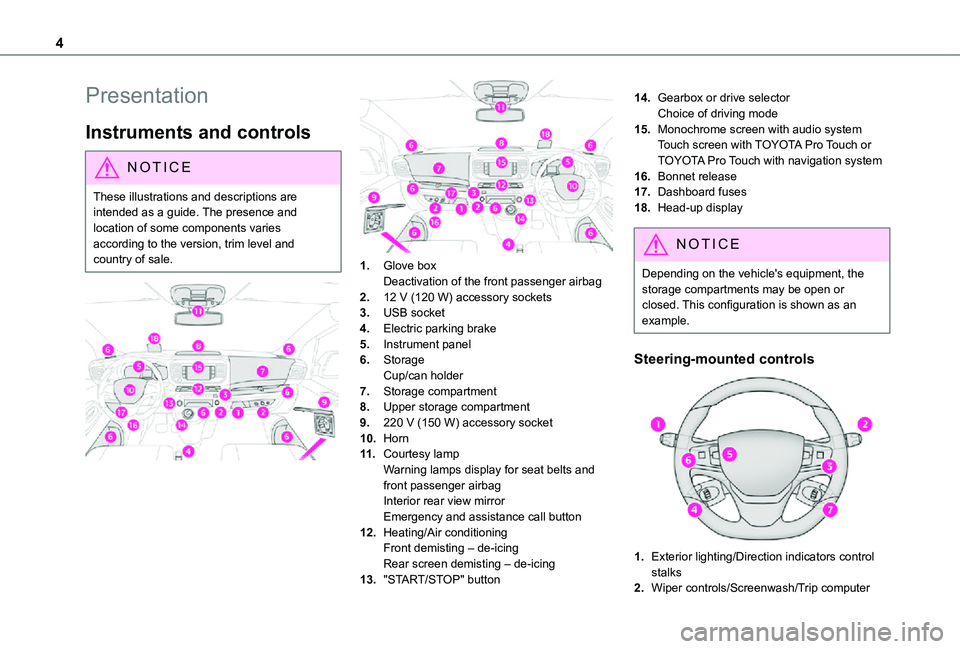
Instruments and controls
NOTIC E
These illustrations and descriptions are intended as a guide. The presence and location of some components varies
according to the version, trim level and country of sale.
1.Glove boxDeactivation of the front passenger airbag
2.12 V (120 W) accessory sockets
3.USB socket
4.Electric parking brake
5.Instrument panel
6.StorageCup/can holder
7.Storage compartment
8.Upper storage compartment
9.220 V (150 W) accessory socket
10.Horn
11 .Courtesy lampWarning lamps display for seat belts and front passenger airbagInterior rear view mirrorEmergency and assistance call button
12.Heating/Air conditioning
Front demisting – de-icingRear screen demisting – de-icing
13."START/STOP" button
14.Gearbox or drive selectorChoice of driving mode
15.Monochrome screen with audio systemTouch screen with TOYOTA Pro Touch or TOYOTA Pro Touch with navigation system
16.Bonnet release
17.Dashboard fuses
18.Head-up display
NOTIC E
Depending on the vehicle's equipment, the storage compartments may be open or closed. This configuration is shown as an example.
Steering-mounted controls
1.Exterior lighting/Direction indicators control stalks
2.Wiper controls/Screenwash/Trip computer
Page 24 of 360
24
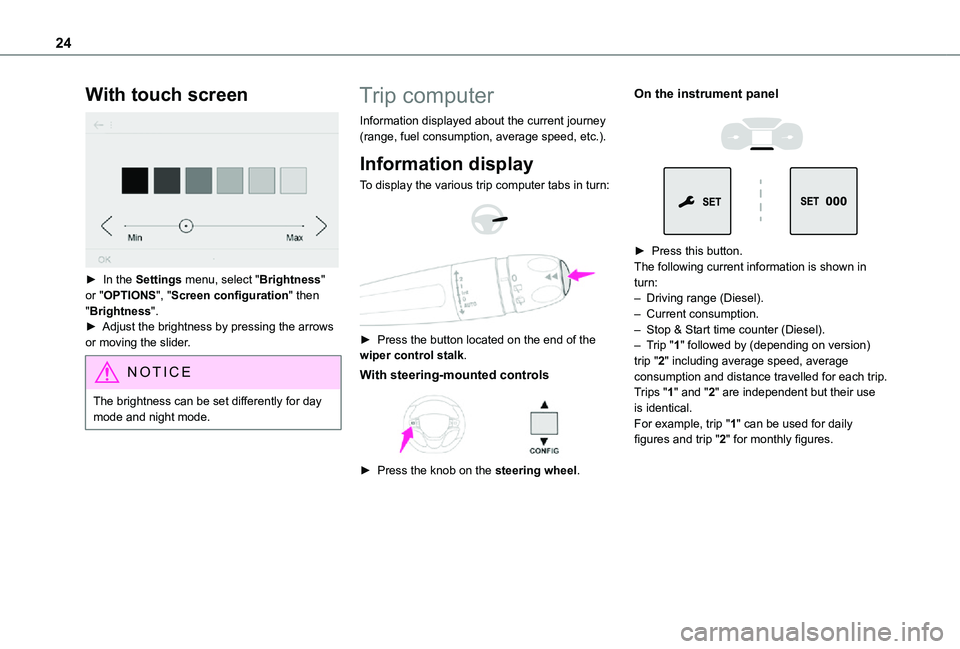
With touch screen
► In the Settings menu, select "Brightness" or "OPTIONS", "Screen configuration" then "Brightness".► Adjust the brightness by pressing the arrows or moving the slider.
NOTIC E
The brightness can be set differently for day mode and night mode.
Trip computer
Information displayed about the current journey (range, fuel consumption, average speed, etc.).
Information display
To display the various trip computer tabs in turn:
► Press the button located on the end of the wiper control stalk.
With steering-mounted controls
► Press the knob on the steering wheel.
On the instrument panel
► Press this button.The following current information is shown in turn:– Driving range (Diesel).– Current consumption.– Stop & Start time counter (Diesel).– Trip "1" followed by (depending on version) trip "2" including average speed, average consumption and distance travelled for each trip.Trips "1" and "2" are independent but their use is identical.For example, trip "1" can be used for daily figures and trip "2" for monthly figures.
Page 25 of 360
25
Instruments
1
Trip reset
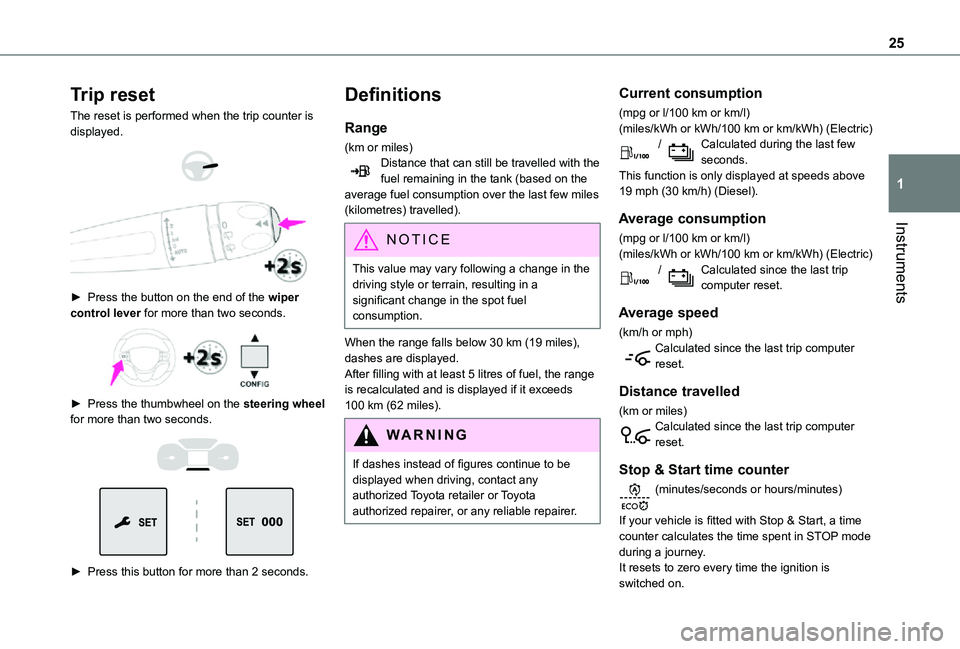
The reset is performed when the trip counter is displayed.
► Press the button on the end of the wiper control lever for more than two seconds.
► Press the thumbwheel on the steering wheel for more than two seconds.
► Press this button for more than 2 seconds.
Definitions
Range
(km or miles)Distance that can still be travelled with the fuel remaining in the tank (based on the average fuel consumption over the last few miles (kilometres) travelled).
NOTIC E
This value may vary following a change in the driving style or terrain, resulting in a significant change in the spot fuel consumption.
When the range falls below 30 km (19 miles), dashes are displayed.After filling with at least 5 litres of fuel, the range is recalculated and is displayed if it exceeds 100 km (62 miles).
WARNI NG
If dashes instead of figures continue to be displayed when driving, contact any authorized Toyota retailer or Toyota authorized repairer, or any reliable repairer.
Current consumption
(mpg or l/100 km or km/l)(miles/kWh or kWh/100 km or km/kWh) (Electric) / Calculated during the last few seconds.This function is only displayed at speeds above 19 mph (30 km/h) (Diesel).
Average consumption
(mpg or l/100 km or km/l)(miles/kWh or kWh/100 km or km/kWh) (Electric) / Calculated since the last trip computer reset.
Average speed
(km/h or mph)Calculated since the last trip computer reset.
Distance travelled
(km or miles)Calculated since the last trip computer reset.
Stop & Start time counter
(minutes/seconds or hours/minutes)
If your vehicle is fitted with Stop & Start, a time counter calculates the time spent in STOP mode during a journey.It resets to zero every time the ignition is switched on.
Page 101 of 360
101
Lighting and visibility
4
Daytime running lamps/
Sidelamps
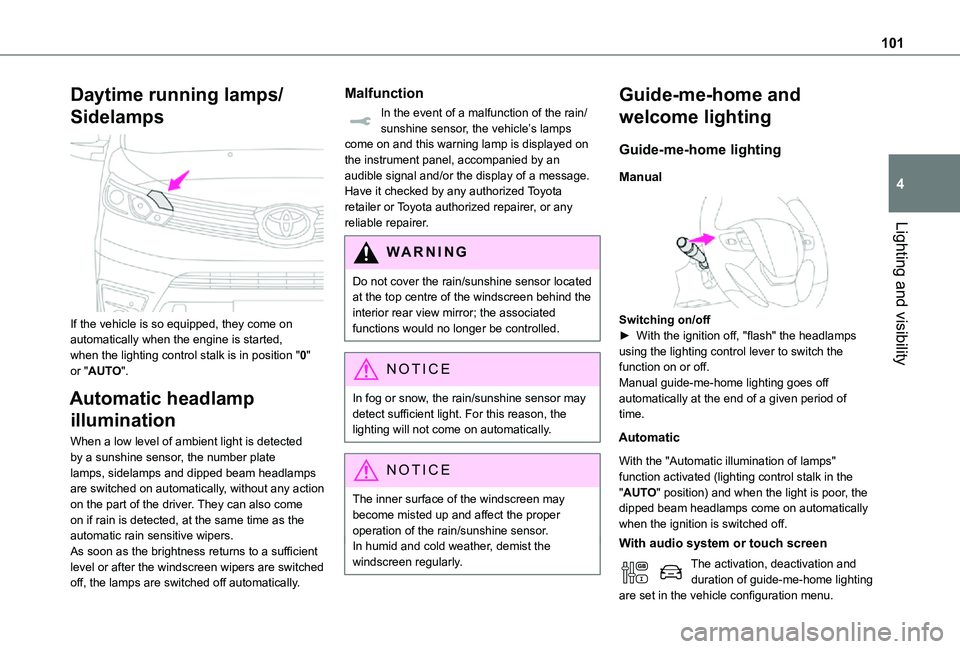
If the vehicle is so equipped, they come on automatically when the engine is started, when the lighting control stalk is in position "0" or "AUTO".
Automatic headlamp
illumination
When a low level of ambient light is detected by a sunshine sensor, the number plate lamps, sidelamps and dipped beam headlamps are switched on automatically, without any action on the part of the driver. They can also come on if rain is detected, at the same time as the automatic rain sensitive wipers.As soon as the brightness returns to a sufficient level or after the windscreen wipers are switched off, the lamps are switched off automatically.
Malfunction
In the event of a malfunction of the rain/sunshine sensor, the vehicle’s lamps come on and this warning lamp is displayed on the instrument panel, accompanied by an audible signal and/or the display of a message.Have it checked by any authorized Toyota retailer or Toyota authorized repairer, or any reliable repairer.
WARNI NG
Do not cover the rain/sunshine sensor located at the top centre of the windscreen behind the interior rear view mirror; the associated functions would no longer be controlled.
NOTIC E
In fog or snow, the rain/sunshine sensor may detect sufficient light. For this reason, the lighting will not come on automatically.
NOTIC E
The inner surface of the windscreen may become misted up and affect the proper operation of the rain/sunshine sensor.In humid and cold weather, demist the windscreen regularly.
Guide-me-home and
welcome lighting
Guide-me-home lighting
Manual
Switching on/off► With the ignition off, "flash" the headlamps using the lighting control lever to switch the function on or off.Manual guide-me-home lighting goes off automatically at the end of a given period of time.
Automatic
With the "Automatic illumination of lamps" function activated (lighting control stalk in the "AUTO" position) and when the light is poor, the dipped beam headlamps come on automatically when the ignition is switched off.
With audio system or touch screen
The activation, deactivation and duration of guide-me-home lighting are set in the vehicle configuration menu.
Page 105 of 360
105
Lighting and visibility
4
Wiper control lever
NOTIC E
Before operating the wipers in wintry conditions, clear any snow, ice or frost from the windscreen, and from around the wiper arms and blades.
WARNI NG
Do not operate the wipers on a dry windscreen. In extremely hot or cold weather, check that the wiper blades are not stuck to the windscreen before operating the wipers.
NOTIC E
After using an automatic car wash, you may temporarily notice abnormal noises and poorer wiping performance. You do not need to replace the wiper blades.
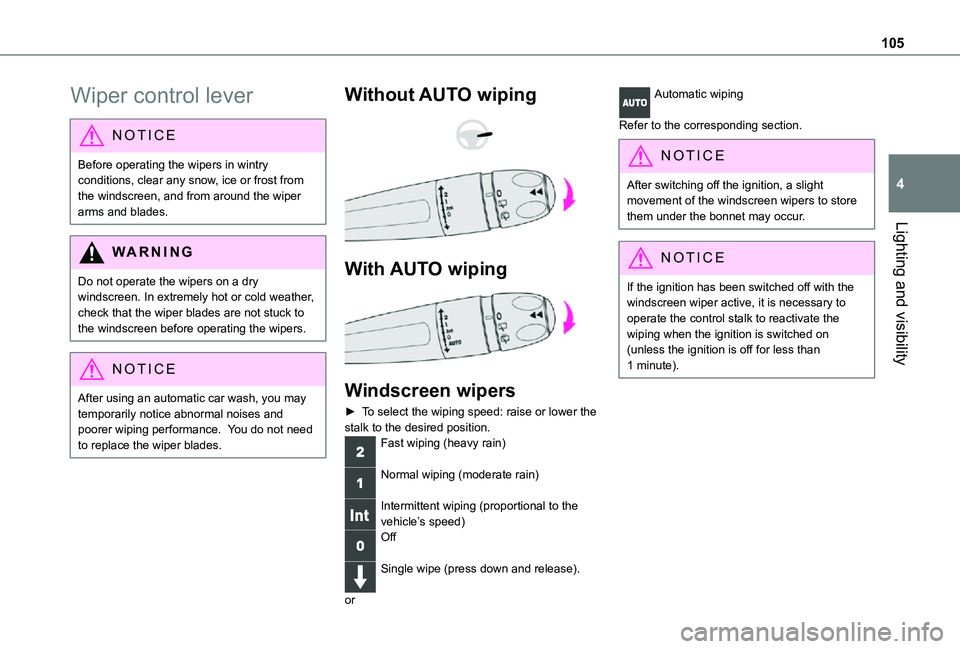
Without AUTO wiping
With AUTO wiping
Windscreen wipers
► To select the wiping speed: raise or lower the stalk to the desired position.Fast wiping (heavy rain)
Normal wiping (moderate rain)
Intermittent wiping (proportional to the vehicle’s speed)Off
Single wipe (press down and release).
or
Automatic wiping
Refer to the corresponding section.
NOTIC E
After switching off the ignition, a slight movement of the windscreen wipers to store them under the bonnet may occur.
NOTIC E
If the ignition has been switched off with the windscreen wiper active, it is necessary to operate the control stalk to reactivate the wiping when the ignition is switched on (unless the ignition is off for less than 1 minute).
Page 106 of 360
106
Windscreen and headlamp
wash
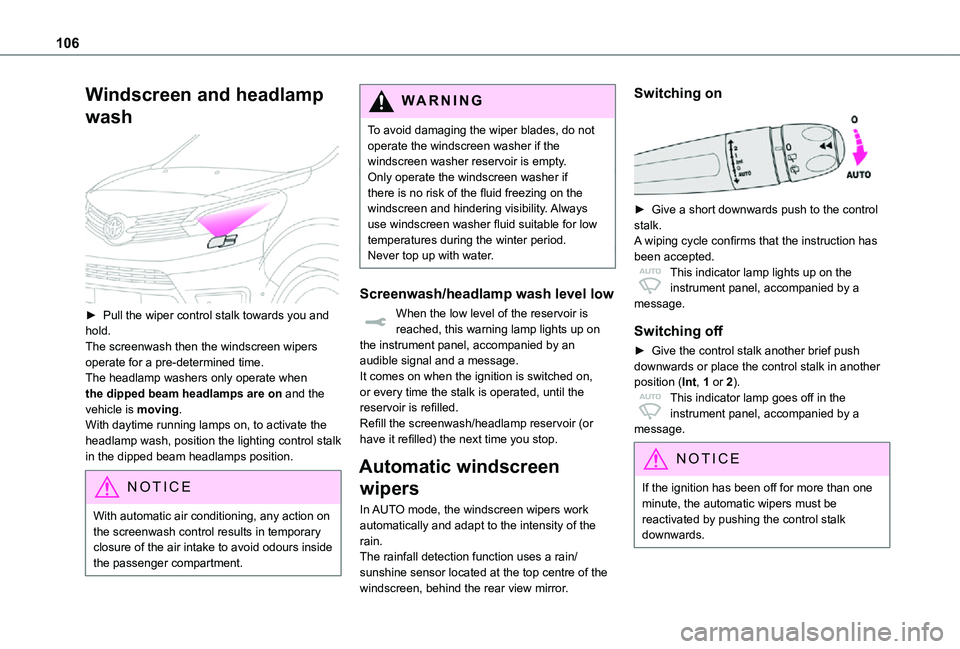
► Pull the wiper control stalk towards you and hold.The screenwash then the windscreen wipers operate for a pre-determined time.The headlamp washers only operate when the dipped beam headlamps are on and the vehicle is moving.With daytime running lamps on, to activate the headlamp wash, position the lighting control stalk
in the dipped beam headlamps position.
NOTIC E
With automatic air conditioning, any action on the screenwash control results in temporary closure of the air intake to avoid odours inside the passenger compartment.
WARNI NG
To avoid damaging the wiper blades, do not operate the windscreen washer if the windscreen washer reservoir is empty.Only operate the windscreen washer if there is no risk of the fluid freezing on the windscreen and hindering visibility. Always use windscreen washer fluid suitable for low temperatures during the winter period.Never top up with water.
Screenwash/headlamp wash level low
When the low level of the reservoir is reached, this warning lamp lights up on the instrument panel, accompanied by an audible signal and a message.It comes on when the ignition is switched on, or every time the stalk is operated, until the reservoir is refilled.Refill the screenwash/headlamp reservoir (or have it refilled) the next time you stop.
Automatic windscreen
wipers
In AUTO mode, the windscreen wipers work automatically and adapt to the intensity of the rain.The rainfall detection function uses a rain/sunshine sensor located at the top centre of the windscreen, behind the rear view mirror.
Switching on
► Give a short downwards push to the control stalk.A wiping cycle confirms that the instruction has
been accepted.This indicator lamp lights up on the instrument panel, accompanied by a message.
Switching off
► Give the control stalk another brief push downwards or place the control stalk in another position (Int, 1 or 2).This indicator lamp goes off in the instrument panel, accompanied by a message.
NOTIC E
If the ignition has been off for more than one minute, the automatic wipers must be reactivated by pushing the control stalk downwards.
Page 107 of 360
107
Lighting and visibility
4
Operating fault
If a fault occurs with the automatic windscreen wipers, the wipers will operate in intermittent mode.Have it checked by any authorized Toyota retailer or Toyota authorized repairer, or any reliable repairer.
WARNI NG
Do not cover the rain/sunshine sensor.Switch off the automatic windscreen wipers when using an automatic car wash.In winter, it is advisable to wait until the windscreen is completely clear of ice before activating the automatic rain sensitive wipers.
Rear wiper
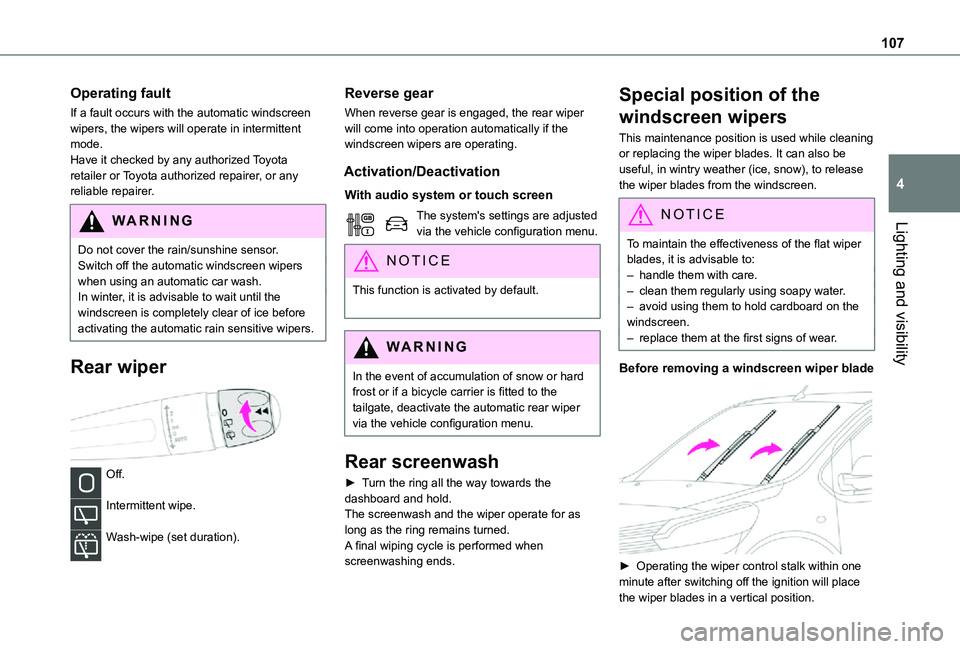
Off.
Intermittent wipe.
Wash-wipe (set duration).
Reverse gear
When reverse gear is engaged, the rear wiper will come into operation automatically if the windscreen wipers are operating.
Activation/Deactivation
With audio system or touch screen
The system's settings are adjusted via the vehicle configuration menu.
NOTIC E
This function is activated by default.
WARNI NG
In the event of accumulation of snow or hard frost or if a bicycle carrier is fitted to the tailgate, deactivate the automatic rear wiper via the vehicle configuration menu.
Rear screenwash
► Turn the ring all the way towards the dashboard and hold.The screenwash and the wiper operate for as long as the ring remains turned.A final wiping cycle is performed when screenwashing ends.
Special position of the
windscreen wipers
This maintenance position is used while cleaning or replacing the wiper blades. It can also be useful, in wintry weather (ice, snow), to release the wiper blades from the windscreen.
NOTIC E
To maintain the effectiveness of the flat wiper blades, it is advisable to:– handle them with care.– clean them regularly using soapy water.– avoid using them to hold cardboard on the windscreen.– replace them at the first signs of wear.
Before removing a windscreen wiper blade
► Operating the wiper control stalk within one minute after switching off the ignition will place the wiper blades in a vertical position.
Page 108 of 360
108
► Proceed with the desired operation or the replacement of the wiper blades.
After refitting a windscreen wiper blade
► To return the wiper blades to their initial position, switch on the ignition and operate the wiper control stalk.
Changing a wiper blade
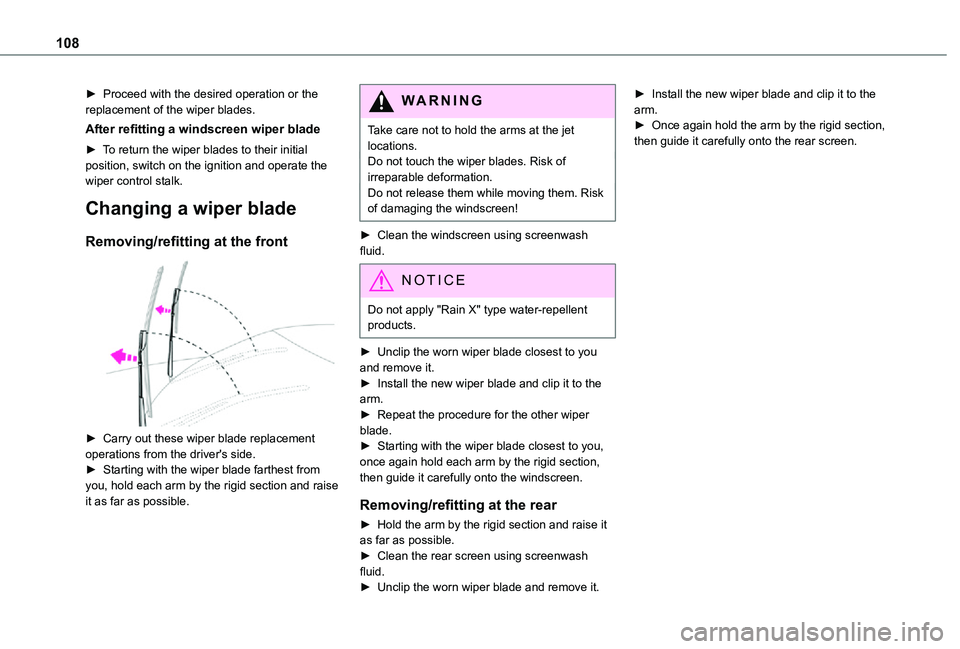
Removing/refitting at the front
► Carry out these wiper blade replacement
operations from the driver's side.► Starting with the wiper blade farthest from you, hold each arm by the rigid section and raise it as far as possible.
WARNI NG
Take care not to hold the arms at the jet locations.Do not touch the wiper blades. Risk of irreparable deformation.Do not release them while moving them. Risk of damaging the windscreen!
► Clean the windscreen using screenwash fluid.
NOTIC E
Do not apply "Rain X" type water-repellent products.
► Unclip the worn wiper blade closest to you and remove it.► Install the new wiper blade and clip it to the arm.► Repeat the procedure for the other wiper blade.► Starting with the wiper blade closest to you, once again hold each arm by the rigid section, then guide it carefully onto the windscreen.
Removing/refitting at the rear
► Hold the arm by the rigid section and raise it as far as possible.► Clean the rear screen using screenwash fluid.► Unclip the worn wiper blade and remove it.
► Install the new wiper blade and clip it to the arm.► Once again hold the arm by the rigid section, then guide it carefully onto the rear screen.
Page 211 of 360
2 11
Practical information
7
Energy economy mode
System which manages the duration of use of certain functions to conserve a sufficient level of charge in the battery.After switching off the engine and for a maximum cumulative period of around 40 minutes, you can continue to use functions such as the audio and telematics system, the wipers, the dipped beam headlamps, the courtesy lamps, etc.
Switching to the mode
A message indicating that the vehicle has switched to economy mode is displayed on the instrument panel screen and the active functions are put on standby.
NOTIC E
If a telephone call is in progress at the time, it will be maintained for around 10 minutes using your audio system’s hands-free system.
Exiting the mode
These functions will be automatically reactivated the next time the vehicle is used.In order to restore the use of these functions immediately, start the engine and let it run:– for less than 10 minutes, to use the equipment for approximately 5 minutes,– for more than 10 minutes, to use the equipment for approximately 30 minutes.
Let the engine run for the duration specified to ensure that the battery charge is sufficient.Do not repeatedly and continuously restart the engine in order to charge the battery.
WARNI NG
A flat battery prevents the engine from starting.For more information on the 12 V battery,
refer to the corresponding section.
Load reduction mode
System that manages the use of certain functions according to the level of charge remaining in the battery.When the vehicle is being driven, the load reduction function temporarily deactivates certain functions, such as the air conditioning and the heated rear screen.The deactivated functions are reactivated automatically as soon as conditions permit.
Snow chains
In wintry conditions, snow chains improve traction as well as the behaviour of the vehicle when braking.
WARNI NG
The snow chains must be fitted only to the front wheels. They must never be fitted to "space-saver" type spare wheels.
NOTIC E
Take account of the legislation specific to each country on the use of snow chains and the maximum authorised speed.
Only use chains that have been designed for the type of wheel fitted to your vehicle.
Original tyre sizeType of chain
215/65 R1612 mm link
215/60 R17
225/55 R17
You can also use snow socks.For more information, contact a any authorized Toyota retailer or Toyota authorized repairer, or
any reliable repairer..