ECO mode TOYOTA PROACE VERSO 2016 User Guide
[x] Cancel search | Manufacturer: TOYOTA, Model Year: 2016, Model line: PROACE VERSO, Model: TOYOTA PROACE VERSO 2016Pages: 504, PDF Size: 81.64 MB
Page 160 of 504
160
Anti-lock braking system
(ABS) and electronic brake
force distribution (EBFD)
In emergency braking, press ver y firmly and maintain this pressure.
When changing wheels (tyres and rims), ensure that these are approved for your vehicle.Normal operation of the ABS may make itself felt by slight vibrations of the brake pedal.
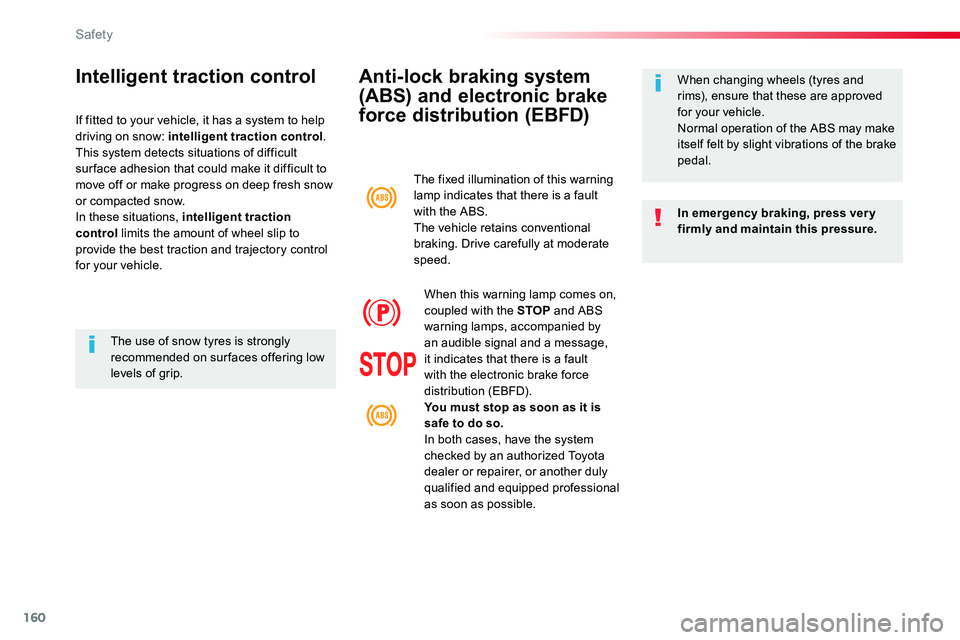
The fixed illumination of this warning lamp indicates that there is a fault with the ABS.The vehicle retains conventional braking. Drive carefully at moderate speed.
When this warning lamp comes on, coupled with the STOP and ABS warning lamps, accompanied by an audible signal and a message, it indicates that there is a fault with the electronic brake force distribution (EBFD).You must stop as soon as it is safe to do so.In both cases, have the system checked by an authorized Toyota dealer or repairer, or another duly qualified and equipped professional as soon as possible.
Intelligent traction control
If fitted to your vehicle, it has a system to help driving on snow: intelligent traction control.This system detects situations of difficult sur face adhesion that could make it difficult to move off or make progress on deep fresh snow or compacted snow.In these situations, intelligent traction control limits the amount of wheel slip to provide the best traction and trajectory control for your vehicle.
The use of snow tyres is strongly recommended on sur faces offering low levels of grip.
Safety
Page 163 of 504
163
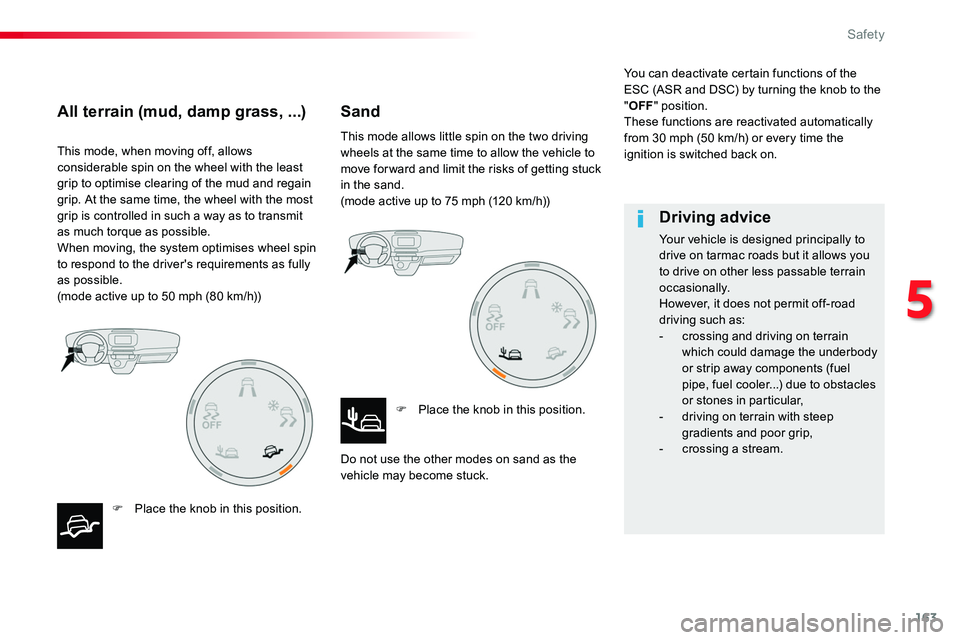
This mode, when moving off, allows considerable spin on the wheel with the least grip to optimise clearing of the mud and regain grip. At the same time, the wheel with the most grip is controlled in such a way as to transmit
as much torque as possible.When moving, the system optimises wheel spin to respond to the driver's requirements as fully as possible.(mode active up to 50 mph (80 km/h))
F Place the knob in this position.
This mode allows little spin on the two driving wheels at the same time to allow the vehicle to move for ward and limit the risks of getting stuck in the sand.(mode active up to 75 mph (120 km/h))
F Place the knob in this position.
Do not use the other modes on sand as the vehicle may become stuck.
You can deactivate certain functions of the ESC (ASR and DSC) by turning the knob to the "OFF" position.These functions are reactivated automatically from 30 mph (50 km/h) or every time the ignition is switched back on.
All terrain (mud, damp grass, ...)Sand
Driving advice
Your vehicle is designed principally to drive on tarmac roads but it allows you to drive on other less passable terrain occasionally.However, it does not permit off-road driving such as:- crossing and driving on terrain which could damage the underbody or strip away components (fuel pipe, fuel cooler...) due to obstacles or stones in particular,- driving on terrain with steep gradients and poor grip,- crossing a stream.
5
Safety
Page 196 of 504
196
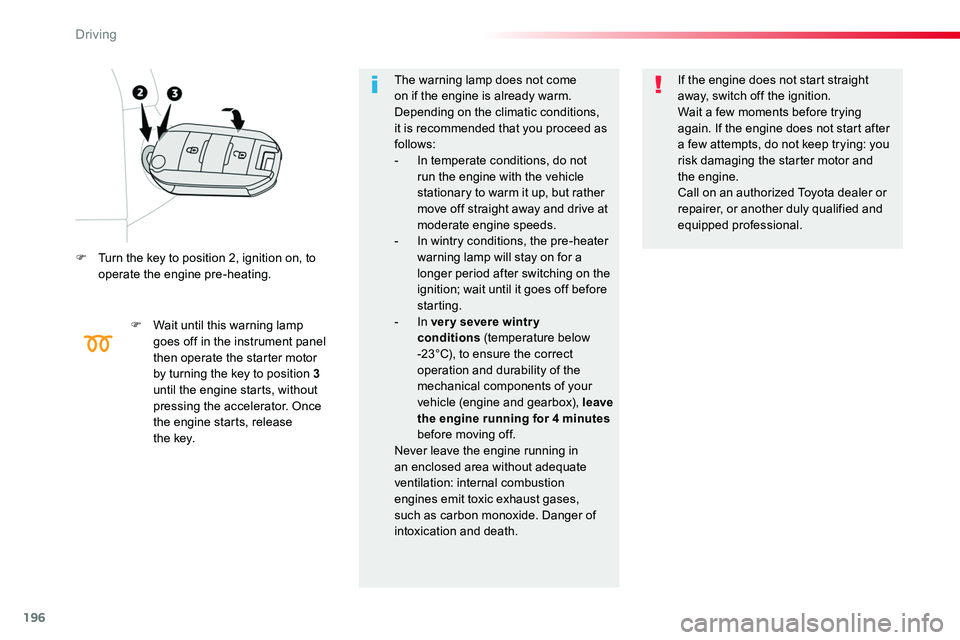
F Turn the key to position 2, ignition on, to operate the engine pre-heating.
F Wait until this warning lamp goes off in the instrument panel then operate the starter motor by turning the key to position 3 until the engine starts, without pressing the accelerator. Once the engine starts, release t h e key.
The warning lamp does not come on if the engine is already warm. Depending on the climatic conditions, it is recommended that you proceed as follows:- In temperate conditions, do not run the engine with the vehicle stationary to warm it up, but rather move off straight away and drive at
moderate engine speeds.- In wintry conditions, the pre-heater warning lamp will stay on for a longer period after switching on the ignition; wait until it goes off before starting.- In ver y severe wintr y conditions (temperature below -23°C), to ensure the correct operation and durability of the mechanical components of your vehicle (engine and gearbox), leave the engine running for 4 minutes before moving off.Never leave the engine running in an enclosed area without adequate ventilation: internal combustion engines emit toxic exhaust gases, such as carbon monoxide. Danger of intoxication and death.
If the engine does not start straight away, switch off the ignition.Wait a few moments before trying again. If the engine does not start after a few attempts, do not keep trying: you risk damaging the starter motor and the engine.Call on an authorized Toyota dealer or repairer, or another duly qualified and
equipped professional.
Driving
Page 199 of 504
199
The presence in the recognition zone of the remote control of the "Smart Entry & Start System" is essential.Never leave the vehicle with the engine running and with the remote control on your person.If the remote control leaves the recognition zone, a message is displayed.
Move the remote control into the zone to be able to start the engine.
If one of the starting conditions is not met, a message appears in the instrument panel screen. In some circumstances, it is necessary to turn the steering wheel slightly while pressing the "START/STOP" button
to assist unlocking of the steering; a message warns you when this is needed.
If the vehicle is not immobilised, the engine will not stop.
Switching off
F Immobilise the vehicle.
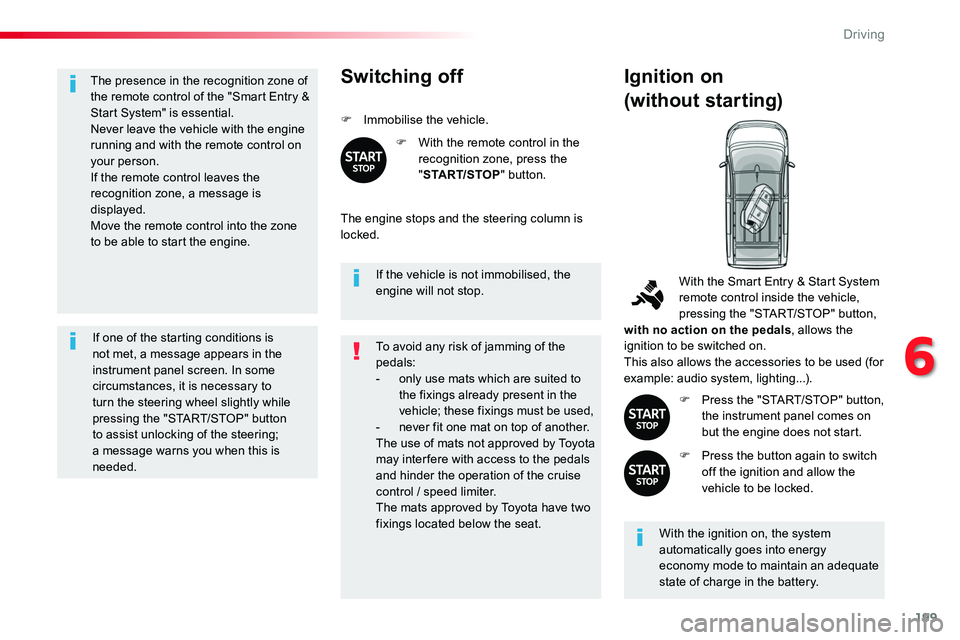
F With the remote control in the recognition zone, press the "START/STOP" button.
The engine stops and the steering column is locked.
Ignition on
(without starting)
With the ignition on, the system automatically goes into energy economy mode to maintain an adequate state of charge in the battery.
With the Smart Entry & Start System remote control inside the vehicle, pressing the "START/STOP" button, with no action on the pedals, allows the ignition to be switched on.This also allows the accessories to be used (for example: audio system, lighting...).
F Press the "START/STOP" button, the instrument panel comes on but the engine does not start.
F Press the button again to switch off the ignition and allow the vehicle to be locked.
To avoid any risk of jamming of the pedals:- only use mats which are suited to the fixings already present in the vehicle; these fixings must be used,- never fit one mat on top of another.The use of mats not approved by Toyota may inter fere with access to the pedals and hinder the operation of the cruise control / speed limiter.The mats approved by Toyota have two fixings located below the seat.
6
Driving
Page 204 of 504
204
Gear shift indicator
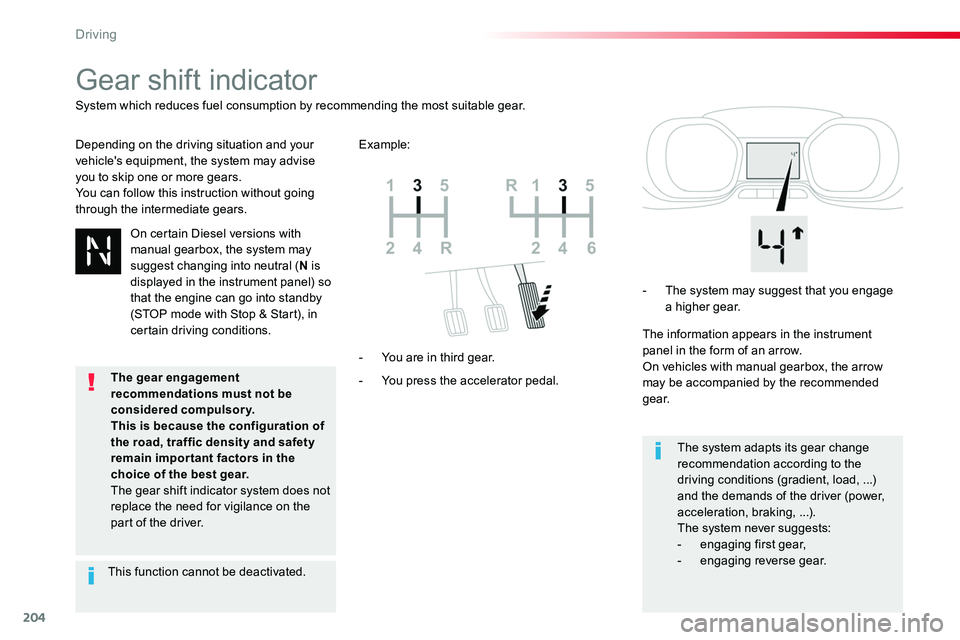
Depending on the driving situation and your vehicle's equipment, the system may advise you to skip one or more gears.You can follow this instruction without going through the intermediate gears.
- You press the accelerator pedal.
- You are in third gear.
- The system may suggest that you engage a higher gear.
The information appears in the instrument panel in the form of an arrow.On vehicles with manual gearbox, the arrow may be accompanied by the recommended g e a r.
The system adapts its gear change recommendation according to the driving conditions (gradient, load, ...) and the demands of the driver (power, acceleration, braking, ...).The system never suggests:
- engaging first gear,- engaging reverse gear.
System which reduces fuel consumption by recommending the most suitable gear.
Example:
On certain Diesel versions with manual gearbox, the system may suggest changing into neutral (N is displayed in the instrument panel) so that the engine can go into standby (STOP mode with Stop & Start), in certain driving conditions.
This function cannot be deactivated.
The gear engagement recommendations must not be considered compulsory.This is because the configuration of
the road, traffic density and safety remain impor tant factors in the choice of the best gear.The gear shift indicator system does not replace the need for vigilance on the part of the driver.
Driving
Page 205 of 504
205
Automatic gearbox
Six speed automatic gearbox which offers a choice between the comfort of automatic operation or manual gear changing.Two driving modes are offered:- automatic operation for electronic management of the gears by the gearbox,- manual operation for sequential changing of the gears by the driver.
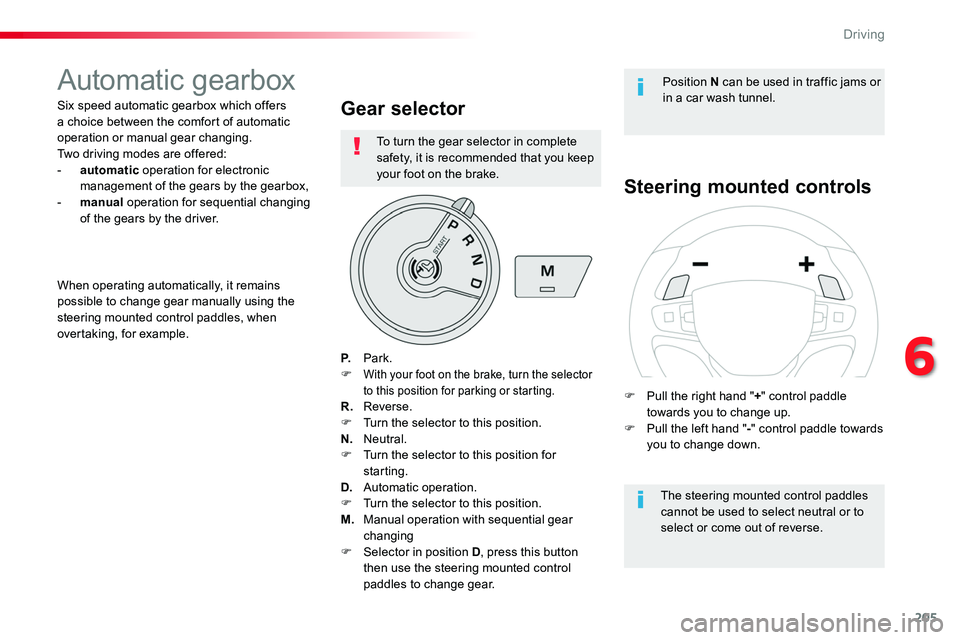
Gear selector
P. Park.F With your foot on the brake, turn the selector to this position for parking or starting.R. Reverse.F Turn the selector to this position.N. Neutral.F Turn the selector to this position for starting.D. Automatic operation.F Turn the selector to this position.
M. Manual operation with sequential gear changingF Selector in position D, press this button then use the steering mounted control paddles to change gear.
Steering mounted controls
The steering mounted control paddles cannot be used to select neutral or to select or come out of reverse.
When operating automatically, it remains possible to change gear manually using the steering mounted control paddles, when overtaking, for example.
Position N can be used in traffic jams or in a car wash tunnel.
F Pull the right hand "+" control paddle towards you to change up.F Pull the left hand "-" control paddle towards you to change down.
To turn the gear selector in complete safety, it is recommended that you keep your foot on the brake.
6
Driving
Page 208 of 504
208
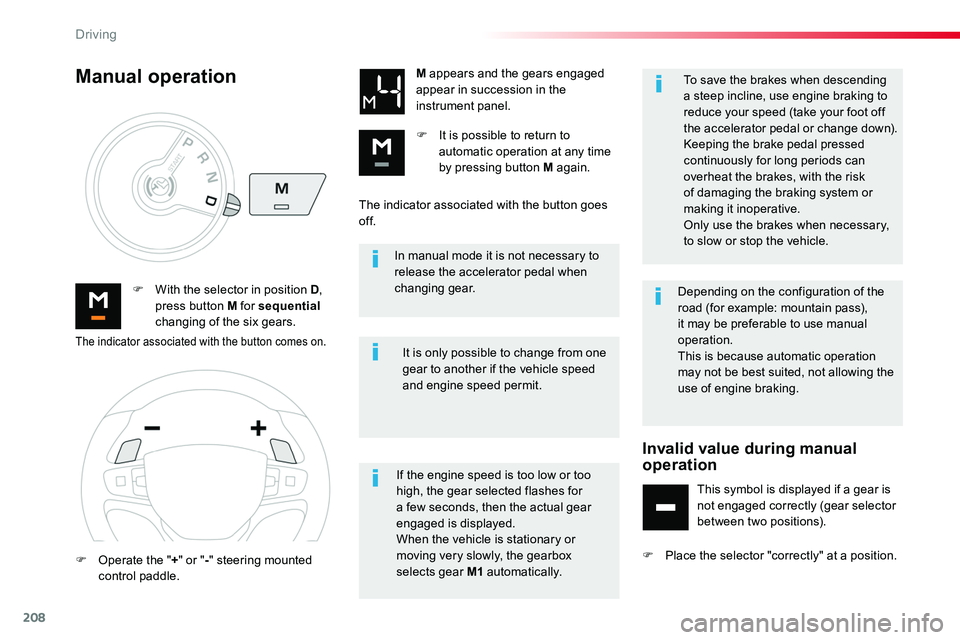
In manual mode it is not necessary to release the accelerator pedal when changing gear.F With the selector in position D, press button M for sequential changing of the six gears.
M appears and the gears engaged appear in succession in the instrument panel.
F It is possible to return to automatic operation at any time by pressing button M again.
It is only possible to change from one gear to another if the vehicle speed and engine speed permit.
Manual operation
If the engine speed is too low or too high, the gear selected flashes for a few seconds, then the actual gear engaged is displayed.When the vehicle is stationary or moving very slowly, the gearbox selects gear M1 automatically.
To save the brakes when descending a steep incline, use engine braking to reduce your speed (take your foot off the accelerator pedal or change down).Keeping the brake pedal pressed continuously for long periods can overheat the brakes, with the risk of damaging the braking system or making it inoperative.
Only use the brakes when necessary, to slow or stop the vehicle.
The indicator associated with the button comes on.
F Operate the "+" or "-" steering mounted control paddle.
The indicator associated with the button goes of f.
Depending on the configuration of the road (for example: mountain pass), it may be preferable to use manual operation.This is because automatic operation may not be best suited, not allowing the use of engine braking.
Invalid value during manual operation
This symbol is displayed if a gear is not engaged correctly (gear selector between two positions).
F Place the selector "correctly" at a position.
Driving
Page 209 of 504
209
When the ignition is on, a message appears in the instrument panel screen to indicate a gearbox fault.
Operating fault
In this case, the gearbox switches to back-up mode and is locked in 3rd gear. You may feel
a substantial knock when changing from P to R and from N to R. This will not cause any damage to the gearbox.Do not exceed 60 mph (100 km/h), local speed restrictions permitting.Have it checked by an authorized Toyota dealer or repairer, or another duly qualified and equipped professional.
You risk damaging the gearbox:- if you press the accelerator and brake pedals at the same time (braking or acceleration must be done only with the right foot),- if you force the selector from position P to another position when the battery is flat.
To reduce fuel consumption when stationary for long periods with the engine running (traffic jam...), position the selector at N and apply the parking brake.
Stopping the vehicle
A stiff point may be noticed when moving to position P.If the selector is not in position P, when the driver's door is opened or
approximately 45 seconds after the ignition is switched off, there is an audible signal and a message appears.F Return the selector to position P; the audible signal stops and the message disappears.
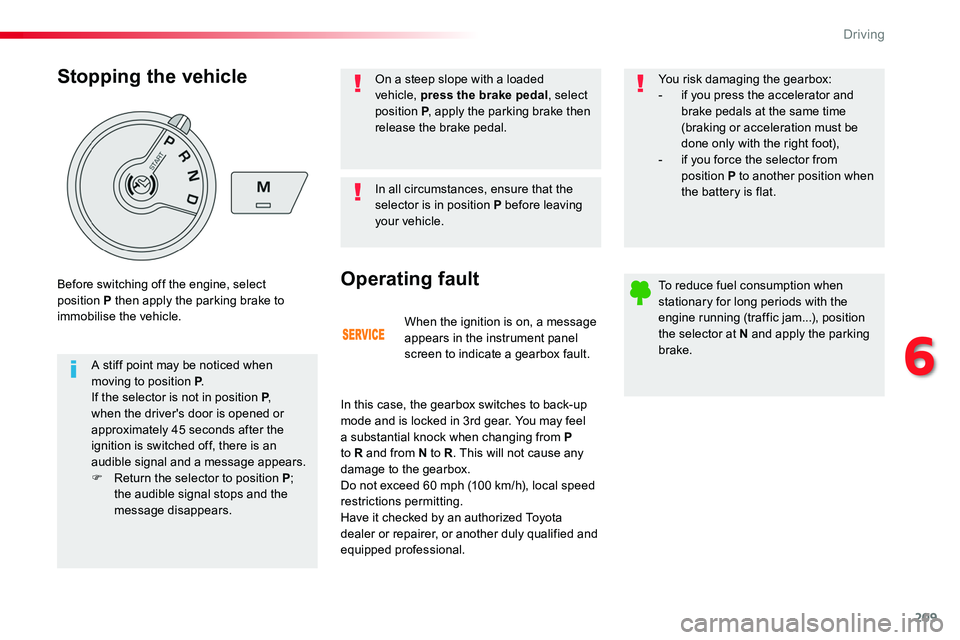
Before switching off the engine, select position P then apply the parking brake to immobilise the vehicle.
In all circumstances, ensure that the selector is in position P before leaving your vehicle.
On a steep slope with a loaded vehicle, press the brake pedal, select position P, apply the parking brake then release the brake pedal.
6
Driving
Page 210 of 504
210
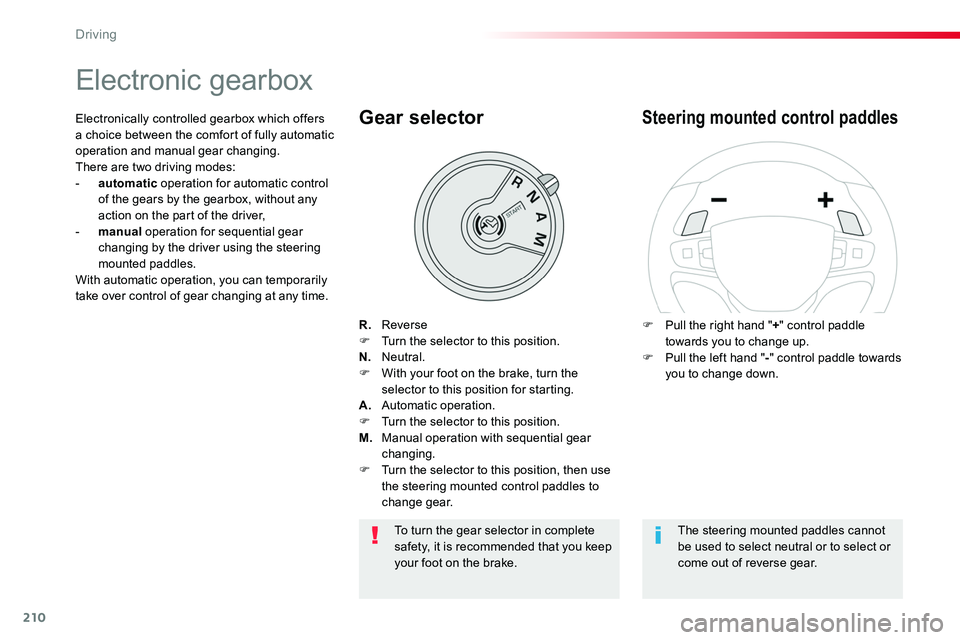
Electronic gearbox
R. ReverseF Turn the selector to this position.N. Neutral.F With your foot on the brake, turn the selector to this position for starting.A. Automatic operation.F Turn the selector to this position.M. Manual operation with sequential gear changing.F Turn the selector to this position, then use the steering mounted control paddles to change gear.
Gear selector
F Pull the right hand "+" control paddle towards you to change up.F Pull the left hand "-" control paddle towards you to change down.
Steering mounted control paddlesElectronically controlled gearbox which offers a choice between the comfort of fully automatic operation and manual gear changing.There are two driving modes:- automatic operation for automatic control of the gears by the gearbox, without any action on the part of the driver,- manual operation for sequential gear changing by the driver using the steering mounted paddles.With automatic operation, you can temporarily take over control of gear changing at any time.
The steering mounted paddles cannot be used to select neutral or to select or come out of reverse gear.
To turn the gear selector in complete safety, it is recommended that you keep your foot on the brake.
Driving
Page 214 of 504
214
Stop & StartGoing into engine
STOP mode
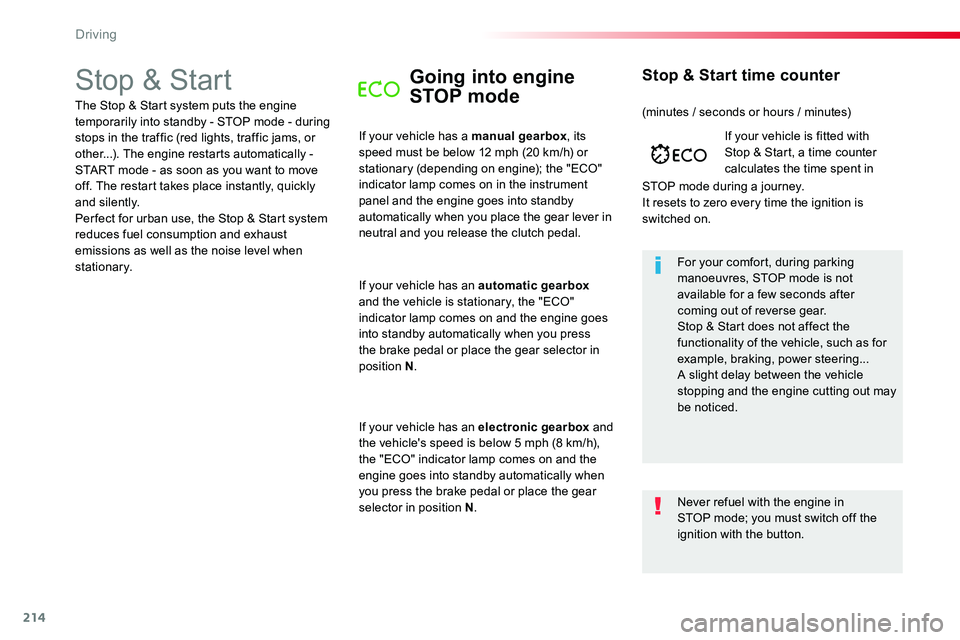
If your vehicle has a manual gearbox, its speed must be below 12 mph (20 km/h) or stationary (depending on engine); the "ECO" indicator lamp comes on in the instrument panel and the engine goes into standby automatically when you place the gear lever in
neutral and you release the clutch pedal.
For your comfort, during parking manoeuvres, STOP mode is not available for a few seconds after coming out of reverse gear.Stop & Start does not affect the functionality of the vehicle, such as for example, braking, power steering...A slight delay between the vehicle stopping and the engine cutting out may be noticed.
If your vehicle is fitted with Stop & Start, a time counter calculates the time spent in
STOP mode during a journey.It resets to zero every time the ignition is switched on.
Stop & Start time counter
The Stop & Start system puts the engine temporarily into standby - STOP mode - during stops in the traffic (red lights, traffic jams, or other...). The engine restarts automatically - START mode - as soon as you want to move off. The restart takes place instantly, quickly and silently.Per fect for urban use, the Stop & Start system reduces fuel consumption and exhaust emissions as well as the noise level when stationary.
If your vehicle has an automatic gearbox and the vehicle is stationary, the "ECO" indicator lamp comes on and the engine goes into standby automatically when you press the brake pedal or place the gear selector in position N.
If your vehicle has an electronic gearbox and the vehicle's speed is below 5 mph (8 km/h), the "ECO" indicator lamp comes on and the engine goes into standby automatically when you press the brake pedal or place the gear selector in position N.
(minutes / seconds or hours / minutes)
Never refuel with the engine in STOP mode; you must switch off the ignition with the button.
Driving