audio TOYOTA PROACE VERSO 2016 Owner's Manual
[x] Cancel search | Manufacturer: TOYOTA, Model Year: 2016, Model line: PROACE VERSO, Model: TOYOTA PROACE VERSO 2016Pages: 504, PDF Size: 81.64 MB
Page 243 of 504
243
Deactivation / Activation of
the alert and the braking
By default, the function is automatically activated at every engine start.The deactivation or activation of the function is done in the vehicle configuration menu.
With the audio system
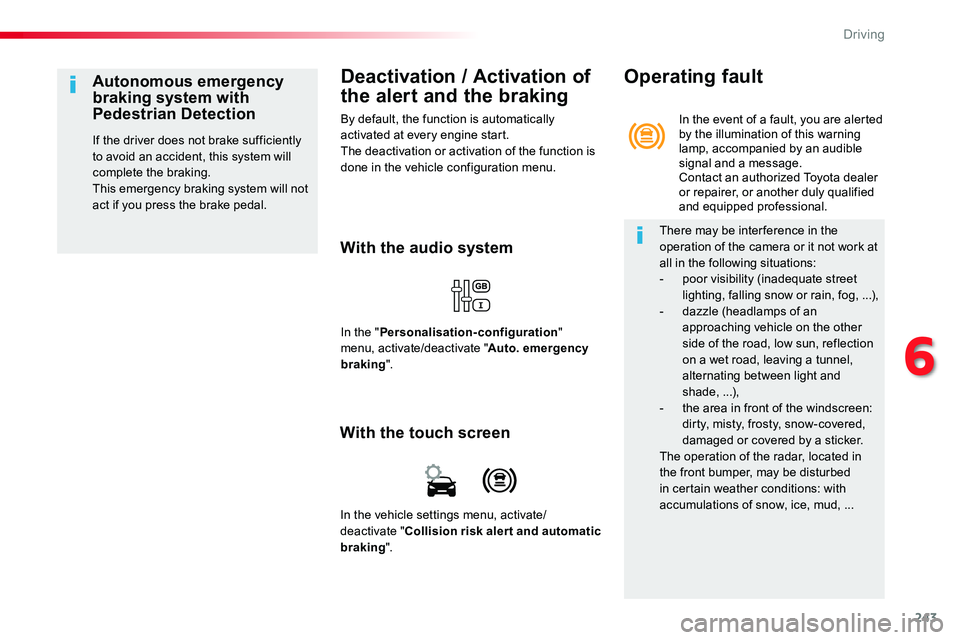
In the "Personalisation-configuration" menu, activate/deactivate "Auto. emergency braking".
Autonomous emergency braking system with Pedestrian Detection
If the driver does not brake sufficiently to avoid an accident, this system will complete the braking.This emergency braking system will not act if you press the brake pedal.
With the touch screen
In the vehicle settings menu, activate/deactivate "Collision risk alert and automatic
braking".
In the event of a fault, you are alerted by the illumination of this warning lamp, accompanied by an audible signal and a message.Contact an authorized Toyota dealer or repairer, or another duly qualified and equipped professional.
Operating fault
There may be interference in the operation of the camera or it not work at all in the following situations:- poor visibility (inadequate street lighting, falling snow or rain, fog, ...),- dazzle (headlamps of an approaching vehicle on the other side of the road, low sun, reflection on a wet road, leaving a tunnel, alternating between light and shade, ...),- the area in front of the windscreen: dirty, misty, frosty, snow-covered,
damaged or covered by a sticker.The operation of the radar, located in the front bumper, may be disturbed in certain weather conditions: with accumulations of snow, ice, mud, ...
6
Driving
Page 245 of 504
245
Lane Departure Alert
With the audio system
Activation / Deactivation
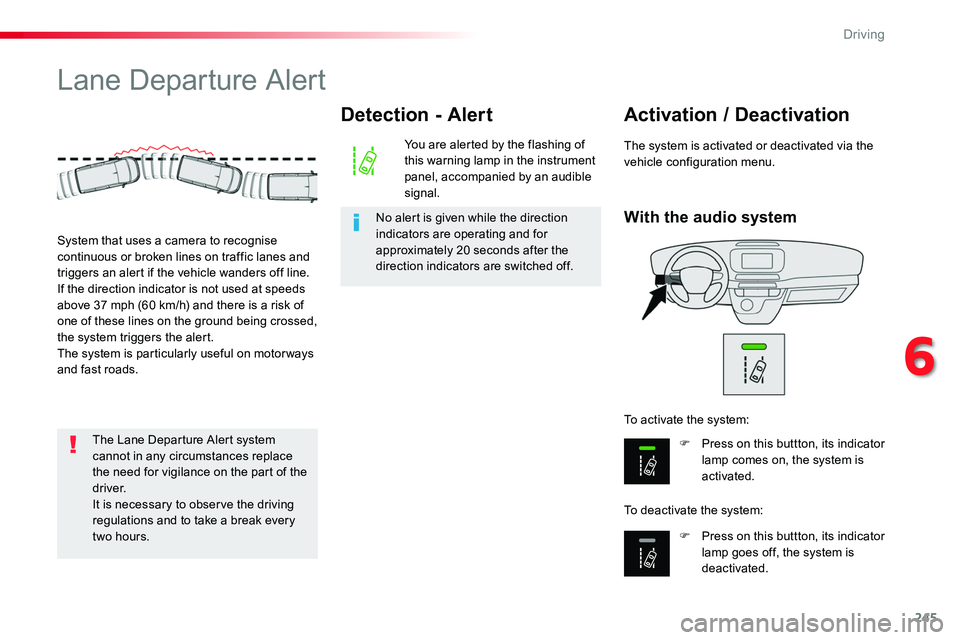
F Press on this buttton, its indicator lamp comes on, the system is activated.
F Press on this buttton, its indicator lamp goes off, the system is deactivated.
To activate the system:
To deactivate the system:
The system is activated or deactivated via the vehicle configuration menu.
System that uses a camera to recognise continuous or broken lines on traffic lanes and triggers an alert if the vehicle wanders off line.If the direction indicator is not used at speeds above 37 mph (60 km/h) and there is a risk of one of these lines on the ground being crossed, the system triggers the alert.The system is particularly useful on motor ways and fast roads.
Detection - Alert
You are alerted by the flashing of this warning lamp in the instrument panel, accompanied by an audible signal.
No alert is given while the direction indicators are operating and for approximately 20 seconds after the direction indicators are switched off.
The Lane Departure Alert system cannot in any circumstances replace the need for vigilance on the part of the driver.It is necessary to observe the driving regulations and to take a break every
two hours.
6
Driving
Page 247 of 504
247
Driver Attention Alert
The system resets itself if one of the following conditions is met:- engine running, the vehicle has been stationary for more than 15 minutes,- the ignition has been switched off for a few minutes,- the driver's seat belt is unfastened and their door is open.
As soon as the speed of the vehicle drops below 40 mph (65 km/h), the system goes into standby.The driving time is counted again once the speed is above 40 mph (65 km/h).
The system cannot in any circumstances replace the need for vigilance on the part of the driver.Do not take the wheel if you are tired.
The system triggers an alert once it detects that the driver has not taken a break after two hours of driving at a speed above 40 mph (65 km/h).
It is recommended that you take a break as soon as you feel tired or at least every two hours.Depending on version, the vehicle either has the "Driving time warning system" only, or this combined with the "Driver Attention Alert".
Driving time warning
With the audio system
In the "Personalisation-configuration" menu, activate/deactivate "Fatigue Detection System".
Activation / Deactivation
The system is activated or deactivated via the vehicle configuration menu.
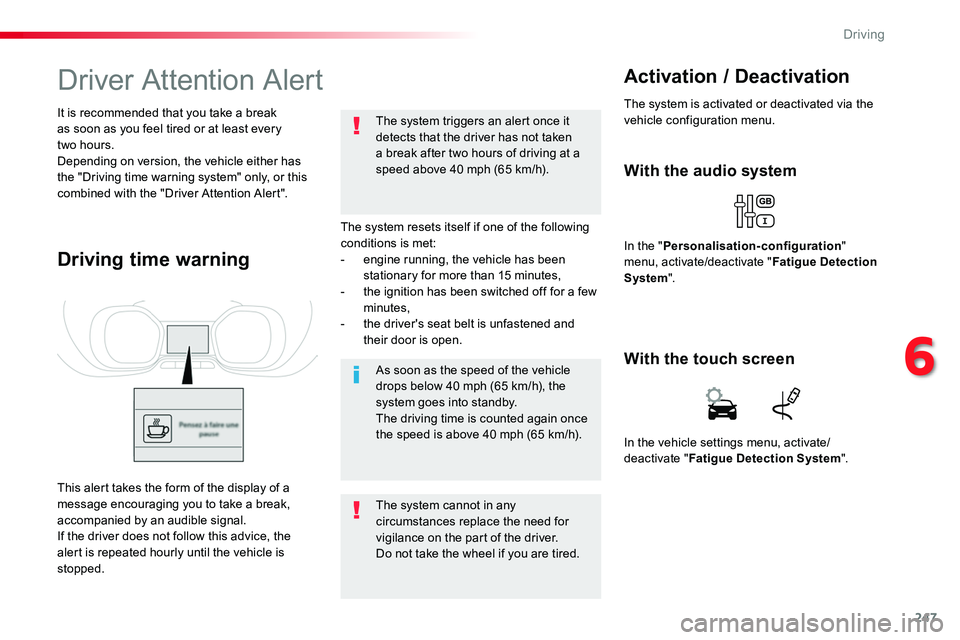
This alert takes the form of the display of a message encouraging you to take a break, accompanied by an audible signal.If the driver does not follow this advice, the alert is repeated hourly until the vehicle is stopped.
In the vehicle settings menu, activate/deactivate "Fatigue Detection System".
With the touch screen
6
Driving
Page 250 of 504
250
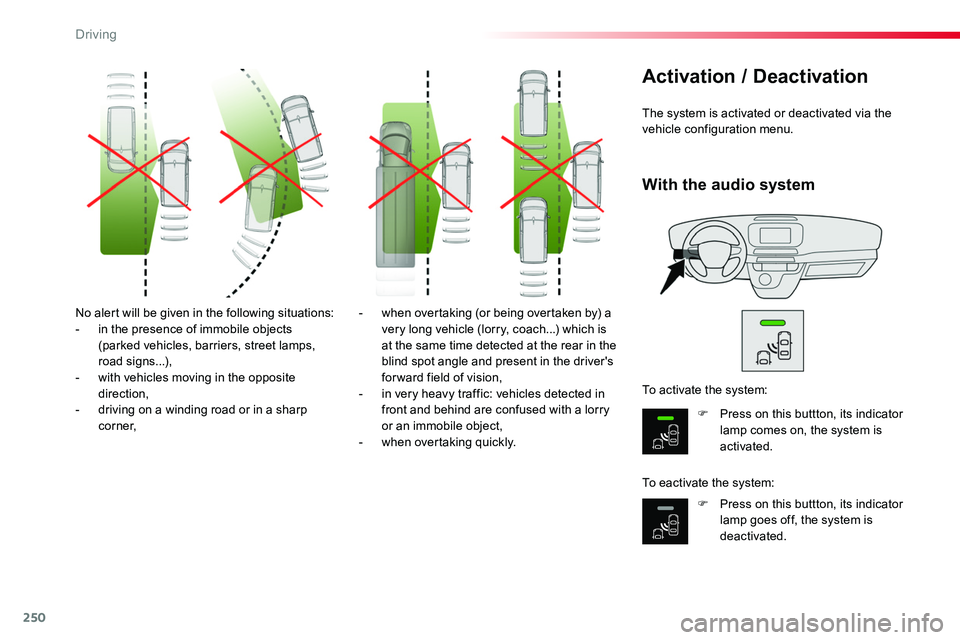
No alert will be given in the following situations:- in the presence of immobile objects (parked vehicles, barriers, street lamps, road signs...),- with vehicles moving in the opposite direction,- driving on a winding road or in a sharp c o r n e r,
- when overtaking (or being overtaken by) a very long vehicle (lorry, coach...) which is at the same time detected at the rear in the blind spot angle and present in the driver's forward field of vision,- in very heavy traffic: vehicles detected in front and behind are confused with a lorry or an immobile object,
- when overtaking quickly.
The system is activated or deactivated via the vehicle configuration menu.
Activation / Deactivation
F Press on this buttton, its indicator lamp comes on, the system is activated.
F Press on this buttton, its indicator lamp goes off, the system is deactivated.
To activate the system:
To eactivate the system:
With the audio system
Driving
Page 253 of 504
253
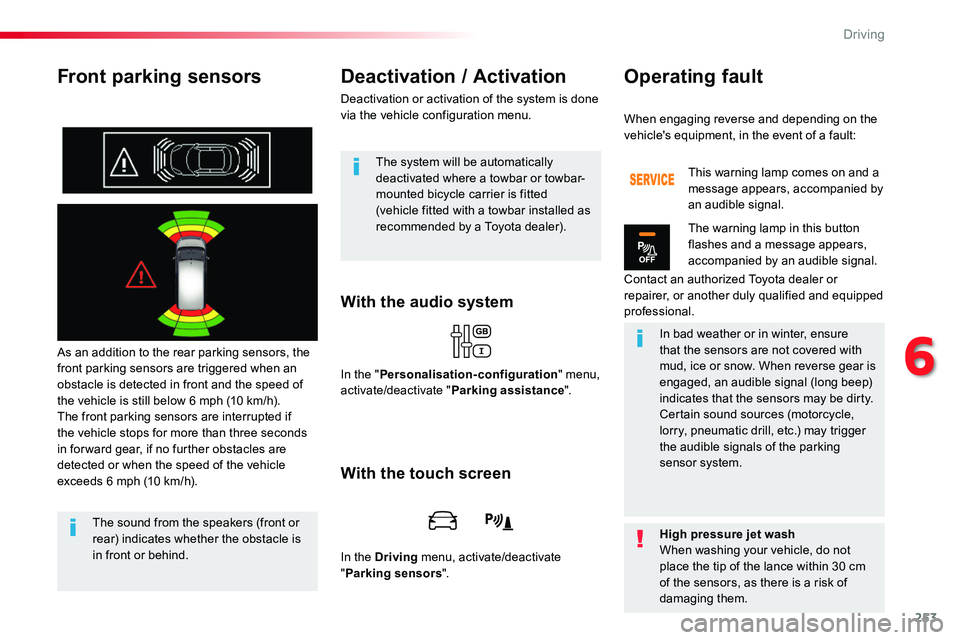
Front parking sensors
As an addition to the rear parking sensors, the front parking sensors are triggered when an obstacle is detected in front and the speed of the vehicle is still below 6 mph (10 km/h).The front parking sensors are interrupted if the vehicle stops for more than three seconds in for ward gear, if no further obstacles are detected or when the speed of the vehicle exceeds 6 mph (10 km/h).
With the audio system
Deactivation / Activation
Deactivation or activation of the system is done via the vehicle configuration menu.
The sound from the speakers (front or
rear) indicates whether the obstacle is in front or behind.
The system will be automatically deactivated where a towbar or towbar-mounted bicycle carrier is fitted (vehicle fitted with a towbar installed as recommended by a Toyota dealer).
In the "Personalisation-configuration" menu, activate/deactivate "Parking assistance".
With the touch screen
In the Driving menu, activate/deactivate "Parking sensors".
When engaging reverse and depending on the vehicle's equipment, in the event of a fault:
Contact an authorized Toyota dealer or repairer, or another duly qualified and equipped professional.
This warning lamp comes on and a message appears, accompanied by an audible signal.
The warning lamp in this button flashes and a message appears, accompanied by an audible signal.
In bad weather or in winter, ensure that the sensors are not covered with mud, ice or snow. When reverse gear is engaged, an audible signal (long beep) indicates that the sensors may be dirty.Certain sound sources (motorcycle, lorry, pneumatic drill, etc.) may trigger the audible signals of the parking sensor system.
High pressure jet washWhen washing your vehicle, do not place the tip of the lance within 30 cm of the sensors, as there is a risk of damaging them.
Operating fault
6
Driving
Page 260 of 504
260
In the Driving menu, select "Under-inflation initialisation".
With the audio system
In the "Personalisation-configuration" menu, select "Under-inflation initialisation".
Operating fault
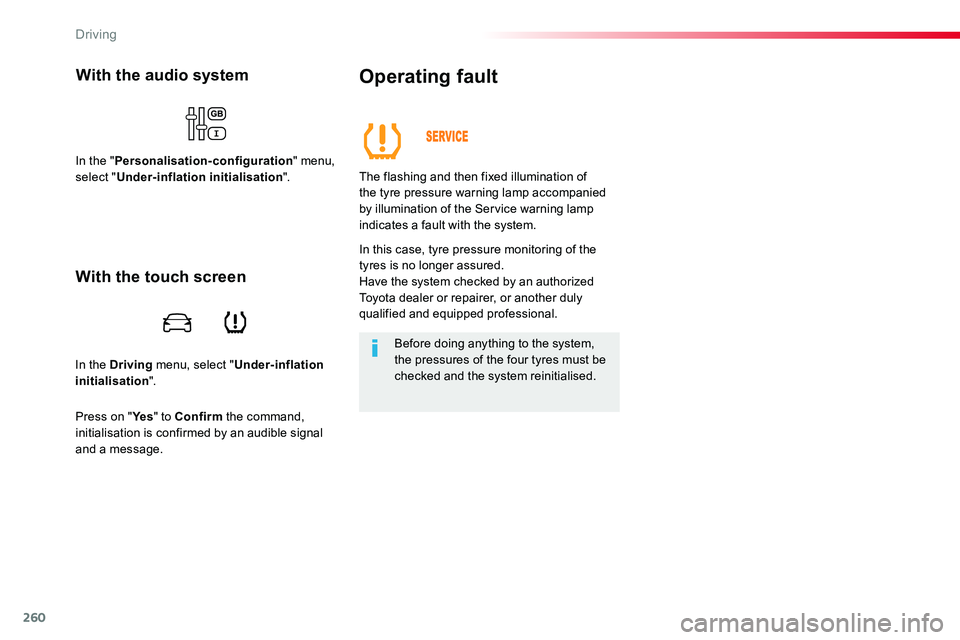
The flashing and then fixed illumination of the tyre pressure warning lamp accompanied by illumination of the Service warning lamp
indicates a fault with the system.
In this case, tyre pressure monitoring of the tyres is no longer assured.Have the system checked by an authorized Toyota dealer or repairer, or another duly qualified and equipped professional.
Before doing anything to the system, the pressures of the four tyres must be checked and the system reinitialised.
With the touch screen
Press on "Ye s" to Confirm the command, initialisation is confirmed by an audible signal and a message.
Driving
Page 266 of 504
266
Energy economy mode
System which manages the duration of use of certain functions to conserve a sufficient level of charge in the battery.After the engine has stopped, you can still use functions such as the audio and telematics system, windscreen wipers, dipped beam headlamps, courtesy lamps, etc. for a maximum combined duration of about forty minutes.
Switching to economy
mode
A message appears in the instrument panel screen indicating that the vehicle has switched to economy mode and the active functions are put on standby.
If a telephone call is being made at this time, it will be maintained for around 10 minutes with the Bluetooth hands-free system of your audio system.
Exiting economy mode
These functions are reactivated automatically next time the vehicle is driven.In order to restore the use of these functions immediately, start the engine and let it run:- for less than ten minutes, to use the equipment for approximately five minutes,- for more than ten minutes, to use the equipment for up to approximately thirty minutes.Let the engine run for the duration specified to ensure that the battery charge is sufficient.Do not repeatedly and continuously restart the engine in order to charge the battery.A flat battery prevents the engine from starting.For more information on the 12 V batter y, refer to the corresponding section.
Load reduction mode
System which manages the use of certain functions according to the level of charge remaining in the battery.When the vehicle is being driven, the load reduction function temporarily deactivates certain functions, such as the air conditioning, the heated rear screen...The deactivated functions are reactivated automatically as soon as conditions permit.
Practical information
Page 268 of 504
268
By visiting a Toyota dealer, you can also obtain products for cleaning and maintenance (exterior and interior) - including ecological products in the "TECHNATURE" range, topping-up products (screenwash...), touch-up pens and paint aerosols for the exact colour of your vehicle, refills (cartridge for the temporary puncture repair kit...), ...
"Multimedia"
Smartphone support, table support or semi-integral navigation support, range of audio systems and portable navigation systems, driving recorder, Bluetooth hands-free kit, DVD player, multimedia support, driving aids, vehicle tracking system, ...
For any work on your vehicle, use a qualified workshop that has the technical information, skills and equipment required, all of which a Toyota dealer is able to provide.
Roof bars / Roof rack
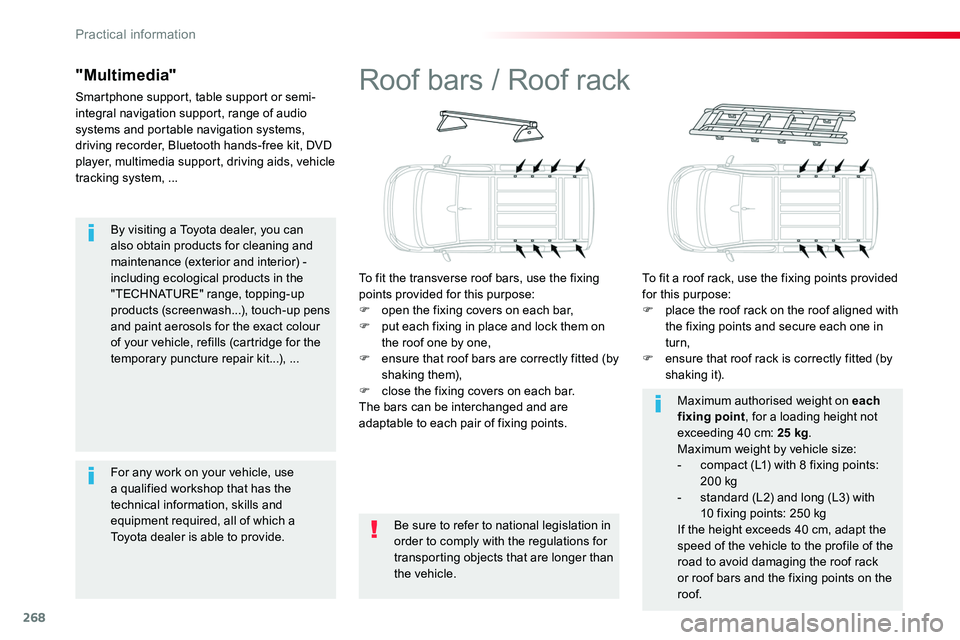
To fit the transverse roof bars, use the fixing points provided for this purpose:F open the fixing covers on each bar,F put each fixing in place and lock them on the roof one by one,F ensure that roof bars are correctly fitted (by shaking them),F close the fixing covers on each bar.The bars can be interchanged and are adaptable to each pair of fixing points.
To fit a roof rack, use the fixing points provided for this purpose:F place the roof rack on the roof aligned with the fixing points and secure each one in turn,F ensure that roof rack is correctly fitted (by shaking it).
Be sure to refer to national legislation in order to comply with the regulations for transporting objects that are longer than the vehicle.
Maximum authorised weight on each fixing point, for a loading height not exceeding 40 cm: 25 kg.Maximum weight by vehicle size:- compact (L1) with 8 fixing points: 200 kg- standard (L2) and long (L3) with 10 fixing points: 250 kgIf the height exceeds 40 cm, adapt the
speed of the vehicle to the profile of the road to avoid damaging the roof rack or roof bars and the fixing points on the roof.
Practical information
Page 313 of 504
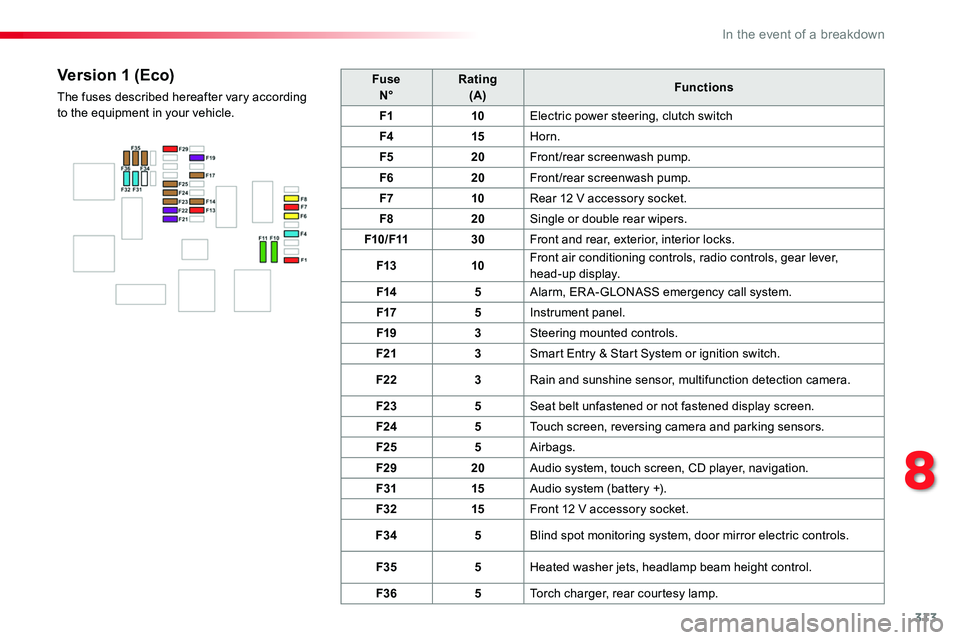
313
FuseN°Rating(A)Functions
F110Electric power steering, clutch switch
F415Horn.
F520Front/rear screenwash pump.
F620Front/rear screenwash pump.
F710Rear 12 V accessory socket.
F820Single or double rear wipers.
F10/F1130Front and rear, exterior, interior locks.
F1310Front air conditioning controls, radio controls, gear lever, head-up display.
F145Alarm, ER A-GLONASS emergency call system.
F175Instrument panel.
F193Steering mounted controls.
F213Smart Entry & Start System or ignition switch.
F223Rain and sunshine sensor, multifunction detection camera.
F235Seat belt unfastened or not fastened display screen.
F245Touch screen, reversing camera and parking sensors.
F255Airbags.
F2920Audio system, touch screen, CD player, navigation.
F3115Audio system (battery +).
F3215Front 12 V accessory socket.
F345Blind spot monitoring system, door mirror electric controls.
F355Heated washer jets, headlamp beam height control.
F365Torch charger, rear courtesy lamp.
Version 1 (Eco)
The fuses described hereafter vary according to the equipment in your vehicle.
8
In the event of a breakdown
Page 314 of 504
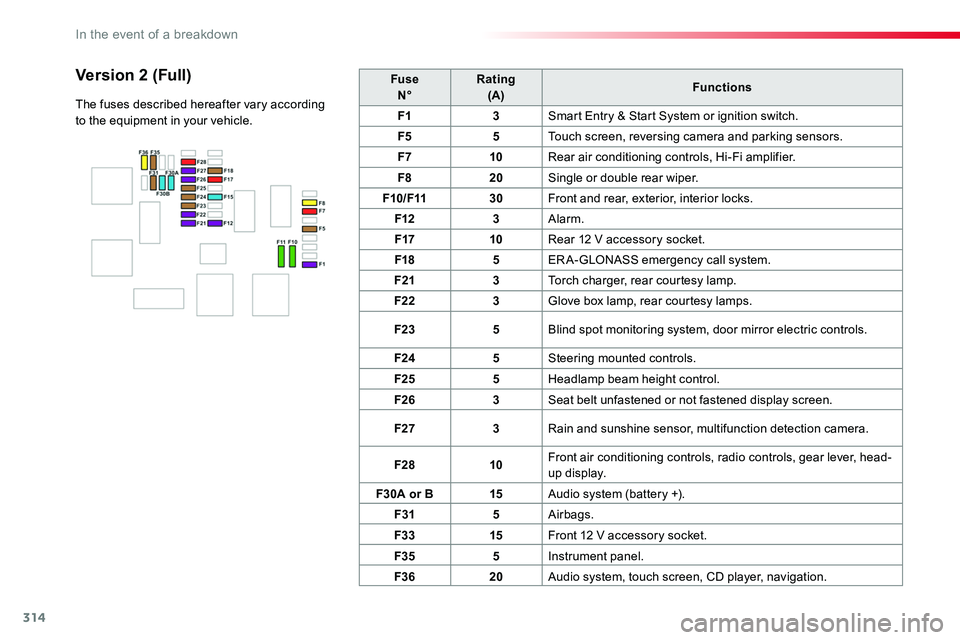
314
FuseN°Rating(A)Functions
F13Smart Entry & Start System or ignition switch.
F55Touch screen, reversing camera and parking sensors.
F710Rear air conditioning controls, Hi-Fi amplifier.
F820Single or double rear wiper.
F10/F1130Front and rear, exterior, interior locks.
F123Alarm.
F1710Rear 12 V accessory socket.
F185ERA-GLONASS emergency call system.
F213Torch charger, rear courtesy lamp.
F223Glove box lamp, rear courtesy lamps.
F235Blind spot monitoring system, door mirror electric controls.
F245Steering mounted controls.
F255Headlamp beam height control.
F263Seat belt unfastened or not fastened display screen.
F273Rain and sunshine sensor, multifunction detection camera.
F2810Front air conditioning controls, radio controls, gear lever, head-up display.
F30A or B15Audio system (battery +).
F315Airbags.
F3315Front 12 V accessory socket.
F355Instrument panel.
F3620Audio system, touch screen, CD player, navigation.
Version 2 (Full)
The fuses described hereafter vary according to the equipment in your vehicle.
In the event of a breakdown