TOYOTA PROACE VERSO 2017 Workshop Manual
PROACE VERSO 2017
TOYOTA
TOYOTA
https://www.carmanualsonline.info/img/14/60469/w960_60469-0.png
TOYOTA PROACE VERSO 2017 Workshop Manual
Page 346 of 504
346
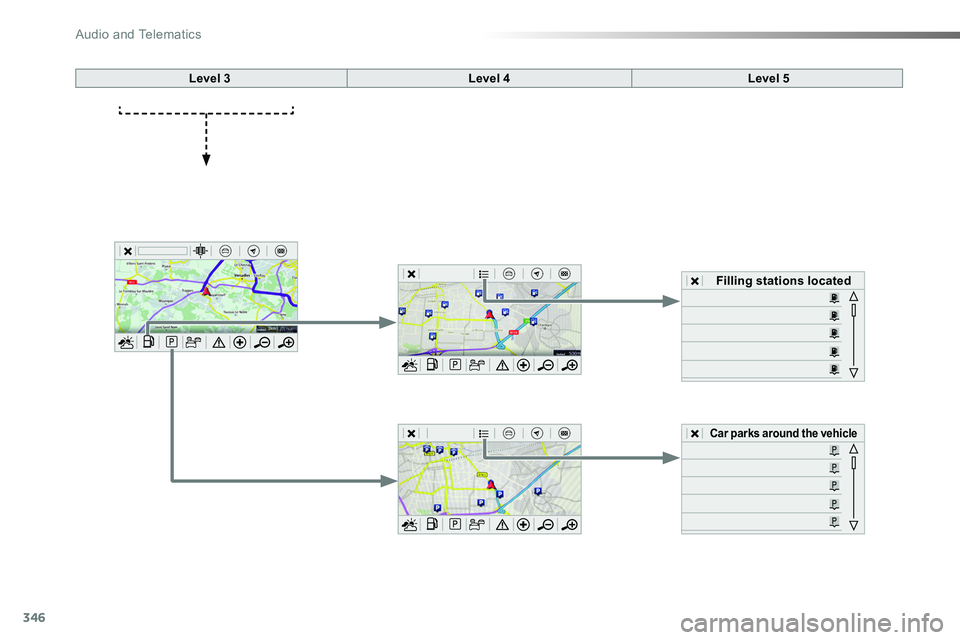
Level 3Level 4Level 5
Filling stations located
Car parks around the vehicle
Audio and Telematics
Page 347 of 504
347
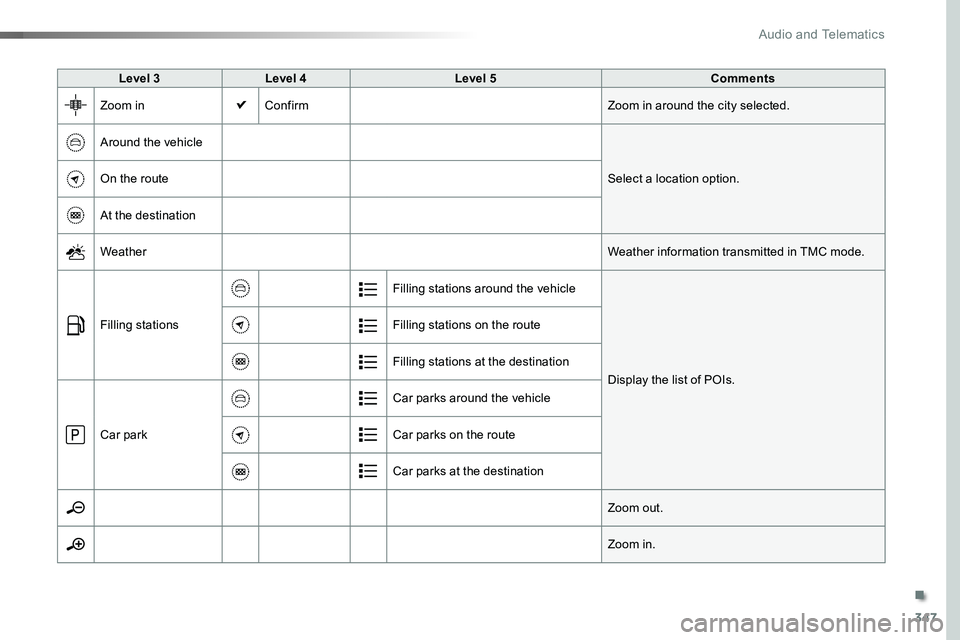
Level 3Level 4Level 5Comments
Zoom inConfirmZoom in around the city selected.
Around the vehicle
Select a location option.On the route
At the destination
WeatherWeather information transmitted in TMC mode.
Filling stations
Filling stations around the vehicle
Display the list of POIs.
Filling stations on the route
Filling stations at the destination
Car park
Car parks around the vehicle
Car parks on the route
Car parks at the destination
Zoom out.
Zoom in.
.
Audio and Telematics
Page 348 of 504
348
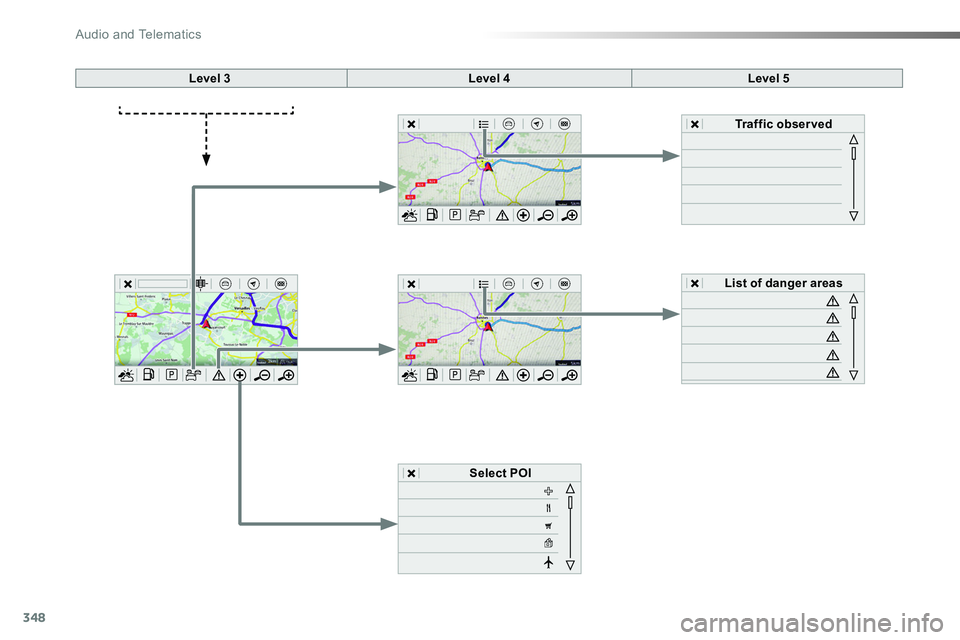
Level 3Level 4Level 5
Select POI
List of danger areas
Traffic observed
Audio and Telematics
Page 349 of 504
349
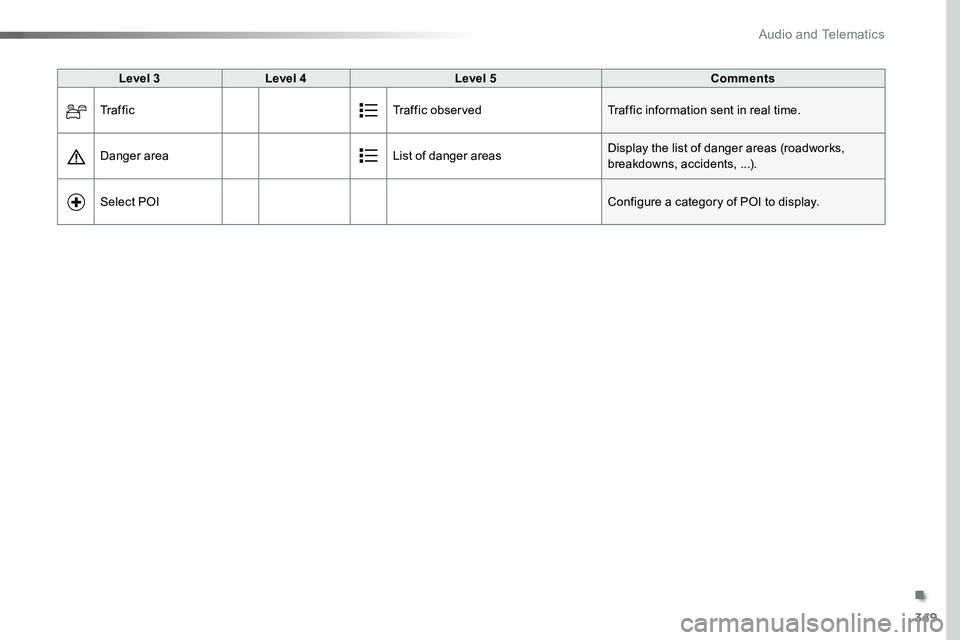
Level 3Level 4Level 5Comments
Tr a f f i cTraffic observedTraffic information sent in real time.
Danger areaList of danger areasDisplay the list of danger areas (roadworks, breakdowns, accidents, ...).
Select POIConfigure a category of POI to display.
.
Audio and Telematics
Page 350 of 504
350
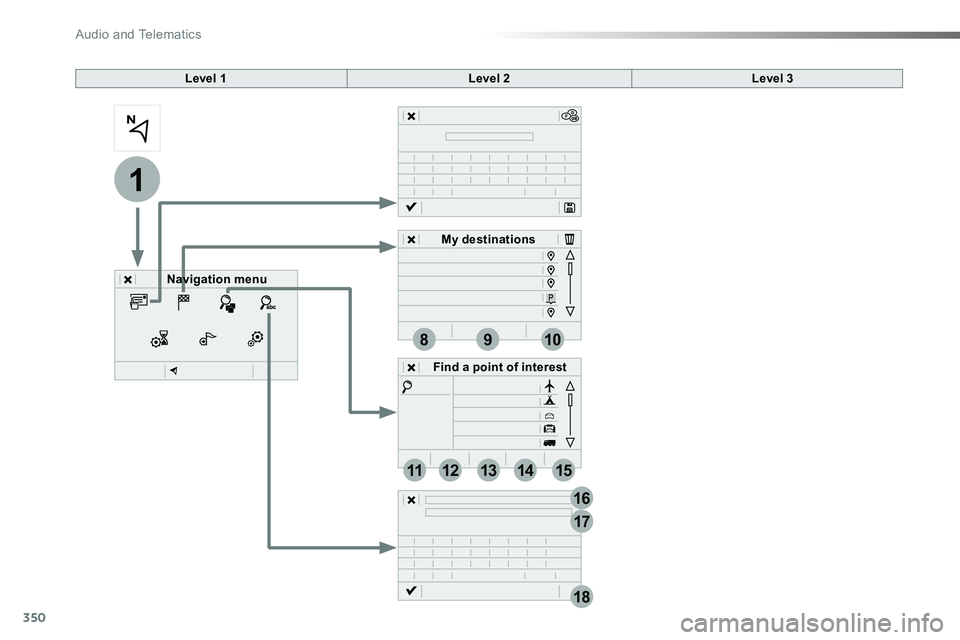
1
17
18
8
11
9
12
10
13
16
1415
Level 1Level 2Level 3
Navigation menu
My destinations
Find a point of interest
Audio and Telematics
Page 351 of 504
351
1
1
1
1
17
18
8
11
9
12
10
13
16
14
15
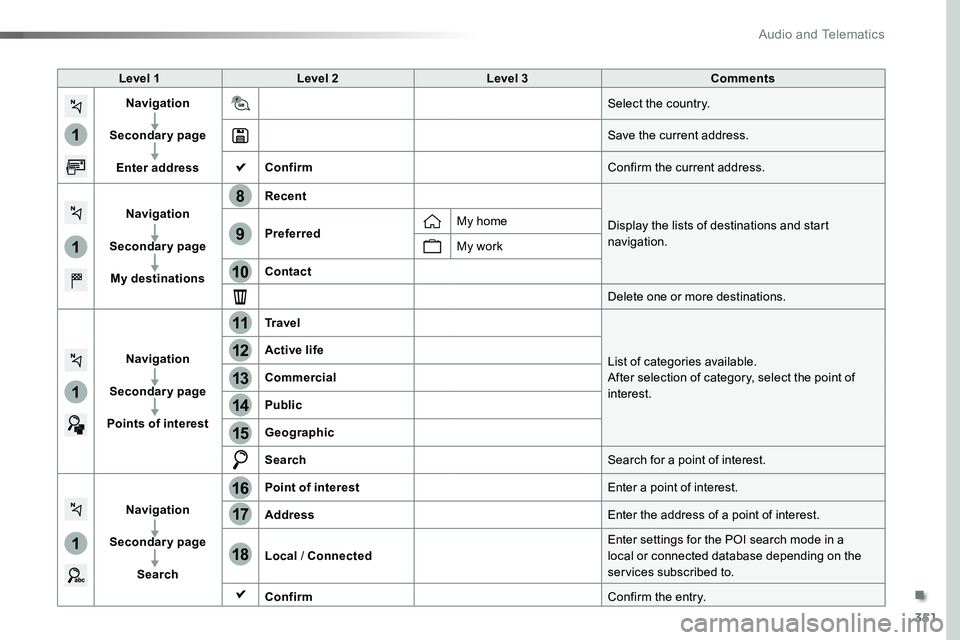
Level 1Level 2Level 3Comments
Navigation
Secondary page
Enter address
Select the country.
Save the current address.
ConfirmConfirm the current address.
Navigation
Secondary page
My destinations
Recent
Display the lists of destinations and start navigation.PreferredMy home
My work
Contact
Delete one or more destinations.
Navigation
Secondary page
Points of interest
Tr a v e l
List of categories available.After selection of category, select the point of interest.
Active life
Commercial
Public
Geographic
SearchSearch for a point of interest.
Navigation
Secondary page
Search
Point of interestEnter a point of interest.
AddressEnter the address of a point of interest.
Local / ConnectedEnter settings for the POI search mode in a local or connected database depending on the services subscribed to.
ConfirmConfirm the entry.
.
Audio and Telematics
Page 352 of 504
352
1
19
21
20
22232425
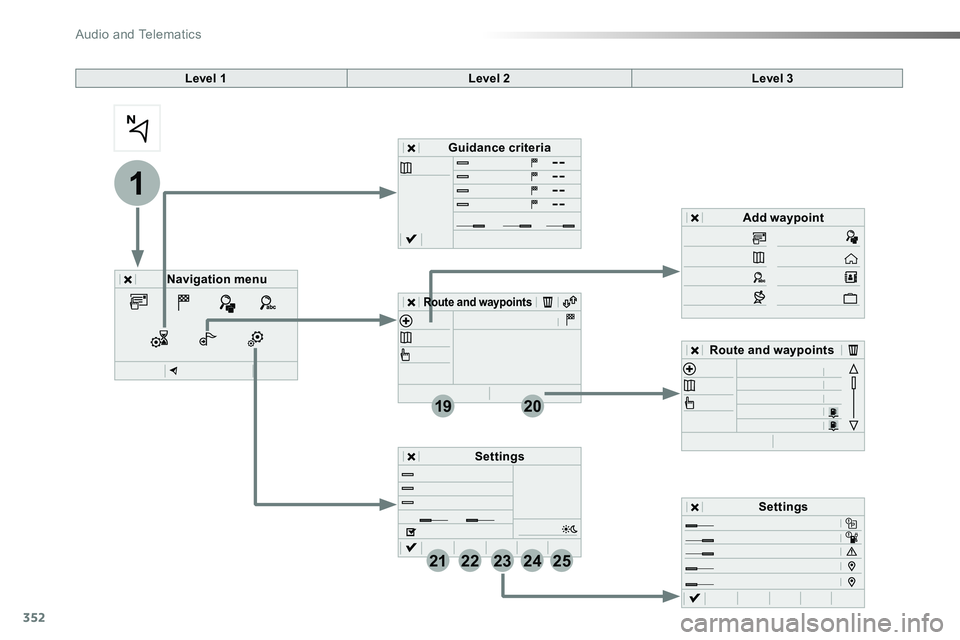
Level 1Level 2Level 3
Navigation menu
Guidance criteria
Route and waypoints
Add waypoint
Settings
Route and waypoints
Settings
Audio and Telematics
Page 353 of 504
353
1
1
1
19
21
20
23
22
24
25
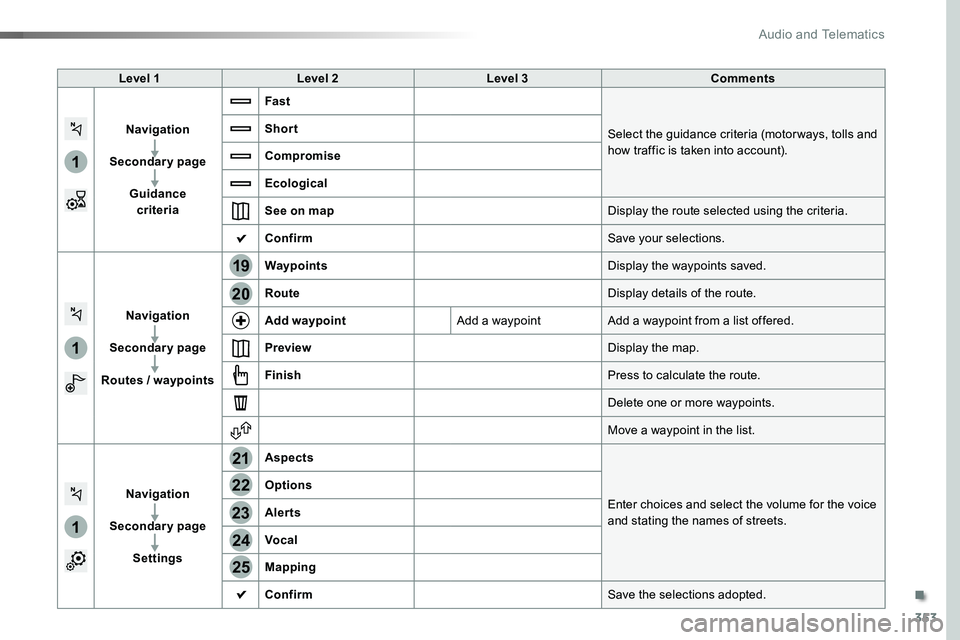
Level 1Level 2Level 3Comments
Navigation
Secondary page
Guidance criteria
Fast
Select the guidance criteria (motor ways, tolls and how traffic is taken into account).
Short
Compromise
Ecological
See on mapDisplay the route selected using the criteria.
ConfirmSave your selections.
Navigation
Secondary page
Routes / waypoints
WaypointsDisplay the waypoints saved.
RouteDisplay details of the route.
Add waypointAdd a waypointAdd a waypoint from a list offered.
PreviewDisplay the map.
FinishPress to calculate the route.
Delete one or more waypoints.
Move a waypoint in the list.
Navigation
Secondary page
Settings
Aspects
Enter choices and select the volume for the voice and stating the names of streets.
Options
Alerts
Vocal
Mapping
ConfirmSave the selections adopted.
.
Audio and Telematics
Page 354 of 504
354
1
1
8
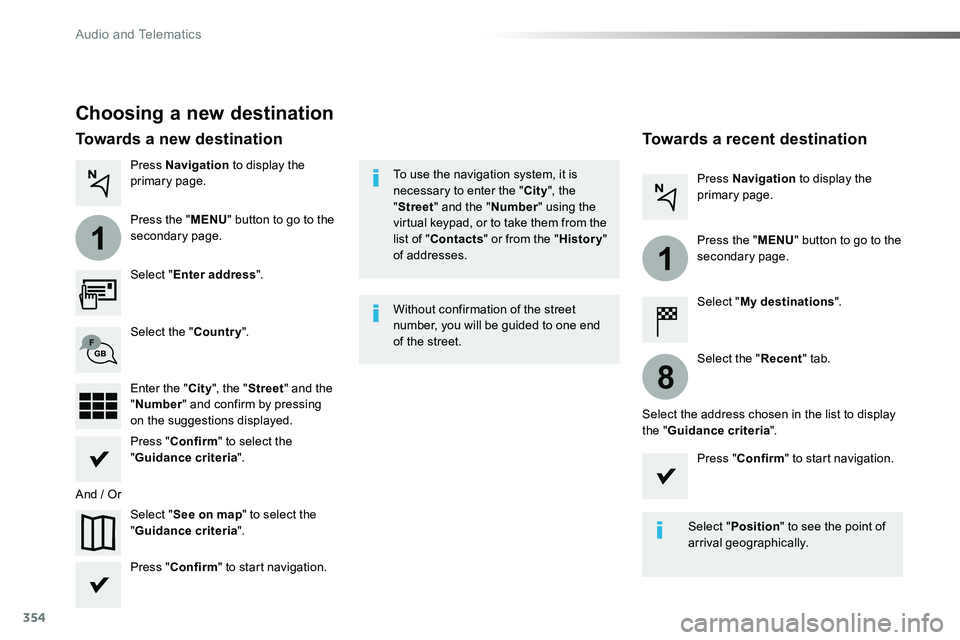
Choosing a new destination
Select "Enter address".
Select "See on map" to select the "Guidance criteria".
Select the "Country".
Press "Confirm" to select the "Guidance criteria".
Press "Confirm" to start navigation.
Press "Confirm" to start navigation.
And / Or
Press Navigation to display the primary page.
Press the "MENU" button to go to the
secondary page.
Towards a new destinationTowards a recent destination
Select "My destinations".
Press Navigation to display the primary page.
Press the "MENU" button to go to the secondary page.
Enter the "City", the "Street" and the "Number" and confirm by pressing on the suggestions displayed.
Select the "Recent" tab.
Select the address chosen in the list to display the "Guidance criteria".
To use the navigation system, it is necessary to enter the "City", the "Street" and the "Number" using the virtual keypad, or to take them from the list of "Contacts" or from the "History" of addresses.
Without confirmation of the street number, you will be guided to one end of the street.
Select "Position" to see the point of arrival geographically.
Audio and Telematics
Page 355 of 504
355
1
10
1
1
9
Or
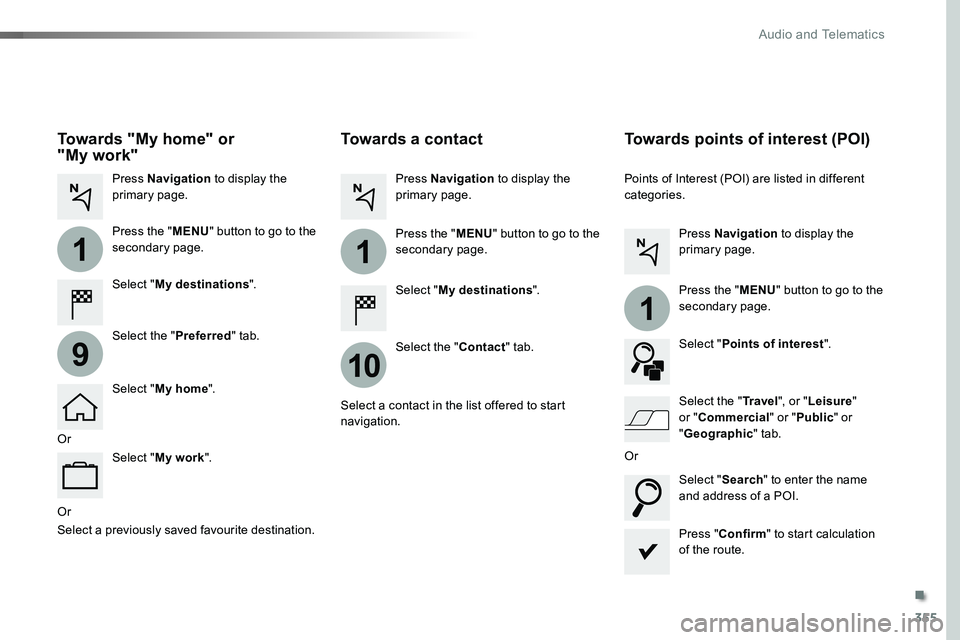
Towards a contact
Select "My destinations".
Select the "Contact" tab.
Press Navigation to display the primary page.
Press the "MENU" button to go to the secondary page.
Select a contact in the list offered to start navigation.
Press "Confirm" to start calculation of the route.
Towards points of interest (POI)
Points of Interest (POI) are listed in different categories.
Press Navigation to display the primary page.
Press the "MENU" button to go to the secondary page.
Select "Points of interest".
Select "Search" to enter the name and address of a POI.
Select the "Tr a v e l", or "Leisure" or "Commercial" or "Public" or
"Geographic" tab.Or
Or
Towards "My home" or "My work"
Select "My destinations".
Press Navigation to display the primary page.
Press the "MENU" button to go to the secondary page.
Select the "Preferred" tab.
Select "My home".
Select "My work".
Select a previously saved favourite destination.
.
Audio and Telematics