461
1
8
9
1
1
13
14
15
16
11
10
12
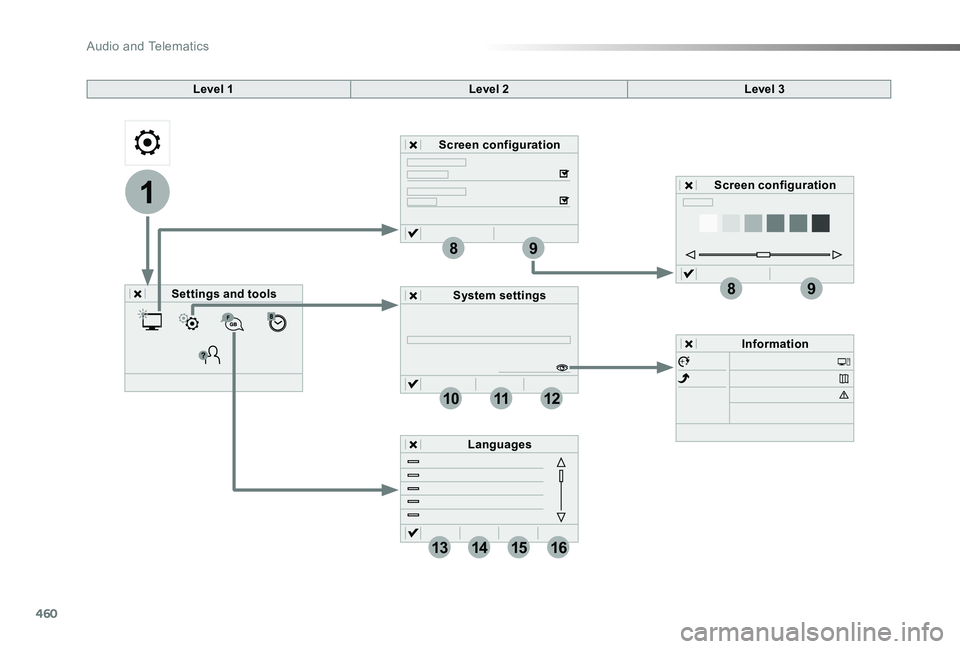
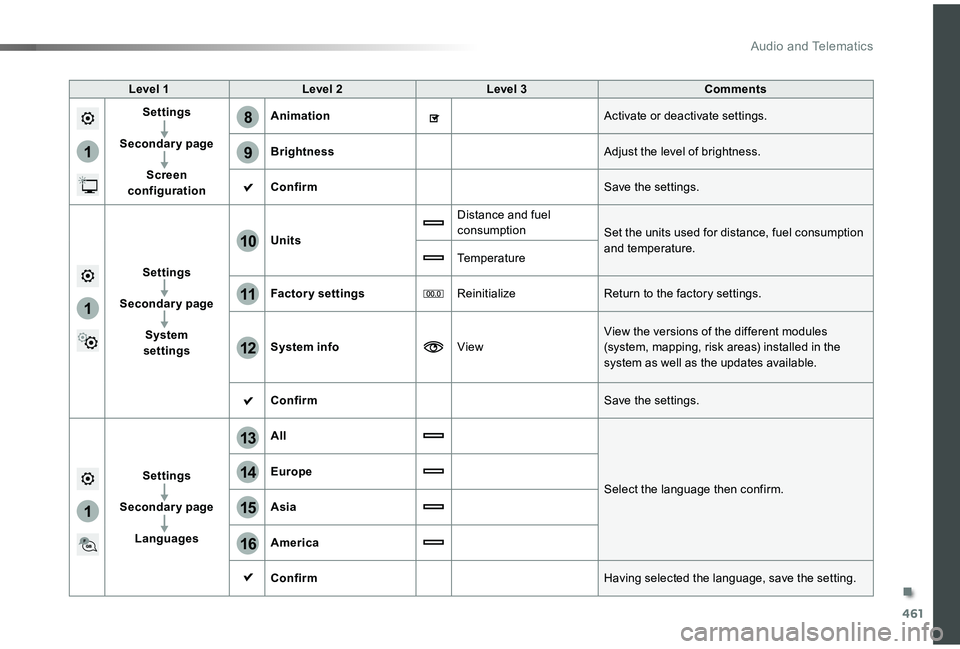
Level 1Level 2Level 3Comments
Settings
Secondary page
Screen configuration
AnimationActivate or deactivate settings.
BrightnessAdjust the level of brightness.
ConfirmSave the settings.
Settings
Secondary page
System settings
Units
Distance and fuel consumptionSet the units used for distance, fuel consumption and temperature.Temperature
Factory settingsReinitializeReturn to the factory settings.
System infoViewView the versions of the different modules (system, mapping, risk areas) installed in the system as well as the updates available.
ConfirmSave the settings.
Settings
Secondary page
Languages
All
Select the language then confirm.
Europe
Asia
America
ConfirmHaving selected the language, save the setting.
.
Audio and Telematics
465
3
2
4
5
6
7
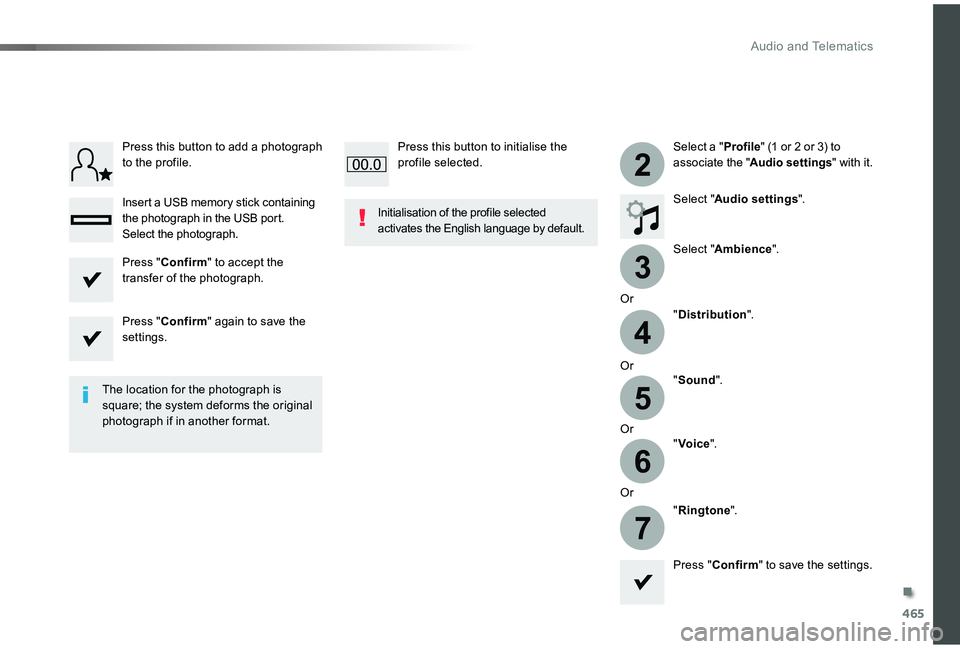
Select a "Profile" (1 or 2 or 3) to associate the "Audio settings" with it.
Select "Audio settings".
Select "Ambience".
Or
"Distribution".
Or"Sound".
Or"Voice".
Or
"Ringtone".
The location for the photograph is square; the system deforms the original photograph if in another format.
Initialisation of the profile selected activates the English language by default.
Press "Confirm" to save the settings.
Press "Confirm" to accept the transfer of the photograph.
Press "Confirm" again to save the settings.
Press this button to add a photograph to the profile.
Insert a USB memory stick containing the photograph in the USB port.Select the photograph.
Press this button to initialise the profile selected.
.
Audio and Telematics
466
111
10
11
12
8
91
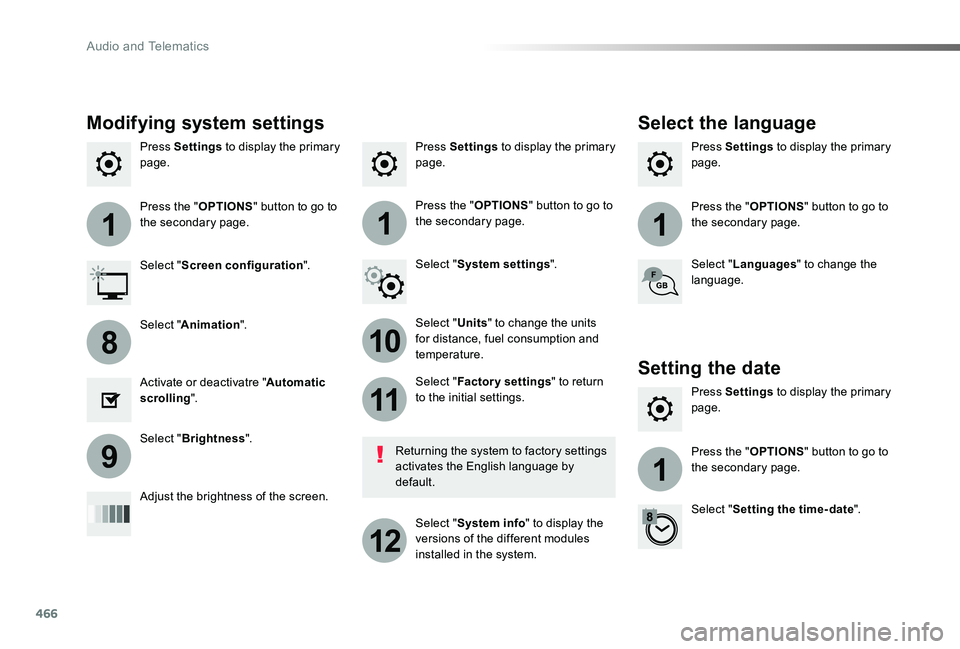
Press Settings to display the primary page.Press Settings to display the primary page.Press Settings to display the primary page.
Press the "OPTIONS" button to go to the secondary page.Press the "OPTIONS" button to go to the secondary page.Press the "OPTIONS" button to go to the secondary page.
Select "System settings".Select "Screen configuration".
Select "Units" to change the units for distance, fuel consumption and temperature.
Select "Languages" to change the language.
Activate or deactivatre "Automatic scrolling".
Adjust the brightness of the screen.
Select "Factory settings" to return to the initial settings.
Select "System info" to display the versions of the different modules installed in the system.
Modifying system settings
Returning the system to factory settings activates the English language by default.
Select "Animation".
Select "Brightness".
Select the language
Press Settings to display the primary page.
Press the "OPTIONS" button to go to the secondary page.
Select "Setting the time- date".
Setting the date
Audio and Telematics
477
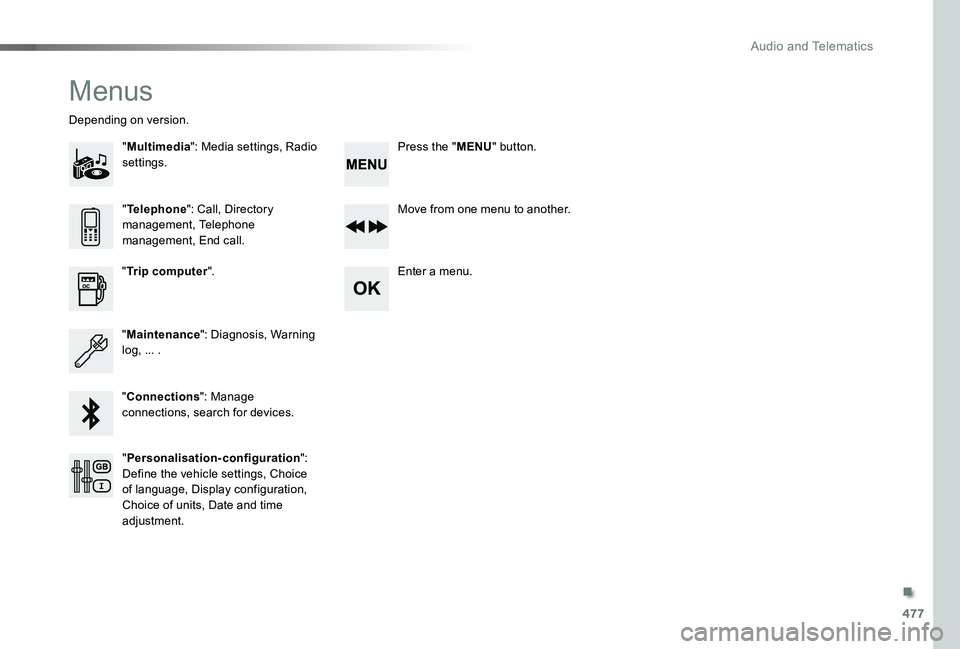
Menus
"Multimedia": Media settings, Radio settings.
Depending on version.
Move from one menu to another.
Enter a menu."Trip computer".
"Maintenance": Diagnosis, Warning log, ... .
"Connections": Manage connections, search for devices.
"Telephone": Call, Directory management, Telephone management, End call.
"Personalisation-configuration": Define the vehicle settings, Choice of language, Display configuration, Choice of units, Date and time adjustment.
Press the "MENU" button.
.
Audio and Telematics