wiper TOYOTA PROACE VERSO 2019 Owners Manual
[x] Cancel search | Manufacturer: TOYOTA, Model Year: 2019, Model line: PROACE VERSO, Model: TOYOTA PROACE VERSO 2019Pages: 505, PDF Size: 56.59 MB
Page 3 of 505
.
.
Over view
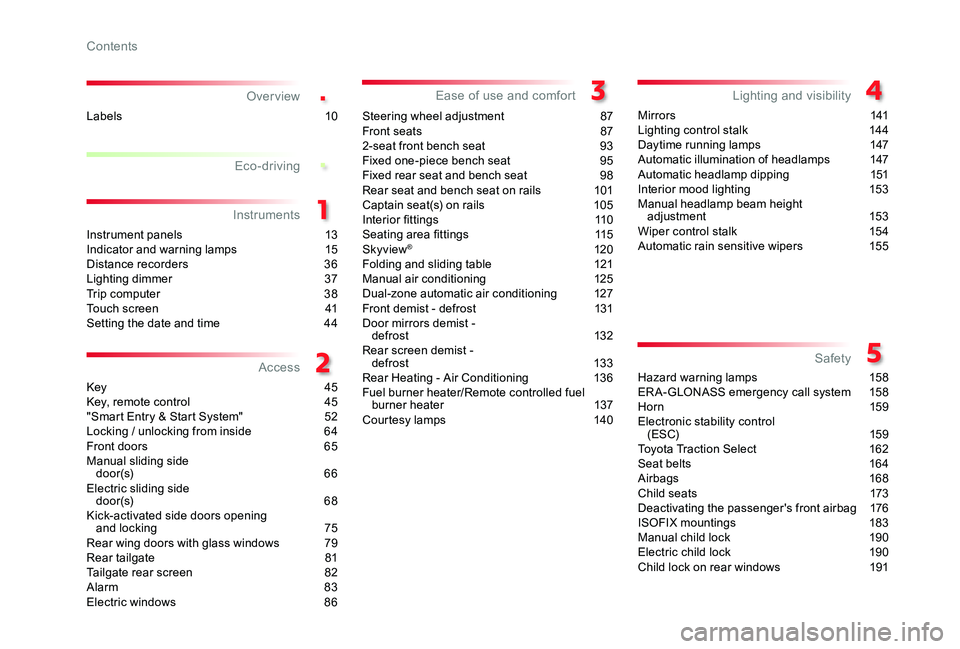
Instrument panels 13Indicator and warning lamps 15Distance recorders 36Lighting dimmer 37Trip computer 38Touch screen 41Setting the date and time 44
Key 45Key, remote control 45"Smart Entry & Start System" 52Locking / unlocking from inside 64Front doors 65Manual sliding side d o o r (s) 6 6Electric sliding side d o o r (s) 6 8Kick-activated side doors opening and locking 75Rear wing doors with glass windows 79Rear tailgate 81Tailgate rear screen 82Alarm 83Electric windows 86
Steering wheel adjustment 87Front seats 872-seat front bench seat 93Fixed one-piece bench seat 95Fixed rear seat and bench seat 98Rear seat and bench seat on rails 101Captain seat(s) on rails 105Interior fittings 110Seating area fittings 115Skyview® 120Folding and sliding table 121Manual air conditioning 125Dual-zone automatic air conditioning 127Front demist - defrost 131Door mirrors demist - defrost 132Rear screen demist - def rost 13 3Rear Heating - Air Conditioning 136Fuel burner heater/Remote controlled fuel burner heater 137Courtesy lamps 140
M i r r o r s 141Lighting control stalk 144Daytime running lamps 147Automatic illumination of headlamps 147Automatic headlamp dipping 151Interior mood lighting 153Manual headlamp beam height adjustment 153Wiper control stalk 154Automatic rain sensitive wipers 155
Hazard warning lamps 158ER A-GLONASS emergency call system 15 8Hor n 159Electronic stability control (ESC) 159Toyota Traction Select 162Seat belts 164Airbags 168Child seats 173Deactivating the passenger's front airbag 176ISOFIX mountings 183Manual child lock 190Electric child lock 190Child lock on rear windows 191
Eco-driving
Instruments
Access
Ease of use and comfortLighting and visibility
Safety
Labels 10
Contents
Page 4 of 505
.
.
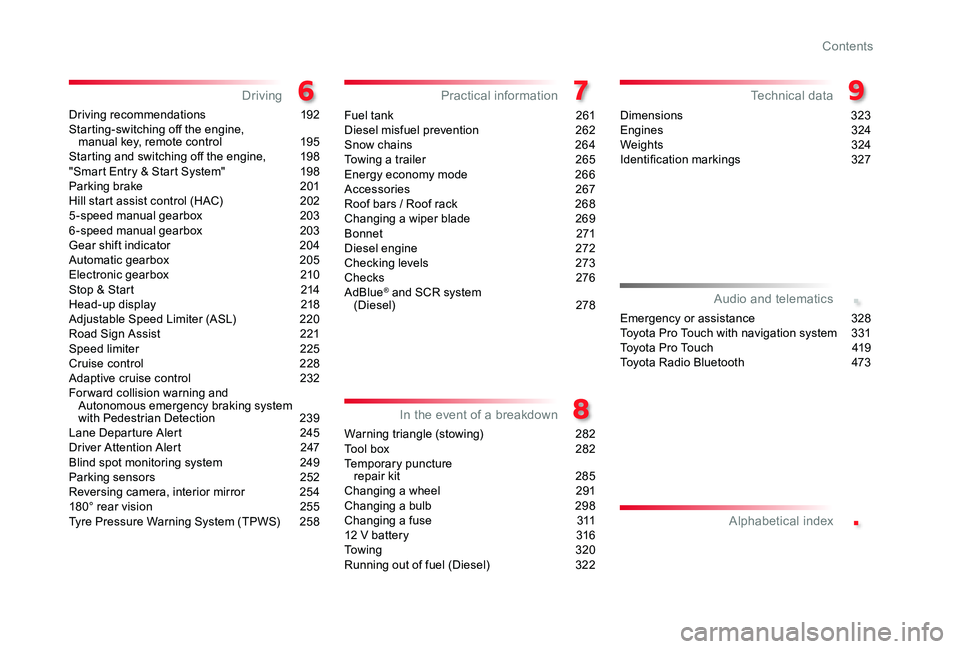
Driving recommendations 192Starting-switching off the engine, manual key, remote control 195Starting and switching off the engine, 198"Smart Entry & Start System" 198Parking brake 201Hill start assist control (HAC) 2025 -speed manual gearbox 2036 -speed manual gearbox 203Gear shift indicator 204Automatic gearbox 205Electronic gearbox 210Stop & Start 214Head-up display 218Adjustable Speed Limiter (ASL) 220Road Sign Assist 221Speed limiter 225Cruise control 228Adaptive cruise control 232Forward collision warning and Autonomous emergency braking system with Pedestrian Detection 239Lane Departure Alert 245Driver Attention Alert 247Blind spot monitoring system 249Parking sensors 252Reversing camera, interior mirror 254180° rear vision 255Tyre Pressure Warning System (TPWS) 258
Fuel tank 261Diesel misfuel prevention 262Snow chains 264Towing a trailer 265Energy economy mode 266Accessories 267Roof bars / Roof rack 268Changing a wiper blade 269B o nn et 271Diesel engine 272Checking levels 273Checks 276AdBlue® and SCR system (Diesel) 278
Warning triangle (stowing) 282Tool box 282Temporary puncture repair kit 285Changing a wheel 291Changing a bulb 298Changing a fuse 31112 V battery 316To w i n g 3 2 0Running out of fuel (Diesel) 322
Dimensions 323Engines 324Weights 324Identification markings 327
DrivingPractical information
In the event of a breakdown
Technical data
Emergency or assistance 328Toyota Pro Touch with navigation system 331To y o t a P r o To u c h 419Toyota Radio Bluetooth 473
Audio and telematics
Alphabetical index
Contents
Page 5 of 505
4
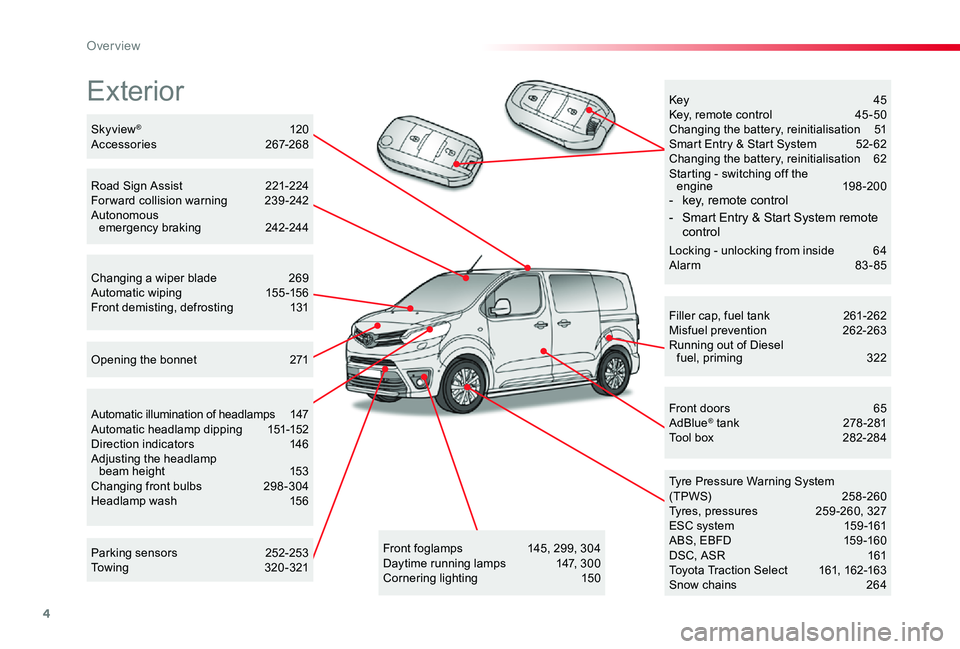
Exterior
Filler cap, fuel tank 261-262Misfuel prevention 262-263Running out of Diesel fuel, priming 322
Tyre Pressure Warning System(TPWS) 258-260Tyres, pressures 259 -260, 327ESC system 159 -161ABS, EBFD 159 -160DSC, ASR 161Toyota Traction Select 161, 162-163Snow chains 264
Front doors 65AdBlue® tank 278 -281Tool box 282-284
Automatic illumination of headlamps 147Automatic headlamp dipping 151-152Direction indicators 146Adjusting the headlamp beam height 153Changing front bulbs 298 -304Headlamp wash 156
Skyview® 120Accessories 267-268
Opening the bonnet 271
Key 45Key, remote control 45 -50Changing the battery, reinitialisation 51Smart Entry & Start System 52- 62Changing the battery, reinitialisation 62Starting - switching off the engine 198-200- key, remote control
- Smart Entry & Start System remote control
Locking - unlocking from inside 64Alarm 83-85
Road Sign Assist 221-224For ward collision warning 239 -242Autonomous emergency braking 242-244
Changing a wiper blade 269Automatic wiping 155 -156Front demisting, defrosting 131
Front foglamps 145, 299, 304Daytime running lamps 147, 300Cornering lighting 150
Parking sensors 252-253Towing 320-321
Over view
Page 8 of 505
7
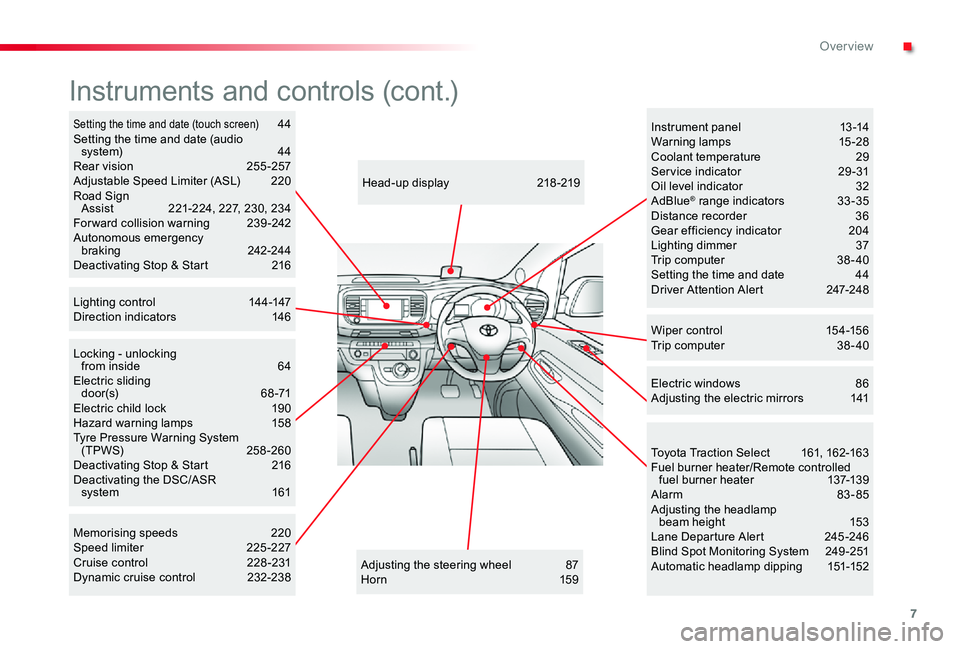
Locking - unlocking from inside 64Electric sliding d o o r (s) 6 8 -71Electric child lock 190Hazard warning lamps 158Tyre Pressure Warning System (TPWS) 258-260Deactivating Stop & Start 216Deactivating the DSC/ASR system 161
Adjusting the steering wheel 87Hor n 159
Head-up display 218 -219
Instruments and controls (cont.)
Wiper control 154-156Trip computer 38 - 40
Memorising speeds 220Speed limiter 225 -227Cruise control 228 -231Dynamic cruise control 232-238
Instrument panel 13 -14Warning lamps 15-28Coolant temperature 29Ser vice indicator 29 -31Oil level indicator 32AdBlue® range indicators 33 -35Distance recorder 36Gear efficiency indicator 204Lighting dimmer 37Trip computer 38 - 40Setting the time and date 44Driver Attention Alert 247-248
Electric windows 86Adjusting the electric mirrors 141
Toyota Traction Select 161, 162-163Fuel burner heater/Remote controlled fuel burner heater 137-139Alarm 83-85Adjusting the headlamp beam height 153Lane Departure Alert 245 -246Blind Spot Monitoring System 249 -251Automatic headlamp dipping 151-152
Setting the time and date (touch screen) 44Setting the time and date (audio system) 44Rear vision 255 -257Adjustable Speed Limiter (ASL) 220Road Sign Assist 221-224, 227, 230, 234For ward collision warning 239 -242Autonomous emergency braking 242-244Deactivating Stop & Start 216
Lighting control 144-147Direction indicators 146
.
Over view
Page 28 of 505
27
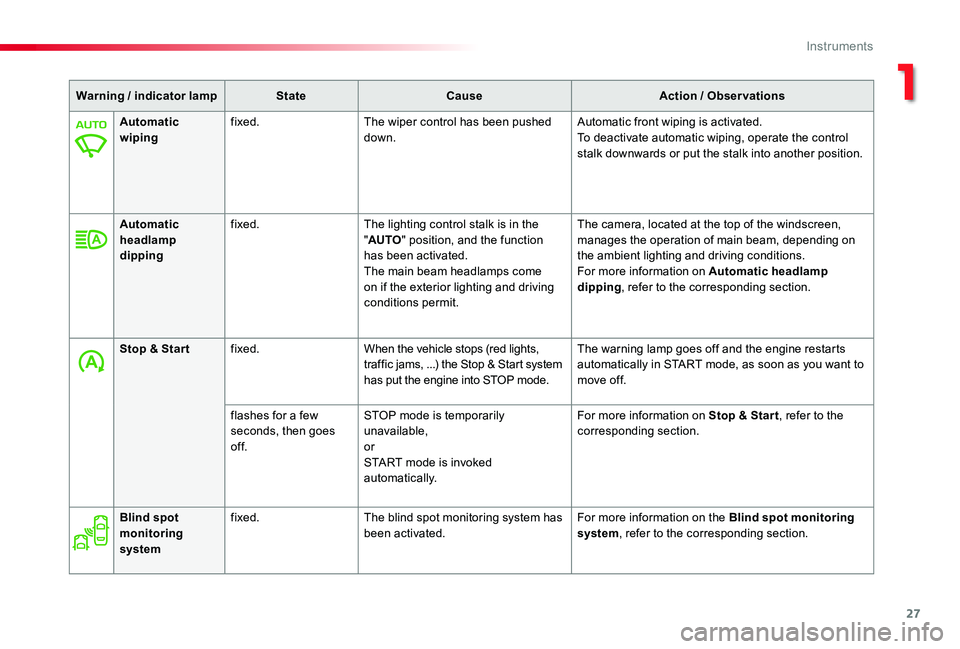
Warning / indicator lampStateCauseAction / Observations
Automatic wipingfixed.The wiper control has been pushed down.Automatic front wiping is activated.To deactivate automatic wiping, operate the control stalk downwards or put the stalk into another position.
Automatic headlamp dipping
fixed.The lighting control stalk is in the "AUTO" position, and the function has been activated.The main beam headlamps come on if the exterior lighting and driving conditions permit.
The camera, located at the top of the windscreen, manages the operation of main beam, depending on the ambient lighting and driving conditions.For more information on Automatic headlamp dipping, refer to the corresponding section.
Stop & Star tfixed.When the vehicle stops (red lights, traffic jams, ...) the Stop & Start system has put the engine into STOP mode.
The warning lamp goes off and the engine restarts automatically in START mode, as soon as you want to move off.
flashes for a few seconds, then goes of f.
STOP mode is temporarily unavailable,orSTART mode is invoked automatically.
For more information on Stop & Star t, refer to the corresponding section.
Blind spot monitoring system
fixed.The blind spot monitoring system has been activated.For more information on the Blind spot monitoring system, refer to the corresponding section.
1
Instruments
Page 39 of 505
38
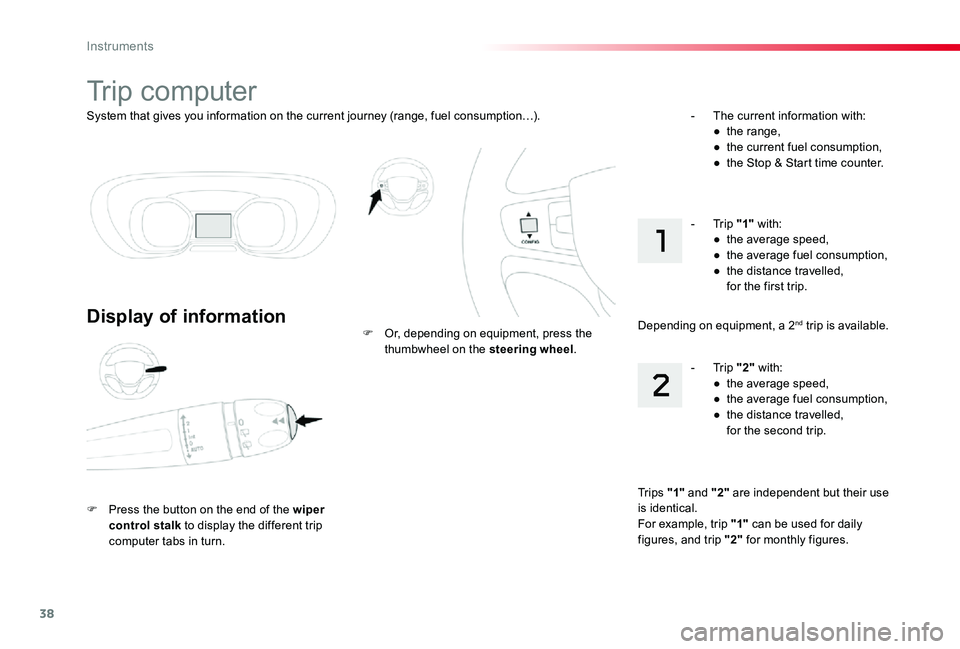
System that gives you information on the current journey (range, fuel consumption…).
Trip computer
Display of information
F Press the button on the end of the wiper control stalk to display the different trip computer tabs in turn.
F Or, depending on equipment, press the thumbwheel on the steering wheel.
- The current information with:● the range,● the current fuel consumption,● the Stop & Start time counter.
Tr i p s "1" and "2" are independent but their use is identical.For example, trip "1" can be used for daily figures, and trip "2" for monthly figures.
- Trip "2" with:● the average speed,● the average fuel consumption,● the distance travelled, for the second trip.
- Trip "1" with:● the average speed,● the average fuel consumption,● the distance travelled, for the first trip.
Depending on equipment, a 2nd trip is available.
Instruments
Page 40 of 505
39
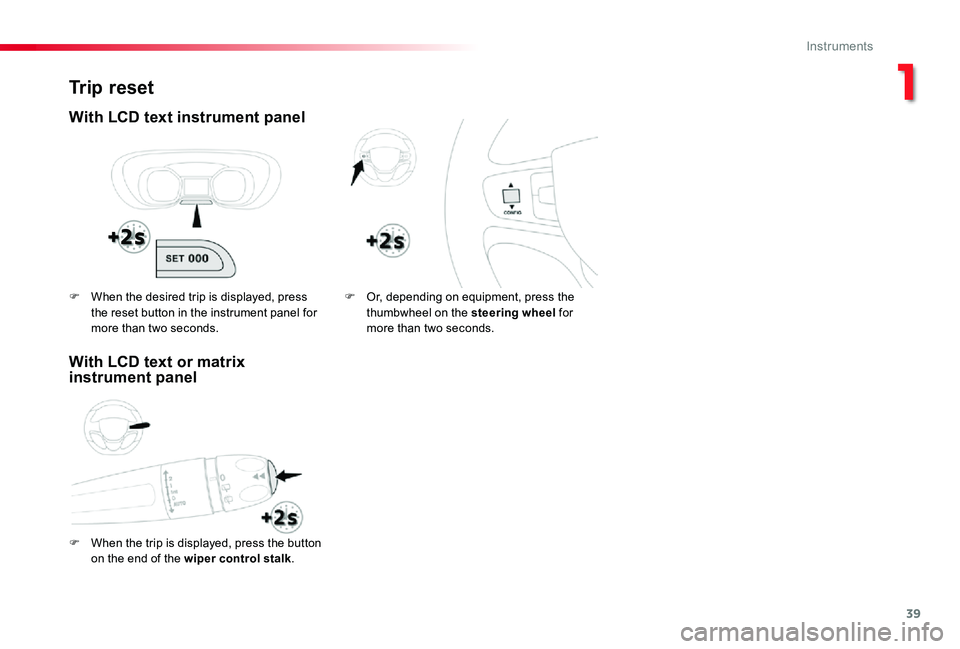
Trip reset
With LCD text instrument panel
F When the trip is displayed, press the button
on the end of the wiper control stalk.
F Or, depending on equipment, press the thumbwheel on the steering wheel for more than two seconds.
F When the desired trip is displayed, press the reset button in the instrument panel for more than two seconds.
With LCD text or matrix instrument panel
1
Instruments
Page 44 of 505
43
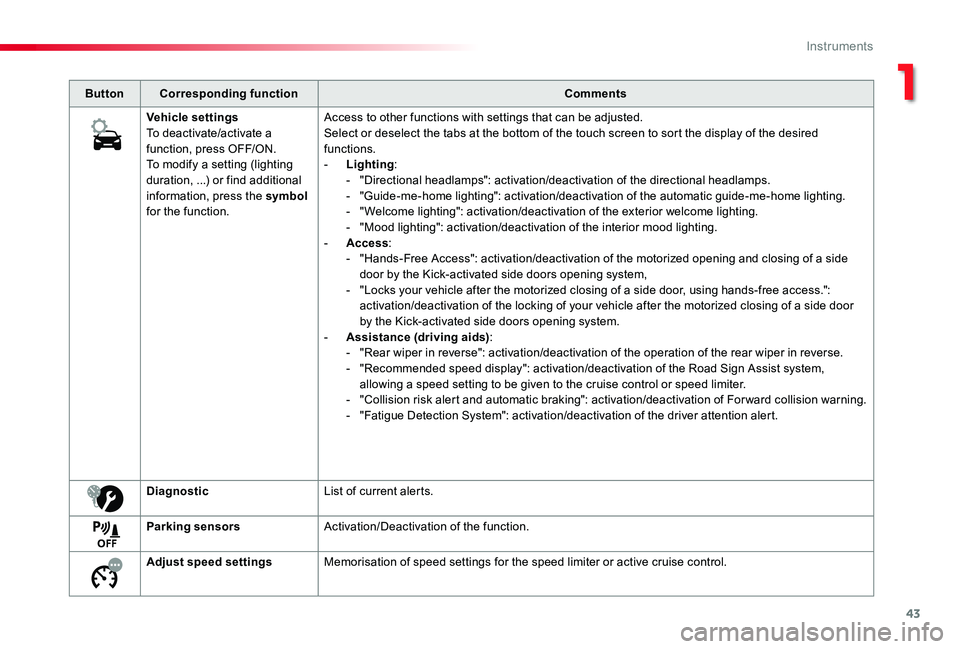
ButtonCorresponding functionComments
Vehicle settingsTo deactivate/activate a function, press OFF/ON.To modify a setting (lighting duration, ...) or find additional information, press the symbol for the function.
Access to other functions with settings that can be adjusted.Select or deselect the tabs at the bottom of the touch screen to sort the display of the desired functions.- Lighting:- "Directional headlamps": activation/deactivation of the directional headlamps.- "Guide-me-home lighting": activation/deactivation of the automatic guide-me-home lighting.- "Welcome lighting": activation/deactivation of the exterior welcome lighting.- "Mood lighting": activation/deactivation of the interior mood lighting.- Access:- "Hands-Free Access": activation/deactivation of the motorized opening and closing of a side door by the Kick-activated side doors opening system,- "Locks your vehicle after the motorized closing of a side door, using hands-free access.": activation/deactivation of the locking of your vehicle after the motorized closing of a side door by the Kick-activated side doors opening system.- Assistance (driving aids):- "Rear wiper in reverse": activation/deactivation of the operation of the rear wiper in reverse.- "Recommended speed display": activation/deactivation of the Road Sign Assist system, allowing a speed setting to be given to the cruise control or speed limiter.- "Collision risk alert and automatic braking": activation/deactivation of For ward collision warning.- "Fatigue Detection System": activation/deactivation of the driver attention alert.
DiagnosticList of current alerts.
Parking sensorsActivation/Deactivation of the function.
Adjust speed settingsMemorisation of speed settings for the speed limiter or active cruise control.
1
Instruments
Page 132 of 505
131
Front demist - defrost
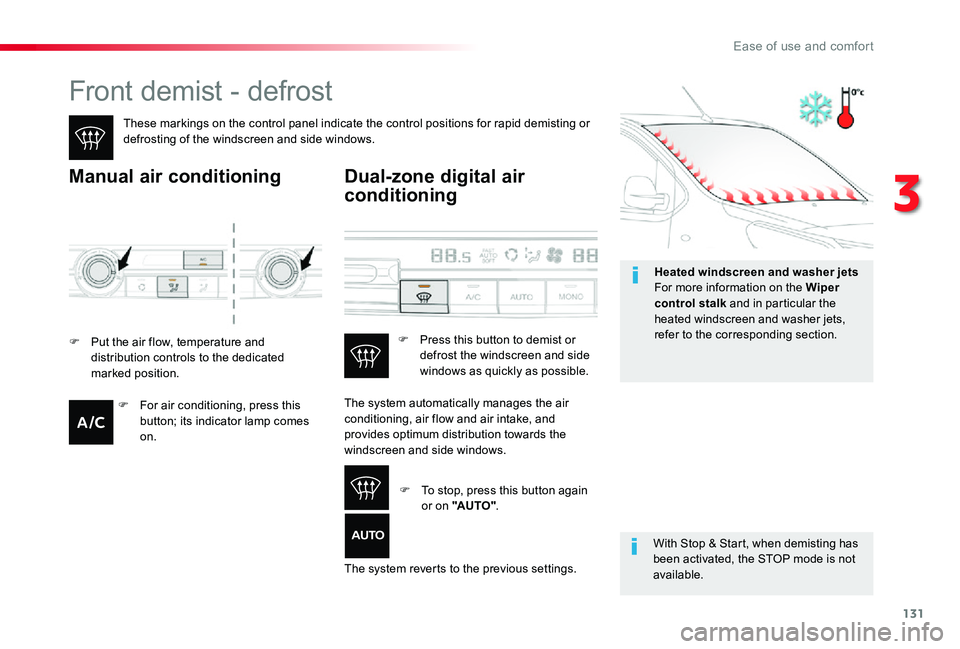
These markings on the control panel indicate the control positions for rapid demisting or defrosting of the windscreen and side windows.
Manual air conditioning
With Stop & Start, when demisting has been activated, the STOP mode is not available.
Dual-zone digital air
conditioning
F Put the air flow, temperature and distribution controls to the dedicated marked position.
The system automatically manages the air conditioning, air flow and air intake, and provides optimum distribution towards the windscreen and side windows.
The system reverts to the previous settings.
F Press this button to demist or defrost the windscreen and side windows as quickly as possible.
F To stop, press this button again or on "AUTO".
F For air conditioning, press this button; its indicator lamp comes on.
Heated windscreen and washer jetsFor more information on the Wiper control stalk and in particular the heated windscreen and washer jets, refer to the corresponding section.
3
Ease of use and comfort
Page 148 of 505
147
Front daytime running
lamps
(light-emitting diodes)
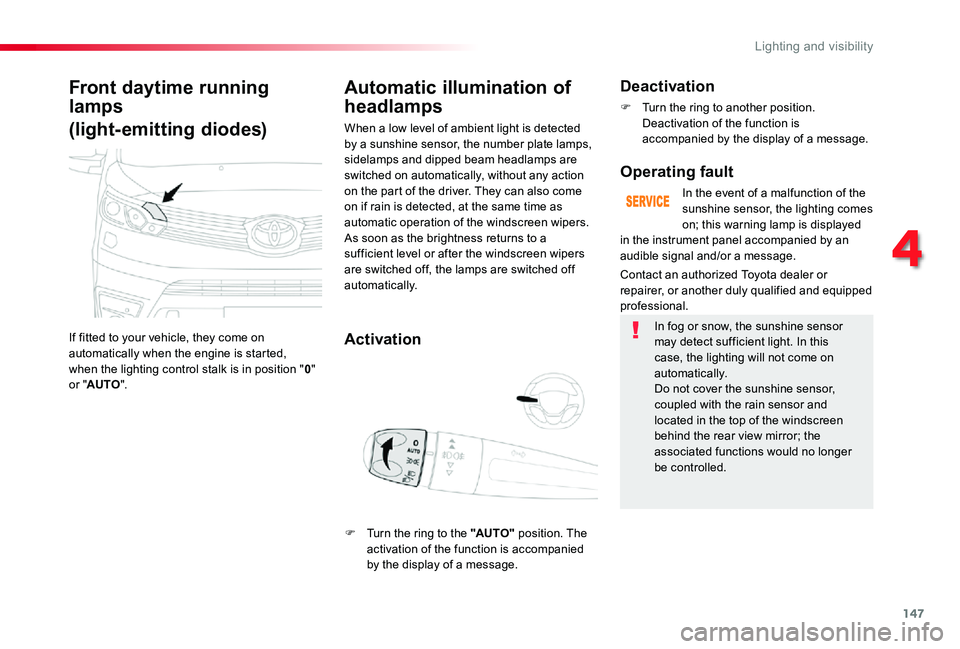
If fitted to your vehicle, they come on automatically when the engine is started, when the lighting control stalk is in position "0" or "AUTO".
Automatic illumination of
headlamps
Activation
When a low level of ambient light is detected by a sunshine sensor, the number plate lamps, sidelamps and dipped beam headlamps are switched on automatically, without any action on the part of the driver. They can also come on if rain is detected, at the same time as automatic operation of the windscreen wipers.As soon as the brightness returns to a
sufficient level or after the windscreen wipers are switched off, the lamps are switched off automatically.
Deactivation
F Turn the ring to another position. Deactivation of the function is accompanied by the display of a message.
Operating fault
In the event of a malfunction of the sunshine sensor, the lighting comes on; this warning lamp is displayed
Contact an authorized Toyota dealer or repairer, or another duly qualified and equipped professional.
in the instrument panel accompanied by an
audible signal and/or a message.
In fog or snow, the sunshine sensor may detect sufficient light. In this case, the lighting will not come on automatically.Do not cover the sunshine sensor, coupled with the rain sensor and located in the top of the windscreen behind the rear view mirror; the
associated functions would no longer be controlled.
F Turn the ring to the "AUTO" position. The
activation of the function is accompanied by the display of a message.
4
Lighting and visibility