stop start TOYOTA PROACE VERSO 2020 Owner's Manual
[x] Cancel search | Manufacturer: TOYOTA, Model Year: 2020, Model line: PROACE VERSO, Model: TOYOTA PROACE VERSO 2020Pages: 418, PDF Size: 39.32 MB
Page 134 of 418
134
In order for these systems to be fully effective, follow the operation and maintenance guidelines below:F To obtain an even air distribution, take care not to obstruct the exterior air intake grilles located at the base of the windscreen, the nozzles, the vents and the air outlets, as well as the air extractor located at the rear.F Do not cover the sunshine sensor, located at the top of the windscreen; this is used for regulation of the air conditioning system.F Operate the air conditioning system for at least 5 to 10 minutes, once or twice a month
to keep it in per fect working order.F Ensure that the passenger compartment filter is in good condition and have the filter elements replaced regularly. We recommend the use of a combined passenger compartment filter. Thanks to its special active additive, it contributes to the purification of the air breathed by the occupants and the cleanliness of the passenger compartment (reduction of allergic symptoms, bad odours and greasy deposits).F To ensure correct operation of the air conditioning system, you are also advised to have it checked regularly as recommended in the maintenance and warranty guide.F If the system does not produce cold air, switch it off and contact an authorized Toyota dealer or repairer, or another duly qualified and equipped professional.
Recommendations for heating, ventilation and air conditioning
If after an extended stop in sunshine, the interior temperature is very high, first ventilate the passenger compartment for a few moments.Put the air flow control at a setting high enough to quickly change the air in the passenger compartment.The air conditioning system does not contain chlorine and does not present any danger to the ozone layer.
The condensation created by the air conditioning results in a discharge of water under the vehicle which is per fectly normal.
When towing the maximum load on a steep gradient in high temperatures, switching off the air conditioning increases the available engine power and so improves the towing ability.
Stop & Start
The heating and air conditioning systems only work when the engine is running.To maintain a comfortable temperature in the passenger compartment, you can temporarily deactivate the Stop & Start system.For more information on Stop & Star t, refer to the corresponding section.
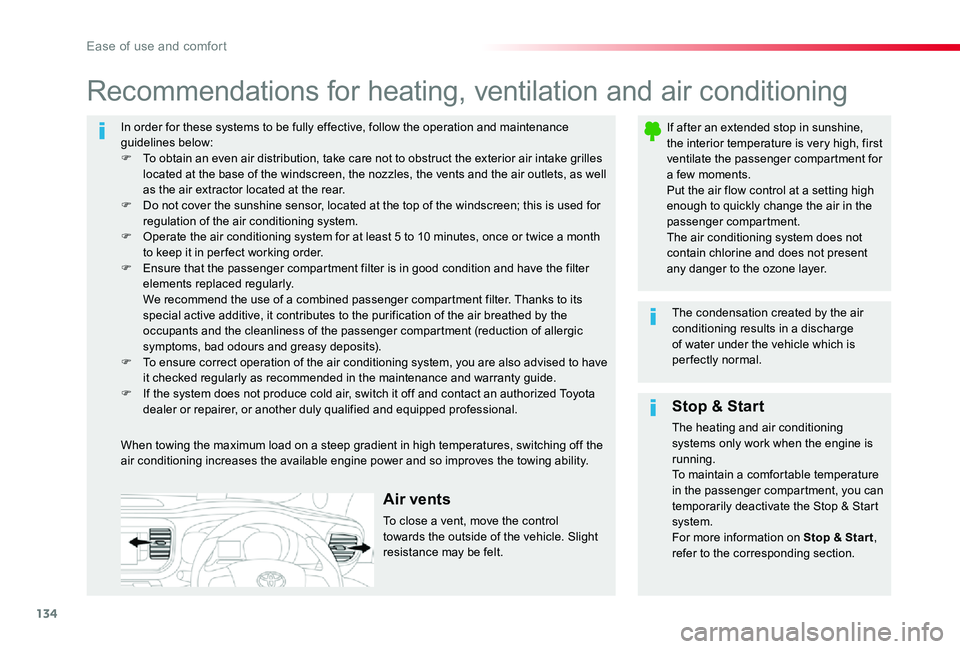
Air vents
To close a vent, move the control towards the outside of the vehicle. Slight resistance may be felt.
Ease of use and comfort
Page 138 of 418
138
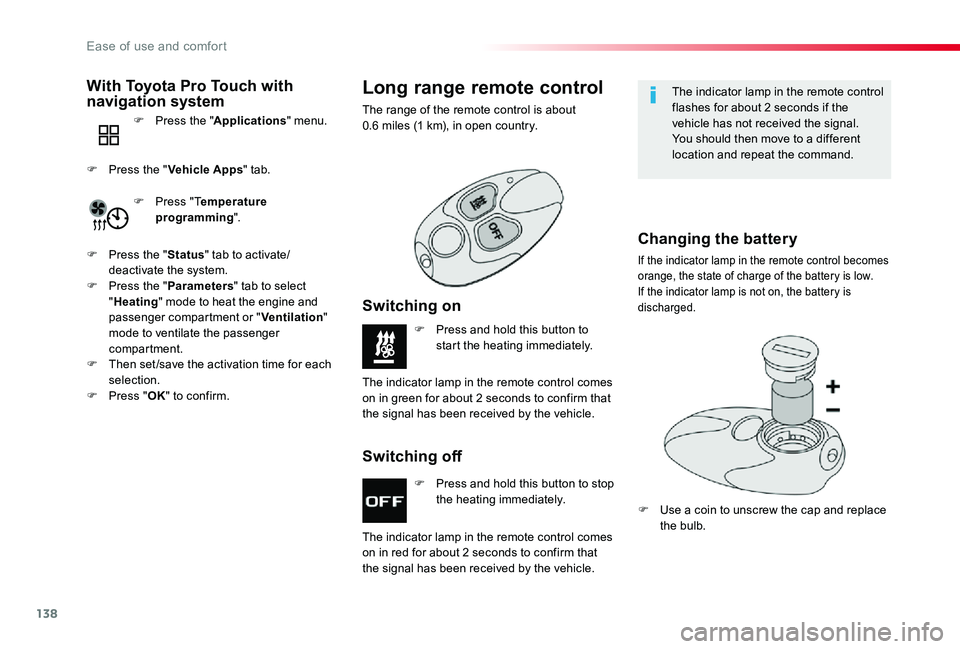
F Press and hold this button to stop the heating immediately.
F Press and hold this button to start the heating immediately.
The indicator lamp in the remote control comes
on in red for about 2 seconds to confirm that the signal has been received by the vehicle.
The indicator lamp in the remote control comes on in green for about 2 seconds to confirm that the signal has been received by the vehicle.
Switching off
Switching on
Long range remote control
The range of the remote control is about 0.6 miles (1 km), in open country.
The indicator lamp in the remote control flashes for about 2 seconds if the vehicle has not received the signal.You should then move to a different location and repeat the command.
Changing the battery
If the indicator lamp in the remote control becomes orange, the state of charge of the battery is low.If the indicator lamp is not on, the battery is discharged.
F Use a coin to unscrew the cap and replace the bulb.
With Toyota Pro Touch with navigation system
F Press the "Applications" menu.
F Press "Temperature programming".
F Press the "Vehicle Apps" tab.
F Press the "Status" tab to activate/deactivate the system.F Press the "Parameters" tab to select "Heating" mode to heat the engine and passenger compartment or "Ventilation" mode to ventilate the passenger compartment.F Then set /save the activation time for each selection.F Press "OK" to confirm.
Ease of use and comfort
Page 139 of 418
139
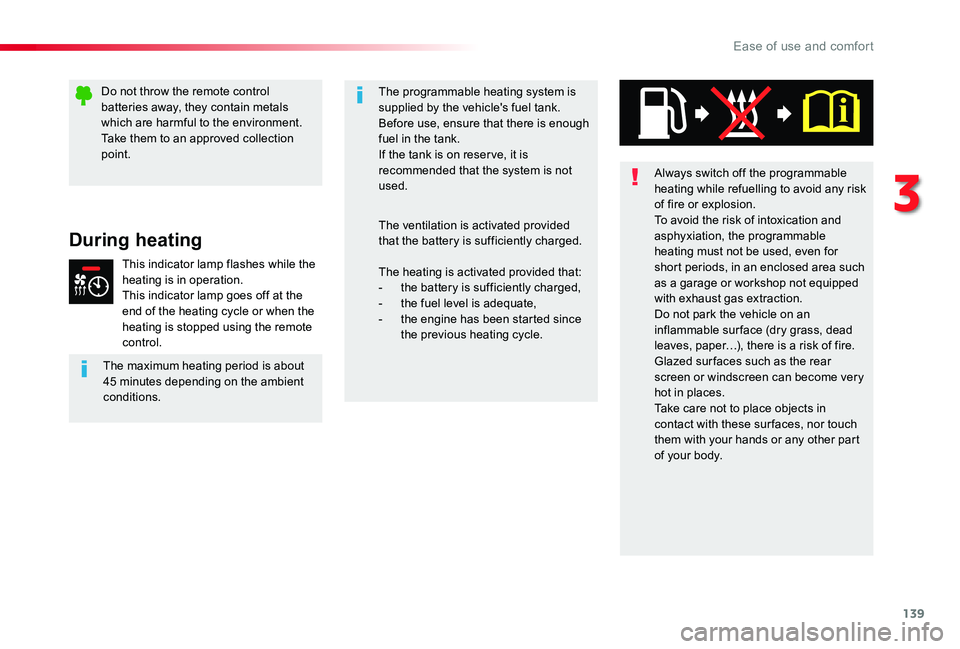
Always switch off the programmable heating while refuelling to avoid any risk of fire or explosion.To avoid the risk of intoxication and asphyxiation, the programmable heating must not be used, even for short periods, in an enclosed area such as a garage or workshop not equipped with exhaust gas extraction.Do not park the vehicle on an inflammable sur face (dry grass, dead leaves, paper…), there is a risk of fire.Glazed sur faces such as the rear screen or windscreen can become very hot in places.Take care not to place objects in contact with these sur faces, nor touch them with your hands or any other part of your body.
The heating is activated provided that:- the battery is sufficiently charged,- the fuel level is adequate,- the engine has been started since the previous heating cycle.
The programmable heating system is supplied by the vehicle's fuel tank.Before use, ensure that there is enough fuel in the tank.If the tank is on reser ve, it is recommended that the system is not used.
The ventilation is activated provided that the battery is sufficiently charged.During heating
This indicator lamp flashes while the heating is in operation.This indicator lamp goes off at the end of the heating cycle or when the heating is stopped using the remote control.
The maximum heating period is about 45 minutes depending on the ambient conditions.
Do not throw the remote control batteries away, they contain metals which are harmful to the environment.Take them to an approved collection point.
3
Ease of use and comfort
Page 160 of 418
160
Anti-lock braking system
(ABS) and electronic brake
force distribution (EBFD)
In emergency braking, press ver y firmly and maintain this pressure.
When changing wheels (tyres and rims), ensure that these are approved for your vehicle.Normal operation of the ABS may make itself felt by slight vibrations of the brake pedal.
The fixed illumination of this warning lamp indicates that there is a fault with the ABS.The vehicle retains conventional
braking. Drive carefully at moderate speed.
When this warning lamp comes on, coupled with the STOP and ABS warning lamps, accompanied by an audible signal and a message, it indicates that there is a fault with the electronic brake force distribution (EBFD).You must stop as soon as it is safe to do so.In both cases, have the system
checked by an authorized Toyota dealer or repairer, or another duly qualified and equipped professional as soon as possible.
Intelligent traction control
If fitted to your vehicle, it has a system to help driving on snow: intelligent traction control.This system detects situations of difficult sur face adhesion that could make it difficult to move off or make progress on deep fresh snow or compacted snow.In these situations, intelligent traction control limits the amount of wheel slip to provide the best traction and trajectory control for your vehicle.
The use of snow tyres is strongly recommended on sur faces offering low levels of grip.
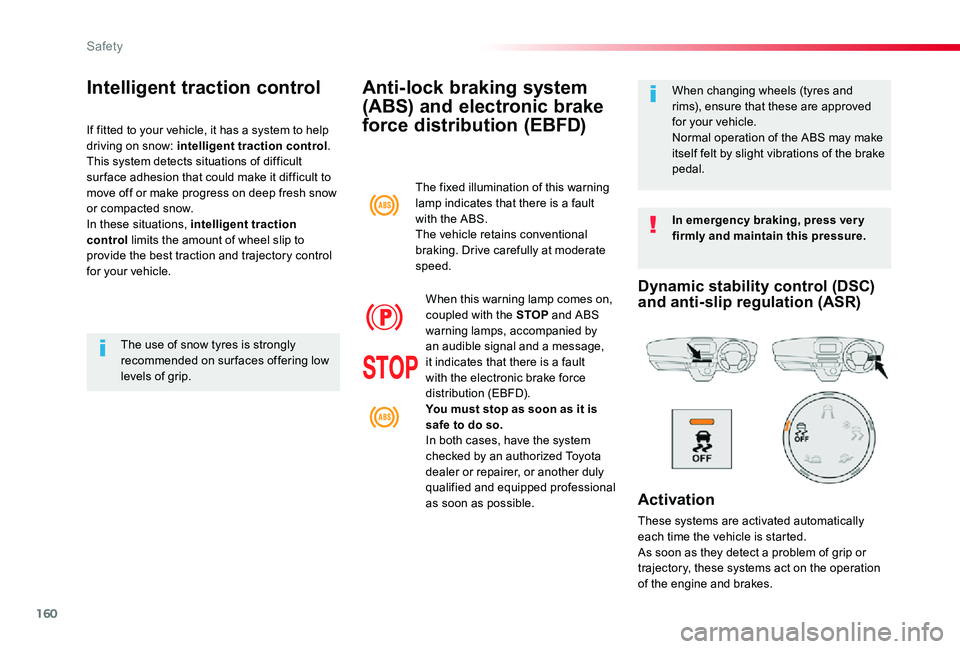
Dynamic stability control (DSC) and anti-slip regulation (ASR)
Activation
These systems are activated automatically each time the vehicle is started.
As soon as they detect a problem of grip or trajectory, these systems act on the operation of the engine and brakes.
Safety
Page 192 of 418
192
Driving recommendations
Obser ve the driving regulations and remain vigilant whatever the traffic conditions.Pay close attention to the traffic and keep your hands on the wheel so that you are ready to react at any time to any eventuality.On a long journey, a break every two hours is strongly recommended.In difficult weather, drive smoothly, anticipate the need to brake and increase the distance from other vehicles.
Never drive with the parking brake applied - Risk of overheating and damage to the braking system!Risk of fire!As the exhaust system of your vehicle is very hot, even several minutes after
switching off the engine, do not park or run the engine over areas where inflammable substances and materials are present: grass, leaves, etc.
Never leave a vehicle unsuper vised with the engine running. If you have to leave your vehicle with the engine running, apply the parking brake and put the gearbox into neutral or position N or P, depending on the type of gearbox.
Driving on flooded roads
We strongly advise against driving on flooded roads, as this could cause serious damage to the engine or gearbox, as well as to the electrical systems of your vehicle.
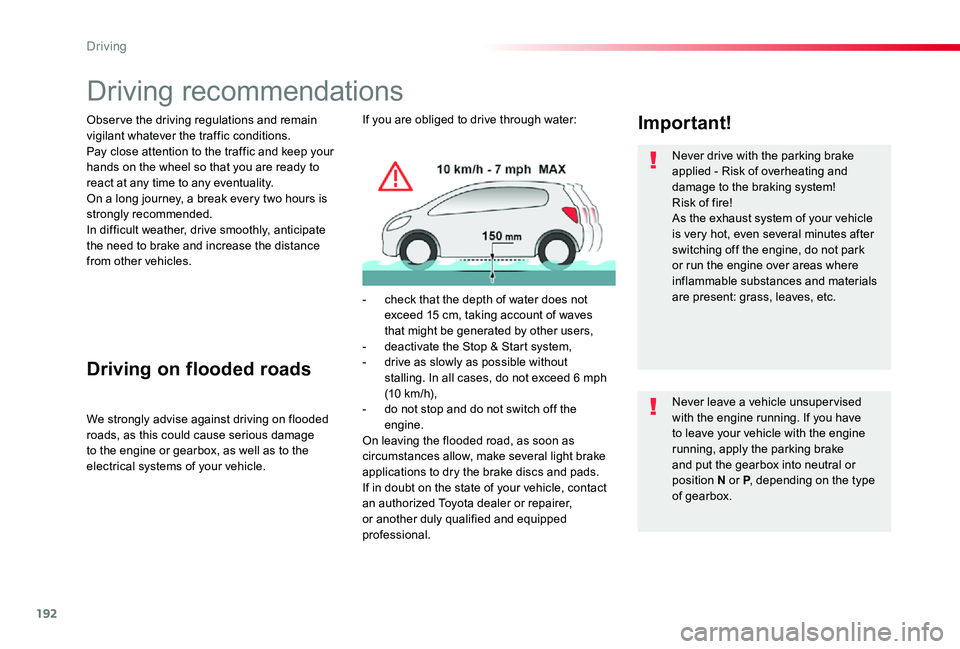
Important!If you are obliged to drive through water:
- check that the depth of water does not exceed 15 cm, taking account of waves that might be generated by other users,- deactivate the Stop & Start system,- drive as slowly as possible without stalling. In all cases, do not exceed 6 mph (10 km/h),- do not stop and do not switch off the engine.On leaving the flooded road, as soon as circumstances allow, make several light brake applications to dry the brake discs and pads.If in doubt on the state of your vehicle, contact an authorized Toyota dealer or repairer, or another duly qualified and equipped professional.
Driving
Page 195 of 418
195
Starting-switching off the engine, manual key, remote control
Ignition switch
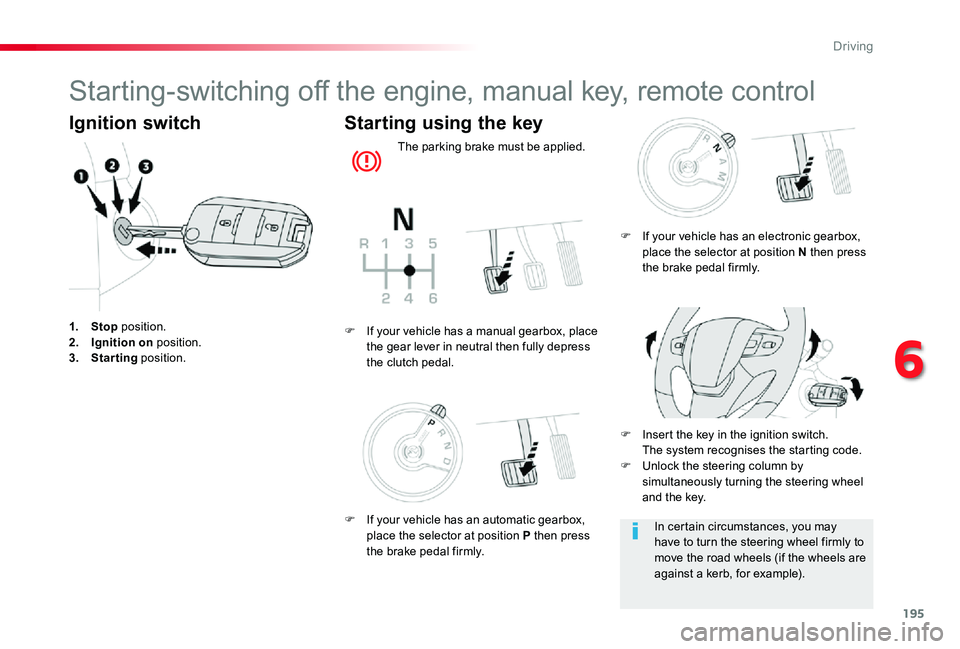
1. Stop position.2. Ignition on position.3. Starting position.
Starting using the key
The parking brake must be applied.
F Insert the key in the ignition switch. The system recognises the starting code.F Unlock the steering column by simultaneously turning the steering wheel and the key.
F If your vehicle has a manual gearbox, place the gear lever in neutral then fully depress the clutch pedal.
In certain circumstances, you may have to turn the steering wheel firmly to move the road wheels (if the wheels are against a kerb, for example).
F If your vehicle has an electronic gearbox, place the selector at position N then press the brake pedal firmly.
F If your vehicle has an automatic gearbox, place the selector at position P then press the brake pedal firmly.
6
Driving
Page 198 of 418
198
For Diesel vehicles, in sub-zero temperatures the engine will not start until the pre-heater warning lamp has gone off.If this warning lamp comes on after pressing the "START/
STOP" button, press down on the brake or clutch pedal until the warning lamp goes off, without pressing the "START/STOP" button again, until the engine starts and runs.
Starting
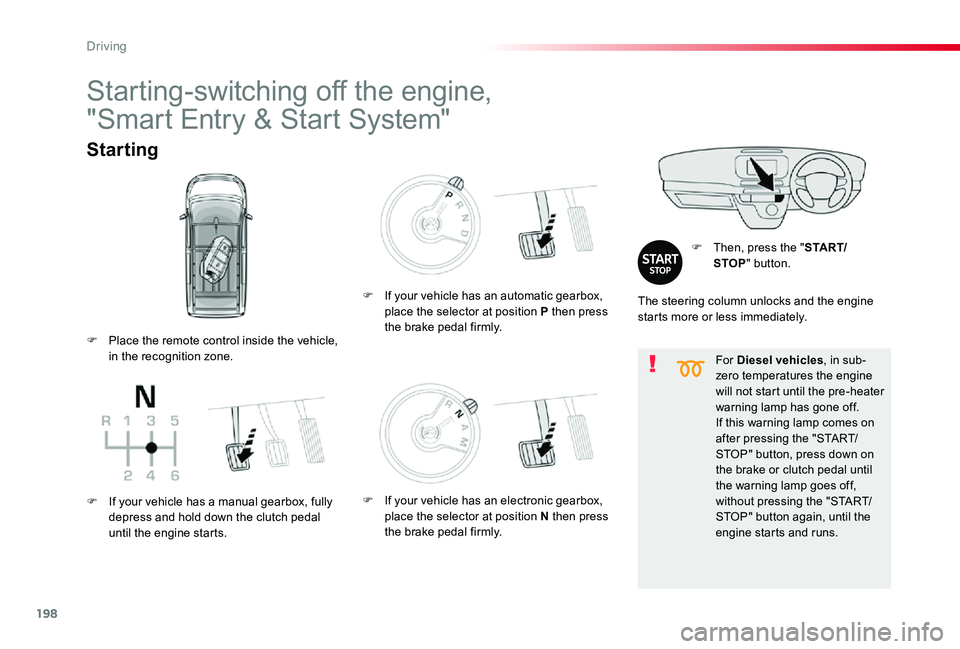
F Then, press the "S TA R T/STOP" button.
Starting-switching off the engine,
"Smart Entry & Start System"
The steering column unlocks and the engine starts more or less immediately.
F Place the remote control inside the vehicle, in the recognition zone.
F If your vehicle has a manual gearbox, fully depress and hold down the clutch pedal until the engine starts.
F If your vehicle has an automatic gearbox, place the selector at position P then press the brake pedal firmly.
F If your vehicle has an electronic gearbox, place the selector at position N then press the brake pedal firmly.
Driving
Page 199 of 418
199
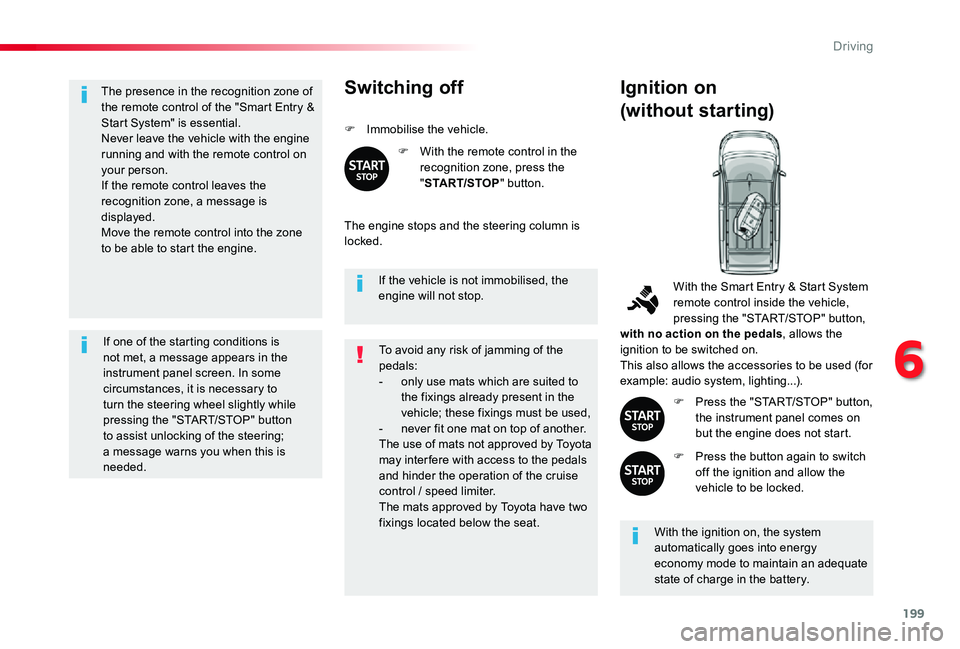
The presence in the recognition zone of the remote control of the "Smart Entry & Start System" is essential.Never leave the vehicle with the engine running and with the remote control on your person.If the remote control leaves the recognition zone, a message is displayed.Move the remote control into the zone to be able to start the engine.
If one of the starting conditions is not met, a message appears in the instrument panel screen. In some circumstances, it is necessary to turn the steering wheel slightly while pressing the "START/STOP" button to assist unlocking of the steering; a message warns you when this is needed.
If the vehicle is not immobilised, the engine will not stop.
Switching off
F Immobilise the vehicle.
F With the remote control in the recognition zone, press the "START/STOP" button.
The engine stops and the steering column is locked.
Ignition on
(without starting)
With the ignition on, the system automatically goes into energy economy mode to maintain an adequate state of charge in the battery.
With the Smart Entry & Start System remote control inside the vehicle, pressing the "START/STOP" button, with no action on the pedals, allows the ignition to be switched on.This also allows the accessories to be used (for example: audio system, lighting...).
F Press the "START/STOP" button, the instrument panel comes on but the engine does not start.
F Press the button again to switch off the ignition and allow the vehicle to be locked.
To avoid any risk of jamming of the pedals:- only use mats which are suited to the fixings already present in the vehicle; these fixings must be used,- never fit one mat on top of another.The use of mats not approved by Toyota
may inter fere with access to the pedals and hinder the operation of the cruise control / speed limiter.The mats approved by Toyota have two fixings located below the seat.
6
Driving
Page 200 of 418
200
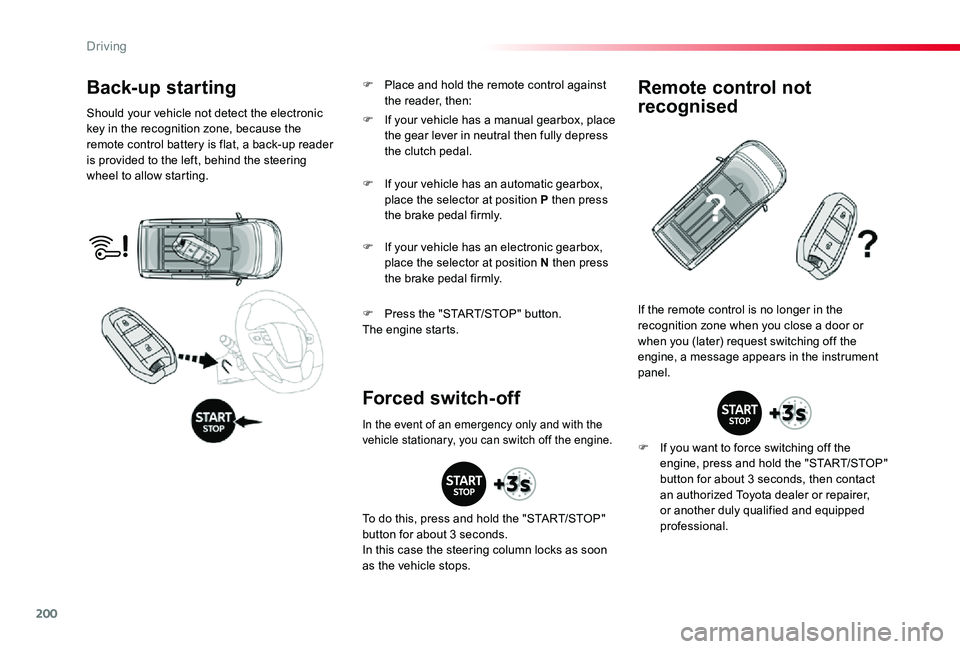
Back-up starting
Should your vehicle not detect the electronic key in the recognition zone, because the remote control battery is flat, a back-up reader is provided to the left, behind the steering wheel to allow starting.
F Press the "START/STOP" button.The engine starts.
If the remote control is no longer in the recognition zone when you close a door or when you (later) request switching off the engine, a message appears in the instrument panel.
Forced switch-off
Remote control not
recognised
F If you want to force switching off the engine, press and hold the "START/STOP" button for about 3 seconds, then contact an authorized Toyota dealer or repairer, or another duly qualified and equipped professional.
F If your vehicle has a manual gearbox, place the gear lever in neutral then fully depress the clutch pedal.
F If your vehicle has an automatic gearbox, place the selector at position P then press the brake pedal firmly.
F If your vehicle has an electronic gearbox, place the selector at position N then press the brake pedal firmly.
In the event of an emergency only and with the vehicle stationary, you can switch off the engine.
To do this, press and hold the "START/STOP" button for about 3 seconds.
In this case the steering column locks as soon as the vehicle stops.
F Place and hold the remote control against the reader, then:
Driving
Page 204 of 418
204
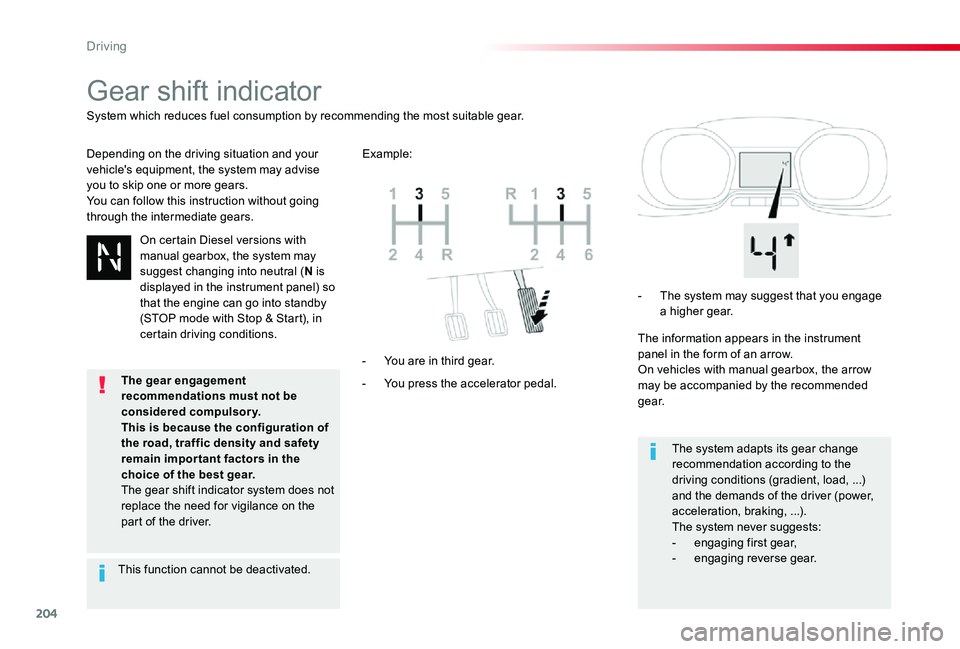
Gear shift indicator
Depending on the driving situation and your vehicle's equipment, the system may advise you to skip one or more gears.You can follow this instruction without going through the intermediate gears.
- You press the accelerator pedal.
- You are in third gear.
- The system may suggest that you engage a higher gear.
The information appears in the instrument panel in the form of an arrow.On vehicles with manual gearbox, the arrow may be accompanied by the recommended g e a r.
The system adapts its gear change recommendation according to the driving conditions (gradient, load, ...) and the demands of the driver (power, acceleration, braking, ...).The system never suggests:- engaging first gear,- engaging reverse gear.
System which reduces fuel consumption by recommending the most suitable gear.
Example:
On certain Diesel versions with
manual gearbox, the system may suggest changing into neutral (N is displayed in the instrument panel) so that the engine can go into standby (STOP mode with Stop & Start), in certain driving conditions.
This function cannot be deactivated.
The gear engagement recommendations must not be considered compulsory.This is because the configuration of the road, traffic density and safety remain impor tant factors in the choice of the best gear.The gear shift indicator system does not replace the need for vigilance on the part of the driver.
Driving