bluetooth TOYOTA PROACE VERSO 2020 Owner's Guide
[x] Cancel search | Manufacturer: TOYOTA, Model Year: 2020, Model line: PROACE VERSO, Model: TOYOTA PROACE VERSO 2020Pages: 418, PDF Size: 39.32 MB
Page 384 of 418
384
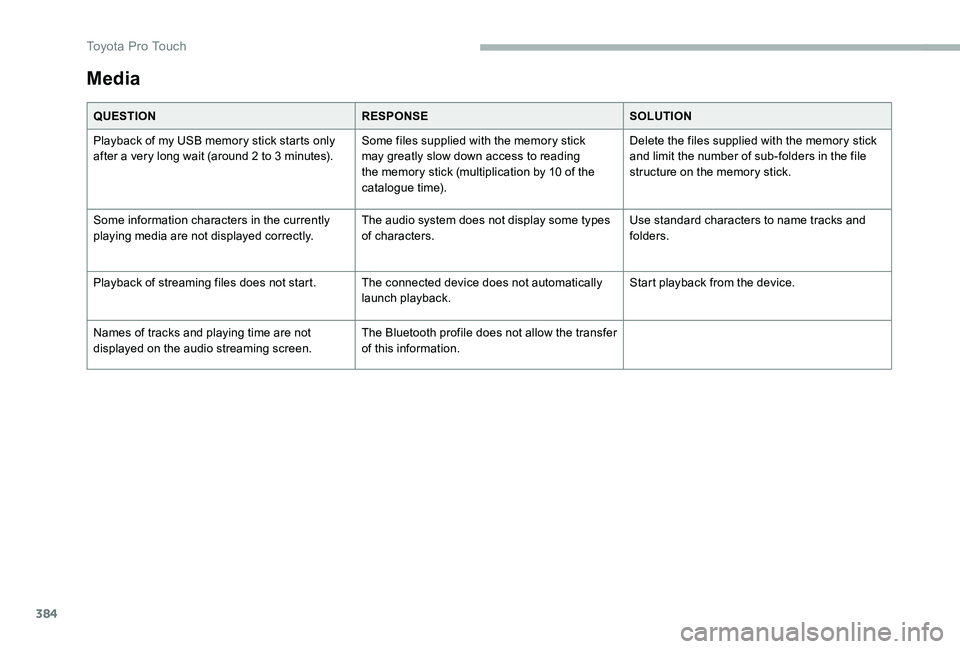
Media
QUESTIONRESPONSESOLUTION
Playback of my USB memory stick starts only after a very long wait (around 2 to 3 minutes).Some files supplied with the memory stick may greatly slow down access to reading the memory stick (multiplication by 10 of the catalogue time).
Delete the files supplied with the memory stick and limit the number of sub-folders in the file structure on the memory stick.
Some information characters in the currently playing media are not displayed correctly.The audio system does not display some types of characters.Use standard characters to name tracks and folders.
Playback of streaming files does not start.The connected device does not automatically launch playback.Start playback from the device.
Names of tracks and playing time are not displayed on the audio streaming screen.The Bluetooth profile does not allow the transfer of this information.
Toyota Pro Touch
Page 385 of 418
385
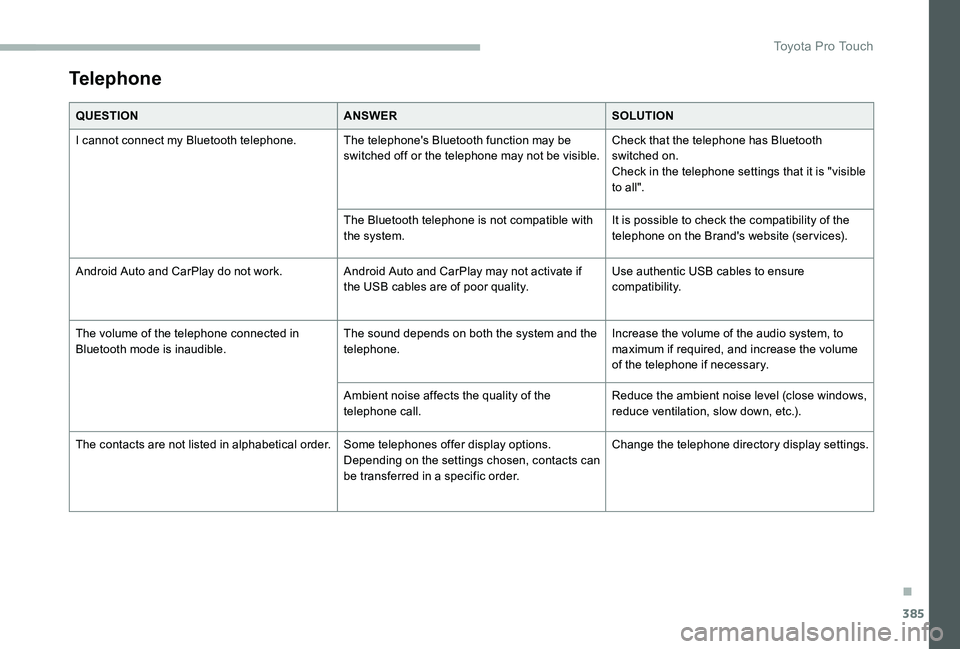
Telephone
QUESTIONANSWERSOLUTION
I cannot connect my Bluetooth telephone.The telephone's Bluetooth function may be switched off or the telephone may not be visible.Check that the telephone has Bluetooth switched on.Check in the telephone settings that it is "visible to all".
The Bluetooth telephone is not compatible with the system.It is possible to check the compatibility of the telephone on the Brand's website (ser vices).
Android Auto and CarPlay do not work.Android Auto and CarPlay may not activate if the USB cables are of poor quality.Use authentic USB cables to ensure compatibility.
The volume of the telephone connected in Bluetooth mode is inaudible.The sound depends on both the system and the telephone.Increase the volume of the audio system, to maximum if required, and increase the volume of the telephone if necessary.
Ambient noise affects the quality of the telephone call.Reduce the ambient noise level (close windows, reduce ventilation, slow down, etc.).
The contacts are not listed in alphabetical order.Some telephones offer display options. Depending on the settings chosen, contacts can be transferred in a specific order.
Change the telephone director y display settings.
.
Toyota Pro Touch
Page 387 of 418
387
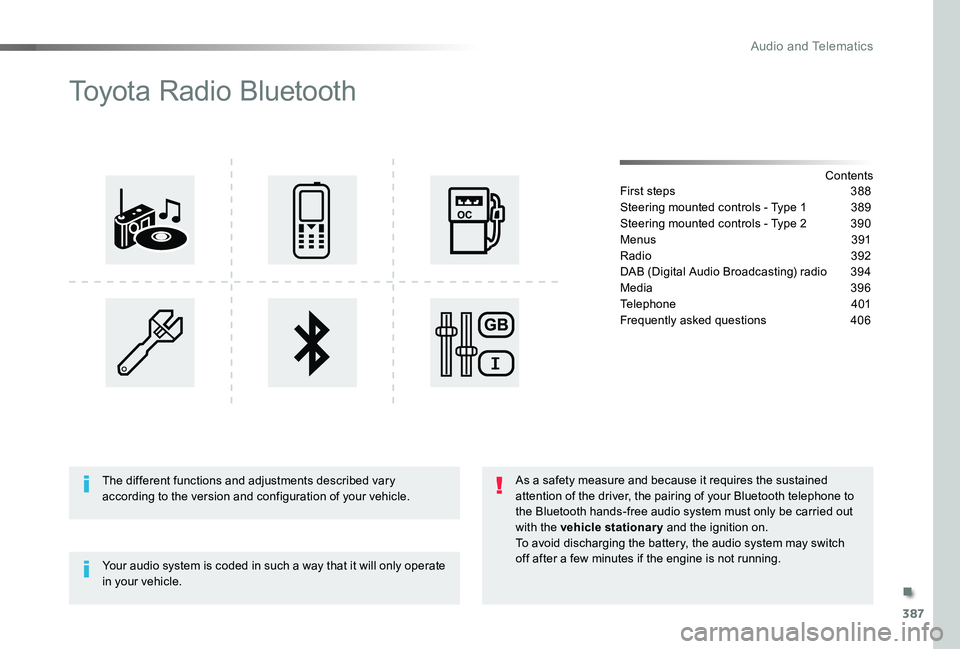
Toyota Radio Bluetooth
ContentsFirst steps 388
Steering mounted controls - Type 1 389
Steering mounted controls - Type 2 390
Menus 391
Radio 392
DAB (Digital Audio Broadcasting) radio 394
Media 396
Telephone 401
Frequently asked questions 406
Your audio system is coded in such a way that it will only operate in your vehicle.
The different functions and adjustments described vary according to the version and configuration of your vehicle.
As a safety measure and because it requires the sustained attention of the driver, the pairing of your Bluetooth telephone to the Bluetooth hands-free audio system must only be carried out with the vehicle stationary and the ignition on.To avoid discharging the battery, the audio system may switch off after a few minutes if the engine is not running.
.
Audio and Telematics
Page 399 of 418
399
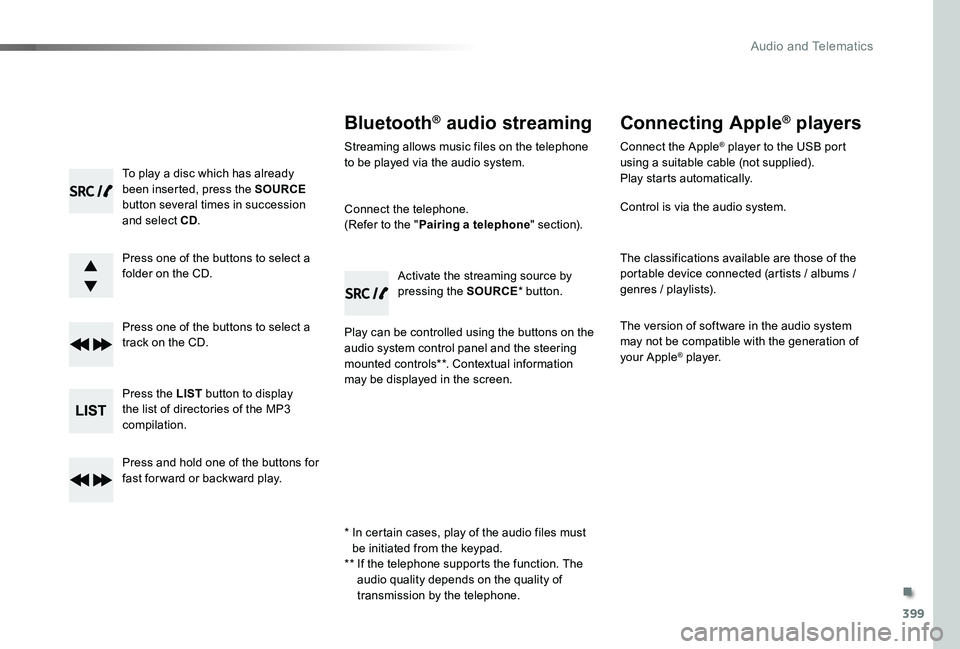
To play a disc which has already been inserted, press the SOURCE button several times in succession and select CD.
Press one of the buttons to select a folder on the CD.
Press one of the buttons to select a track on the CD.
Press the LIST button to display the list of directories of the MP3 compilation.
Press and hold one of the buttons for fast for ward or backward play.
Bluetooth® audio streaming
Streaming allows music files on the telephone to be played via the audio system.
Connect the telephone.(Refer to the "Pairing a telephone" section).
Play can be controlled using the buttons on the audio system control panel and the steering mounted controls**. Contextual information may be displayed in the screen.
Activate the streaming source by pressing the SOURCE* button.
Connecting Apple® players
Connect the Apple® player to the USB port using a suitable cable (not supplied).Play starts automatically.
Control is via the audio system.
The classifications available are those of the portable device connected (artists / albums / genres / playlists).
The version of software in the audio system may not be compatible with the generation of your Apple® player.
* In certain cases, play of the audio files must be initiated from the keypad.** If the telephone supports the function. The audio quality depends on the quality of
transmission by the telephone.
.
Audio and Telematics
Page 401 of 418
401
Telephone
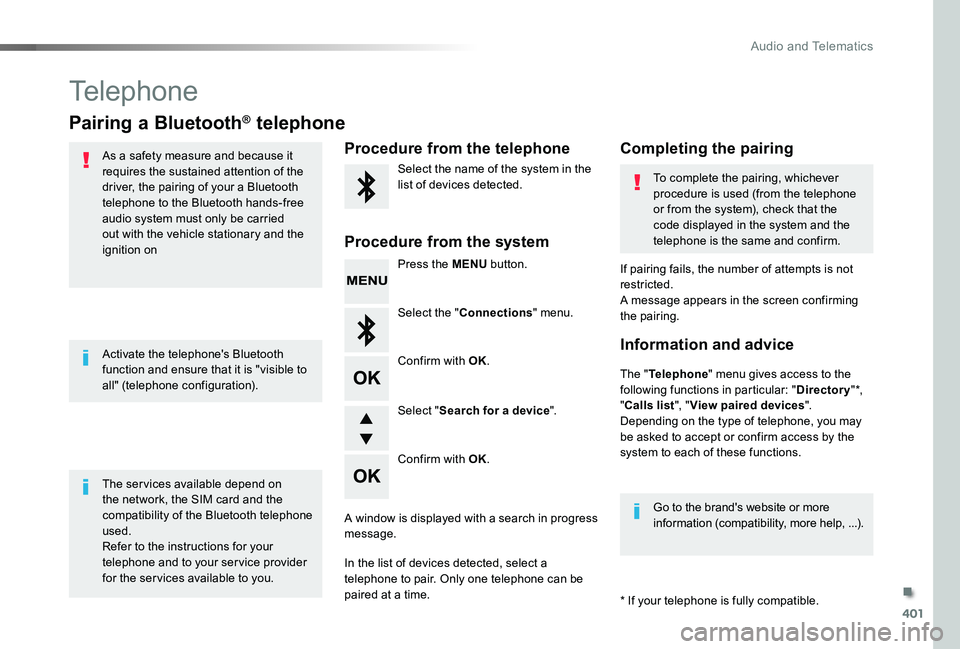
Pairing a Bluetooth® telephone
As a safety measure and because it requires the sustained attention of the driver, the pairing of your a Bluetooth telephone to the Bluetooth hands-free audio system must only be carried out with the vehicle stationary and the ignition on
The ser vices available depend on the network, the SIM card and the compatibility of the Bluetooth telephone used.Refer to the instructions for your telephone and to your ser vice provider for the ser vices available to you.
Activate the telephone's Bluetooth function and ensure that it is "visible to all" (telephone configuration).
* If your telephone is fully compatible.
The "Telephone" menu gives access to the following functions in particular: "Directory" *, "Calls list", "View paired devices".Depending on the type of telephone, you may be asked to accept or confirm access by the system to each of these functions.
If pairing fails, the number of attempts is not restricted.A message appears in the screen confirming the pairing.
Procedure from the telephoneCompleting the pairing
Procedure from the system
Select the name of the system in the list of devices detected.To complete the pairing, whichever procedure is used (from the telephone or from the system), check that the code displayed in the system and the telephone is the same and confirm.
Press the MENU button.
Select the "Connections" menu.
Confirm with OK.
A window is displayed with a search in progress message.
In the list of devices detected, select a telephone to pair. Only one telephone can be paired at a time.
Confirm with OK.
Select "Search for a device".
Information and advice
Go to the brand's website or more information (compatibility, more help, ...).
.
Audio and Telematics
Page 403 of 418
403
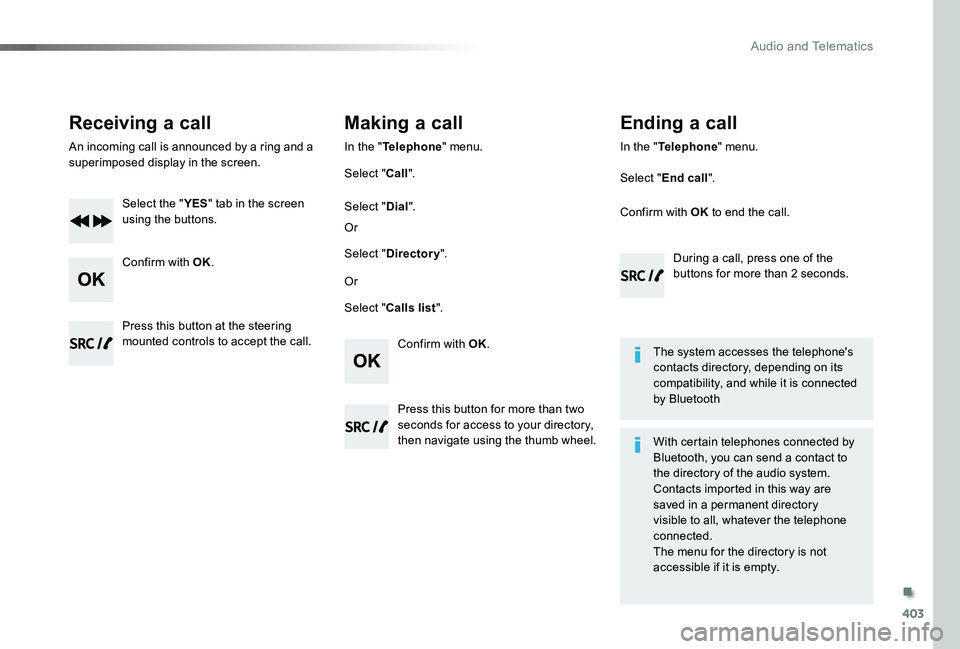
Receiving a call
An incoming call is announced by a ring and a superimposed display in the screen.
Select the "YES" tab in the screen using the buttons.
Confirm with OK.
Confirm with OK.
Press this button at the steering mounted controls to accept the call.
Making a call
In the "Telephone" menu.
Select "Call".
Select "Calls list".
Select "Dial".
Or
Or
Select "Directory".
Press this button for more than two seconds for access to your directory, then navigate using the thumb wheel.
In the "Telephone" menu.
Select "End call".
Ending a call
During a call, press one of the buttons for more than 2 seconds.
Confirm with OK to end the call.
The system accesses the telephone's contacts directory, depending on its compatibility, and while it is connected by Bluetooth
With certain telephones connected by
Bluetooth, you can send a contact to the directory of the audio system.Contacts imported in this way are saved in a permanent directory visible to all, whatever the telephone connected.The menu for the directory is not accessible if it is empty.
.
Audio and Telematics
Page 404 of 418
404
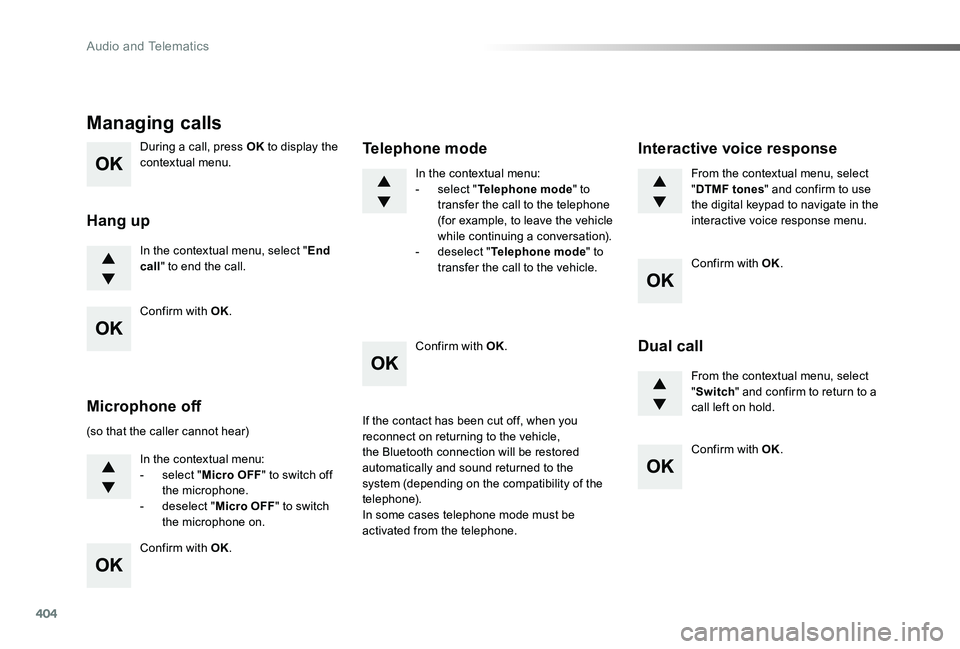
During a call, press OK to display the contextual menu.
In the contextual menu, select "End call" to end the call.
Managing calls
Hang up
(so that the caller cannot hear)
In the contextual menu:- select "Micro OFF" to switch off the microphone.- deselect "Micro OFF" to switch the microphone on.
In the contextual menu:- select "Telephone mode" to transfer the call to the telephone (for example, to leave the vehicle while continuing a conversation).- deselect "Telephone mode" to transfer the call to the vehicle.
Microphone off
Telephone mode
If the contact has been cut off, when you reconnect on returning to the vehicle,
the Bluetooth connection will be restored automatically and sound returned to the system (depending on the compatibility of the telephone).In some cases telephone mode must be activated from the telephone.
From the contextual menu, select "DTMF tones" and confirm to use the digital keypad to navigate in the interactive voice response menu.
From the contextual menu, select "Switch" and confirm to return to a call left on hold.
Interactive voice response
Dual call
Confirm with OK.
Confirm with OK.
Confirm with OK.
Confirm with OK.
Confirm with OK.
Audio and Telematics
Page 405 of 418
405
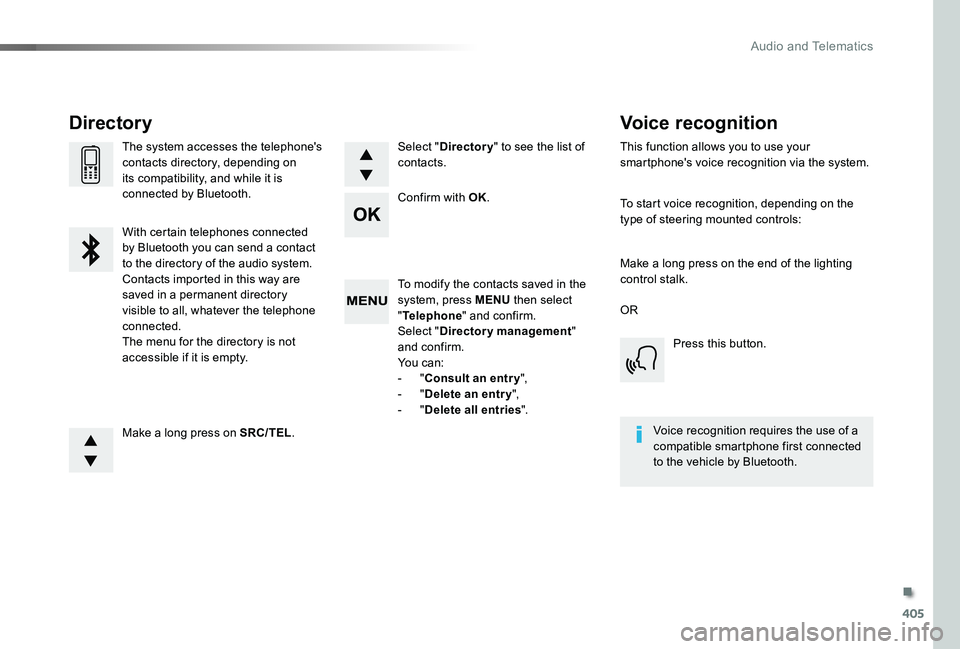
To modify the contacts saved in the system, press MENU then select "Telephone" and confirm.Select "Directory management" and confirm.Yo u c a n :- "Consult an entr y",- "Delete an entry",- "Delete all entries".
Make a long press on SRC/TEL.
The system accesses the telephone's contacts directory, depending on its compatibility, and while it is connected by Bluetooth.
With certain telephones connected
by Bluetooth you can send a contact to the directory of the audio system.Contacts imported in this way are saved in a permanent directory visible to all, whatever the telephone connected.The menu for the directory is not accessible if it is empty.
Select "Directory" to see the list of contacts.
Directory
Confirm with OK.
OR
Voice recognition
This function allows you to use your smartphone's voice recognition via the system.
To start voice recognition, depending on the type of steering mounted controls:
Make a long press on the end of the lighting control stalk.
Press this button.
Voice recognition requires the use of a compatible smartphone first connected to the vehicle by Bluetooth.
.
Audio and Telematics
Page 408 of 418
408
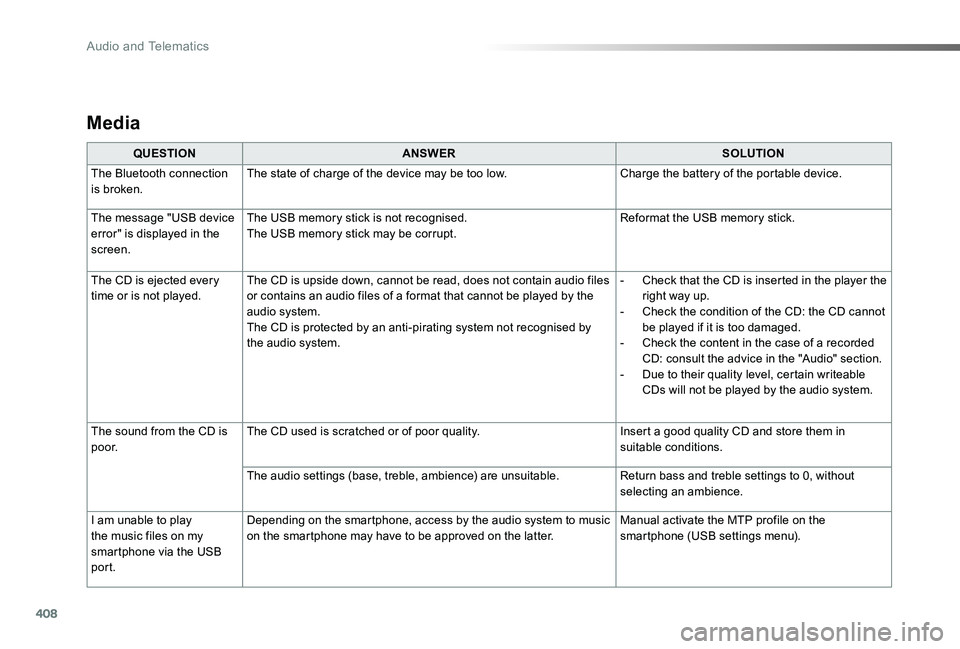
Media
QUESTIONANSWERSOLUTION
The Bluetooth connection is broken.The state of charge of the device may be too low.Charge the battery of the portable device.
The message "USB device error" is displayed in the screen.
The USB memory stick is not recognised.The USB memory stick may be corrupt.Reformat the USB memory stick.
The CD is ejected every time or is not played.The CD is upside down, cannot be read, does not contain audio files or contains an audio files of a format that cannot be played by the audio system.The CD is protected by an anti-pirating system not recognised by the audio system.
- Check that the CD is inserted in the player the right way up.- Check the condition of the CD: the CD cannot be played if it is too damaged.- Check the content in the case of a recorded CD: consult the advice in the "Audio" section.- Due to their quality level, certain writeable CDs will not be played by the audio system.
The sound from the CD is p o o r.The CD used is scratched or of poor quality.Insert a good quality CD and store them in suitable conditions.
The audio settings (base, treble, ambience) are unsuitable.Return bass and treble settings to 0, without selecting an ambience.
I am unable to play the music files on my smartphone via the USB port.
Depending on the smartphone, access by the audio system to music on the smartphone may have to be approved on the latter.Manual activate the MTP profile on the smartphone (USB settings menu).
Audio and Telematics
Page 409 of 418
409
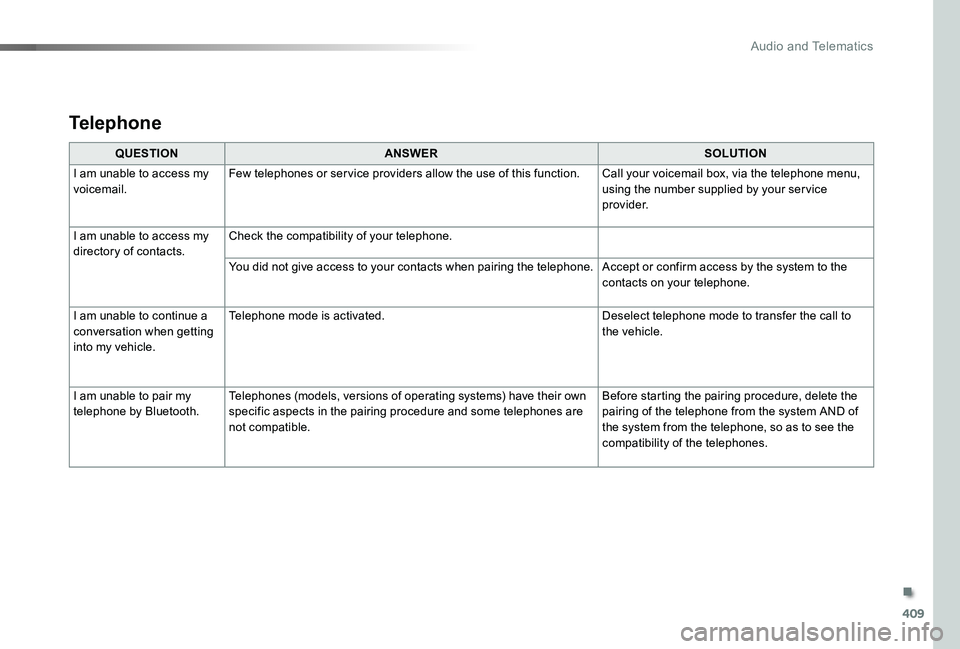
QUESTIONANSWERSOLUTION
I am unable to access my voicemail.Few telephones or ser vice providers allow the use of this function.Call your voicemail box, via the telephone menu, using the number supplied by your ser vice provider.
I am unable to access my
directory of contacts.
Check the compatibility of your telephone.
You did not give access to your contacts when pairing the telephone.Accept or confirm access by the system to the contacts on your telephone.
I am unable to continue a conversation when getting into my vehicle.
Telephone mode is activated.Deselect telephone mode to transfer the call to the vehicle.
I am unable to pair my telephone by Bluetooth.Telephones (models, versions of operating systems) have their own specific aspects in the pairing procedure and some telephones are not compatible.
Before starting the pairing procedure, delete the pairing of the telephone from the system AND of the system from the telephone, so as to see the compatibility of the telephones.
Telephone
.
Audio and Telematics