light TOYOTA PROACE VERSO 2020 Repair Manual
[x] Cancel search | Manufacturer: TOYOTA, Model Year: 2020, Model line: PROACE VERSO, Model: TOYOTA PROACE VERSO 2020Pages: 418, PDF Size: 39.32 MB
Page 317 of 418
317
Starting using another
battery
Never try to start the engine by connecting a battery charger.Never use a 24 V or higher battery b o o s t e r.First check that the slave battery has a nominal voltage of 12 V and a capacity at least equal to that of the discharged battery.The two vehicles must not be in contact with each other.Switch off the electrical consumers on both vehicles (audio system, wipers, lighting, ...).Ensure that the jump lead cables do
not pass close to moving parts of the engine (cooling fan, belts, ...).Do not disconnect the (+) terminal when the engine is running.
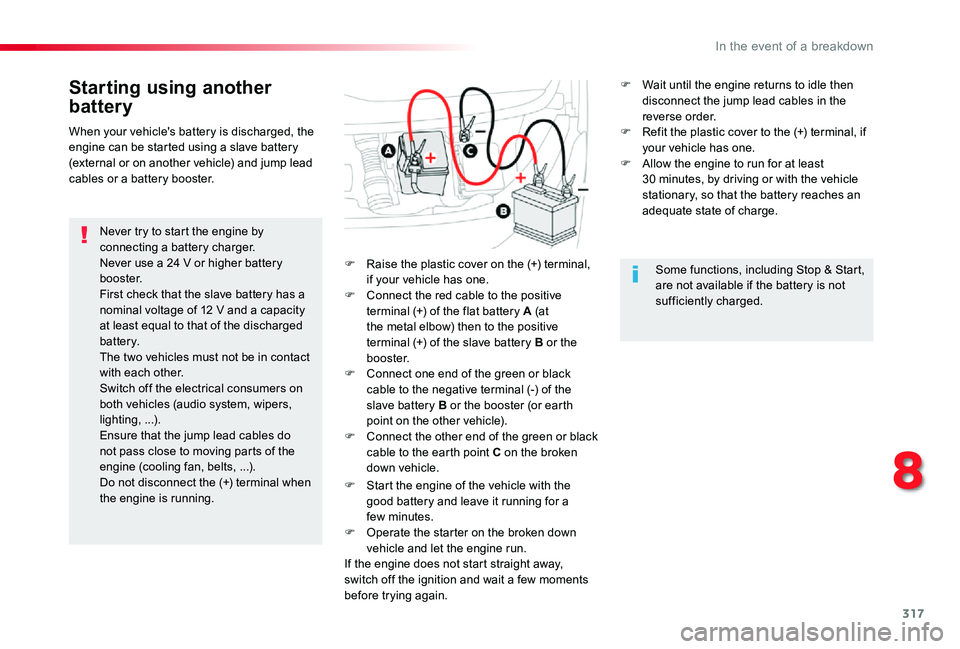
F Raise the plastic cover on the (+) terminal, if your vehicle has one.F Connect the red cable to the positive terminal (+) of the flat battery A (at the metal elbow) then to the positive terminal (+) of the slave battery B or the b o o s t e r.F Connect one end of the green or black cable to the negative terminal (-) of the slave battery B or the booster (or earth point on the other vehicle).F Connect the other end of the green or black cable to the earth point C on the broken down vehicle.
F Start the engine of the vehicle with the good battery and leave it running for a few minutes.F Operate the starter on the broken down
vehicle and let the engine run.If the engine does not start straight away, switch off the ignition and wait a few moments before trying again.
When your vehicle's battery is discharged, the engine can be started using a slave battery (external or on another vehicle) and jump lead cables or a battery booster.
Some functions, including Stop & Start, are not available if the battery is not sufficiently charged.
F Wait until the engine returns to idle then disconnect the jump lead cables in the reverse order.F Refit the plastic cover to the (+) terminal, if your vehicle has one.F Allow the engine to run for at least 30 minutes, by driving or with the vehicle stationary, so that the battery reaches an adequate state of charge.
8
In the event of a breakdown
Page 318 of 418
318
For optimum ser vice life of the battery, it is essential to maintain an adequate state of charge.In some circumstances it may be necessary to charge the battery:- if you use your vehicle essentially for short journeys,- if the vehicle is to be taken off the road for several weeks.Contact an authorized Toyota dealer or repairer, or another duly qualified and equipped professional.
Charging the battery using
a battery charger
F Switch off the ignition.F Switch off all electrical consumers (audio system, lighting, wipers, ...).
If you envisage charging your vehicle's battery yourself, use only a charger compatible with lead-acid batteries of a nominal voltage of 12 V.
Follow the instructions for use provided by the manufacturer of the charger.Never reverse polarities.
Never try to charge a frozen battery.If the battery has been frozen, have it checked by an authorized Toyota dealer or repairer, or another duly qualified and equipped professional, who will check that the internal components have not been damaged and the casing is not cracked, which could cause a leak of toxic and corrosive acid.
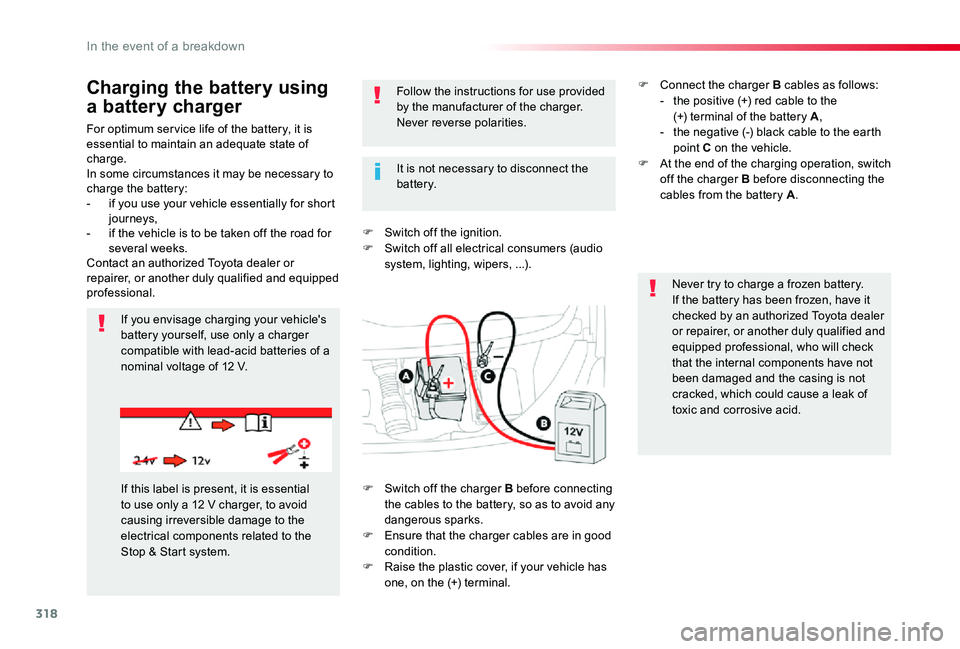
If this label is present, it is essential to use only a 12 V charger, to avoid causing irreversible damage to the electrical components related to the Stop & Start system.
It is not necessary to disconnect the battery.
F Switch off the charger B before connecting the cables to the battery, so as to avoid any dangerous sparks.F Ensure that the charger cables are in good condition.F Raise the plastic cover, if your vehicle has one, on the (+) terminal.
F Connect the charger B cables as follows:- the positive (+) red cable to the (+) terminal of the battery A,- the negative (-) black cable to the earth point C on the vehicle.F At the end of the charging operation, switch off the charger B before disconnecting the cables from the battery A.
In the event of a breakdown
Page 319 of 418
319
Do not force the lever as locking will not be possible if the clamp is not positioned correctly; start the procedure again.
Disconnecting the battery
In order to maintain an adequate state of charge for starting the engine, it is recommended that the battery be disconnected if the vehicle is taken out of ser vice for a long period.Wait 2 minutes after switching off the ignition before disconnecting the battery.
F close the windows and the doors before disconnecting the battery,F switch off all electrical consumers (audio system, wipers, lighting, ...),F switch off the ignition and wait for four minutes.Having exposed the battery, it is only necessary to disconnect the (+) terminal.
Quick release terminal
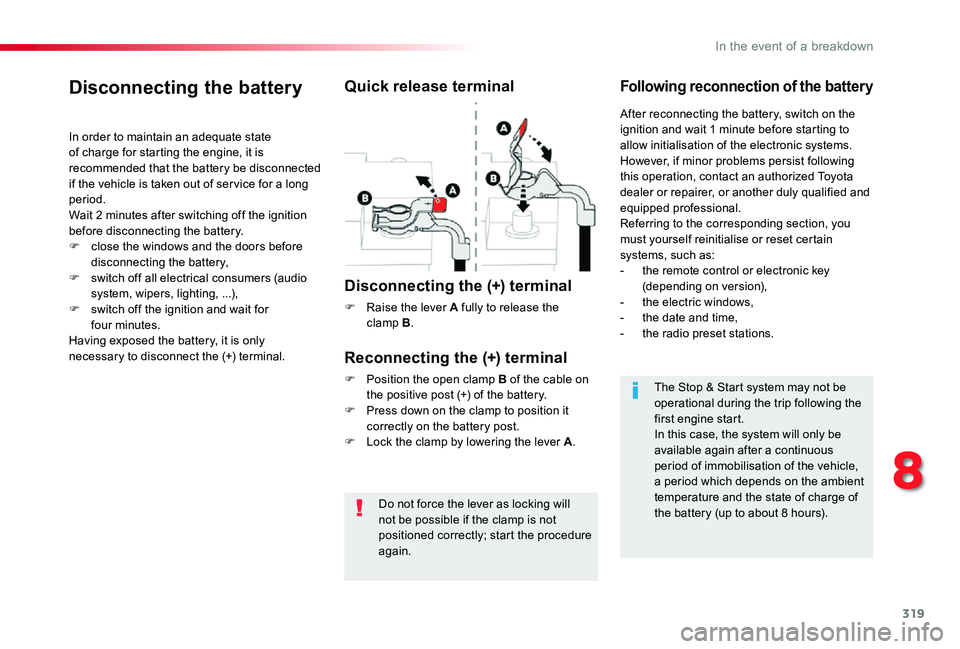
Disconnecting the (+) terminal
F Raise the lever A fully to release the clamp B.
Following reconnection of the battery
Reconnecting the (+) terminal
F Position the open clamp B of the cable on the positive post (+) of the battery.F Press down on the clamp to position it correctly on the battery post.F Lock the clamp by lowering the lever A.
After reconnecting the battery, switch on the ignition and wait 1 minute before starting to allow initialisation of the electronic systems.However, if minor problems persist following this operation, contact an authorized Toyota dealer or repairer, or another duly qualified and equipped professional.Referring to the corresponding section, you must yourself reinitialise or reset certain
systems, such as:- the remote control or electronic key (depending on version),- the electric windows,- the date and time,- the radio preset stations.
The Stop & Start system may not be operational during the trip following the first engine start.In this case, the system will only be
available again after a continuous period of immobilisation of the vehicle, a period which depends on the ambient temperature and the state of charge of the battery (up to about 8 hours).
8
In the event of a breakdown
Page 324 of 418
324
Engines
Engine characteristics
The engine characteristics (capacity, maximum power, maximum power speed, fuel, CO2 emissions...) for your vehicle are given in the registration document, as well as in sales brochures.These characteristics correspond to the values type-approved on a test bed, under conditions defined in European legislation (Directive 1999/99/EC).For more information, contact an authorized Toyota dealer or repairer, or another duly qualified and equipped professional.
Weights
The kerb weight is equal to the unladen weight + driver (75 kg).The GTW and towed load values indicated apply up to a maximum altitude of 1 000 metres; the towed load mentioned must be reduced by 10 % for every additional 1 000 metres..The weight of the braked trailer can be increased, within the GTW limit, on condition that the GV W of the towing vehicle is reduced by the same amount.The recommended nose weight is the vertical load on the towbar ball (removable with or without tools).
High ambient temperatures may result in a reduction in the per formance of the vehicle to protect the engine; when the ambient temperature is higher than 37 °C, limit the towed weight.
If the ambient temperature is high, it is recommended that the engine be allowed to idle for 1 to 2 minutes after the vehicle comes to a stop, to facilitate its cooling.
Towing with a lightly loaded vehicle can adversely affect roadholding.Braking distances are increased when towing a trailer.Never exceed 60 mph (100 km/h) when towing (comply with the legislation in force in your country).
GV W: gross vehicle weight, the maximum authorised vehicle weight.GT W: gross train weight, the maximum authorised weight of vehicle plus trailer.
Weights and towed loads
The maximum weights and towed loads for your vehicle are given are given in the registration document, as well as in sales brochures.These values are also present on the manufacturer's plate or label.For more information, contact an authorized Toyota dealer or repairer, or another duly qualified and equipped professional.
Technical data
Page 332 of 418
332
The touch screen is of the "capacitive" type.To clean the screen, use a soft, non-abrasive cloth (e.g. spectacles cloth) with no additional product.Do not use sharp objects on the screen.Do not touch the screen with wet hands.
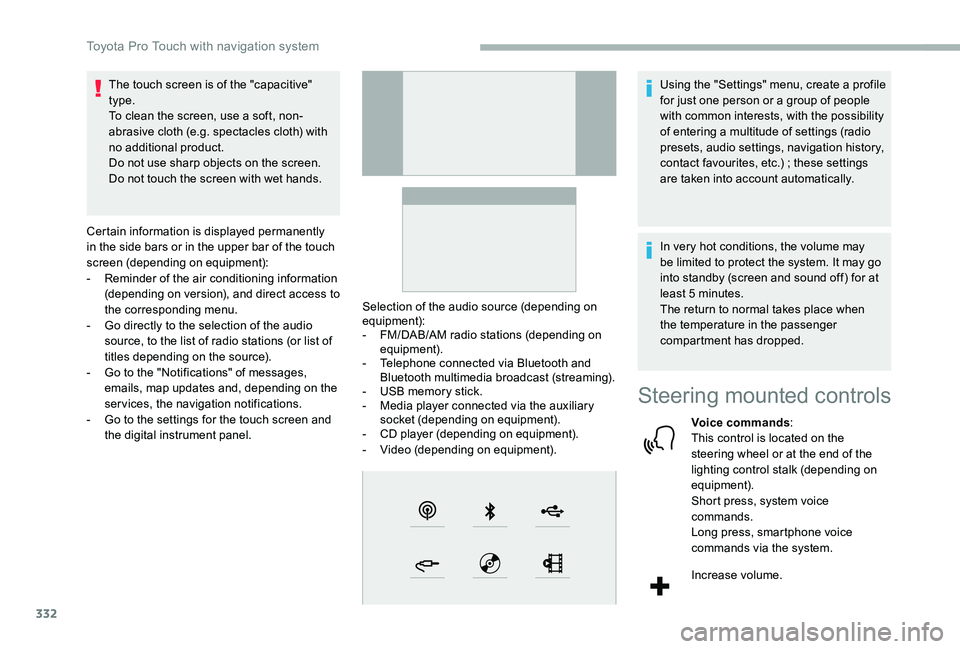
Certain information is displayed permanently in the side bars or in the upper bar of the touch screen (depending on equipment):- Reminder of the air conditioning information (depending on version), and direct access to the corresponding menu.- Go directly to the selection of the audio source, to the list of radio stations (or list of titles depending on the source).- Go to the "Notifications" of messages, emails, map updates and, depending on the services, the navigation notifications.- Go to the settings for the touch screen and the digital instrument panel.
Selection of the audio source (depending on equipment):- FM/DAB/AM radio stations (depending on equipment).- Telephone connected via Bluetooth and Bluetooth multimedia broadcast (streaming).- USB memory stick.- Media player connected via the auxiliary socket (depending on equipment).- CD player (depending on equipment).- Video (depending on equipment).
Using the "Settings" menu, create a profile for just one person or a group of people with common interests, with the possibility of entering a multitude of settings (radio presets, audio settings, navigation history, contact favourites, etc.) ; these settings are taken into account automatically.
In very hot conditions, the volume may be limited to protect the system. It may go into standby (screen and sound off) for at least 5 minutes.The return to normal takes place when the temperature in the passenger compartment has dropped.
Steering mounted controls
Voice commands:This control is located on the steering wheel or at the end of the lighting control stalk (depending on equipment).Short press, system voice commands.Long press, smartphone voice commands via the system.
Increase volume.
Toyota Pro Touch with navigation system
Page 334 of 418
334
21,518,5
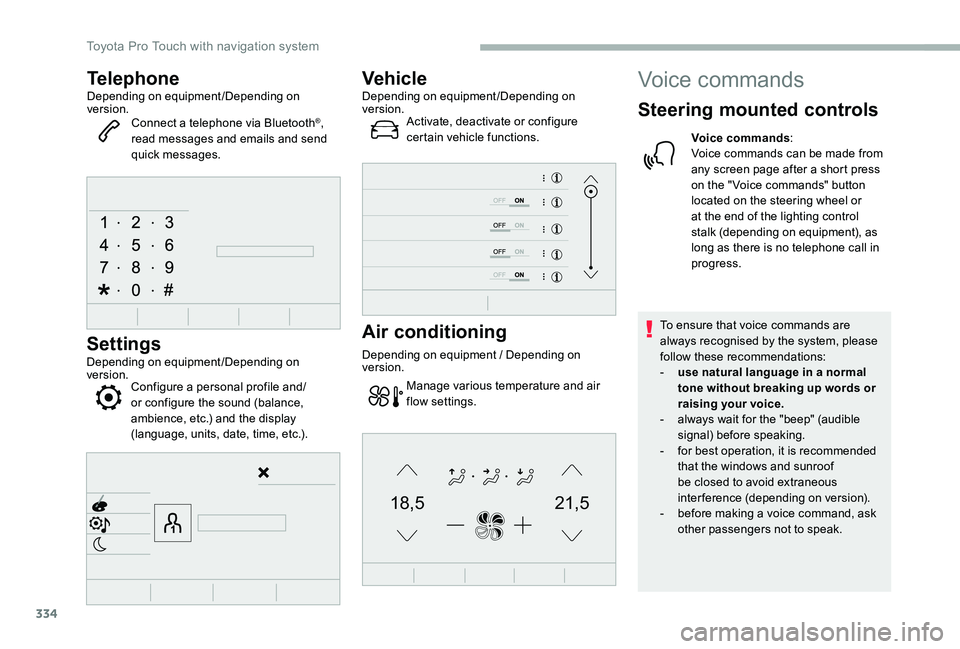
TelephoneDepending on equipment/Depending on version.Connect a telephone via Bluetooth®, read messages and emails and send quick messages.
Settings
Depending on equipment/Depending on version.Configure a personal profile and/or configure the sound (balance, ambience, etc.) and the display (language, units, date, time, etc.).
VehicleDepending on equipment/Depending on version.Activate, deactivate or configure certain vehicle functions.
Air conditioning
Depending on equipment / Depending on version.
Manage various temperature and air flow settings.
Voice commands
Steering mounted controls
Voice commands:Voice commands can be made from any screen page after a short press on the " Voice commands" button located on the steering wheel or at the end of the lighting control stalk (depending on equipment), as long as there is no telephone call in progress.
To ensure that voice commands are always recognised by the system, please follow these recommendations:- use natural language in a normal tone without breaking up words or raising your voice.- always wait for the "beep" (audible signal) before speaking.- for best operation, it is recommended that the windows and sunroof be closed to avoid extraneous interference (depending on version).- before making a voice command, ask other passengers not to speak.
Toyota Pro Touch with navigation system
Page 369 of 418
369
Increase volume.
Decrease volume.
Mute/restore sound by simultaneously pressing the increase and decrease volume buttons.
Steering mounted controls
- Type 2
Voice commands:This control is located on the steering wheel or at the end of the lighting control stalk (depending on equipment).Short press, smartphone voice commands via the system.
Increase volume.
Decrease volume.Mute by pressing the volume increase and decrease buttons
simultaneously (depending on equipment).Restore the sound by pressing one of the two volume buttons.
Media (short press): change the multimedia source.
Telephone (short press): start telephone call.Call in progress (short press): access telephone menu.Telephone (long press): reject an incoming call, end call ; when no call is in progress, access telephone menu.
Radio (rotate): automatic search for the previous/next station.Media (rotate): previous/next track, move in a list.Short press: confirm a selection ; if nothing selected, access to presets.
Radio: display the list of stations.Media: display the list of tracks.Radio (press and hold): update the list of stations received.
Menus
Applications
Depending on equipment/Depending on version.
Access configurable equipment.
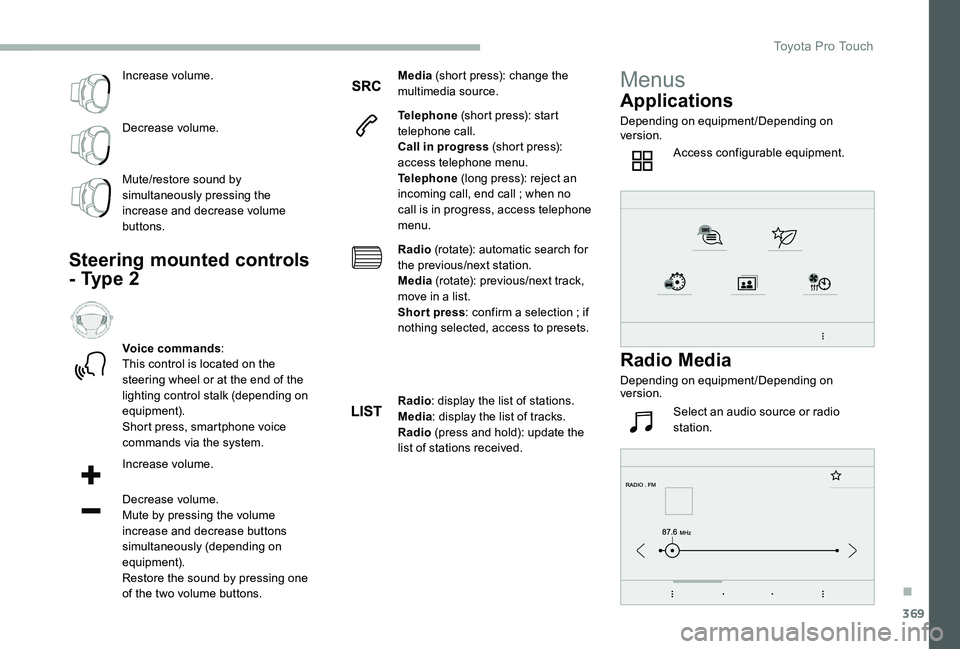
Radio Media
Depending on equipment/Depending on version.
Select an audio source or radio station.
.
Toyota Pro Touch
Page 405 of 418
405
To modify the contacts saved in the system, press MENU then select "Telephone" and confirm.Select "Directory management" and confirm.Yo u c a n :- "Consult an entr y",- "Delete an entry",- "Delete all entries".
Make a long press on SRC/TEL.
The system accesses the telephone's contacts directory, depending on its compatibility, and while it is connected by Bluetooth.
With certain telephones connected
by Bluetooth you can send a contact to the directory of the audio system.Contacts imported in this way are saved in a permanent directory visible to all, whatever the telephone connected.The menu for the directory is not accessible if it is empty.
Select "Directory" to see the list of contacts.
Directory
Confirm with OK.
OR
Voice recognition
This function allows you to use your smartphone's voice recognition via the system.
To start voice recognition, depending on the type of steering mounted controls:
Make a long press on the end of the lighting control stalk.
Press this button.
Voice recognition requires the use of a compatible smartphone first connected to the vehicle by Bluetooth.
.
Audio and Telematics
Page 411 of 418
411
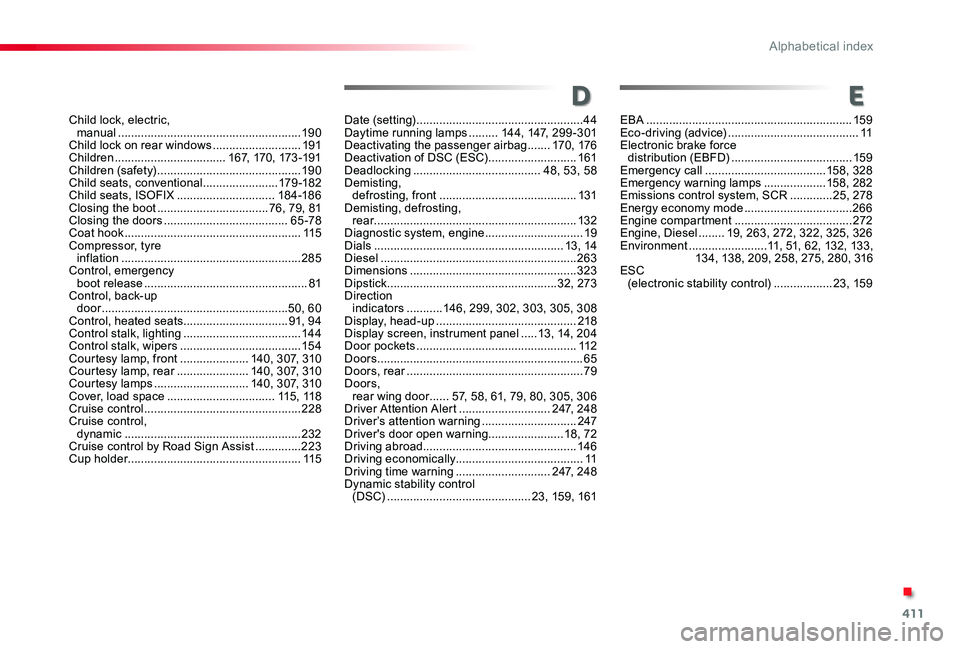
Child lock, electric, manual ........................................................19 0Child lock on rear windows ...........................191Children ..................................167, 170, 173 -191Children (safety) ............................................19 0Child seats, conventional .......................179-18 2Child seats, ISOFIX ..............................18 4-18 6Closing the boot ..................................76, 79, 81Closing the doors ......................................65-78Coat hook ......................................................115Compressor, tyre inflation .......................................................285Control, emergency boot release ..................................................81Control, back-up door .........................................................50, 60Control, heated seats ................................91, 94Control stalk, lighting ....................................14 4Control stalk, wipers .....................................15 4Courtesy lamp, front .....................140, 307, 310Courtesy lamp, rear ......................140, 307, 310Courtesy lamps .............................140, 307, 310Cover, load space .................................115, 11 8Cruise control ................................................228 Cruise control, dynamic ......................................................232Cruise control by Road Sign Assist ..............223Cup holder .....................................................115
Date (setting) ...................................................44Daytime running lamps .........14 4, 147, 299-301Deactivating the passenger airbag .......170, 176Deactivation of DSC (ESC) ...........................161Deadlocking .......................................48, 53, 58Demisting, defrosting, front ..........................................131Demisting, defrosting, rear ..............................................................132Diagnostic system, engine ..............................19Dials ..........................................................13, 14Diesel ............................................................263Dimensions ...................................................323Dipstick ....................................................32, 273Direction indicators ...........14 6, 299, 302, 303, 305, 308Display, head-up ...........................................218Display screen, instrument panel .....13, 14, 204Door pockets .................................................112Doors ...............................................................65Doors, rear ......................................................79Doors, rear wing door ......5 7, 58, 61, 79, 80, 305, 306Driver Attention Alert ............................247, 248Driver’s attention warning .............................247Driver's door open warning .......................18, 72Driving abroad...............................................14 6Driving economically.......................................11Driving time warning .............................247, 248Dynamic stability control (DSC) ............................................23, 159, 161
EBA ...............................................................159Eco-driving (advice) ........................................11Electronic brake force distribution (EBFD) .....................................159Emergency call .....................................15 8, 328Emergency warning lamps ...................15 8, 282Emissions control system, SCR .............25, 278Energy economy mode .................................266Engine compartment ....................................272Engine, Diesel ........19, 263, 272, 322, 325, 326Environment ........................11, 51, 62, 132, 133, 13 4, 13 8, 209, 258, 275, 280, 316ESC (electronic stability control) ..................23, 159
DE
.
Alphabetical index
Page 413 of 418
413
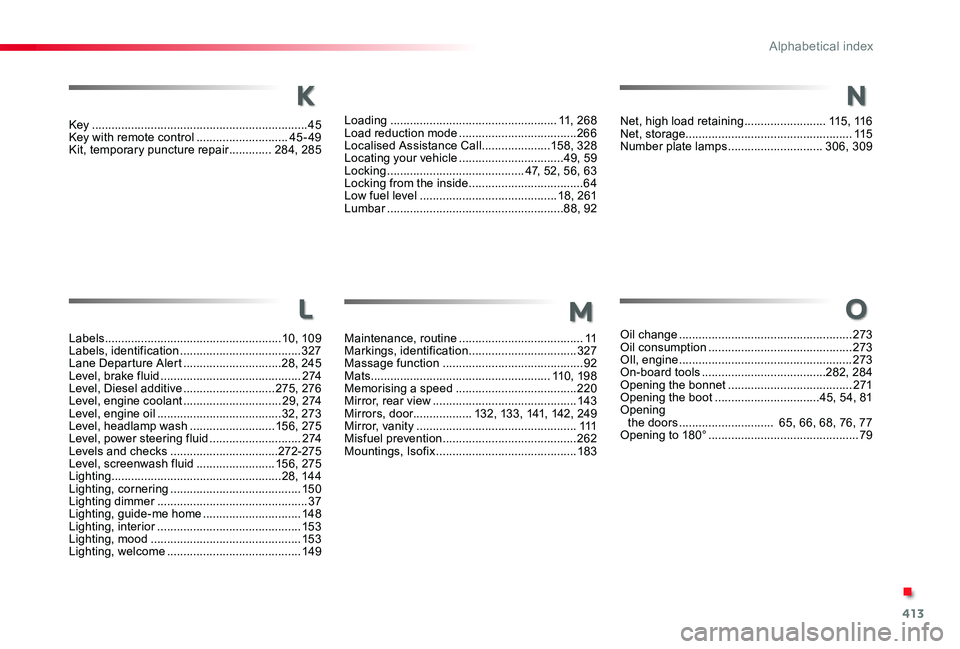
Key ..................................................................45Key with remote control ............................45-49Kit, temporary puncture repair .............284, 285
Labels ......................................................10, 109Labels, identification .....................................327Lane Departure Alert ..............................28, 245Level, brake fluid ...........................................2 74Level, Diesel additive ............................275, 276Level, engine coolant ..............................29, 2 74Level, engine oil ......................................32, 273Level, headlamp wash ..........................15 6, 275Level, power steering fluid ............................2 74Levels and checks .................................272-275Level, screenwash fluid ........................15 6, 275Lighting ....................................................28, 14 4Lighting, cornering ........................................15 0Lighting dimmer ..............................................37Lighting, guide-me home ..............................148Lighting, interior ............................................15 3Lighting, mood ..............................................15 3Lighting, welcome .........................................149
Loading ...................................................11, 268Load reduction mode ....................................266Localised Assistance Call .....................15 8, 328Locating your vehicle ................................49, 59Locking ..........................................47, 52, 56, 63Locking from the inside ...................................64Low fuel level ..........................................18, 261Lumbar ......................................................88, 92
K
L
Maintenance, routine ......................................11Markings, identification .................................327Massage function ...........................................92Mats .......................................................11 0, 198Memorising a speed .....................................220Mirror, rear view ............................................143Mirrors, door..................132, 13 3, 141, 142, 249Mirror, vanity .................................................111Misfuel prevention .........................................262Mountings, Isofix ...........................................183
M
Net, high load retaining .........................115, 11 6Net, storage...................................................115Number plate lamps .............................306, 309
Oil change .....................................................273Oil consumption ............................................273OIl, engine .....................................................273On-board tools ......................................282, 284Opening the bonnet ......................................271Opening the boot ................................45, 54, 81Opening the doors ............................. 65, 66, 68, 76, 77Opening to 180° ..............................................79
N
O
.
Alphabetical index