steering wheel TOYOTA PROACE VERSO EV 2020 User Guide
[x] Cancel search | Manufacturer: TOYOTA, Model Year: 2020, Model line: PROACE VERSO EV, Model: TOYOTA PROACE VERSO EV 2020Pages: 360, PDF Size: 68.91 MB
Page 111 of 360
111
Safety
5
NOTIC E
Data processingAll processing of personal information by the "Localised Emergency Call" system (PE112) complies with the framework for protection of personal information established by Regulation 2016/679 (GDPR) and Directive 2002/58/EC of the European Parliament and the Council, and in particular, seeks to protect the vital interests of the data subject, in accordance with Article 6.1, paragraph d) of Regulation 2016/679.Personal information processing is strictly limited to the management of the "Localised Emergency Call" system used with the “112” European single emergency call number.The "Localised Emergency Call" system is able to collect and process only the following data relating to the vehicle: chassis number, type (passenger vehicle or light commercial vehicle), fuel type or power source, most recent three locations and direction of travel,
and a timestamped log file recording the automatic activation of the system.The recipients of the processed data are the emergency call handling centres designated by the relevant national authorities in the territory in which they are located, enabling priority reception and handling of calls to the “112” emergency number.
NOTIC E
Data storageData contained in the system’s memory is not accessible from outside the system until a call is made. The system is not traceable and is not continuously monitored in its normal operating mode. The data in the system's internal memory is automatically and continuously erased. Only the vehicle’s three most recent locations are stored.When an emergency call is triggered, the data log is stored for no more than 13 hours.
NOTIC E
Access to dataYou have the right to access the data and, if necessary, submit a request to rectify, erase or restrict the processing of any personal information not processed in accordance with the provisions of Regulation 2016/679 (GDPR). Third parties to which data has been communicated shall be notified of any rectification, erasure or restriction carried out in accordance with the aforementioned Directive, unless doing so would be impossible or require a disproportionate effort. You also have the right to lodge a complaint with the relevant data protection authority.
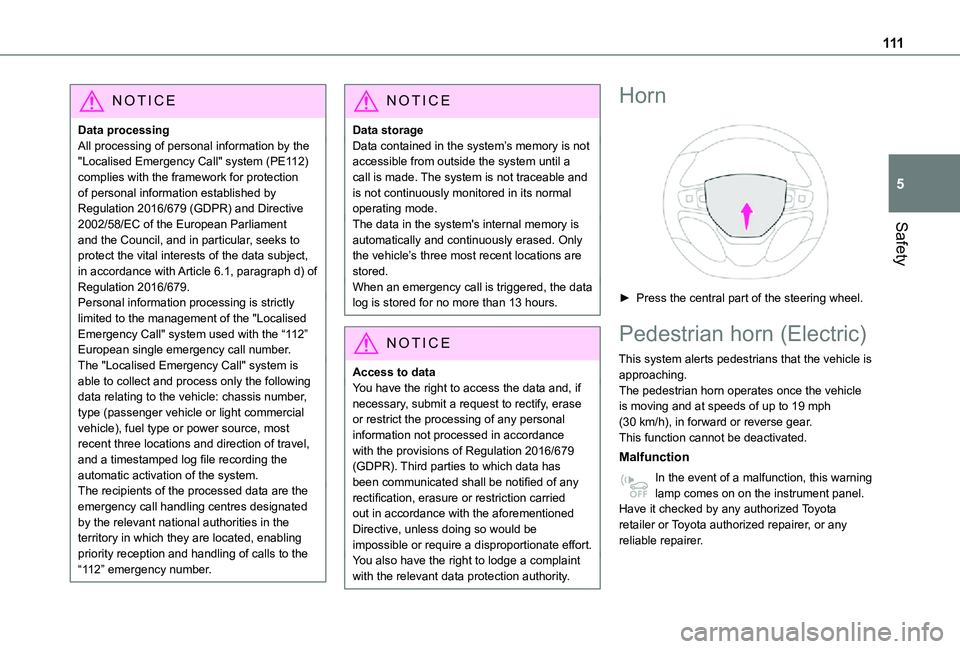
Horn
► Press the central part of the steering wheel.
Pedestrian horn (Electric)
This system alerts pedestrians that the vehicle is approaching.The pedestrian horn operates once the vehicle is moving and at speeds of up to 19 mph (30 km/h), in forward or reverse gear.This function cannot be deactivated.
Malfunction
In the event of a malfunction, this warning lamp comes on on the instrument panel.Have it checked by any authorized Toyota retailer or Toyota authorized repairer, or any reliable repairer.
Page 121 of 360
121
Safety
5
Front airbags
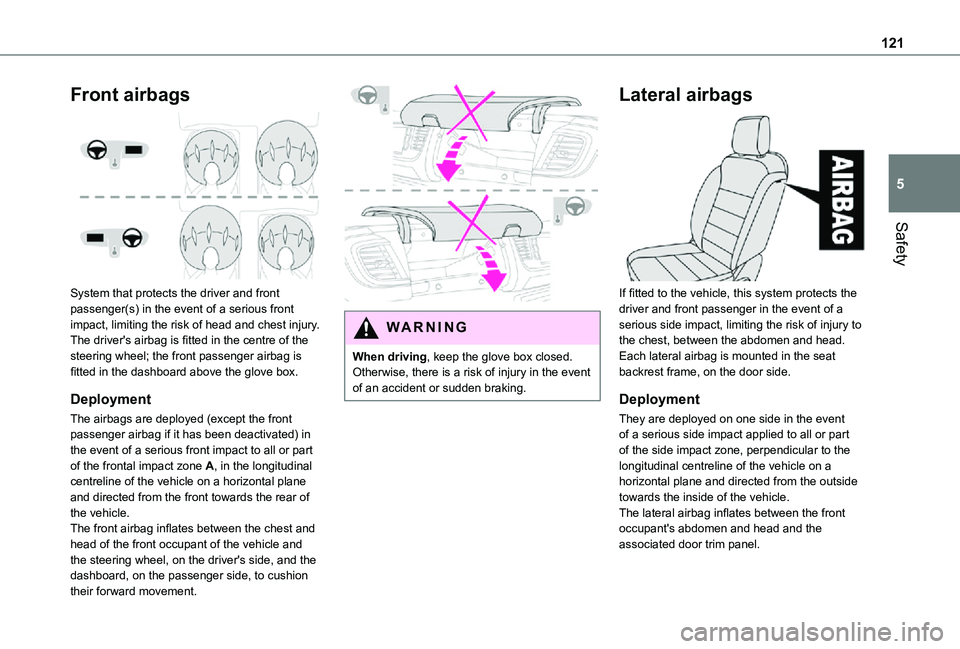
System that protects the driver and front passenger(s) in the event of a serious front impact, limiting the risk of head and chest injury.The driver's airbag is fitted in the centre of the steering wheel; the front passenger airbag is fitted in the dashboard above the glove box.
Deployment
The airbags are deployed (except the front passenger airbag if it has been deactivated) in
the event of a serious front impact to all or part of the frontal impact zone A, in the longitudinal centreline of the vehicle on a horizontal plane and directed from the front towards the rear of the vehicle.The front airbag inflates between the chest and head of the front occupant of the vehicle and the steering wheel, on the driver's side, and the dashboard, on the passenger side, to cushion their forward movement.
WARNI NG
When driving, keep the glove box closed. Otherwise, there is a risk of injury in the event of an accident or sudden braking.
Lateral airbags
If fitted to the vehicle, this system protects the driver and front passenger in the event of a serious side impact, limiting the risk of injury to the chest, between the abdomen and head.Each lateral airbag is mounted in the seat backrest frame, on the door side.
Deployment
They are deployed on one side in the event of a serious side impact applied to all or part
of the side impact zone, perpendicular to the longitudinal centreline of the vehicle on a horizontal plane and directed from the outside towards the inside of the vehicle.The lateral airbag inflates between the front occupant's abdomen and head and the associated door trim panel.
Page 123 of 360
123
Safety
5
WARNI NG
Front airbagsDo not drive holding the steering wheel by its spokes or resting your hands on the centre part of the wheel.Passengers must not place their feet on the dashboard.Do not smoke as deployment of the airbags can cause burns or the risk of injury from a cigarette or pipe.Never remove or pierce the steering wheel or hit it violently.Do not fix or attach anything to the steering wheel or dashboard, as this could cause injuries when the airbags are deployed.
WARNI NG
Lateral airbagsUse only approved seat covers compatible with the deployment of these airbags. For information on the range of seat covers suitable for your vehicle, contact any authorized Toyota retailer or Toyota authorized repairer, or any reliable repairer.Do not fix or attach anything to the seat backrests (e.g. clothing) as this could cause injuries to the chest or arm when the airbag is deployed.Do not sit with the upper part of the body any nearer to the door than necessary.The vehicle's front door panels include side impact sensors.A damaged door or any unauthorised or incorrectly executed work (modification or repair) on the front doors or their interior trim could compromise the operation of these sensors - risk of malfunction of the lateral airbags!
All work must be carried out only by any authorized Toyota retailer or Toyota authorized repairer, or any reliable repairer.
PROACE VERSO
WARNI NG
Curtain airbagsDo not fix or attach anything to the roof, as this could cause head injuries when the curtain airbag is deployed.Do not remove the grab handles installed on the roof, as these help to secure the curtain airbags.
Page 151 of 360
151
Driving
6
► Unlock the steering column by simultaneously turning the steering wheel and the key.
NOTIC E
In certain circumstances, a significant effort may be required to turn the steering wheel (if the wheels are against a kerb, for example).
► Turn the key to position 2, ignition on, to operate the engine preheating system.
► Wait until this warning lamp goes off in the instrument panel, then operate the starter motor by turning the key to position 3 without pressing the accelerator pedal, until the engine starts. Once the engine starts, release the key.
NOTIC E
The warning lamp does not come on if the engine is already hot.In certain climatic conditions, it is advised to follow the recommendations below:– In mild conditions, do not leave the engine at idle to warm up but move off straight away and drive at moderate speed. – In wintry conditions, the preheater warning lamp will stay on for a longer period after switching on the ignition; wait until it goes off before starting.– In very severe wintry conditions (temperature below -23°C), to ensure correct operation and durability of the mechanical components of the vehicle (engine and gearbox), leave the engine running for 4 minutes before starting the vehicle.Never leave the engine running in an enclosed area without adequate ventilation: internal combustion engines emit toxic exhaust gases, such as carbon monoxide.
Danger of poisoning and death!
WARNI NG
If the engine does not start immediately, switch off the ignition.Wait a few seconds before operating the starter motor again. If the engine does not start after several attempts, do not keep trying: risk of damaging the starter motor and the engine.Contact any authorized Toyota retailer or Toyota authorized repairer, or any reliable repairer.
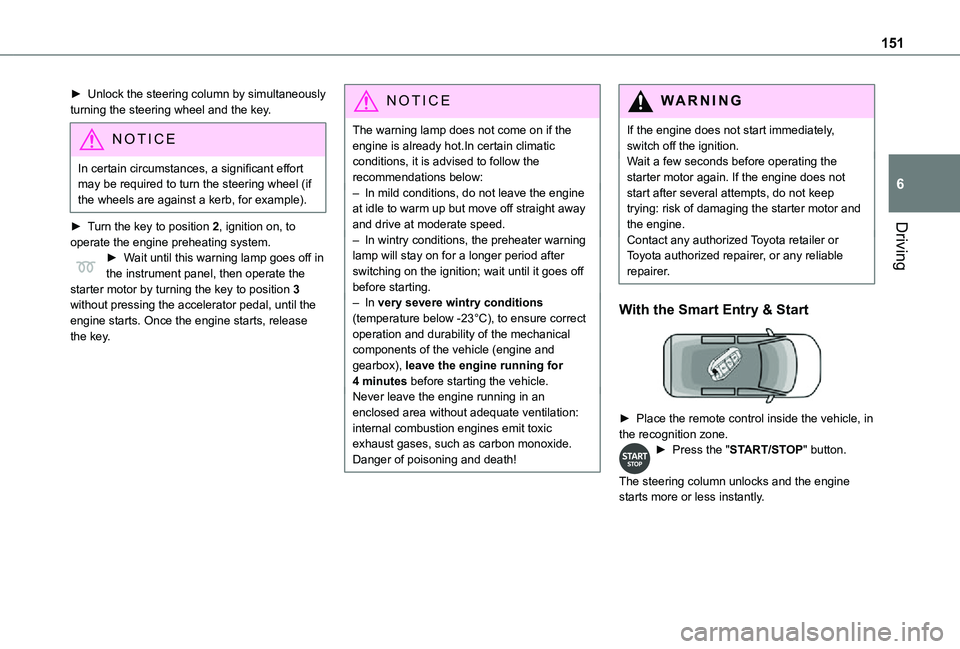
With the Smart Entry & Start
► Place the remote control inside the vehicle, in the recognition zone.► Press the "START/STOP" button.
The steering column unlocks and the engine starts more or less instantly.
Page 152 of 360
152
NOTIC E
The warning lamp does not come on if the engine is already warm. In some climatic conditions, it is advised to follow the recommendations below:– In mild conditions, do not leave the engine at idle to warm up but move off straight away and drive at moderate speed. – In wintry conditions, when the ignition is switched on, the duration of lighting of the preheating indicator lamp is extended. Wait until it goes off before starting the engine.– In very severe wintry conditions (temperature below -23°C), to ensure correct operation and durability of the mechanical components of the vehicle, engine and gearbox, leave the engine running for 4 minutes before moving off.Never leave the engine running in an enclosed area without adequate ventilation: internal combustion engines emit toxic exhaust gases, such as carbon monoxide.
Danger of poisoning and death!
WARNI NG
For Diesel vehicles, when the temperature is below zero, starting will only occur once the preheating warning lamp is off.If this warning lamp comes on after pressing the "START/STOP" button, press down on the brake or clutch pedal until the warning lamp goes off, without pressing the "START/STOP" button again, until the engine starts and runs.
NOTIC E
The presence of the “Smart Entry & Start” system remote control is imperative in the recognition zone.Never leave the vehicle with the engine running and with the remote control on your person.If the remote control leaves the recognition zone, a message is displayed.Move the remote control into the zone in order to be able to start the engine.
NOTIC E
If one of the starting conditions is not met, a message is displayed in the instrument panel. In some circumstances, it is necessary to turn the steering wheel while pressing the "START/STOP" button to assist unlocking of the steering column. A message is displayed.
Switching off
With the conventional key/With the
remote control key
► Immobilise the vehicle.► Turn the key all the way to position 1 (Stop) and remove it from the ignition.► To lock the steering column, turn the steering wheel until it locks.
NOTIC E
To facilitate unlocking of the steering column, it is recommended that the wheels be returned to the straight ahead position before switching off the engine.
► Check that the parking brake is correctly applied, particularly on sloping ground.
Page 154 of 360
154
On starting, the instrument panel lights up and the power indicator needle performs one sweep then moves to the "neutral" position. The steering column automatically unlocks (you may hear a sound and feel the steering wheel move).
Switching off
► If using a conventional or remote control key, turn the key fully to position 1 (Stop).► If using Smart Entry & Start, press the "START/STOP" button.Before exiting the vehicle, check that:– The drive selector is in mode P.– The READY indicator lamp is off.
NOTIC E
The drive selector moves automatically to mode P when the motor is switched off or when the driver's door is opened.
NOTIC E
If the driver's door is opened while the required conditions for stopping are not satisfied, an audible signal is emitted, accompanied by the display of a warning message.
Special case with Smart
Entry & Start
Switching on the ignition without
starting the engine
With the Smart Entry & Start system’s electronic key inside the vehicle, pressing the "START/STOP" button, with no action on the pedals, allows the ignition to be switched on.► Pressing this button again switches off the ignition and allows the vehicle to be locked.
Back-up starting
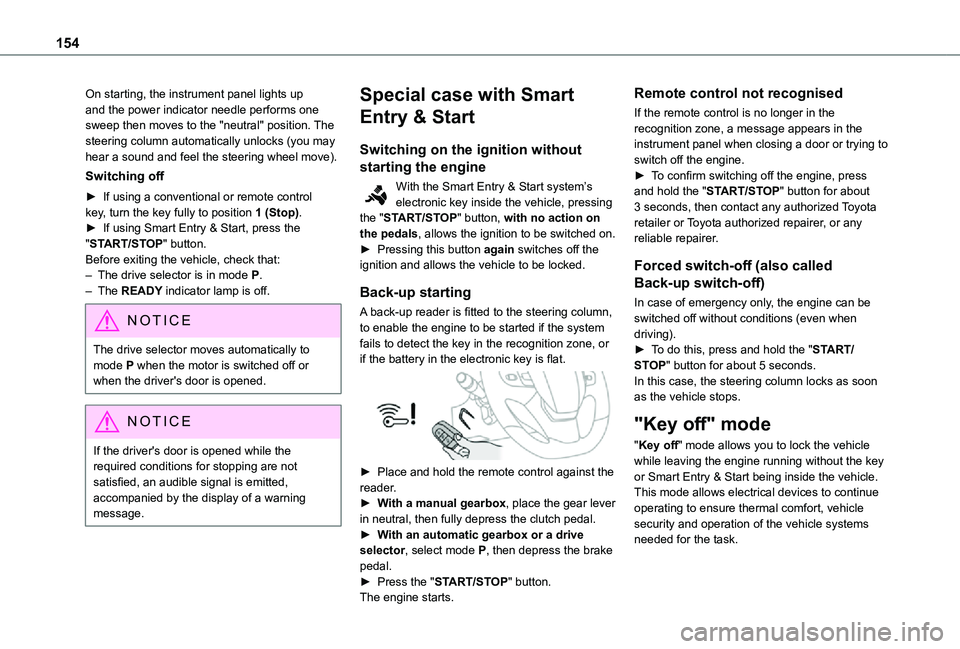
A back-up reader is fitted to the steering column, to enable the engine to be started if the system fails to detect the key in the recognition zone, or if the battery in the electronic key is flat.
► Place and hold the remote control against the reader.► With a manual gearbox, place the gear lever in neutral, then fully depress the clutch pedal.► With an automatic gearbox or a drive selector, select mode P, then depress the brake pedal.► Press the "START/STOP" button.The engine starts.
Remote control not recognised
If the remote control is no longer in the recognition zone, a message appears in the instrument panel when closing a door or trying to switch off the engine.► To confirm switching off the engine, press and hold the "START/STOP" button for about 3 seconds, then contact any authorized Toyota retailer or Toyota authorized repairer, or any reliable repairer.
Forced switch-off (also called
Back-up switch-off)
In case of emergency only, the engine can be switched off without conditions (even when driving).► To do this, press and hold the "START/STOP" button for about 5 seconds.In this case, the steering column locks as soon as the vehicle stops.
"Key off" mode
"Key off" mode allows you to lock the vehicle while leaving the engine running without the key or Smart Entry & Start being inside the vehicle.This mode allows electrical devices to continue operating to ensure thermal comfort, vehicle security and operation of the vehicle systems needed for the task.
Page 160 of 360
160
NOTIC E
As a safety precaution and to facilitate engine starting:– always select neutral,– depress the clutch pedal.
Gear efficiency indicator
(Depending on engine.)This system helps reduce fuel consumption by recommending the most appropriate gear.
Operation
Depending on the driving situation and the vehicle's equipment, the system may advise to skip one or more gears.Gear shift recommendations should not be considered compulsory. In fact, the road layout, the traffic density and safety remain the deciding factors when choosing the best gear. The driver therefore remains responsible for deciding
whether or not to follow the indications issued by the system.This function cannot be deactivated.On certain Diesel versions with manual gearbox, the system may suggest changing into neutral (N is displayed in the instrument panel) so that the engine can go into standby (STOP mode with Stop & Start), in certain driving conditions.
NOTIC E
With an automatic gearbox, the system is only active in manual operation.
The information appears in the instrument panel, in the form of an ascending or descending arrow and the recommended gear.
NOTIC E
The system adapts its gear shift recommendation according to the driving conditions (slope, load, etc.) and the driver’s requirements (request for power, acceleration, braking, etc.).The system never suggests:– engaging first gear.– engaging reverse.
Automatic gearbox
Automatic 6 or 8-speed gearbox, with electronic management of gear changes. It also offers a manual mode with sequential gear changes via control paddles located behind the steering wheel.
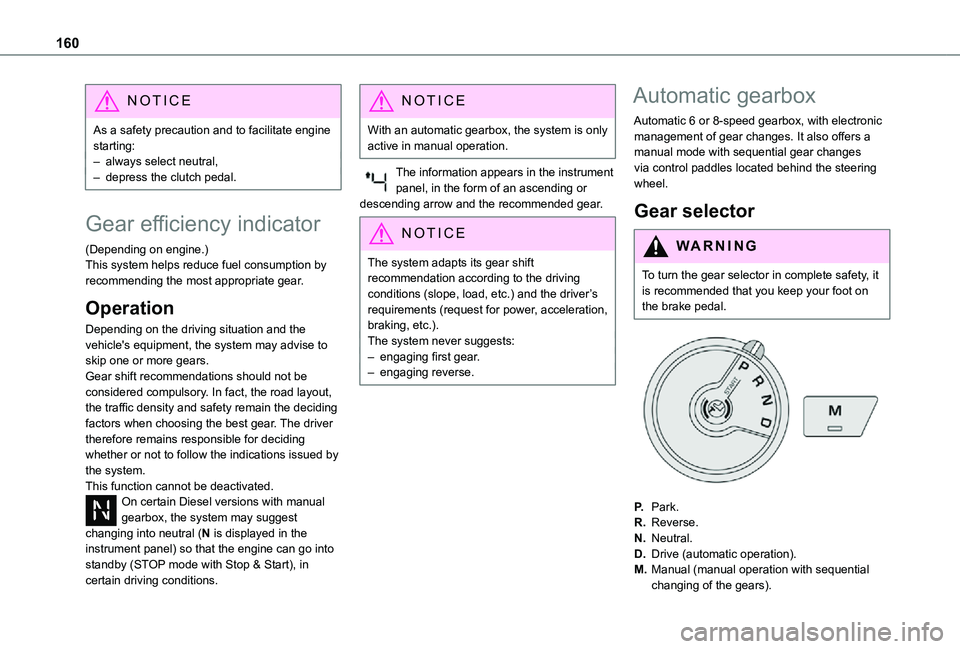
Gear selector
WARNI NG
To turn the gear selector in complete safety, it is recommended that you keep your foot on the brake pedal.
P.Park.
R.Reverse.
N.Neutral.
D.Drive (automatic operation).
M.Manual (manual operation with sequential changing of the gears).
Page 167 of 360
167
Driving
6
With an automatic gearbox: with the brake pedal depressed or the gear selector in position N, with the vehicle stationary.
Time counter
A time counter adds up the time spent in standby during the journey. It is reset to zero every time the ignition is switched on.
Special cases:
The engine will not go into standby if all of the conditions for operation are not met and in the following cases.– Steep slope (ascending or descending).– Vehicle has not exceeded 10 km/h (6 mph) since the last engine start (with the key or the “START/STOP” button).– Needed to maintain a comfortable temperature in the passenger compartment.– Demisting active.In these cases, this indicator lamp flashes for a few seconds, then goes off.
NOTIC E
After the engine has restarted, STOP mode is not available until the vehicle has reached a speed of 8 km/h (5 mph).
NOTIC E
During parking manoeuvres, STOP mode is not available for a few seconds after coming out of reverse gear or turning the steering wheel.
Restarting the engine (START mode)
The engine automatically restarts as soon as the driver indicates the intention of moving off again.With a manual gearbox: with the clutch pedal fully depressed.With an automatic gearbox:– With the selector in position D or M: with the brake pedal released.– With the selector in position N and the brake pedal released: with the selector at D or M.– With the selector in position P and the brake pedal depressed: with the selector at R, N, D or M.– Reverse gear engaged.
Special cases
The engine will restart automatically if all conditions for operation are met again and in the following case.– With a manual gearbox: vehicle speed exceeds 16 mph (25 km/h) or 2 mph (3 km/h) (depending on the engine).– With an automatic gearbox, vehicle speed exceeds 2 mph (3 km/h).
In this case, this indicator lamp flashes for a few seconds, then goes off.
Malfunctions
Depending on the vehicle’s equipment:In the event of a system malfunction, this warning lamp flashes on the instrument panel.The warning lamp in this button flashes and a message appears, accompanied by an audible signal.Have it checked by any authorized Toyota retailer or Toyota authorized repairer, or any reliable repairer.
The vehicle stalls in STOP mode
All of the instrument panel warning lamps come on if there is a fault.Depending on version, a warning message may also be displayed, prompting you to place the gear selector in position N and depress the brake pedal.► Switch off the ignition then start the engine
again with the key or the "START/STOP" button.
Page 168 of 360
168
WARNI NG
12 V batteryThe Stop & Start system requires a 12 V battery of specific technology and specification.All work must be carried out only by any authorized Toyota retailer or Toyota authorized repairer, or any reliable repairer.
Under-inflation detection
This system automatically checks the pressures of the tyres while driving.It compares the information given by the wheel speed sensors with reference values, which must be reinitialised every time the tyre pressures are adjusted or a wheel changed.The system triggers an alert as soon as it detects a drop in the inflation pressure of one or more tyres.
WARNI NG
Under-inflation detection does not replace the need for vigilance on the part of the driver.This system does not avoid the need to regularly check the tyre pressures (including the spare wheel) as well as before a long journey.Driving with under-inflated tyres, particularly in adverse conditions (heavy load, high speed, long journey):– worsens road-holding.– lengthens braking distances.– causes premature wear of the tyres.– increases fuel consumption.
NOTIC E
The inflation pressures defined for the vehicle can be found on the tyre pressure label.For more information on the Identification markings, refer to the corresponding section.
WARNI NG
Checking tyre pressuresThis check should be done when the tyres are "cold" (vehicle stopped for 1 hour or after
a journey of less than 10 km (6 miles) at moderate speeds).Otherwise, add 0.3 bar to the pressures shown on the label.
NOTIC E
Snow chainsThe system does not have to be reinitialised after fitting or removing snow chains.
NOTIC E
Spare wheelThe steel spare wheel does not have an under-inflation detection sensor.
Under-inflation alert
This is signalled by the fixed illumination of this warning lamp, accompanied by an audible signal and, depending on equipment, the display of a message.► Reduce speed immediately, avoid excessive steering movements and avoid sudden braking.► Stop the vehicle as soon as it is safe to do so.
WARNI NG
The loss of pressure detected may not always cause visible deformation of the tyre.Do not rely on just a visual check.
► Using a compressor, such as the one in the temporary puncture repair kit, check the pressures of all four tyres when cold.
Page 170 of 360
170
Driving and manoeuvring
aids - General
recommendations
NOTIC E
Driving and manoeuvring aids cannot, in any circumstances, replace the need for vigilance on the part of the driver.The driver must comply with the Highway Code, must remain in control of the vehicle in all circumstances and must be able to retake control of it at all times. The driver must adapt the speed to climactic conditions, traffic and the state of the road.It is the driver's responsibility to constantly check the traffic, to assess the relative distances and speeds of other vehicles and to anticipate their movements before indicating and changing lane.The systems cannot exceed the limits of the
laws of physics.
NOTIC E
Driving aidsYou should hold the steering wheel with both hands, always use the interior and exterior rear view mirrors, always keep the feet close to the pedals and take a break every two hours.
NOTIC E
Manoeuvring aidsThe driver must always check the surroundings of the vehicle before and during the whole manoeuvre, in particular using the mirrors.
WARNI NG
Radar(s)The operation of the radar(s), along with any associated functions, may be affected by the accumulation of dirt (e.g. mud, ice), in poor weather conditions (e.g. heavy rain, snow), or if the bumpers are damaged.If the front bumper is to be repainted, contact any authorized Toyota retailer or Toyota authorized repairer, or any reliable repairer; certain types of paint could interfere with the operation of the radar(s).
WARNI NG
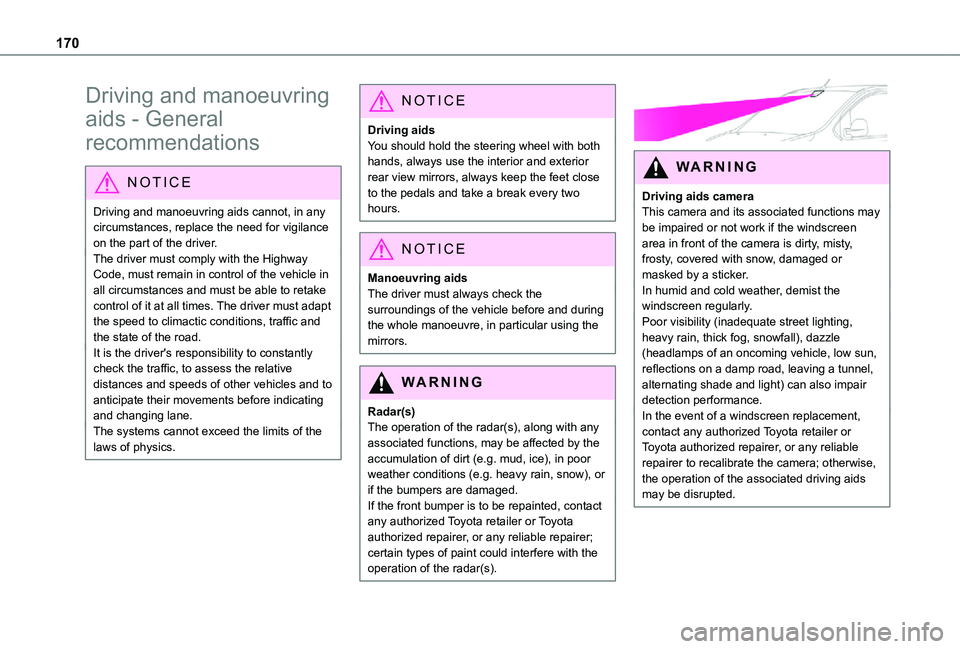
Driving aids cameraThis camera and its associated functions may be impaired or not work if the windscreen area in front of the camera is dirty, misty, frosty, covered with snow, damaged or masked by a sticker.In humid and cold weather, demist the windscreen regularly.Poor visibility (inadequate street lighting, heavy rain, thick fog, snowfall), dazzle (headlamps of an oncoming vehicle, low sun, reflections on a damp road, leaving a tunnel, alternating shade and light) can also impair detection performance.In the event of a windscreen replacement, contact any authorized Toyota retailer or
Toyota authorized repairer, or any reliable repairer to recalibrate the camera; otherwise, the operation of the associated driving aids may be disrupted.