turn signal TOYOTA PROACE VERSO EV 2021 User Guide
[x] Cancel search | Manufacturer: TOYOTA, Model Year: 2021, Model line: PROACE VERSO EV, Model: TOYOTA PROACE VERSO EV 2021Pages: 360, PDF Size: 68.91 MB
Page 101 of 360
101
Lighting and visibility
4
Daytime running lamps/
Sidelamps
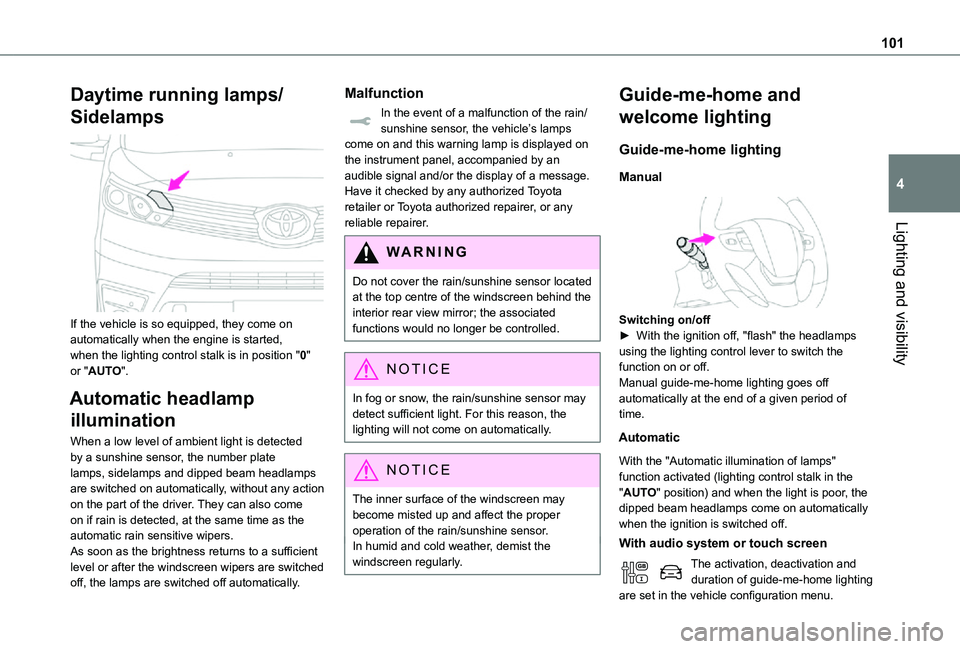
If the vehicle is so equipped, they come on automatically when the engine is started, when the lighting control stalk is in position "0" or "AUTO".
Automatic headlamp
illumination
When a low level of ambient light is detected by a sunshine sensor, the number plate lamps, sidelamps and dipped beam headlamps are switched on automatically, without any action on the part of the driver. They can also come on if rain is detected, at the same time as the automatic rain sensitive wipers.As soon as the brightness returns to a sufficient level or after the windscreen wipers are switched off, the lamps are switched off automatically.
Malfunction
In the event of a malfunction of the rain/sunshine sensor, the vehicle’s lamps come on and this warning lamp is displayed on the instrument panel, accompanied by an audible signal and/or the display of a message.Have it checked by any authorized Toyota retailer or Toyota authorized repairer, or any reliable repairer.
WARNI NG
Do not cover the rain/sunshine sensor located at the top centre of the windscreen behind the interior rear view mirror; the associated functions would no longer be controlled.
NOTIC E
In fog or snow, the rain/sunshine sensor may detect sufficient light. For this reason, the lighting will not come on automatically.
NOTIC E
The inner surface of the windscreen may become misted up and affect the proper operation of the rain/sunshine sensor.In humid and cold weather, demist the windscreen regularly.
Guide-me-home and
welcome lighting
Guide-me-home lighting
Manual
Switching on/off► With the ignition off, "flash" the headlamps using the lighting control lever to switch the function on or off.Manual guide-me-home lighting goes off automatically at the end of a given period of time.
Automatic
With the "Automatic illumination of lamps" function activated (lighting control stalk in the "AUTO" position) and when the light is poor, the dipped beam headlamps come on automatically when the ignition is switched off.
With audio system or touch screen
The activation, deactivation and duration of guide-me-home lighting are set in the vehicle configuration menu.
Page 113 of 360
11 3
Safety
5
more wheels to return the vehicle to the desired path, within the limits of the laws of physics.These systems are activated automatically every time the vehicle is started.These systems are activated in the event of a problem with grip or trajectory (confirmed by this warning lamp flashing on the instrument panel).
Deactivation/Reactivation
In exceptional conditions (moving a vehicle that is bogged down in mud, stuck in snow, on loose soil, etc.), it may prove useful to deactivate the DSC/ASR systems, so that the wheels can move freely and regain grip.However, it is recommended that the systems be reactivated as soon as possible.
NOTIC E
Only the ASR system can be deactivated from the touch screen.
Deactivating using the button or Toyota Traction SelectPress this button or turn the thumbwheel to this position.The indicator lamp in the button or thumbwheel comes on: the DSC/ASR systems no longer have an effect on engine operation.Deactivating using the touch screenIn the "Driving/Vehicle" menu, deactivate the ASR system.
A confirmation message is displayed and this warning lamp on the instrument panel comes on.The ASR system no longer acts on the operation of the engine.Reactivating using the button or Toyota Traction SelectPress this button.
OrTurn the thumbwheel to this position.
The indicator lamp in the button or thumbwheel goes off.Reactivating using the touch screenIn the "Driving/Vehicle" menu, activate the ASR system.A confirmation message is displayed and this warning lamp on the instrument panel goes off.These systems are reactivated automatically every time the ignition is switched off, or at speeds over 31 mph (50 km/h).
Below 31 mph (50 km/h), these systems must be reactivated manually.
Malfunction
In the event of a malfunction, this warning lamp comes on on the instrument panel, accompanied by the display of a message and an audible signal.
Have it checked by any authorized Toyota retailer or Toyota authorized repairer, or any reliable repairer.
WARNI NG
ASR/DSCThese systems enhance safety during normal driving, but should not encourage the driver to take extra risks or drive at high speed.It is in conditions of reduced grip (rain, snow, ice) that the risk of loss of grip increases. It is therefore important for your safety to keep these systems activated in all conditions, and particularly in difficult conditions.Correct operation of these systems depends on compliance with the manufacturer's recommendations relating to the wheels (tyres and rims), braking and electronic components, as well as the assembly and repair procedures provided by any authorized Toyota retailer or Toyota authorized repairer, or any reliable repairer.
In order to ensure that these systems remain effective in wintry conditions, the use of snow or all-season tyres is recommended. All four wheels must be fitted with tyres approved for your vehicle.All tyre specifications are listed on the tyre/paint label. For more information on Identification markings, refer to the corresponding section.
Page 127 of 360
127
Safety
5
Deactivating/Reactivating the front
passenger airbag
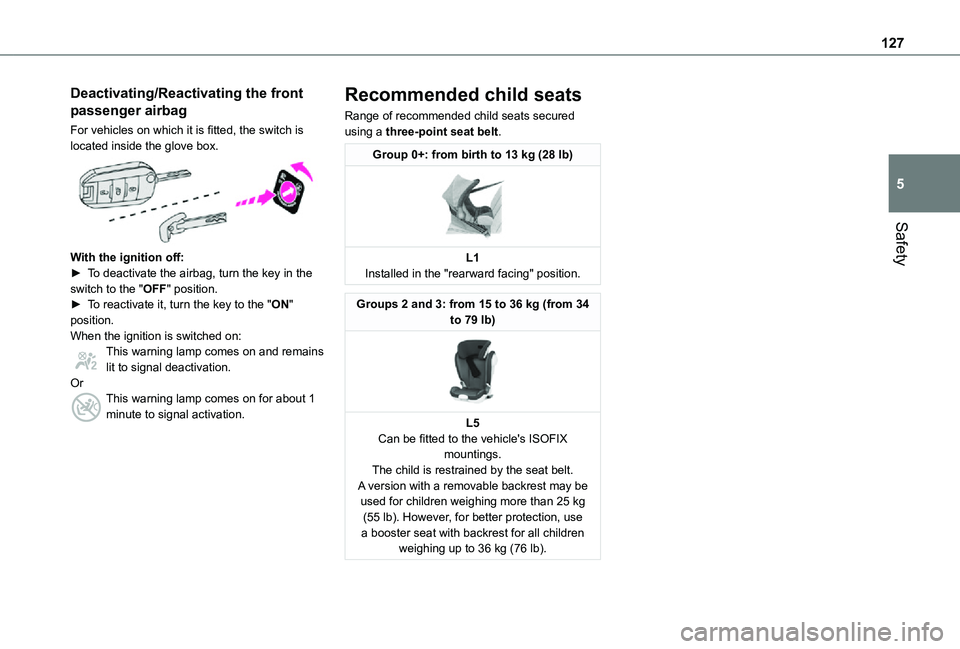
For vehicles on which it is fitted, the switch is located inside the glove box.
With the ignition off:► To deactivate the airbag, turn the key in the switch to the "OFF" position. ► To reactivate it, turn the key to the "ON" position.When the ignition is switched on:This warning lamp comes on and remains lit to signal deactivation.OrThis warning lamp comes on for about 1 minute to signal activation.
Recommended child seats
Range of recommended child seats secured using a three-point seat belt.
Group 0+: from birth to 13 kg (28 lb)
L1Installed in the "rearward facing" position.
Groups 2 and 3: from 15 to 36 kg (from 34 to 79 lb)
L5Can be fitted to the vehicle's ISOFIX
mountings.The child is restrained by the seat belt.A version with a removable backrest may be used for children weighing more than 25 kg (55 lb). However, for better protection, use a booster seat with backrest for all children weighing up to 36 kg (76 lb).
Page 153 of 360
153
Driving
6
WARNI NG
Never switch off the ignition before the complete immobilisation of the vehicle. With the engine off, the braking and steering assistance systems are also turned off: risk of loss of control of the vehicle.
NOTIC E
As a safety measure, never leave the vehicle without taking the remote control with you, even for a short time.
NOTIC E
Avoid attaching heavy objects to the key or the remote control, which would weigh down on its blade in the ignition switch and could cause a malfunction.
Key left in the ignition
NOTIC E
When opening the driver's door, an alert message is displayed, accompanied by an audible signal, to remind you that the key is still in the ignition switch at position 1 (Stop).If the key has been left in the ignition switch at position 2 (Ignition on), the ignition will be
switched off automatically after one hour.To switch the ignition back on, turn the key to position 1 (Stop), then back to position 2 (Ignition on).
With Smart Entry & Start
► Immobilise the vehicle.► With the remote control in the recognition zone, press the "START/STOP" button.The engine stops and the steering column locks.
NOTIC E
If the vehicle is not immobilised, the engine will not stop.
WARNI NG
To avoid any risk of jamming the pedals:– only use mats which are suited to the fixings already present in the vehicle; these fixings must be used,– never place one mat on top of another.The use of mats not approved by TOYOTA may interfere with access to the pedals and hinder the operation of the cruise control / speed limiter.The mats approved by TOYOTA have two fixings located below the seat.
Starting/Switching off the
electric motor
Starting
The drive selector must be in mode P.► If using a conventional or remote control key, depress the brake pedal and turn the key until it reaches position 3.
► If using Smart Entry & Start, depress the brake pedal and briefly press the "START/STOP" button.► Keep your foot on the brake pedal until the READY indicator lamp comes on and an audible signal is emitted, indicating that the vehicle is ready to drive.► With your foot on the brake, select mode D or R.
► Release the brake pedal, then accelerate.
Page 154 of 360
154
On starting, the instrument panel lights up and the power indicator needle performs one sweep then moves to the "neutral" position. The steering column automatically unlocks (you may hear a sound and feel the steering wheel move).
Switching off
► If using a conventional or remote control key, turn the key fully to position 1 (Stop).► If using Smart Entry & Start, press the "START/STOP" button.Before exiting the vehicle, check that:– The drive selector is in mode P.– The READY indicator lamp is off.
NOTIC E
The drive selector moves automatically to mode P when the motor is switched off or when the driver's door is opened.
NOTIC E
If the driver's door is opened while the required conditions for stopping are not satisfied, an audible signal is emitted, accompanied by the display of a warning message.
Special case with Smart
Entry & Start
Switching on the ignition without
starting the engine
With the Smart Entry & Start system’s electronic key inside the vehicle, pressing the "START/STOP" button, with no action on the pedals, allows the ignition to be switched on.► Pressing this button again switches off the ignition and allows the vehicle to be locked.
Back-up starting
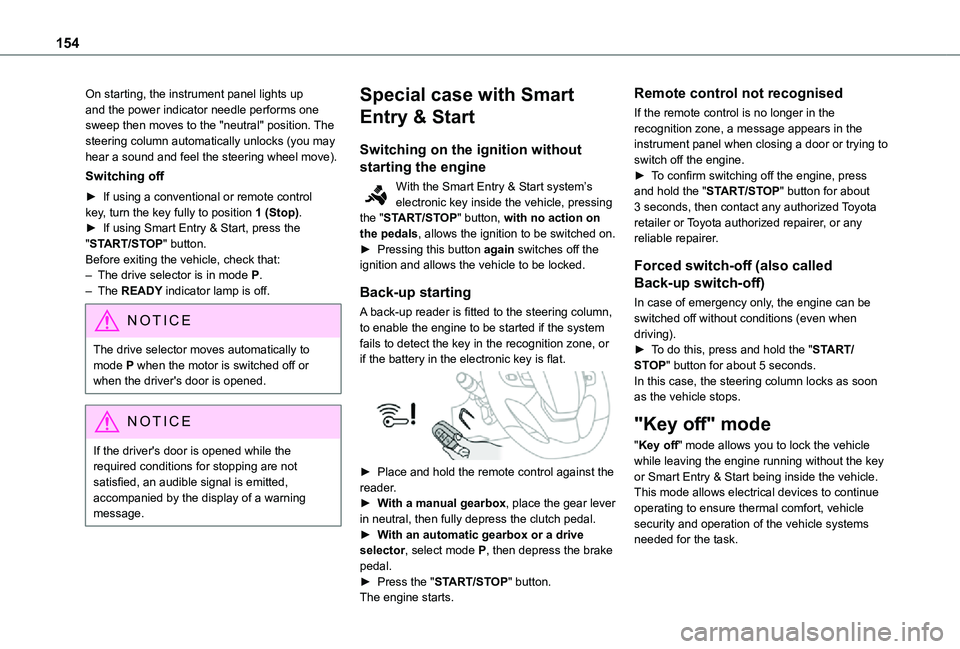
A back-up reader is fitted to the steering column, to enable the engine to be started if the system fails to detect the key in the recognition zone, or if the battery in the electronic key is flat.
► Place and hold the remote control against the reader.► With a manual gearbox, place the gear lever in neutral, then fully depress the clutch pedal.► With an automatic gearbox or a drive selector, select mode P, then depress the brake pedal.► Press the "START/STOP" button.The engine starts.
Remote control not recognised
If the remote control is no longer in the recognition zone, a message appears in the instrument panel when closing a door or trying to switch off the engine.► To confirm switching off the engine, press and hold the "START/STOP" button for about 3 seconds, then contact any authorized Toyota retailer or Toyota authorized repairer, or any reliable repairer.
Forced switch-off (also called
Back-up switch-off)
In case of emergency only, the engine can be switched off without conditions (even when driving).► To do this, press and hold the "START/STOP" button for about 5 seconds.In this case, the steering column locks as soon as the vehicle stops.
"Key off" mode
"Key off" mode allows you to lock the vehicle while leaving the engine running without the key or Smart Entry & Start being inside the vehicle.This mode allows electrical devices to continue operating to ensure thermal comfort, vehicle security and operation of the vehicle systems needed for the task.
Page 155 of 360
155
Driving
6
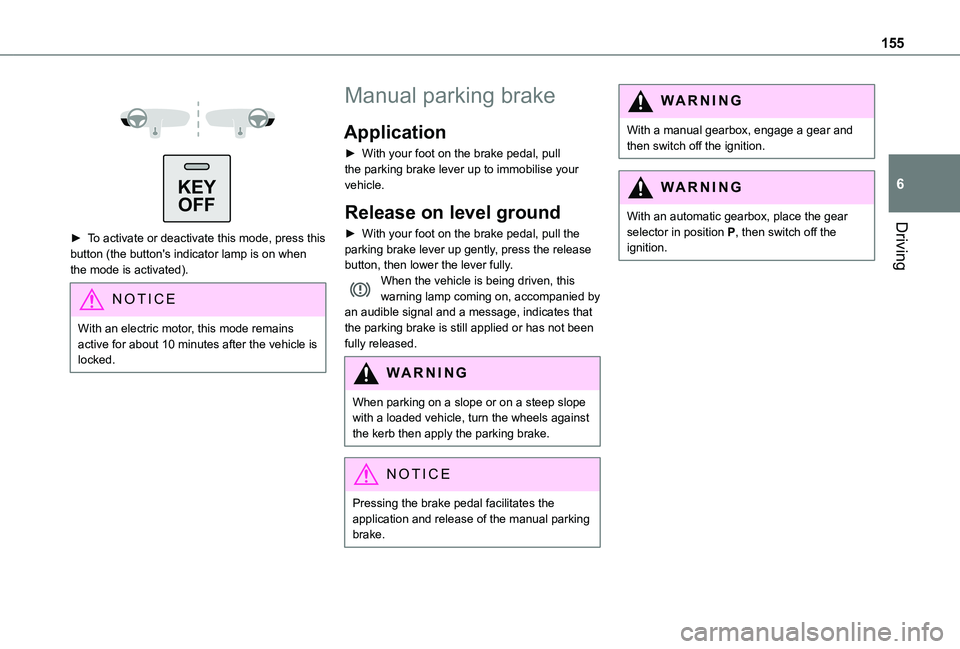
KEYOFF
► To activate or deactivate this mode, press this
button (the button's indicator lamp is on when the mode is activated).
NOTIC E
With an electric motor, this mode remains active for about 10 minutes after the vehicle is locked.
Manual parking brake
Application
► With your foot on the brake pedal, pull the parking brake lever up to immobilise your vehicle.
Release on level ground
► With your foot on the brake pedal, pull the parking brake lever up gently, press the release button, then lower the lever fully.When the vehicle is being driven, this warning lamp coming on, accompanied by an audible signal and a message, indicates that the parking brake is still applied or has not been fully released.
WARNI NG
When parking on a slope or on a steep slope with a loaded vehicle, turn the wheels against the kerb then apply the parking brake.
NOTIC E
Pressing the brake pedal facilitates the application and release of the manual parking brake.
WARNI NG
With a manual gearbox, engage a gear and then switch off the ignition.
WARNI NG
With an automatic gearbox, place the gear selector in position P, then switch off the ignition.
Page 156 of 360
156
Electric parking brake
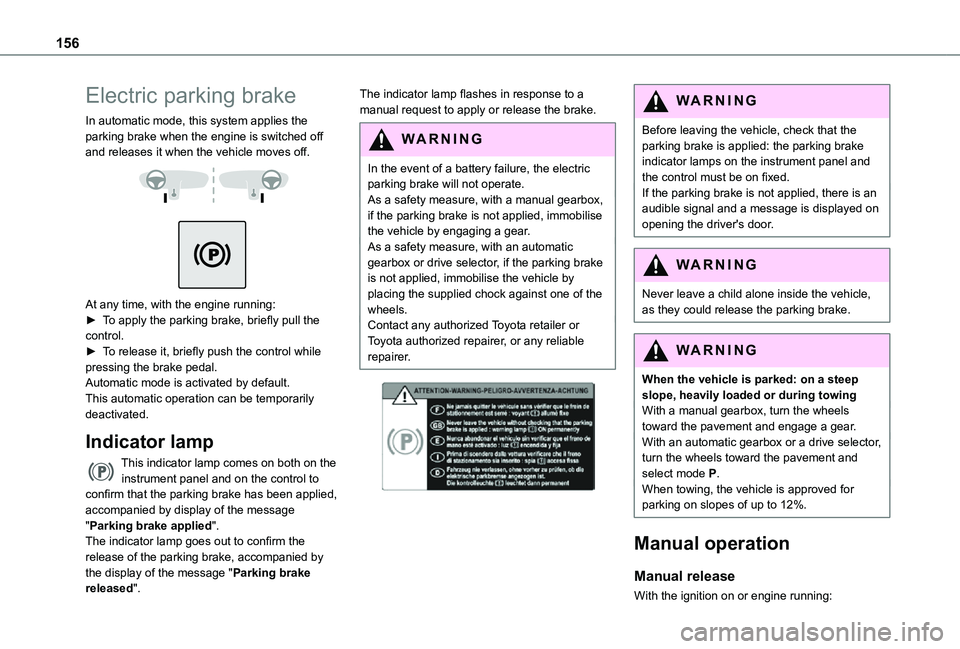
In automatic mode, this system applies the parking brake when the engine is switched off and releases it when the vehicle moves off.
At any time, with the engine running:► To apply the parking brake, briefly pull the control.► To release it, briefly push the control while pressing the brake pedal.Automatic mode is activated by default.This automatic operation can be temporarily deactivated.
Indicator lamp
This indicator lamp comes on both on the instrument panel and on the control to confirm that the parking brake has been applied, accompanied by display of the message "Parking brake applied".The indicator lamp goes out to confirm the release of the parking brake, accompanied by the display of the message "Parking brake released".
The indicator lamp flashes in response to a manual request to apply or release the brake.
WARNI NG
In the event of a battery failure, the electric parking brake will not operate. As a safety measure, with a manual gearbox, if the parking brake is not applied, immobilise the vehicle by engaging a gear.
As a safety measure, with an automatic gearbox or drive selector, if the parking brake is not applied, immobilise the vehicle by placing the supplied chock against one of the wheels.Contact any authorized Toyota retailer or Toyota authorized repairer, or any reliable repairer.
WARNI NG
Before leaving the vehicle, check that the parking brake is applied: the parking brake indicator lamps on the instrument panel and the control must be on fixed.If the parking brake is not applied, there is an audible signal and a message is displayed on opening the driver's door.
WARNI NG
Never leave a child alone inside the vehicle, as they could release the parking brake.
WARNI NG
When the vehicle is parked: on a steep slope, heavily loaded or during towingWith a manual gearbox, turn the wheels toward the pavement and engage a gear.With an automatic gearbox or a drive selector, turn the wheels toward the pavement and select mode P.When towing, the vehicle is approved for parking on slopes of up to 12%.
Manual operation
Manual release
With the ignition on or engine running:
Page 161 of 360
161
Driving
6
NOTIC E
Position N can be used in traffic jams or in a car wash tunnel.
Steering mounted controls
► Pull the right-hand "+" or left-hand "-" control paddle towards you to change up or down.
NOTIC E
The steering mounted controls do not allow neutral to be selected and reverse gear to be engaged or disengaged.
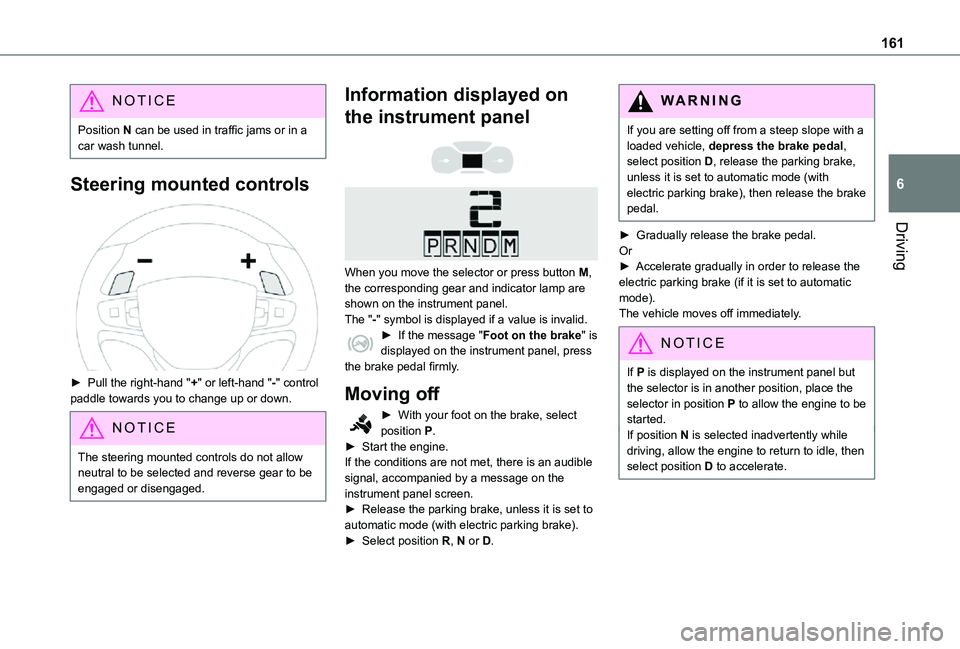
Information displayed on
the instrument panel
When you move the selector or press button M, the corresponding gear and indicator lamp are shown on the instrument panel.The "-" symbol is displayed if a value is invalid.► If the message "Foot on the brake" is displayed on the instrument panel, press the brake pedal firmly.
Moving off
► With your foot on the brake, select position P.► Start the engine.If the conditions are not met, there is an audible signal, accompanied by a message on the instrument panel screen.► Release the parking brake, unless it is set to automatic mode (with electric parking brake).► Select position R, N or D.
WARNI NG
If you are setting off from a steep slope with a loaded vehicle, depress the brake pedal, select position D, release the parking brake, unless it is set to automatic mode (with electric parking brake), then release the brake pedal.
► Gradually release the brake pedal.Or► Accelerate gradually in order to release the electric parking brake (if it is set to automatic mode).The vehicle moves off immediately.
NOTIC E
If P is displayed on the instrument panel but the selector is in another position, place the selector in position P to allow the engine to be started.If position N is selected inadvertently while driving, allow the engine to return to idle, then select position D to accelerate.
Page 163 of 360
163
Driving
6
NOTIC E
In manual mode, there is no need to release the accelerator pedal while changing gear.
NOTIC E
It is only possible to change from one gear to another if the vehicle speed and engine
speed permit.
NOTIC E
If the engine speed is too low or too high, the selected gear flashes for a few seconds, then the gear actually engaged is shown.When the vehicle is stationary or moving very slowly, the gearbox automatically selects gear M1.
NOTIC E
To preserve the brakes while descending a steep incline, use engine braking to reduce your speed (change down or select a lower gear).Keeping the brake pedal pressed continuously for long periods can overheat the brakes, with the risk of damaging the braking system or making it inoperative.Only use the brakes when necessary, to slow or stop the vehicle.
NOTIC E
Depending on the road configuration (e.g. mountainous road), manual operation may be preferable.Automatic operation may not always be suitable, and does not enable engine braking.
Invalid value during manual
operation
This symbol is displayed if a gear is not engaged correctly (gear selector between two positions).► Place the selector "correctly" at a position.
Switching off the vehicle
Before switching off the engine, select position P then apply the parking brake to immobilise
the vehicle, unless this is set to automatic mode (with electric parking brake).Check that mode P has been engaged and that the electric parking brake has been applied automatically; if not, apply it manually.The corresponding indicator lamps in the selector and the electric parking brake control lever must be on, as well as those on the instrument panel.
NOTIC E
A point of resistance may be noticed when moving to position P.If the selector is not in position P, when the driver's door is opened or approximately 45 seconds after the ignition is switched off, an audible signal sounds and a message appears.► Return the drive selector to position P; the audible signal stops and the message disappears.
WARNI NG
When positioned on a steep slope with a loaded vehicle, depress the brake pedal, select position P, apply the parking brake, unless it is set to automatic mode (with
electric parking brake), then release the brake pedal.
Page 167 of 360
167
Driving
6
With an automatic gearbox: with the brake pedal depressed or the gear selector in position N, with the vehicle stationary.
Time counter
A time counter adds up the time spent in standby during the journey. It is reset to zero every time the ignition is switched on.
Special cases:
The engine will not go into standby if all of the conditions for operation are not met and in the following cases.– Steep slope (ascending or descending).– Vehicle has not exceeded 10 km/h (6 mph) since the last engine start (with the key or the “START/STOP” button).– Needed to maintain a comfortable temperature in the passenger compartment.– Demisting active.In these cases, this indicator lamp flashes for a few seconds, then goes off.
NOTIC E
After the engine has restarted, STOP mode is not available until the vehicle has reached a speed of 8 km/h (5 mph).
NOTIC E
During parking manoeuvres, STOP mode is not available for a few seconds after coming out of reverse gear or turning the steering wheel.
Restarting the engine (START mode)
The engine automatically restarts as soon as the driver indicates the intention of moving off again.With a manual gearbox: with the clutch pedal fully depressed.With an automatic gearbox:– With the selector in position D or M: with the brake pedal released.– With the selector in position N and the brake pedal released: with the selector at D or M.– With the selector in position P and the brake pedal depressed: with the selector at R, N, D or M.– Reverse gear engaged.
Special cases
The engine will restart automatically if all conditions for operation are met again and in the following case.– With a manual gearbox: vehicle speed exceeds 16 mph (25 km/h) or 2 mph (3 km/h) (depending on the engine).– With an automatic gearbox, vehicle speed exceeds 2 mph (3 km/h).
In this case, this indicator lamp flashes for a few seconds, then goes off.
Malfunctions
Depending on the vehicle’s equipment:In the event of a system malfunction, this warning lamp flashes on the instrument panel.The warning lamp in this button flashes and a message appears, accompanied by an audible signal.Have it checked by any authorized Toyota retailer or Toyota authorized repairer, or any reliable repairer.
The vehicle stalls in STOP mode
All of the instrument panel warning lamps come on if there is a fault.Depending on version, a warning message may also be displayed, prompting you to place the gear selector in position N and depress the brake pedal.► Switch off the ignition then start the engine
again with the key or the "START/STOP" button.