wheel TOYOTA PROACE VERSO EV 2023 Owner's Guide
[x] Cancel search | Manufacturer: TOYOTA, Model Year: 2023, Model line: PROACE VERSO EV, Model: TOYOTA PROACE VERSO EV 2023Pages: 360, PDF Size: 70.22 MB
Page 153 of 360
153
Driving
6
Key left in the ignition
NOTIC E
When opening the driver's door, an alert message is displayed, accompanied by an audible signal, to remind you that the key is still in the ignition switch at position 1 (Stop).If the key has been left in the ignition switch at position 2 (Ignition on), the ignition will be switched off automatically after one hour.To switch the ignition back on, turn the key to position 1 (Stop), then back to position 2 (Ignition on).
With Smart Entry & Start
► Immobilise the vehicle.► With the remote control in the recognition zone, press the "START/STOP" button.The engine stops and the steering column locks.
NOTIC E
If the vehicle is not immobilised, the engine will not stop.
WARNI NG
To avoid any risk of jamming the pedals:– only use mats which are suited to the fixings already present in the vehicle; these fixings must be used,– never place one mat on top of another.The use of mats not approved by TOYOTA may interfere with access to the pedals and
hinder the operation of the cruise control / speed limiter.The mats approved by TOYOTA have two fixings located below the seat.
Starting/Switching off the
electric motor
Starting
The drive selector must be in mode P.► If using a conventional or remote control key, depress the brake pedal and turn the key until it reaches position 3.► If using Smart Entry & Start, depress the brake pedal and briefly press the "START/STOP" button.► Keep your foot on the brake pedal until the READY indicator lamp comes on and an audible signal is emitted, indicating that the vehicle is ready to drive.
► With your foot on the brake, select mode D or R.► Release the brake pedal, then accelerate.On starting, the instrument panel lights up and the power indicator needle performs one sweep then moves to the "neutral" position. The steering column automatically unlocks (you may hear a sound and feel the steering wheel move).
Switching off
► If using a conventional or remote control key, turn the key fully to position 1 (Stop).► If using Smart Entry & Start, press the "START/STOP" button.Before exiting the vehicle, check that:– The drive selector is in mode P.– The READY indicator lamp is off.
NOTIC E
The drive selector moves automatically to mode P when the motor is switched off or when the driver's door is opened.
NOTIC E
If the driver's door is opened while the required conditions for stopping are not satisfied, an audible signal is emitted, accompanied by the display of a warning message.
Page 155 of 360
155
Driving
6
Manual parking brake
Application
► With your foot on the brake pedal, pull the parking brake lever up to immobilise your vehicle.
Release on level ground
► With your foot on the brake pedal, pull the parking brake lever up gently, press the release button, then lower the lever fully.When the vehicle is being driven, this warning lamp coming on, accompanied by an audible signal and a message, indicates that the parking brake is still applied or has not been fully released.
WARNI NG
When parking on a slope or on a steep slope with a loaded vehicle, turn the wheels against the kerb then apply the parking brake.
NOTIC E
Pressing the brake pedal facilitates the application and release of the manual parking brake.
WARNI NG
With a manual gearbox, engage a gear and then switch off the ignition.
WARNI NG
With an automatic gearbox, place the gear selector in position P, then switch off the ignition.
Electric parking brake
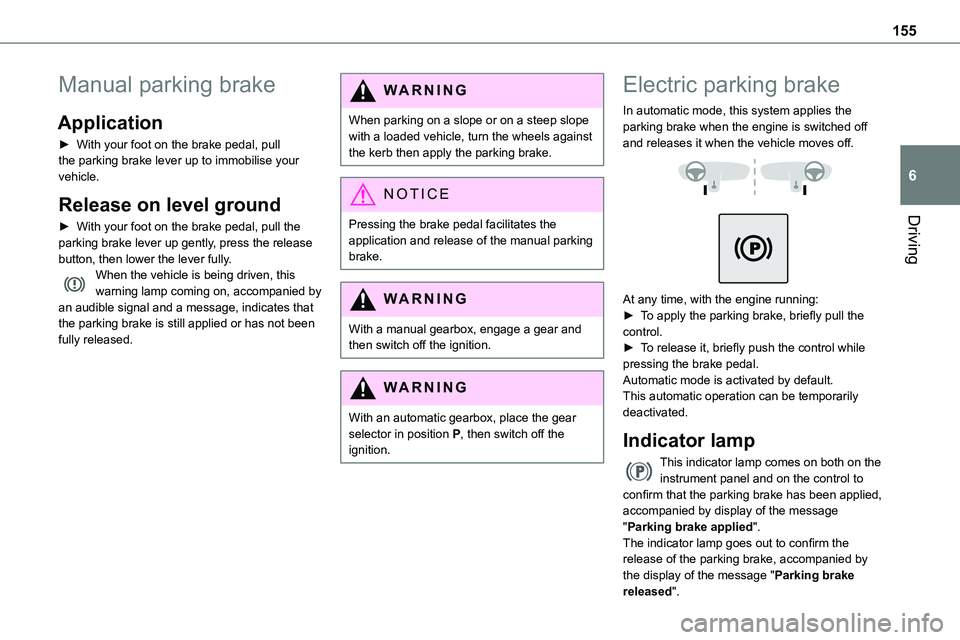
In automatic mode, this system applies the parking brake when the engine is switched off and releases it when the vehicle moves off.
At any time, with the engine running:► To apply the parking brake, briefly pull the control.► To release it, briefly push the control while pressing the brake pedal.Automatic mode is activated by default.This automatic operation can be temporarily deactivated.
Indicator lamp
This indicator lamp comes on both on the instrument panel and on the control to confirm that the parking brake has been applied, accompanied by display of the message "Parking brake applied".
The indicator lamp goes out to confirm the release of the parking brake, accompanied by the display of the message "Parking brake released".
Page 156 of 360
156
The indicator lamp flashes in response to a manual request to apply or release the brake.
WARNI NG
In the event of a battery failure, the electric parking brake will not operate. As a safety measure, with a manual gearbox, if the parking brake is not applied, immobilise the vehicle by engaging a gear.As a safety measure, with an automatic gearbox or drive selector, if the parking brake is not applied, immobilise the vehicle by placing the supplied chock against one of the wheels.Contact any authorized Toyota retailer or Toyota authorized repairer, or any reliable repairer.
WARNI NG
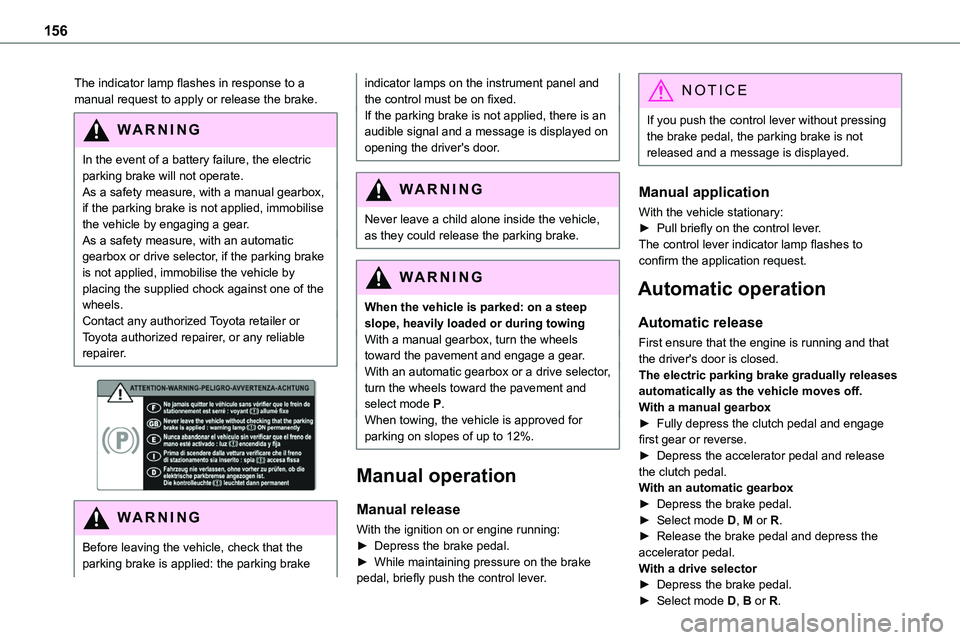
Before leaving the vehicle, check that the parking brake is applied: the parking brake
indicator lamps on the instrument panel and the control must be on fixed.If the parking brake is not applied, there is an audible signal and a message is displayed on opening the driver's door.
WARNI NG
Never leave a child alone inside the vehicle, as they could release the parking brake.
WARNI NG
When the vehicle is parked: on a steep slope, heavily loaded or during towingWith a manual gearbox, turn the wheels toward the pavement and engage a gear.With an automatic gearbox or a drive selector, turn the wheels toward the pavement and select mode P.When towing, the vehicle is approved for parking on slopes of up to 12%.
Manual operation
Manual release
With the ignition on or engine running:► Depress the brake pedal.► While maintaining pressure on the brake pedal, briefly push the control lever.
NOTIC E
If you push the control lever without pressing the brake pedal, the parking brake is not released and a message is displayed.
Manual application
With the vehicle stationary:
► Pull briefly on the control lever.The control lever indicator lamp flashes to confirm the application request.
Automatic operation
Automatic release
First ensure that the engine is running and that the driver's door is closed.The electric parking brake gradually releases automatically as the vehicle moves off.With a manual gearbox► Fully depress the clutch pedal and engage first gear or reverse.► Depress the accelerator pedal and release the clutch pedal.With an automatic gearbox► Depress the brake pedal.► Select mode D, M or R.► Release the brake pedal and depress the accelerator pedal.With a drive selector► Depress the brake pedal.► Select mode D, B or R.
Page 157 of 360
157
Driving
6
► Release the brake pedal and depress the accelerator pedal.
NOTIC E
With an automatic gearbox or drive selector, if the brake does not release automatically, check that the front doors are properly closed.
WARNI NG
When stationary with the engine running, do not depress the accelerator pedal unnecessarily. Risk of parking brake release.
Automatic application
With the vehicle stationary, the parking brake is applied automatically when the engine is switched off.
WARNI NG
It is not applied automatically if the engine stalls or enters STOP mode with Stop & Start.
NOTIC E
In automatic mode, the parking brake can be manually applied or released at any time using the control.
Special cases
Immobilising the vehicle with the
engine running
To immobilise the vehicle with the engine running, briefly pull the control lever.
Parking the vehicle with the brake
released
WARNI NG
In very cold conditions (ice), applying the parking brake is not recommended.To immobilise the vehicle, engage a gear or place the chocks against one of the wheels.
NOTIC E
With an automatic gearbox or drive selector, mode P is automatically selected when the ignition is switched off. The wheels are blocked.For more information on Free-wheeling, refer to the corresponding section.
NOTIC E
With an automatic gearbox or drive selector, while mode N is selected, opening the driver’s door triggers an audible signal. It stops when the driver's door closes again.
Deactivating automatic
operation
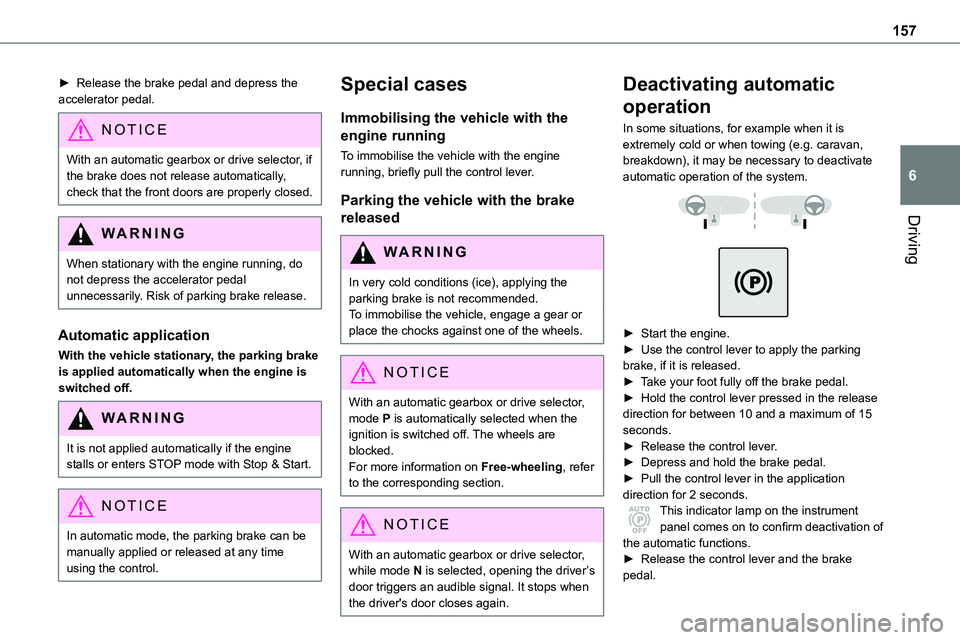
In some situations, for example when it is extremely cold or when towing (e.g. caravan, breakdown), it may be necessary to deactivate automatic operation of the system.
► Start the engine.► Use the control lever to apply the parking brake, if it is released.► Take your foot fully off the brake pedal.► Hold the control lever pressed in the release direction for between 10 and a maximum of 15 seconds.► Release the control lever.► Depress and hold the brake pedal.► Pull the control lever in the application direction for 2 seconds.This indicator lamp on the instrument panel comes on to confirm deactivation of
the automatic functions.► Release the control lever and the brake pedal.
Page 160 of 360
160
NOTIC E
With an automatic gearbox, the system is only active in manual operation.
The information appears in the instrument panel, in the form of an ascending or descending arrow and the recommended gear.
NOTIC E
The system adapts its gear shift recommendation according to the driving conditions (slope, load, etc.) and the driver’s requirements (request for power, acceleration, braking, etc.).The system never suggests:– engaging first gear.– engaging reverse.
Automatic gearbox
Automatic 6 or 8-speed gearbox, with electronic management of gear changes. It also offers a manual mode with sequential gear changes via control paddles located behind the steering wheel.
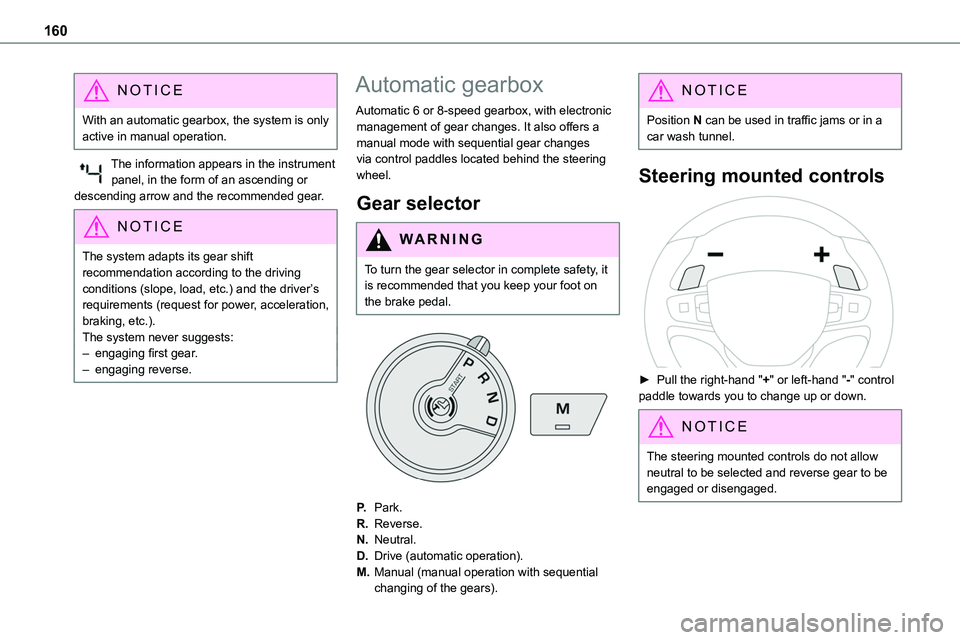
Gear selector
WARNI NG
To turn the gear selector in complete safety, it is recommended that you keep your foot on the brake pedal.
P.Park.
R.Reverse.
N.Neutral.
D.Drive (automatic operation).
M.Manual (manual operation with sequential
changing of the gears).
NOTIC E
Position N can be used in traffic jams or in a car wash tunnel.
Steering mounted controls
► Pull the right-hand "+" or left-hand "-" control paddle towards you to change up or down.
NOTIC E
The steering mounted controls do not allow neutral to be selected and reverse gear to be engaged or disengaged.
Page 164 of 360
164
WARNI NG
If your vehicle has an automatic gearbox, do not try to start the engine by pushing the vehicle.
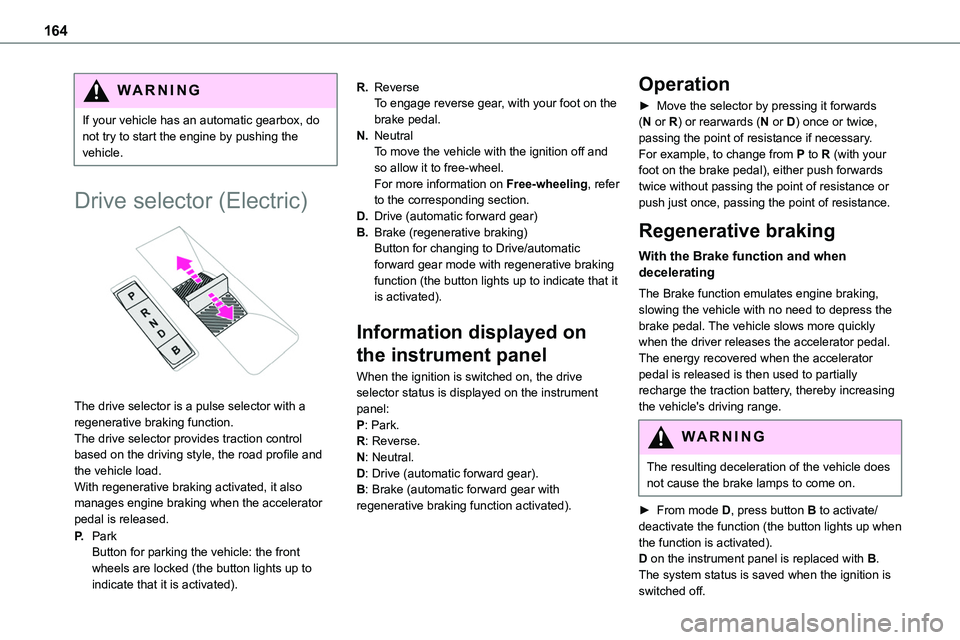
Drive selector (Electric)
The drive selector is a pulse selector with a regenerative braking function.The drive selector provides traction control based on the driving style, the road profile and the vehicle load.With regenerative braking activated, it also manages engine braking when the accelerator pedal is released.
P.ParkButton for parking the vehicle: the front wheels are locked (the button lights up to indicate that it is activated).
R.ReverseTo engage reverse gear, with your foot on the brake pedal.
N.NeutralTo move the vehicle with the ignition off and so allow it to free-wheel.For more information on Free-wheeling, refer to the corresponding section.
D.Drive (automatic forward gear)
B.Brake (regenerative braking)Button for changing to Drive/automatic forward gear mode with regenerative braking function (the button lights up to indicate that it is activated).
Information displayed on
the instrument panel
When the ignition is switched on, the drive selector status is displayed on the instrument panel:P: Park.R: Reverse.N: Neutral.D: Drive (automatic forward gear).B: Brake (automatic forward gear with regenerative braking function activated).
Operation
► Move the selector by pressing it forwards (N or R) or rearwards (N or D) once or twice, passing the point of resistance if necessary.For example, to change from P to R (with your foot on the brake pedal), either push forwards twice without passing the point of resistance or push just once, passing the point of resistance.
Regenerative braking
With the Brake function and when decelerating
The Brake function emulates engine braking, slowing the vehicle with no need to depress the brake pedal. The vehicle slows more quickly when the driver releases the accelerator pedal.The energy recovered when the accelerator pedal is released is then used to partially recharge the traction battery, thereby increasing the vehicle's driving range.
WARNI NG
The resulting deceleration of the vehicle does not cause the brake lamps to come on.
► From mode D, press button B to activate/deactivate the function (the button lights up when
the function is activated).D on the instrument panel is replaced with B.The system status is saved when the ignition is switched off.
Page 167 of 360
167
Driving
6
Special cases:
The engine will not go into standby if all of the conditions for operation are not met and in the following cases.– Steep slope (ascending or descending).– Vehicle has not exceeded 10 km/h (6 mph) since the last engine start (with the key or the “START/STOP” button).– Needed to maintain a comfortable temperature
in the passenger compartment.– Demisting active.In these cases, this indicator lamp flashes for a few seconds, then goes off.
NOTIC E
After the engine has restarted, STOP mode is not available until the vehicle has reached a speed of 8 km/h (5 mph).
NOTIC E
During parking manoeuvres, STOP mode is not available for a few seconds after coming out of reverse gear or turning the steering wheel.
Restarting the engine (START mode)
The engine automatically restarts as soon as the driver indicates the intention of moving off again.With a manual gearbox: with the clutch pedal fully depressed.With an automatic gearbox:– With the selector in position D or M: with the brake pedal released.– With the selector in position N and the brake
pedal released: with the selector at D or M.– With the selector in position P and the brake pedal depressed: with the selector at R, N, D or M.– Reverse gear engaged.
Special cases
The engine will restart automatically if all conditions for operation are met again and in the following case.– With a manual gearbox: vehicle speed exceeds 16 mph (25 km/h) or 2 mph (3 km/h) (depending on the engine).– With an automatic gearbox, vehicle speed exceeds 2 mph (3 km/h).In this case, this indicator lamp flashes for a few seconds, then goes off.
Malfunctions
Depending on the vehicle’s equipment:In the event of a system malfunction, this warning lamp flashes on the instrument panel.
The warning lamp in this button flashes and a message appears, accompanied by an audible signal.Have it checked by any authorized Toyota retailer or Toyota authorized repairer, or any reliable repairer.
The vehicle stalls in STOP mode
All of the instrument panel warning lamps come on if there is a fault.
Depending on version, a warning message may also be displayed, prompting you to place the gear selector in position N and depress the brake pedal.► Switch off the ignition then start the engine again with the key or the "START/STOP" button.
WARNI NG
12 V batteryThe Stop & Start system requires a 12 V battery of specific technology and specification.All work must be carried out only by any authorized Toyota retailer or Toyota authorized repairer, or any reliable repairer.
Page 168 of 360
168
Under-inflation detection
This system automatically checks the pressures of the tyres while driving.It compares the information given by the wheel speed sensors with reference values, which must be reinitialised every time the tyre pressures are adjusted or a wheel changed.The system triggers an alert as soon as it
detects a drop in the inflation pressure of one or more tyres.
WARNI NG
Under-inflation detection does not replace the need for vigilance on the part of the driver.This system does not avoid the need to regularly check the tyre pressures (including the spare wheel) as well as before a long journey.Driving with under-inflated tyres, particularly in adverse conditions (heavy load, high speed, long journey):– worsens road-holding.– lengthens braking distances.– causes premature wear of the tyres.– increases fuel consumption.
NOTIC E
The inflation pressures defined for the vehicle can be found on the tyre pressure label.For more information on the Identification markings, refer to the corresponding section.
WARNI NG
Checking tyre pressuresThis check should be done when the tyres are "cold" (vehicle stopped for 1 hour or after a journey of less than 10 km (6 miles) at moderate speeds).Otherwise, add 0.3 bar to the pressures shown on the label.
NOTIC E
Snow chainsThe system does not have to be reinitialised after fitting or removing snow chains.
NOTIC E
Spare wheelThe steel spare wheel does not have an
under-inflation detection sensor.
Under-inflation alert
This is signalled by the fixed illumination of this warning lamp, accompanied by an audible signal and, depending on equipment, the display of a message.► Reduce speed immediately, avoid excessive steering movements and avoid sudden braking.► Stop the vehicle as soon as it is safe to do so.
WARNI NG
The loss of pressure detected may not always cause visible deformation of the tyre.Do not rely on just a visual check.
► Using a compressor, such as the one in the temporary puncture repair kit, check the pressures of all four tyres when cold.► If it is not possible to carry out this check immediately, drive carefully at reduced speed.► In the event of a puncture, use the temporary puncture repair kit or the spare wheel (depending on equipment).
WARNI NG
Driving too slowly may not ensure optimum monitoring.The alert is not immediately triggered in the event of a sudden loss of pressure or tyre blow-out. This is because analysis of the
Page 169 of 360
169
Driving
6
values read by the wheel's speed sensors can take several minutes.The alert may be delayed at speeds below 25 mph (40 km/h), or when adopting a sporty driving mode.
NOTIC E
The alert is kept active until the system is reinitialised.
Reinitialisation
Reinitialise the system after adjusting one or more tyre pressures and after changing one or more wheels.
WARNI NG
Before reinitialising the system, make sure that the pressures of the four tyres are correct for the conditions of use of the vehicle and conform to the values written on the tyre pressure label.Check the pressures of the four tyres before performing the reinitialisation.The system does not advise if a pressure is incorrect at the time of reinitialisation.
With button
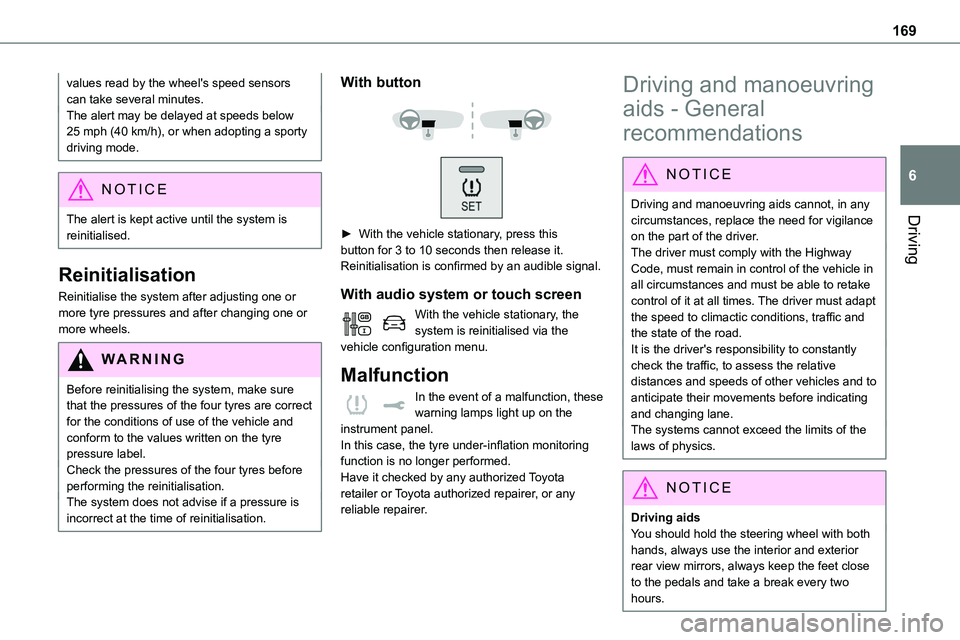
► With the vehicle stationary, press this button for 3 to 10 seconds then release it. Reinitialisation is confirmed by an audible signal.
With audio system or touch screen
With the vehicle stationary, the system is reinitialised via the vehicle configuration menu.
Malfunction
In the event of a malfunction, these warning lamps light up on the instrument panel.
In this case, the tyre under-inflation monitoring function is no longer performed.Have it checked by any authorized Toyota retailer or Toyota authorized repairer, or any reliable repairer.
Driving and manoeuvring
aids - General
recommendations
NOTIC E
Driving and manoeuvring aids cannot, in any circumstances, replace the need for vigilance
on the part of the driver.The driver must comply with the Highway Code, must remain in control of the vehicle in all circumstances and must be able to retake control of it at all times. The driver must adapt the speed to climactic conditions, traffic and the state of the road.It is the driver's responsibility to constantly check the traffic, to assess the relative distances and speeds of other vehicles and to anticipate their movements before indicating and changing lane.The systems cannot exceed the limits of the laws of physics.
NOTIC E
Driving aids
You should hold the steering wheel with both hands, always use the interior and exterior rear view mirrors, always keep the feet close to the pedals and take a break every two hours.
Page 174 of 360
174
Speed display
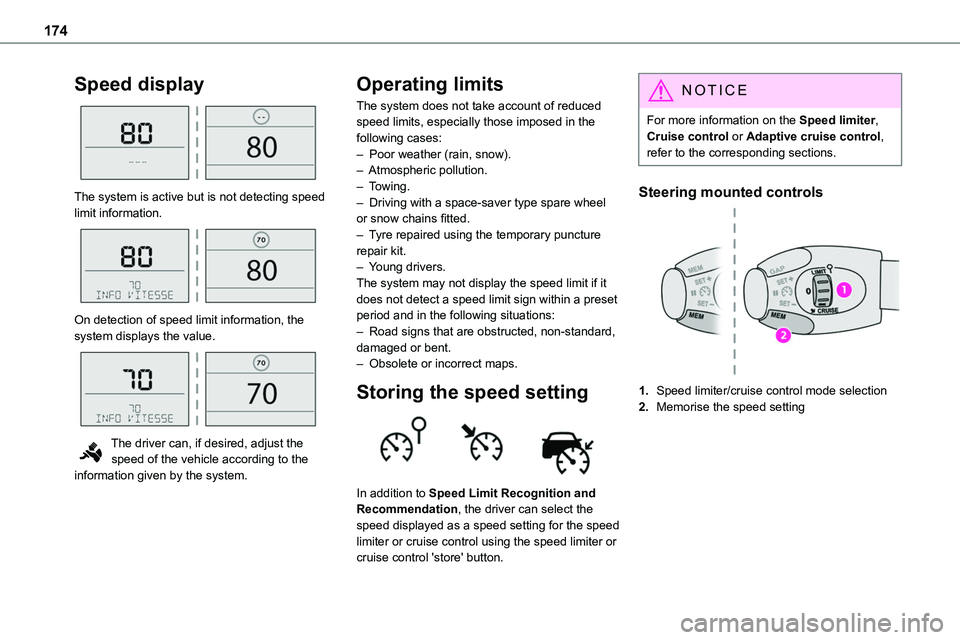
The system is active but is not detecting speed limit information.
On detection of speed limit information, the system displays the value.
The driver can, if desired, adjust the speed of the vehicle according to the information given by the system.
Operating limits
The system does not take account of reduced speed limits, especially those imposed in the following cases:– Poor weather (rain, snow).– Atmospheric pollution.– Towing.– Driving with a space-saver type spare wheel or snow chains fitted.
– Tyre repaired using the temporary puncture repair kit.– Young drivers.The system may not display the speed limit if it does not detect a speed limit sign within a preset period and in the following situations:– Road signs that are obstructed, non-standard, damaged or bent.– Obsolete or incorrect maps.
Storing the speed setting
In addition to Speed Limit Recognition and Recommendation, the driver can select the speed displayed as a speed setting for the speed limiter or cruise control using the speed limiter or cruise control 'store' button.
NOTIC E
For more information on the Speed limiter, Cruise control or Adaptive cruise control, refer to the corresponding sections.
Steering mounted controls
1.Speed limiter/cruise control mode selection
2.Memorise the speed setting