phone TOYOTA RAIZE 2023 User Guide
[x] Cancel search | Manufacturer: TOYOTA, Model Year: 2023, Model line: RAIZE, Model: TOYOTA RAIZE 2023Pages: 516, PDF Size: 44.62 MB
Page 107 of 516
1052-1. Instrument cluster
RAIZE_OM_General_BZ358E
Instrument cluster
2
⬛Time and date
Time and date can be set.
Vehicles equipped with 9 inch display audio pairable with smart phones:
ON/OFF for automatic correction of date and time can be set.
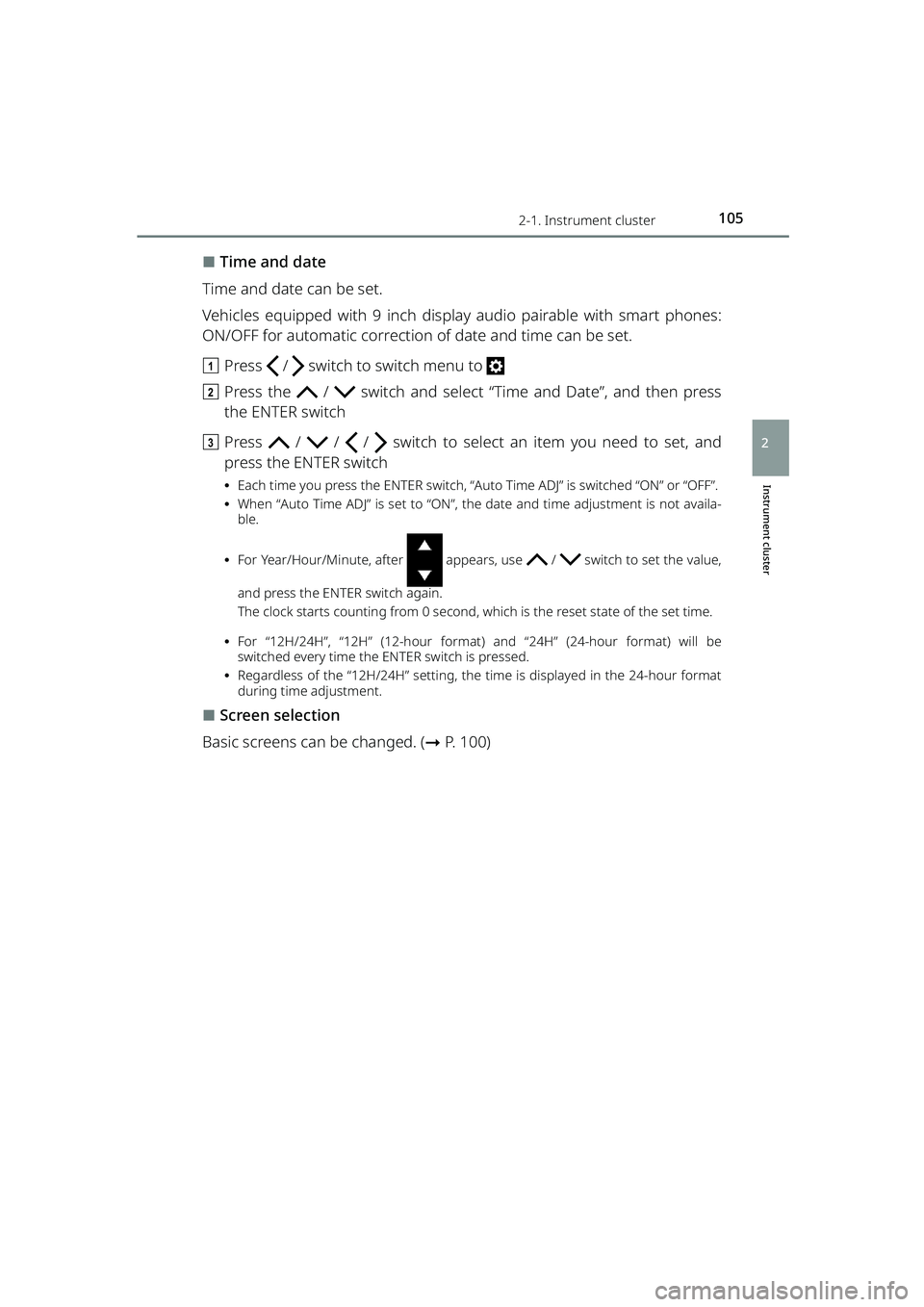
a Press / switch to switch menu to
b Press the / switch and select “Time and Date”, and then press
the ENTER switch
c Press / / / switch to select an item you need to set, and
press the ENTER switch
⦁ Each time you press the ENTER switch, “Auto Time ADJ” is switched “ON” or “OFF”.
⦁ When “Auto Time ADJ” is set to “ON”, the date and time adjustment is not availa-
ble.
⦁ For Year/Hour/Minute, after appears, use / switch to set the value,
and press the ENTER switch again.
The clock starts counting from 0 second, which is the reset state of the set time.
⦁ For “12H/24H”, “12H” (12-hour format) and “24H” (24-hour format) will be
switched every time the ENTER switch is pressed.
⦁ Regardless of the “12H/24H” setting, the time is displayed in the 24-hour format
during time adjustment.
⬛Screen selection
Basic screens can be changed. ( ➞P. 100)
RAIZE_OM_General_BZ358E.book 105 ページ 2022年5月17日 火曜日 午後1時59分
Page 116 of 516
1142-1. Instrument cluster
RAIZE_OM_General_BZ358E
⬛Language
The language displayed on the TFT color multi-information display can be
switched to the following languages:
⚫English
⚫Spanish
⚫Portuguese
⚫Indonesian
⚫Thai
⚫French
⚫Arabic
a Press / switch to switch menu to
b Press and hold the / switch or press it several times to switch
the “Settings” screen, select “Lan guage” and press the ENTER switch
c Press the / switch to select th e language you want to use, and
press the ENTER switch
d Press the / switch to select “Y es”, and then press the ENTER switch
The display will be changed to the selected language.
⬛About instrument panel illumination (day illumination and night illumination)
⚫There are 2 types of instrument pa nel illumination: day illumination and
night illumination, and the illumination changes at the following times.
⦁ Day illumination: when the front po sition lights are turned off
⦁ Night illumination: when the fron t position lights are turned on
⚫Instrument panel lights become dimmer when it switches to night illumina-
tion. However, illumination does not become dimmer when the level for
night illumination is set to the brightest.
⬛About automatic correction of time and date
Automatic correction of da te and time cannot be set if you connect a device
other than 9 inch display audio pairable with smart phones.
RAIZE_OM_General_BZ358E.book 114 ページ 2022年5月17日 火曜日 午後1時59分
Page 128 of 516
1263-2. Opening, closing and locking the doors
RAIZE_OM_General_BZ358E
⚫When the electronic key is carried with products that transmit radio waves as
follows
⦁ Wireless communication devices such as radios, mobile phones, and cord-
less telephones
⦁ Electronic keys or wireless keys (that emit radio waves) of other vehicles
⦁ Computers or portable information terminals (electronic organizers)
⦁ Digital audio players
⦁ Portable gaming devices
⚫When a metal-containing film is pasted on the rear window glass
⚫When the electronic key is placed near electronic devices such as a charger
⬛Important information
⚫Even when the electronic key is placed in the operating (detection) range, it
may not work properly in the following situations.
⦁ The electronic key is located too close to the door windows or door han-
dles when you lock or unlock the doors or located near the ground or at a
high place
⦁ The electronic key is placed on the instrument panel or the floor, placed
inside the door pockets or in the gl ove box when you start the engine or
switch the modes
⚫Even when you have the electronic key in your pocket, the key may not work
properly depending on the position or shape of your pocket. (Operating
range: ➞P. 122)
⚫Depending on the signal conditions, the electronic key could be trapped
inside the vehicle if you step outside of your vehicle by leaving the electronic
key on the instrument panel or near the door pockets since the external
antenna could detect the signal and lock the doors.
⚫As long as the electronic key is located within the operating range, the doors
can be locked and unlocked by anyone besides the person who is carrying
the key. Note that the doors other th an those detect the electronic key can-
not be unlocked in this case.
Even when the electronic key is located near the door that is opposite from
the unlocked door, the opposite door can detect the electronic key and get
unlocked.
⚫If the electronic key is located near th e door window outside the vehicle, the
key could start the engine sometimes.
RAIZE_OM_General_BZ358E.book 126 ページ 2022年5月17日 火曜日 午後1時59分
Page 131 of 516
1293-2. Opening, closing and locking the doors
RAIZE_OM_General_BZ358E
Operation of each component
3
⚫When the remaining battery becomes lo w, a warning buzzer will sound from
inside the vehicle when the engine is stopped. ( ➞P. 394)
⚫To prevent significant battery drainage, do not store the electronic key within
1 m (3.3 ft.) from the following electr onic devices that are known to emit a
magnetic field.
⦁ TV
⦁ Audio system
⦁ Personal computers
⦁ AC adapters
⦁ Mobile phones, cordless phones, and chargers
⦁ Desk lamps
⦁ Medical electronic devices such as lo w-frequency electric therapy equip-
ment
⦁ Liquid crystal display
⦁ Motors
⦁ Induction cookers
⚫Do not leave electronic keys inside or near the vehicle. Since the electronic
key and the vehicle are constantly communicating with one another, it
speeds up the battery draining. When they enter in the constant communi-
cation state, the indicator of the electro nic key starts blinking. Keep the elec-
tronic key away from the vehic le until the indicator turns off.
⚫If you do not plan on using the electr onic key for a long time, set the key to
the battery-saving mode to mini mize battery consumption. (➞P. 125)
⬛Running out of the battery
➞P. 3 4 4
⬛Functions configurable by Toyota dealers
Toyota dealers can deactivate the key-free system.
(List of customizable features: ➞ P. 430)
⬛When the key-free system was deactivated by a Toyota dealer
⚫Locking and unlocking doors: The doors can be locked and unlocked using
the wireless function or the emergency key. ( ➞P. 133, 406)
⚫Starting the engine and swit ching the engine switch mode: ➞ P. 4 0 6
⚫Stopping the engine: ➞P. 1 8 5
RAIZE_OM_General_BZ358E.book 129 ページ 2022年5月17日 火曜日 午後1時59分
Page 133 of 516
1313-2. Opening, closing and locking the doors
RAIZE_OM_General_BZ358E ✽
: If equipped
Operation of each component
3
Wireless remote control
Function overview
You can lock and unlock the doors.
▶Vehicles without key-free system
➞ P. 1 3 3
▶Vehicles with key-free system
➞ P. 1 3 3
⬛Signaling of the operation
The buzzer and the blinking emergency flashers will notify you of the opera-
tion. (1 time for locking and 2 times for unlocking)
⬛Customizations
The signaling of the operation can be changed.
(List of customizable features: ➞ P. 430)
(The settings can be changed from the setup screen of the multi-information
display
✽: ➞ P. 9 1 )
(The settings can be changed from the setup screen of the TFT color multi-
information display
✽: ➞ P. 104)
⬛Security features for unlocking operation
➞ P. 1 3 9
⬛Situations where the function may not work properly
▶Vehicles without key-free system
In the following cases, the wireless remote control may not work as intended.
⚫When the wireless key’s battery is low
⚫When you are in an area with strong radio waves or noise present, such as
near TV towers, power plants, gas stat ions, broadcast stations, large display,
airports, and so on
⚫When you have a wireless communication device such as a radio, mobile
phone, and cordless telephone with you
⚫If the wireless remote control touches or is covered by a metal object
⚫When a wireless key (that emits radio waves) is in use near by
⚫When a metal-containing film is pasted on the rear window
▶Vehicles with key-free system
➞ P. 1 2 5
RAIZE_OM_General_BZ358E.book 131 ページ 2022年5月17日 火曜日 午後1時59分
Page 282 of 516
2805-5. Using the other interior features
RAIZE_OM_General_BZ358E✽
: If equipped
USB ports (for communication)✽
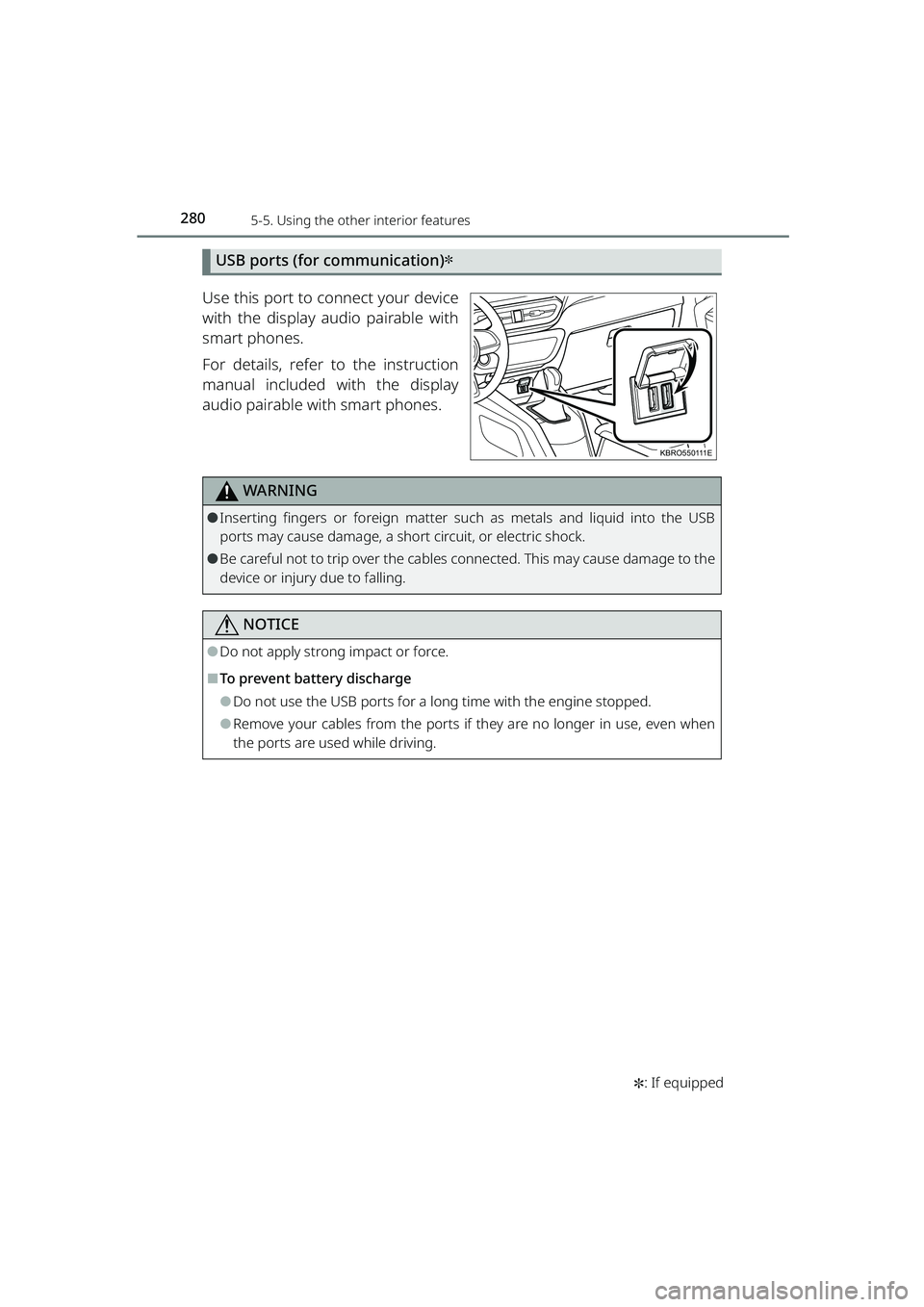
Use this port to connect your device
with the display audio pairable with
smart phones.
For details, refer to the instruction
manual included with the display
audio pairable with smart phones.
WARNING
⚫Inserting fingers or foreign matter such as metals and liquid into the USB
ports may cause damage, a short circuit, or electric shock.
⚫Be careful not to trip over the cables co nnected. This may cause damage to the
device or injury due to falling.
NOTICE
⚫Do not apply strong impact or force.
⬛To prevent battery discharge
⚫Do not use the USB ports for a long time with the engine stopped.
⚫Remove your cables from the ports if they are no longer in use, even when
the ports are used while driving.
KBRO550111E
RAIZE_OM_General_BZ358E.book 280 ページ 2022年5月17日 火曜日 午後1時59分
Page 333 of 516

3316-3. Do-it-yourself maintenance
RAIZE_OM_General_BZ358E
✽: If equipped
Maintenance and care
6
⬛Situations in which the tire pressure warning system may not operate properly✽
⚫In the following cases, the tire pressure warning system may not operate
properly.
⦁ If non-genuine Toyota wheels are used.
⦁A tire has been replaced with a tire that is not an OE (Original Equipment) tire.
⦁A tire has been replaced with a tire that is not of the specified size.
⦁ Tire chains, etc., are equipped.
⦁ An auxiliary-supported run-flat tire is equipped.
⦁ If a window tint that affects the radio wave signals is installed.
⦁ If there is a lot of snow or ice on th e vehicle, particularly around the wheels
or wheel housings.
⦁ If the tire inflation pressure is extr emely higher than the specified level.
⦁ If the spare tire is in a location subj ect to poor radio wave signal reception.
⦁ If a large metallic object which can in terfere with signal reception is put
near the spare tire.
⦁ If a wheel, not equipped with a tire pressure warning valve and transmit-
ter, is used.
⦁ If the ID code on the tire pressure warning valves and transmitters is not
registered in the tire pressure warning computer.
⚫Performance may be affected in the following situations.
⦁Near a TV tower, electric power plant, gas station, radio station, large display,
airport or other facility that generates strong radio waves or electrical noise
⦁ When carrying a portable radio, cellul ar phone, cordless phone or other
wireless communication device
⚫When the vehicle is parked, the time ta ken for the warning to start or go off
could be extended.
⚫When tire inflation pressure declin es rapidly for example when a tire has
burst, the warning may not function.
⬛The initialization operation (vehicles with the tire pressure warning system)
⚫Make sure to carry out init ialization after adjusting th e tire inflation pressure.
Also, make sure the tires are cold befo re carrying out initialization or tire
inflation pressure adjustment.
⚫If you have accidentally turned the engi ne switch to “OFF” during initializa-
tion, it is not necessary to press the reset switch again as initialization will
restart automatically when the engine switch has been turned to “ON” for
the next time.
⚫If you accidentally press the reset switch when initialization is not necessary,
adjust the tire inflation pressure to the specified level when the tires are
cold, and conduct initialization again.
RAIZE_OM_General_BZ358E.book 331 ページ 2022年5月17日 火曜日 午後1時59分