lights TOYOTA RAIZE 2023 Owner's Manual
[x] Cancel search | Manufacturer: TOYOTA, Model Year: 2023, Model line: RAIZE, Model: TOYOTA RAIZE 2023Pages: 516, PDF Size: 44.62 MB
Page 91 of 516
892-1. Instrument cluster
RAIZE_OM_General_BZ358E
Instrument cluster
2
Trip information
Use the ODO/TRIP DISP switch (for vehicles without tachometer) or the
ODO/TRIP switch (for vehicles with tachometer) to switch the display.
*The text layout in the display varies according to the vehicle grade level and
options, etc.
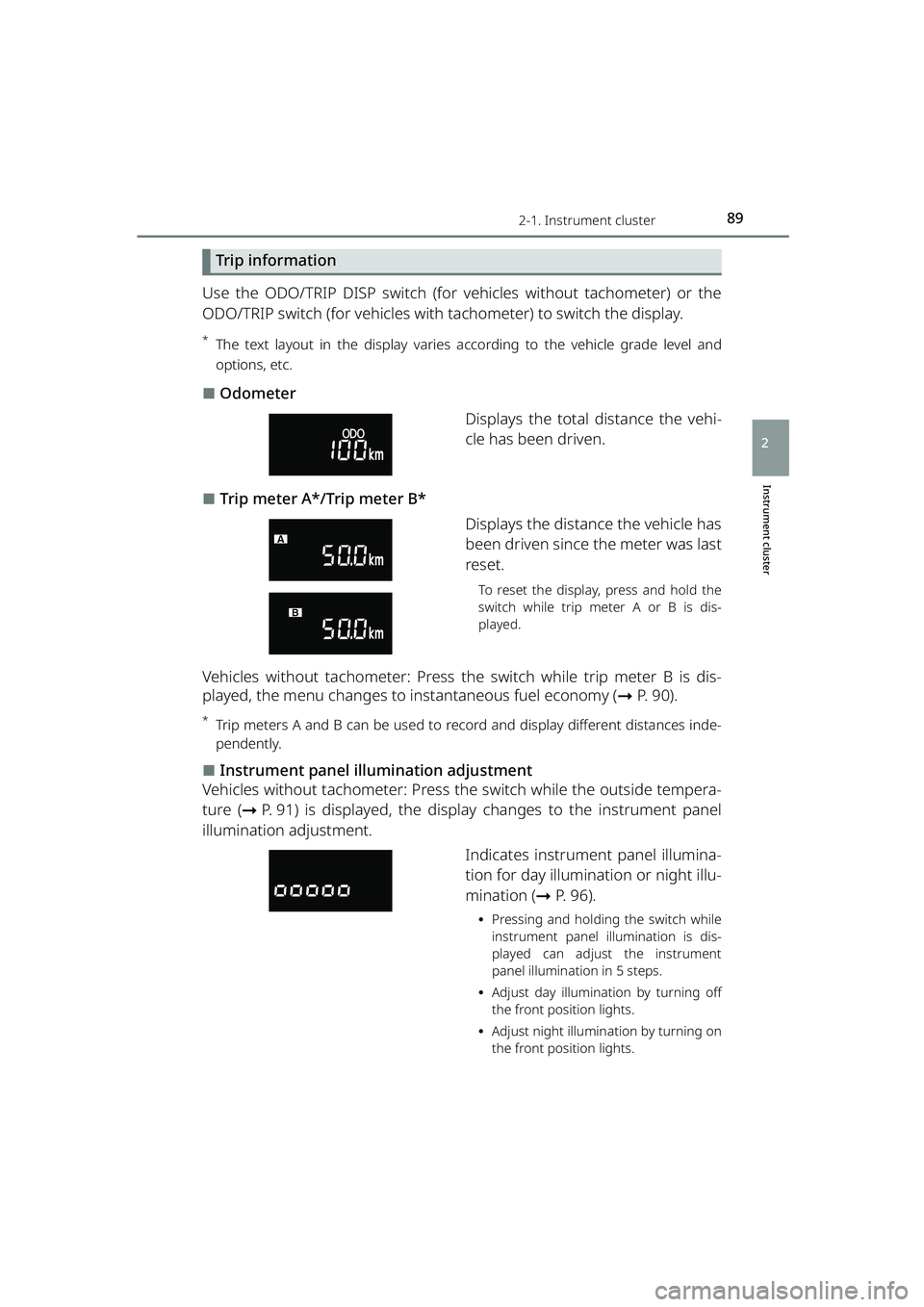
⬛Odometer
Displays the total distance the vehi-
cle has been driven.
⬛Trip meter A*/Trip meter B*Displays the distance the vehicle has
been driven since the meter was last
reset.
To reset the display, press and hold the
switch while trip meter A or B is dis-
played.
Vehicles without tachometer: Press th e switch while trip meter B is dis-
played, the menu changes to instantaneous fuel economy ( ➞P. 90).
*Trip meters A and B can be used to reco rd and display different distances inde-
pendently.
⬛Instrument panel illumination adjustment
Vehicles without tachometer: Press th e switch while the outside tempera-
ture ( ➞P. 91) is displayed, the display changes to the instrument panel
illumination adjustment.
Indicates instrument panel illumina-
tion for day illumination or night illu-
mination (➞P. 96).
⦁Pressing and holding the switch while
instrument panel illumination is dis-
played can adjust the instrument
panel illumination in 5 steps.
⦁ Adjust day illumination by turning off
the front position lights.
⦁ Adjust night illumination by turning on
the front position lights.
RAIZE_OM_General_BZ358E.book 89 ページ 2022年5月17日 火曜日 午後1時59分
Page 98 of 516
962-1. Instrument cluster
RAIZE_OM_General_BZ358E
⬛About instrument panel illumination (day illumination and night illumination)
⚫There are 2 types of instrument panel illumination: day illumination and
night illumination, and the illumination changes at the following times.
⦁ Day illumination: when the front po sition lights are turned off
⦁ Night illumination: when the fron t position lights are turned on
⚫Instrument panel lights become dimmer when it switches to night illumina-
tion. However, illumination does not become dimmer when the level for
night illumination is set to the brightest.
⬛When battery terminals are connected/disconnected
Clock data is reset when battery terminals are connected or disconnected.
⬛About automatic correction of time
Automatic correction of time cannot be set if you connect a device other than 9
inch display audio pairab le with smart phones.
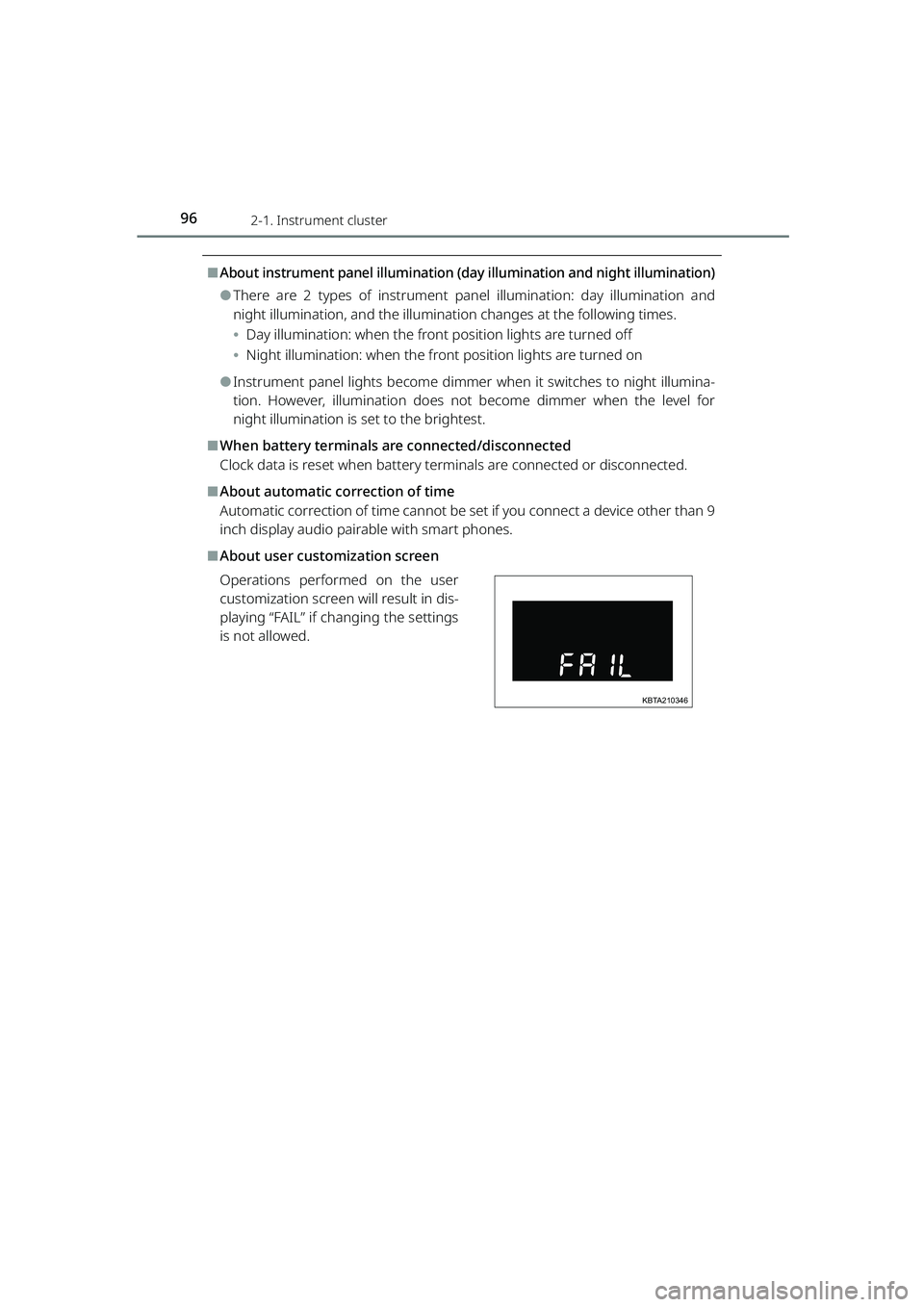
⬛About user customization screen
Operations performed on the user
customization screen will result in dis-
playing “FAIL” if changing the settings
is not allowed.
KBTA210346
RAIZE_OM_General_BZ358E.book 96 ページ 2022年5月17日 火曜日 午後1時59分
Page 106 of 516
1042-1. Instrument cluster
RAIZE_OM_General_BZ358E✽
: If equipped
Settings
While the vehicle is parked with the engine switch turned “ON”, you can
specify or adjust the display and configure the function settings by press-
ing the / switch to change the menu to .
Note that the screen is not operable while the vehicle is running. Be sure
to operate the screen when the ve hicle is stopped in a safe place.
The following items can be set and adjusted.
⚫Instrument panel illumination
adjustment (➞ P. 104)
⚫Time and date ( ➞P. 105)
⚫Display options ( ➞P. 106)
⚫Screens ( ➞P. 1 0 0 )
⚫Buzzers (➞ P. 107)
⚫Notification dates ( ➞P. 108)
⚫BSM/RCTA✽ (➞ P. 109)
⚫Door lock ( ➞P. 109)
⚫Windshield wipers ( ➞P. 110)
⚫Turn signal lights ( ➞P. 111)
⚫Maintenance ( ➞P. 111)
⚫Engine oil deterioration warning
reset
✽ (➞ P. 112)
⚫Initialization of display settings
(➞ P. 113)
⚫Language (➞ P. 114)
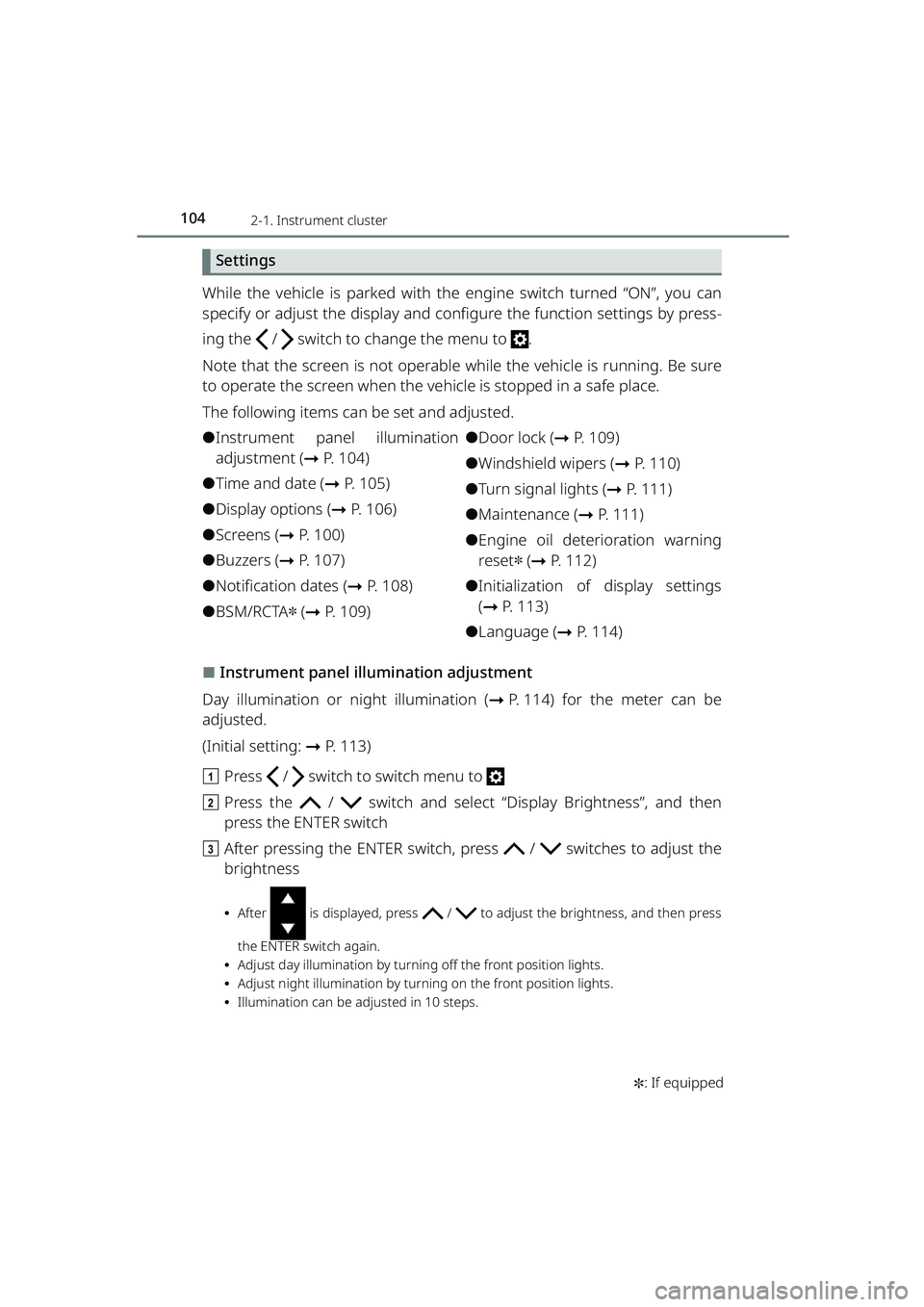
⬛Instrument panel illumination adjustment
Day illumination or ni ght illumination (➞P. 114) for the meter can be
adjusted.
(Initial setting: ➞P. 113)
a Press / switch to switch menu to
b Press the / switch and select “Display Brightness”, and then
press the ENTER switch
c After pressing the ENTER switch, pr ess / switches to adjust the
brightness
⦁ After is displayed, press / to adjust the brightness, and then press
the ENTER switch again.
⦁ Adjust day illumination by turnin g off the front position lights.
⦁ Adjust night illumination by turning on the front position lights.
⦁ Illumination can be adjusted in 10 steps.
RAIZE_OM_General_BZ358E.book 104 ページ 2022年5月17日 火曜日 午後1時59分
Page 109 of 516
1072-1. Instrument cluster
RAIZE_OM_General_BZ358E✽
: If equipped
Instrument cluster
2
⬛Buzzer setting
The follow settings can be selected as needed.
⚫Buzzer sound for turn signal (turn signal lights)
⚫Volume for opening screen
⚫BSM buzzer volume✽ ( ➞ P. 211)
⚫RCTA buzzer volume✽ (➞ P. 211)
(Initial setting: ➞P. 113)
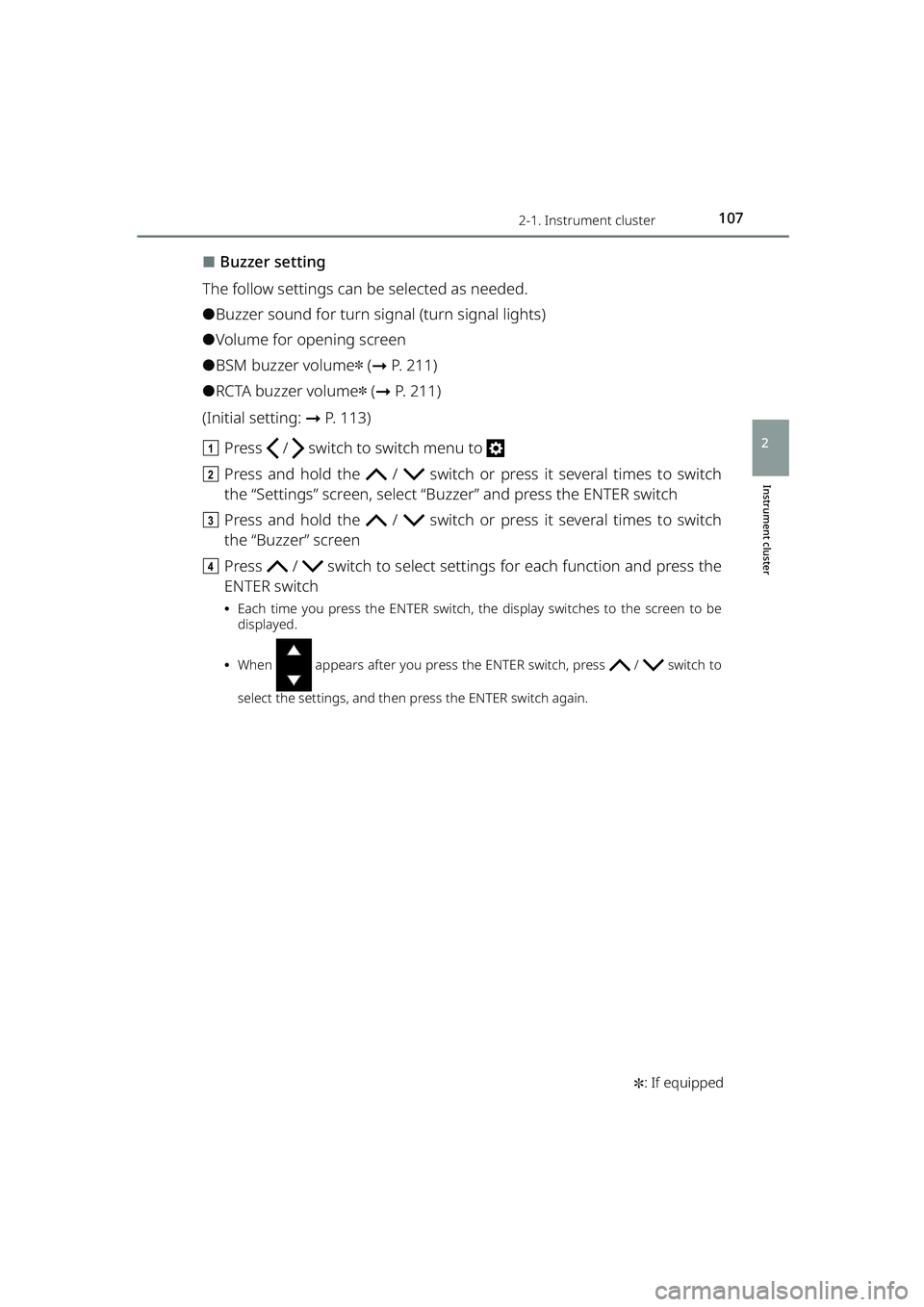
a Press / switch to switch menu to
b Press and hold the / switch or press it several times to switch
the “Settings” screen, select “B uzzer” and press the ENTER switch
c Press and hold the / switch or press it several times to switch
the “Buzzer” screen
d Press / switch to select setting s for each function and press the
ENTER switch
⦁ Each time you press the ENTER switch, the display switches to the screen to be
displayed.
⦁ When appears after you press the ENTER switch, press / switch to
select the settings, and then press the ENTER switch again.
RAIZE_OM_General_BZ358E.book 107 ページ 2022年5月17日 火曜日 午後1時59分
Page 113 of 516
1112-1. Instrument cluster
RAIZE_OM_General_BZ358E
Instrument cluster
2
⬛Settings of turn signal lights
You can set ON/OFF of the one-touch turn signal lights (3-time blinking of
turn signal indicator when the turn signal lever is pushed half way
through).
(List of customizable features: ➞ P. 430)
a Press / switch to switch menu to
b Press and hold the / switch or press it several times to switch the
“Settings” screen, select “Vehicle Settings” and press the ENTER switch
c Press and hold the / switch or press it several times to switch the
“Vehicle Settings” screen, select “T urn Signal” and press the ENTER switch
d Press the ENTER switch to switch settings
Each time you press the ENTER switch, it toggles between “ON” and “OFF”.
⬛Settings of maintenance
Timings for engine oil replacement, oil filter replacement, and tire rotation,
which appear on the opening screen ca n be set by the unit of distance.
(Initial setting: ➞P. 113)
a Press / switch to switch menu to
b Press and hold the / switch or press it several times to switch
the “Settings” screen, select “Mai ntenance Settings” and press the
ENTER switch
c To set ON or OFF, press the / switch to select “ON” or “OFF” for
each maintenance item, and then press the ENTER switch
Screens for oil filter replacement and tire rotation can be displayed by pressing and
holding / switch, or pressing it several times.
▶When the display is set to “OFF” and the distance is not specified
It displays the “Next Notice Timing” screen, as specified in Step e. (➞ P. 112)
▶If the distance is already set
Each time you press the ENTER switch, it toggles between “ON” and “OFF”.
d To set or reset the distance, press the / switch to select “Notifi-
cation Timing Settings” for each ma intenance item, and then press the
ENTER switch
Screens for oil filter replacement and tire rotation can be displayed by pressing and
holding / switch, or pressing it several times.
RAIZE_OM_General_BZ358E.book 111 ページ 2022年5月17日 火曜日 午後1時59分
Page 116 of 516
1142-1. Instrument cluster
RAIZE_OM_General_BZ358E
⬛Language
The language displayed on the TFT color multi-information display can be
switched to the following languages:
⚫English
⚫Spanish
⚫Portuguese
⚫Indonesian
⚫Thai
⚫French
⚫Arabic
a Press / switch to switch menu to
b Press and hold the / switch or press it several times to switch
the “Settings” screen, select “Lan guage” and press the ENTER switch
c Press the / switch to select th e language you want to use, and
press the ENTER switch
d Press the / switch to select “Y es”, and then press the ENTER switch
The display will be changed to the selected language.
⬛About instrument panel illumination (day illumination and night illumination)
⚫There are 2 types of instrument pa nel illumination: day illumination and
night illumination, and the illumination changes at the following times.
⦁ Day illumination: when the front po sition lights are turned off
⦁ Night illumination: when the fron t position lights are turned on
⚫Instrument panel lights become dimmer when it switches to night illumina-
tion. However, illumination does not become dimmer when the level for
night illumination is set to the brightest.
⬛About automatic correction of time and date
Automatic correction of da te and time cannot be set if you connect a device
other than 9 inch display audio pairable with smart phones.
RAIZE_OM_General_BZ358E.book 114 ページ 2022年5月17日 火曜日 午後1時59分
Page 139 of 516
1373-2. Opening, closing and locking the doors
RAIZE_OM_General_BZ358E
Operation of each component
3
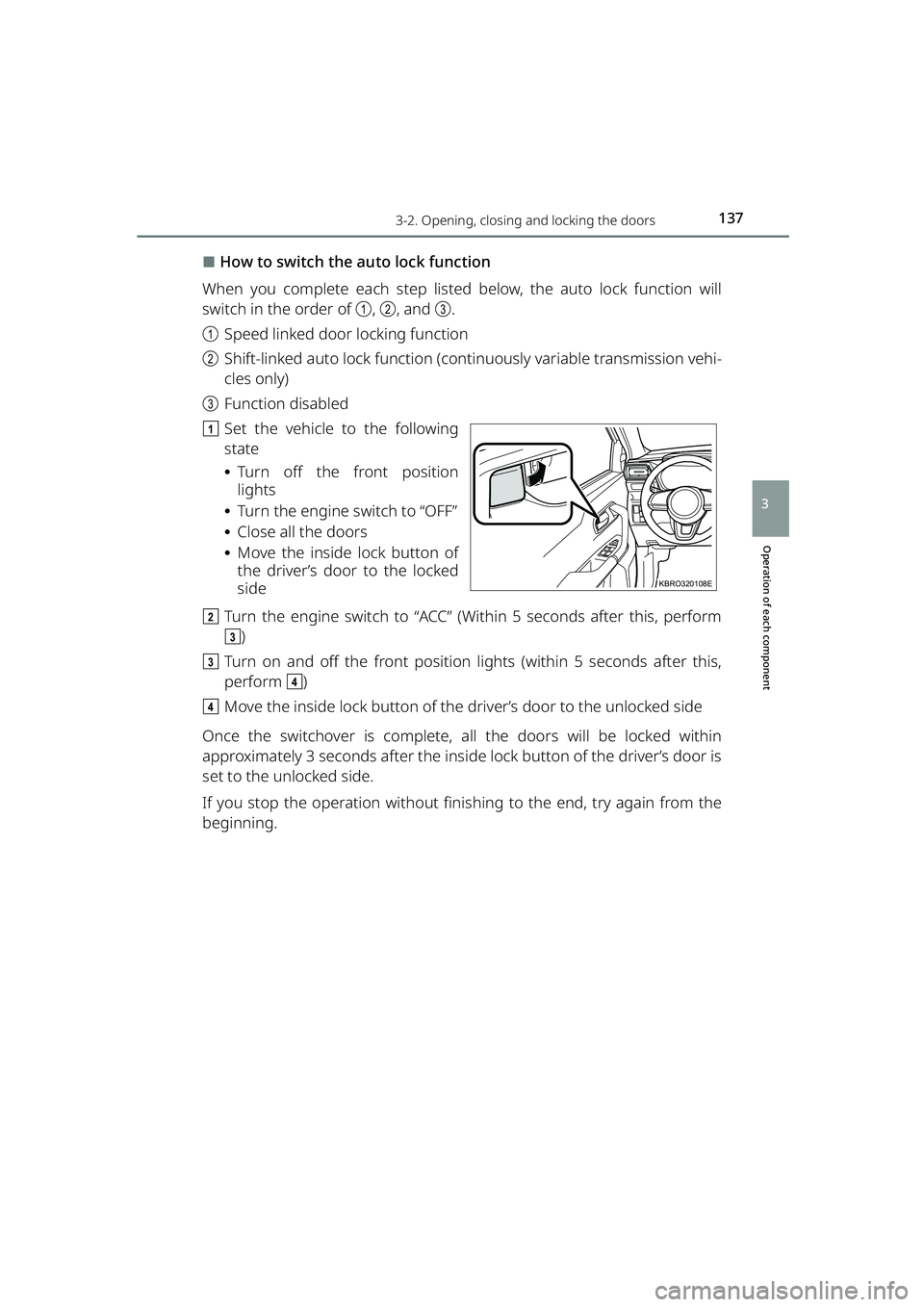
⬛How to switch the auto lock function
When you complete each step listed below, the auto lock function will
switch in the order of a, b , and c.
a Speed linked door locking function
b Shift-linked auto lock function (conti nuously variable transmission vehi-
cles only)
c Function disabled
a Set the vehicle to the following
state
⦁Turn off the front position
lights
⦁ Turn the engine switch to “OFF”
⦁ Close all the doors
⦁ Move the inside lock button of
the driver’s door to the locked
side
b Turn the engine switch to “ACC” (Within 5 seconds after this, perform
c)
c Turn on and off the front position lights (within 5 seconds after this,
perform d)
d Move the inside lock button of the driver’s door to the unlocked side
Once the switchover is complete, all the doors will be locked within
approximately 3 seconds after the inside lock button of the driver’s door is
set to the unlocked side.
If you stop the operation without fini shing to the end, try again from the
beginning.
KBRO320108E
RAIZE_OM_General_BZ358E.book 137 ページ 2022年5月17日 火曜日 午後1時59分
Page 140 of 516
1383-2. Opening, closing and locking the doors
RAIZE_OM_General_BZ358E ✽
: If equipped
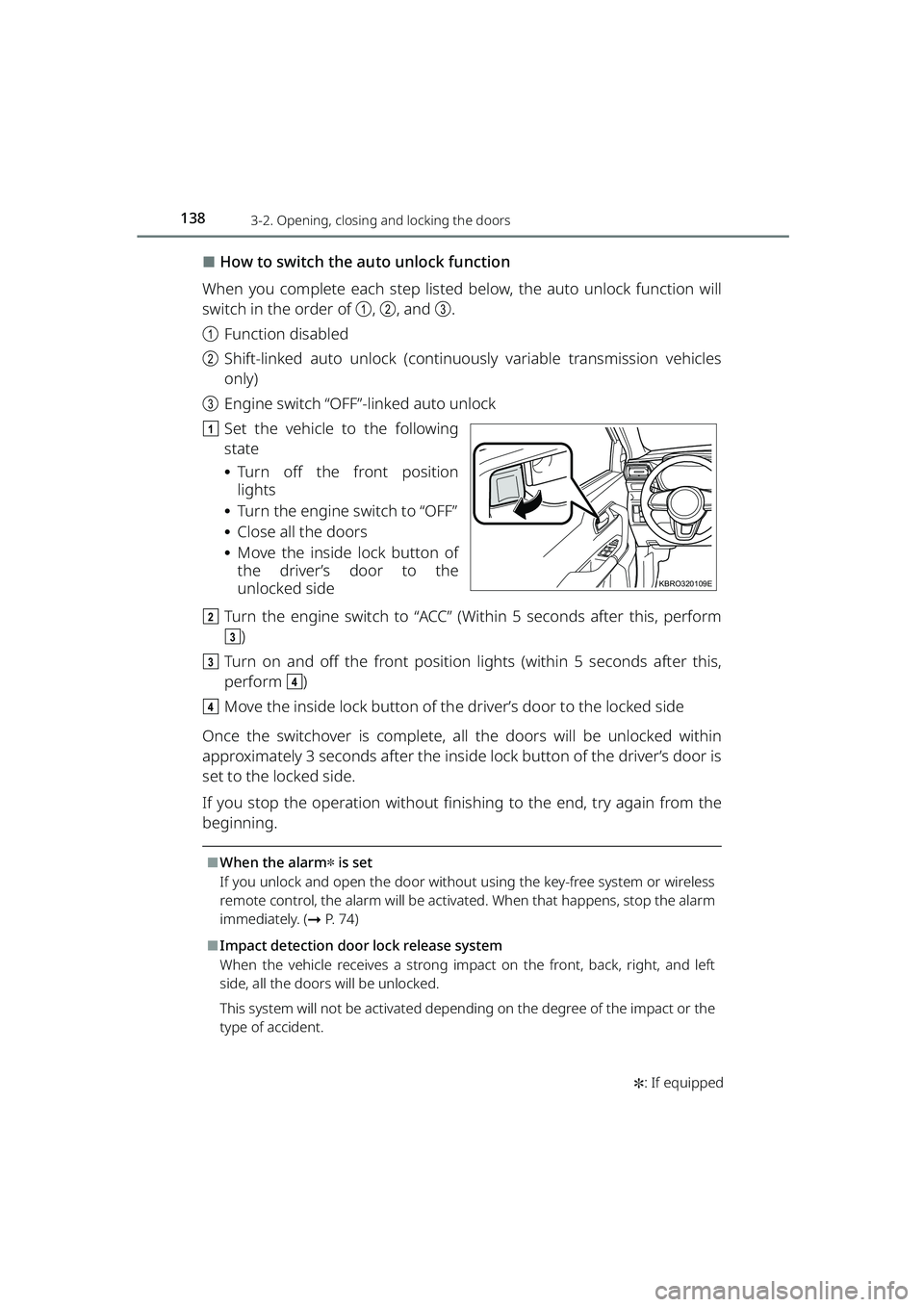
⬛How to switch the auto unlock function
When you complete each step listed below, the auto unlock function will
switch in the order of a, b , and c.
a Function disabled
b Shift-linked auto unlock (continuously variable transmission vehicles
only)
c Engine switch “OFF”-linked auto unlock
a Set the vehicle to the following
state
⦁Turn off the front position
lights
⦁ Turn the engine switch to “OFF”
⦁ Close all the doors
⦁ Move the inside lock button of
the driver’s door to the
unlocked side
b Turn the engine switch to “ACC” (Within 5 seconds after this, perform
c)
c Turn on and off the front position lights (within 5 seconds after this,
perform d)
d Move the inside lock button of th e driver’s door to the locked side
Once the switchover is complete, all the doors will be unlocked within
approximately 3 seconds after the inside lock button of the driver’s door is
set to the locked side.
If you stop the operation without fini shing to the end, try again from the
beginning.
⬛When the alarm✽ is set
If you unlock and open the door withou t using the key-free system or wireless
remote control, the alarm will be activat ed. When that happens, stop the alarm
immediately. ( ➞P. 7 4 )
⬛Impact detection door lock release system
When the vehicle receives a strong impact on the front, back, right, and left
side, all the doors will be unlocked.
This system will not be activated depend ing on the degree of the impact or the
type of accident.
KBRO320109E
RAIZE_OM_General_BZ358E.book 138 ページ 2022年5月17日 火曜日 午後1時59分
Page 158 of 516
1563-4. Steering wheel position and mirrors
RAIZE_OM_General_BZ358E
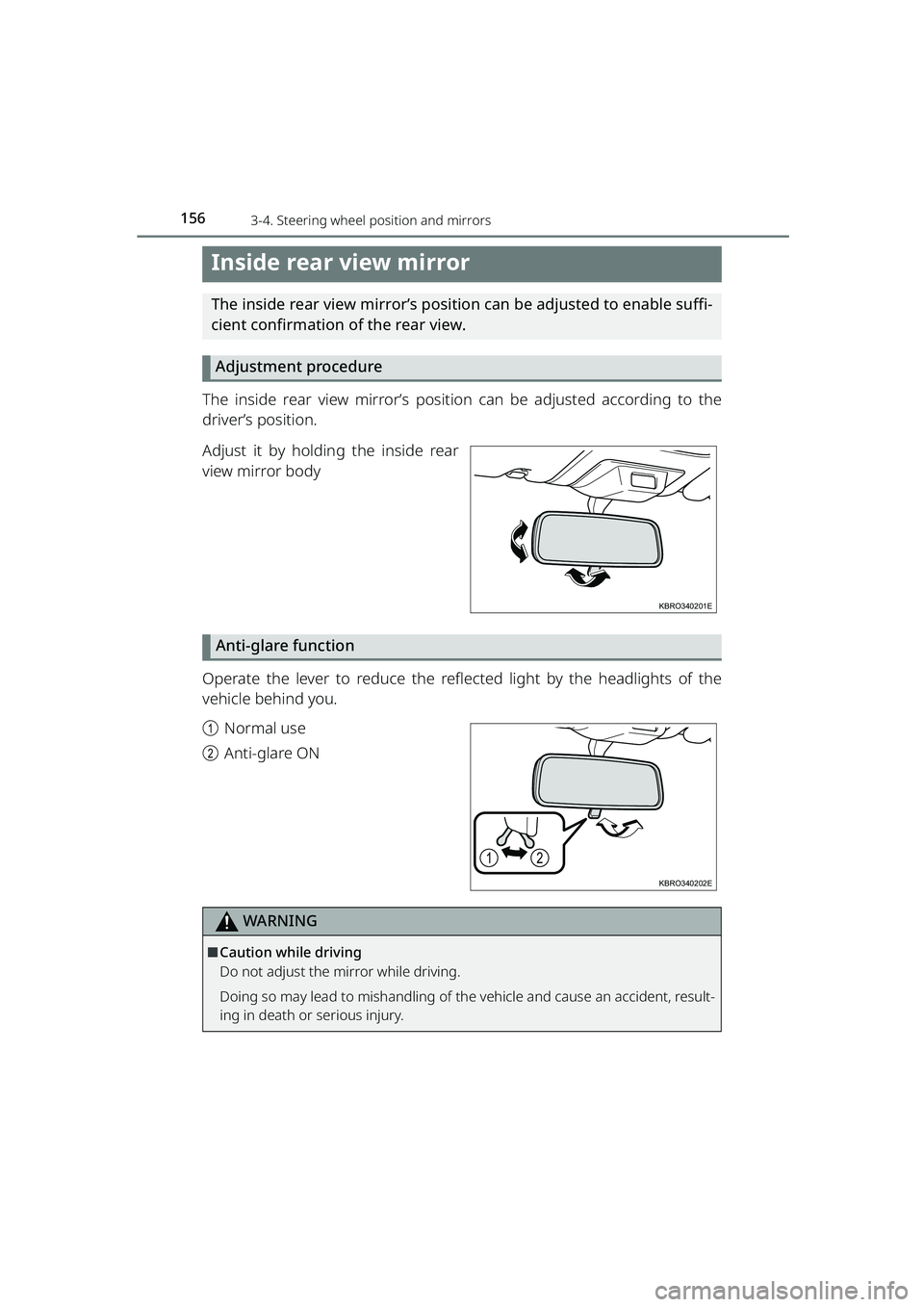
Inside rear view mirror
The inside rear view mirror’s position can be adjusted to enable suffi-
cient confirmation of the rear view.Adjustment procedure
The inside rear view mirror’s position can be adjusted according to the
driver’s position.
Adjust it by holding the inside rear
view mirror body
Anti-glare function
Operate the lever to reduce the reflected light by the headlights of the
vehicle behind you.
a Normal use
b Anti-glare ON
WARNING
⬛Caution while driving
Do not adjust the mirror while driving.
Doing so may lead to mishandling of the vehicle and cause an accident, result-
ing in death or serious injury.
KBRO340201E
12
KBRO340202E
RAIZE_OM_General_BZ358E.book 156 ページ 2022年5月17日 火曜日 午後1時59分
Page 161 of 516
1593-4. Steering wheel position and mirrors
RAIZE_OM_General_BZ358E
Operation of each component
3
⬛Operating conditions (electric type)
When the engine switch is “ACC” or “ON”
⬛Using “Automatic mode” in cold weather (vehicles with key-free system)
When using “Automatic mode” in cold weather, the mirrors may not be folded
or extended automatically if the outsid e rear view mirrors get frozen. If this
happens, remove ice or snow covering the outside rear view mirrors, and acti-
vate them by using “Manual mode” or move the mirrors with your hands.
⬛Disabling folding (or extension) in the automatic mode (vehicles with key-
free system)
Set the switch to the extend (or fold) position.
⬛Customization (vehicles with key-free system)
You can customize the operation contents of the automatic mode. (List of cus-
tomizable features: ➞ P. 430)
WARNING
⬛Important points while driving
Be sure to observe the following pr ecautions while driving the vehicle.
Failure to do so may result in mishandling of the vehicle and cause an accident,
resulting in death or serious injury.
⚫Do not adjust the mirrors while driving
⚫Do not drive with the outside rear view mirrors folded
⚫Both the driver and passenger side mirrors must be extended and properly
adjusted before driving
⬛When the mirror is moving (electric type)
Do not touch it with your hands.
Doing so could get your hands caught and cause injury or the mirror to mal-
function.
⬛Adjusting the mirrors (manual type)
Do not adjust them with dirty hands. If the mirror surface gets dirty, it will
cause diffused reflection of the lights fr om behind during nighttime etc., which
is extremely dangerous as it could compromise the visibility.
RAIZE_OM_General_BZ358E.book 159 ページ 2022年5月17日 火曜日 午後1時59分