key TOYOTA RAV4 2015 XA40 / 4.G Manual Online
[x] Cancel search | Manufacturer: TOYOTA, Model Year: 2015, Model line: RAV4, Model: TOYOTA RAV4 2015 XA40 / 4.GPages: 732, PDF Size: 12.43 MB
Page 366 of 732

366
RAV4_OM_OM42A78U_(U)
5-2. Using the audio system
Before using the Bluetooth® audio/phone, it is necessary to register a
Bluetooth® device in the system. Follow the procedure below to regis-
ter (pair) a device:
Press the “SETUP” button and select “Bluetooth
*” using the
“TUNE•SCROLL” knob.
Press the knob and select “BT pairing” using the knob.
A passkey will be displayed.
SSP (Secure Simple Pairing) incompatible Bluetooth
® devices:
Input the passkey into the device.
SSP (Secure Simple Pairin g) compatible Bluetooth
® devices:
Select “Yes” to register the device. Depending on the type of
device, it may register automatically.
If a Bluetooth
® device has both music player and cellular phone func-
tions, both functions will be register ed at the same time. When delet-
ing the device, both functions will be deleted at the same time.
If the off-hook switch is presse d and the “PHONE” mode is entered
when no phones have been registered, the registration screen will be
automatically displayed.
*: Bluetooth is a registered trademark of Bluetooth SIG, Inc.
Using the Bluetooth® audio/phone for the first time
1
2
3
Page 367 of 732
RAV4_OM_OM42A78U_(U)
3675-2. Using the audio system
5
Interior features
*: Bluetooth is a registered trademark of Bluetooth SIG, Inc.
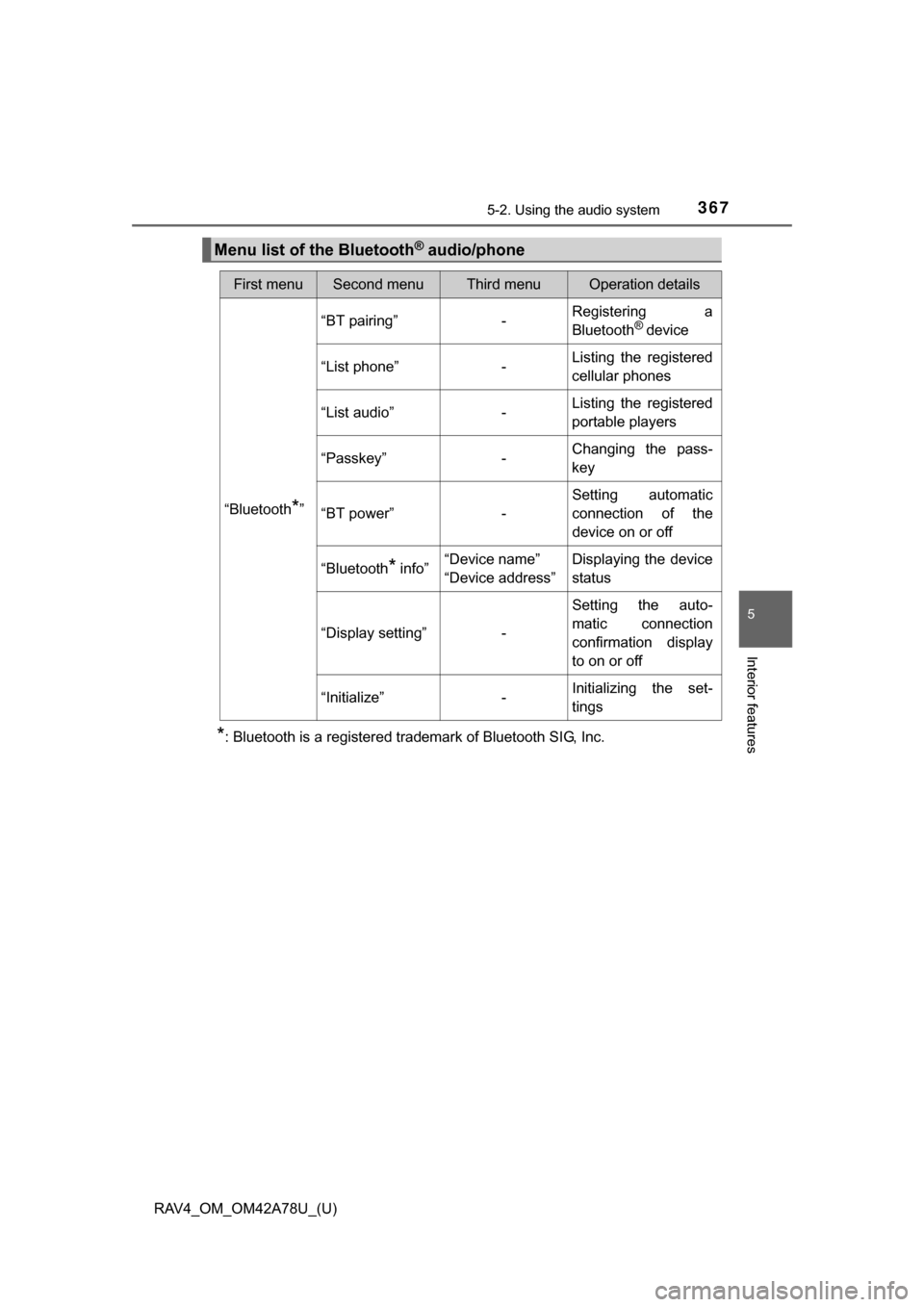
Menu list of the Bluetooth® audio/phone
First menuSecond menuThird menuOperation details
“Bluetooth*”
“BT pairing”-Registering a
Bluetooth® device
“List phone”
-Listing the registered
cellular phones
“List audio”
-Listing the registered
portable players
“Passkey”
-Changing the pass-
key
“BT power”
-Setting automatic
connection of the
device on or off
“Bluetooth
* info” “Device name”
“Device address” Displaying the device
status
“Display setting” -Setting the auto-
matic connection
confirmation display
to on or off
“Initialize” -Initializing the set-
tings
Page 377 of 732
377
RAV4_OM_OM42A78U_(U)
5-2. Using the audio system
5
Interior features
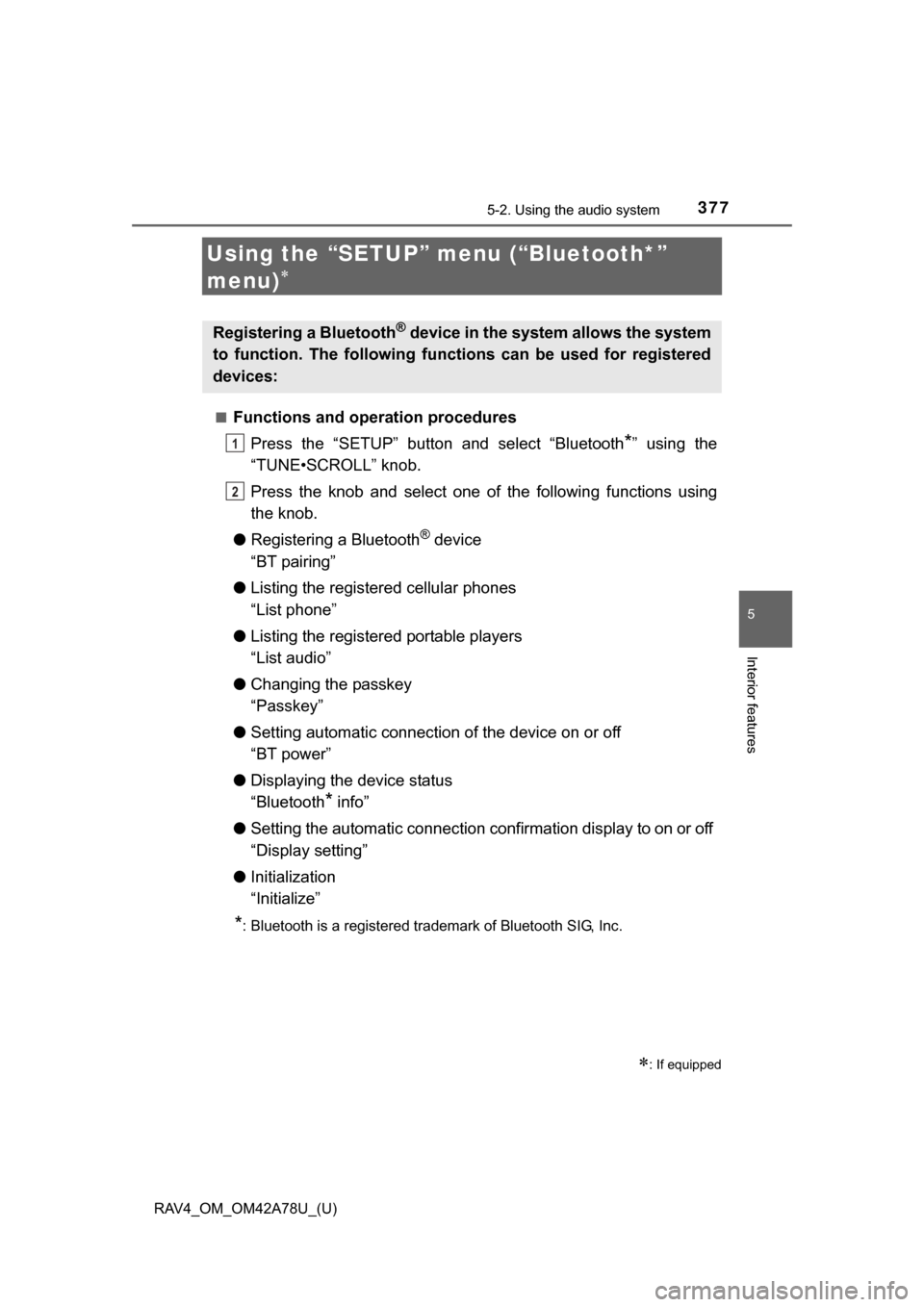
Using the “SETUP” menu (“Bluetooth*”
menu)
■Functions and operation proceduresPress the “SETUP” button and select “Bluetooth
*” using the
“TUNE•SCROLL” knob.
Press the knob and select one of the following functions using
the knob.
● Registering a Bluetooth
® device
“BT pairing”
● Listing the registered cellular phones
“List phone”
● Listing the registered portable players
“List audio”
● Changing the passkey
“Passkey”
● Setting automatic connection of the device on or off
“BT power”
● Displaying the device status
“Bluetooth
* info”
● Setting the automatic connection confirmation display to on or off
“Display setting”
● Initialization
“Initialize”
*: Bluetooth is a registered trademark of Bluetooth SIG, Inc.
: If equipped
Registering a Bluetooth® device in the system allows the system
to function. The following functions can be used for registered
devices:
1
2
Page 380 of 732
380
RAV4_OM_OM42A78U_(U)
5-2. Using the audio system
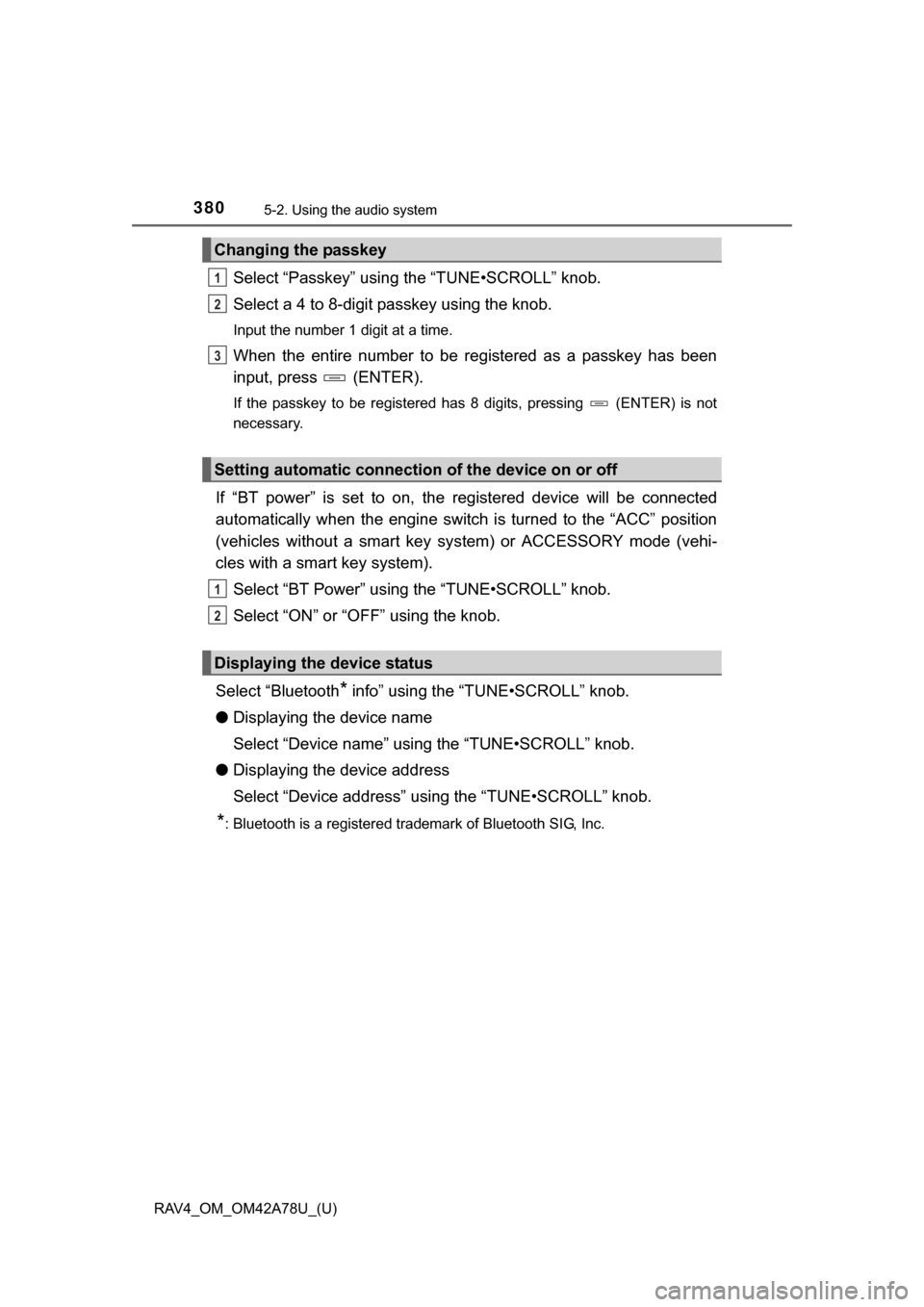
Select “Passkey” using the “TUNE•SCROLL” knob.
Select a 4 to 8-digit passkey using the knob.
Input the number 1 digit at a time.
When the entire number to be registered as a passkey has been
input, press (ENTER).
If the passkey to be registered has 8 digits, pressing (ENTER) is not
necessary.
If “BT power” is set to on, the registered device will be connected
automatically when the engine switch is turned to the “ACC” position
(vehicles without a smart key sy stem) or ACCESSORY mode (vehi-
cles with a smart key system).
Select “BT Power” using the “TUNE•SCROLL” knob.
Select “ON” or “OFF” using the knob.
Select “Bluetooth
* info” using the “TUNE•SCROLL” knob.
● Displaying the device name
Select “Device name” using the “TUNE•SCROLL” knob.
● Displaying the device address
Select “Device address” using the “TUNE•SCROLL” knob.
*: Bluetooth is a registered trademark of Bluetooth SIG, Inc.
Changing the passkey
Setting automatic connection of the device on or off
Displaying the device status
1
2
3
1
2
Page 381 of 732
RAV4_OM_OM42A78U_(U)
3815-2. Using the audio system
5
Interior features
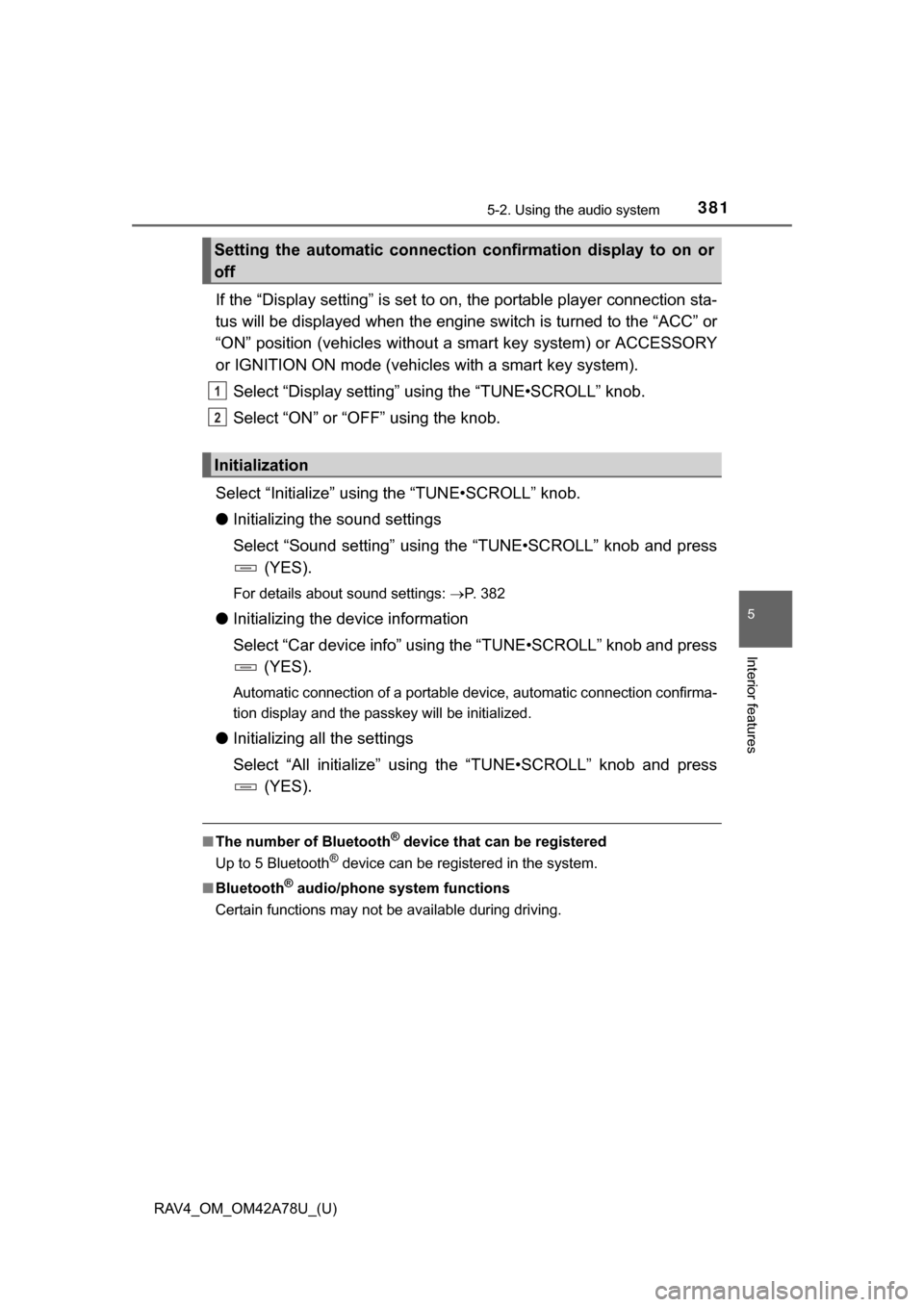
If the “Display setting” is set to on, the portable player connection sta-
tus will be displayed when the engine sw itch is turned to the “ACC” or
“ON” position (vehicles without a smart key system) or ACCESSORY
or IGNITION ON mode (vehicl es with a smart key system).
Select “Display setting” us ing the “TUNE•SCROLL” knob.
Select “ON” or “OFF” using the knob.
Select “Initialize” using the “TUNE•SCROLL” knob.
● Initializing the sound settings
Select “Sound setting” using the “TUNE•SCROLL” knob and press
(YES).
For details about sound settings: P. 382
●Initializing the device information
Select “Car device info” using the “TUNE•SCROLL” knob and press
(YES).
Automatic connection of a portable device, automatic connection confirma-
tion display and the passkey will be initialized.
● Initializing all the settings
Select “All initialize” using the “TUNE•SCROLL” knob and press
(YES).
■The number of Bluetooth® device that can be registered
Up to 5 Bluetooth
® device can be registered in the system.
■ Bluetooth
® audio/phone system functions
Certain functions may not be available during driving.
Setting the automatic connection confirmation display to on or
off
Initialization
1
2
Page 395 of 732
395
RAV4_OM_OM42A78U_(U)
5-3. Using the audio system (Entune Audio)
5
Interior features
General settings
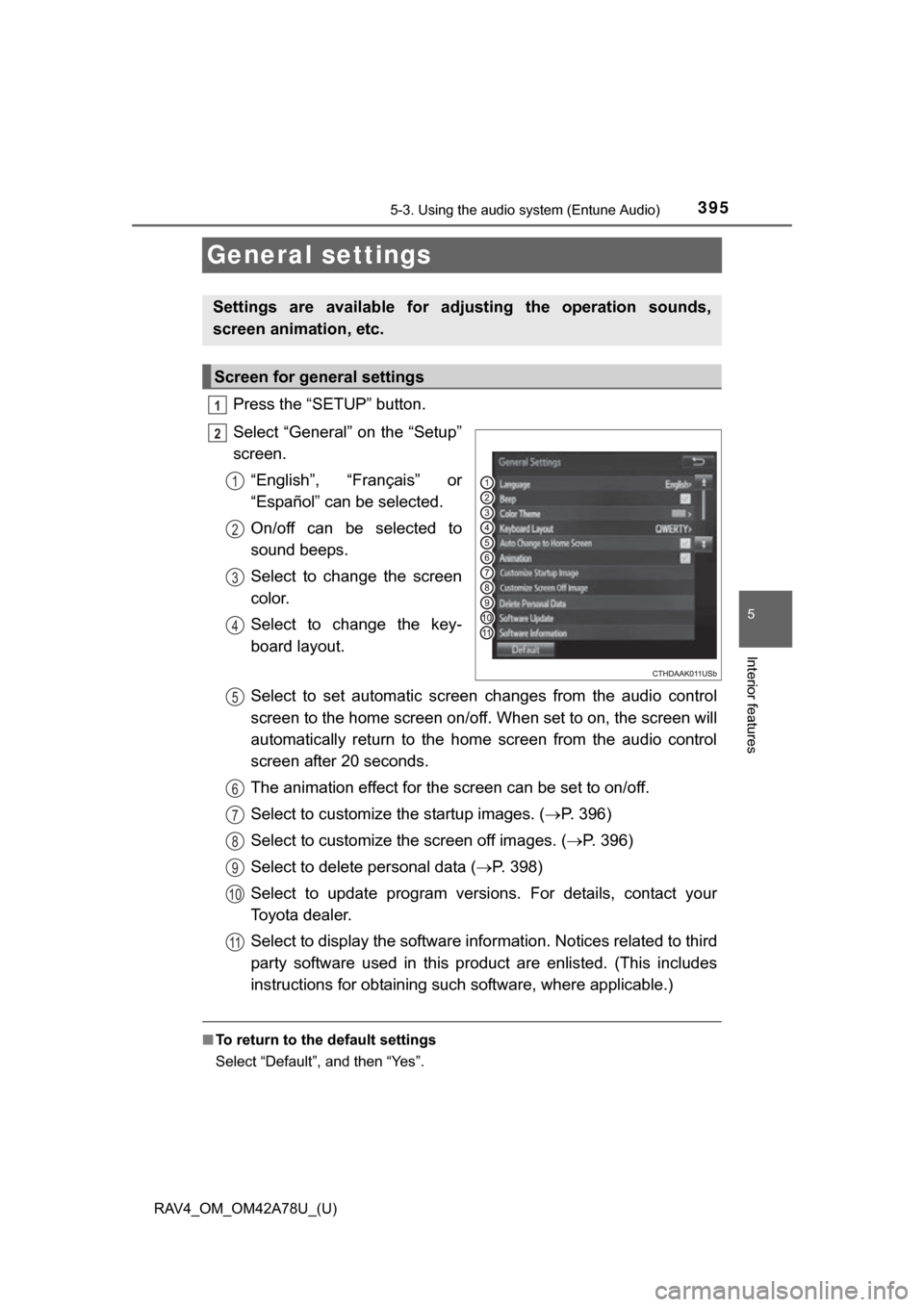
Press the “SETUP” button.
Select “General” on the “Setup”
screen.“English”, “Français” or
“Español” can be selected.
On/off can be selected to
sound beeps.
Select to change the screen
color.
Select to change the key-
board layout.
Select to set automatic screen changes from the audio control
screen to the home screen on/off. When set to on, the screen will
automatically return to the home screen from the audio control
screen after 20 seconds.
The animation effect for the screen can be set to on/off.
Select to customize the startup images. ( P. 396)
Select to customize the screen off images. (P. 396)
Select to delete personal data ( P. 398)
Select to update program versions. For details, contact your
Toyota dealer.
Select to display the software info rmation. Notices related to third
party software used in this pr oduct are enlisted. (This includes
instructions for obtaining such software, where applicable.)
■ To return to the default settings
Select “Default”, and then “Yes”.
Settings are available for adjusting the operation sounds,
screen animation, etc.
Screen for general settings
1
2
1
2
3
4
5
6
7
8
9
10
11
Page 396 of 732
396
RAV4_OM_OM42A78U_(U)
5-3. Using the audio system (Entune Audio)
An image can be copied from a USB memory and used as the startup
and screen off Images.
When the engine switch is in the “ACC” or “ON” position (vehicles
without a smart key system) or ACCESSORY or IGNITION ON mode
(vehicles with a smart ke y system), the initial screen will be displayed.
When “Screen Off” on the “Setup” screen is selected, the screen is
turned off and the desired screen off image that is set is displayed.
(To turn the screen off: P. 394)
■Transferring images
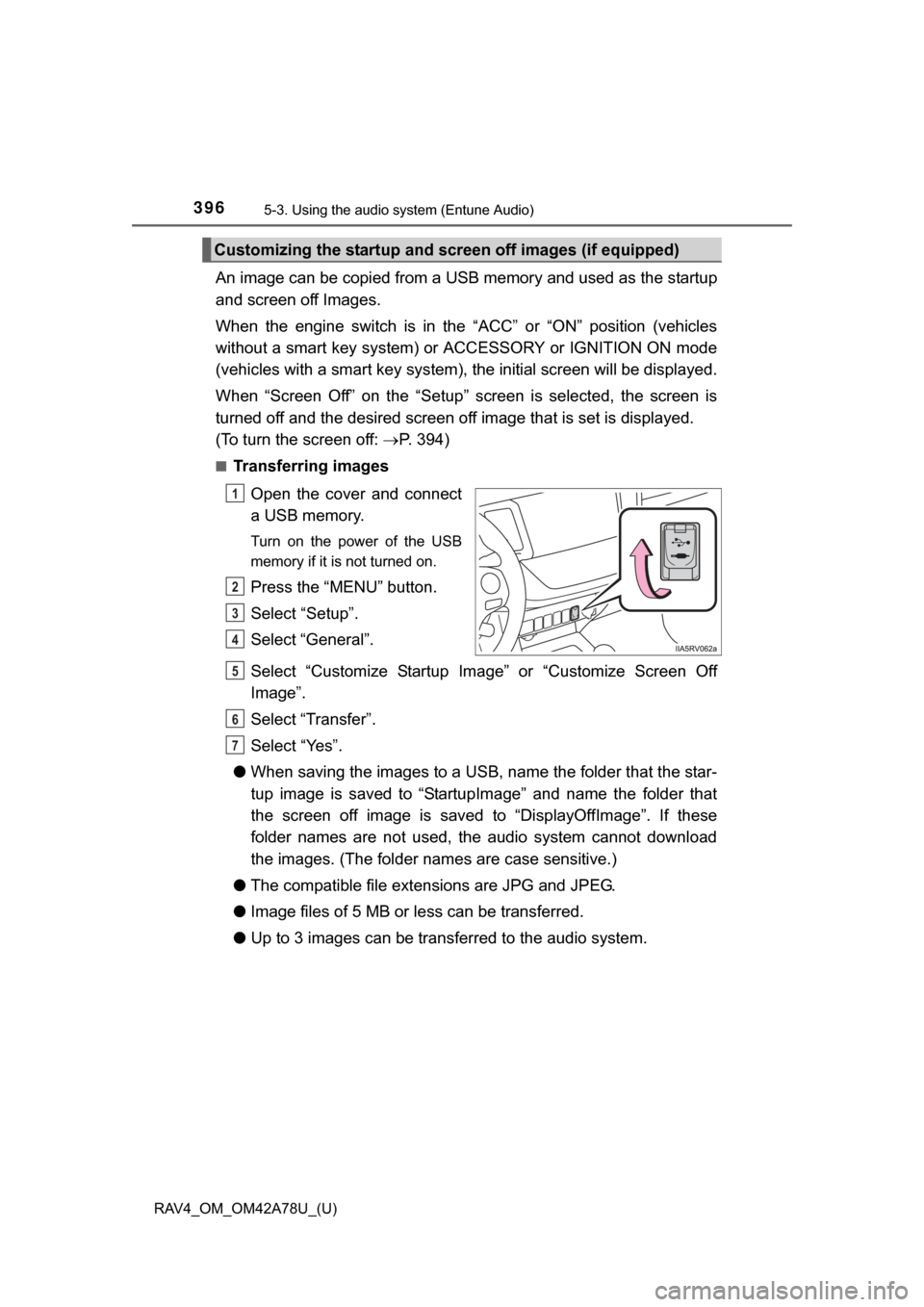
Open the cover and connect
a USB memory.
Turn on the power of the USB
memory if it is not turned on.
Press the “MENU” button.
Select “Setup”.
Select “General”.
Select “Customize Startup Image” or “Customize Screen Off
Image”.
Select “Transfer”.
Select “Yes”.
● When saving the images to a USB, name the folder that the star-
tup image is saved to “StartupImage” and name the folder that
the screen off image is saved to “DisplayOffImage”. If these
folder names are not used, the audio system cannot download
the images. (The folder nam es are case sensitive.)
● The compatible file extensions are JPG and JPEG.
● Image files of 5 MB or le ss can be transferred.
● Up to 3 images can be transferred to the audio system.
Customizing the startup and sc reen off images (if equipped)
1
2
3
4
5
6
7
Page 434 of 732
434
RAV4_OM_OM42A78U_(U)
5-3. Using the audio system (Entune Audio)
To turn auto connection mode on, set “Bluetooth* Power” to on.
( P. 438)
*: Bluetooth is a registered trademark of Bluetooth SIG, Inc.
When you register a phone, auto co nnection will be activated. Always
set it to this mode and leave the Bluetooth® phone in a place where a
connection can be established.
When the engine switch is turned to the “ACC” or “ON” position (vehicles
without a smart key system) or ACCESSORY or IGNITION ON mode
(vehicles with a smart key system), the system will search for a nearby cel-
lular phone you have registered.
Next, the system automatically connects with the most recent of the
phones connected to in the past. Then, the connection result is displayed.
When auto connection has failed or “Bluetooth* Power” is turned off,
you must connec t the Bluetooth® device manually.
*: Bluetooth is a registered trademark of Bluetooth SIG, Inc.
Follow the steps in “Connecting a Bluetooth® device” from .
( P. 433)
Registering an additional device
Select “Select Device” on the Bluetooth
® audio control screen.
For more information: P. 4 3 1
Selecting a registered device
Select “Select Device” on the Bluetooth
® audio control screen.
For more information: P. 4 3 3
Auto connection
Manual connection
Connecting a Bluetooth® audio player
1
1
2
1
2
Page 435 of 732

RAV4_OM_OM42A78U_(U)
4355-3. Using the audio system (Entune Audio)
5
Interior features
■Reconnecting a Bluetooth® phone
If the system cannot connect due to poor signal strength with the engine
switch in the “ACC” or “ON” position (vehicles without a smart key system) or
ACCESSORY or IGNITION ON mode (vehi cles with a smart key system), the
system will automatically attempt to reconnect.
If the phone is turned off, the system will not attempt to reconnect. In this
case, the connection must be made manually, or the phone must be rese-
lected.
Page 472 of 732
472
RAV4_OM_OM42A78U_(U)
5-3. Using the audio system (Entune Audio)
A Bluetooth® con-
nection cannot be
made.
Another
Bluetooth® device
is already con-
nected.
Manually connect
the cellular phone
you wish to use to
this system.
P. 434
Bluetooth® func-
tion is not enabled
on the cellular
phone.Enable the
Bluetooth® func-
tion on the cellular
phone.
*2
Automatic
Bluetooth® con-
nection on this
system is set to
off.
Set automatic
Bluetooth® con-
nection on this
system to on
when the engine
switch is turned to
the “ACC” or “ON”
position (vehicles
without a smart
key system) or
ACCESSORY or
IGNITION ON
mode (vehicles
with a smart key
system).
P. 434
SymptomLikely causeSolution
Page
Cellular phoneThis
system